AI Photo Editor for Twitter/X
Last updated
Make your Twitter presence pop - from profile pic to viral meme in seconds.
Drop your photo here
"enhance this photo to stand out as a Twitter profile pic, boost colors and contrast, make lighting vibrant but natural"
Release to upload

Built for Twitter/X Creators
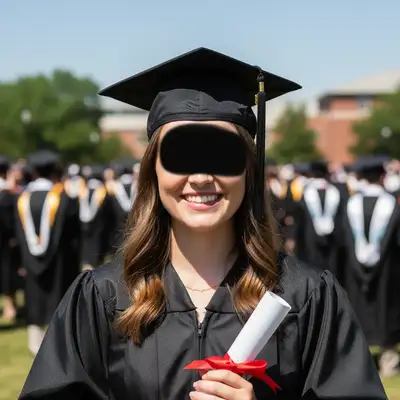
Your Twitter presence lives and dies by visuals. A compelling profile pic gets more followers. Eye-catching thread images get more engagement. Clean screenshots look more professional. EditThisPic lets you level up every image you post without learning complex software.
Tools for Twitter/X Content
Enhance Photo
Make profile pics pop in the timeline
Remove Background
Clean cutouts for profile pics and memes
Blur Background
Professional look for profile photos
Remove Text
Clean up screenshots and meme templates
Replace Background
Custom backgrounds for headers and content
How to AI Photo Editor for Twitter/X
-
Upload your image
Drop your photo, screenshot, or meme template into EditThisPic. Works with JPG, PNG, WebP up to 7MB. Profile pics, headers, screenshots, meme bases - all supported.
Simple edits like enhancement: 15-20 seconds. Complex edits like background replacement: 25-35 seconds. -
Describe your edit
Type what you want: 'make colors more vibrant and eye-catching' or 'remove the watermark from this meme.' Be specific about the look you're going for. No marking needed - the AI understands common terms like 'background' and 'text.'
For profile pics, mention 'timeline' or 'small size' - the AI will optimize for how Twitter displays images. -
Review the result
Check how it looks at both full size and thumbnail size (how it appears in timelines). Verify colors pop but still look natural. Make sure no important details got changed.
Copy-Paste Prompts for Twitter/X
enhance this photo to stand out as a Twitter profile pic, boost colors and contrast, make lighting vibrant but natural
Mentioning 'profile pic' helps the AI optimize for small circular display
replace background with modern gradient from dark blue to purple, keep subject crisp, suitable for Twitter header
Gradients work great for headers since they don't compete with your profile pic overlay
blur out all usernames, email addresses, and phone numbers in this screenshot, keep everything else readable
Be specific about what to blur - the AI will find and obscure matching content
remove all existing text and watermarks from this meme template, give me a clean base image
Starting with a clean template lets you add your own text in any app
Show 4 more prompts
make this image more dramatic and attention-grabbing, boost saturation and contrast, add slight vignette for focus
Dramatic images stop the scroll - but don't overdo it or it looks artificial
remove the quote tweet overlay and watermark from this screenshot, reconstruct the original image
Works best when the overlay doesn't cover key parts of the image
remove background completely for transparent PNG, keep edges clean around hair, perfect for Twitter profile
Transparent profile pics let your header show through on your profile page
enhance image quality, reduce compression artifacts, sharpen details while keeping it natural looking
Great for rescuing images that got compressed when downloaded from Twitter
| Edit Type | Prompt | Time | |
|---|---|---|---|
| Profile pic enhancement | enhance to stand out as profile pic |
15s | Try This → |
| Header background | replace with gradient blue to purple |
25s | Try This → |
| Screenshot privacy | blur usernames and emails |
20s | Try This → |
| Meme cleanup | remove all text and watermarks |
25s | Try This → |
Real Examples
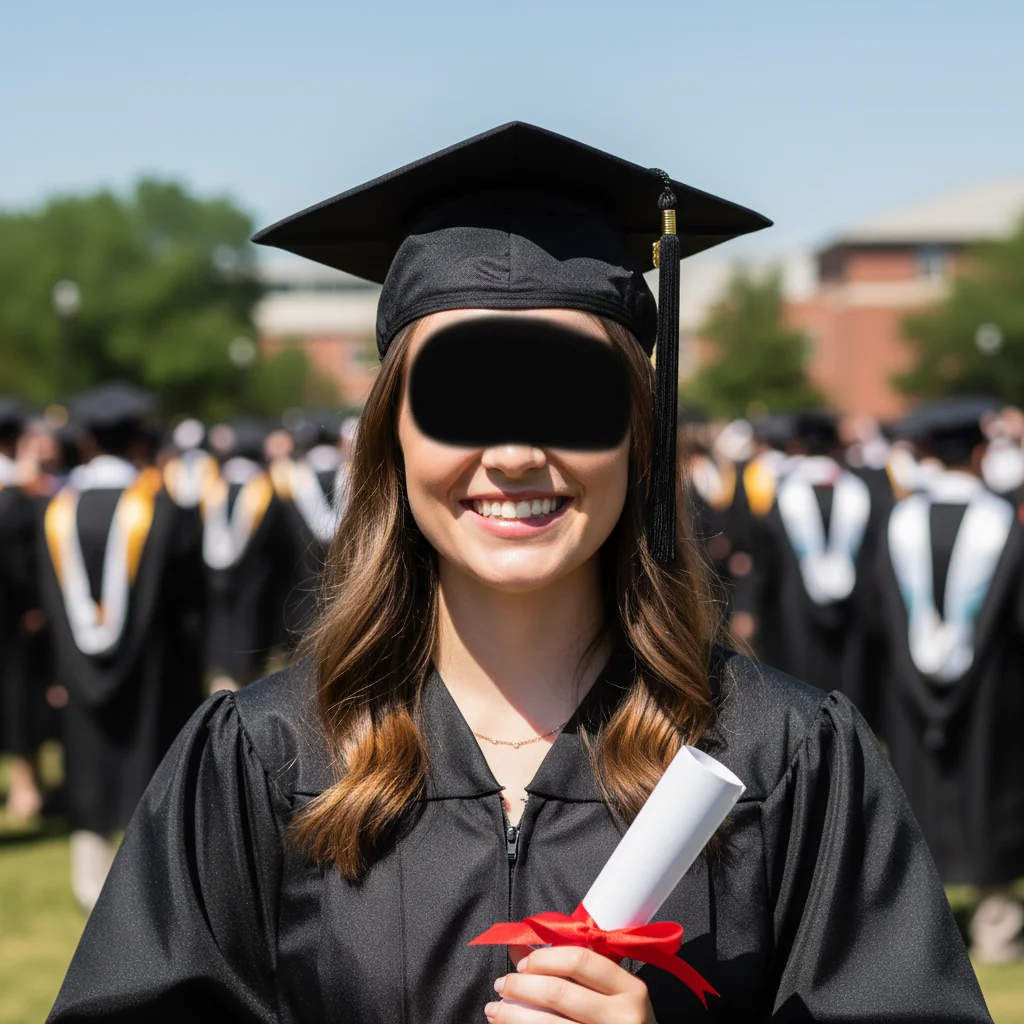

Bland profile pic to timeline standout
Profile photos that blend into the timeline get scrolled past. A quick enhancement makes all the difference.
enhance this photo to stand out as a Twitter profile pic, boost colors and contrast, vibrant but natural lighting
Screenshot with sensitive info blurred
Sharing screenshots but need to hide usernames, emails, or personal data. One prompt handles it.
blur out all usernames and email addresses in this screenshot, keep everything else readable and sharp
When Things Go Wrong
Enhancement made the image look unnatural or over-processed
Why: Strong enhancement on already well-processed images can look artificial.
Add 'natural looking' or 'subtle' to any enhancement prompt to prevent overdoing it.
Frequently Asked Questions
Do I need to mark the area before describing what I want?
No! For most edits, just describe what you want: 'remove the watermark' or 'enhance colors.' The AI understands these concepts.
What's the best size for Twitter profile photos?
Twitter recommends 400x400 pixels for profile photos. EditThisPic doesn't resize images, so upload an image that's at least 400x400. The editing will work at any resolution - just crop to square before or after editing.
How do I edit a Twitter header image?
Upload your image and describe what you want: background replacement, enhancement, or cleanup. Twitter headers are 1500x500 pixels. For best results, start with an image close to those dimensions. EditThisPic can enhance, replace backgrounds, or remove unwanted elements.
Is there a free Twitter photo editor that doesn't require login?
Yes - EditThisPic is free to try with no signup required. You get one free edit per week. No watermarks added to your images. Just upload, describe your edit, and download the result.
How do I make meme images without Photoshop?
EditThisPic can clean up meme templates by removing existing text and watermarks. Upload the template, type 'remove all text and watermarks,' then download the clean base. Add your own text using Twitter's built-in editor or any free text app.
Is EditThisPic's AI photo editor for twitter/x really free?
Yes — you get 1 free edit per week, no account needed. Plans start at $4.99/month for 15 edits.
Can I twitter photos on my phone?
Yes. EditThisPic works in any mobile browser — iPhone, Android, tablet. No app download needed.
Popular use cases
Ready to level up your Twitter presence?
Free to try. No signup required. No watermarks.
Start EditingTrusted by 15,000+ users