Free • No signup Create Pokemon card · Free

AI Pokemon Card Maker

Turn any photo into a custom Pokemon card design with AI.
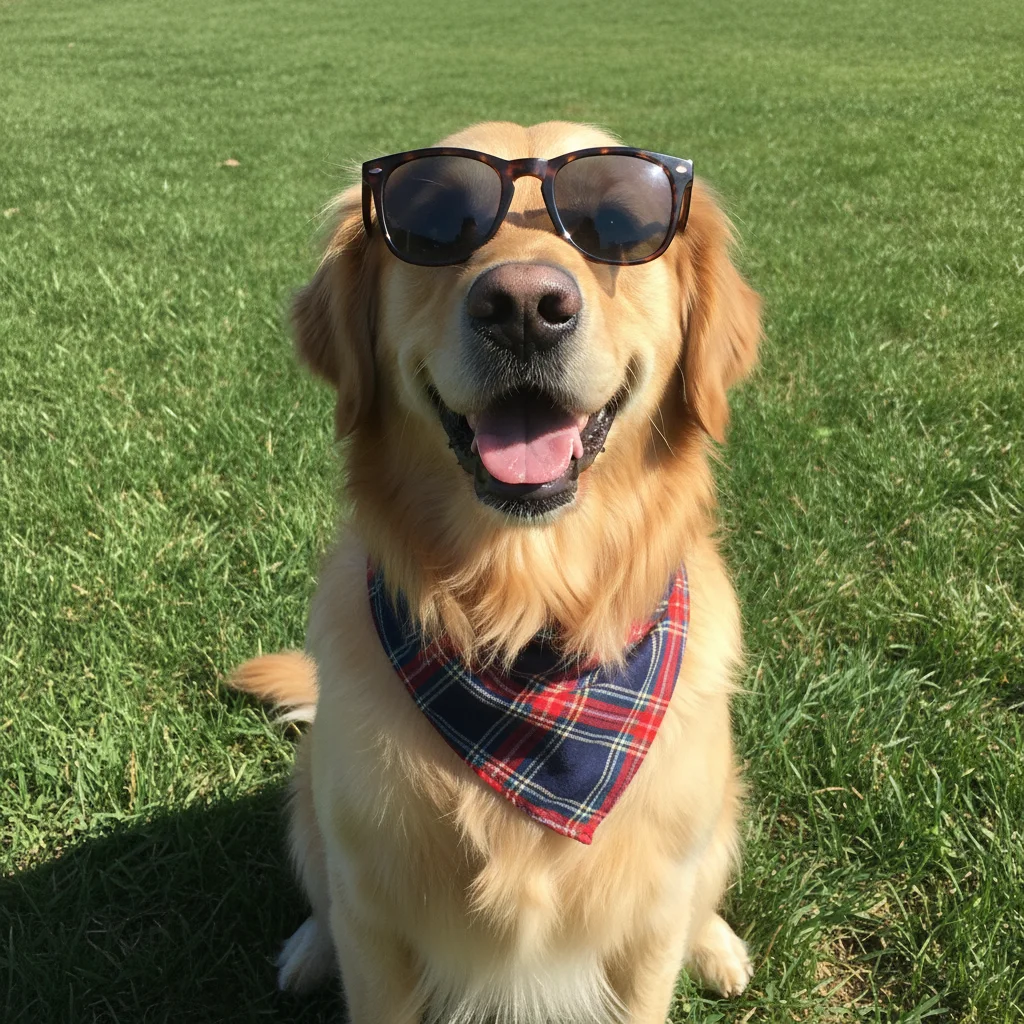
Golden retriever dog photo before Pokemon card transformation
Before
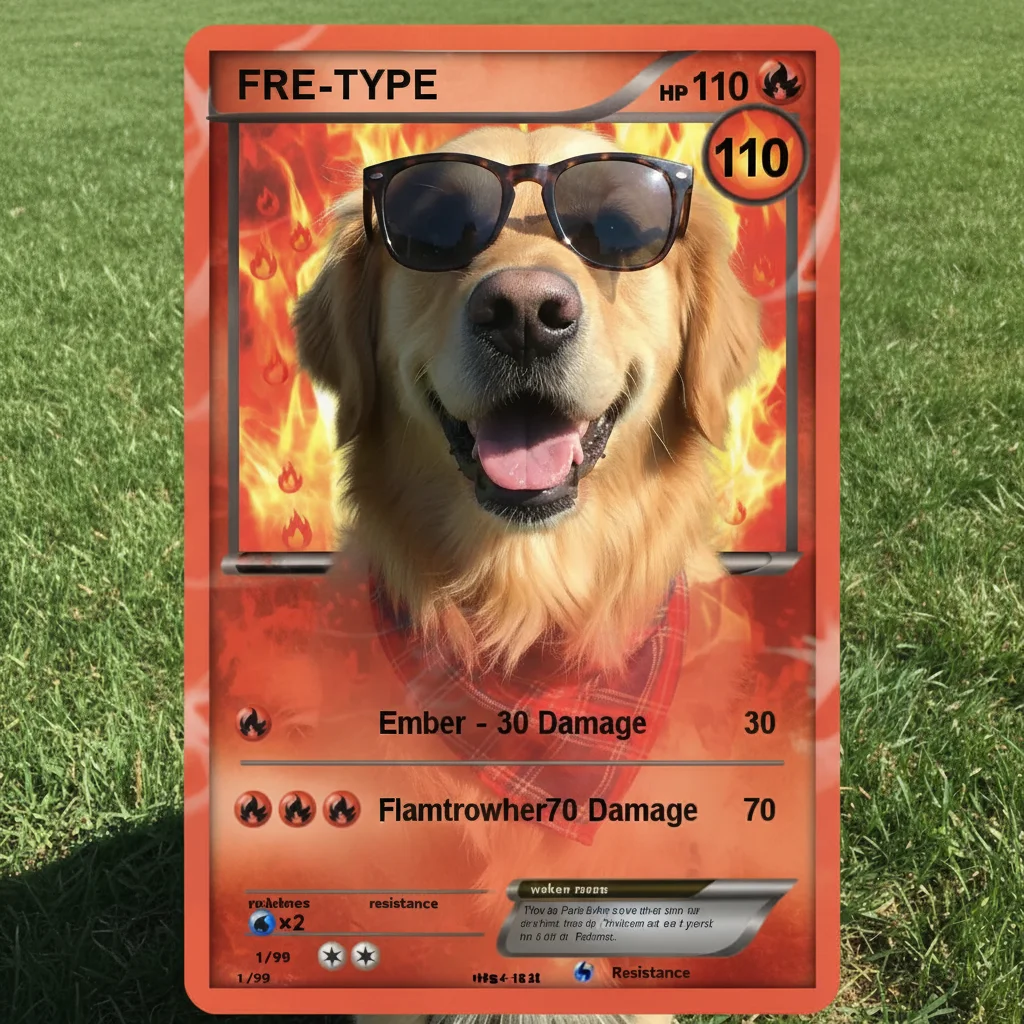
Golden retriever as fire-type Pokemon card with HP and attacks
After

AI Pokemon Card Maker

Drop your photo here

or click to browse

Release to upload

Free • No signup

Advertisement
Popular use cases:
  • Pokemon fans
  • trading card games
  • birthday party favors
  • custom gifts
  • pet Pokemon cards
  • social media content
  • fan art creators
  • party decorations

Cost
Free No signup required
Time
Instant results in 15-30 seconds
Works on
Any device - browser, phone, tablet, desktop
Powered by
AI-powered photo editing
Scenario Prompt Time
Fire-type card create a fire-type Pokemon card design with this photo as the main character, 110 HP, with flame attacks and fire energy symbols 30s
Water-type card make a water-type Pokemon card featuring this photo, 90 HP, with aqua splash attack and water energy 35s
Electric-type card create an electric-type Pokemon card with this photo, 100 HP, thunder bolt attack and lightning energy symbols 40s
Legendary card create a legendary holographic Pokemon card with this photo, 150 HP, powerful signature move, rare holographic background effect 45s

How it works

  1. Upload your photo

    Drop your photo into EditThisPic. Works best with clear photos of people, pets, or characters against simple backgrounds. JPG, PNG, WebP up to 7MB.

    Expect: Simple photos with clear subjects: 30-45 seconds. Complex multi-character scenes: may need 1-2 refinements for optimal card layout.
  2. Describe what you want

    Type your instruction: 'create a Pokemon card design with this photo as the main character, fire type with 120 HP' or 'make a water-type Pokemon card featuring this cat.' Be specific about Pokemon type, HP values, and attack themes. No marking needed—the AI understands how to frame the card.

    Tip: Specify the Pokemon type (fire, water, grass, electric, etc.) and HP value for more authentic-looking cards. Example: 'grass type with 90 HP and nature-themed attacks'

    Copy one of these to get started:

    Fire-type Pokemon card create a fire-type Pokemon card design with this photo as the main character, 110 HP, with flame attacks and fire energy symbols

    Water-type Pokemon card make a water-type Pokemon card featuring this photo, 90 HP, with aqua splash attack and water energy
    Electric-type Pokemon card create an electric-type Pokemon card with this photo, 100 HP, thunder bolt attack and lightning energy symbols
    Grass-type Pokemon card design a grass-type Pokemon card using this photo, 120 HP, vine whip and solar beam attacks with leaf energy
    3 more prompts
    Legendary holographic card create a legendary holographic Pokemon card with this photo, 150 HP, powerful signature move, rare holographic background effect
    Psychic-type Pokemon card make a psychic-type Pokemon card with this photo, 95 HP, confusion and psychic attacks with purple energy symbols
    Fighting-type Pokemon card create a fighting-type Pokemon card featuring this photo, 130 HP, karate chop and mega punch attacks
  3. Generate and review

    Click Generate and the AI creates your Pokemon card with borders, stats, attack names, and energy symbols. Check that the character is framed well and the card elements look balanced.

  4. Refine with markers if needed

    If you want to adjust the character positioning or card frame, tap markers on specific areas and regenerate. Most cards work perfectly without markers.

    Tip: Markers help if you want to reposition the character within the card frame, but try without them first.
Try it free

AI Pokemon Card Maker

Drop your photo here

or click to browse

Release to upload

Free • No signup

"Made Pokemon cards of my dog and friends in minutes. The AI nailed the classic card style perfectly!" @pokemonfan2024

See it in action

Golden retriever dog photo before Pokemon card transformation
Before
->
Golden retriever as fire-type Pokemon card with HP and attacks
After

Golden Retriever Fire-Type Card

Transformed a golden retriever photo into a fire-type Pokemon card with authentic stats and flame-themed attacks.

Prompt: create a fire-type Pokemon card design with this photo as the main character, 110 HP, with flame attacks and fire energy symbols
Portrait photo before electric Pokemon card design
Before
->
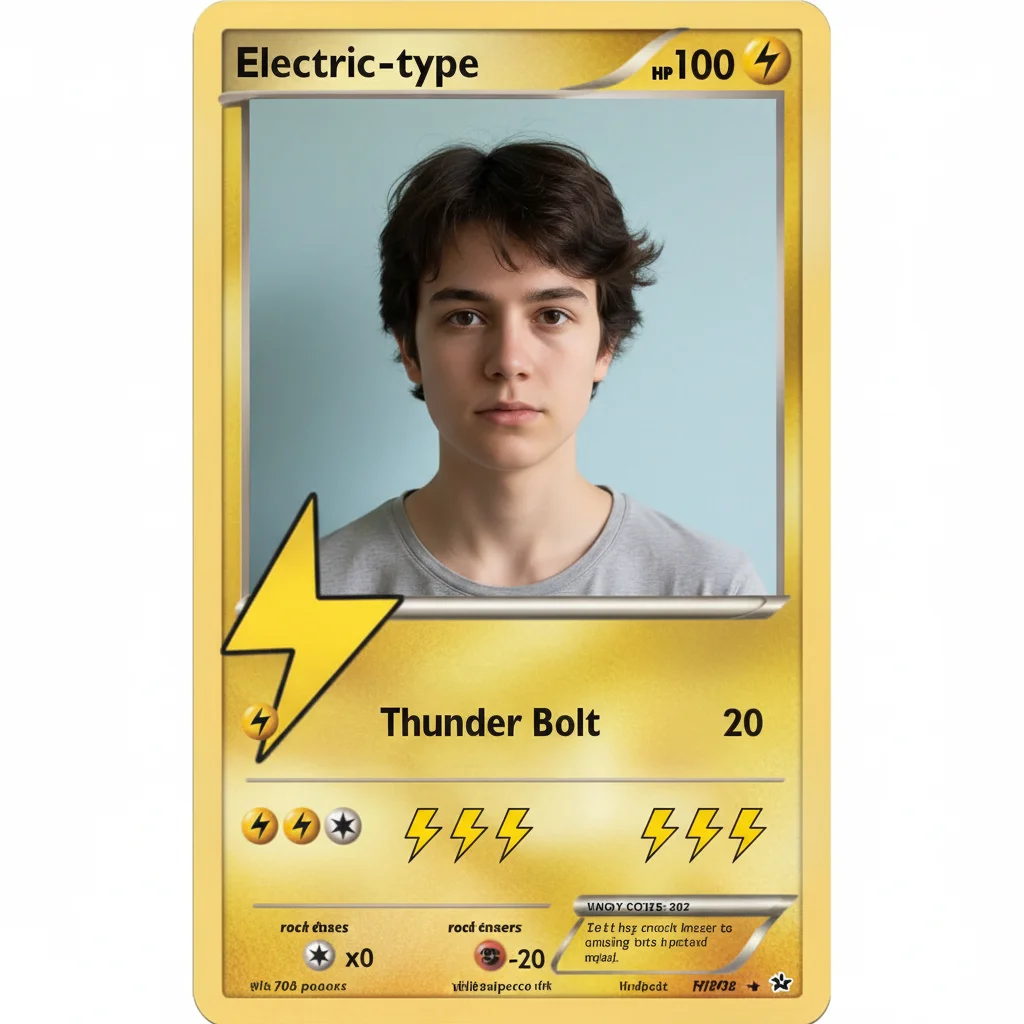
Portrait transformed into electric-type Pokemon card
After

Portrait as Electric-Type Card

Created an electric-type Pokemon card from a portrait photo with lightning effects and yellow borders.

Prompt: create an electric-type Pokemon card with this photo, 100 HP, thunder bolt attack and lightning energy symbols
Cat photo before legendary Pokemon card transformation
Before
->
Cat as legendary holographic psychic Pokemon card
After

Cat as Psychic-Type Legendary

Made a legendary holographic psychic-type card featuring a cat with special effects and high HP.

Prompt: create a legendary holographic Pokemon card with this photo, 150 HP, powerful signature move, rare holographic background effect
Advertisement

If something looks off

AI changed the wrong area or the character isn't centered

Why: The AI couldn't determine the exact framing you wanted from description alone. This happens with busy backgrounds or off-center subjects.

Try: Tap a marker on the character's face or main body, then regenerate with 'center this character in the Pokemon card frame'

Tip: Markers tell the AI 'frame the card around THIS subject.' Use them when the auto-framing isn't quite right.

Card elements look messy or overlap the character

Why: The original photo may have a cluttered background or the character positioning makes it hard to place card borders cleanly.

Try: Use a photo with a simpler background, or try 'create Pokemon card with clean borders around the character, ensuring HP and attack text are readable'

Tip: Photos with plain backgrounds produce cleaner card layouts

Stats and attacks don't match the Pokemon type

Why: The AI may not have understood which type you wanted, or the prompt didn't specify attack themes.

Try: Be explicit: 'fire-type card with 110 HP, attacks: Flame Burst (30 damage) and Inferno (60 damage)'

Tip: Naming specific attacks and damage values gives more authentic results

Colors don't match traditional Pokemon card style

Why: The AI interpreted 'Pokemon card' generically without type-specific color schemes.

Try: Specify the type for accurate colors: 'water-type Pokemon card with blue borders' or 'grass-type with green frame'

Tip: Each Pokemon type has signature colors that make cards look authentic

Character is too large or too small in the card frame

Why: The AI's auto-framing may not match your vision for character scale.

Try: Add scale guidance: 'create Pokemon card with character taking up 60% of the card frame' or 'zoom in closer on the face'

Tip: Reference how official Pokemon cards frame characters for best results

Missing energy symbols or attack details

Why: The prompt didn't explicitly request these card elements.

Try: Regenerate with 'include all standard Pokemon card elements: energy symbols, attack names, HP, weakness, and retreat cost'

Tip: The more specific your prompt about card elements, the more complete the design

Quick answers

Do I need to mark areas before describing the Pokemon card?

No! Just describe what you want: 'create a fire-type Pokemon card with this photo' or 'make a water-type card with 90 HP.' The AI understands how to design Pokemon cards. Only use markers if you want to adjust character positioning after seeing the first result.

How do I make a Pokemon card from a photo for free?

Upload your photo to EditThisPic and type 'create a Pokemon card design with this photo.' The AI generates a custom card with stats, attacks, and energy symbols in 30-45 seconds. Free to use, no account or design software needed.

Can I customize the Pokemon type, HP, and attacks?

Yes! Specify these in your prompt: 'create an electric-type Pokemon card with 100 HP, Thunder Bolt (40 damage) and Lightning Strike (70 damage).' The AI will match the card design to your specifications including appropriate colors and energy symbols.

What makes a good photo for Pokemon card creation?

Best results come from photos with clear subjects against simple backgrounds. Portraits of people or pets work great. The AI frames the character and adds card elements, so starting with a well-lit photo with good subject separation helps produce cleaner cards.

Can I print the Pokemon cards I create?

Yes! Download the high-resolution image without watermarks and print it. For authentic card size (2.5 x 3.5 inches), scale the image accordingly. These are for personal fun use—official Pokemon cards are trademarked by The Pokemon Company.

Ready to create your custom Pokemon card?

Free to try. No signup required.

Try it free