Free • No signup Apply Steampunk style · Free

AI Steampunk Filter

Transform photos into Victorian steampunk art with one description.
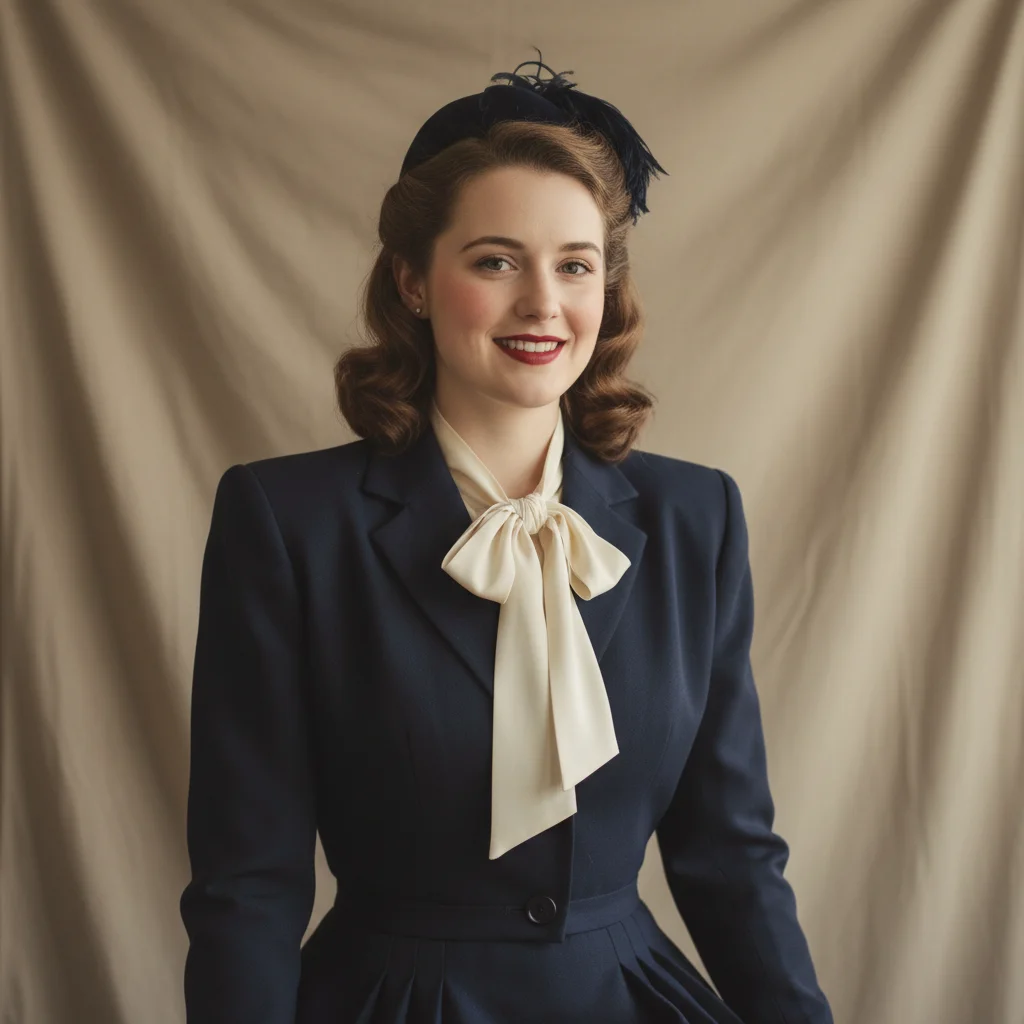
Portrait in vintage clothing
Before
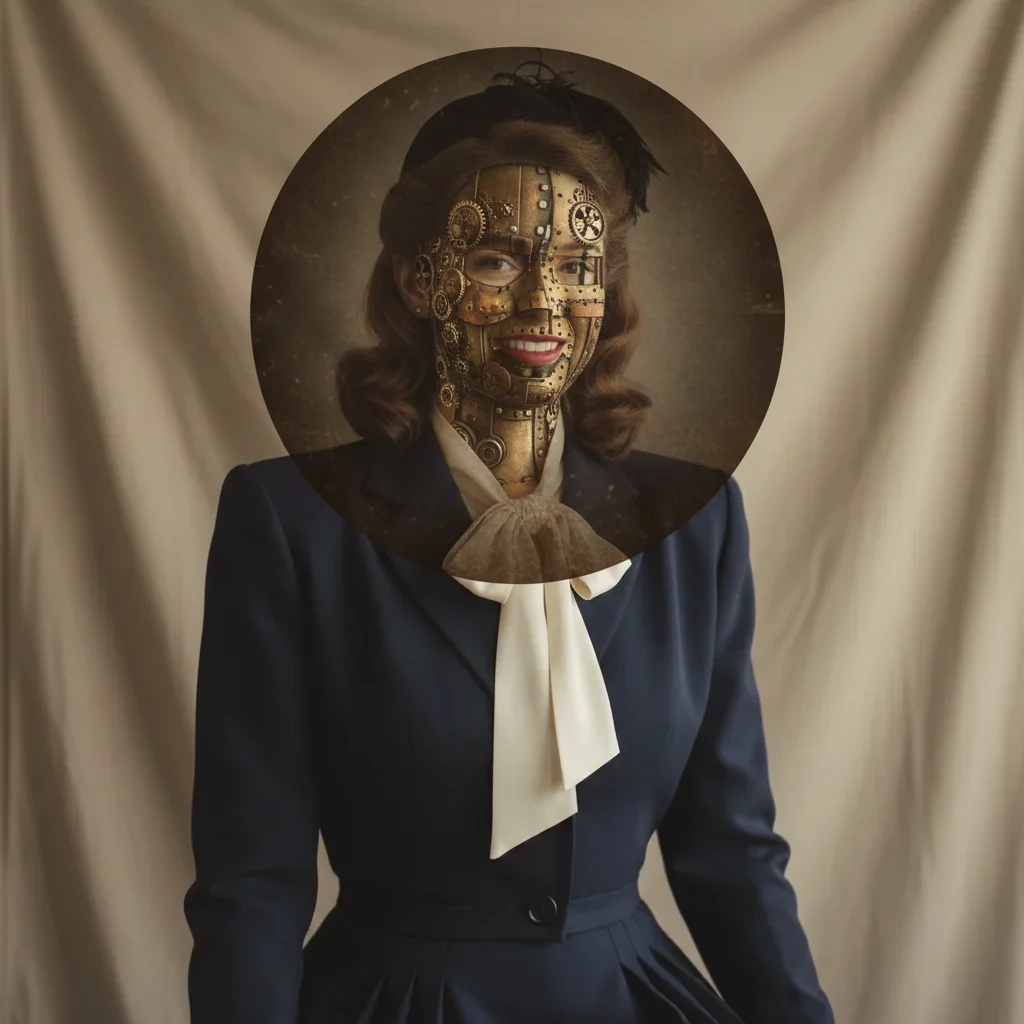
Steampunk portrait with brass gears and sepia tones
After

Apply Steampunk Filter to Photos

Drop your photo here

or click to browse

Release to upload

Free • No signup

Advertisement
Popular use cases:
  • steampunk art
  • Victorian portraits
  • cosplay photos
  • creative projects
  • album covers
  • fantasy art

Cost
Free No signup required
Time
Instant results in 15-30 seconds
Works on
Any device - browser, phone, tablet, desktop
Powered by
AI-powered photo editing
Scenario Prompt Time
Classic brass apply steampunk filter with brass gears, copper tones, and sepia Victorian atmosphere 30s
Dark industrial transform into steampunk style with dark metal textures, iron gears, and smoky atmosphere 25s
Ornate Victorian apply steampunk filter with ornate brass decorations, Victorian patterns, and warm golden tones 30s

How it works

  1. Upload your photo

    Drop your image into EditThisPic. JPG, PNG, WebP up to 7MB. Portraits, industrial scenes, and photos with mechanical or architectural elements work especially well for steampunk transformation.

    Expect: Simple steampunk conversions: 20-30 seconds. Complex adjustments with custom mechanical elements: may need 2-3 refinements for perfect Victorian aesthetic.
  2. Describe what you want

    Type your instruction: 'apply steampunk filter with brass gears and sepia tone' or 'transform into steampunk style with Victorian atmosphere and copper tones.' Specify color palette, mechanical elements, and mood. No marking needed—the AI understands steampunk aesthetics.

    Tip: Mention specific steampunk elements like 'brass gears,' 'copper pipes,' 'vintage gauges,' or 'Victorian ornaments' to customize the industrial style.

    Copy one of these to get started:

    Classic brass steampunk apply steampunk filter with brass gears, copper tones, and sepia Victorian atmosphere
    Dark industrial steampunk transform into steampunk style with dark metal textures, iron gears, and smoky atmosphere
    Ornate Victorian steampunk apply steampunk filter with ornate brass decorations, Victorian patterns, and warm golden tones
    Mechanical portrait transform into steampunk portrait with brass goggles, gears, and vintage industrial background
    2 more prompts
    Clockwork steampunk apply steampunk filter with visible clockwork mechanisms, watch gears, and antique bronze tones
    Steam-powered atmosphere transform into steampunk style with steam clouds, pressure gauges, and aged brass machinery
  3. Generate and review

    Click Generate and the AI applies steampunk styling with brass tones, mechanical elements, and Victorian-era atmosphere. Review the metallic details and vintage mood at full zoom.

  4. Refine with markers if needed

    If specific areas need different tones or additional steampunk elements, tap markers on those spots and regenerate with adjusted instructions. This is optional—most steampunk filters work without markers.

    Tip: Markers are for precision refinement, not required. Try without them first.
Try it free

Apply Steampunk Filter to Photos

Drop your photo here

or click to browse

Release to upload

Free • No signup

"Perfect steampunk transformation. The brass tones and Victorian atmosphere are exactly what I wanted." @steampunkartist

See it in action

Portrait in vintage clothing
Before
->
Steampunk portrait with brass gears and sepia tones
After

Portrait with brass steampunk

Transformed portrait into steampunk style with brass gears and Victorian atmosphere.

Prompt: apply steampunk filter with brass gears, copper tones, and sepia Victorian atmosphere
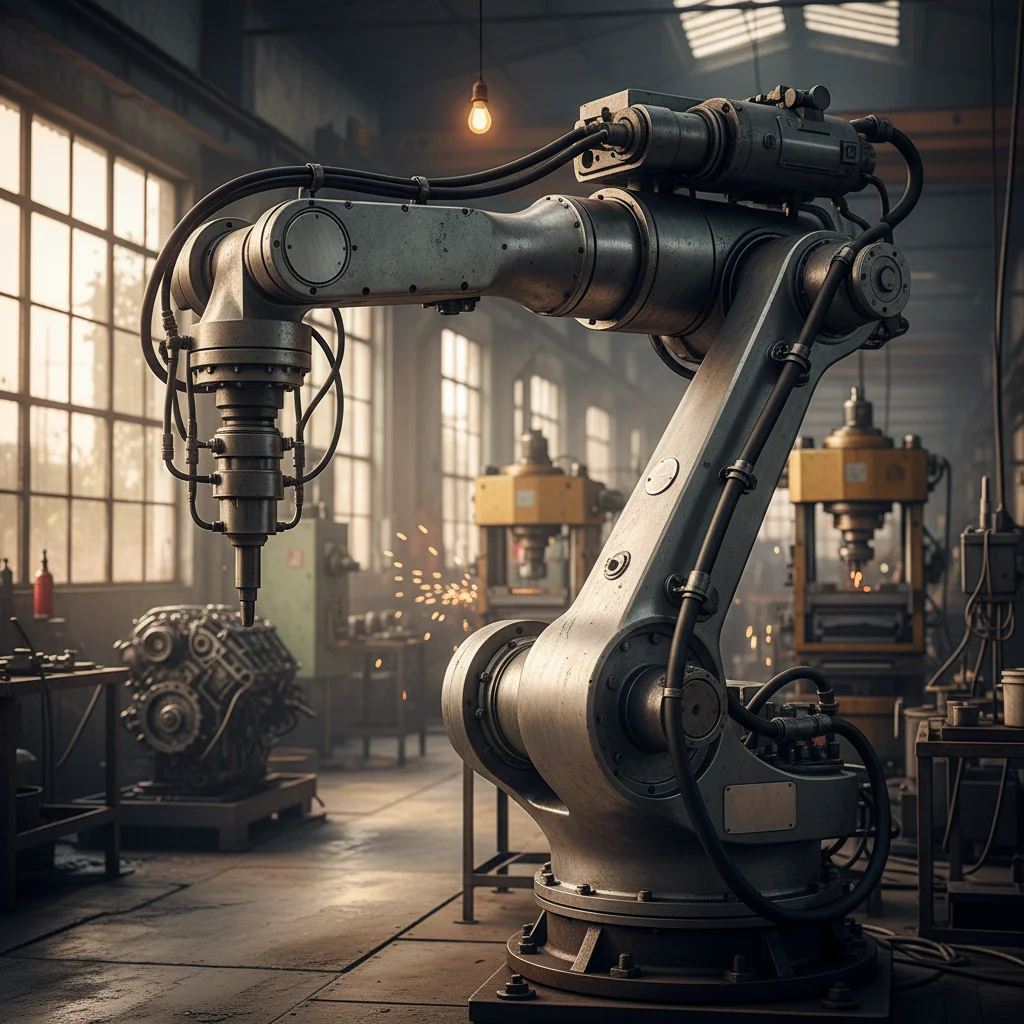
Industrial machinery photo
Before
->
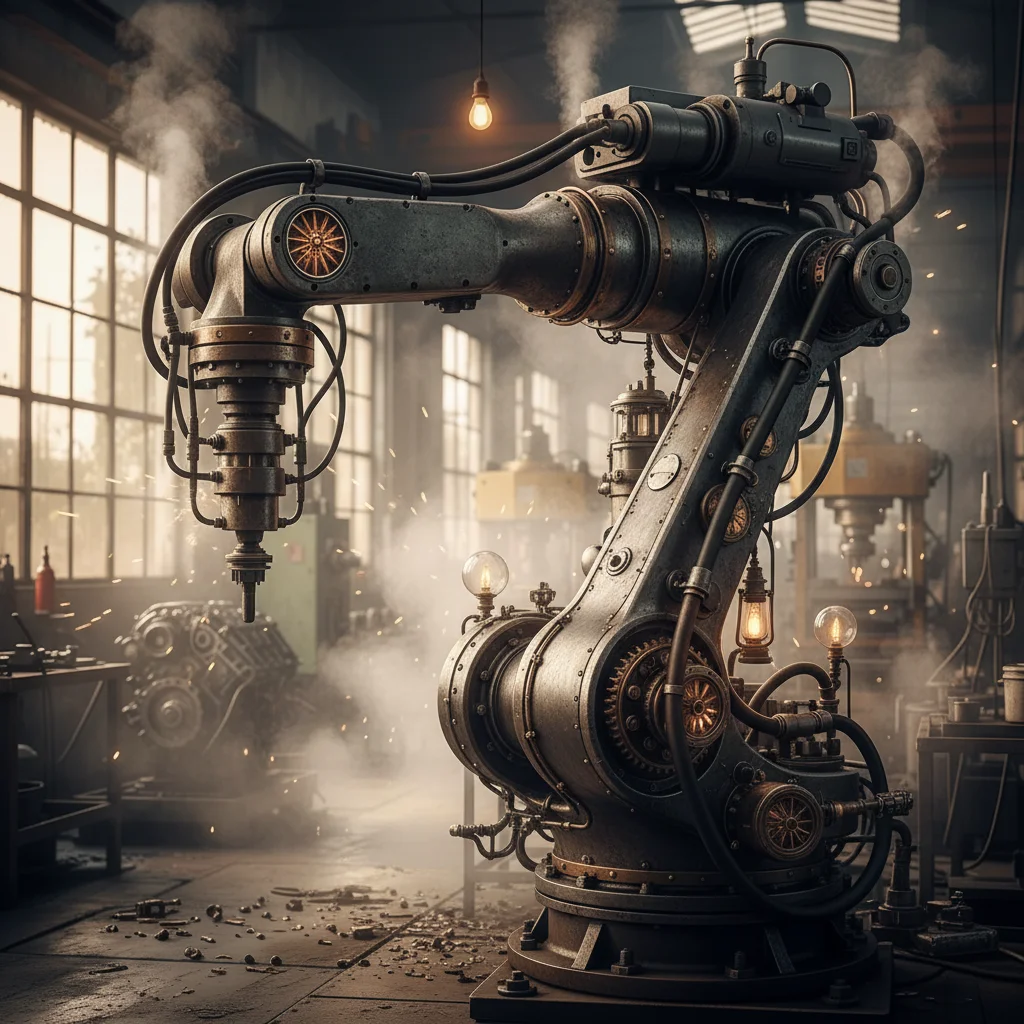
Dark steampunk scene with iron gears and smoke
After

Industrial scene steampunk

Converted industrial photo into dark steampunk with iron textures and smoky atmosphere.

Prompt: transform into steampunk style with dark metal textures, iron gears, and smoky atmosphere
Elegant architectural interior
Before
->
Ornate Victorian steampunk with brass decorations
After

Ornate Victorian steampunk

Created elegant steampunk with ornate brass decorations and Victorian patterns.

Prompt: apply steampunk filter with ornate brass decorations, Victorian patterns, and warm golden tones
Advertisement

If something looks off

AI changed the wrong area or something I didn't want changed

Why: The AI couldn't determine exactly which area you meant from description alone. This happens with ambiguous requests.

Try: Tap a marker on the specific area you want to change, then regenerate with the same prompt

Tip: Markers tell the AI 'I mean THIS one specifically.' Use them when description alone is ambiguous.

Steampunk elements look out of place or unnatural

Why: Mechanical elements were added without proper integration into the image composition.

Try: Request integrated elements: 'apply steampunk filter with brass tones and subtle gear overlays'

Tip: Add 'subtle' or 'integrated' to blend steampunk elements more naturally with the original photo.

Colors are too modern, not Victorian enough

Why: The color grading didn't capture the aged, vintage tone that defines steampunk aesthetic.

Try: Emphasize vintage tones: 'apply steampunk filter with sepia tone, aged brass, and Victorian color grading'

Tip: Include 'sepia,' 'aged,' 'antique,' or 'Victorian' to enhance the period-appropriate color palette.

Missing mechanical or gear elements

Why: The transformation focused on color grading without adding the iconic steampunk machinery.

Try: Specify elements: 'apply steampunk filter with visible brass gears, copper pipes, and mechanical details'

Tip: Name specific steampunk elements: gears, cogs, pipes, gauges, clockwork, steam, machinery.

Too cluttered with mechanical elements

Why: Too many steampunk elements were added, overwhelming the original subject.

Try: Request minimal elements: 'apply steampunk filter with subtle brass accents and clean Victorian atmosphere'

Tip: Use 'subtle,' 'minimal,' or 'accent' to reduce the number of added mechanical elements.

Quick answers

Do I need to mark areas before applying the steampunk filter?

No! Just describe what you want: 'apply steampunk filter with brass gears' or 'transform into steampunk style with Victorian atmosphere.' The AI understands steampunk aesthetics and applies the effect to the entire image. Only use markers when you need precision control over where specific elements appear.

How do I apply a steampunk filter to my photo for free?

Upload your photo to EditThisPic and type 'apply steampunk filter with brass gears and sepia tone.' The AI transforms your image with Victorian-era industrial styling, brass tones, and mechanical elements in 20-40 seconds. Free to use, no account required, no watermark on downloads.

What elements define steampunk aesthetic?

Steampunk combines Victorian-era aesthetics with industrial machinery: brass and copper gears, clockwork mechanisms, steam pipes, pressure gauges, ornate metalwork, sepia or bronze color tones, and aged patina. It's a retro-futuristic style imagining Victorian technology powered by steam. Mention specific elements in your prompt.

What types of photos work best for steampunk transformation?

Portraits in vintage clothing, industrial or mechanical scenes, architectural photos, and images with metallic objects work exceptionally well. Photos with existing machinery, gears, or Victorian-era elements transform most dramatically. Even modern photos can be steampunked with the right AI transformation.

Can I control the color tone of the steampunk effect?

Yes, specify color preferences in your prompt. Use 'brass and copper tones' for warm metallic, 'sepia Victorian' for aged brown, 'dark iron and steel' for gritty industrial, or 'golden bronze' for elegant Victorian. The AI adjusts the color grading based on your description.

Ready to apply steampunk style to your photos?

Free to try. No signup required.

Try it free