Free โ€ข No signup Remove Mannequin ยท Free

AI Mannequin Remover

Remove mannequins from clothing photos with AI - get clean product shots instantly
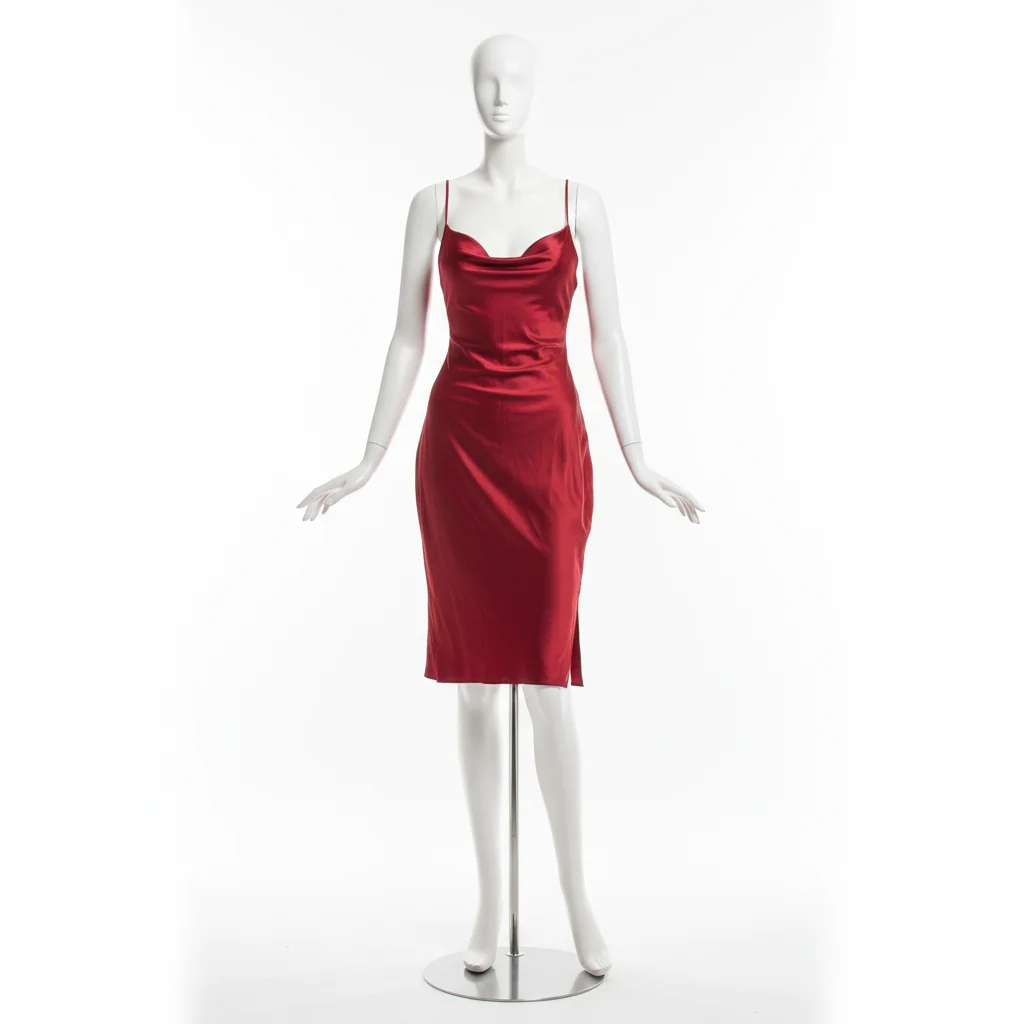
Red dress on white mannequin against white background
Before
โ†’
Same red dress with mannequin cleanly removed, white background extended
After

AI Mannequin Remover

Drop your photo here

or click to browse

Release to upload

Free โ€ข No signup

Advertisement
Popular use cases:
  • remove mannequin from photo
  • mannequin removal tool
  • ecommerce product photo editing
  • clothing photography editing
  • remove mannequin online free
  • ghost mannequin alternative
  • clean product photos
  • mannequin eraser
  • product photo cleanup
  • remove display form from photo

Cost
Free No signup required
Time
Instant results in 15-30 seconds
Works on
Any device - browser, phone, tablet, desktop
Powered by
AI-powered photo editing
Scenario Prompt Time
Opaque clothing Remove the mannequin completely and fill the background naturally 20s
Sheer fabric Remove mannequin showing through transparent fabric keeping areas sheer 20s
With stand Remove entire mannequin including metal stand and shadow 20s

How it works

  1. Upload your product photo

    Choose a photo with a mannequin - works with full-body mannequins, torso forms, or any type of display form visible in clothing shots.

    Expect: AI processes images up to 4096x4096px. Works best with clear mannequin edges and consistent backgrounds.
  2. Describe what to remove

    Tell AI to remove the mannequin. Be specific if there are multiple mannequins ('remove the white mannequin on the left') or if only part is visible ('remove the mannequin form showing through the neckline').

    Tip: If the mannequin shows through sheer fabric, mention that specifically: 'remove mannequin visible through the transparent areas'.

    Copy one of these to get started:

    Basic mannequin removal Remove the mannequin completely and fill the background naturally
    Mannequin visible through sheer fabric Remove the mannequin showing through the transparent fabric and make those areas naturally sheer without the mannequin form visible
    White mannequin on white background Remove the white mannequin and extend the white background smoothly where the mannequin was
    Multiple mannequins Remove the mannequin on the left side and fill with matching background while keeping the other mannequins unchanged
    3 more prompts
    Mannequin with stand visible Remove the entire mannequin including the metal stand at the bottom and fill the floor area naturally
    Partial mannequin in frame Remove the mannequin torso form showing in the background and extend the wall texture naturally
    Mannequin with shadow Remove the mannequin and its shadow completely, filling both areas with clean background
  3. Generate and review

    AI identifies the mannequin, removes it completely, and intelligently fills the space with matching background. Preview the clean result in 20 seconds.

  4. Refine with markers if needed

    If remnants of the mannequin remain or the background fill needs adjustment, tap markers on problem areas to guide the AI's second pass.

    Tip: For stubborn mannequin edges or shadows, mark the exact area and regenerate with 'clean up this area completely'.
Try it free โ†“

AI Mannequin Remover

Drop your photo here

or click to browse

Release to upload

Free โ€ข No signup

"Saved me hours of Photoshop work. I can now remove mannequins from my entire clothing catalog in minutes instead of days." @shopowner

See it in action

Red dress on white mannequin against white background
Before
->
Same red dress with mannequin cleanly removed, white background extended
After

White mannequin removal

Full-body white mannequin removed from dress photo with white background
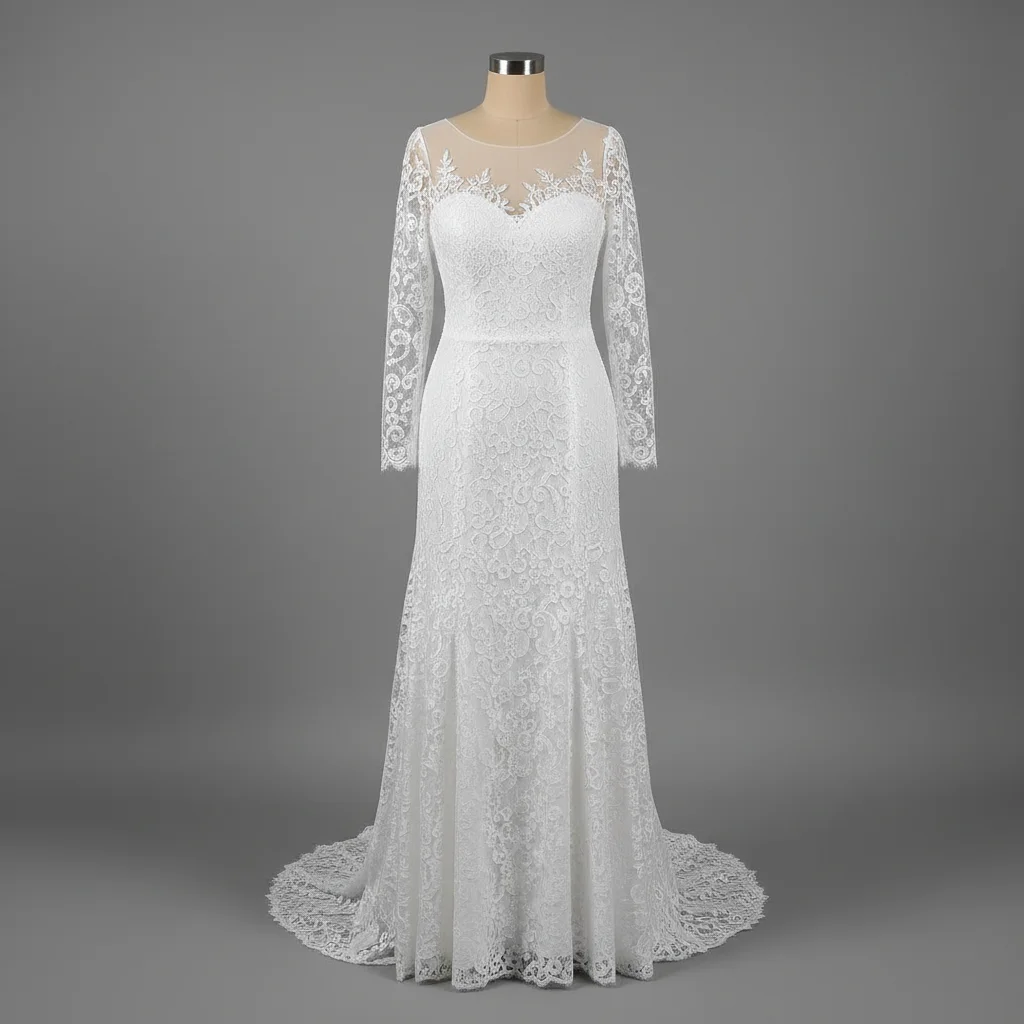
Prompt: Remove the mannequin completely and fill the background naturally
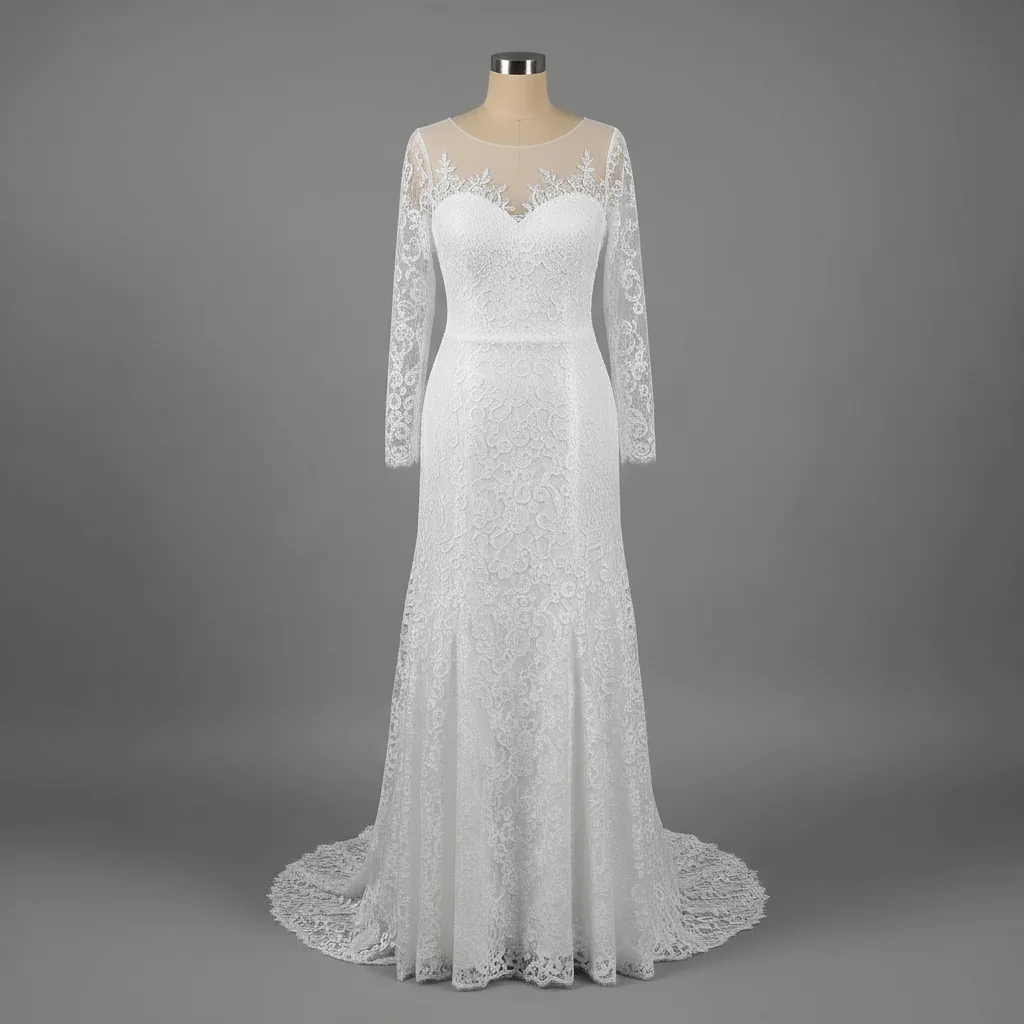
Lace dress with mannequin visible through sheer fabric
Before
->
Same dress with mannequin removed, sheer areas naturally transparent
After

Sheer fabric mannequin removal

Mannequin visible through transparent lace removed while maintaining fabric sheerness

Prompt: Remove the mannequin showing through the transparent fabric and make those areas naturally sheer without the mannequin form visible
Black blazer on mannequin with visible stand and shadow
Before
->
Same blazer with mannequin, stand, and shadow completely removed
After

Mannequin with stand and shadow

Complete mannequin removal including metal stand and floor shadow

Prompt: Remove the entire mannequin including the metal stand at the bottom and its shadow completely, filling both areas with clean background
Advertisement

If something looks off

Part of the mannequin is still visible after removal

Why: The AI missed edges or the mannequin blends too closely with the background in certain areas.

Try: Remove all remaining mannequin parts completely including edges and fill with pure background
The background fill looks unnatural or has strange textures

Why: AI couldn't determine the correct background pattern from surrounding areas.

Try: Remove mannequin and fill the area with smooth [specify: white/gray/studio] background matching the rest of the photo
Mannequin removed but shadow remains

Why: The prompt didn't explicitly mention the shadow.

Try: Remove the mannequin's shadow on the floor completely and extend the clean floor texture
AI removed the clothing along with the mannequin

Why: The clothing edges weren't distinct enough from the mannequin, or prompt was too vague.

Try: Remove only the mannequin form while keeping all the clothing intact and hanging naturally
Sheer fabric became opaque after mannequin removal

Why: AI filled the area with solid background instead of maintaining transparency.

Try: Keep the fabric transparent and sheer where the mannequin was, showing natural see-through effect without the mannequin

Quick answers

Do I need to mark the mannequin?

No! Just describe 'remove the mannequin' and AI finds it automatically. However, if you have multiple mannequins or the mannequin is partially visible, markers help guide which specific mannequin or which parts to remove.

Will this work if the mannequin shows through sheer clothing?

Yes, but you need to be specific. Use a prompt like 'remove the mannequin showing through the transparent fabric and make those areas naturally sheer'. The AI will remove the mannequin while maintaining the fabric's transparency. This is trickier than opaque clothing but works well with the right prompt.

What happens to the clothing after the mannequin is removed?

The clothing stays exactly as-is in most cases. The AI only removes the mannequin form underneath or behind the clothing. For opaque garments, the clothing remains unchanged. For sheer garments, the AI makes those areas naturally transparent without the mannequin showing through.

Can I remove the mannequin stand as well?

Yes! Include it in your prompt: 'remove the entire mannequin including the metal stand'. The AI will remove both the mannequin form and the supporting stand, filling the area with matching floor or background texture.

Why does this sometimes leave a weird outline where the mannequin was?

This usually happens when the mannequin and background have very similar colors (like white mannequin on white background) or when there's not enough surrounding background for AI to sample from. Use markers to highlight the outline area and regenerate with 'smooth this edge completely into the background'.

Ready to remove mannequins?

Free to try. No signup required.

Try it free โ†’