Free • No signup Generate Suit · Free

AI Suit Generator

Describe the suit you want and AI generates the complete look on your photo instantly.
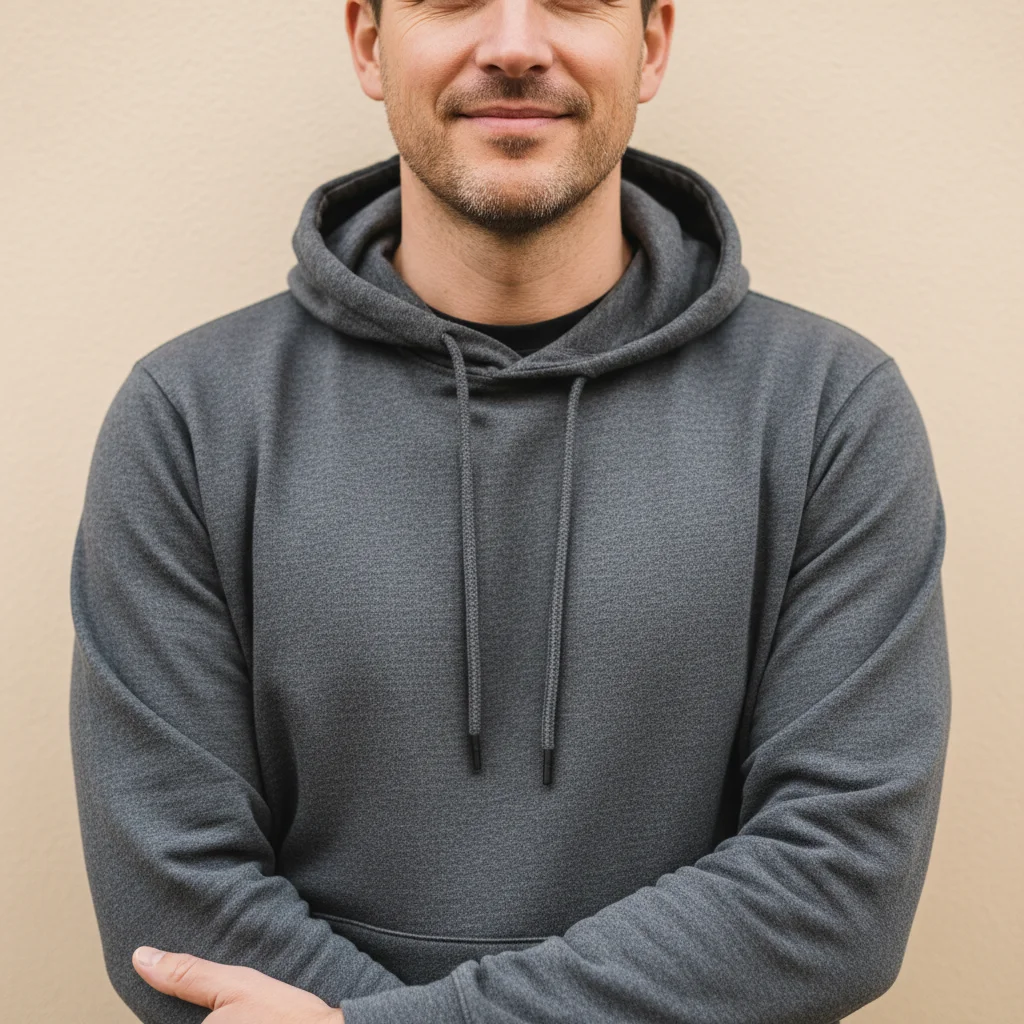
Man wearing a casual dark grey hoodie
Before
Same man wearing a navy blue business suit with white shirt and burgundy tie
After

AI Suit Generator

Drop your photo here

or click to browse

Release to upload

Free • No signup

Advertisement
Popular use cases:
  • business suit preview
  • interview outfit planning
  • tuxedo visualization
  • formal event preparation
  • professional headshot upgrade
  • wedding suit preview
  • corporate dress code
  • tailoring preview

Cost
Free No signup required
Time
Instant results in 15-30 seconds
Works on
Any device - browser, phone, tablet, desktop
Powered by
AI-powered photo editing
Scenario Prompt Time
Simple two-piece suit generate a navy business suit with white shirt 35s
Detailed suit with accessories generate a charcoal suit with tie, pocket square, and cufflinks 45s
Formal tuxedo put a black tuxedo with bow tie and satin lapels 45s

How it works

  1. Upload your photo

    Drop your image into EditThisPic. JPG, PNG, WebP up to 7MB. Upper body or full body photos work best for suit generation. Clear shots where shoulders and torso are visible give the most realistic results.

    Expect: Simple suit generation: 30-40 seconds. Detailed three-piece suit with accessories: 45-60 seconds and may need refinements.
  2. Describe the suit you want

    Type what you want: 'generate a navy blue two-piece business suit with a light blue shirt and silk tie' or 'put a classic black tuxedo with a bow tie on this person.' Include color, style, shirt, and tie details. No marking needed—the AI understands what 'suit' means.

    Tip: Specify lapel style (notch, peak, shawl) and fit (slim, regular, relaxed) for a more precise suit render.

    Copy one of these to get started:

    Classic business suit generate a navy blue two-piece business suit with a white dress shirt, notch lapels, and a burgundy silk tie
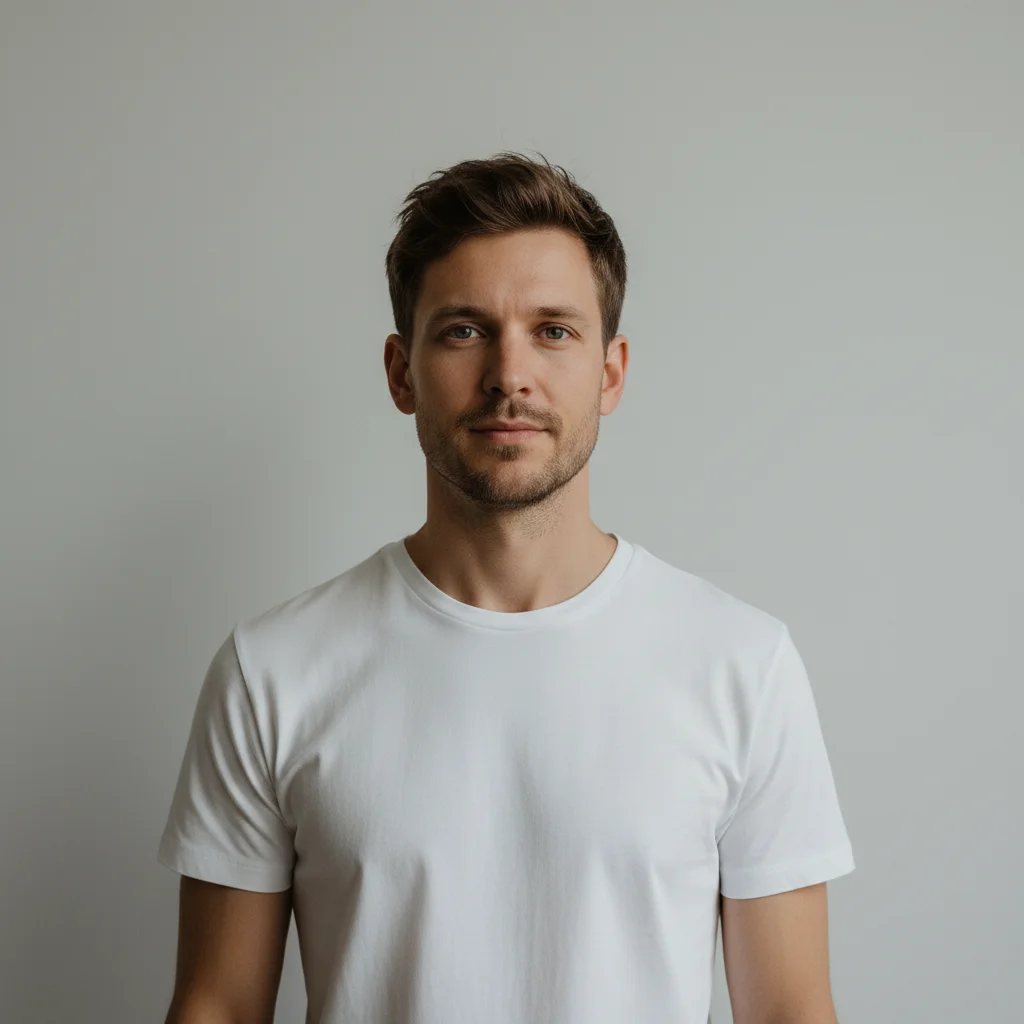
    Black tuxedo for formal event put a classic black tuxedo on this person with a white dress shirt, black bow tie, and satin shawl lapels
    Modern slim-fit suit generate a slim-fit charcoal grey suit with a fitted jacket, narrow peak lapels, and a skinny black tie
    Three-piece suit generate a three-piece suit in dark navy with a matching vest, white shirt, and gold tie bar
    3 more prompts
    Casual linen suit generate a casual light beige linen suit with an open-collar white shirt, no tie, relaxed fit
    Wedding groom suit generate a light grey wedding suit with a vest, white dress shirt, blush pink tie, and boutonniere
    Power suit for women generate a tailored women's power suit in black with a double-breasted blazer and wide-leg trousers
  3. Review the suit look

    Check that the suit fits naturally on the body. Look for realistic lapel shape, proper shoulder width, natural button positioning, and correct shirt collar and tie placement.

  4. Refine with markers if needed

    If the shoulders, lapels, or collar need adjustment, tap markers on those specific areas and regenerate. Most suit generations work well on the first try.

    Tip: Markers are for precision refinement only. Try without them first—you usually won't need them.
Try it free

AI Suit Generator

Drop your photo here

or click to browse

Release to upload

Free • No signup

"Had a video call interview with 10 minutes' notice while wearing a hoodie. Uploaded my webcam screenshot, generated a suit look, and used it to pick the right real suit from my closet. Crisis averted." @QuickThink_Marcus

See it in action

Man wearing a casual dark grey hoodie
Before
->
Same man wearing a navy blue business suit with white shirt and burgundy tie
After

Casual hoodie to business suit

A casual selfie transformed with a complete navy business suit for previewing a professional look.

Prompt: generate a navy blue two-piece business suit with a white dress shirt, notch lapels, and a burgundy silk tie
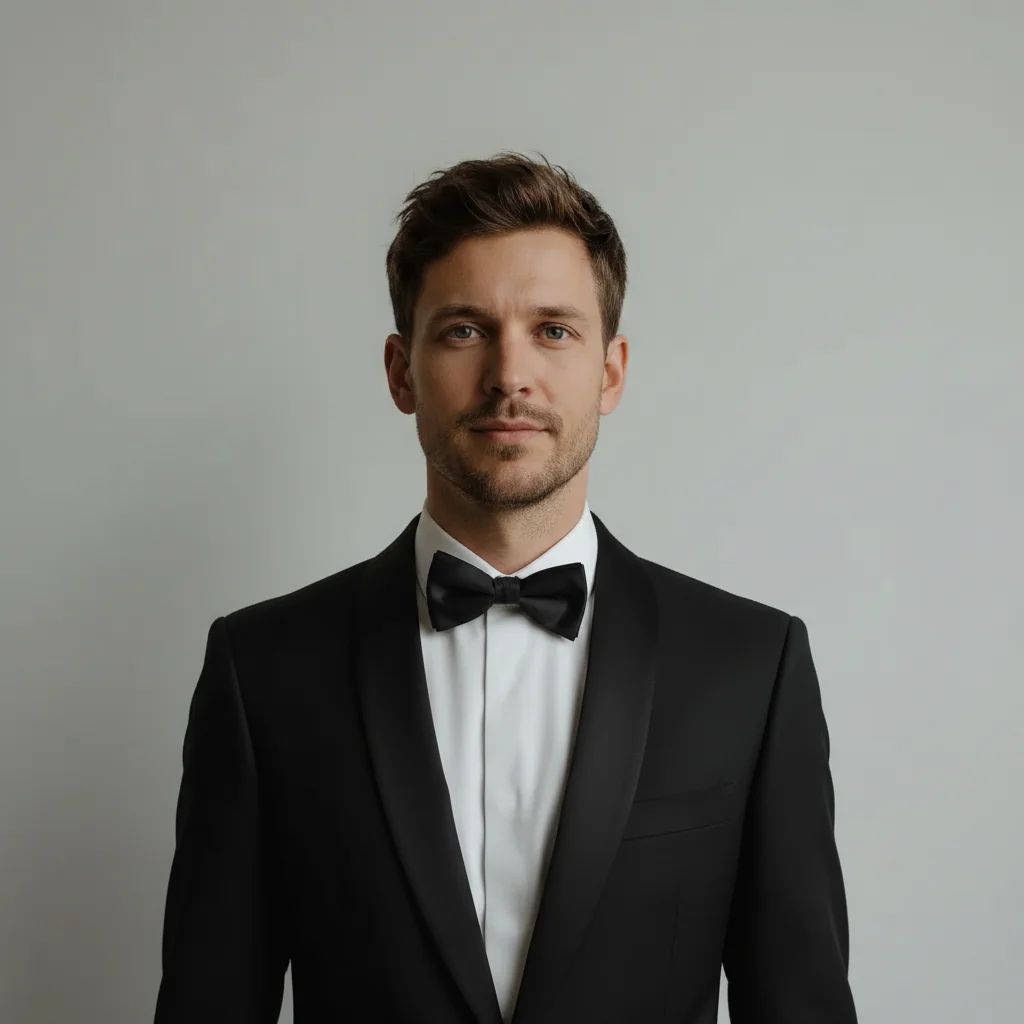
Man in plain white t-shirt
Before
->
Same man wearing a classic black tuxedo with bow tie
After

T-shirt to black tuxedo

A man in a plain t-shirt transformed into a formal tuxedo look for visualizing event attire.

Prompt: put a classic black tuxedo on this person with a white dress shirt, black bow tie, and satin shawl lapels
Advertisement

If something looks off

AI changed the wrong area or something I didn't want changed

Why: The AI couldn't determine exactly which area to change from description alone. This happens with layered outfits or when upper body is partially obscured.

Try: Tap a marker on the torso area where you want the suit, then regenerate with the same prompt

Tip: Markers tell the AI 'I mean THIS area specifically.' Use them when description alone is ambiguous.

Suit shoulders look too wide or too narrow

Why: The AI may not perfectly match shoulder width from the original photo, especially with angled or slouched poses.

Try: generate the suit with shoulders that match the person's natural body width, properly fitted

Tip: Straight-on poses with relaxed shoulders produce the most natural suit shoulder fit.

Tie and shirt collar don't look right together

Why: The AI generates each element separately and the collar-tie interaction can look unnatural, especially with unusual collar or knot styles.

Try: Tap markers on the collar and tie area, then regenerate: refine the collar and tie to look natural together

Tip: Specify collar style ('spread collar', 'point collar') for a more accurate collar-tie combination.

Suit looks more like a costume than real tailoring

Why: Without specific tailoring details, the AI may generate a generic or overly smooth suit that lacks realistic fabric texture.

Try: generate a realistic [fabric] suit with visible fabric texture, natural wrinkles at the elbows, and proper tailoring lines

Tip: Adding 'wool', 'linen', or 'tweed' gives the AI material cues for realistic texture.

Buttons, pocket square, or accessories are missing

Why: The AI prioritizes the main suit silhouette and may skip smaller details unless explicitly mentioned.

Try: add a white pocket square and visible buttons to the suit jacket, keep everything else the same

Tip: Mention accessories explicitly: 'with a pocket square', 'with a tie bar', 'with visible buttons.'

Quick answers

Do I need to mark the body before generating a suit?

No! Just describe the suit you want: 'generate a navy business suit with a white shirt and red tie.' The AI understands what 'suit' means and where it goes on the body. Only use markers if the AI changes the wrong area on the first try.

How do I generate a realistic suit look on my photo?

Upload a clear upper body or full body photo. Type the suit description with specific details: color, style, shirt color, tie, and lapel type. The more specific you are, the more realistic the result. 'Navy slim-fit suit with notch lapels and a burgundy tie' beats 'nice suit.'

Is there a free AI suit generator that doesn't require login?

Yes, EditThisPic is free to try with no account needed. Upload your photo, describe the suit, and download the result. No watermarks. Works for business suits, tuxedos, casual linen suits, and three-piece suits.

What's the best free AI tool for generating suit looks on photos?

EditThisPic offers free AI suit generation with no signup required. Unlike apps that need body measurements or 3D scanning, just describe the suit you want and the AI generates it directly on your photo with realistic tailoring and fit.

Ready to generate a suit look on your photo?

Free to try. No signup required.

Try it free