Free • No signup Generate Sports jersey on person · Free

AI Sports Jersey Generator

Before
Before
After
After

Free AI Sports Jersey Generator

Drop your photo here

or click to browse

Release to upload

Free • No signup

Advertisement
Popular use cases:
  • sports fan photos
  • fantasy football profile
  • team spirit photos
  • jersey mockup
  • sports jersey photo edit
  • fan gear visualization
  • custom jersey preview
  • team photo editing

Cost
Free No signup required
Time
Instant results in 15-30 seconds
Works on
Any device - browser, phone, tablet, desktop
Powered by
AI-powered photo editing
Scenario Prompt Time
NBA jersey 15-30s
Soccer kit 15-30s
Custom jersey 15-30s
Detailed team jersey 15-30s

How it works

  1. Upload a photo of the person

    Choose a photo showing the person from at least the waist up. Front-facing or slightly angled photos work best. The AI can add jerseys to any photo where the person's torso is visible. Indoor or outdoor photos both work fine.

    Expect: 30-45 seconds for AI to analyze the person's pose and prepare for jersey generation.
  2. Describe the jersey you want

    Simply type the jersey details—the AI handles everything automatically. Include team name, colors, player number, and type (home/away). No need to mark where the jersey goes. The AI understands sports uniforms and fits them naturally to the person's body.

    Tip: Be specific with details: 'blue Barcelona home jersey number 10' or 'white Yankees pinstripe jersey with name Smith'. Include sponsor logos or specific design elements if you want them: 'with Nike logo and team patch'.

    Copy one of these to get started:

    NBA basketball fan photos Add Lakers purple jersey number 23
    Soccer/football fan photos Put Manchester United red home jersey on person
    NFL football fan photos Add Dallas Cowboys blue jersey number 88
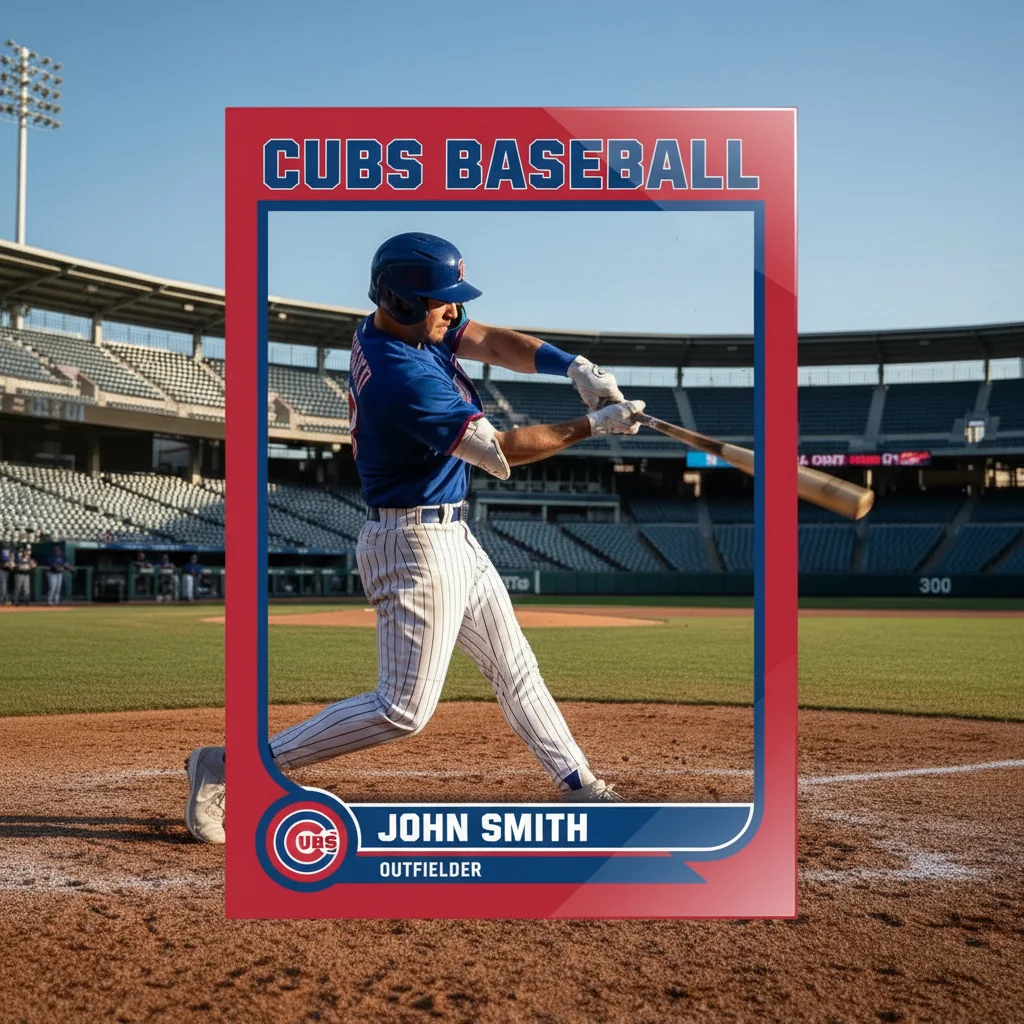
    Baseball fan photos Generate New York Yankees pinstripe home jersey
    5 more prompts
    Detailed soccer kit with sponsors Add Barcelona blue and red striped jersey number 10 with Qatar Airways sponsor
    Specific NBA jersey with sponsor Put Golden State Warriors white home jersey number 30 with Rakuten logo
    Custom or personalized jerseys Add custom red basketball jersey with name Rodriguez number 7
    National team or special event jerseys Generate Team USA Olympic basketball jersey
    Vintage or throwback jerseys Add retro Chicago Bulls black alternate jersey number 23 with classic logo
  3. Review the jersey result

    Check that the jersey fits naturally on the person and includes the details you requested. The AI automatically adjusts for the person's pose, body shape, and arm positions. If you need changes to color, number, or style, simply describe the adjustment.

  4. Download Your Sports Jersey Photo

    Save your photo with the sports jersey in full resolution with no watermark. Perfect for fan photos, social media, fantasy sports, or team spirit posts.

Try it free

Free AI Sports Jersey Generator

Drop your photo here

or click to browse

Release to upload

Free • No signup

See it in action

Before
Before
->
After
After

Lakers Jersey Addition

Prompt: Add Lakers purple jersey number 23
Before
Before
->
After
After

Soccer Kit Generation

Prompt: Put Manchester United red home jersey with Chevrolet logo on person
Before
Before
->
After
After

Custom Team Jersey

Prompt: Add custom royal blue basketball jersey with name Thompson number 15
Advertisement

If something looks off

AI changed the wrong area or something I didn't want changed

Why: The AI couldn't determine exactly which area you meant from description alone.

Try: Tap a marker on the specific area you want to change, then regenerate with the same prompt

Tip: Markers tell the AI 'I mean THIS one specifically.' Use them when description alone is ambiguous.

The jersey doesn't fit the person's pose properly

Why: Complex poses or unusual arm positions can create fitting challenges.

Try: Use a photo with a more standard pose (arms at sides or slightly away from body), or add 'fitted naturally to body' to your description

Tip: Front-facing photos with arms visible and away from the body give the most realistic jersey fit results.

The team colors or design are not accurate

Why: Team names alone might be interpreted with generic or outdated designs.

Try: Be more specific: 'Lakers 2024 purple jersey' or 'Manchester United home kit with current TeamViewer sponsor'

Tip: Include the year, specific color names (royal blue vs navy), or current sponsor details for accurate team jerseys.

The number or name is missing or wrong

Why: Numbers and names need to be explicitly specified to appear correctly.

Try: Clearly state 'number 23 on back' and 'name Jordan above number' if you want both elements

Tip: List all jersey elements separately: team name, colors, player number, player name, sponsor logos for complete results.

The jersey looks flat or pasted on

Why: Simple generation may not capture fabric wrinkles and body contours.

Try: Add 'realistic fabric folds' or 'natural jersey draping on body' to your description

Tip: Mentioning realistic fabric details helps the AI create natural-looking clothing that conforms to the body's shape.

Arms or sleeves don't match the jersey style

Why: Different sports have different sleeve styles (sleeveless, short, long).

Try: Specify sleeve type: 'basketball jersey with sleeveless arms' or 'soccer jersey with short sleeves'

Tip: Most basketball jerseys are sleeveless, soccer/football are short-sleeved, and some sports vary. Specify if you want a particular sleeve style.

Quick answers

Do I need to mark where the jersey should appear?

No! Just describe the jersey and the AI automatically places it on the person in the photo. The AI understands human anatomy and clothing, fitting the jersey naturally to the body and pose. Markers are only needed for very specific detail adjustments.

Is this really free with no watermark?

Yes, completely free with no watermark on your downloaded images. No account required, no hidden fees. You get full-resolution photos ready to share on social media or anywhere else.

Can I add jerseys from any sport?

Yes! The AI works with basketball, football (NFL and soccer), baseball, hockey, rugby, cricket, and virtually any sport. Just describe the team, colors, and style, and the AI will generate the appropriate jersey type.

Can I create custom jerseys with my own name and number?

Absolutely! Instead of a team name, describe a custom jersey: 'red basketball jersey with name Smith number 7'. You can specify colors, sport type, and personalization details to create unique jerseys.

Will the jersey include team logos and sponsors?

Yes, if you mention them. For most accurate results, include these details in your description: 'Lakers jersey with Nike logo and Bibigo sponsor'. Generic requests might include standard elements, but specific mentions ensure accuracy.

What if the person is at an angle or not facing forward?

The AI handles different poses and angles. Side views, three-quarter angles, and action poses all work. The jersey will adapt to the visible parts of the person's body. Front or front-angled views give the most complete jersey visibility.

Ready to add a sports jersey?

Free to try. No signup required.

Try it free