Free • No signup Generate Uniform · Free

AI Uniform Generator

Describe any uniform and AI generates the complete look on your photo instantly.

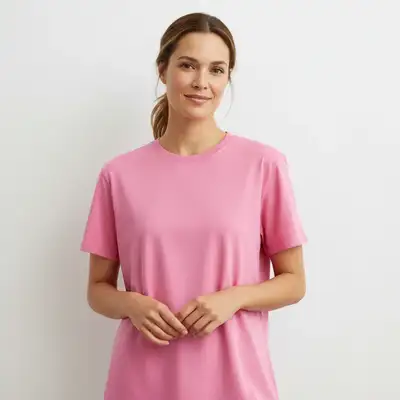
Woman wearing a casual pink t-shirt
Before
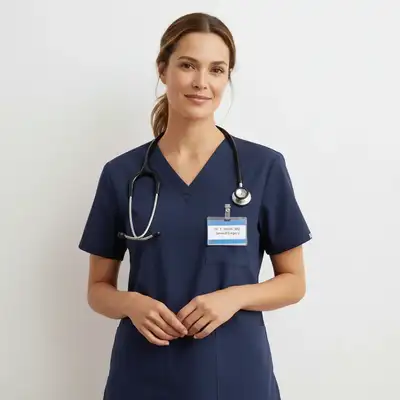
Same woman wearing navy blue medical scrubs with stethoscope
After

AI Uniform Generator

Drop your photo here

or click to browse

Release to upload

Free • No signup

Advertisement
Popular use cases:
  • work uniform preview
  • company uniform mockup
  • military uniform visualization
  • school uniform preview
  • sports jersey mockup
  • healthcare scrubs preview
  • uniform design review
  • team uniform comparison

Cost
Free No signup required
Time
Instant results in 15-30 seconds
Works on
Any device - browser, phone, tablet, desktop
Powered by
AI-powered photo editing
Scenario Prompt Time
Simple scrubs/work wear generate navy blue medical scrubs with V-neck 30s
Uniform with details generate a chef's coat with tall hat and buttons 40s
Full dress uniform generate military dress uniform with medals and epaulets 50s

How it works

  1. Upload your photo

    Drop your image into EditThisPic. JPG, PNG, WebP up to 7MB. Upper body or full body shots work best. Clear photos where the torso and shoulders are visible give the most realistic uniform results.

    Expect: Simple uniform generation: 30-40 seconds. Detailed uniform with badges, patches, or insignia: 45-60 seconds and may need refinements.
  2. Describe the uniform you want

    Type what you want: 'generate a navy blue police officer uniform with badge and shoulder patches' or 'put a white chef's coat with double-breasted buttons on this person.' Be specific about color, type, and distinctive details. No marking needed—the AI understands uniform terminology.

    Tip: Include rank insignia, name badges, or specific patches to make the uniform more realistic and complete.

    Copy one of these to get started:

    Medical scrubs generate navy blue medical scrubs with a V-neck top, name badge on the chest, and a stethoscope around the neck
    Military dress uniform generate a formal military dress uniform in dark green with shoulder epaulets, chest medals, and brass buttons
    Chef's coat put a professional white double-breasted chef's coat with a tall white chef's hat on this person
    School uniform generate a classic school uniform with a white button-down shirt, navy blue blazer with school crest, and striped tie
    3 more prompts
    Pilot uniform generate an airline pilot uniform with a dark navy jacket, four gold captain's stripes on the sleeves, white shirt, and black tie
    Sports team jersey generate a red and white soccer jersey with number 10 on the back, team logo on the chest, and matching shorts
    Firefighter gear generate a firefighter turnout gear with a tan protective jacket, reflective stripes, and a fire department helmet
  3. Review the uniform look

    Check that the uniform fits naturally on the body. Look for correct button placement, proper collar and shoulder fit, and that any badges or patches are positioned correctly.

  4. Refine with markers if needed

    If the collar, badges, or fit need adjustment, tap markers on those specific areas and regenerate. Most uniform generations look good on the first try.

    Tip: Markers are for precision refinement only. Try without them first—you usually won't need them.
Try it free

AI Uniform Generator

Drop your photo here

or click to browse

Release to upload

Free • No signup

"We were redesigning our company uniforms and needed to show the board different options. Uploaded staff photos, generated each design variant, and presented a visual comparison. Beat hiring a photographer for mockups." @HRManager_Kevin

See it in action

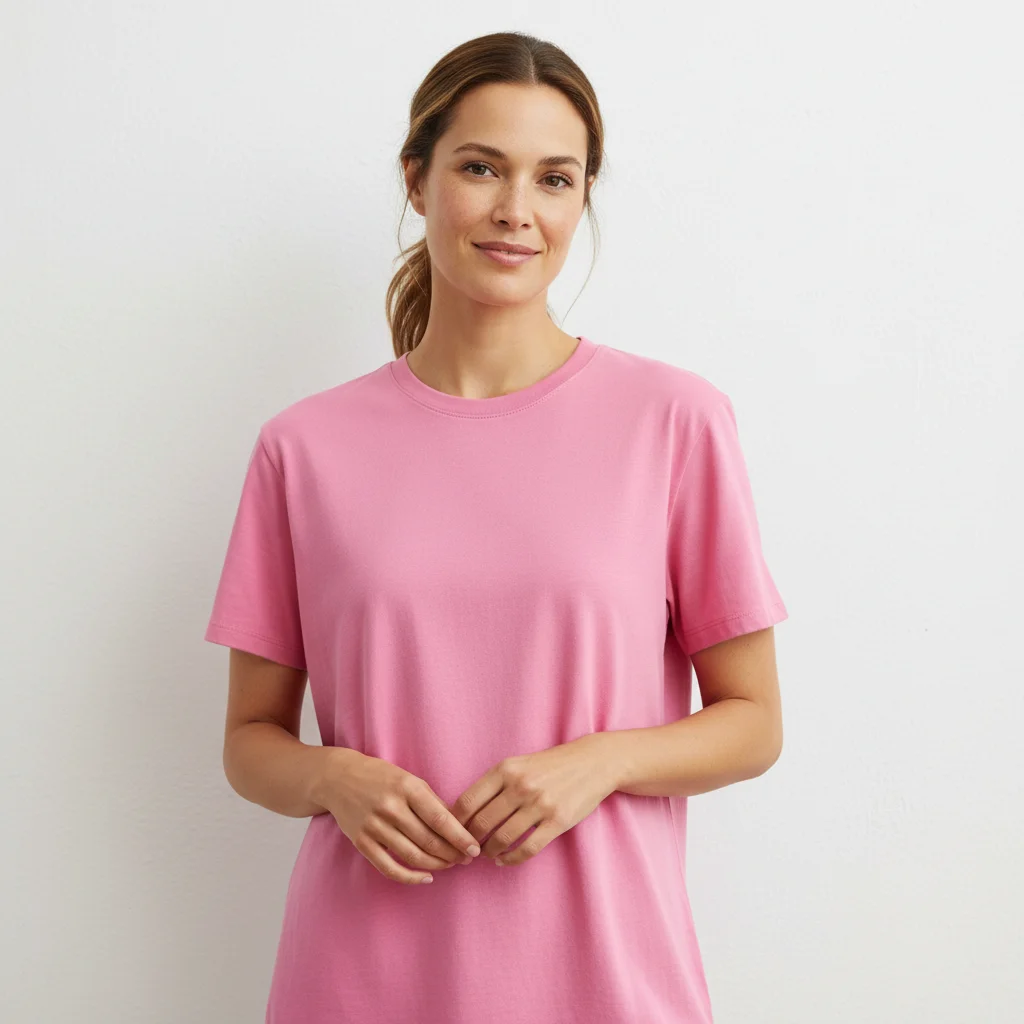
Woman wearing a casual pink t-shirt
Before
->
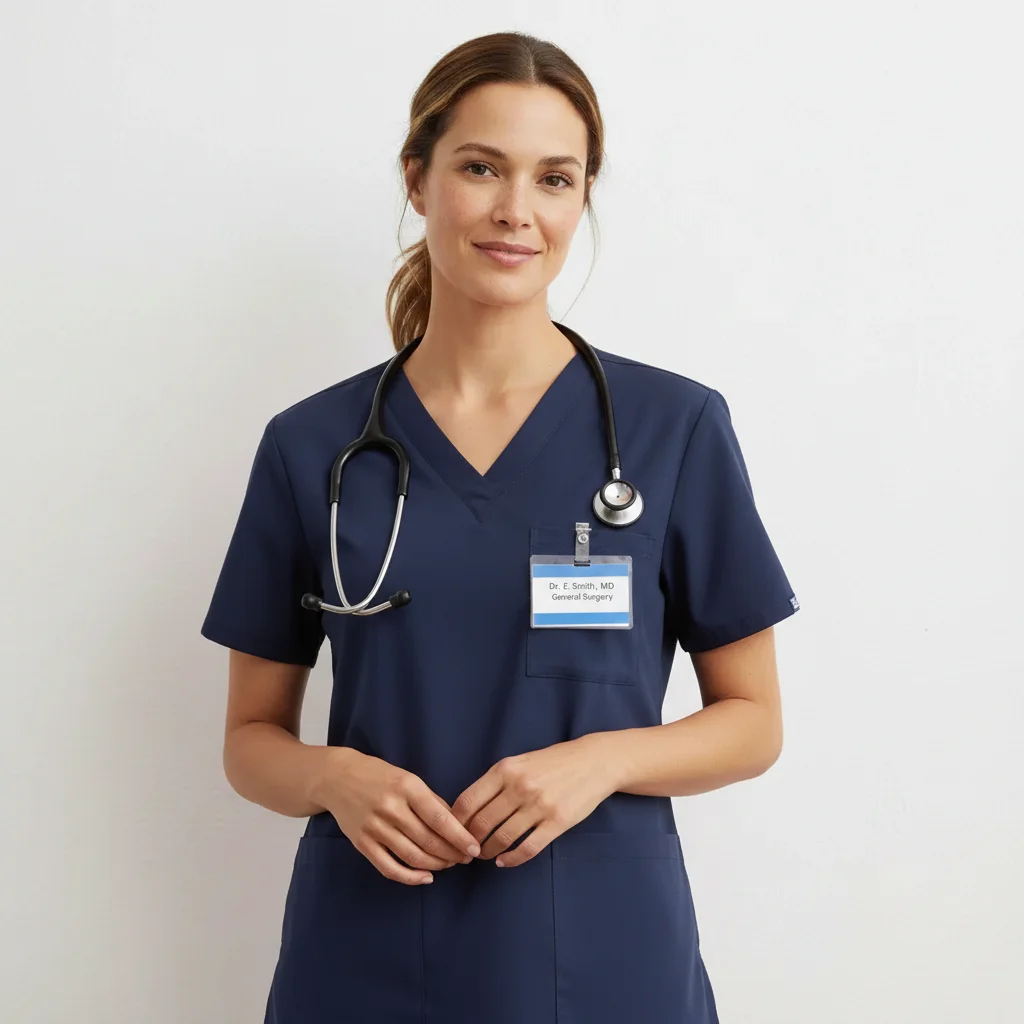
Same woman wearing navy blue medical scrubs with stethoscope
After

Casual clothes to medical scrubs

A person in everyday clothing transformed into a healthcare worker in professional navy scrubs.

Prompt: generate navy blue medical scrubs with a V-neck top, name badge on the chest, and a stethoscope around the neck
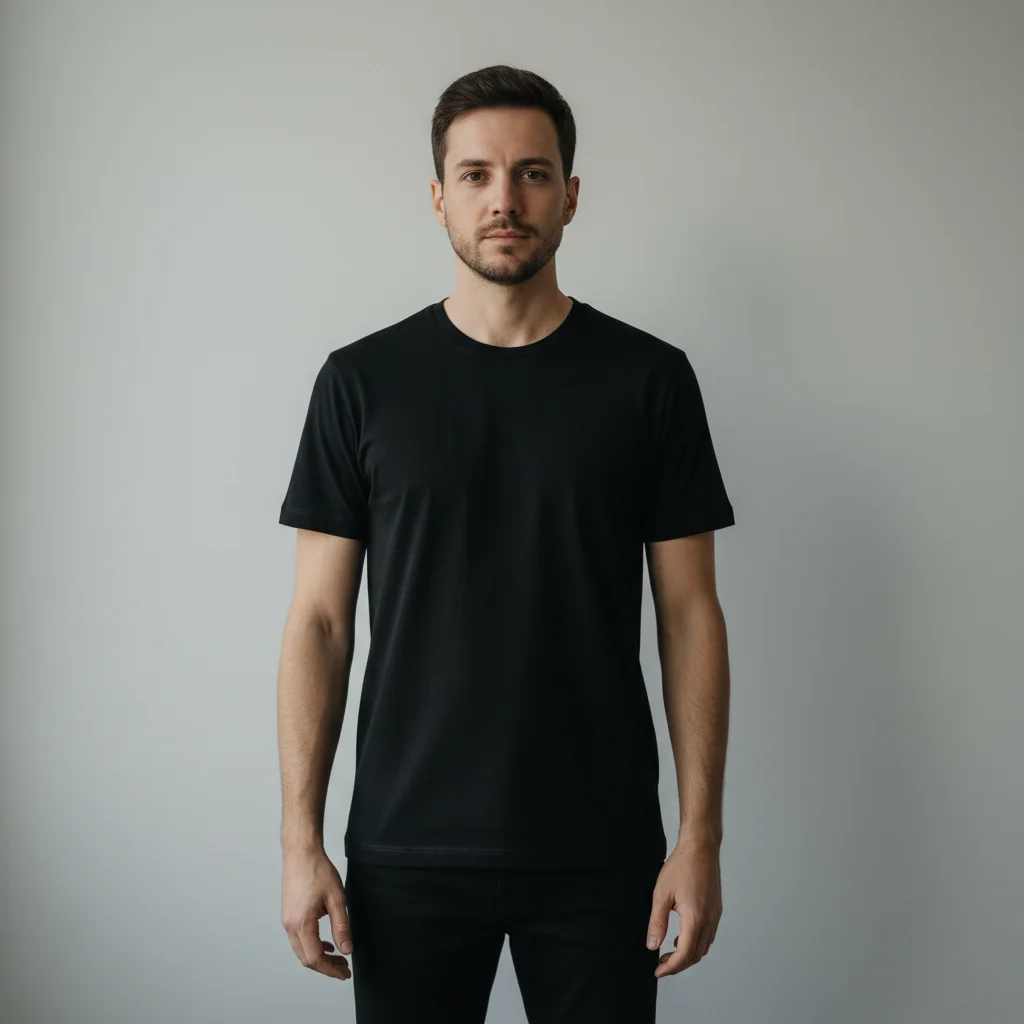
Man wearing a plain black t-shirt
Before
->
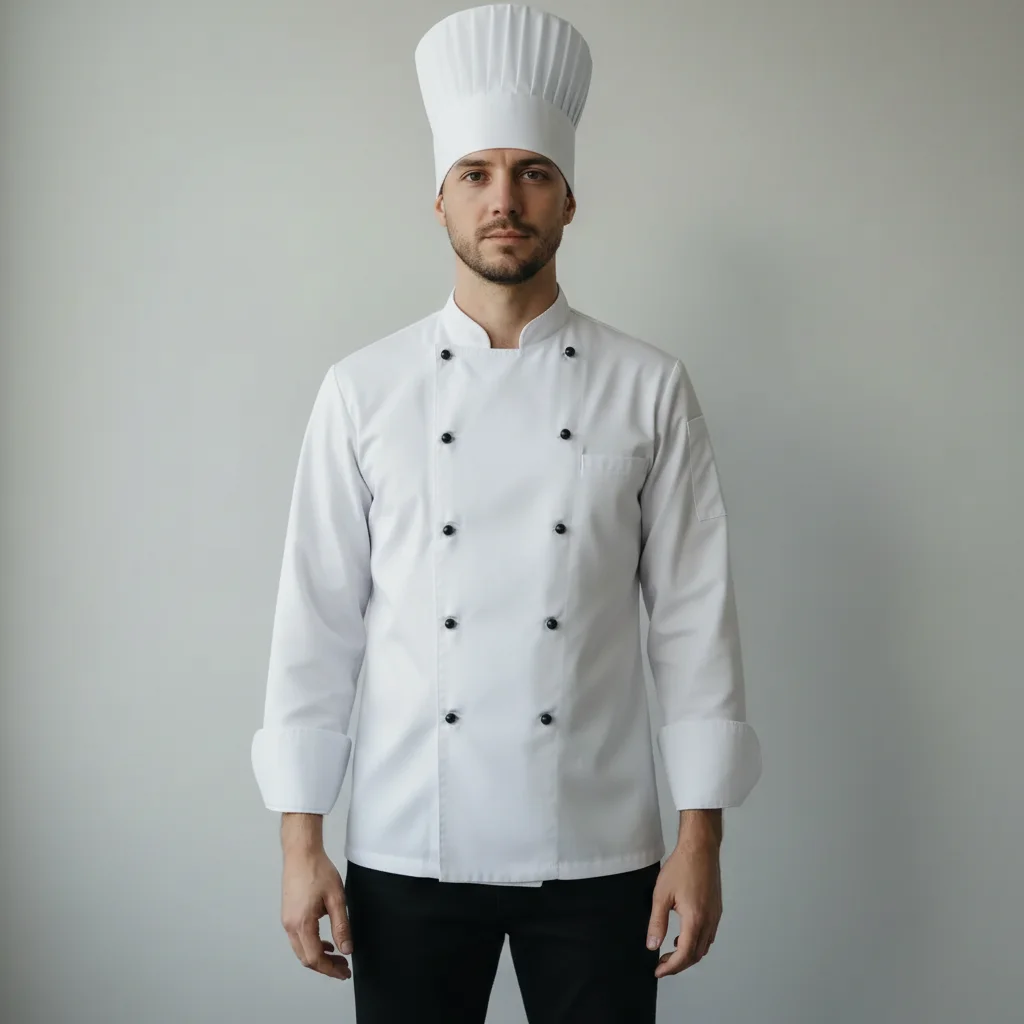
Same man wearing a white chef's coat and chef's hat
After

T-shirt to chef's uniform

A man in a plain t-shirt transformed into a professional chef wearing a classic white coat and hat.

Prompt: put a professional white double-breasted chef's coat with a tall white chef's hat on this person
Advertisement

If something looks off

AI changed the wrong area or something I didn't want changed

Why: The AI couldn't determine exactly which clothing to replace. This happens with layered outfits or when the instruction could apply to multiple areas.

Try: Tap a marker on the torso area specifically, then regenerate with the same prompt

Tip: Markers tell the AI 'I mean THIS area specifically.' Use them when description alone is ambiguous.

Badges, patches, or insignia are blurry or missing

Why: Small details like badges and text on uniforms are difficult to render with precision. The AI may skip them or render them as indistinct shapes.

Try: generate the uniform with clearly visible [badge/patch/insignia] on the [chest/shoulder/sleeve], with readable text and sharp details

Tip: After generating the base uniform, add details in a follow-up: 'add a clear name badge to the left chest.'

Uniform color is wrong or inconsistent

Why: Many uniforms use specific shades (navy vs. royal blue, olive vs. forest green) that generic color names don't capture.

Try: generate the uniform in [specific shade], like navy blue or olive drab, not generic blue or green

Tip: Use official color names when possible: 'olive drab' for military, 'ceil blue' for medical scrubs, 'dress navy' for formal.

Uniform looks like a costume rather than authentic work wear

Why: Without specific realistic details, the AI may generate an overly simplified or costume-like version of the uniform.

Try: generate a realistic, authentic [profession] uniform with proper fabric texture, natural wrinkles, and regulation-standard details

Tip: Adding 'realistic' and 'authentic' pushes the AI toward professional-looking results rather than Halloween costumes.

Accessories like hats or helmets are missing from the uniform

Why: The AI may focus on the main garment and skip headwear or accessories unless explicitly mentioned.

Try: add a [hat/cap/helmet] to the uniform, positioned naturally on the head and matching the uniform style

Tip: Always mention headwear separately if it's part of the uniform: 'with a chef's hat', 'with a military beret', 'with a firefighter helmet.'

Quick answers

Do I need to mark my body before generating a uniform?

No! Just describe the uniform: 'generate navy blue scrubs with a name badge' or 'put a pilot uniform on this person.' The AI understands uniform names and where they go. Only use markers if the AI changes the wrong area on the first try.

How do I generate a uniform that matches a specific company or organization?

Click '+ Add reference image' and upload a photo of the actual uniform. Then type 'put the uniform from the reference image on this person.' The AI matches the colors, style, and distinctive features. Great for visualizing how company uniforms look on different team members.

Is there a free AI uniform generator that doesn't require login?

Yes, EditThisPic is free to try with no account needed. Upload your photo, describe the uniform, and download the result. No watermarks. Works for medical, military, culinary, school, sports, and corporate uniforms.

What's the best free AI tool for generating uniform looks on photos?

EditThisPic offers free AI uniform generation with no signup required. Unlike costume overlay apps, the AI generates realistic uniforms that follow your body shape with proper fit, authentic details, and natural fabric texture.

Ready to generate a uniform look on your photo?

Free to try. No signup required.

Try it free