Free โ€ข No signup Enhance Pet memorial photo ยท Free

Pet Memorial Photo Enhancement

Create beautiful memorial photos of your beloved pet that capture their spirit and preserve your precious memories together.
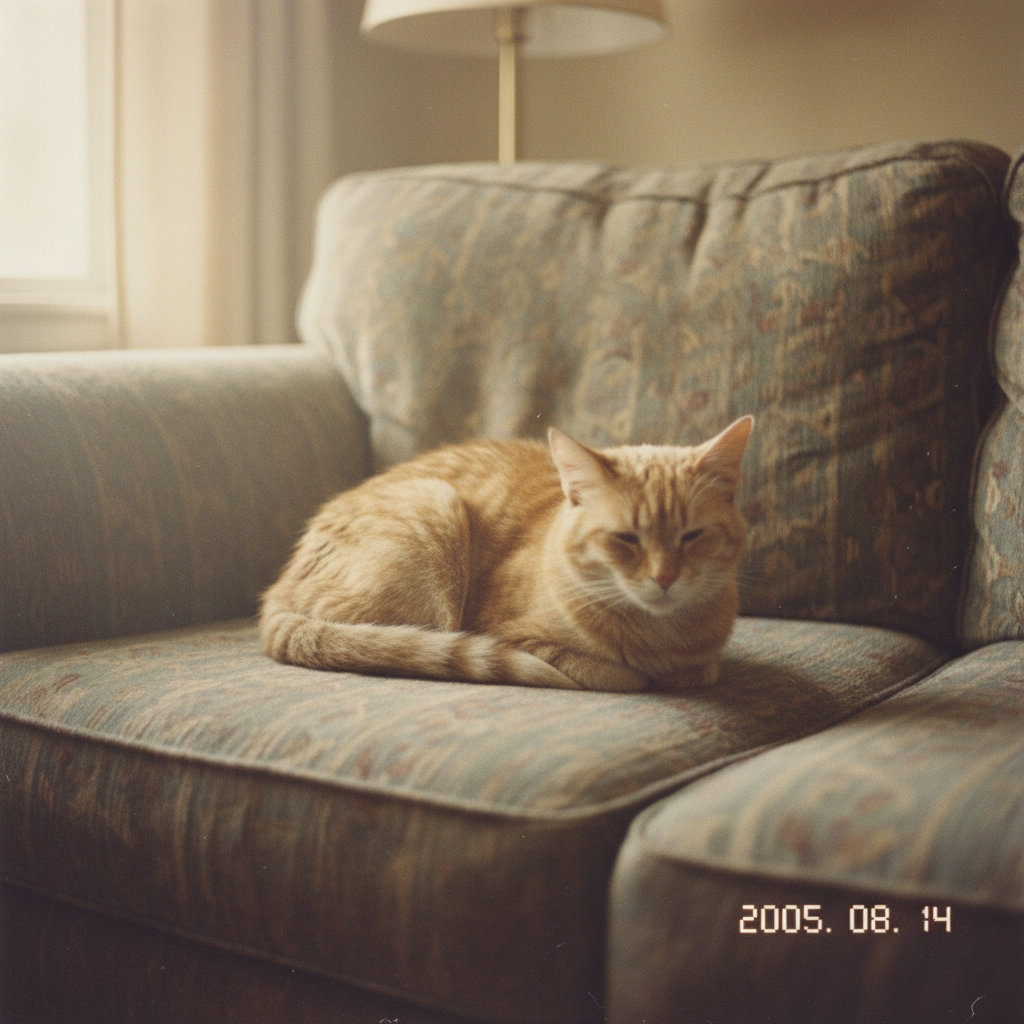
Faded, older photo of orange tabby cat
Before
โ†’
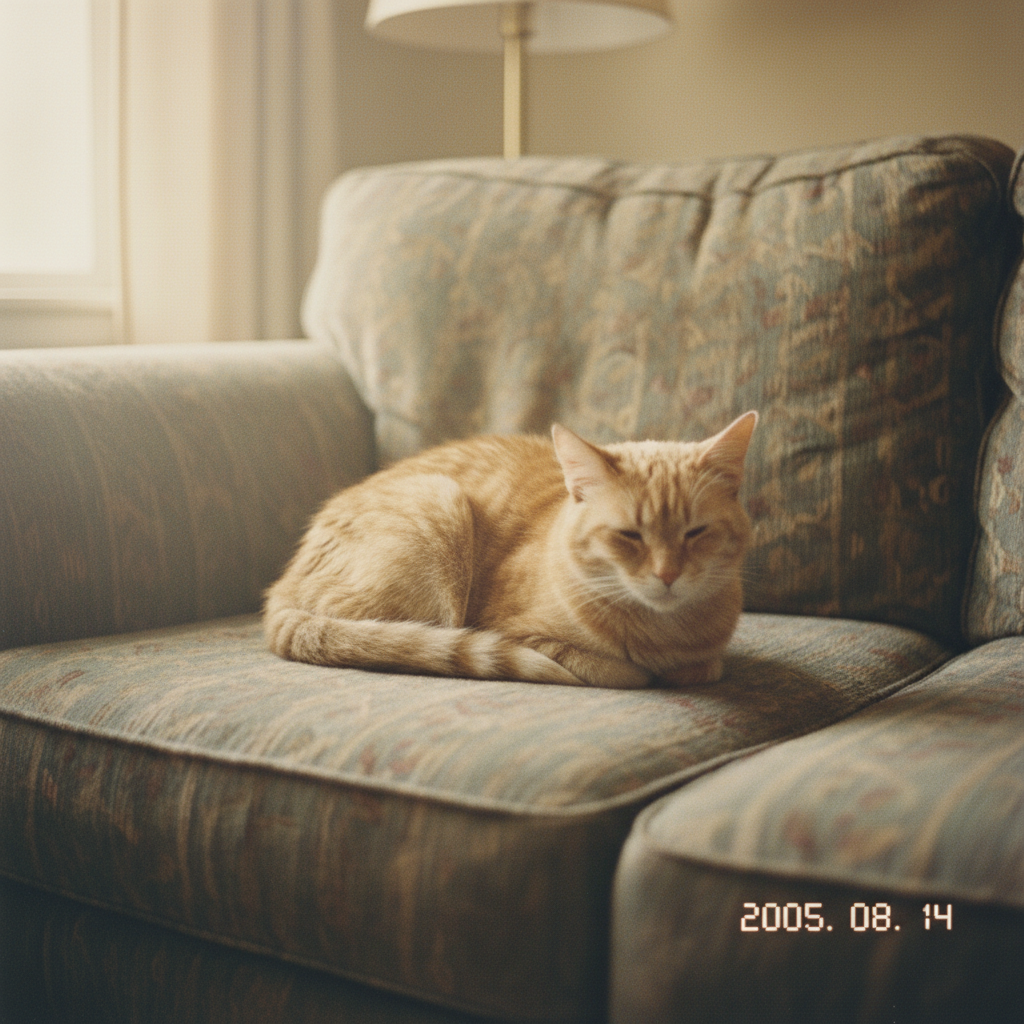
Same photo restored with vibrant colors and sharp details
After

Pet Memorial Photo Enhancement

Drop your photo here

or click to browse

Release to upload

Free โ€ข No signup

Advertisement
Popular use cases:
  • pet memorial photo
  • enhance pet photo
  • restore old pet photo
  • pet tribute photo
  • dog memorial picture
  • cat memorial photo
  • rainbow bridge photo
  • deceased pet photo enhancement

Cost
Free No signup required
Time
Instant results in 15-30 seconds
Works on
Any device - browser, phone, tablet, desktop
Powered by
AI-powered photo editing

How it works

  1. Choose a meaningful photo

    Select the photo that best captures your pet's personality - their favorite spot, a characteristic expression, or a moment you want to remember forever. Even older, slightly blurry, or damaged photos can be enhanced.

    Expect: Most enhancements take 20-30 seconds. Older or more damaged photos may need a few iterations to get perfect.
  2. Describe the enhancement you want

    Type your instruction: 'enhance this photo to make my pet look sharp and vibrant' or 'restore this old photo and brighten the colors.' You can also remove distractions: 'enhance this photo and remove the clutter in the background.' No marking needed.

    Tip: Common enhancements: 'sharpen details,' 'brighten colors,' 'remove background distractions,' 'fix the faded colors,' 'clear up the blur'

    Copy one of these to get started:

    General enhancement enhance this photo of my pet to make it sharp, clear, and vibrant while preserving their natural appearance
    Restore old/faded photo restore this old photo of my pet, fix the faded colors, sharpen the details, and bring back the original vibrancy
    Remove background distractions enhance this photo of my pet and remove the cluttered background, replace it with a soft, simple backdrop
    Fix blurry photo sharpen and deblur this photo of my pet, bring their face and fur into clear focus while maintaining natural texture
    4 more prompts
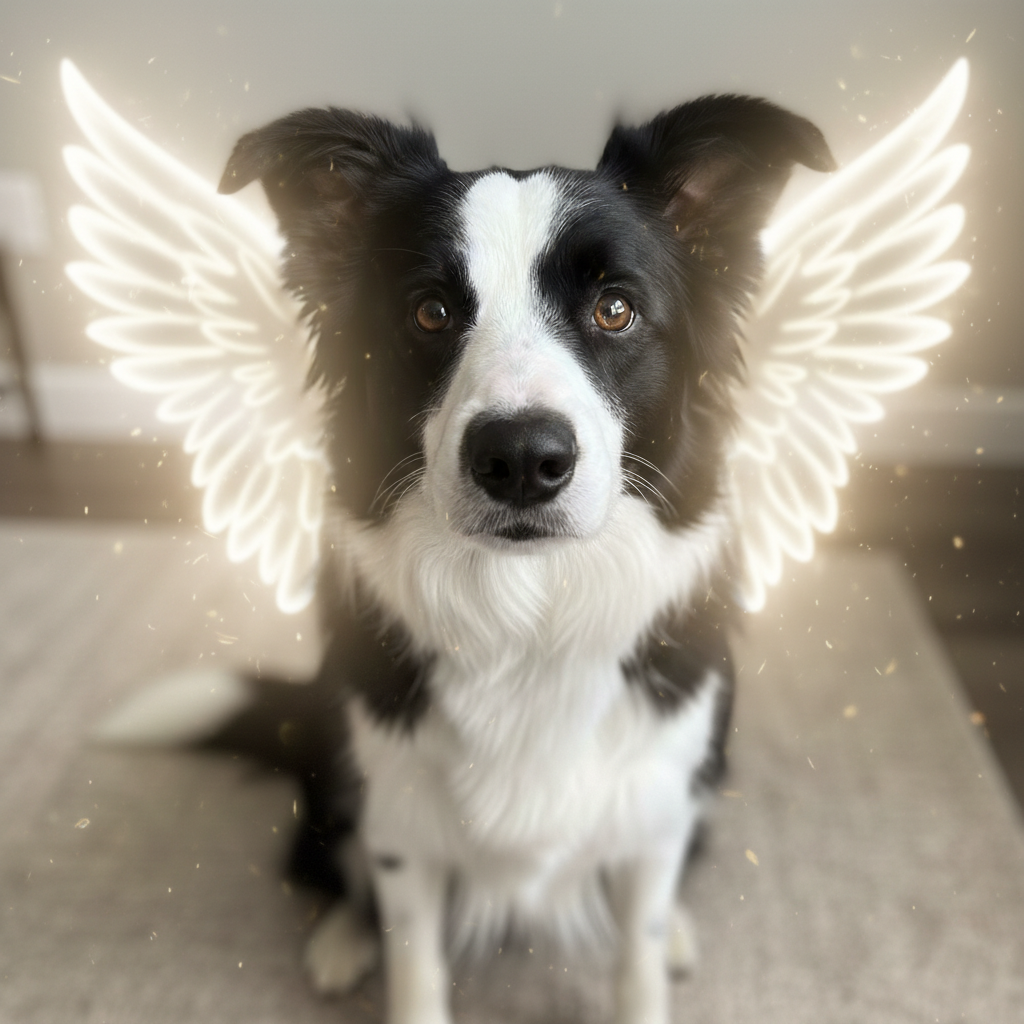
    Add angel wings tribute enhance this photo of my pet and add soft, gentle angel wings behind them as a memorial tribute
    Place in beautiful setting enhance this photo of my pet and place them in a beautiful meadow with soft sunlight, like they're running free
    Portrait style enhancement enhance this photo of my pet into a portrait style with soft lighting and a beautiful blurred background
    Colorize old black and white colorize this black and white photo of my pet, adding natural fur colors based on the breed
  3. Review the result

    Look at your enhanced photo and make sure it still looks like your beloved pet. The enhancement should bring out their features while preserving the authentic feeling of the original moment. Check that their eyes, fur texture, and expression are true to who they were.

  4. Adjust and perfect

    If the enhancement is too strong or not enough, describe the adjustment: 'make it more subtle' or 'enhance the colors more.' You can also combine enhancements: 'add angel wings' or 'place them in a beautiful garden setting.'

    Tip: Save the original enhanced version first, then try creative additions like angel wings or heaven-like backgrounds for different memorial purposes.
Try it free โ†“

Pet Memorial Photo Enhancement

Drop your photo here

or click to browse

Release to upload

Free โ€ข No signup

"I only have a few photos of my childhood dog, and they were all blurry. EditThisPic restored them beautifully - I can finally see his face clearly again after 20 years. I cried happy tears." @RememberingBuddy

See it in action

Faded, older photo of orange tabby cat
Before
->
Same photo restored with vibrant colors and sharp details
After

Old photo restored

A faded 15-year-old photo of a family cat restored to vibrant clarity for a memorial frame.

Prompt: restore this old photo of my pet, fix the faded colors, sharpen the details, and bring back the original vibrancy
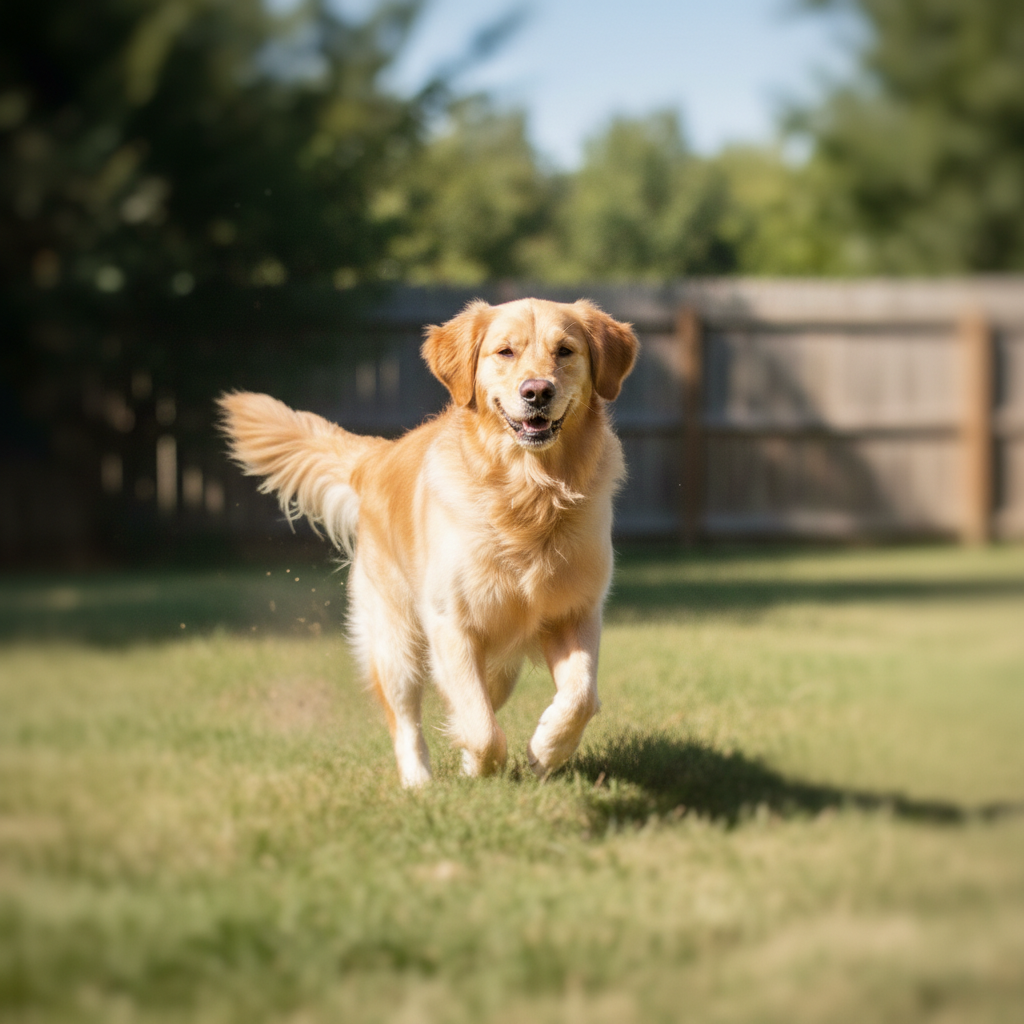
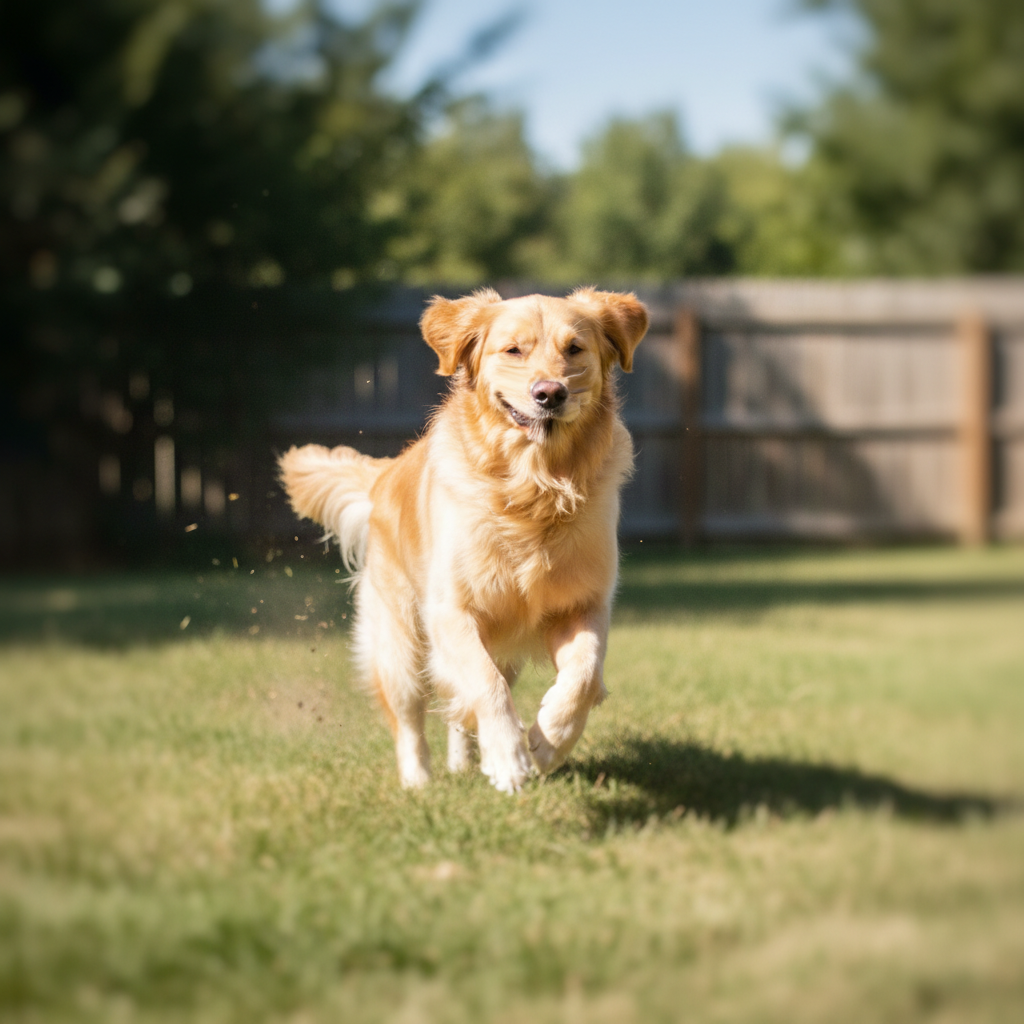
Blurry motion photo of golden retriever
Before
->
Same photo sharpened with clear face and fur details
After

Blurry photo sharpened

A beloved dog's only good photo was slightly blurry from motion. Enhancement brought their face into clear focus.

Prompt: sharpen and deblur this photo of my pet, bring their face and fur into clear focus while maintaining natural texture
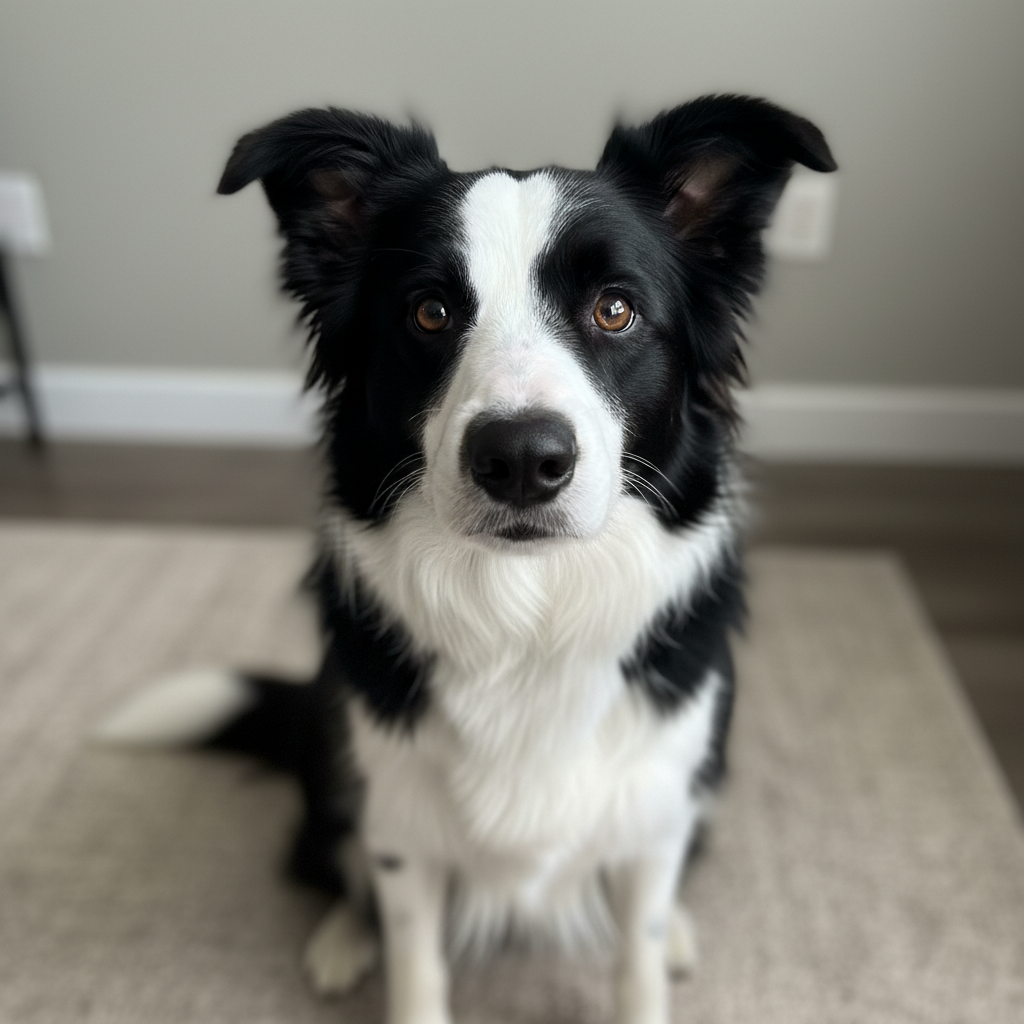
Portrait of border collie
Before
->
Same portrait enhanced with soft angel wings added
After

Angel wings memorial

A cherished photo transformed into a rainbow bridge tribute with gentle angel wings.

Prompt: enhance this photo of my pet and add soft, gentle angel wings behind them as a memorial tribute
Advertisement

If something looks off

Enhancement changed their appearance too much

Why: The AI may have over-processed the photo, making your pet look different from how they actually were.

Try: enhance this photo more subtly, preserving their exact appearance while only improving clarity

Tip: Adding 'preserve their exact appearance' keeps the AI from changing features

Colors look unnatural after enhancement

Why: The AI may have boosted colors too aggressively, making fur or eyes look artificial.

Try: enhance this photo with natural, realistic colors that match how my pet actually looked

Tip: Words like 'natural' and 'realistic' help prevent over-saturation

Details look artificial or plastic

Why: Over-sharpening can create an unnatural look, especially in fur texture.

Try: enhance this photo gently, maintaining natural fur texture and avoiding artificial sharpening

Tip: Requesting 'natural texture' produces more realistic results

AI changed something other than what I wanted

Why: The AI may have interpreted the enhancement request too broadly.

Try: Tap a marker on the specific area to enhance, then describe: 'enhance only this area'

Tip: Markers help focus the AI when you want precise enhancement of specific areas

Old photo still looks damaged

Why: Severe damage like tears, stains, or missing areas needs more specific restoration.

Try: restore this damaged photo, fix the scratches and stains, reconstruct any missing areas naturally

Tip: For severely damaged photos, you may need multiple passes focusing on different issues

Quick answers

Do I need to mark areas to enhance?

No. Just describe the enhancement: 'enhance this photo to make it sharp and vibrant.' The AI processes the whole image. Only use markers if you want to enhance specific areas while leaving others unchanged.

How do I enhance a memorial photo of my pet for free?

Upload your pet's photo to EditThisPic and describe the enhancement: 'enhance this photo to make it sharp, clear, and vibrant.' The AI improves the photo in about 30 seconds. It's completely free, requires no account, and your precious photos remain private.

Can I restore very old or damaged pet photos?

Yes. EditThisPic can restore faded, yellowed, scratched, and slightly blurry photos. Describe what needs fixing: 'restore this old photo, fix the faded colors and damage.' For severely damaged photos, you may need multiple edits focusing on different issues.

Is there a free pet photo enhancement tool without login?

Yes. EditThisPic enhances pet photos for free without requiring any account or signup. Upload your photo, describe the enhancement, and download the result with no watermark. Your photos are processed privately.

Can I add angel wings or other memorial elements?

Yes. You can enhance the photo and add memorial elements: 'enhance this photo and add soft angel wings behind my pet' or 'place them in a beautiful meadow.' This creates touching tributes for your beloved companion.

Will the enhanced photo still look like my pet?

The AI preserves your pet's authentic appearance while improving quality. If an enhancement changes them too much, describe the adjustment: 'enhance more subtly while preserving their exact appearance.' You control how much enhancement is applied.

Create a beautiful tribute to your beloved companion

Enhance their photo and preserve their memory.

Try it free โ†’