Free • No signup Put Face on magazine cover · Free

Put Face on Magazine Cover

Upload your photo and describe the magazine style. AI creates a realistic cover with your face. No design skills needed.
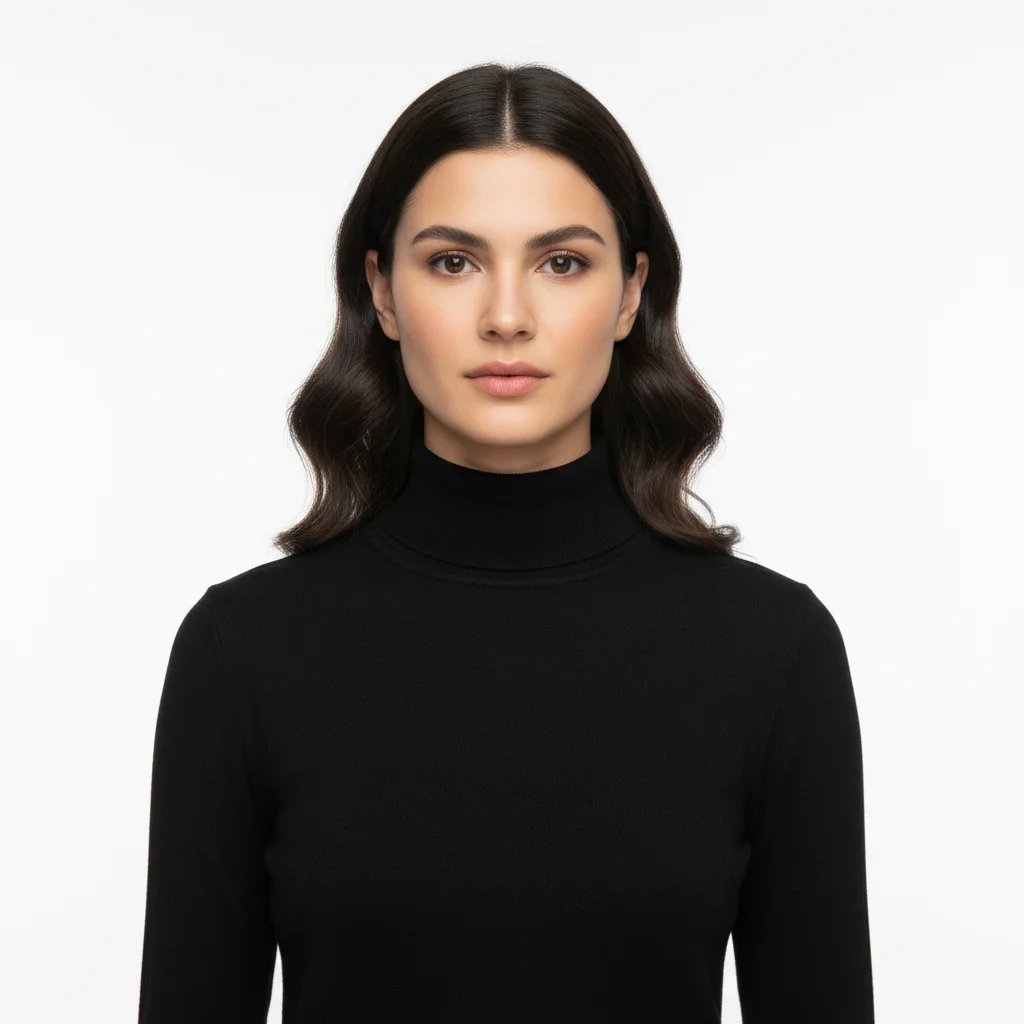
Portrait of woman in black turtleneck against white background
Before
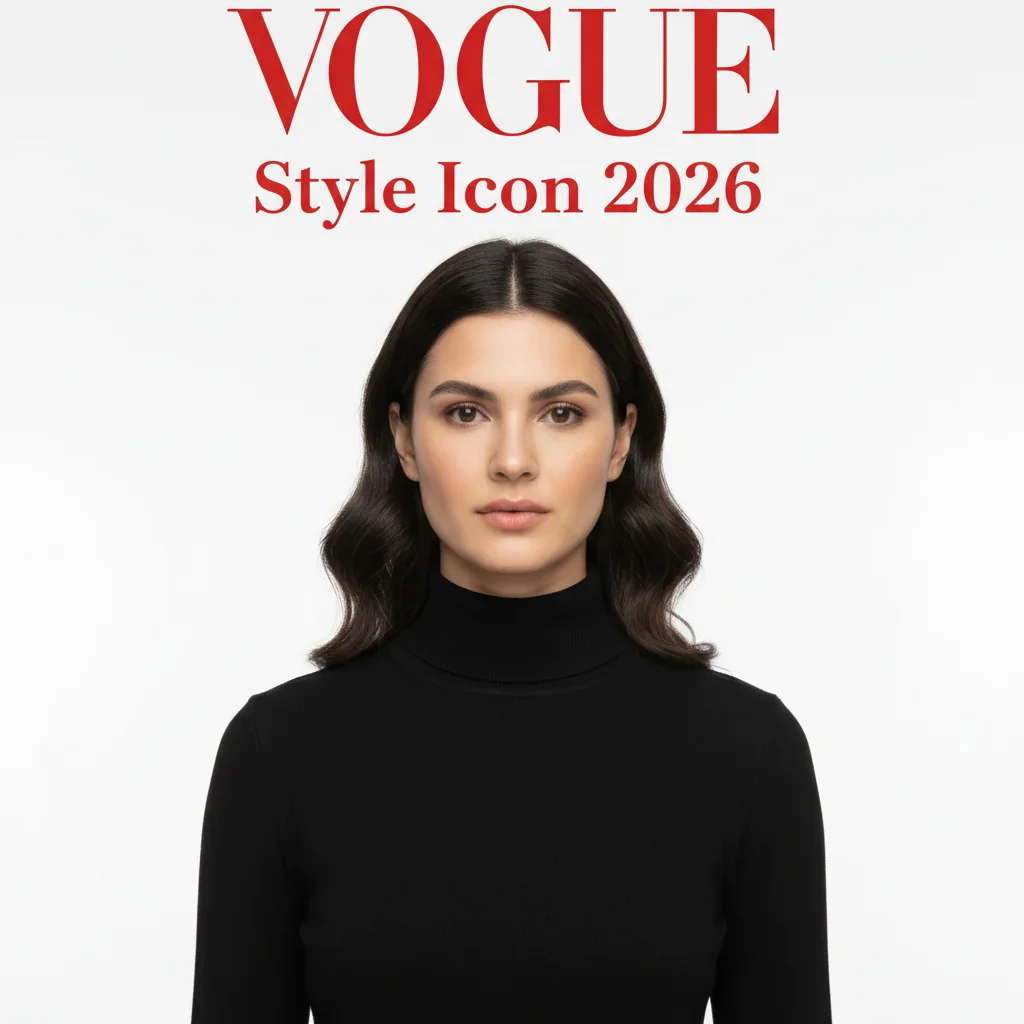
Same woman featured on elegant Vogue-style magazine cover with fashion typography
After

Put Face on Magazine Cover

Drop your photo here

or click to browse

Release to upload

Free • No signup

Advertisement
Popular use cases:
  • magazine cover generator
  • face on magazine
  • fake magazine cover
  • custom magazine mockup
  • Vogue cover maker
  • Time magazine generator
  • social media content
  • creative gifts
  • portfolio piece

Cost
Free No signup required
Time
Instant results in 15-30 seconds
Works on
Any device - browser, phone, tablet, desktop
Powered by
AI-powered photo editing
Scenario Prompt Time
Fashion magazine (Vogue, Elle) Vogue-style cover with elegant serif typography 40s
News magazine (Time, Newsweek) Time cover with bold red border and headline 40s
Business magazine (Forbes, Fortune) Forbes business cover with professional aesthetic 40s

How it works

  1. Upload a clear face photo

    Drop your portrait image into EditThisPic. JPG, PNG, WebP up to 7MB. Face photos with good lighting work best—the AI will preserve facial features while compositing them onto a magazine cover. Headshots or close-up portraits are ideal.

    Expect: Simple covers (one headline): 30-40 seconds. Complex layouts (multiple headlines, cover lines): 45-60 seconds and may need refinements.
  2. Describe the magazine style

    Type what you want: 'put my face on a Vogue-style fashion magazine cover with elegant typography' or 'create a Forbes business magazine cover featuring this person.' Mention the magazine style, headline text, and aesthetic. The AI knows how to create realistic magazine layouts—no marking needed.

    Tip: Specify the magazine genre (fashion, business, fitness, lifestyle) and include a headline concept for more authentic results.

    Copy one of these to get started:

    Vogue-style fashion cover put my face on a Vogue-style fashion magazine cover with elegant serif typography and the headline 'Style Icon 2026'

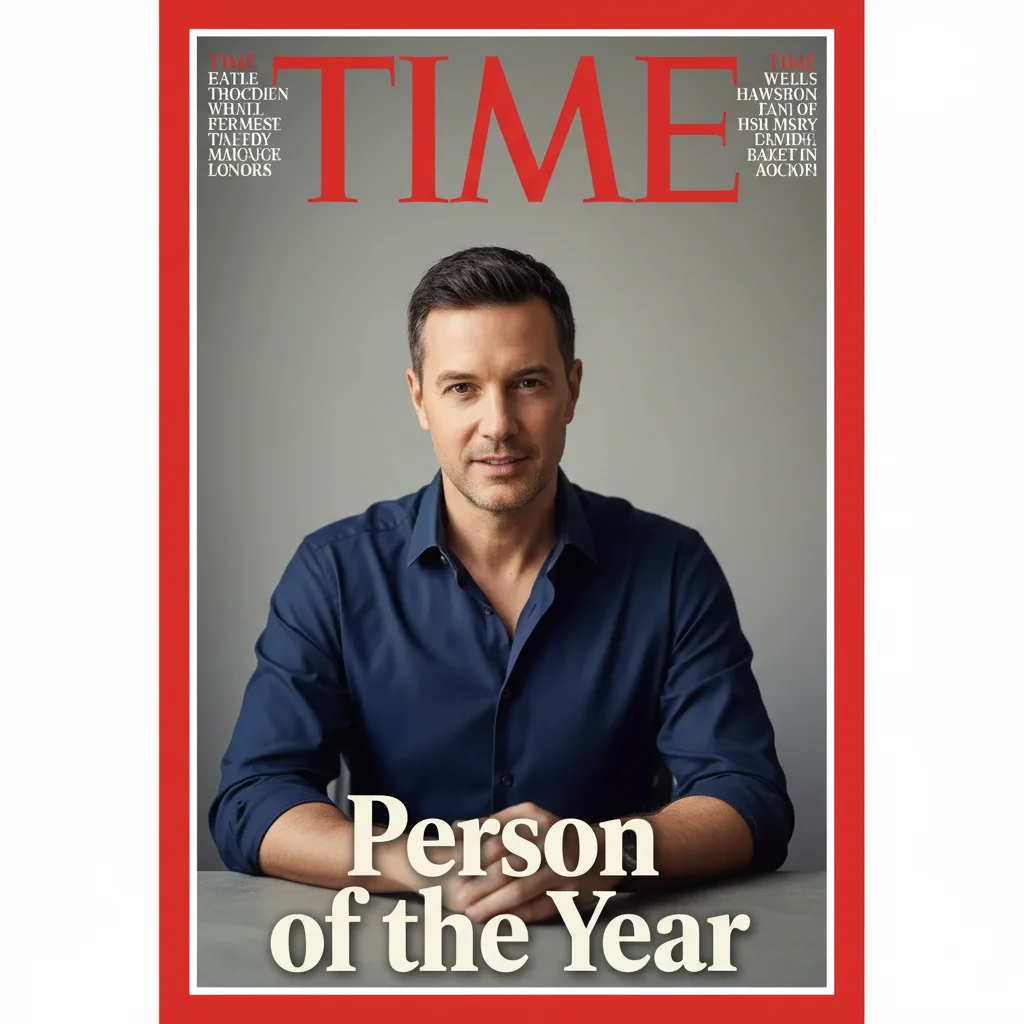
    Time magazine person of interest create a Time magazine cover featuring this person with bold red border and headline 'Person of the Year'
    Forbes business leader cover put this person on a Forbes magazine cover with professional business aesthetic and headline 'The Innovator'
    Fitness magazine cover star create a fitness magazine cover with this person, bold headline 'Transform Your Body', energetic colors
    3 more prompts
    Rolling Stone music icon put my face on a Rolling Stone magazine cover with edgy rock aesthetic and headline 'The Sound of Now'
    National Geographic explorer create a National Geographic magazine cover featuring this person with yellow border and headline 'Into the Wild'
    Elle fashion editorial put this person on an Elle magazine cover with chic minimalist design and headline 'Fashion Forward'
  3. Review your cover star moment

    Check that the face looks natural on the cover, typography is legible, and the overall layout feels authentic. Look for realistic magazine elements like mastheads, cover lines, and barcode placement.

  4. Refine with markers if needed

    If the face placement or specific magazine elements need adjustment, tap markers on those areas and regenerate. Most magazine covers work perfectly on the first try.

    Tip: Markers are for precision refinement only. Try without them first—you usually won't need them.
Try it free

Put Face on Magazine Cover

Drop your photo here

or click to browse

Release to upload

Free • No signup

"Made magazine covers for my whole team as birthday gifts. Everyone's face on their dream magazine. The reactions were priceless—they look so real!" @CreativeHRManager

See it in action

Portrait of woman in black turtleneck against white background
Before
->
Same woman featured on elegant Vogue-style magazine cover with fashion typography
After

Vogue-style fashion cover transformation

A portrait photo transformed into an elegant Vogue-inspired magazine cover with sophisticated typography.

Prompt: put my face on a Vogue-style fashion magazine cover with elegant serif typography and the headline 'Style Icon 2026'
Professional headshot of man in navy blue shirt
Before
->
Same man on Time magazine cover with red border and Person of the Year headline
After

Time magazine Person of the Year

A casual headshot transformed into an iconic Time magazine cover with the signature red border frame.

Prompt: create a Time magazine cover featuring this person with bold red border and headline 'Person of the Year'
Athletic woman in turquoise tank top against white background
Before
->
Same woman on vibrant fitness magazine cover with Transform Your Body headline
After

Fitness magazine cover star

An athletic portrait transformed into an energetic fitness magazine cover with bold motivational headline.

Prompt: create a fitness magazine cover with this person, bold headline 'Transform Your Body', energetic colors
Advertisement

If something looks off

AI changed wrong area or added magazine elements where I didn't want them

Why: The AI placed magazine typography or graphics in unexpected locations based on its interpretation of standard magazine layouts.

Try: Tap a marker on the face area you want to preserve, then regenerate with more specific placement: 'put the face centered on the magazine cover, keep typography at the top and sides only'

Tip: Markers tell the AI 'THIS is the focus.' Use them when layout elements conflict with face placement.

Face looks unnatural or poorly composited on the cover

Why: The source photo's lighting or angle doesn't match typical magazine cover photography styles.

Try: Use a well-lit, front-facing portrait photo, then regenerate: 'composite the face naturally onto the magazine cover with professional retouching'

Tip: Magazine covers work best with professional-quality headshots. Poor source photos will show limitations.

Typography is illegible or poorly designed

Why: Generic magazine style prompts can produce unclear or amateurish text layouts.

Try: Be specific about typography style: 'use bold sans-serif headlines with high contrast against the background, legible from a distance'

Tip: Mention specific typography attributes: 'bold', 'elegant serif', 'modern sans-serif', 'high contrast' for better text rendering.

Magazine layout looks generic, not like the specific magazine I wanted

Why: The AI needs more specific visual cues to match a particular magazine's brand aesthetic.

Try: Include signature elements: 'Vogue cover with minimalist white space' or 'Time cover with the iconic red border frame and bold sans-serif masthead'

Tip: Reference specific visual elements: border colors, typography styles, layout patterns that define that magazine brand.

Cover lacks authentic magazine details like barcode, date, price

Why: Basic prompts focus on main elements and may omit fine details that make covers look authentic.

Try: Request complete magazine realism: 'create a realistic magazine cover with barcode, issue date, cover price, and multiple cover lines'

Tip: Adding 'realistic magazine details' or 'authentic newsstand magazine' prompts the AI to include subtle authenticity touches.

Headline text doesn't match what I requested

Why: The AI interpreted the headline concept creatively rather than using your exact wording.

Try: Put exact text in quotes: 'create magazine cover with headline text exactly as: "Person of the Year 2026"'

Tip: Specifying exact headline text in quotes increases the chance the AI will match it precisely.

Quick answers

Do I need to mark my face before creating the magazine cover?

No! Just describe the magazine style you want: 'put my face on a Vogue-style fashion magazine cover' or 'create a Time magazine cover with this person.' The AI understands how to composite faces onto magazine layouts. Only use markers if you want precise control over face placement or if the result needs refinement.

Can I use this for professional purposes like portfolios or social media?

Yes! Download the high-resolution result without watermarks. Many users create magazine covers for LinkedIn profile headers, Instagram posts, portfolio pieces, or creative gifts. The AI-generated covers look realistic and professional.

Is there a free AI magazine cover generator without signup?

Yes, EditThisPic is free to try with no account needed. Upload your photo, describe the magazine style, and download the result. No watermarks on outputs. Perfect for creating fun magazine covers without commitment.

What photo works best for magazine covers?

Clear, well-lit portraits where the face is visible and looking toward the camera work best. Professional headshots are ideal, but good selfies work too. The AI handles the magazine layout—you just need a decent face photo to start with.

Can I create covers in specific magazine styles like Vogue, Time, or Forbes?

Yes! Describe the magazine aesthetic: 'Vogue-style with elegant typography', 'Time magazine with red border', or 'Forbes business cover look.' The AI understands these style references and creates covers matching those visual aesthetics. You can also specify headlines, colors, and layout details for more customization.

Ready to put your face on a magazine cover?

Free to try. No signup required.

Try it free