Free โ€ข No signup Fix Sports photos ยท Free

Sports Photo Editor

Capture the winning moment - fix action photos like a pro
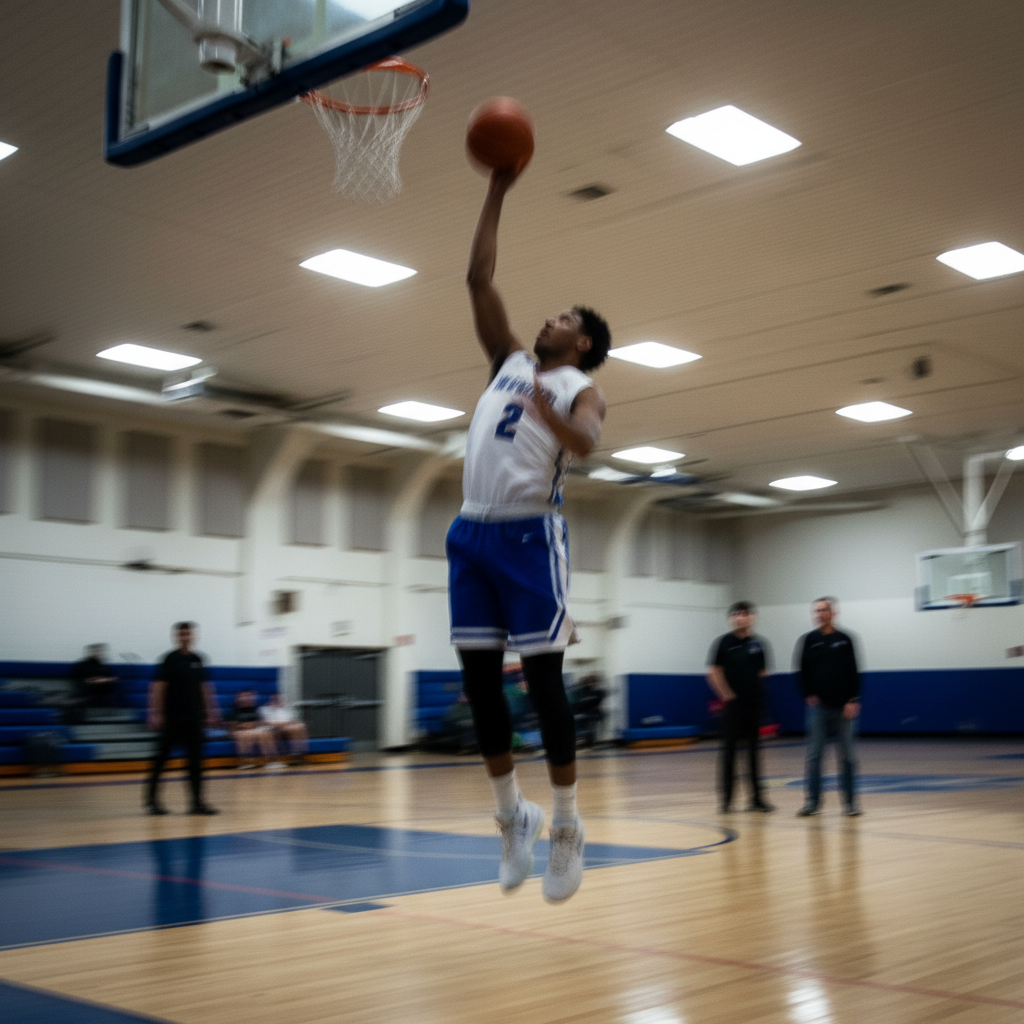
Blurry basketball player mid-shot with motion blur
Before
โ†’
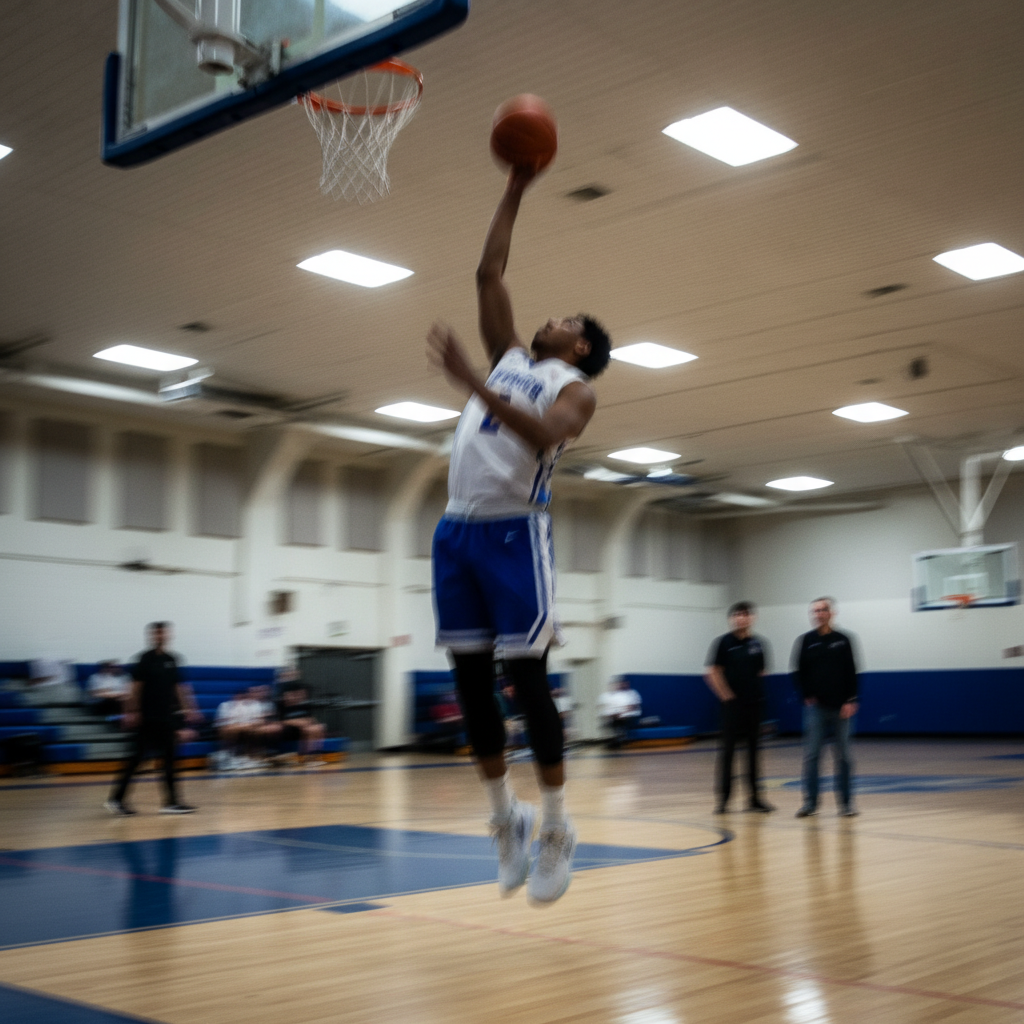
Same basketball player sharp and clear with visible facial features
After

Sports Photo Editor

Drop your photo here

or click to browse

Release to upload

Free โ€ข No signup

Advertisement
Popular use cases:
  • action shots
  • sports portraits
  • team photos
  • game day photos
  • athletic photography
  • youth sports photos
  • player headshots
  • sports action photography

Cost
Free No signup required
Time
Instant results in 15-30 seconds
Works on
Any device - browser, phone, tablet, desktop
Powered by
AI-powered photo editing
Scenario Prompt Time
Fix motion blur sharpen the player and remove the motion blur 20s
Remove spectators remove all the spectators from the background 25s
Fix gym lighting brighten the photo and fix the underexposed lighting 15s

How it works

  1. Upload your sports photo

    Drop any sports photo into EditThisPic. Action shots, team photos, or player portraits all work. JPG, PNG, WebP up to 7MB.

    Expect: Simple fixes like sharpening: 15-20 seconds. Background removals: 25-30 seconds.
  2. Describe what needs fixing

    Type what you want: 'sharpen the blurry player' or 'remove the fence from the background.' Be specific about the problem. The AI understands sports photo issues like motion blur, harsh stadium lighting, and distracting crowds.

    Tip: Combine multiple fixes in one prompt: 'sharpen the player and remove the spectators behind them'

    Copy one of these to get started:

    Action shot has motion blur sharpen the player and remove the motion blur
    Spectators or crowd in background remove all the spectators from the background, keep only the player
    Indoor gym photo is too dark brighten the photo and fix the underexposed lighting
    Fence or barrier blocking the shot remove the chain link fence from the photo
    4 more prompts
    Harsh outdoor stadium lighting fix the harsh shadows and balance the lighting on the player
    Want clean background for player portrait replace background with solid dark blue gradient for team portrait
    Distracting signs or advertisements remove the advertising signs from the background
    Team photo needs lighting fix balance the lighting so everyone is evenly lit
  3. Download your fixed photo

    Review your corrected sports photo and download in high resolution. Perfect for team websites, social media, or framing. If you want additional adjustments, just describe them.

  4. Use markers for precise fixes

    If you need to target a specific player or area, tap markers on those spots and describe the refinement. Most sports photo fixes work perfectly without markers.

    Tip: Markers are helpful when you want to sharpen a specific player without affecting others in motion
Try it free โ†“

Sports Photo Editor

Drop your photo here

or click to browse

Release to upload

Free โ€ข No signup

"Got my son's soccer goal shot perfectly clear now. The motion blur is completely gone and you can see his face!" @soccerdad2026

See it in action

Blurry basketball player mid-shot with motion blur
Before
->
Same basketball player sharp and clear with visible facial features
After

Fixed Motion Blur in Action Shot

Blurry basketball player sharpened to show clear facial features and jersey details.
Prompt: sharpen the player and remove the motion blur
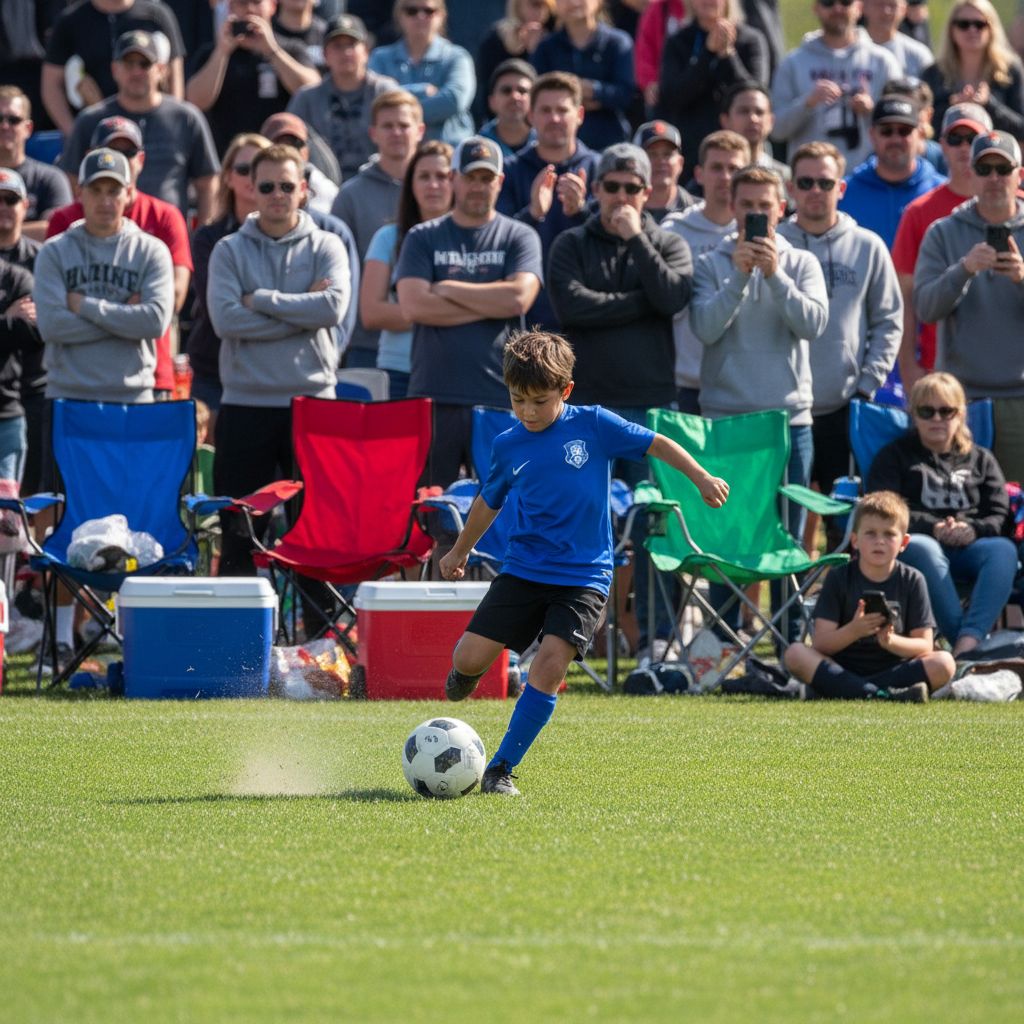
Soccer player with crowded sideline of spectators behind
Before
->
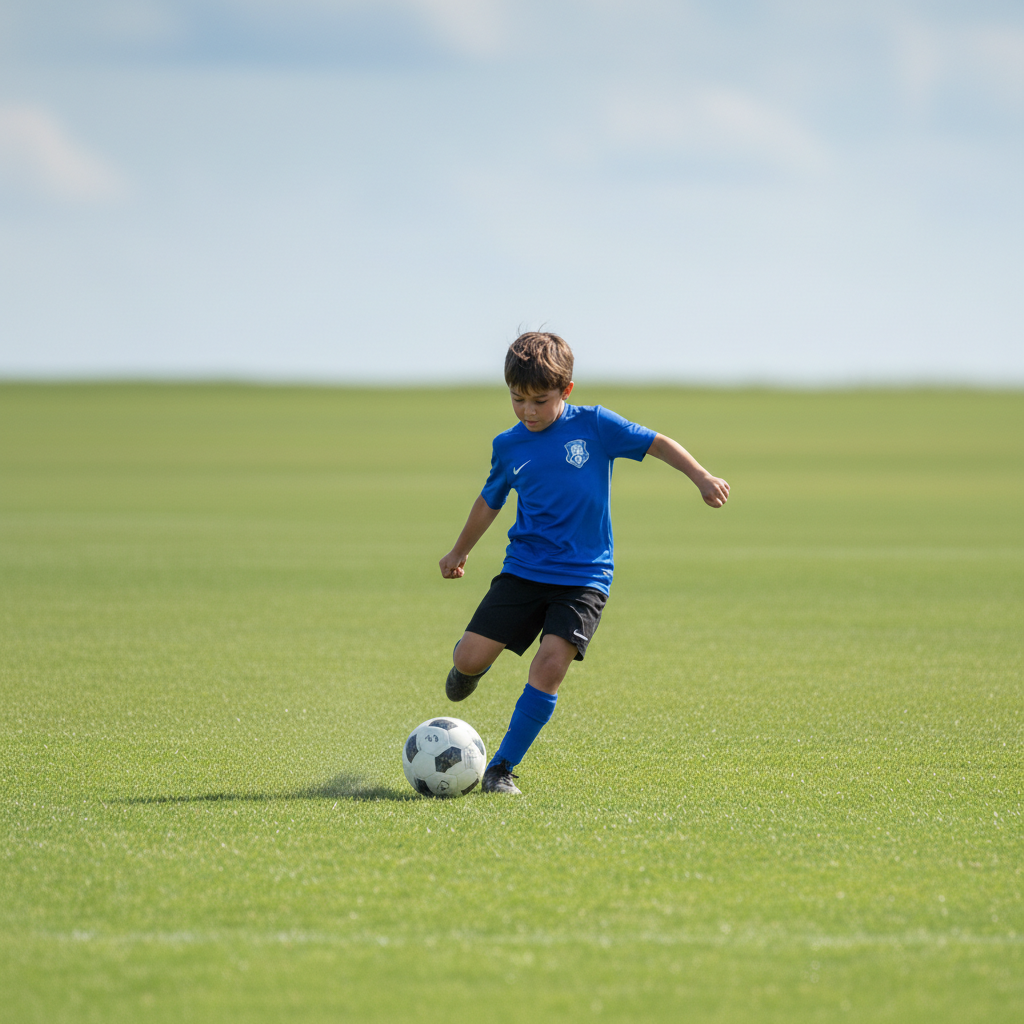
Same soccer player with clean grass field background
After

Removed Spectators from Background

Soccer player isolated from crowded sideline to create clean action portrait.

Prompt: remove all the spectators from the background, keep only the player
Dark underexposed volleyball player in poorly lit gym
Before
->
Same volleyball player with bright balanced lighting
After

Fixed Dark Indoor Gym Lighting

Underexposed volleyball action shot brightened with natural-looking lighting.

Prompt: brighten the photo and fix the underexposed lighting
Advertisement

If something looks off

AI sharpened the wrong player in a group action shot

Why: Without markers, the AI may guess which player you meant

Try: Use markers to tap on the specific player, then 'sharpen this player'

Tip: For team action shots, always use markers to specify exactly which player to fix

Background removal left artifacts around the player's jersey

Why: Fast-moving fabric edges can be tricky to separate cleanly

Try: Try 'clean up the edges around the player's jersey'

Tip: Solid color backgrounds hide edge issues better than detailed replacement scenes

Lighting fix made the photo look unnatural

Why: The AI may have overcorrected the exposure

Try: Try 'slightly brighten while keeping natural gym lighting'

Tip: Use words like 'slightly' and 'subtle' to avoid over-correction

Fence removal left visible patterns in the background

Why: Chain link patterns can leave traces when removed

Try: Try 'blur the background slightly to hide any fence artifacts'

Tip: A slight background blur can make fence removal cleaner and adds professional depth

Quick answers

Can I fix motion blur in fast action sports photos?

Yes! Just describe the problem: 'sharpen the player' or 'fix the motion blur on the athlete.' The AI can recover details from moderately blurry action shots, making faces and jersey numbers visible again.

How do I remove spectators and crowds from sports photos?

Tell EditThisPic what to remove: 'remove all the spectators from the background' or 'remove the crowd behind the player.' The AI will fill in the background naturally while keeping your athlete in focus.

Can I fix dark indoor gym photos?

Absolutely! Indoor sports facilities often have poor lighting. Try 'brighten the photo and fix the underexposed lighting' to reveal details while maintaining a natural look.

Is there a free sports photo editor without watermarks?

Yes! EditThisPic is free to try with no signup required. You can sharpen action shots, remove crowds, and fix lighting without any watermarks on your edited photos.

Can I remove fences and barriers from sports photos?

Yes, you can remove chain link fences, nets, and barriers. Try 'remove the fence from the photo' and the AI will reconstruct the background behind it. Works great for baseball, tennis, and other sports shot through barriers.

Ready to fix your sports photos?

Free to try. No signup required. Professional results in 15-30 seconds.

Try it free โ†’