AI Photo Editor for Craigslist Listing Photos
Clean photos that make buyers message you first, not scroll past.
Drop your photo here
or click to browse
Release to upload
Free • No signup
"Listed my old drill set with cleaned up photos. Sold in 4 hours at asking price. Usually takes me a week of lowball offers. The clean background made it look legit, not sketchy." @GarageSalePro
Built for Craigslist Sellers
Craigslist buyers decide in seconds whether to message you. Photos that clearly show what you're selling - condition, details, no distractions - get faster responses and better offers. EditThisPic cleans up your quick phone photos so buyers see the item, trust the listing, and reach out.
Tools for Craigslist Photos
Replace Background
Swap cluttered garage for clean selling background
Remove Background
Create clean cutout for any background
Enhance Lighting
Fix dim garage or basement lighting
Fix Color
Correct yellow indoor lighting that distorts colors
Remove Clutter
Remove distracting items around your product
Step-by-Step Guide
-
Snap a photo of your item
Take a photo with your phone. Show the item from a clear angle where buyers can see what they're getting. Multiple angles help - one main shot plus detail shots of any wear or features. Don't worry about the background yet.
Simple background swap: 25-30 seconds. Full cleanup with lighting fix: 35-45 seconds.Natural daylight is best, but EditThisPic can fix dim garage lighting. Just get a clear, in-focus shot. -
Upload and describe what you need
Drop your photo into EditThisPic and type what you want: 'replace messy background with clean white' or 'brighten the photo and show the condition clearly.' Be honest - buyers appreciate seeing the real item, just without distractions.
Combine edits: 'clean white background, brighten lighting, keep all scratches and wear visible' shows honesty. -
Check that condition shows clearly
Review your edited photo. Can buyers see the item's actual condition? Any wear, scratches, or details should still be visible - you want honest representation, not deception. The background should be clean but the item should look exactly like what they'll receive.
-
Download and list
Save your clean photo and upload to Craigslist. Consider editing 2-3 angles - one main shot, one showing any wear or defects honestly, and one showing key features or included accessories.
Name your file descriptively before uploading - Craigslist sometimes uses filenames and this helps with search.
Copy-Paste Prompts for Craigslist Photos
replace the messy garage background with clean white, keep the item exactly as is including any wear or scratches
'Keep the item exactly as is' ensures honest representation while cleaning up distractions
brighten the photo to show the item clearly, fix the dim lighting so buyers can see the condition
Bright photos build trust - buyers can see exactly what they're getting
fix the yellow indoor lighting to show true colors, the item should look like it does in person
Accurate colors prevent 'that's not what I expected' complaints at pickup
replace the dirty floor background with clean neutral surface, keep item condition visible
Clean surface backgrounds work better than pure white for larger items
Show 4 more prompts
remove the background clutter but keep the furniture in its natural setting, brighten lighting
Furniture looks more realistic in a room context than on pure white
clean up the background, remove trash cans and clutter, keep the car and driveway looking natural
For vehicles, a clean but realistic setting builds more trust than studio white
clean up the messy cables in the background, keep the main item clear and the condition visible
Tangled cables make listings look chaotic - clean them up while keeping the item honest
replace the workshop background with clean white, keep all the tools exactly as they are with any wear visible
Buyers expect used tools to show wear - hiding it leads to disputes
| Edit Type | Prompt | Time | |
|---|---|---|---|
| Clean background | replace background with clean white |
25s | Try This → |
| Fix dim lighting | brighten to show condition clearly |
15s | Try This → |
| Fix yellow light | correct yellow lighting for true colors |
15s | Try This → |
| Full cleanup | clean background, brighten lighting, keep condition visible |
35s | Try This → |
Real Examples
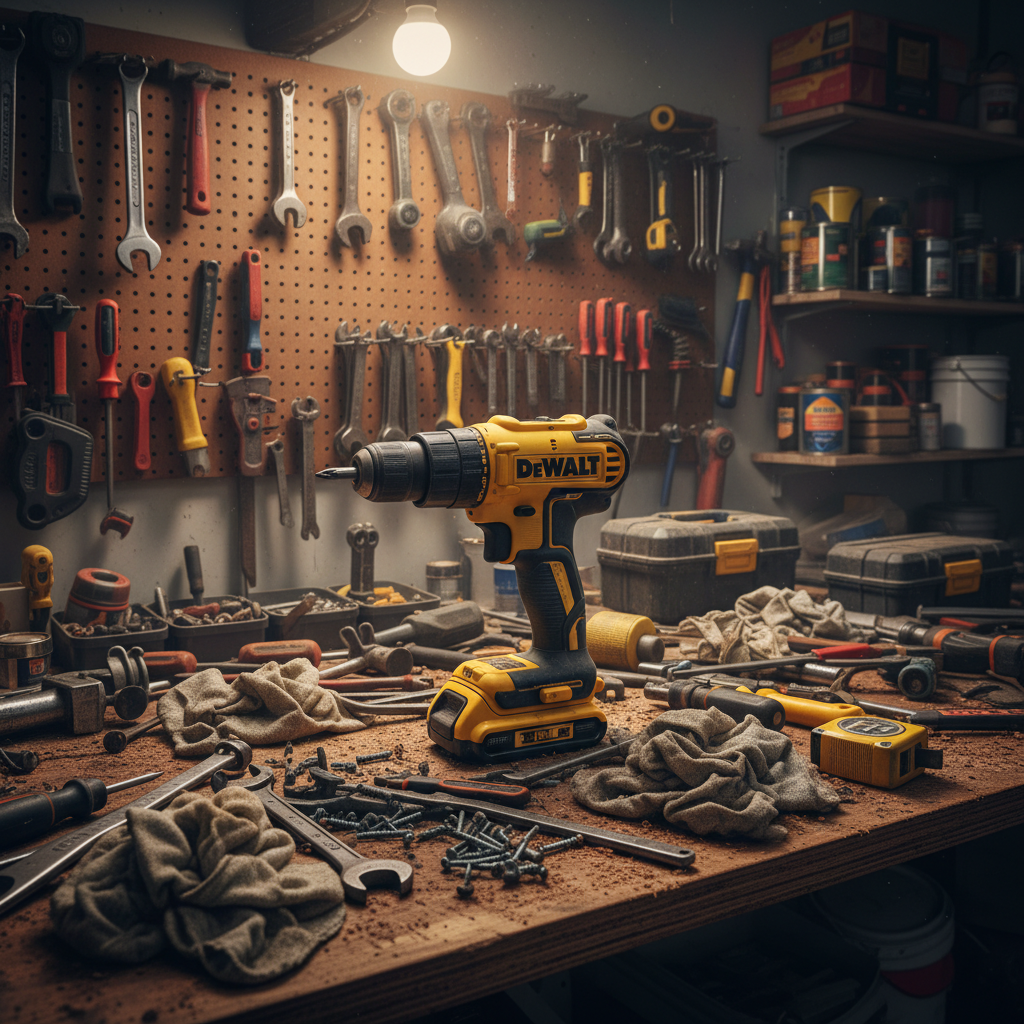
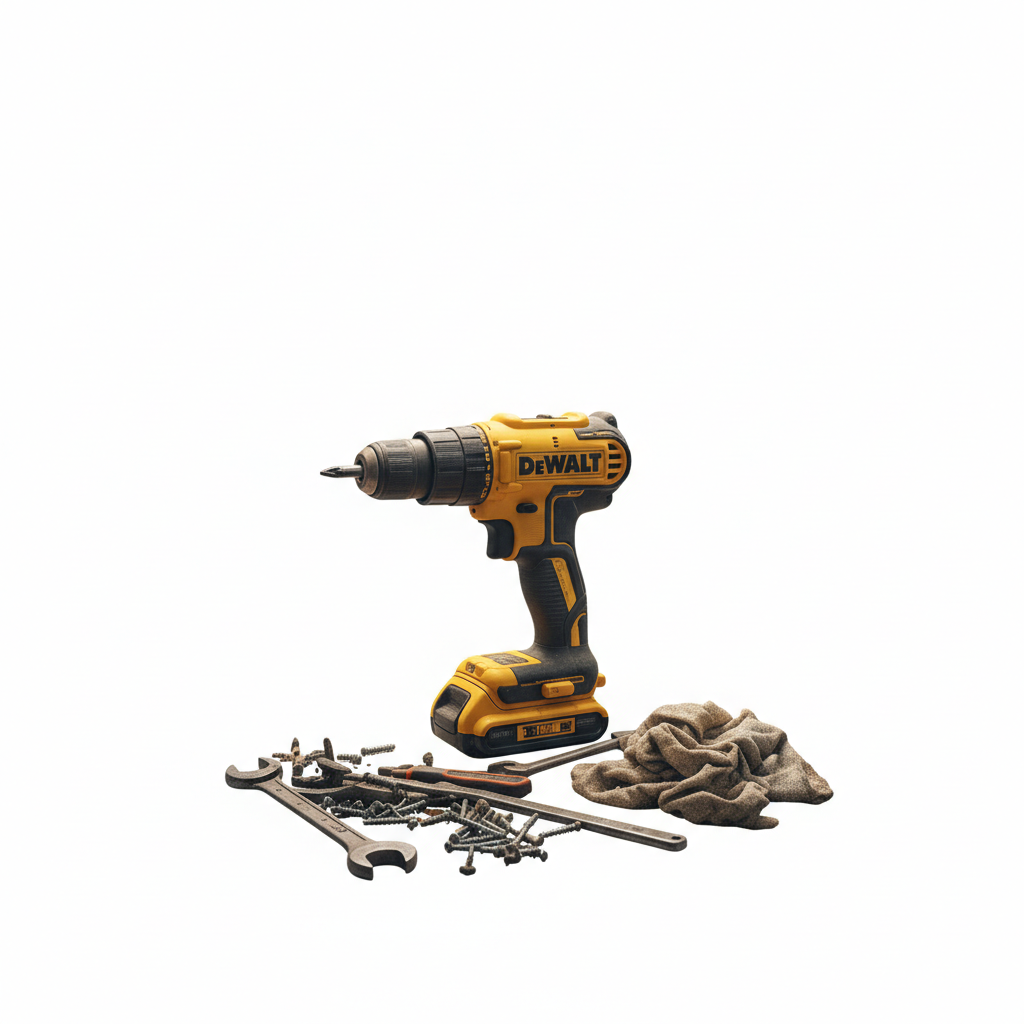
Power drill in cluttered garage
Good drill, bad photo. The cluttered workbench made it look like junk. Clean background showed it's actually in great condition.
replace the cluttered garage background with clean white, keep the drill exactly as is showing the condition
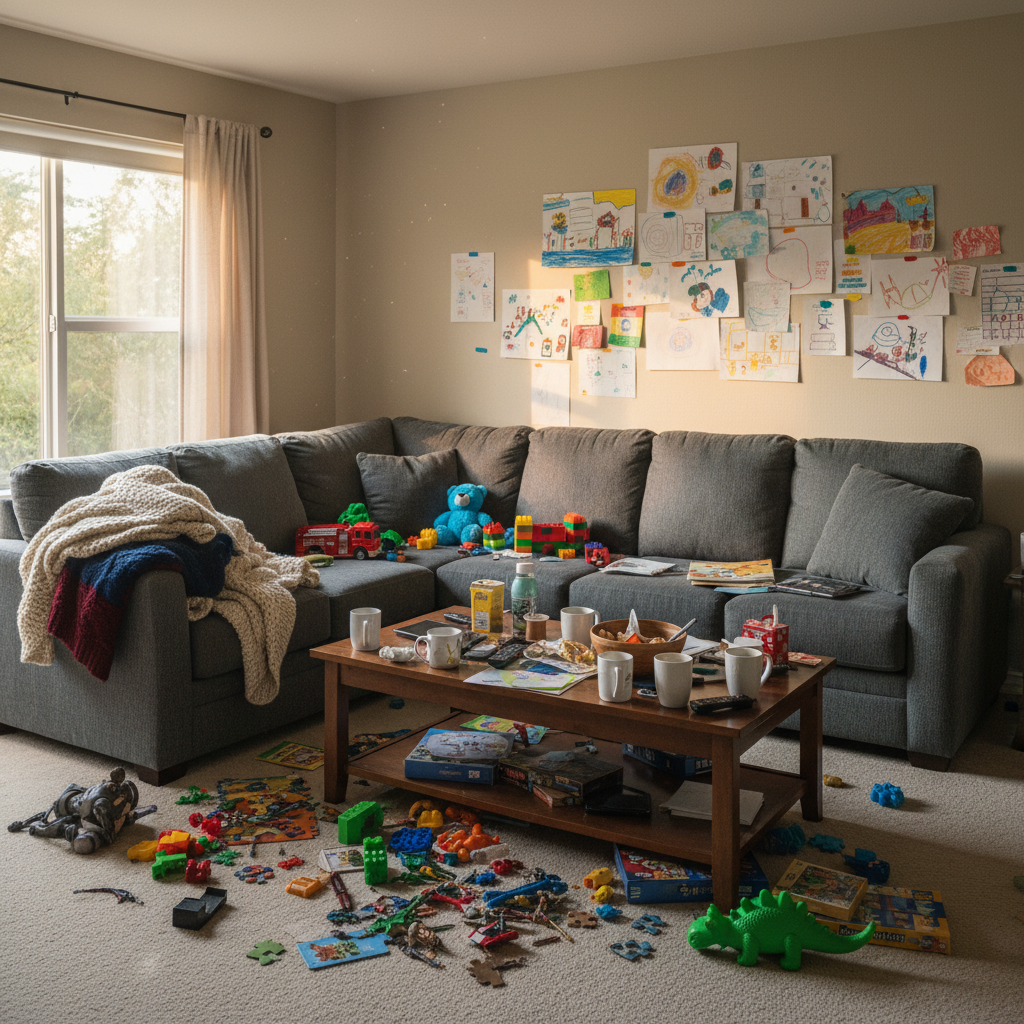
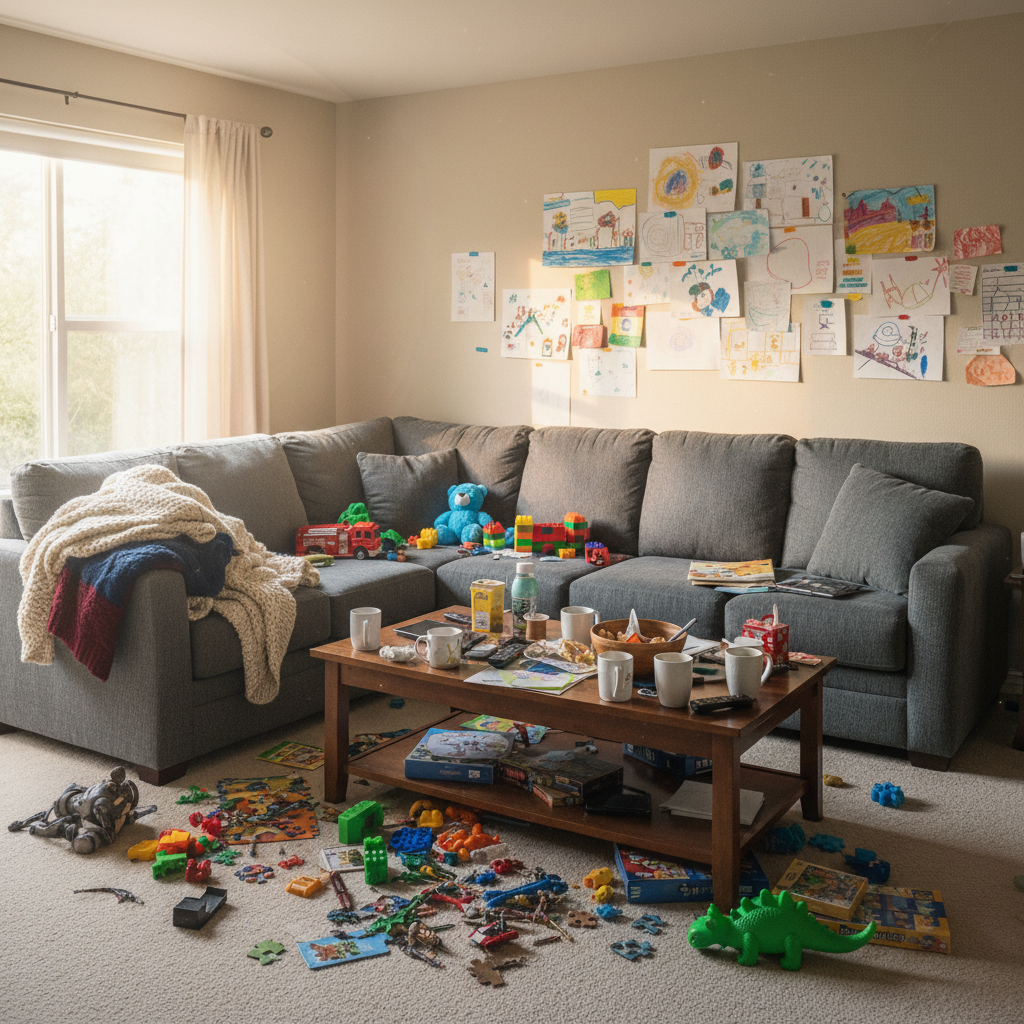
Couch in messy living room
Great couch, but the kids' toys and clutter everywhere made it look like a disaster. Cleaned up the room while keeping the couch realistic.
remove the toys and clutter from the room, keep the couch in a clean living room setting, brighten the lighting
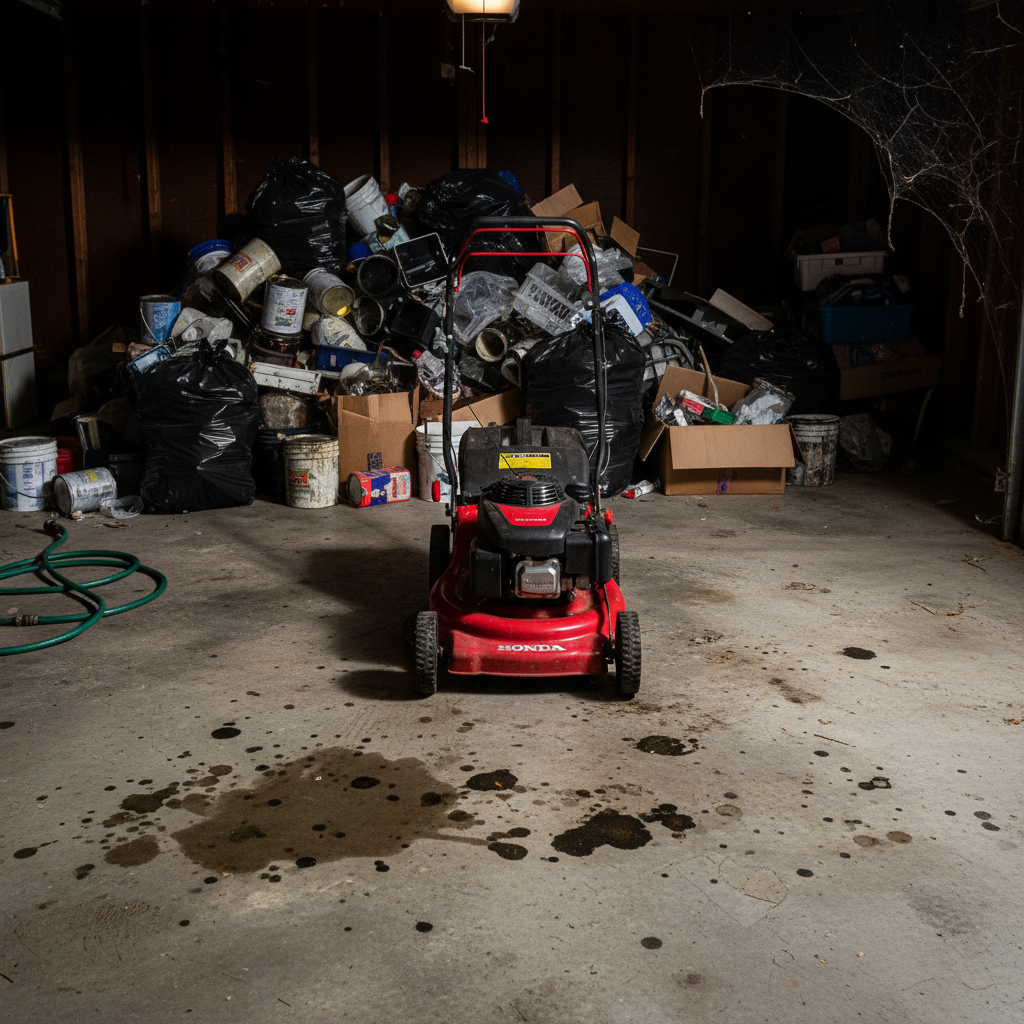
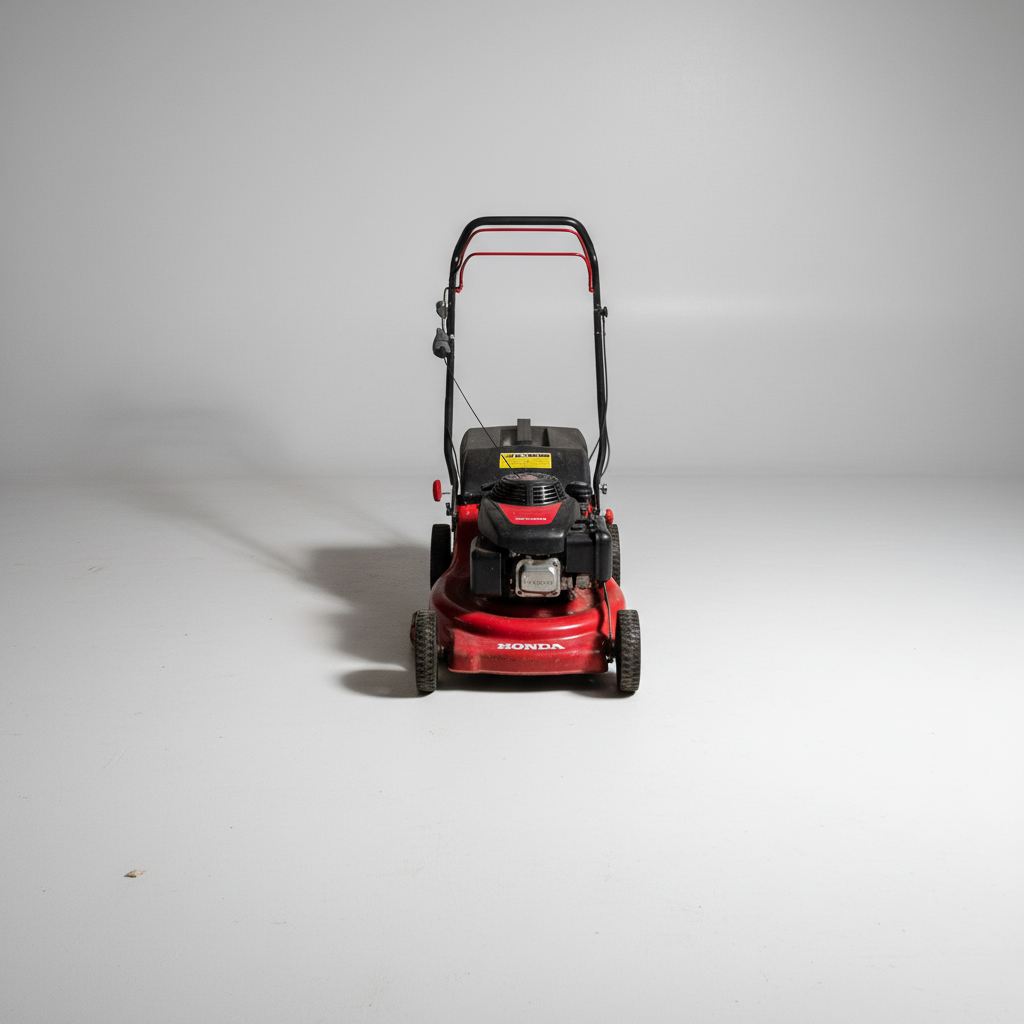
Lawn mower on dirty garage floor
Selling a working mower but the oil-stained garage floor and junk pile behind it screamed 'neglected.' Clean background showed it's actually maintained.
replace the dirty garage floor and background with clean concrete surface, show the mower clearly with good lighting
When Things Go Wrong
Item looks too perfect or edited
Why: The AI may have smoothed over wear marks or details that show honest condition.
keep all scratches, wear marks, and condition details visible, only clean the background
Add 'preserve all imperfections' to maintain buyer trust - edited-looking photos get flagged as scams.
Background replaced but item looks cut out
Why: Hard edges between item and new background look unnatural.
Tap markers on the harsh edges, then: blend edges naturally with background, add subtle shadow underneath
A small shadow grounds the item and looks more natural than floating on white.
Colors look different from real item
Why: The lighting correction may have shifted colors away from reality.
adjust lighting for clarity but keep original true colors, the item should match what buyers will see in person
Compare to the real item and regenerate if colors are off - accurate colors prevent pickup disputes.
AI changed the wrong area
Why: The AI couldn't determine exactly which area you meant from description alone.
Tap a marker on the specific area you want to change, then regenerate with the same prompt
Markers tell the AI 'I mean THIS one specifically.' Use them when description alone is ambiguous.
Part of item got removed with background
Why: AI mistook part of your item for background clutter.
Tap markers on the accidentally removed part, then: restore this part of the item, it's part of what I'm selling
For items with thin parts (cables, handles), be specific about what to keep.
Frequently Asked Questions
Do I need to mark the background before replacing it?
No! Just describe what you want: 'replace messy background with clean white.' The AI knows what 'background' means. Only use markers if you need to specify exactly which areas to change - like keeping certain items while removing others.
Will buyers think my photos are fake or hiding something?
Not if you keep it honest. Clean backgrounds make items easier to see, not deceptive. The key is preserving actual condition - scratches, wear, and details should still be visible. Clean photo with honest condition shown builds trust. Over-edited glamour shots raise suspicion.
What background works best for Craigslist listings?
Clean white or light gray works for most items - tools, electronics, small goods. Larger items like furniture or vehicles look more realistic with a clean room or outdoor setting rather than pure white. Match what buyers expect to see.
Is there a free tool for Craigslist photos that doesn't need signup?
Yes, EditThisPic is free to try with no account required and no watermarks. Just upload your photo, describe what you want, and download the result. Perfect for sellers who need quick, clean listing photos.
How many photos should I edit for a Craigslist listing?
At minimum, one clean main photo showing the item clearly. Better: 3-4 photos showing different angles, close-ups of any wear or defects (honesty builds trust), and any included accessories. More photos with clear condition shown = faster sales at better prices.
Can I fix photos taken in a dark garage?
Yes. Type 'brighten the photo and fix dim lighting' and EditThisPic will enhance visibility while keeping the item looking natural. If colors look yellow from indoor lighting, add 'fix yellow color cast to show true colors.'
Ready to sell faster on Craigslist?
Free to try. No signup required. No watermarks.
Clean Up Your Photos