Enhance Your Newborn Hospital Photos
Those first precious moments deserve beautiful photos - even with hospital lighting.
Drop your photo here
or click to browse
Release to upload
Free • No signup
"The hospital photos were harsh and clinical but they're the only ones we have of that first hour. This made them look like the tender moment it actually was. I finally feel okay printing and framing them." @NewMomEmily
Built for New Parents Preserving Memories
Those first hours with your newborn are irreplaceable. The photos you took - exhausted, emotional, in harsh hospital lighting - are the only record of those precious moments. They deserve to look as beautiful as the moment felt. EditThisPic enhances the technical issues (lighting, color) while preserving everything that matters: your baby's tiny features, your tender expressions, the authentic reality of those first moments.
Tools for Newborn Photo Enhancement
Enhance Lighting
Fix harsh hospital fluorescent lighting
Fix Color
Correct unflattering hospital light color casts
Remove Object
Remove distracting medical equipment if desired
Enhance Photo
Overall quality and clarity enhancement
Step-by-Step Guide
-
Choose photos to enhance
Select your hospital photos that captured precious moments but have technical issues - harsh lighting, unflattering colors, distracting backgrounds. These are irreplaceable memories worth enhancing.
Lighting and color fix: 25-35 seconds. Additional object removal: add 20 seconds.Start with photos that have good composition and emotion - the technical issues are what we're fixing. -
Upload and describe your vision
Drop your hospital photo into EditThisPic and describe the enhancement: 'soften the harsh hospital lighting, warm up the colors for natural skin tones, keep baby's features and our expressions exactly as they are.' Be specific about what to change while emphasizing what to preserve.
Always include 'keep baby's features exactly as they are' - this ensures every precious detail is preserved. -
Review with care
Examine every detail of the enhanced photo. Baby's tiny features should look identical. Skin should look softer but still real. Lighting should feel warm and tender. The authentic emotion of the moment should remain.
-
Download your enhanced memory
Download your enhanced hospital photo. Consider creating prints, a photo book, or sharing with family. These enhanced photos are now ready to preserve and treasure.
Save the original too - you have the authentic moment preserved, plus the enhanced version for sharing and printing.
Copy-Paste Prompts for Newborn Photo Enhancement
soften the harsh fluorescent lighting to warm gentle light, natural soft shadows, keep baby and our faces exactly as they are
'Warm gentle light' transforms clinical to tender
warm up the blue/green color cast from hospital lights, make skin tones look healthy and natural, preserve all details exactly
Hospital fluorescents add blue/green casts that make skin look unhealthy
enhance this hospital photo: soften harsh lighting, warm the colors, subtle blur on hospital background, keep baby's features and our expressions exactly as photographed
Combining fixes in one prompt ensures consistent results
remove the IV tube visible on the side, keep everything else exactly the same including my arm position
Be specific about what to remove and what to keep to preserve the authentic moment
Show 4 more prompts
gently soften baby's skin redness, keep all features and wrinkles exactly as they are, just reduce the redness from birth
Birth redness is temporary - softening it reveals how baby looks now
blur the hospital room background while keeping us in sharp focus, create intimate portrait feel
Blurring the clinical background keeps focus on the precious moment
subtly reduce the dark circles under my eyes, keep my expression and emotion exactly as is, just look slightly more rested
You were exhausted but present - subtle enhancement keeps authenticity
brighten this dim nighttime hospital photo, reduce the grain, warm the colors, keep all our expressions exactly as captured
Late night photos are often dark and grainy but capture real moments
| Edit Type | Prompt | Time | |
|---|---|---|---|
| Lighting fix | soften harsh lighting, warm gentle glow |
25s | Try This → |
| Color correction | warm up colors, natural skin tones |
20s | Try This → |
| Background blur | blur hospital equipment, keep family sharp |
25s | Try This → |
| Complete enhancement | soften lighting, warm colors, keep baby exact |
35s | Try This → |
Real Examples
First moments, transformed
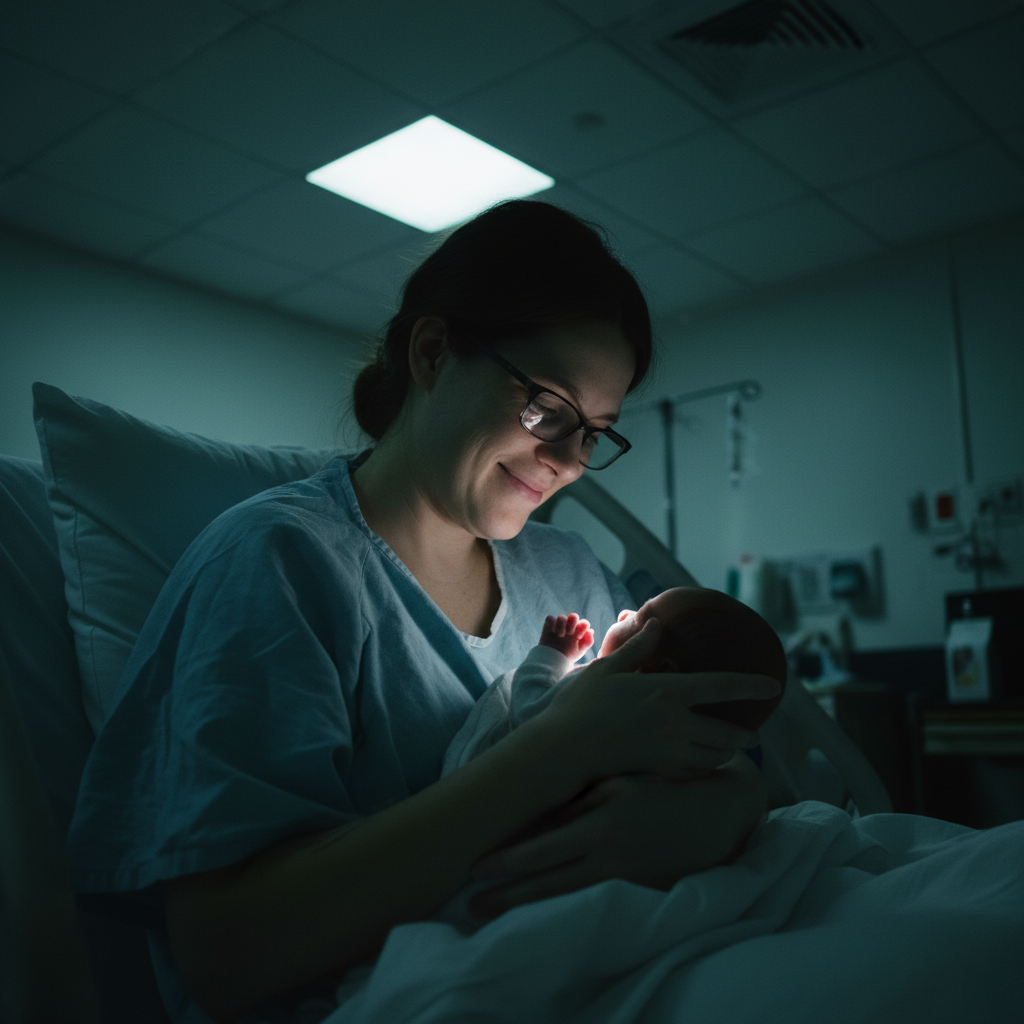
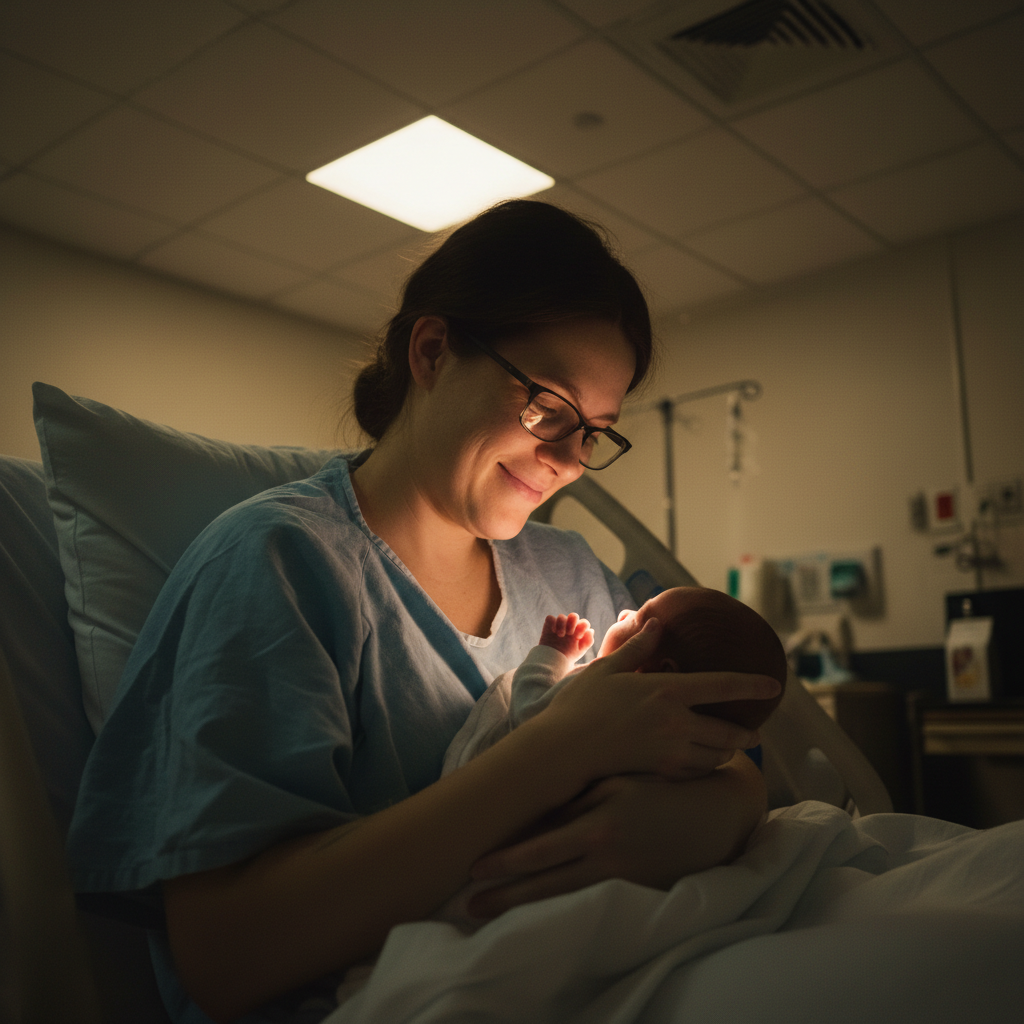
Harsh hospital ceiling lights made this precious first holding moment look clinical. Softened to match how it felt.
soften the harsh overhead lighting to warm gentle glow, natural skin tones, keep every detail of baby and mom exactly as photographed
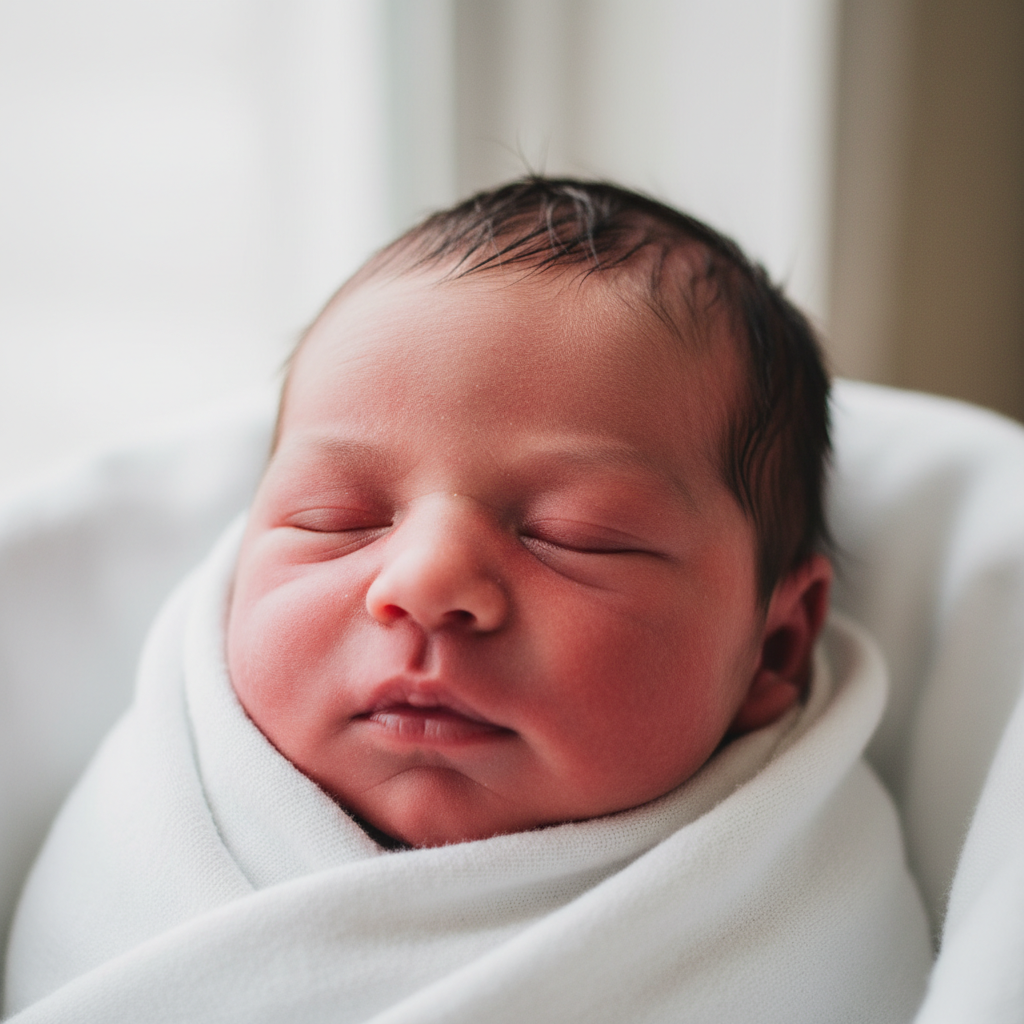
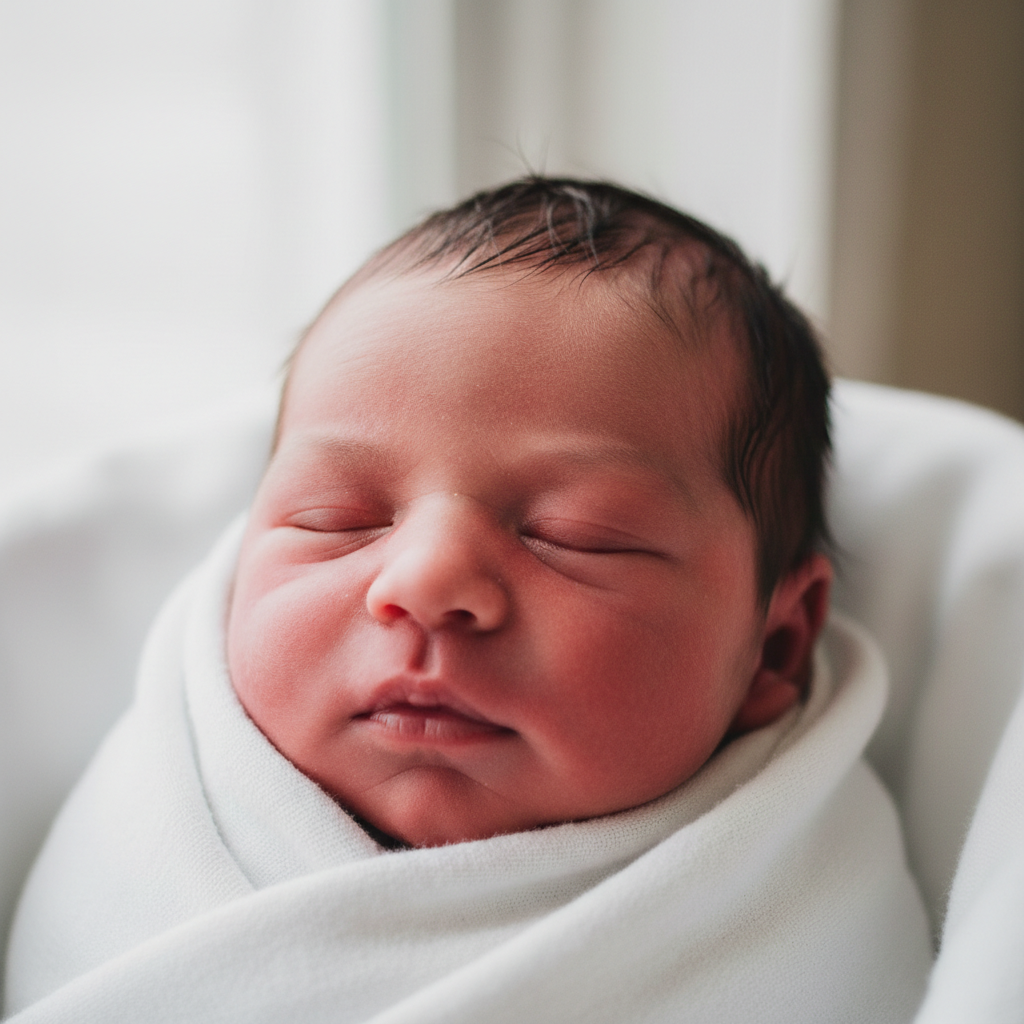
Skin redness softened
Baby was still pink from birth. Softened the redness while keeping every tiny feature exactly as they were.
gently reduce the red/pink skin tone on baby to more natural color, keep every feature, wrinkle, and detail exactly as is
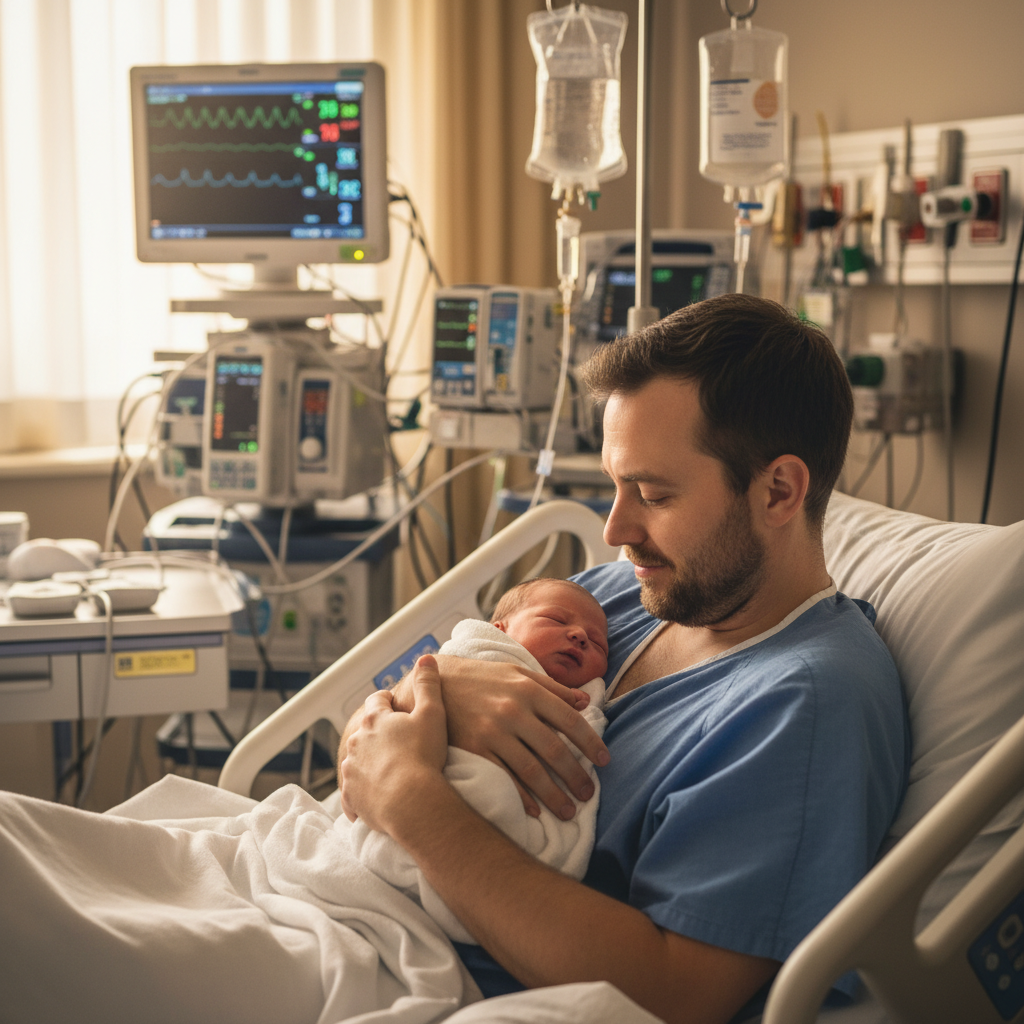
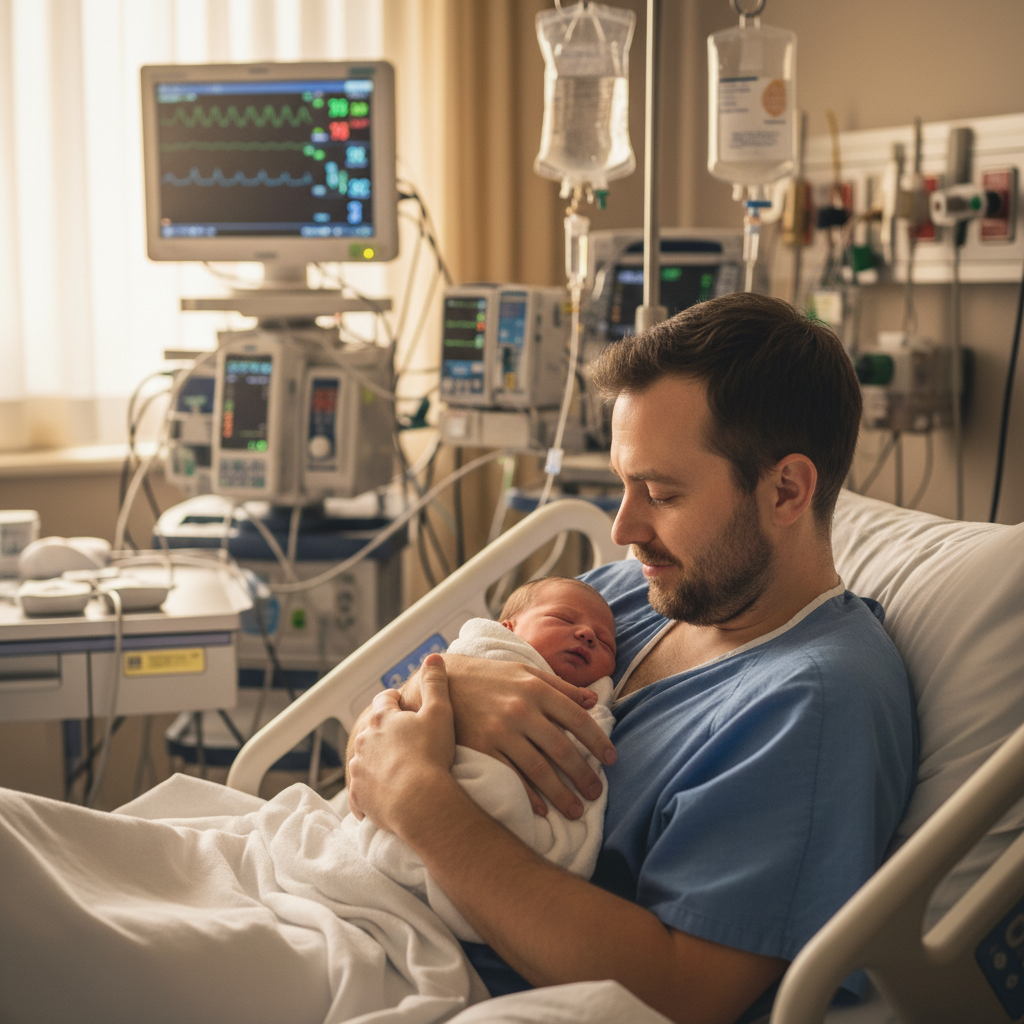
Background distraction blurred
The moment was perfect, but hospital monitors and equipment visible behind. Blurred to keep focus on the family.
blur the hospital equipment and monitors visible in the background, keep the family in sharp focus, maintain the intimate moment
When Things Go Wrong
Baby's features changed or look different
Why: Enhancement may have altered details when processing the image.
Start fresh with: only fix the lighting and colors, do NOT change any features of the baby or faces at all
Always include 'keep baby exactly as photographed' in your prompt.
Photo looks over-processed or fake
Why: Multiple enhancements may have accumulated into an unnatural result.
Start fresh with one fix only: warm up the colors slightly, keep everything else exactly as is
Do one enhancement at a time. Often just fixing the lighting is enough.
Medical equipment removal left artifacts
Why: Complex removals can leave traces where the AI filled in the gap.
Tap markers on the artifact areas, then: blend this area naturally with the surroundings
Consider blurring the background instead of removing equipment - it's less invasive.
Skin looks too smooth or plastic
Why: Skin softening may have removed natural texture.
keep natural skin texture including wrinkles and fine details, only reduce the redness not the texture
Newborn wrinkles and textures are precious - specify to keep them.
AI changed the wrong area
Why: The AI couldn't determine exactly which area you meant from description alone.
Tap a marker on the specific area you want to change, then regenerate with the same prompt
Markers tell the AI 'I mean THIS one specifically.' Use them when description alone is ambiguous.
Frequently Asked Questions
Do I need to mark areas before describing what I want enhanced?
No. Just describe the enhancement: 'soften harsh lighting, warm the colors.' The AI understands these concepts and applies them appropriately. Only use markers for specific object removal (like an IV tube) if the first result needs refinement.
How do I enhance newborn hospital photos for free?
Upload your hospital photo to EditThisPic and describe what needs improvement: 'soften harsh lighting, warm colors, keep baby exactly as photographed.' The AI enhances the technical issues while preserving every precious detail. Free to try, no account needed.
Will my baby still look like my baby after enhancement?
Yes - that's the whole point. EditThisPic only fixes technical issues like lighting and color. Every tiny feature, wrinkle, and expression of your newborn is preserved exactly. Always include 'keep baby exactly as photographed' in your prompt to ensure this.
Should I remove medical equipment from hospital photos?
That's a personal choice. Some parents prefer to remove tubes and monitors to focus on the intimate moment. Others keep them as part of the authentic story. EditThisPic can do either - you decide what feels right for your memories.
Is there a free newborn photo editor that doesn't require signup?
Yes. EditThisPic enhances hospital photos without creating an account, without watermarks, and free to try. Upload, describe the enhancement you want, and download your beautiful memory.
Can I enhance photos taken with my phone?
Absolutely. Most hospital photos are taken with phones - that's what you have in the moment. Phone photos work great for enhancement. The AI fixes lighting and color issues regardless of the original camera quality.
Ready to enhance your precious memories?
Free to try. No signup required. No watermarks.
Enhance Your Photos