Free • No signup Edit Story photos · Free

AI Story Photo Editor

Describe the vibe you want and AI makes your photo story-ready in seconds. No stickers needed.
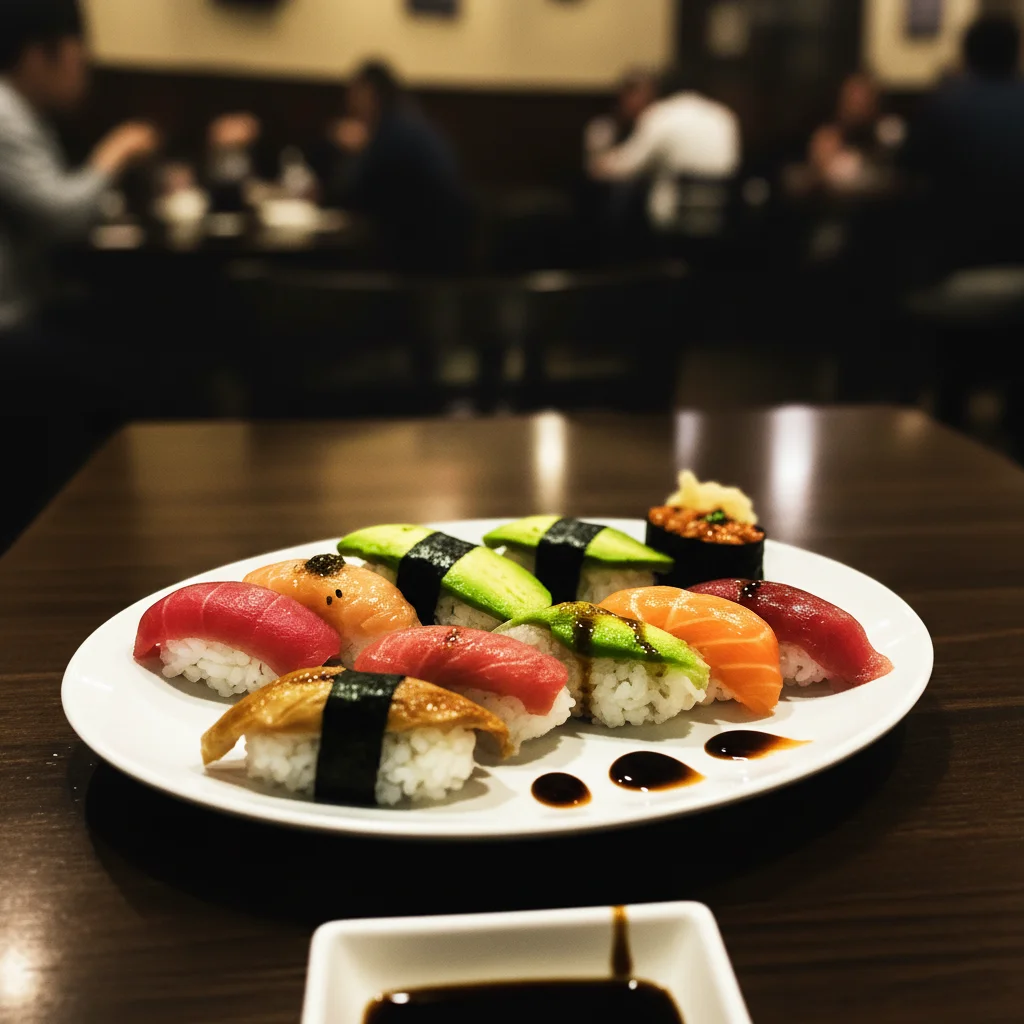
Dull restaurant photo of sushi with flat muted colors
Before
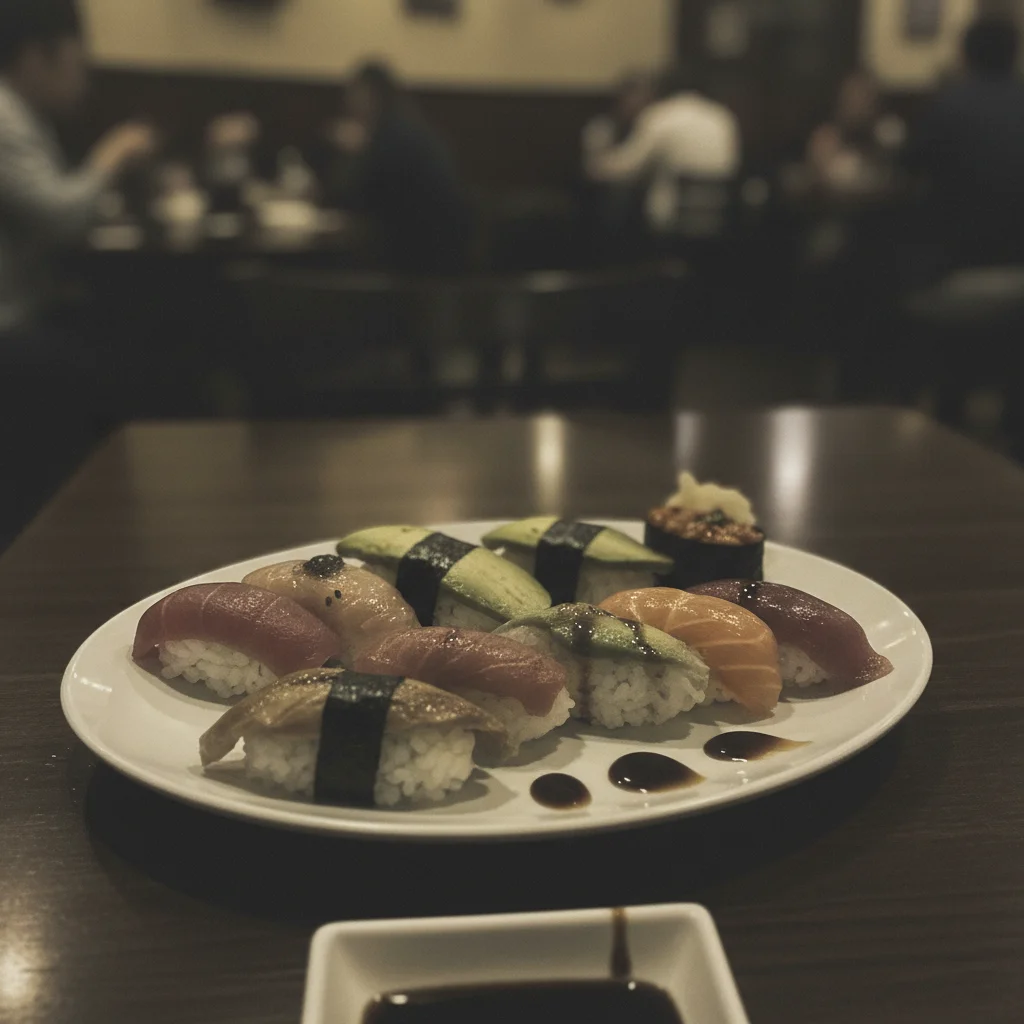
Same sushi photo with vibrant punchy colors ready for Instagram story
After

AI Story Photo Editor

Drop your photo here

or click to browse

Release to upload

Free • No signup

Advertisement
Popular use cases:
  • Instagram story editing
  • Snapchat story photos
  • story content creation
  • ephemeral content editing
  • Instagram story aesthetic
  • story photo enhancement
  • social media stories
  • Facebook story photos

Cost
Free No signup required
Time
Instant results in 15-30 seconds
Works on
Any device - browser, phone, tablet, desktop
Powered by
AI-powered photo editing
Scenario Prompt Time
Quick vibrance boost make vibrant and eye-catching with boosted colors 20s
Mood transformation dramatic moody tones with deep contrast 30s
Full story aesthetic warm cozy golden tones with soft glow 35s

How it works

  1. Upload your photo

    Drop your image into EditThisPic. JPG, PNG, WebP up to 7MB. Vertical photos (9:16) are ideal for stories. Both selfies and scene photos work well for story content.

    Expect: Quick color and mood edits: 20-30 seconds. Full dramatic style transformations: 30-45 seconds and may need refinements.
  2. Describe the story look you want

    Type your instruction: 'make this vibrant and punchy for an Instagram story' or 'give this a moody cinematic feel with warm tones for a story.' Be specific about energy and mood. No marking needed—the AI understands style descriptions for ephemeral content.

    Tip: Stories are viewed quickly and at full screen. Go bolder than you think—'very vibrant' and 'high energy' work better than subtle edits.

    Copy one of these to get started:

    Vibrant attention-grabbing story make this photo vibrant and eye-catching for an Instagram story with boosted colors, high contrast, and punchy saturation
    Warm cozy story aesthetic give this photo a warm cozy aesthetic with golden tones, soft glow, and gentle warmth for an Instagram story
    Dramatic night-out story transform this into a dramatic story photo with deep contrast, moody dark tones, and neon-tinted highlights for a night-out vibe
    Clean bright daytime story brighten this photo with a clean airy look, lifted shadows, crisp whites, and natural vibrance for a daytime Instagram story
    3 more prompts
    Sunset or golden hour story enhance the golden hour warmth in this photo with rich amber tones, glowing highlights, and warm shadows for a sunset story
    Behind-the-scenes story content give this behind-the-scenes photo an authentic documentary look with natural color grading, slight grain, and genuine warmth
    Pastel dreamy story aesthetic give this photo a soft pastel dreamy aesthetic with pink and lavender tones, gentle glow, and reduced contrast for a story
  3. Preview at phone size

    Stories are viewed on phones at full screen. Check the result at actual phone dimensions to make sure it looks impactful. Colors should pop, the subject should be clear, and the mood should hit immediately.

  4. Refine with markers if needed

    If the subject needs different treatment from the background, or specific areas need extra enhancement, tap markers on those spots and regenerate. Most story edits work well on the first try.

    Tip: Markers are for precision refinement only. Try without them first—you usually won't need them.
Try it free

AI Story Photo Editor

Drop your photo here

or click to browse

Release to upload

Free • No signup

"Stories disappear in 24 hours but they still matter. I used to post raw phone pics. Now I take 10 seconds to describe a look and my stories actually get replies and reactions." @StoriesDaily_Kim

See it in action

Dull restaurant photo of sushi with flat muted colors
Before
->
Same sushi photo with vibrant punchy colors ready for Instagram story
After

Flat restaurant photo to vibrant food story

A dull restaurant photo transformed into a vibrant, warm story image that makes followers hungry.

Prompt: make this photo vibrant and eye-catching for an Instagram story with boosted colors, high contrast, and punchy saturation
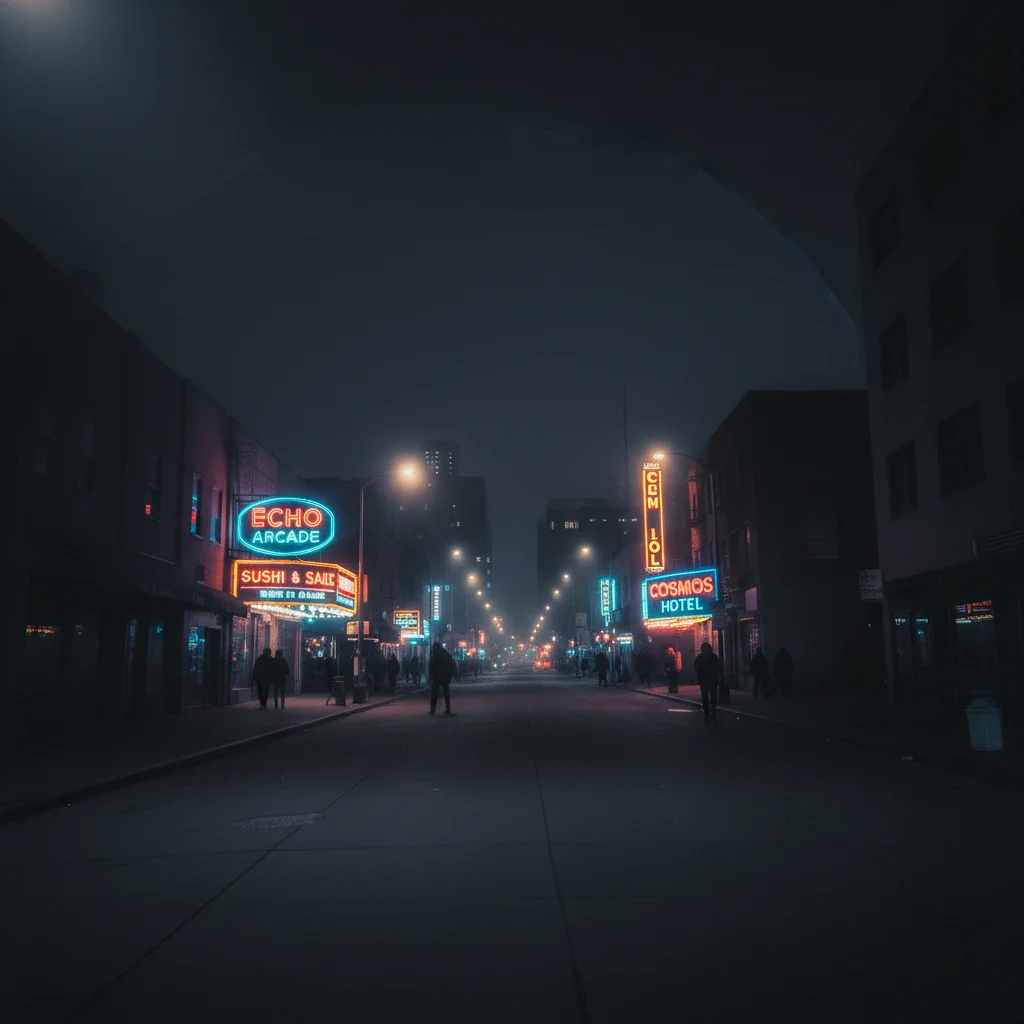
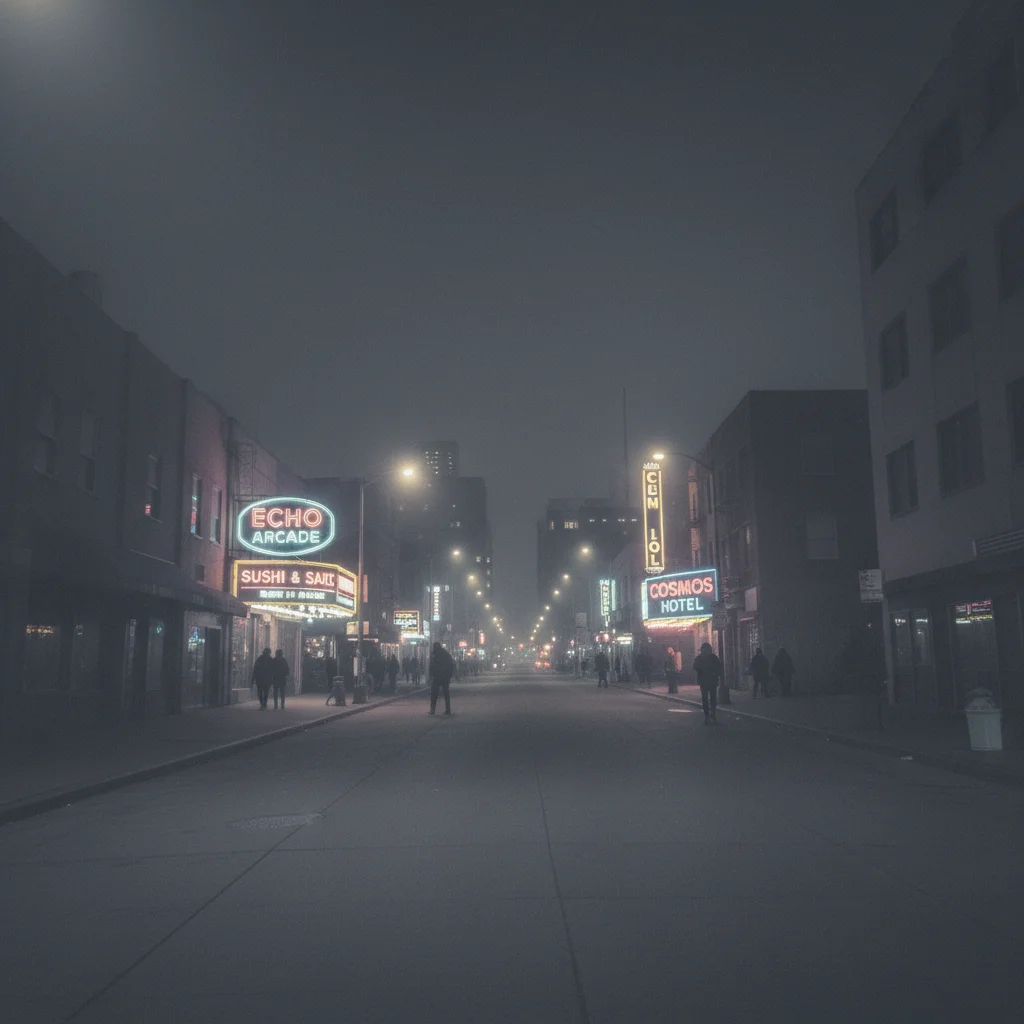
Flat washed-out nighttime street photo with weak neon colors
Before
->
Same street photo with dramatic deep contrast and vivid neon highlights
After

Plain street photo to moody night story

An ordinary nighttime street photo given dramatic moody tones for an eye-catching story post.

Prompt: transform this into a dramatic story photo with deep contrast, moody dark tones, and neon-tinted highlights for a night-out vibe
Advertisement

If something looks off

AI changed the wrong area or something I didn't want changed

Why: The AI couldn't determine exactly which area you meant from description alone. This happens when you want the subject enhanced differently from the background.

Try: Tap a marker on the specific area you want to change, then regenerate with the same prompt

Tip: Markers tell the AI 'I mean THIS area specifically.' Use them when description alone is ambiguous.

Colors look oversaturated or neon-toxic

Why: Story-style prompts push colors hard, and some photos can't handle extreme saturation without looking garish.

Try: enhance with moderate vibrance and natural color boost, keep skin tones realistic and avoid oversaturation

Tip: 'Moderate vibrance' and 'natural color boost' dial it back while still creating story-worthy impact.

Edit looks good on desktop but too intense on phone

Why: Phone screens have higher pixel density and often boosted color settings, amplifying edits that look normal on desktop.

Try: apply a moderate version of [the effect] with slightly reduced intensity, optimized for phone viewing

Tip: Send the edited photo to your phone before posting. What looks '80% there' on desktop is usually perfect on phone.

Subject is lost in the dramatic background treatment

Why: Full-image style effects can overwhelm the subject, especially with dark moody aesthetics.

Try: apply [the style] to the background but keep my face and upper body bright, clear, and the focal point

Tip: Subject-background separation matters in stories—viewers need to see you instantly, not search for you.

Story photo looks too similar to my regular feed posts

Why: Subtle enhancements that work for feed posts don't create enough impact for stories, which are viewed quickly.

Try: push the effect much further with bolder colors, stronger contrast, and more dramatic mood for a quick-view story format

Tip: Stories need 2x the visual punch of feed posts. Go bolder than what feels comfortable for a static post.

Quick answers

Do I need to select areas before describing the story edit?

No! Just describe the look: 'make this vibrant for a story' or 'add moody dramatic tones.' The AI applies the style across the entire image. Only use markers if you want the subject treated differently from the background—like keeping your face bright while making the background dark and moody.

How do I make Instagram story photos look professional?

Upload your photo to EditThisPic and describe the aesthetic: 'vibrant punchy colors for a story' or 'warm cozy golden tones.' The AI handles color grading, contrast, and mood in one step. Stories need bolder edits than feed posts—go for higher contrast and stronger colors. Free and works in your browser, no account needed.

Is there a free story photo editor that doesn't require an account?

Yes, EditThisPic is free to try with no account needed. Upload your photo, describe the story aesthetic you want, and download the result. No watermarks on outputs. Works for Instagram Stories, Snapchat, Facebook Stories, and any ephemeral content.

What's the best free tool for editing Instagram and Snapchat story photos?

EditThisPic lets you describe any story aesthetic in plain language. Unlike built-in story filters that everyone uses, you can create unique looks by describing exactly what you want. Each photo gets a custom treatment rather than the same filter everyone else is using.

Ready to make your stories stand out?

Free to try. No signup required.

Try it free