Free • No signup Fix Amateur product photos · Free

Your product photos look amateur?

Messy backgrounds and poor lighting tanking your sales? Create professional white backgrounds and perfect product shots in seconds.


Handmade necklace photographed on messy desk with distracting background
Before
Same necklace on clean professional white background with even lighting
After

Your Product Photos Look Amateur? Fix Them | EditThisPic

Drop your photo here

or click to browse

Release to upload

Free • No signup

Advertisement
Popular use cases:
  • Amateur product photos
  • E-commerce product photos
  • Amazon product photos
  • Etsy product photos
  • eBay product photos
  • Shopify product photos
  • Professional white background
  • Remove shadows from products

Cost
Free No signup required
Time
Instant results in 15-30 seconds
Works on
Any device - browser, phone, tablet, desktop
Powered by
AI-powered photo editing
Scenario Prompt Time
Clean white background change background to clean white and remove shadows 15s
Amazon-ready photo replace with pure white like Amazon product photos 15s
Remove kitchen table background replace kitchen table background with clean white studio background 20s
Fix harsh shadows remove all shadows and create even professional lighting 20s

How it works

  1. Upload your product photo

    Drop your product photo into EditThisPic. JPG, PNG, and WebP up to 7MB work best. Any product photo with a messy background, harsh shadows, or poor lighting will work—Amazon listings, Etsy shop photos, eBay items, Shopify products.

    Expect: Simple products: 10-20 seconds. Complex items with transparent parts or intricate edges: may need refinement.
  2. Describe what you want

    Type 'change background to clean white' or 'remove the messy background and shadows, make it look professional like an Amazon product photo.' That's it. The AI removes the cluttered background, eliminates shadows, and creates a clean white background that looks professional. No marking or selecting needed.

    Tip: Be specific about the result you want: 'clean white background like Amazon' or 'professional e-commerce product photo' helps the AI understand your goal.

    Copy one of these to get started:

    My product photo has a messy background change background to clean white and remove all shadows, make it look professional
    Background is cluttered and distracting from my product remove the messy background completely and replace with pure white like Amazon product photos
    Harsh shadows making my product look bad remove all shadows and create even professional lighting on white background
    Kitchen table photos look unprofessional for my Etsy shop replace kitchen table background with clean white studio background, remove shadows
    2 more prompts
    Outdoor product photos with distracting background remove outdoor background and grass, create clean white e-commerce background
    Product photo with wrinkled backdrop cloth showing replace wrinkled backdrop with perfectly smooth clean white background
  3. Review the result

    Check that the background is clean white, shadows are removed, and product edges look natural. Zoom in to verify the product cutout is clean and there are no leftover artifacts from the old background.

  4. Refine if needed

    If some background remains or the edges need cleanup, tap markers around the problematic areas and regenerate. This is rarely needed for straightforward product photos with clear product boundaries.

    Tip: For products with fine details like jewelry chains or transparent glass, add 'preserve fine details' to your prompt.
Try it free

Your Product Photos Look Amateur? Fix Them | EditThisPic

Drop your photo here

or click to browse

Release to upload

Free • No signup

"My Etsy sales doubled after switching to these clean product photos. Looks like I hired a professional photographer." @EtsyJewelryShop

See it in action

Handmade necklace photographed on messy desk with distracting background
Before
->
Same necklace on clean professional white background with even lighting
After

Handmade jewelry with cluttered background

Etsy seller photographed handmade necklace on a messy desk with papers and laptop visible. One prompt created a clean white background that made the jewelry pop.

Prompt: change background to clean white and remove all shadows, make it look professional
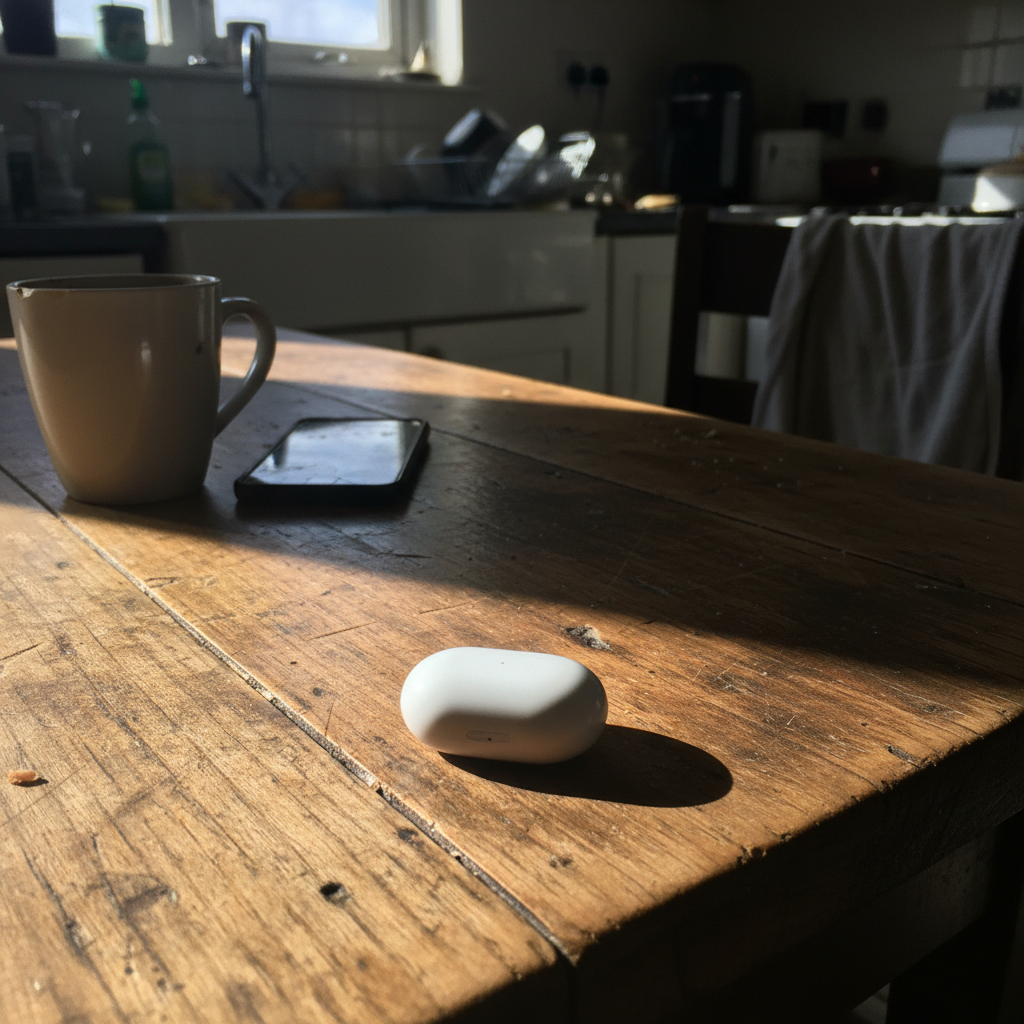
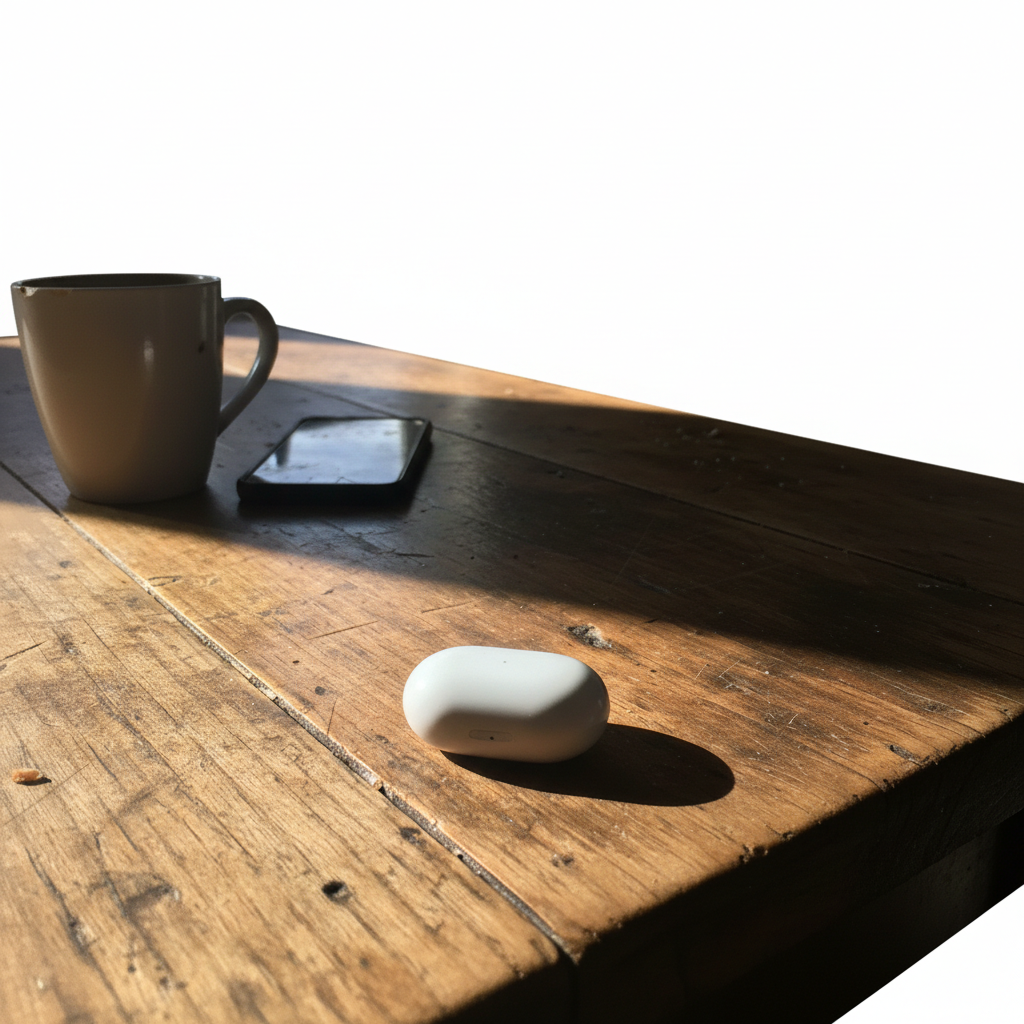
Electronics on kitchen table with harsh shadows and messy background
Before
->
Same product on clean white background with professional even lighting
After

Amazon product photo with harsh shadows

Small electronics item photographed on kitchen table with harsh window light creating ugly shadows. Fixed to look like a professional Amazon listing photo.

Prompt: remove the messy background completely and replace with pure white like Amazon product photos
Advertisement

If something looks off

AI removed part of my product along with the background

Why: The AI may have confused product edges with background if they're similar colors or if the product has transparent/semi-transparent parts.

Try: remove only the background, keep the entire product intact including all edges and details

Tip: For transparent or glass products, add 'preserve transparent parts' to your prompt.

Background isn't pure white, looks gray or off-white

Why: The AI may have interpreted 'white' too conservatively or left some background shadows.

Try: change background to pure white #FFFFFF, completely white like Amazon requires

Tip: Mentioning 'pure white' or 'Amazon white' ensures the brightest possible background.

Shadows still visible under or around the product

Why: The AI removed the background but didn't eliminate product shadows. These need to be explicitly removed.

Try: remove all shadows including under the product, create completely shadow-free white background

Tip: Always specify 'remove shadows' separately if they're a problem—it's not automatic with background removal.

Product edges look rough or pixelated after background removal

Why: Complex edges with fine details (jewelry chains, fur, hair) can be challenging. The AI may have over-simplified the cutout.

Try: preserve all fine details and smooth edges when removing background, keep natural product outline

Tip: Tap markers around the rough edges to help the AI focus on those specific areas.

Product looks too dark against the white background

Why: Removing shadows and background can sometimes make the product itself look underexposed by contrast.

Try: brighten the product slightly to look natural against white background, enhance lighting

Tip: Add 'enhance lighting' or 'brighten product' to make it pop against the white background.

Quick answers

Why do my product photos look amateur?

Most amateur product photos have three problems: messy backgrounds (kitchen table, bedroom, outdoor clutter), harsh shadows from poor lighting, and inconsistent photo quality. Professional e-commerce photos use clean white backgrounds, even lighting, and consistent composition. These make products look trustworthy and high-quality, which directly impacts sales. The AI fixes all three problems automatically.

Do I need to mark the background before removing it?

No! Just type 'change background to clean white' and the AI finds the product automatically and removes everything else. Markers are only needed if the AI gets confused about what's product vs. background, which is rare for items with clear edges. For most product photos, the AI handles everything without any marking.

Will this work for all types of products?

Yes—clothing, jewelry, electronics, furniture, handmade goods, vintage items, and more. The AI handles simple solid objects easiest (shoes, books, candles). Products with fine details (jewelry chains, lace, fur) or transparent parts (glass, acrylic) may need refinement but still work well. The key is that the product has clear boundaries from the background.

Can I use these photos on Amazon, Etsy, eBay, Shopify?

Yes. Amazon specifically requires clean white backgrounds (RGB 255, 255, 255) for main product images—this creates exactly that. Etsy, eBay, and Shopify don't require white backgrounds but photos with them convert better because they look more professional and trustworthy. These photos meet marketplace requirements and improve click-through rates.

How do I remove harsh shadows from product photos?

Include 'remove shadows' or 'remove all shadows including under product' in your prompt. The AI eliminates both background shadows and product shadows. For best results, combine with background removal: 'change to white background and remove all shadows.' This creates the even, shadow-free look of professional studio lighting.

Is this better than hiring a product photographer?

For basic white background e-commerce photos, yes—it's faster and free. Professional photographers charge $15-50 per product shot and require shipping products to them. This lets you create unlimited professional photos instantly from home. For complex styled shoots or lifestyle photography, photographers add creative value. But for standard marketplace listings, AI-generated white backgrounds are indistinguishable from studio photos.

Ready to fix your amateur product photos?

Free to try. No signup required.

Try it free