Free • No signup Slim Body · Free

AI Body Slimmer

Describe how you want your body to look and AI slims it naturally. No marking needed.
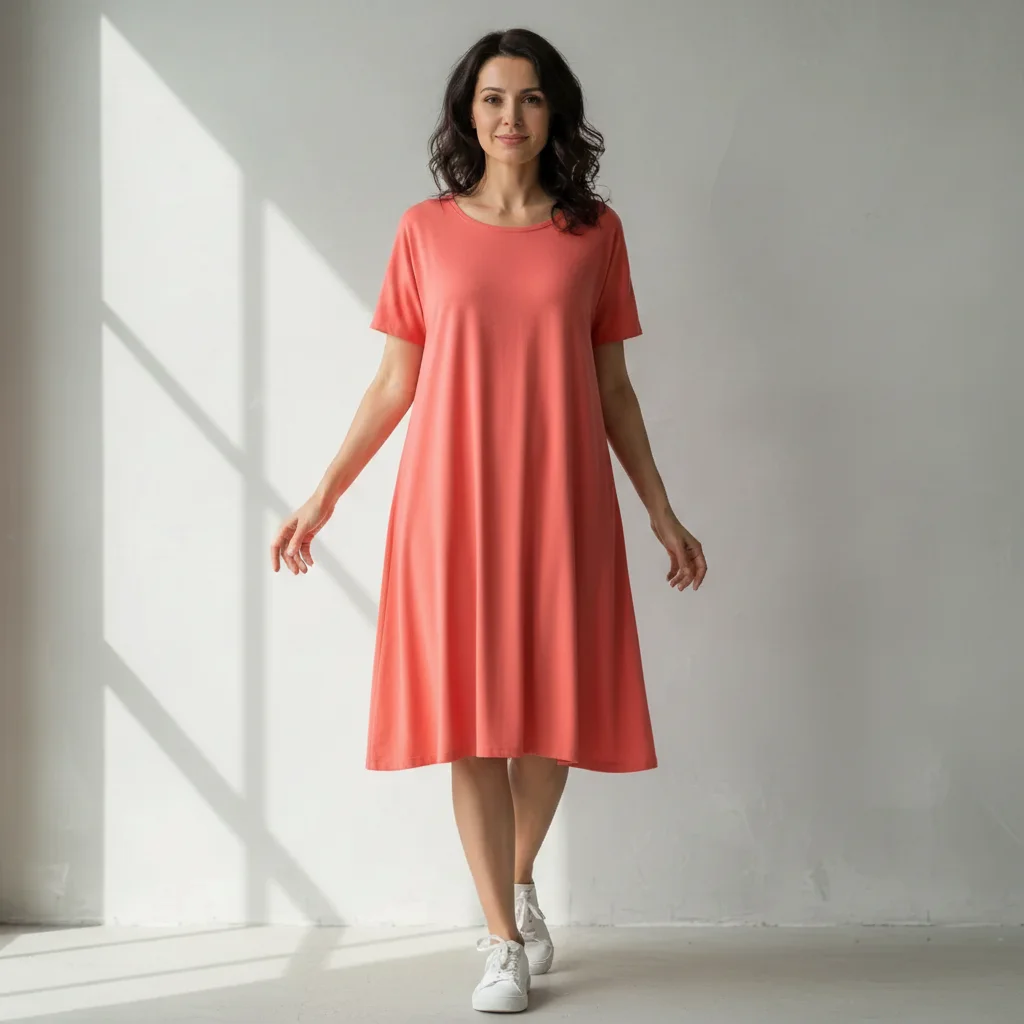
Woman in coral dress with natural body shape
Before
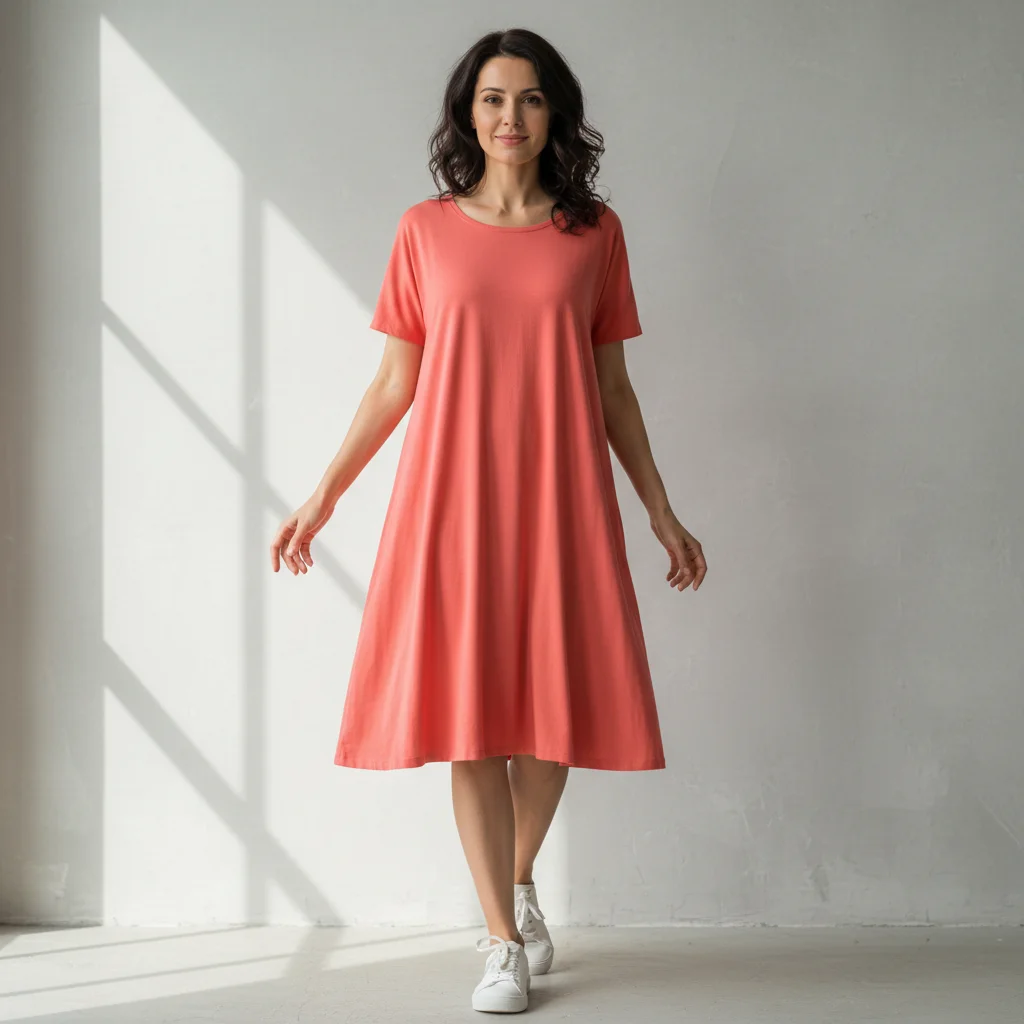
Same woman with 10-pound slimmer, more fitted appearance
After

AI Body Slimmer

Drop your photo here

or click to browse

Release to upload

Free • No signup

Advertisement
Popular use cases:
  • dating profile pictures
  • social media selfies
  • professional headshots
  • fitness progress photos
  • event photography
  • online shopping photos
  • modeling portfolio
  • wedding photos

Cost
Free No signup required
Time
Instant results in 15-30 seconds
Works on
Any device - browser, phone, tablet, desktop
Powered by
AI-powered photo editing
Scenario Prompt Time
Subtle overall (5-8 lbs) slim the body by 5-8 pounds 35s
Moderate overall (10-15 lbs) slim the body by 10-15 pounds 40s
Targeted areas slim the waist, arms, and legs 45s

How it works

  1. Upload your photo

    Drop your image into EditThisPic. JPG, PNG, WebP up to 7MB. Full body photos work best, but upper body and selfies work too. Make sure the areas you want to slim are clearly visible.

    Expect: Simple body slimming: 35-45 seconds. Major reshaping with multiple areas: 50-60 seconds and may need refinements.
  2. Describe the body change

    Type what you want: 'slim the overall body by 10 pounds' or 'make the arms and legs more toned and slim.' You can target the whole body or specific areas like arms, legs, waist, or hips. No marking needed—the AI understands body parts and proportions.

    Tip: Be specific about how much change you want: '10-15 pounds slimmer' or 'slightly more toned' for predictable results. Start moderate for the most natural look.

    Copy one of these to get started:

    Overall body slimming slim the overall body by 10-15 pounds for a more fitted appearance
    Targeted arms and legs slim the arms and legs to look more toned and athletic
    Waist and hips focus slim the waist and hips to create an hourglass silhouette
    Subtle overall refinement make the body slightly slimmer and more defined, about 5-8 pounds
    3 more prompts
    Full transformation slim the entire body by 20 pounds, focusing on waist, arms, and legs
    Fitness photo enhancement slim the body to show a more athletic, toned physique
    Dress or outfit fitting slim the body so the outfit looks more fitted and tailored
  3. Review the result

    Check that the body slimming looks natural and proportional. Look for smooth curves, realistic clothing fit, and proper symmetry. Compare to the original to ensure the change isn't too dramatic or uneven.

  4. Refine with markers if needed

    If specific areas like arms, legs, or waist need more work, tap markers on those spots and regenerate. Most body slimming works perfectly on the first try.

    Tip: Markers are for precision refinement only. Try without them first—you usually won't need them.
Try it free

AI Body Slimmer

Drop your photo here

or click to browse

Release to upload

Free • No signup

"I'm a photographer and clients always ask for subtle slimming. This tool does it in seconds and looks completely natural. Way faster than Photoshop and the results are consistently good." @PortraitsByDan

See it in action

Woman in coral dress with natural body shape
Before
->
Same woman with 10-pound slimmer, more fitted appearance
After

Overall body slimming by 10 pounds

A full body photo with moderate slimming across the entire body for a more fitted look.
Prompt: slim the overall body by 10-15 pounds for a more fitted appearance
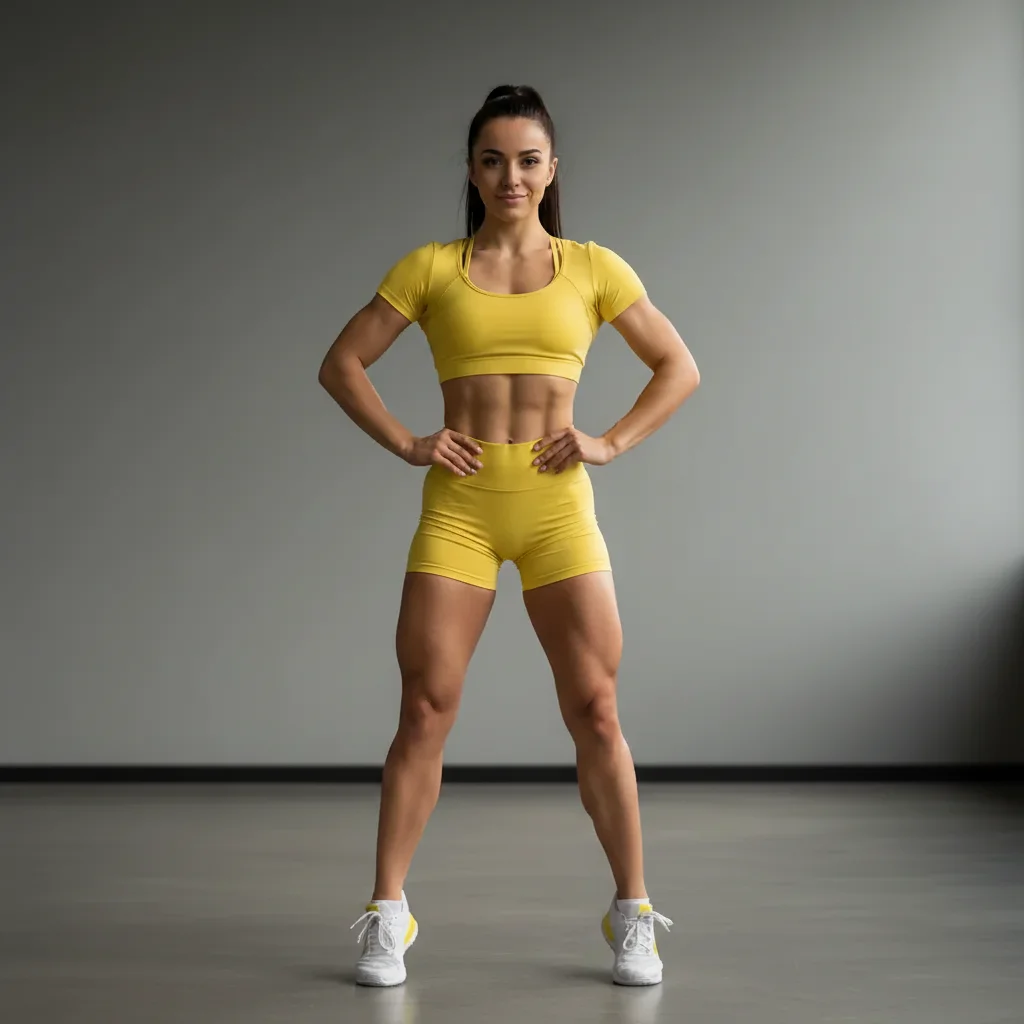
Woman in yellow athletic wear with natural build
Before
->
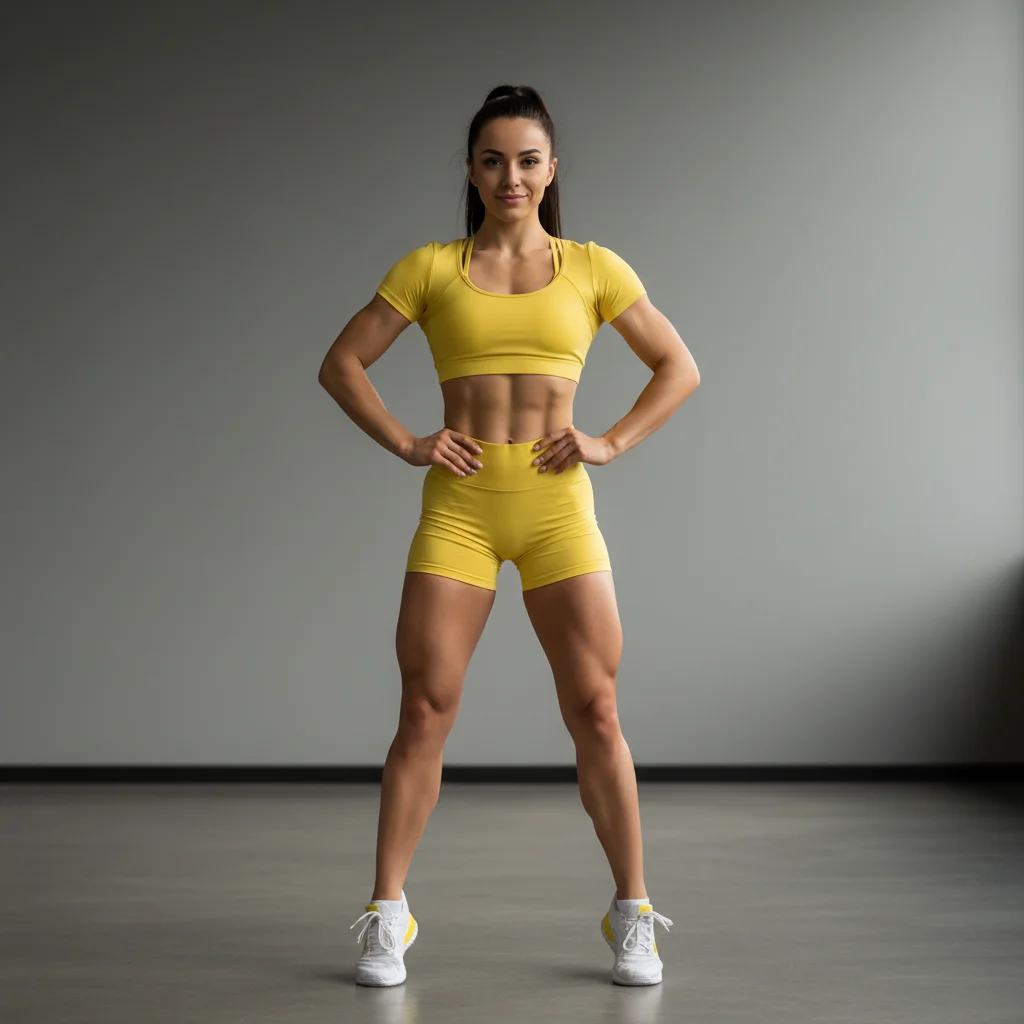
Same woman with slimmer, more toned arms and legs
After

Toned arms and legs

A fitness photo enhanced with arm and leg slimming for a more athletic, toned look.

Prompt: slim the arms and legs to look more toned and athletic
Woman in green fitted dress with natural proportions
Before
->
Same woman with enhanced hourglass waist and hips
After

Hourglass waist and hip slimming

A standing portrait with targeted waist and hip slimming to create a defined hourglass shape.

Prompt: slim the waist and hips to create an hourglass silhouette
Advertisement

If something looks off

AI changed the wrong area or something I didn't want changed

Why: The AI couldn't determine exactly which area you meant from description alone.

Try: Tap a marker on the specific area you want to change, then regenerate with the same prompt

Tip: Markers tell the AI 'I mean THIS one specifically.' Use them when description alone is ambiguous.

AI changed the wrong body part or slimmed something I didn't want changed

Why: The AI couldn't determine exactly which areas you meant from description alone. This happens with vague prompts like 'slim my body' without specifying which parts.

Try: Tap markers on the specific areas you want slimmed (arms, waist, legs, etc.), then regenerate with a more specific prompt

Tip: Markers tell the AI 'I mean THESE exact areas.' Use them when you want targeted slimming.

Body looks disproportionate or unnatural

Why: The slimming was too extreme, creating unrealistic proportions that don't match the body type or pose.

Try: Use a more moderate amount: 'slim the body by just 8-10 pounds for a natural look'

Tip: Start with 5-10 pounds. You can always run a second edit to slim more if needed.

One side looks different from the other

Why: The AI applied slimming asymmetrically, often because of body angle or uneven lighting in the original photo.

Try: slim the body evenly on both sides to maintain symmetry

Tip: 'Both sides evenly' or 'symmetrically' ensures balanced results across the body.

Clothing or fabric patterns look warped

Why: The AI reshaped the body without properly adjusting the clothing texture and patterns to match.

Try: slim the body while keeping clothing patterns and fabric natural

Tip: Mentioning 'natural fabric' tells the AI to preserve clothing details during reshaping.

Face or head got distorted

Why: A prompt like 'slim the body' without clarifying 'body only' sometimes affects the head area too.

Try: slim the body from the neck down, leaving the face and head unchanged

Tip: Specify 'from the neck down' or 'body only, not the face' to protect the head area.

Background or objects near the body got warped

Why: The AI's reshaping affected pixels in the background adjacent to the body outline.

Try: slim the body while keeping the background straight and undistorted

Tip: Simple, uncluttered backgrounds produce cleaner results with less distortion.

Quick answers

Do I need to mark my body before describing what I want?

No! Just describe the change: 'slim the body by 10 pounds' or 'make the arms and legs more toned.' The AI understands body parts and where they are. Only use markers if you want to target very specific areas or if the AI adjusts the wrong parts on first try.

How much can I slim my body without it looking fake?

For natural-looking results, stick to 10-15 pounds of overall slimming or about 1-2 inches per specific area (arms, waist, legs). Anything beyond 20 pounds starts to look disproportionate unless you're wearing very loose clothing. Start moderate—you can always run a second edit for more slimming.

Can I slim specific body parts instead of the whole body?

Yes! Just specify which areas: 'slim the arms and waist' or 'make the legs more toned.' The AI will focus on those parts and leave the rest unchanged. You can also use markers to target very specific spots for precision.

Does this work on group photos or photos with multiple people?

It works best on photos with one person. For group photos, you'll need to be very specific: 'slim the person on the left by 10 pounds' or use markers to indicate exactly which person. The AI may struggle to identify who to slim in crowded photos.

What's the best free AI body slimmer tool?

EditThisPic offers free AI body slimming with no signup required. Unlike apps that need you to trace your body outline, just describe the change you want—overall slimming or specific areas. It handles proportions, clothing adjustment, and lighting automatically to create natural-looking results in seconds.

Ready to slim your body in photos?

Free to try. No signup required.

Try it free