Free • No signup Broaden Shoulders · Free

AI Shoulder Broadener

← Browse all creative effects

Last updated

Subtly widen and enhance shoulder width in any photo with AI for a stronger look.

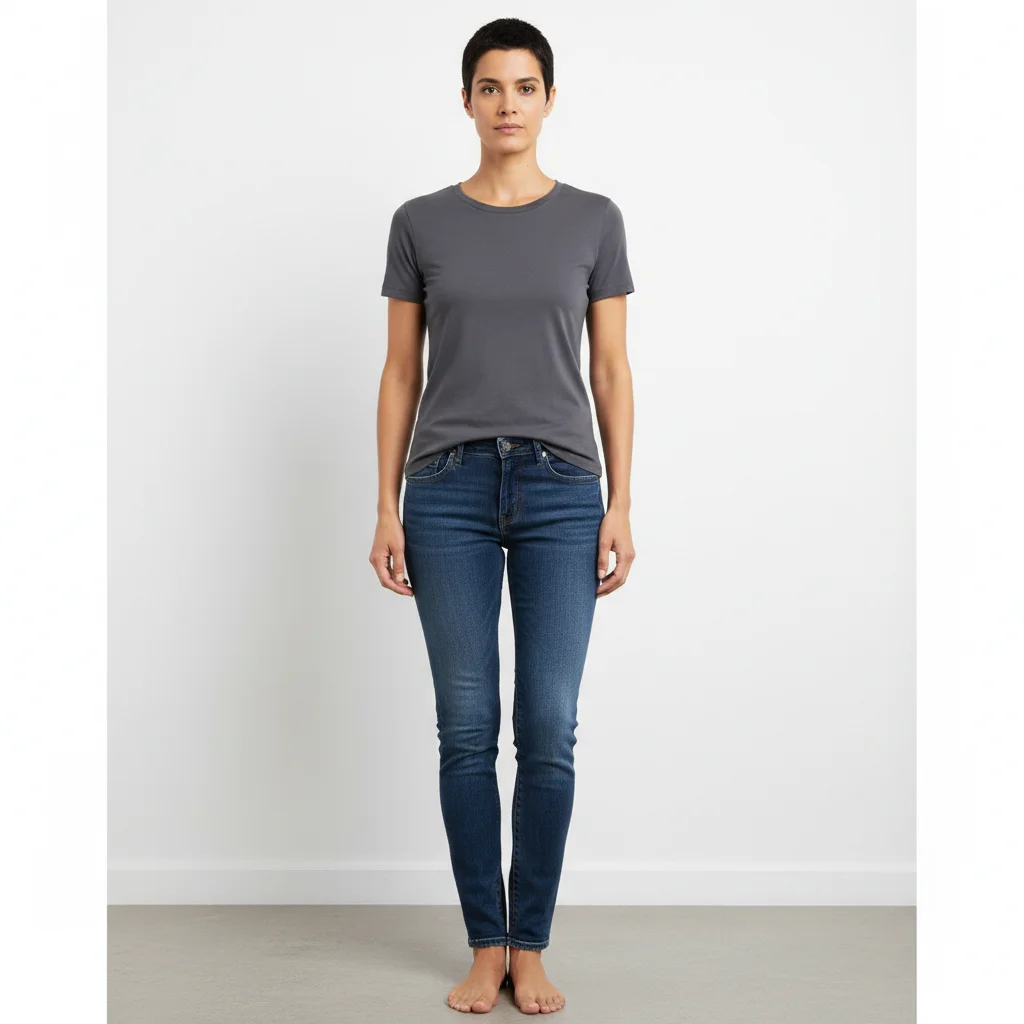
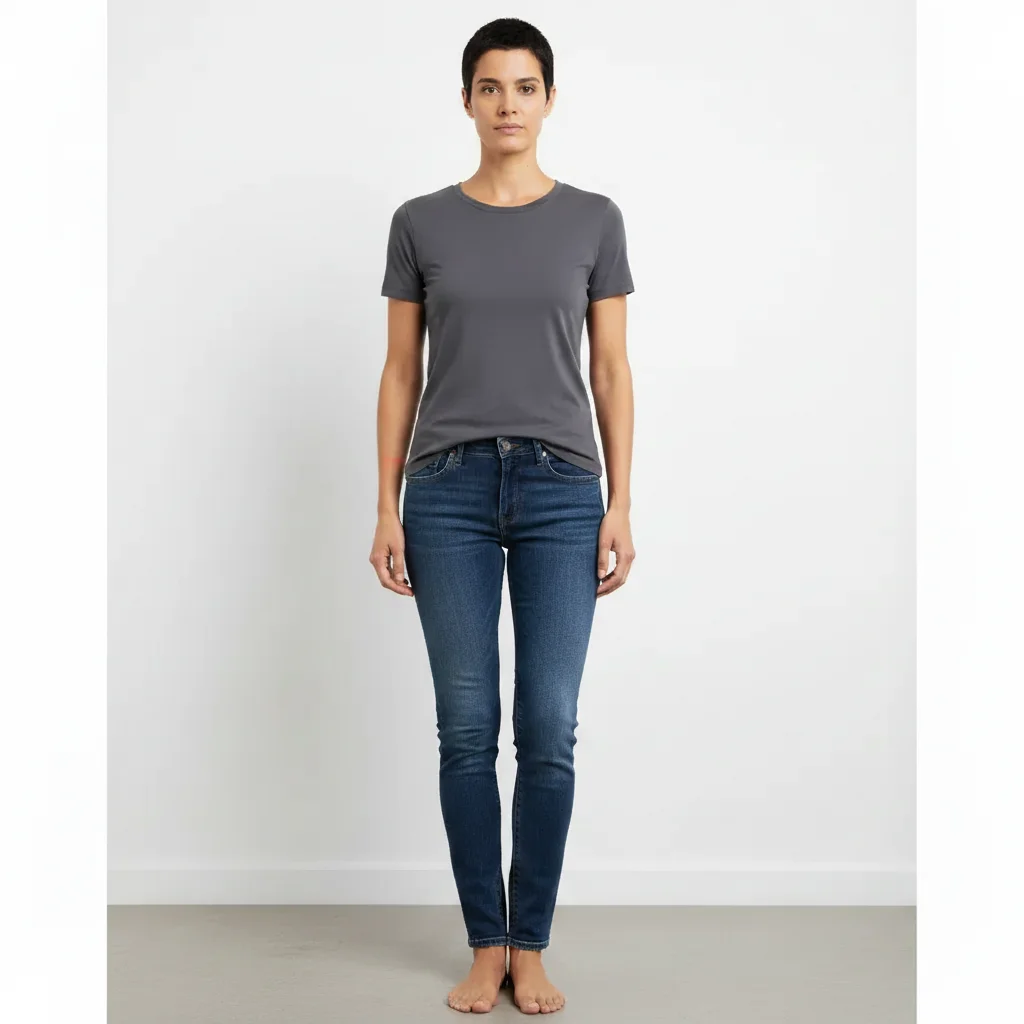
Original photo — Shoulder Broadener (before editing) Result after Shoulder Broadener — Broaden and enhance shoulders in photos with AI for free, no signu

Upload photo to broaden shoulders

"Widen shoulders for more athletic look"

Release to upload

50,000+photos edited
<30stypical edit
1 freeedit weekly

1 free edit·then from $4.99

How it works

  1. Upload your photo

    Choose any photo where you want to broaden the shoulders. Works best with clear front-facing or side photos where the shoulder line is visible. The AI can enhance shoulders in portraits, fitness photos, professional headshots, or casual pictures.

    Expect: Medium complexity change: 20-30 seconds. May need refinements if you want very specific shoulder width or shape.
  2. Describe what you want

    Simply type what you want in plain English: 'make shoulders broader,' 'widen shoulders,' or 'broaden shoulder width.' Be specific about how much change you want—subtle for natural looks, or more dramatic for athletic appearance. The AI understands natural language and will identify and modify the shoulders automatically without any marking needed.

    Tip: Add context like 'make shoulders slightly broader for athletic look' or 'broaden shoulders to match torso width' for more precise results. Specify left or right shoulder if you only want to adjust one side.

    Copy one of these to get started:

    broaden Make shoulders broader
    broaden Widen shoulders for more athletic look
    broaden Broaden shoulder width to match torso proportions
    broaden Make shoulders slightly broader, keep it natural
    4 more prompts
    broaden Widen shoulders by 15% for professional headshot
    broaden Broaden left shoulder to match right shoulder width
    broaden Make shoulders broader and more defined
    broaden Widen shoulders to create V-taper silhouette
  3. Review the result

    Check that the shoulder broadening looks natural and proportional to the rest of the body. Ensure clothing and background adjusted smoothly around the broadened shoulders. If it's too subtle or too dramatic, refine your prompt and regenerate.

  4. Download Your Enhanced Photo

    Save your enhanced image in high resolution. The result has no watermarks and is ready to use for social media, fitness progress tracking, professional profiles, or personal use.

See it in action

Original photo — Shoulder Broadener (before editing)
Before
->
Result after Shoulder Broadener — Broaden and enhance shoulders in photos with AI for free, no signu
After

Natural Athletic Enhancement

Make shoulders slightly broader for more athletic professional look

Prompt: Make shoulders slightly broader for more athletic professional look
Original photo — Shoulder Broadener (before editing)
Before
->
Result after Shoulder Broadener — Broaden and enhance shoulders in photos with AI for free, no signu
After

Fitness Photo Enhancement

Broaden shoulders to match developed chest and arms

Prompt: Broaden shoulders to match developed chest and arms

Quick answers

Do I need to mark the shoulders before describing what I want?

No! Just describe what you want in plain English. The AI automatically identifies and broadens the shoulders.

Will broadening shoulders look natural in my photo?

Yes, when done with appropriate prompts. Start with subtle broadening like 'make shoulders slightly broader' for natural results. The AI adjusts clothing, shadows, and proportions automatically. Very dramatic broadening may look less natural, especially with complex clothing patterns or tight angles.

What types of photos work best for shoulder broadening?

Front-facing or 3/4 angle photos with clear shoulder visibility work best. Simple backgrounds and solid-colored or loosely-fitting clothing produce the most natural results. Avoid photos where shoulders are heavily shadowed or obscured by objects.

How much can I broaden shoulders before it looks fake?

This depends on your starting photo and body proportions. Generally, 10-20% broadening looks natural, while 30%+ starts to look noticeably enhanced. Start with subtle prompts and increase gradually if needed.

Does this work for fitness progress photos?

Yes, it's perfect for visualizing fitness goals or making progress photos more impressive. Many users broaden shoulders in gym selfies or before/after comparison photos to highlight their training results.

Is EditThisPic's AI shoulders broadener really free?

Yes — you get 1 free edit per week, no account needed. Plans start at $4.99/month for 15 edits.

Can I broaden shoulders on my phone?

Yes. EditThisPic works in any mobile browser — iPhone, Android, tablet. No app download needed.

How much does EditThisPic cost?

You get 1 free edit per week — no account needed. After that, credit packs start at $1.99 for 3 edits. Monthly plans start at $4.99/mo for 20 edits with unused credits rolling over. All edits are full resolution with no watermark.
Ready to edit your photos?

Free to try. No signup required.

1 free edit included·Credit packs from $4.99