Free • No signup Change Clothes · Free

AI Clothes Changer

Describe the outfit you want and AI changes clothes instantly. No marking needed.

Man wearing casual grey hoodie
Before
Same man wearing navy blue business suit with white shirt and tie
After

AI Clothes Changer

Drop your photo here

or click to browse

Release to upload

Free • No signup

Advertisement
Popular use cases:
  • virtual try-on
  • outfit swapping
  • e-commerce fashion
  • online shopping visualization
  • wardrobe planning
  • fashion mockups
  • clothing preview
  • style transformation

Cost
Free No signup required
Time
Instant results in 15-30 seconds
Works on
Any device - browser, phone, tablet, desktop
Powered by
AI-powered photo editing
Scenario Prompt Time
Simple color/style change change the shirt to a white button-down 30s
Full outfit swap change the outfit to a navy business suit 40s
Category change (casual to formal) put an elegant evening dress on this person 45s

How it works

  1. Upload your photo

    Drop your image into EditThisPic. JPG, PNG, WebP up to 7MB. Clear photos where clothing is visible work best. Full body or upper body shots both work well for outfit changes.

    Expect: Simple outfit changes: 30-40 seconds. Complex layered looks: 45-60 seconds and may need refinements.
  2. Describe the new outfit

    Type what you want: 'change the outfit to a navy blue business suit' or 'replace the clothes with a casual white t-shirt and jeans.' Be specific about colors, styles, and materials. No marking needed—the AI knows what 'clothes' and 'outfit' mean.

    Tip: Include specific details like 'fitted', 'oversized', or material types like 'silk' or 'denim' for more accurate results.

    Copy one of these to get started:

    Professional business look change the outfit to a navy blue business suit with a white dress shirt and subtle tie
    Casual everyday wear replace the clothes with a casual white t-shirt and fitted blue jeans
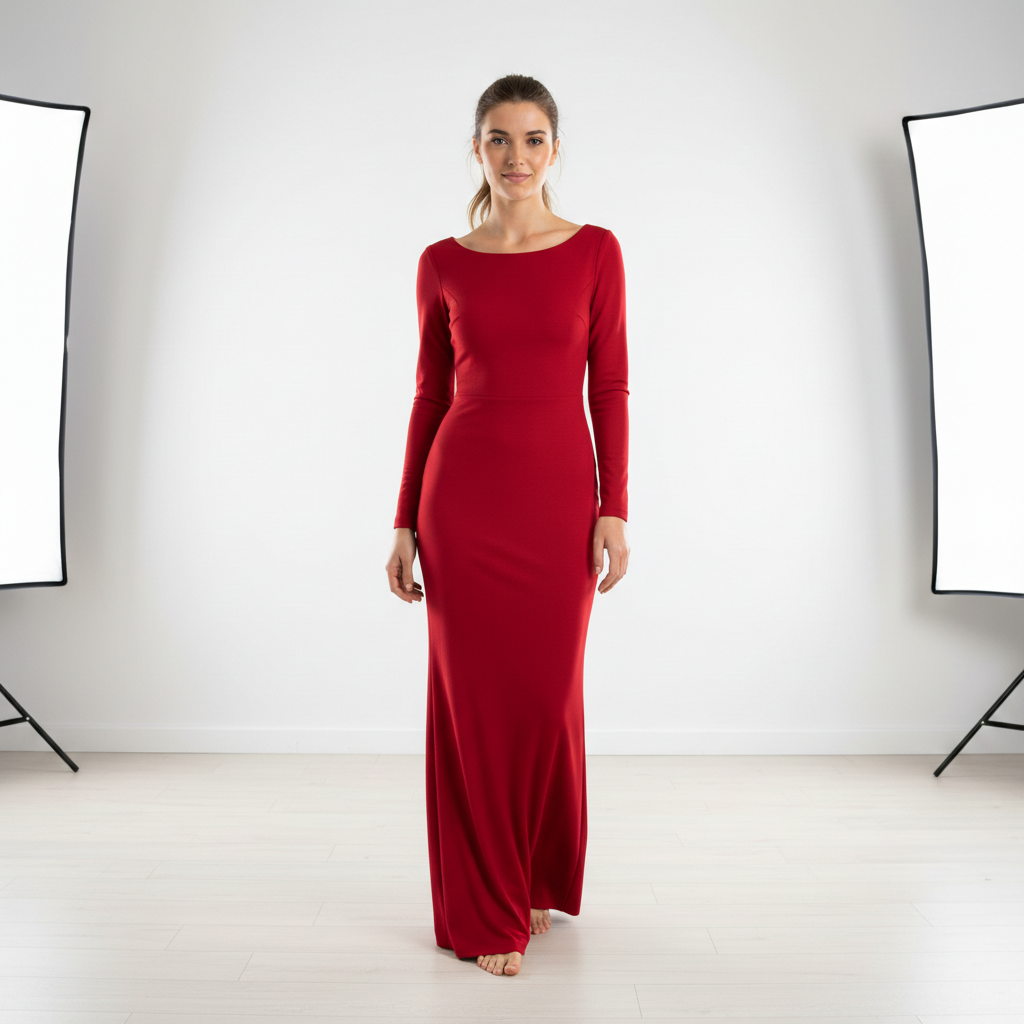
    Elegant evening dress put a red evening dress on this person, floor-length with a fitted silhouette
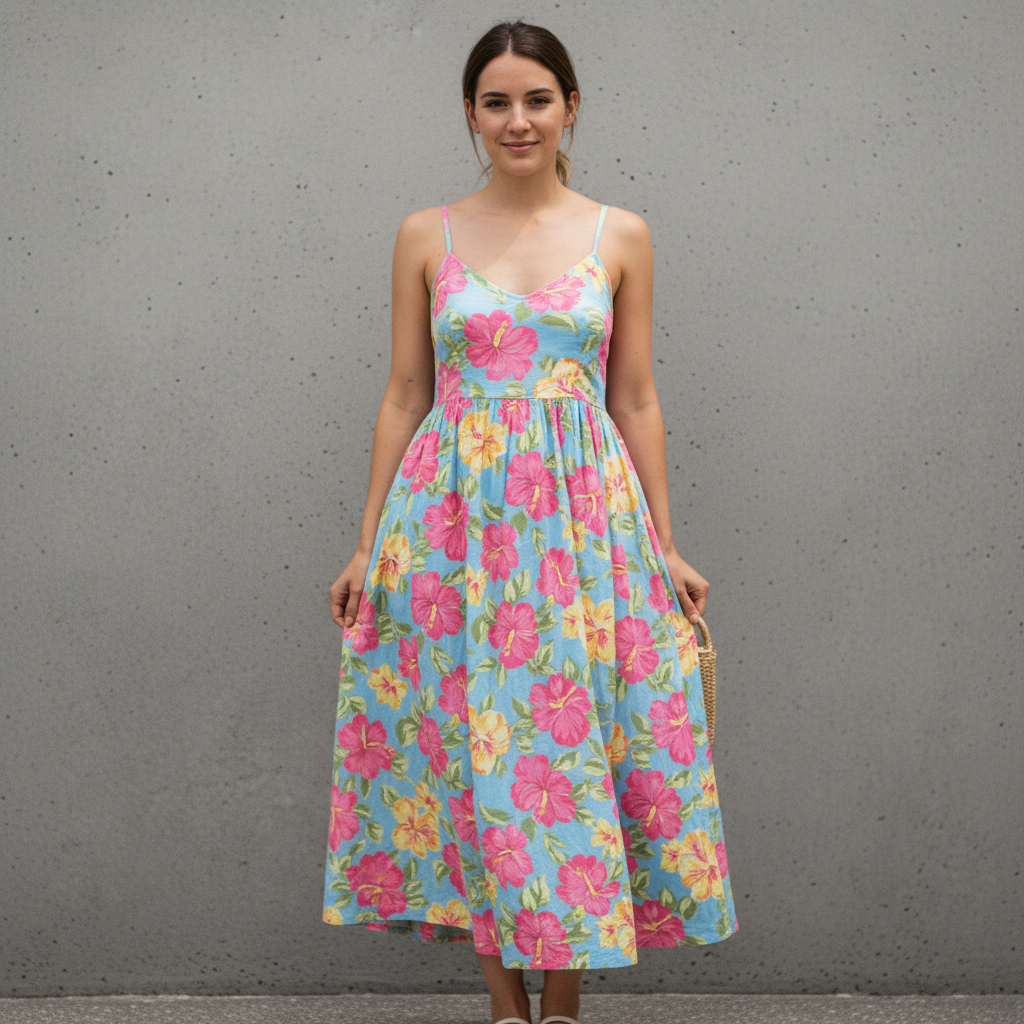
    Summer outfit swap change to summer outfit - floral sundress with thin straps and a flowing skirt
    3 more prompts
    Professional upgrade from casual swap the shirt for a professional blazer over a crisp white button-down
    Winter layered look change the outfit to a cozy knit sweater with a wool coat and scarf
    Sporty athleisure replace the clothes with athletic wear - fitted tank top and yoga pants in black
  3. Review the transformation

    Check that the new clothes fit naturally on the body. Look for realistic wrinkles, proper proportions, and lighting that matches the original photo. Zoom in on necklines, sleeves, and edges.

  4. Refine with markers if needed

    If specific areas like collars, cuffs, or the fit around the body need adjustment, tap markers on those spots and regenerate. Most outfit changes work perfectly on the first try.

    Tip: Markers are for precision refinement only. Try without them first—you usually won't need them.
Try it free

AI Clothes Changer

Drop your photo here

or click to browse

Release to upload

Free • No signup

"I run a small online boutique and use this to show customers how outfits would look on them. Upload their photo, swap in our clothes. Sales conversations are so much easier now." @BoutiqueBoss_Maya

See it in action

Man wearing casual grey hoodie
Before
->
Same man wearing navy blue business suit with white shirt and tie
After

Casual to business suit transformation

A casual selfie transformed into a professional headshot with a complete business suit.

Prompt: change the outfit to a navy blue business suit with a white dress shirt and subtle tie
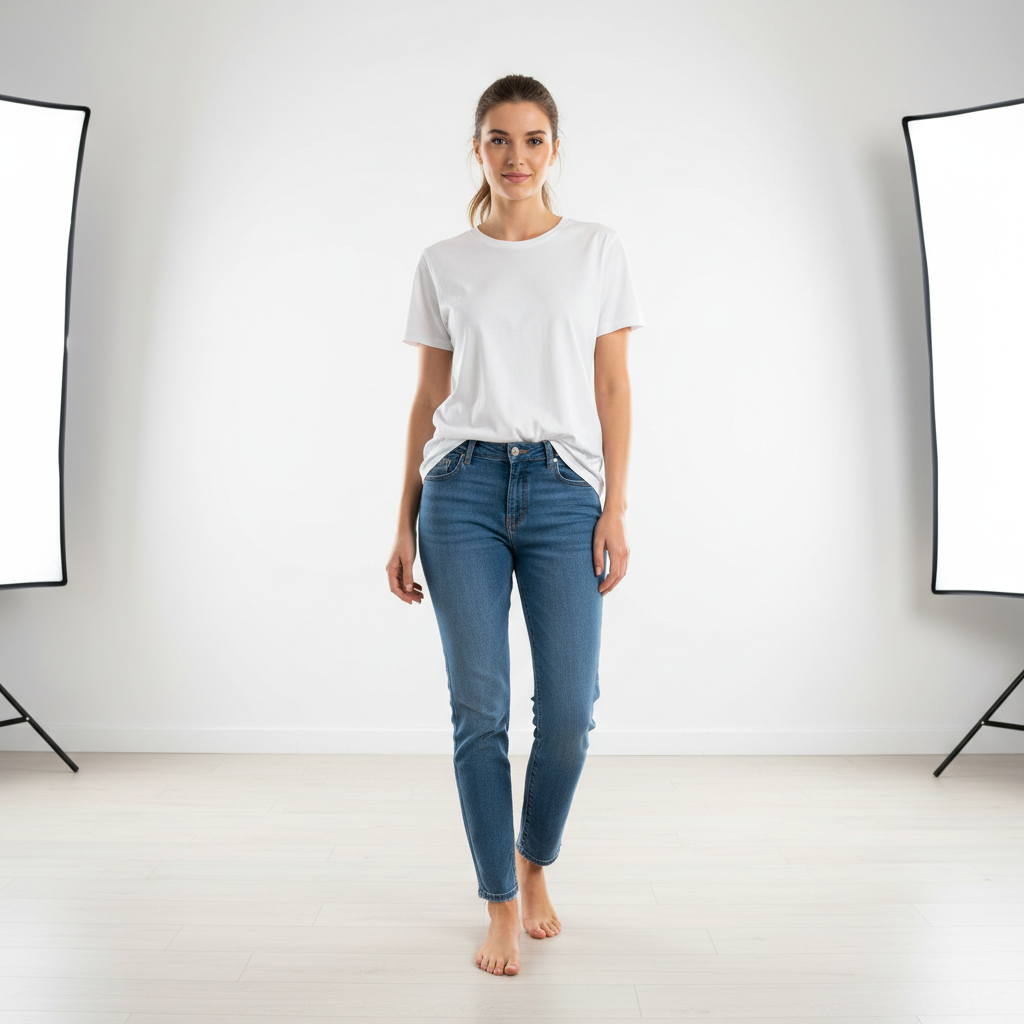
Woman in plain white t-shirt and jeans
Before
->
Same woman in elegant red floor-length evening dress
After

T-shirt to elegant evening dress

A woman in a plain t-shirt transformed into a stunning red evening gown for visualizing formal wear.

Prompt: put a red evening dress on this person, floor-length with a fitted silhouette and elegant neckline
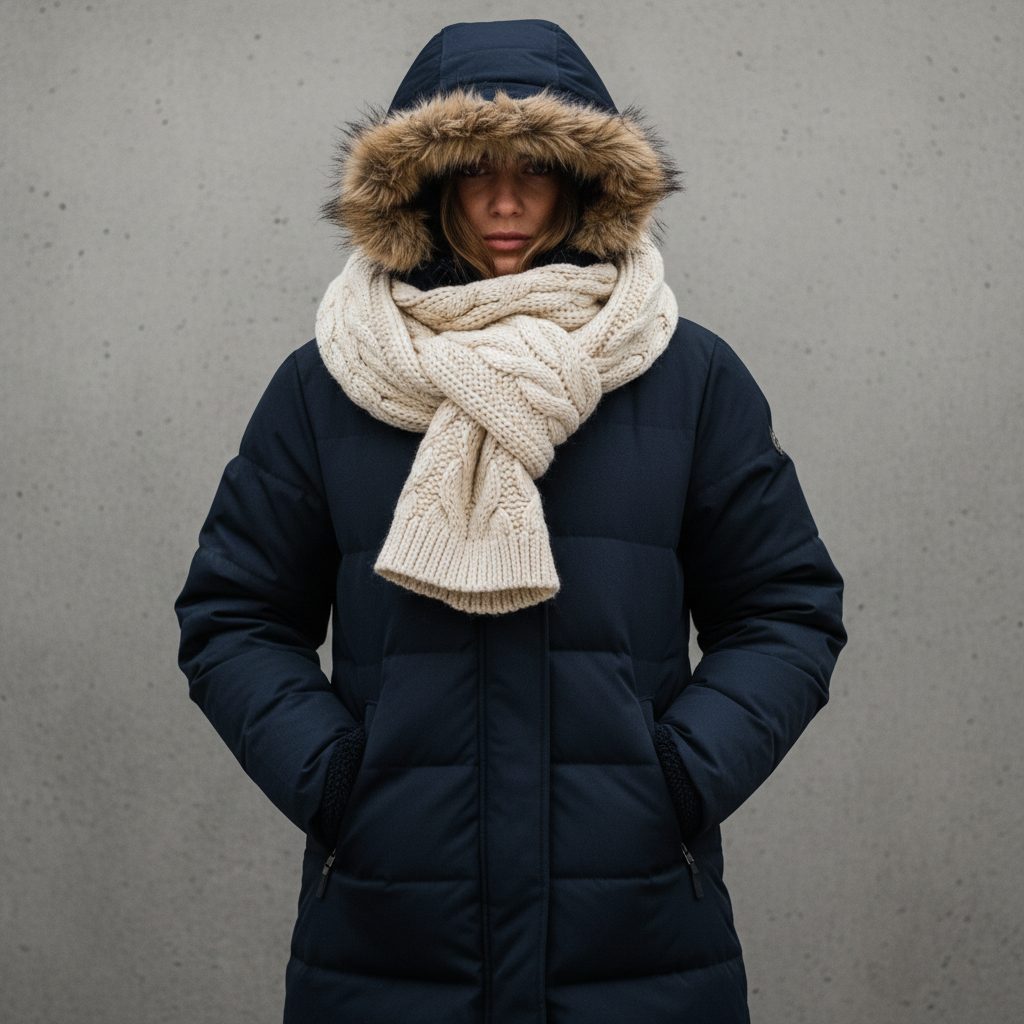
Woman in heavy navy winter coat and scarf
Before
->
Same woman in light floral sundress
After

Winter to summer outfit swap

A heavy winter outfit changed to a light summer look for seasonal wardrobe visualization.

Prompt: change to summer outfit - floral sundress with thin straps and a flowing skirt
Advertisement

If something looks off

AI changed the wrong area or something I didn't want changed

Why: The AI couldn't determine exactly which clothing item you meant from description alone. This happens with layered outfits or when multiple garments are visible.

Try: Tap a marker on the specific clothing you want to change, then regenerate with the same prompt

Tip: Markers tell the AI 'I mean THIS garment specifically.' Use them when description alone is ambiguous.

New clothes don't fit the body pose naturally

Why: Complex poses or unusual angles make it harder for the AI to generate clothing that follows the body shape correctly.

Try: change the outfit to [your description], ensure the clothes follow the body's natural pose and shape

Tip: Adding 'follow the body naturally' explicitly tells the AI to prioritize realistic fit.

Neckline, sleeves, or edges look unnatural

Why: Transitions between skin and fabric require precise edge work, especially at necklines and cuffs.

Try: Tap markers on the edges that look off and regenerate: refine these edges where clothing meets skin

Tip: Edge refinement is the most common adjustment—markers on problem areas make it quick.

Lighting on new clothes doesn't match the photo

Why: The AI generated clothing with different lighting than the original scene, making it look composited.

Try: change the outfit to [your description], match the lighting and shadows to the rest of the photo

Tip: If light direction is visible in the original, mention it: 'with light from the left side.'

Result looks generic or not like what I described

Why: Vague descriptions lead to generic interpretations. More specific details produce better results.

Try: Be more specific: include fit, material, and style details like 'slim-fit charcoal wool suit with notch lapels'

Tip: Fashion terms help: 'A-line', 'fitted', 'oversized', 'cropped', 'tailored' all give clear style guidance.

Quick answers

Do I need to mark the clothes before describing what I want?

No! Just describe the outfit you want: 'change the outfit to a navy blue suit' or 'put a red dress on this person.' The AI understands what 'clothes', 'outfit', and specific garment names mean. Only use markers when wearing multiple layers and you want to change just one piece—like replacing only the shirt under an open jacket.

How do I try on clothes from a photo I have?

Click '+ Add reference image' and upload a photo of the clothes you want. Then say 'replace their outfit with the clothing from the reference image.' This is perfect for virtual try-on—see exactly how a specific garment would look on you or a model before buying.

Is there a free AI clothes changer that doesn't require login?

Yes, EditThisPic is free to try with no account needed. Upload your photo, describe the outfit change, and download the result. No watermarks on outputs. Perfect for quick virtual try-ons or outfit visualization without commitment.

Can AI change clothes on any body type?

Yes! The AI adapts clothing to different body shapes, heights, and poses. Standing, sitting, and action poses all work. The generated clothes naturally fit the actual body in the photo, creating realistic results regardless of body type.

What's the best free tool for virtual try-on and outfit swapping?

EditThisPic offers free AI clothes changing with no signup required. Unlike apps that need you to trace outlines or select areas, just describe the outfit you want. It handles everything from casual t-shirts to formal gowns, generating realistic fabric textures and natural fit in seconds.

Ready to change clothes in your photos?

Free to try. No signup required.

Try it free