Free โ€ข No signup Add Gold teeth ยท Free

AI Gold Teeth Adder

Add gold teeth, grills, or caps to your photos - no marking needed
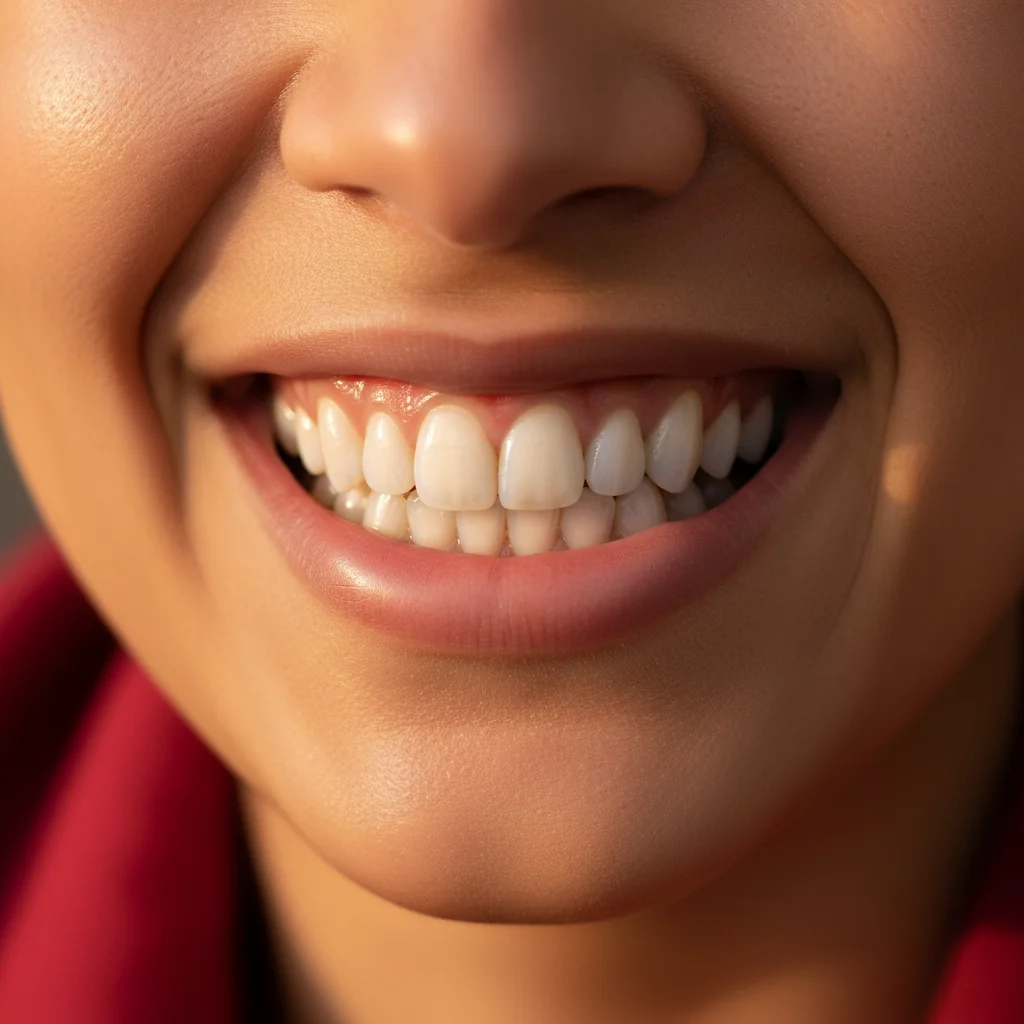
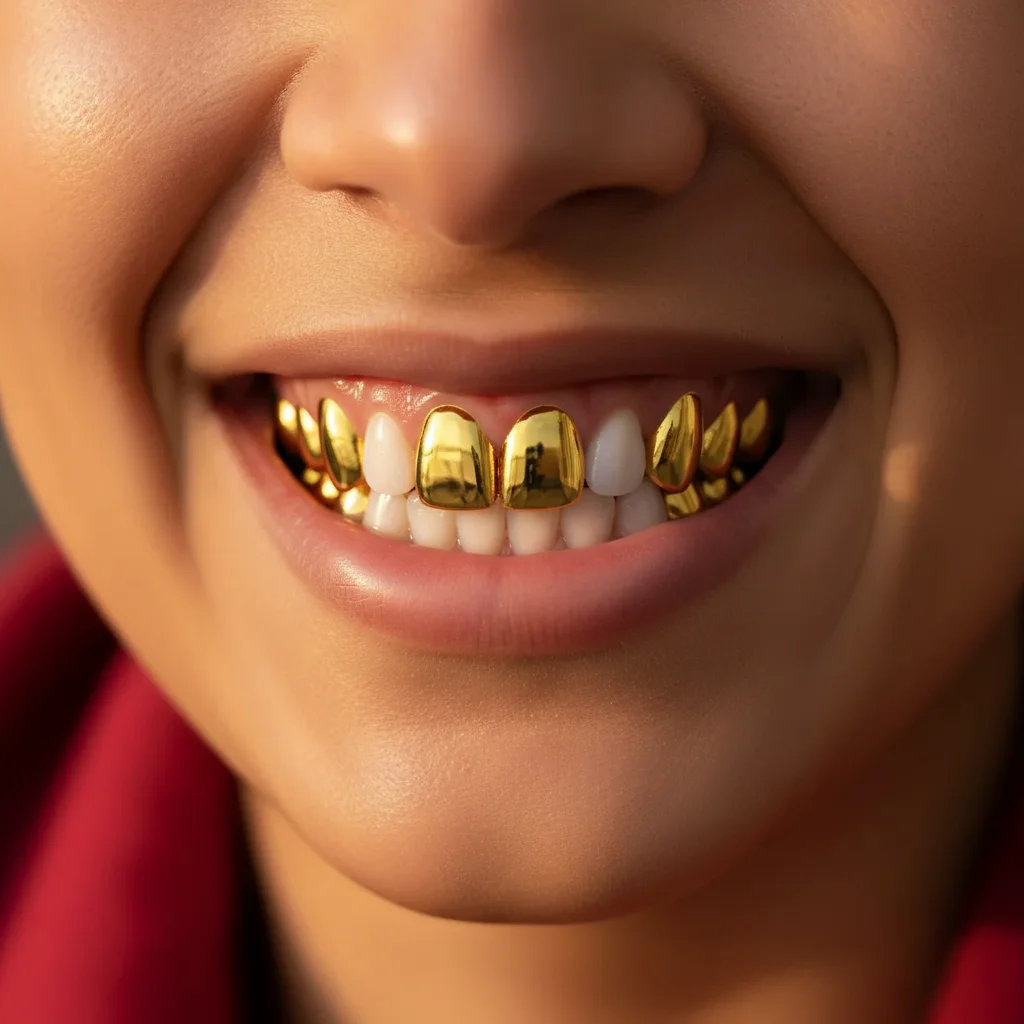
Natural smile with white teeth
Before
โ†’
Same smile with gold metallic canine teeth
After

Add Gold Teeth in Photo

Drop your photo here

or click to browse

Release to upload

Free โ€ข No signup

Advertisement
Popular use cases:
  • hip-hop style photo
  • grill preview before buying
  • gold cap decision
  • rap music promotional photo
  • costume party look
  • creative portrait styling
  • before dental gold work

Cost
Free No signup required
Time
Instant results in 15-30 seconds
Works on
Any device - browser, phone, tablet, desktop
Powered by
AI-powered photo editing
Scenario Prompt Time
Gold canines Make my two canine teeth shiny yellow gold with realistic metallic reflections 15s
Full top grill Add a gold grill covering all my top front teeth with a polished gold finish 20s
Single gold tooth Make just my left front incisor shiny gold, leaving all other teeth natural 12s
Full mouth gold Turn all my visible teeth into shiny yellow gold for a full grill look 25s

How it works

  1. Upload your photo

    Choose a clear photo where your teeth are visible. Smiling portraits work best. The AI needs to see tooth structure clearly to apply realistic gold effects with proper metallic reflections.

    Expect: Upload takes 2-3 seconds. Works with JPG, PNG, HEIC up to 10MB. Lighting affects how realistic the gold looks.
  2. Describe which teeth you want gold

    This is the key step. Tell the AI exactly which teeth to make gold: 'add gold grills to my top 6 front teeth', 'make my two canines gold', or 'give me a full gold mouth'. The AI understands dental terminology (canines, incisors, molars) and casual descriptions (front teeth, fangs, all teeth).

    Tip: Be specific about how many teeth and which ones. 'Gold canines' is very different from 'full gold grill on all visible teeth'.

    Copy one of these to get started:

    Gold canines (most popular) Make my two canine teeth shiny yellow gold with realistic metallic reflections
    Full top grill Add a gold grill covering all my top front teeth with a polished gold finish
    Single gold tooth Make just my left front incisor shiny gold, leaving all other teeth natural
    Full gold mouth Turn all my visible teeth into shiny yellow gold for a full grill look
    3 more prompts
    Rose gold teeth Add rose gold caps to my top 4 front teeth with a soft pink metallic finish
    Alternating gold pattern Make every other tooth on my top row gold, creating an alternating gold and white pattern
    Gold with diamond accent Add gold caps to my top front teeth with a small diamond stud on one tooth
  3. Review the result

    Check that the gold looks metallic and realistic with proper light reflection. Make sure only the intended teeth are gold and the color matches your desired gold tone (yellow gold, rose gold, white gold). The AI creates realistic metallic surfaces with highlights and shadows.

  4. Refine with markers if needed

    If the AI applied gold to the wrong teeth or you want very specific placement, tap markers on the exact teeth you want gold, then regenerate. This gives you tooth-by-tooth control.

    Tip: Markers are especially useful for asymmetric looks like 'only my left canine' or alternating gold patterns.
Try it free โ†“

Add Gold Teeth in Photo

Drop your photo here

or click to browse

Release to upload

Free โ€ข No signup

"Used this to preview gold caps before getting them done. The AI nailed the metallic look. Helped me decide which teeth to do!" @GrillsAndSmiles

See it in action

Natural smile with white teeth
Before
->
Same smile with gold metallic canine teeth
After

Classic gold canines

Two canine teeth transformed to shiny metallic gold with realistic light reflections and tooth contours
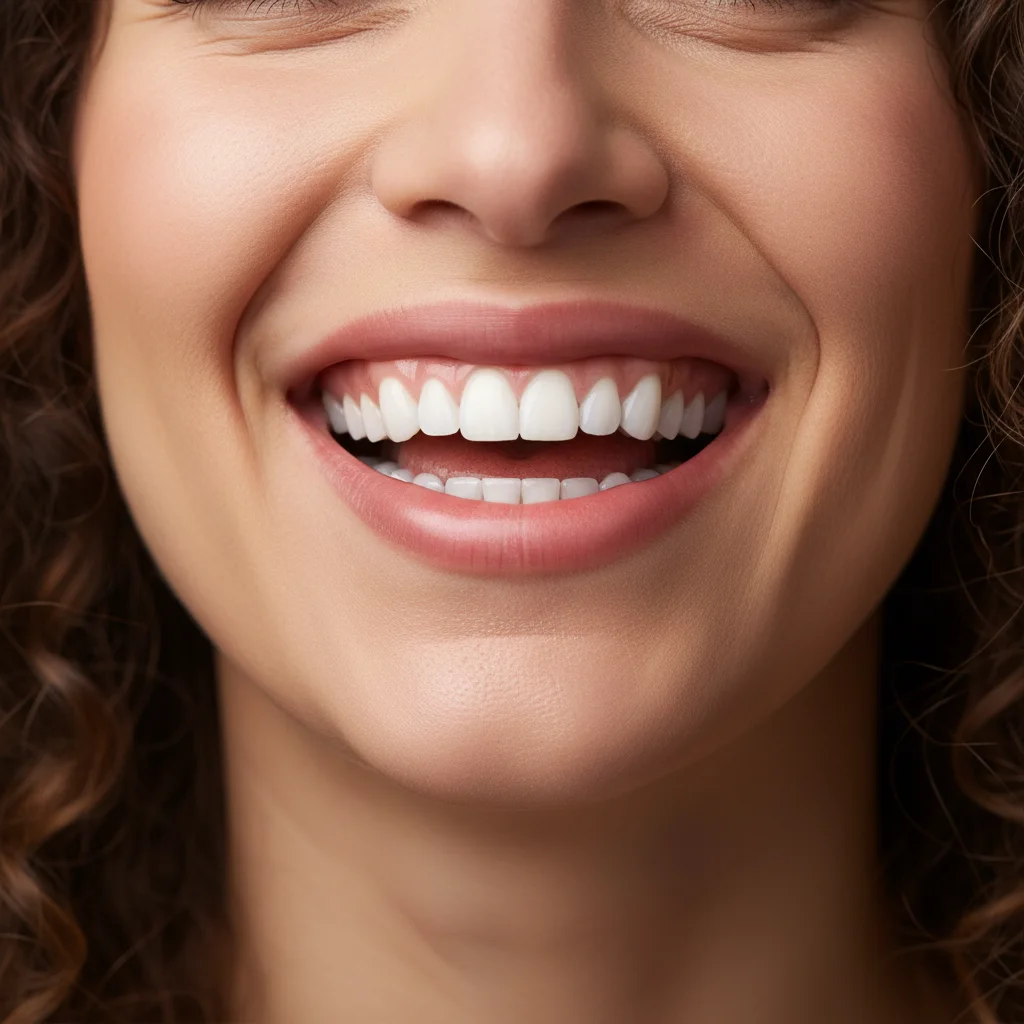
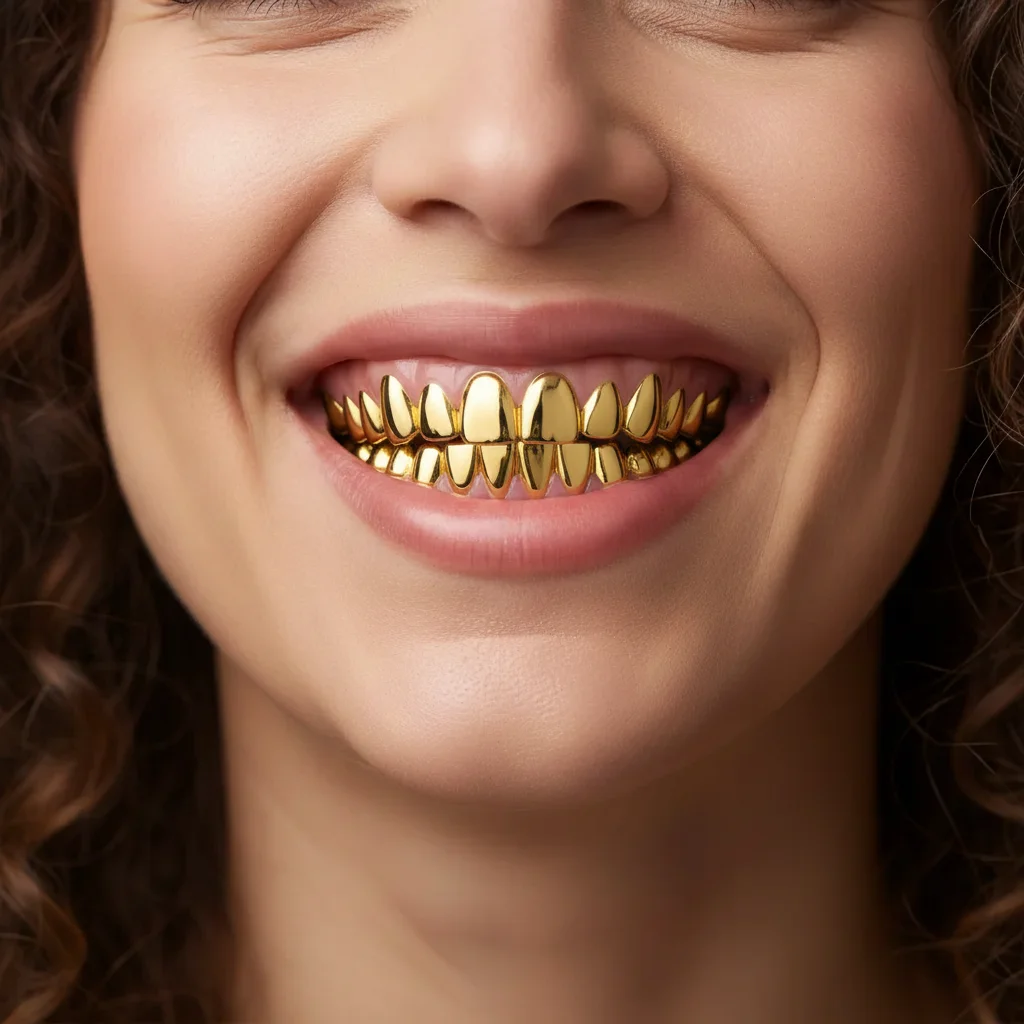
Prompt: Make my two canine teeth shiny yellow gold with realistic metallic reflections
Full smile showing natural upper teeth
Before
->
Same smile with complete gold grill on upper teeth
After

Full top grill application

Complete gold grill covering all 8 top front teeth with polished metallic finish

Prompt: Add a gold grill covering all my top front teeth with a polished gold finish
Natural smile with all white teeth
Before
->
Same smile with one gold front tooth
After

Single gold tooth accent

One front tooth transformed to gold while all others remain natural, creating subtle asymmetric style

Prompt: Make just my left front incisor shiny gold, leaving all other teeth natural
Advertisement

If something looks off

AI changed the wrong area or something I didn't want changed

Why: The AI couldn't determine exactly which teeth you meant from description alone, especially for single-tooth or asymmetric applications.

Try: Tap a marker on the specific tooth or teeth you want gold, then regenerate with the same prompt

Tip: Markers tell the AI 'make THIS tooth gold.' Essential for precise single-tooth or custom pattern applications.

The gold doesn't look metallic or realistic

Why: The gold might appear flat or painted on rather than having proper metallic shine and reflections.

Try: Try: 'Make my canines shiny metallic gold with realistic light reflections and highlights'

Tip: Keywords like 'shiny', 'metallic', 'polished', and 'realistic reflections' improve the metal appearance.

Gold color is wrong (too orange, too yellow, not the right tone)

Why: The default gold might not match the specific gold tone you envisioned.

Try: Specify the gold type: 'yellow gold', 'white gold', 'rose gold', or 'bright polished gold'

Tip: Different gold types create very different aesthetics. Rose gold is softer, white gold is silvery, yellow gold is classic.

Gold teeth lost natural tooth shape or look fake

Why: The AI might have smoothed out tooth contours or changed tooth anatomy when applying gold.

Try: Add: 'Keep the natural tooth shape and contours while making them gold'

Tip: Good gold teeth maintain realistic tooth anatomy with edges, curves, and gum lines intact.

Only part of the tooth is gold or coverage is incomplete

Why: The AI might have interpreted your prompt as partial coverage or gold caps rather than full tooth coverage.

Try: Be explicit: 'Make my entire canine teeth completely gold from top to bottom, full coverage'

Tip: Words like 'entire', 'completely', and 'full coverage' ensure the whole tooth gets the gold treatment.

Quick answers

Do I need to mark teeth before adding gold?

No! Just describe which teeth you want gold in natural language. The AI understands prompts like 'make my canines gold' or 'add a gold grill to my top 6 teeth' without any marking. Markers are optional and only needed for very specific tooth-by-tooth control.

Is this gold teeth tool really free?

Yes, completely free with no limits. No account required, no watermark on your images. Try as many different gold teeth styles, placements, and tones as you want.

Can I preview gold teeth before actually getting them?

Absolutely! This tool is perfect for visualizing gold caps, grills, or permanent gold teeth before committing. Many users preview different placements (just canines vs full grill) to decide what they want. The metallic rendering is realistic enough to give you a good sense of the look.

What's the difference between a grill and gold teeth?

A grill is a removable decorative cover that fits over teeth, while gold teeth usually refers to permanent gold caps or crowns. This AI tool can preview both styles - use 'grill' for full coverage looks or 'gold tooth/teeth' for individual permanent-style gold. The visual result is similar.

Can I do rose gold or white gold teeth?

Yes! Specify the gold type in your prompt: 'rose gold canines', 'white gold front teeth', or 'yellow gold grill'. The AI can render different metallic tones. Rose gold has a pinkish hue, white gold is silvery-white, and yellow gold is the classic bright gold color.

Ready to see yourself with gold teeth?

Free tool. No signup. Try grills, caps, or single gold teeth instantly.

Try it free โ†’