AI Photo Editor for Poshmark Product Photos
Turn closet photos into Instagram-worthy Poshmark listings that actually sell.
Drop your photo here
or click to browse
Release to upload
Free • No signup
"I was photographing clothes on my bed with terrible lighting. Now I just snap the pic and type 'clean white background with soft shadows.' Sold 3 items the first day after relisting. My closet looks like a boutique now." @PoshSellerSarah
Built for Poshmark Sellers
Poshmark buyers scroll fast. Professional-looking photos stop thumbs. Top sellers know that clean backgrounds and good lighting mean faster sales and higher prices. EditThisPic gives you boutique-quality listings without the photography setup. Just describe the look you want.
Tools for Poshmark Photos
Replace Background
Swap bedroom floors for clean white flatlay surfaces
Remove Background
Create transparent PNGs for cover photos
Enhance Lighting
Fix dark closet photos with natural-looking light
Fix Color
Make colors accurate so buyers know what they're getting
Remove Wrinkles
Make clothes look freshly steamed without the work
Step-by-Step Guide
-
Snap your item anywhere
Lay your clothing item flat or hang it up. Use natural light if possible - near a window works great. Don't worry about the background. Carpet, bed, floor - it doesn't matter. EditThisPic will replace it.
Clean background swap: 20-30 seconds. Full styling with lighting: may need 2-3 prompts.Straighten the item and smooth major wrinkles before shooting. AI can fix small wrinkles but can't reshape twisted fabric. -
Describe the Poshmark look you want
Type your instruction: 'replace background with clean white flatlay surface' or 'change to marble background with soft shadows.' Be specific about the aesthetic - 'bright and airy' or 'lifestyle editorial look.' No marking needed - the AI knows what background means.
Add lighting direction for more polished results: 'soft natural light from left side' -
Check your listing photo
Verify colors look accurate to the actual item. Poshmark buyers hate color surprises. Check that product edges are clean and backgrounds are seamless. Zoom to 100% on fabric details.
-
Refine edges if needed
If delicate edges like lace or fringe didn't separate perfectly, tap markers on those spots and regenerate. Most flatlay shots work on the first try. Download and upload to Poshmark.
Create multiple versions - white background for main photo, lifestyle background for cover shot.
Copy-Paste Prompts for Poshmark
replace background with clean white flatlay surface, soft natural shadows underneath the item, bright fashion photography lighting
The classic Poshmark look - works for any clothing item
replace background with white marble surface, elegant lifestyle flatlay look, soft shadows, bright and airy
Marble backgrounds add a luxury feel perfect for designer items
replace background with styled lifestyle flatlay scene, fashion magazine aesthetic, warm natural lighting, carefully arranged but effortless looking
Great for cover photos - makes buyers imagine wearing the piece
replace background with light wood surface, cozy lifestyle aesthetic, soft natural shadows, Instagram-worthy fashion flatlay
Wood tones add warmth - perfect for cozy sweaters, boots, fall items
Show 4 more prompts
enhance lighting to bright fashion photography look, make colors vibrant and accurate, remove yellow tint from indoor lighting
Fixes the #1 problem with closet photos - bad indoor lighting
replace background with soft neutral gray backdrop, professional product photography, clean with subtle shadows, luxury handbag presentation
Gray backgrounds make luxury bags look high-end without competing with the item
replace background with clean white surface, show shoes from slightly above angle, soft shadows underneath, crisp fashion product photography
Shoes photograph best with soft shadows showing depth
replace background with clean white flatlay surface, keep all items in place, cohesive styling like curated bundle, soft consistent lighting
For bundles - makes items look intentionally curated together
| Edit Type | Prompt | Time | |
|---|---|---|---|
| White flatlay | clean white flatlay surface, soft shadows |
25s | Try This → |
| Marble aesthetic | white marble surface, elegant flatlay |
25s | Try This → |
| Fix lighting | bright fashion photography, accurate colors |
20s | Try This → |
| Full polish | white background, enhance lighting, remove wrinkles |
40s | Try This → |
Real Examples
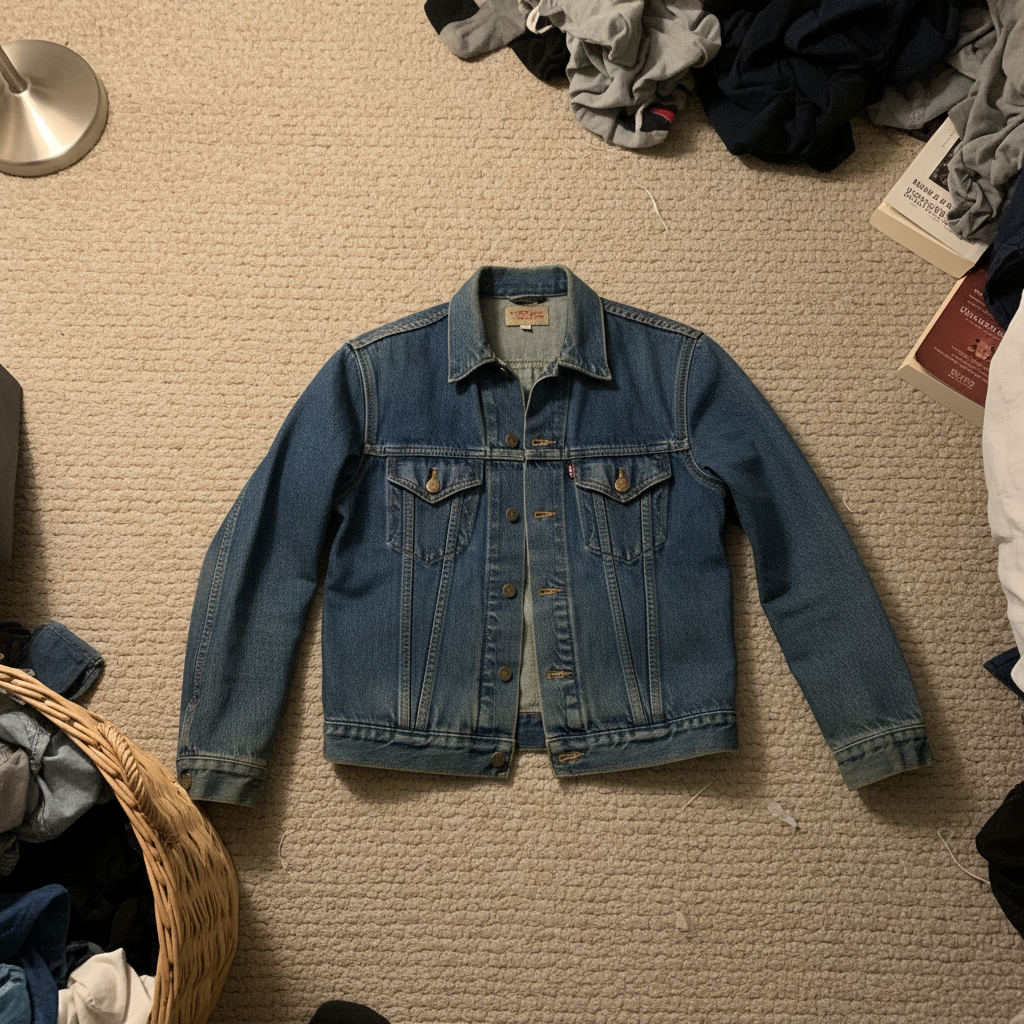
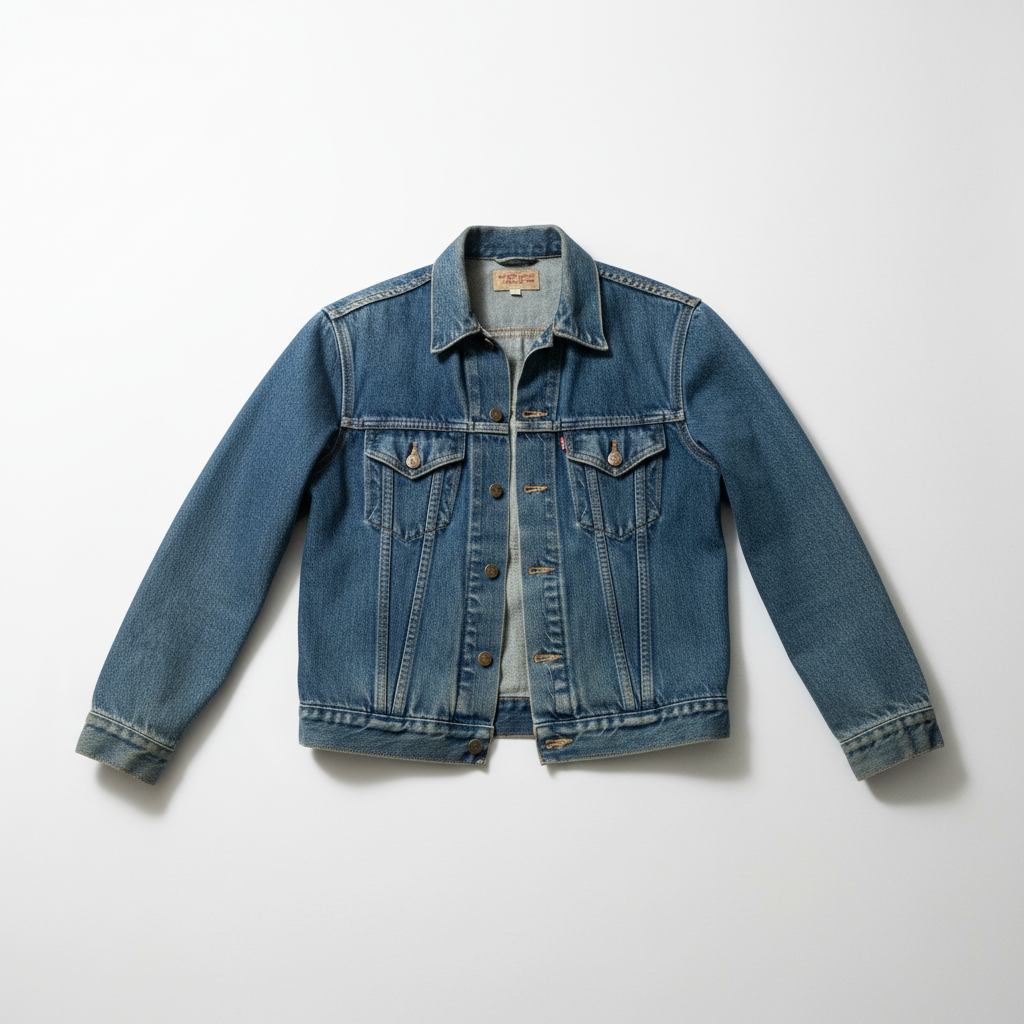
Bedroom floor to boutique flatlay
That vintage denim jacket was sitting on your bedroom carpet. Now it looks like a styled fashion shoot.
replace background with clean white flatlay surface, soft natural shadows underneath, bright fashion photography lighting, Instagram-worthy aesthetic
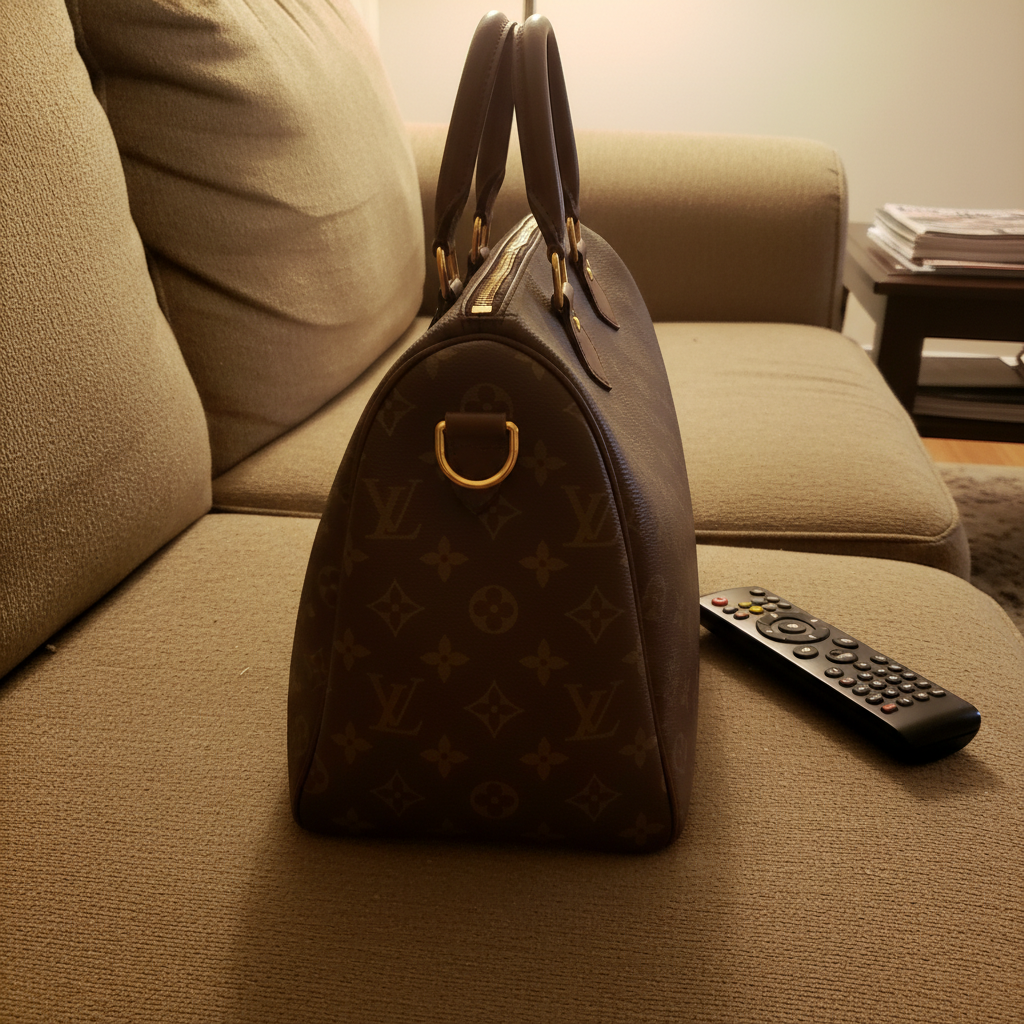
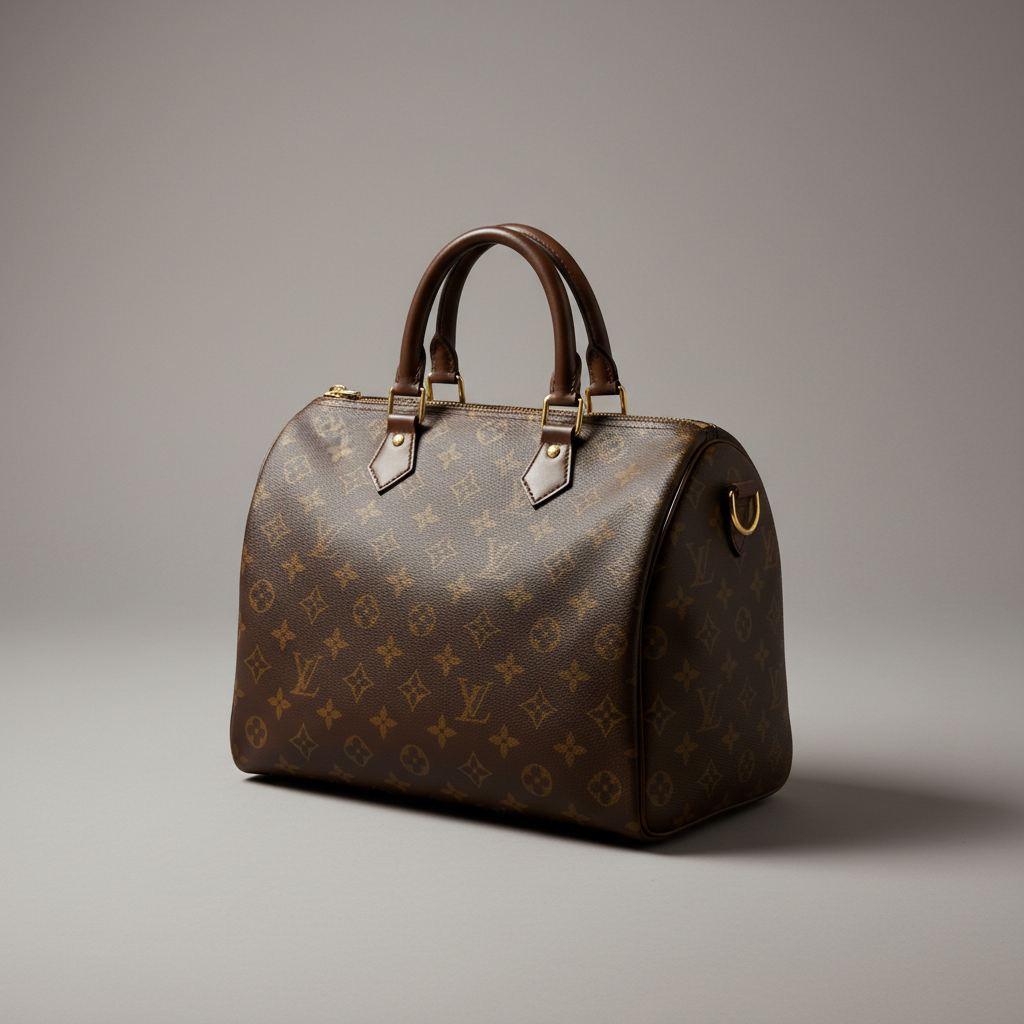
Designer handbag showcase
Your designer bag was photographed on your couch. Now it's ready for a luxury listing that commands top dollar.
replace background with soft neutral gray studio backdrop, luxury handbag product photography, soft shadows, elegant presentation
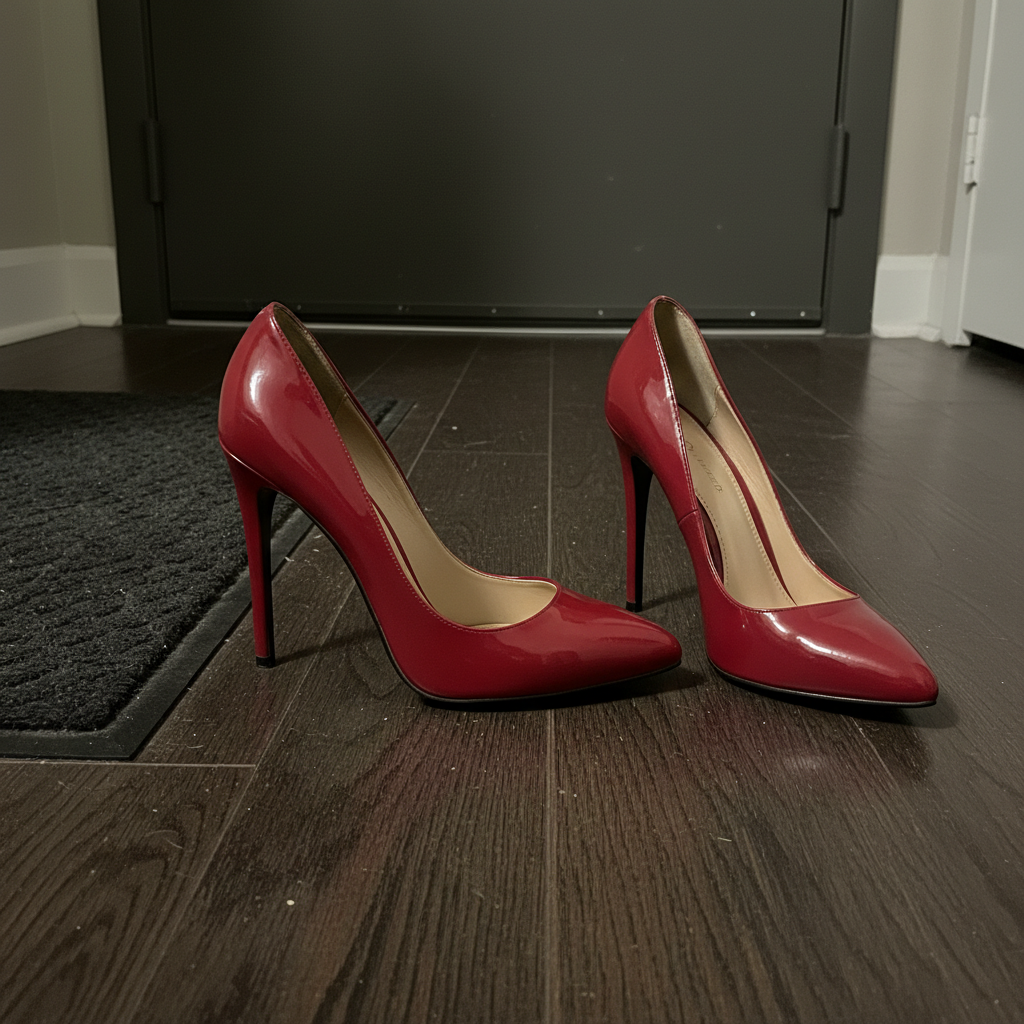
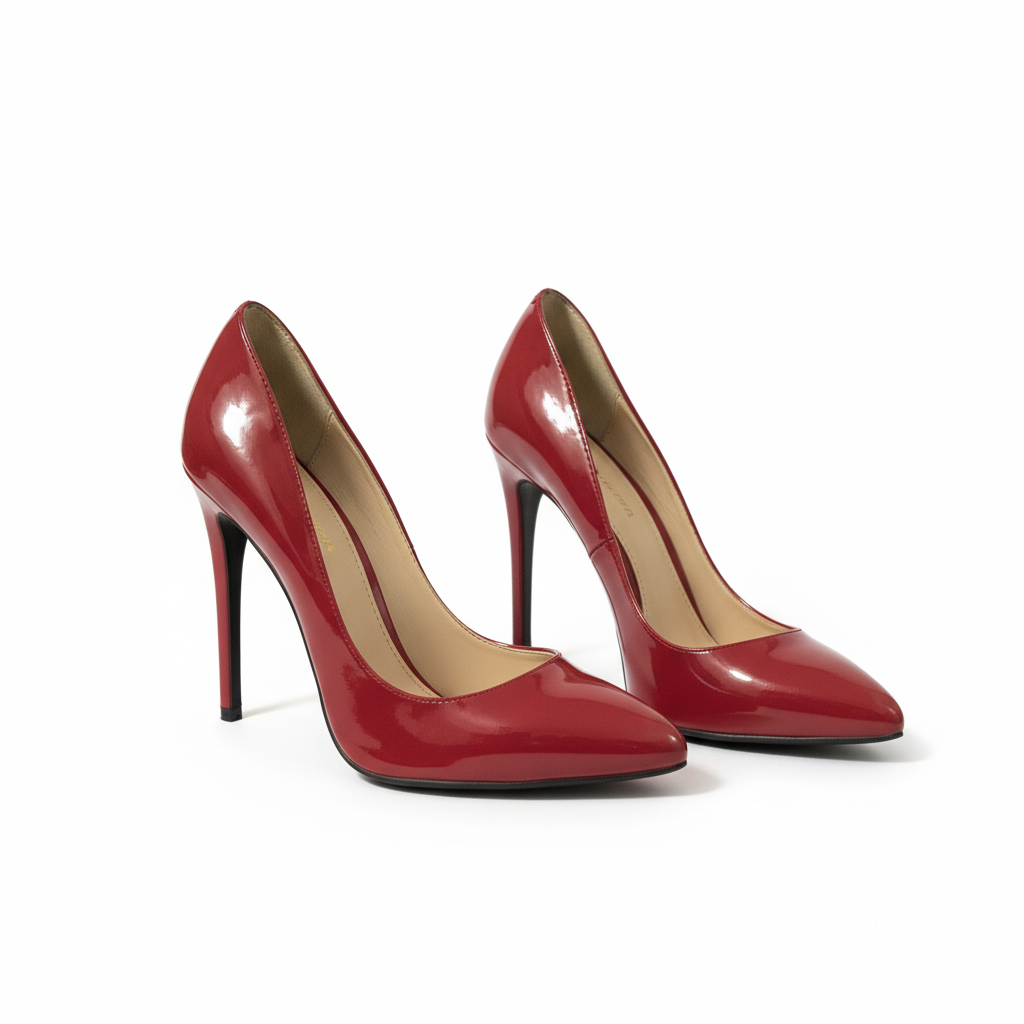
Shoe pair presentation
Your heels were photographed on the floor next to your door. Now they're styled like a fashion magazine.
replace background with clean white surface, professional shoe photography with soft shadows, show shoes from flattering angle, crisp fashion product presentation
When Things Go Wrong
Edges of clothing look choppy or have halos
Why: Delicate fabrics like lace, fringe, or fur have complex edges that are harder for AI to separate cleanly.
Tap markers on the choppy edges, then: blend clothing edges naturally with background, smooth transition, no halos
Photos with good contrast between the item and original background separate cleanest.
Colors look different from actual item
Why: Indoor lighting often adds yellow or blue tints that get preserved in the edit.
correct colors to true representation, remove yellow tint from indoor lighting, accurate fabric color
Always do color correction as a separate step after background replacement.
AI changed the wrong area or affected the clothing
Why: The AI couldn't determine exactly which area you meant from description alone.
Tap markers on the specific area you want to change, then regenerate with the same prompt
Markers tell the AI 'I mean THIS specifically.' Use them when description alone is ambiguous.
Wrinkles in fabric weren't removed
Why: Background replacement prompts focus on background. Wrinkle removal needs its own prompt.
remove wrinkles from clothing, make fabric look freshly steamed and pressed, natural texture
Do wrinkle removal after background replacement as a separate edit.
Shadows look too harsh or artificial
Why: Strong shadow terms can create dramatic shadows that look fake.
soften the shadows to look natural, gentle diffused shadow underneath like soft window light
'Soft natural shadows' gives better results than 'add shadows.'
Small accessories or details got removed
Why: Very small items like jewelry clasps or button details may be mistaken for background clutter.
Tap markers on the missing details, then: restore these accessories/details, keep them visible
For jewelry photos, mention 'keep all small details and clasps' in your original prompt.
Frequently Asked Questions
Do I need to cut out the background before describing what I want?
No! Just describe what you want: 'replace background with white flatlay surface' and the AI handles everything. Markers are only needed if edges need refinement after your first result - but most fashion photos work perfectly on the first try.
How do I make my Poshmark photos look professional without equipment?
Snap your item with any phone near a window for natural light. Upload to EditThisPic and describe the look: 'clean white flatlay surface, bright fashion photography.' The AI transforms any background into professional-looking product photography. No ring lights, backdrops, or editing skills needed.
Is there a free Poshmark photo editor that doesn't require login?
Yes. EditThisPic is free to try with no account required and no watermarks. Upload your clothing photo, describe the look you want, and download the result. Perfect for testing before committing to a tool.
What's the best background for Poshmark listings?
Clean white flatlay is the Poshmark standard - it's what buyers expect and what the algorithm favors. For cover photos, lifestyle backgrounds (marble, wood, styled scenes) can help your listing stand out in search. Designer items look great on soft gray. Match the background to your brand aesthetic.
How do I keep colors accurate so buyers aren't surprised?
After replacing the background, do a separate color correction: 'correct colors to true fabric representation, accurate color.' Compare with the actual item before posting. Accurate colors mean fewer returns and better reviews.
Can I edit multiple items for a bundle listing?
Yes. Arrange all items in one photo and describe: 'replace background with clean white surface, keep all items in position, cohesive flatlay.' The AI preserves item arrangement while cleaning up the background. Works great for curated bundles.
Ready to transform your Poshmark closet?
Free to try. No signup required. No watermarks.
Edit Your First Listing