Free β€’ No signup Add A face tattoo Β· Free

Add Face Tattoo Prank Photo

Upload a selfie and AI adds a convincing face tattoo β€” teardrop under the eye, forehead script, Post Malone-style star clusters, whatever maximizes the parental panic. Text it to your family with zero context and watch your phone light up.

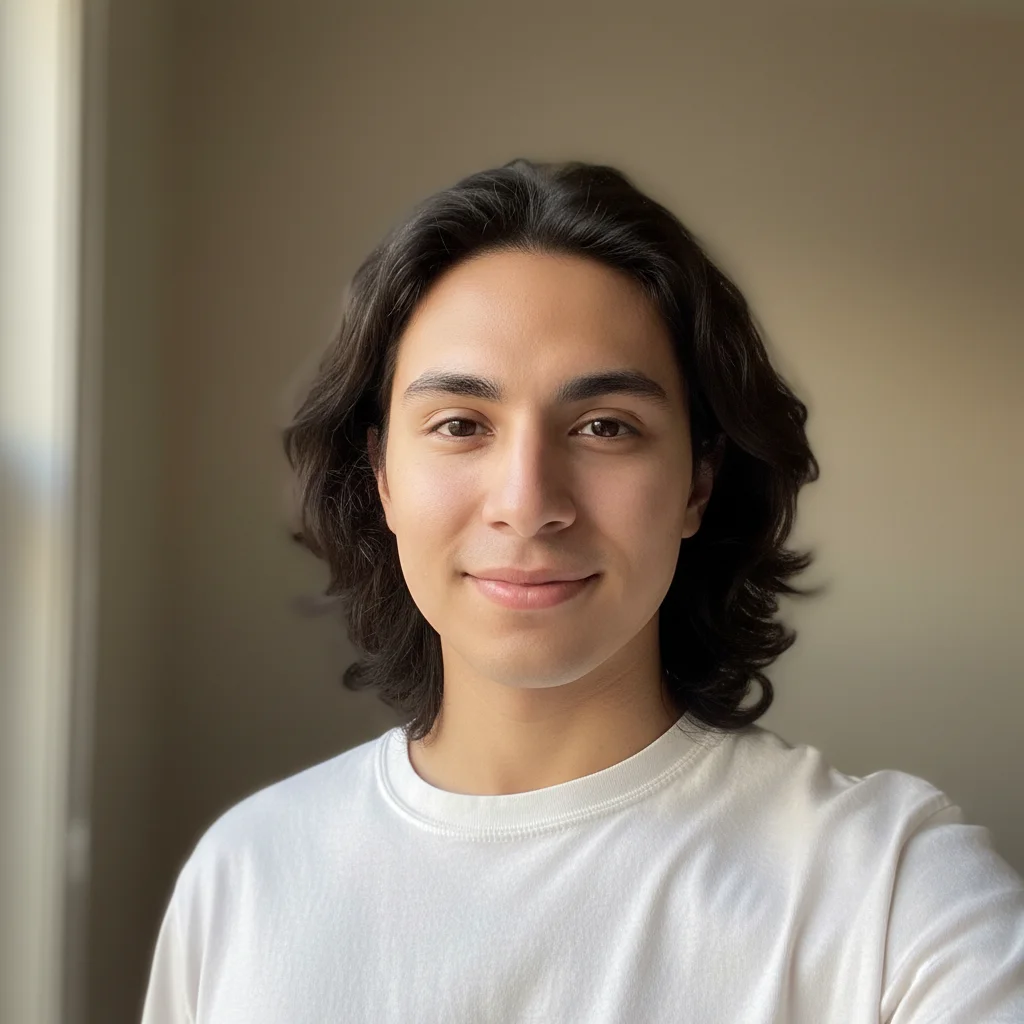
Clean selfie of a person with no facial tattoos
Before
β†’
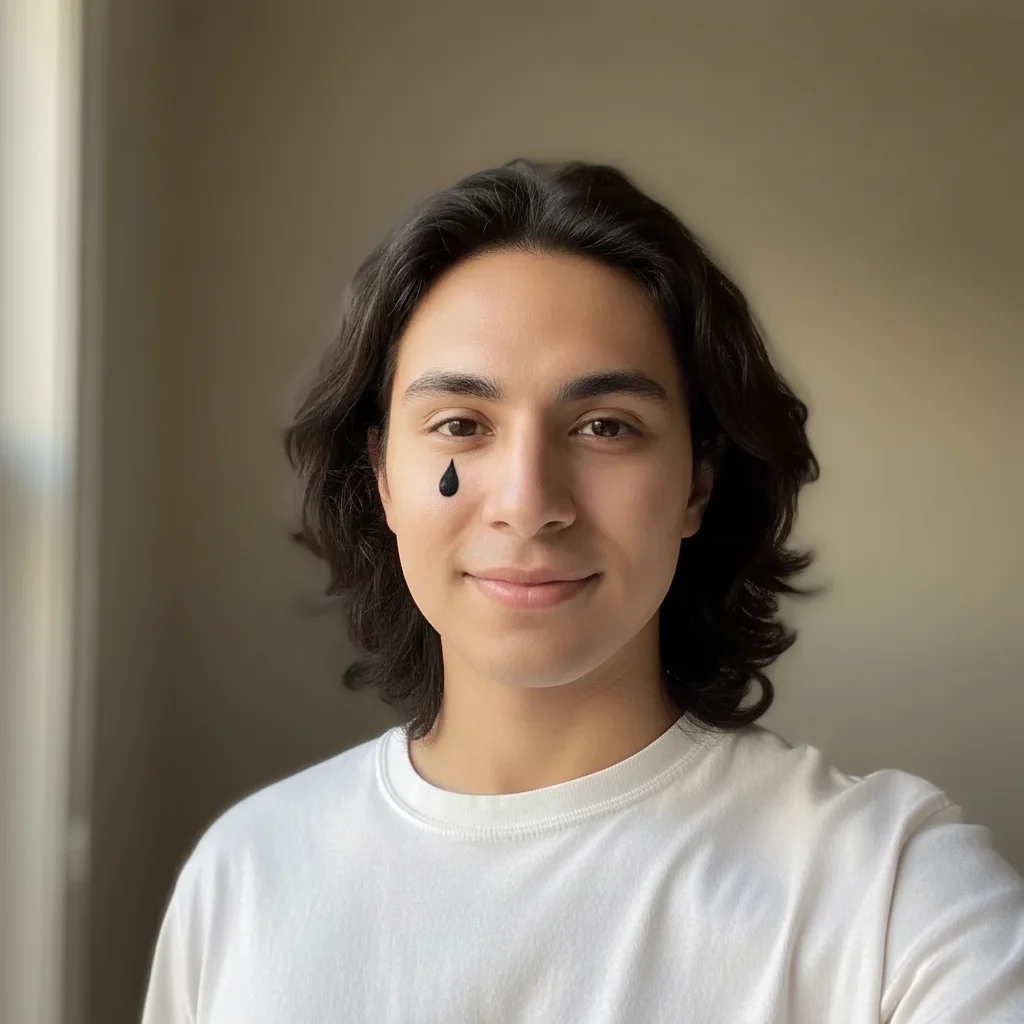
Same person with a realistic black teardrop tattoo under the left eye
After

Add Face Tattoo to Photo Prank

Upload photo to add a face tattoo

Free β€’ Results in 30 seconds β€’ No signup

Release to upload

FreeNo signupNo watermark

1 free edit·then from $1.99

Popular use cases:
  • face tattoo prank photo
  • fake face tattoo generator
  • teardrop tattoo selfie prank
  • prank parents with tattoo photo
  • Post Malone face tattoo editor
  • forehead tattoo prank
  • face ink photo editor free
  • family group chat prank idea

Cost
Free No signup required
Time
Instant results in 15-30 seconds
Works on
Any device - browser, phone, tablet, desktop
Powered by
AI-powered photo editing
Scenario Prompt Time
Teardrop under eye Single teardrop under left eye, black ink, raised texture, looks healed 15s
Star cluster (Post Malone) Small black stars around right eye and temple, each about 8mm, shaded into skin 15s
Forehead script Cursive script reading 'ONLY GOD CAN JUDGE ME' centered across forehead, black ink 30s
Full face pack Teardrop left eye, cross on right cheekbone, small numbers near temple, all black ink 30s

How it works

  1. Upload your selfie

    Upload a clear photo of your face β€” a selfie, portrait, or any photo where the face is well-lit and visible. Front-facing photos work best since the AI needs to see the skin surface clearly to place the tattoo convincingly. The cleaner and sharper the face in the photo, the more realistic the final ink looks.

    Expect: Upload takes a second. The AI works best with a reasonably well-lit face. Avoid heavy shadows or extreme angles for the most convincing result.
  2. Describe the tattoo you want

    Type a prompt describing exactly what kind of face tattoo to add and where. Be specific: placement (under the eye, forehead, cheek, temple), style (teardrop, script lettering, stars, geometric), ink color (black, dark navy, gray), and finish (fresh and dark vs. older and slightly faded). The more specific you are, the more the result looks like a real tattoo rather than a sticker.

    Tip: Mention 'slightly raised skin texture' or 'subtle shading into the skin' β€” these two phrases push the AI toward realistic ink rather than a flat overlay. Also specify ink age: 'fresh black ink' looks different from 'slightly healed, slightly faded.'

    Copy one of these to get started:

    Classic teardrop under the eye Add a single teardrop tattoo under the left eye. Black ink, solid fill, about 1cm tall, slightly raised skin texture with subtle shading at the edges blending into the skin. Fresh ink, dark and saturated. Looks like it has been there for at least a few months.
    Post Malone-style star cluster Add small five-pointed star tattoos around the right eye and temple β€” three stars near the outer corner of the eye, two more toward the cheekbone. Black ink, solid fill, each star about 8mm wide. Clean edges, slightly shaded into the skin, looks like professional tattoo work, not a sticker.
    Forehead script lettering Add a line of small script lettering across the forehead, centered between the hairline and eyebrows. Dark black ink cursive text reading 'ONLY GOD CAN JUDGE ME'. Clean thin letterforms, professional tattoo quality, subtle skin shading underneath the ink, looks fully healed.
    Under-eye script (Lil Wayne style) Add the word 'BAKED' in thin gothic script tattooed directly under the right eye, following the curve of the lower eyelid. Black ink, very small letterforms about 5mm tall, looks like a real professional tattoo with proper shading and skin texture interaction.
    3 more prompts
    Full Juice WRLD / rapper face pack Add multiple small face tattoos in the style of a heavily tattooed rapper: a small cross tattoo on the cheekbone below the right eye, a tiny 999 in gothic numbers near the left temple, and a small teardrop under the left eye. All in black ink, clean professional work, looks completely healed and natural.
    Chin tattoo (Mike Tyson approach) Add a tribal-style tattoo on the chin β€” solid black geometric linework about 4cm wide, centered on the chin. Bold thick lines, slightly raised texture, looks like a real fresh tattoo with clean edges. No color, pure black ink, professional quality.
    Neck creep into jaw (escalation prank) Extend an existing tattoo design up from the neck onto the jaw and lower cheek β€” dark geometric linework crawling from just above the collar up across the jawline, reaching the cheekbone on the right side. Black ink, detailed line pattern, looks like a sleeve tattoo that has continued up past where normal tattoos stop.
  3. Send it

    Download the finished photo and text it to your parents, drop it in the family group chat, or post it as if it's real. Works best with zero context β€” no caption, no explanation, just the photo. Wait for the 'CALL ME IMMEDIATELY' response.

Try it free ↓

Add Face Tattoo to Photo Prank

Upload photo to add a face tattoo

Free β€’ Results in 30 seconds β€’ No signup

Release to upload

Free β€’ No signup

See it in action

Clean selfie of a person with no facial tattoos
Before
->
Same person with a realistic black teardrop tattoo under the left eye
After

Teardrop under the eye β€” maximum parent damage

A clean selfie transformed with a single teardrop tattoo under the left eye. The kind of photo you send to your mom at 9pm with zero explanation.

Prompt: Add a single teardrop tattoo under the left eye. Black ink, solid fill, slightly raised skin texture, subtle shading at the edges blending into the skin. Looks fresh and dark, been there a few months.
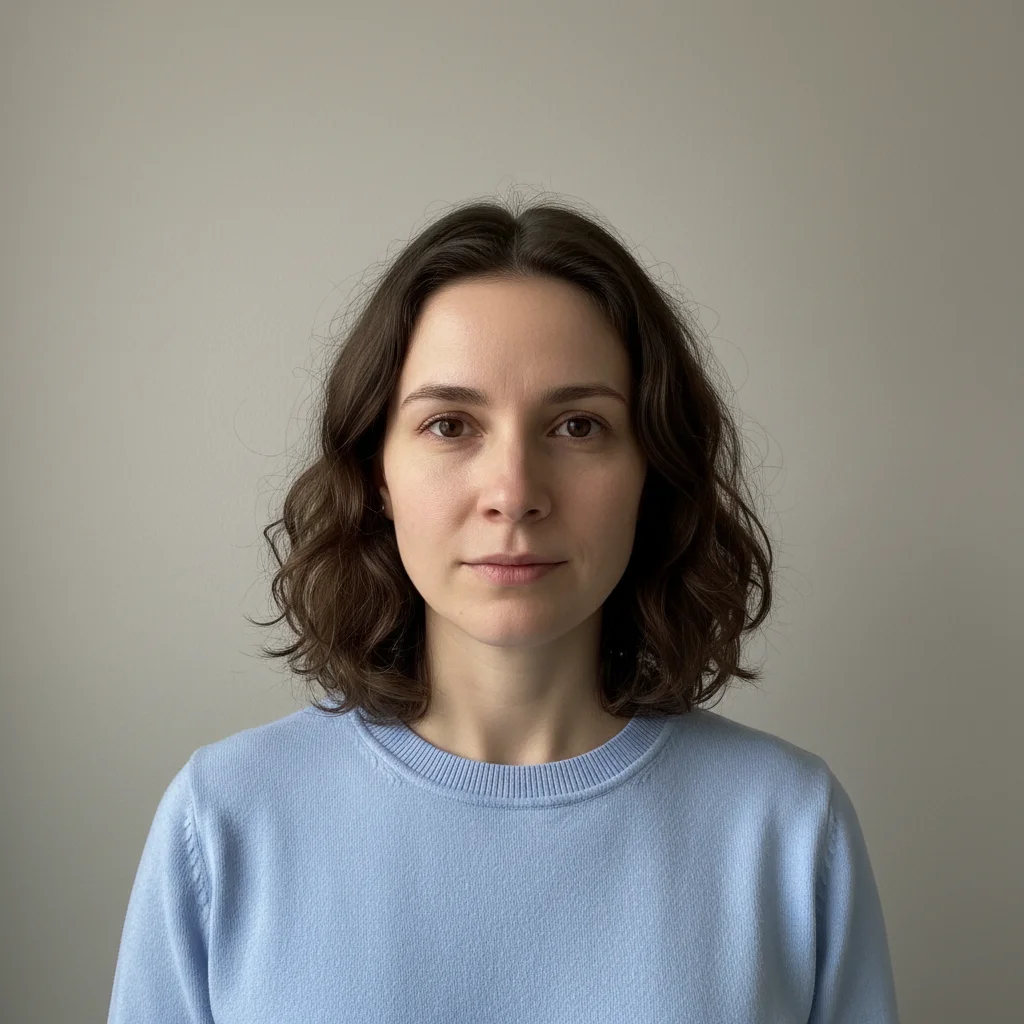
Plain portrait photo of a person with no tattoos
Before
->
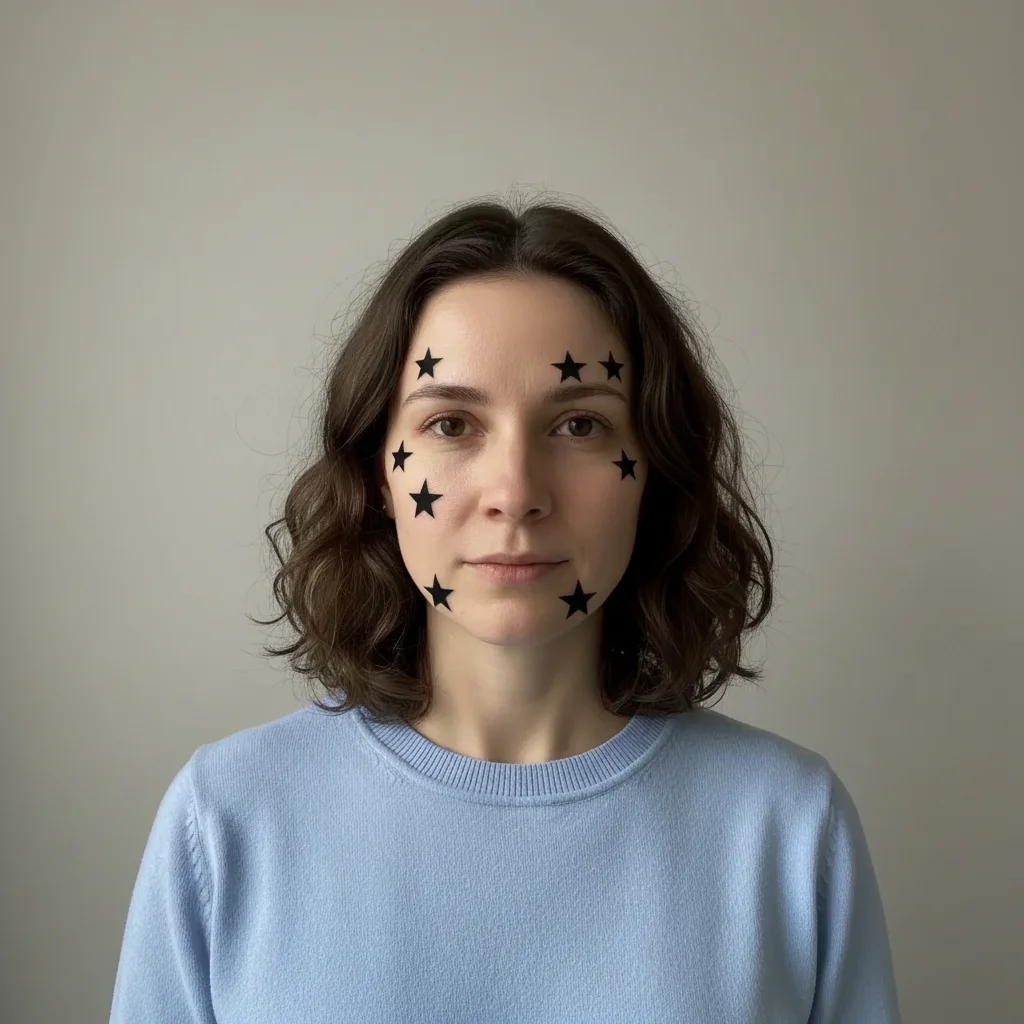
Same person with a cluster of small black star tattoos around the eye and temple area
After

Post Malone-style star tattoos around the eye

Small star cluster tattoos placed around the right eye and temple β€” the celebrity face tattoo look that everyone recognizes, applied to a normal selfie.

Prompt: Add small five-pointed star tattoos around the right eye and temple β€” three stars near the outer corner of the eye, two more toward the cheekbone. Black ink, solid fill, each star about 8mm wide, slightly shaded into the skin.
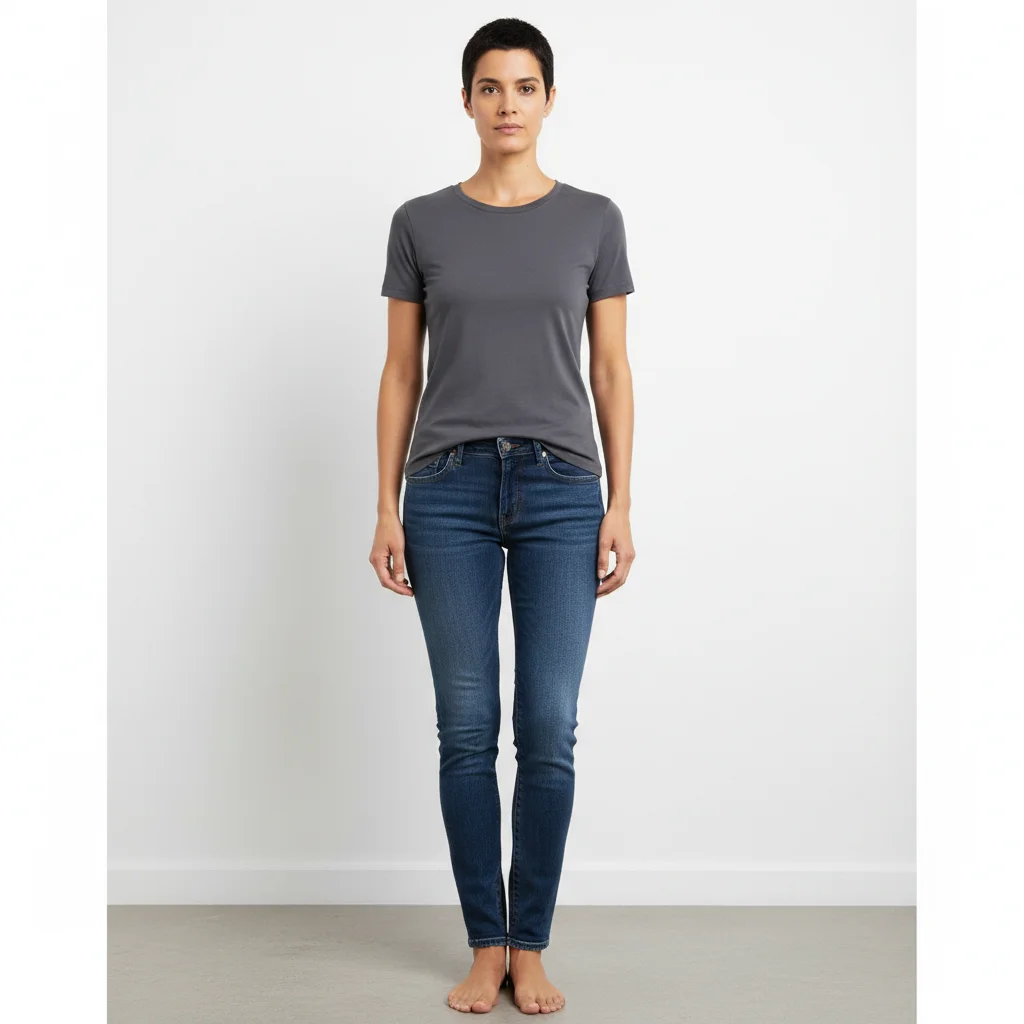
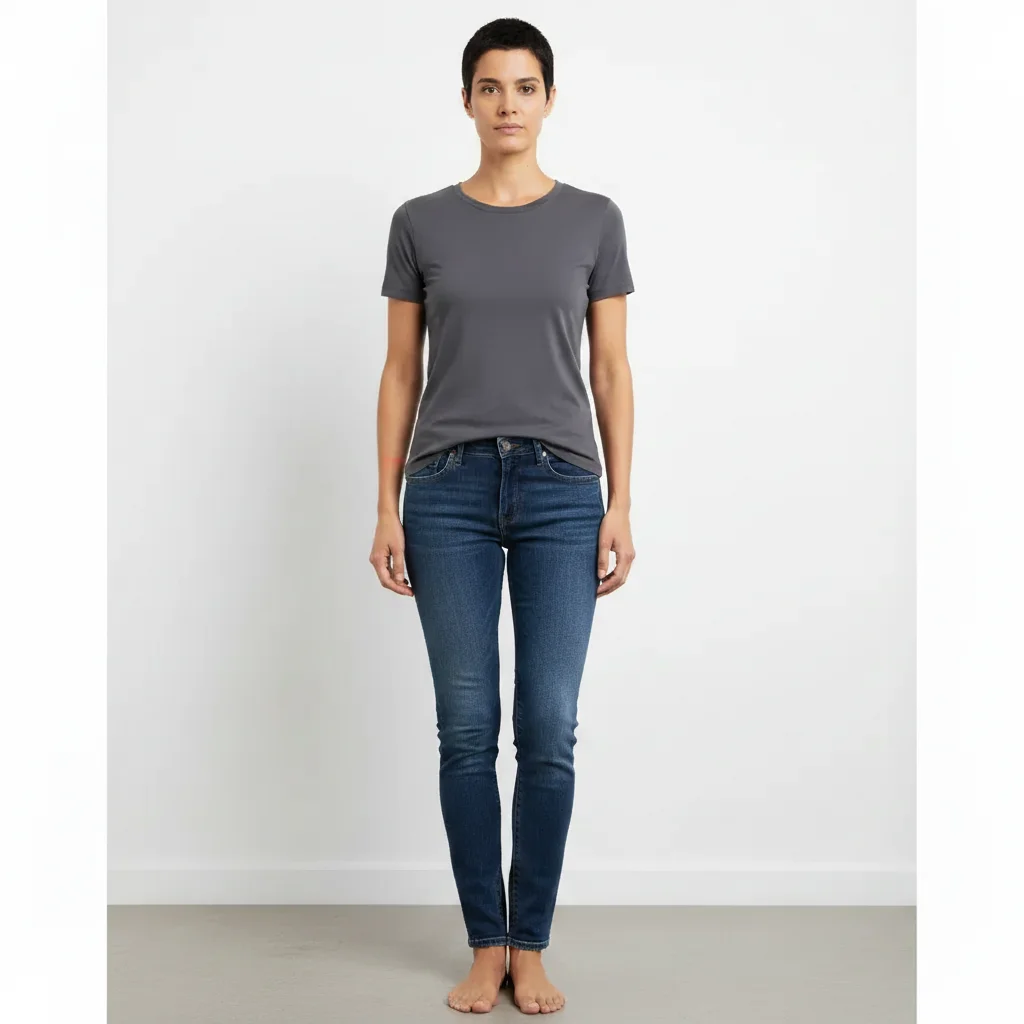
Portrait photo of a person with a clear, unmarked forehead
Before
->
Same person with 'ONLY GOD CAN JUDGE ME' in black cursive script tattooed across the forehead
After

Forehead script β€” the point of no return

A portrait photo with 'ONLY GOD CAN JUDGE ME' in cursive across the forehead. Looks exactly like a real tattoo at phone-screen size.

Prompt: Add script lettering across the forehead reading 'ONLY GOD CAN JUDGE ME' in black cursive ink. Centered between hairline and brows. Thin professional letterforms, slightly healed and faded look, proper shading into the skin.

If something looks off

The tattoo looks like a sticker or filter, not real ink

Why: AI-placed tattoos can sit on top of the skin visually rather than in it if the prompt doesn't push for skin-integration details. A flat overlay won't fool anyone at a second glance.

Try: Make the tattoo look like it is under the top layer of skin β€” slightly raised texture, soft shading at the edges where ink meets skin, following the natural contours of the face

Tip: Adding 'following the contour of the face' makes the AI match the tattoo placement to the skin surface geometry rather than placing it flat.

The tattoo is in the wrong location or drifted from where I wanted it

Why: Positional instructions can be interpreted differently β€” 'under the eye' could land anywhere from the lash line to the top of the cheekbone.

Try: Place the tattoo exactly 1cm directly below the outer corner of the left eye, on the upper cheekbone β€” not touching the eye socket, not on the cheek

Tip: Using landmark references ('outer corner of the eye', 'top of the cheekbone') gives more reliable placement than directional descriptions alone.

The ink color looks gray or washed out instead of dark black

Why: The AI defaults to a healed-tattoo look which can read as gray or faded, especially on lighter skin tones.

Try: Fresh black tattoo ink β€” saturated, dark, high contrast against the skin, the color of a brand new tattoo done within the past few weeks

Tip: Specifying 'brand new tattoo' or 'fresh ink' tells the AI to go darker and more saturated, which is what makes face tattoos legible and alarming in a photo.

The tattoo distorts or warps the face underneath it

Why: Some AI edits can alter facial structure when applying skin-surface changes. This makes the prank obvious because the face looks wrong.

Try: Add only the tattoo β€” do not change the face shape, skin texture, expression, or any other facial feature. Everything except the tattoo ink should be identical to the original photo.

Tip: Explicitly saying 'do not change anything except the tattoo itself' protects the rest of the face from unintended alterations.

The text in a script tattoo is unreadable or scrambled

Why: AI text generation can struggle with cursive letterforms in small sizes. The result may look like ink strokes without legible characters.

Try: The lettering must be clearly readable as individual letters. Use simple, clean cursive or block letters rather than decorative gothic script if the text is important

Tip: For text-based tattoos, simple styles (clean cursive, bold block letters) render more reliably than complex gothic or blackletter fonts.

Quick answers

Do I need to mark areas before describing what I want?

No β€” just describe the tattoo placement in your prompt. EditThisPic's AI reads your full description and places the tattoo where you specify. If you want a teardrop under the left eye, describe it that way and the AI will find the right spot. The only time markers help is if you have a very unusual face angle and need to pinpoint exactly where the tattoo goes β€” for most selfies, a detailed text description is enough.

Is this free?

Yes. EditThisPic gives you 1 free edit per week with no account needed β€” no email, no credit card, just upload and go. If you want to try a few different tattoo styles or prank multiple people, paid packs start at $1.99 for 3 edits.

Will this look realistic enough to actually fool my parents?

At phone-screen size in a messaging app β€” yes, usually. The teardrop and small star designs work particularly well because they are simple shapes that the AI places and shades convincingly. The key is using a well-lit, front-facing photo and specifying 'slightly raised skin texture' in your prompt. The more complex the tattoo design, the more the realism depends on the source photo quality. Simple, iconic designs on clear selfies tend to land best.

What kind of selfie works best?

A well-lit, front-facing photo where the face is clearly visible. Natural daylight or indoor lighting with no heavy shadows across the face works best. The AI needs to see the skin surface clearly to place tattoo shading convincingly. Extreme angles, heavy filters, or photos with the face in partial shadow will produce weaker results. A plain-background selfie is ideal.

Can I add multiple tattoos at once?

Yes β€” describe all of them in a single prompt. You can specify a teardrop under one eye, stars near the temple, and script on the cheekbone all in one description. The AI handles compound tattoo placements reasonably well when each element is clearly described with its specific location. Complex full-face tattoo setups may need a second edit pass to add remaining elements.

How is this different from the add-tattoo-to-photo-prank page?

The add-tattoo-to-photo-prank page covers tattoos placed anywhere on the body β€” arms, back, chest, neck. This page is specifically tuned for face tattoos, which are a different category because placement on the face (teardrop, forehead, under-eye script) carries a specific cultural weight that makes them hit harder as pranks. The prompts and troubleshooting here are all calibrated for face placement specifically. Apps like BaldBooth or FaceApp have built-in tattoo overlays but they are fixed templates β€” here you describe exactly what you want.

Is my photo stored or used for anything?

No. EditThisPic processes your image to generate the edit and does not store, sell, or use your photo for any other purpose. Once your session ends, the image is gone. No account is created and nothing is tied to you.

What are the most effective tattoos to add for maximum prank impact?

The teardrop under the eye is the single most effective because it has a well-known cultural meaning that parents immediately recognize and panic about. Post Malone-style star clusters around the eye land well because of celebrity association. Forehead script is the nuclear option β€” 'ONLY GOD CAN JUDGE ME' or any phrase across the forehead signals full commitment and gets the most dramatic reactions. For a more personal prank, adding text that is relevant to an inside joke makes it hit harder.

How much does EditThisPic cost?

You get 1 free edit per week β€” no account needed. After that, credit packs start at $1.99 for 3 edits. Monthly plans start at $4.99/mo for 15 edits with unused credits rolling over. All edits are full resolution with no watermark.

Ready to add a face tattoo to your photo?

Free to try. No signup required.

1 free edit included·Credit packs from $1.99