Free • No signup Stage Empty rooms · Free

AI Real Estate Virtual Staging

Virtually stage any empty room with AI-generated furniture in seconds, not hours.

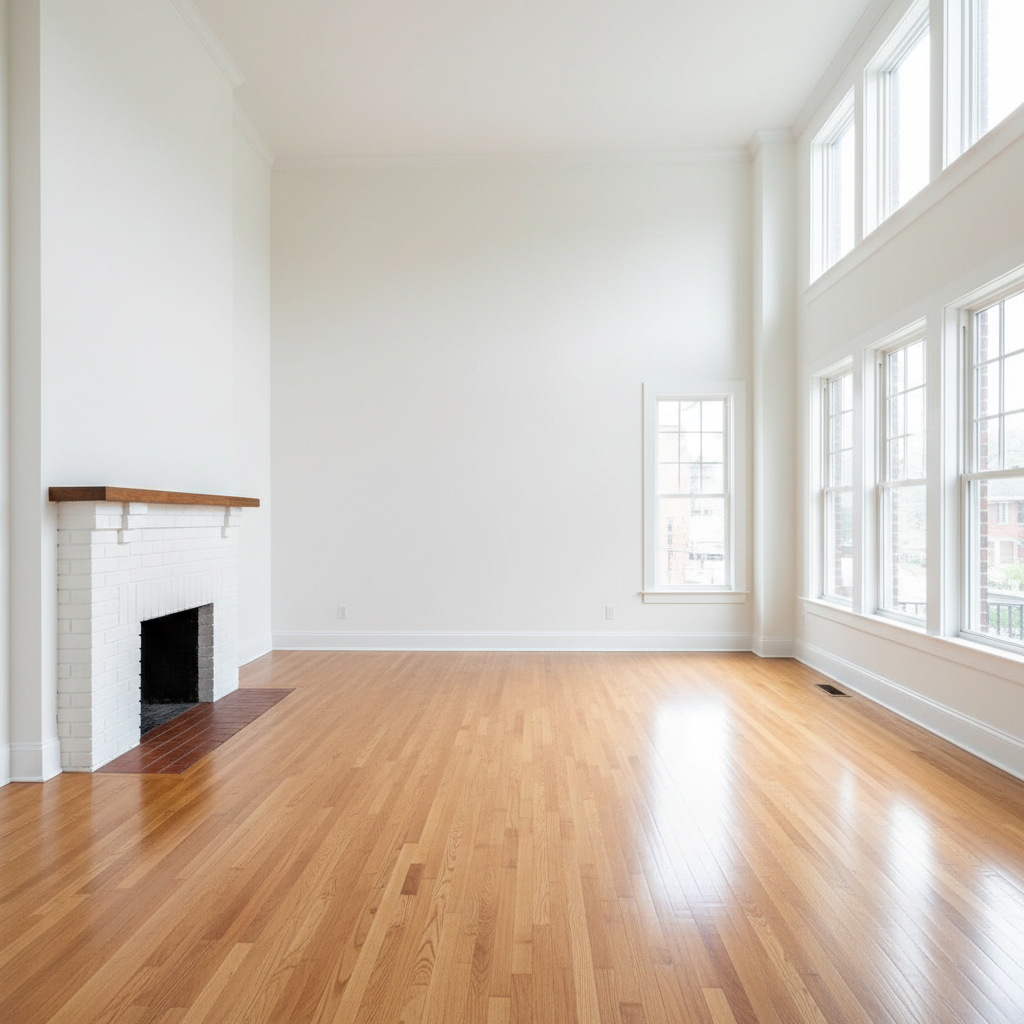
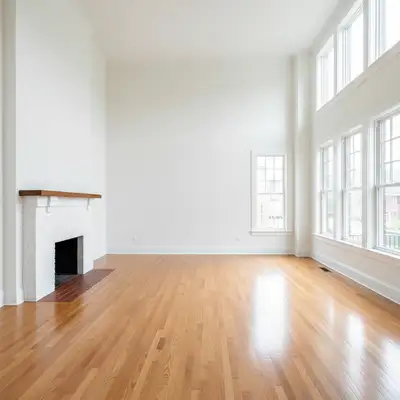
Empty living room with hardwood floors and large windows
Before
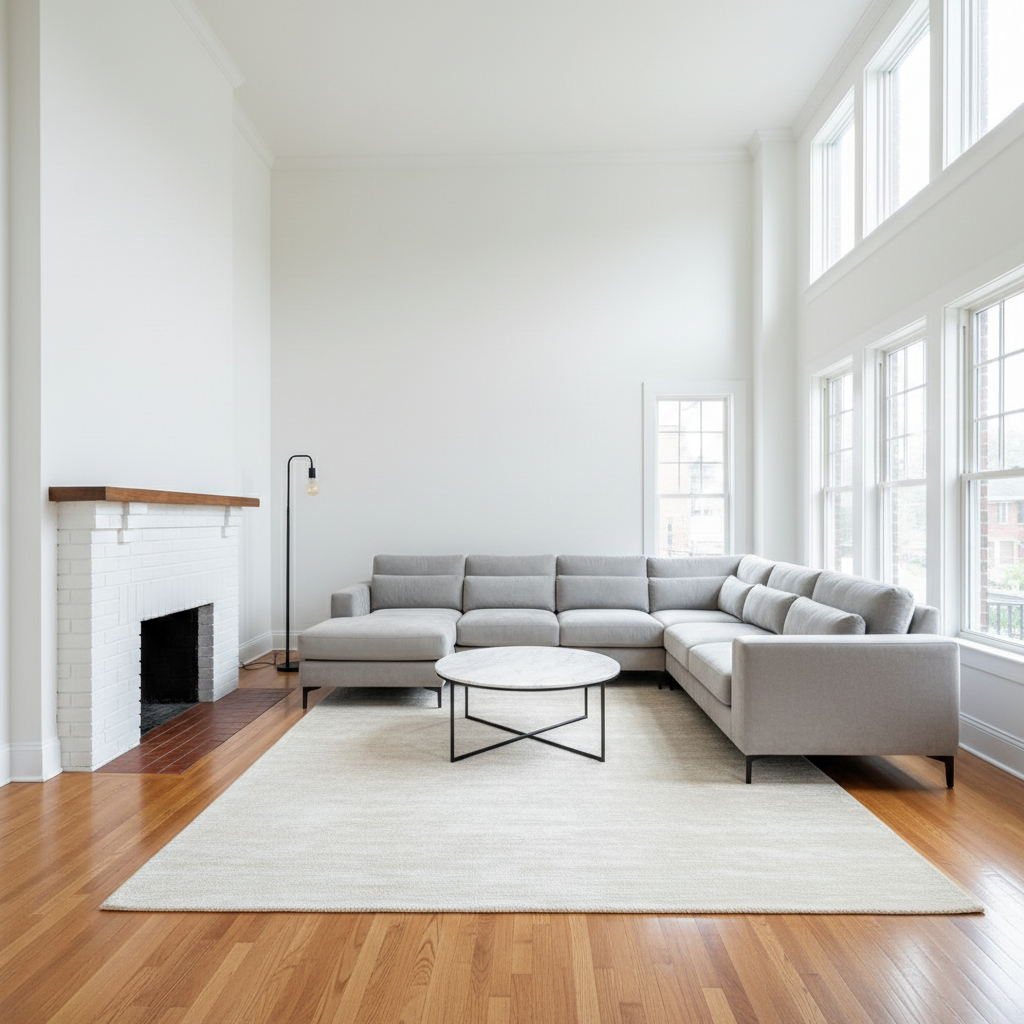
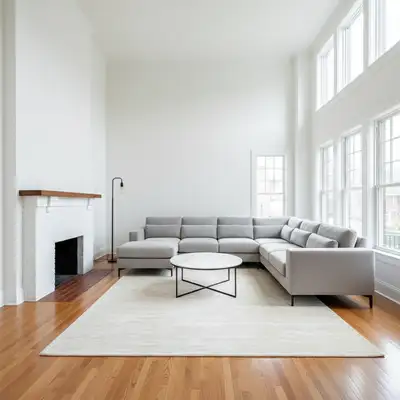
Same living room virtually staged with modern sectional and coffee table
After

AI Real Estate Virtual Staging

Upload photo to stage empty rooms

Free • Results in 30 seconds • No signup

Release to upload

FreeNo signupNo watermark

1 free edit·then from $1.99

Popular use cases:
  • virtual staging
  • real estate photography
  • MLS listing photos
  • property staging
  • home staging for sale
  • AirBnB staging
  • vacant property photos
  • Zillow listing photos

Cost
Free No signup required
Time
Instant results in 15-30 seconds
Works on
Any device - browser, phone, tablet, desktop
Powered by
AI-powered photo editing
Scenario Prompt Time
Living room stage with modern sectional, coffee table, and accent chairs 25s
Bedroom stage with king bed, nightstands, and lamps 25s
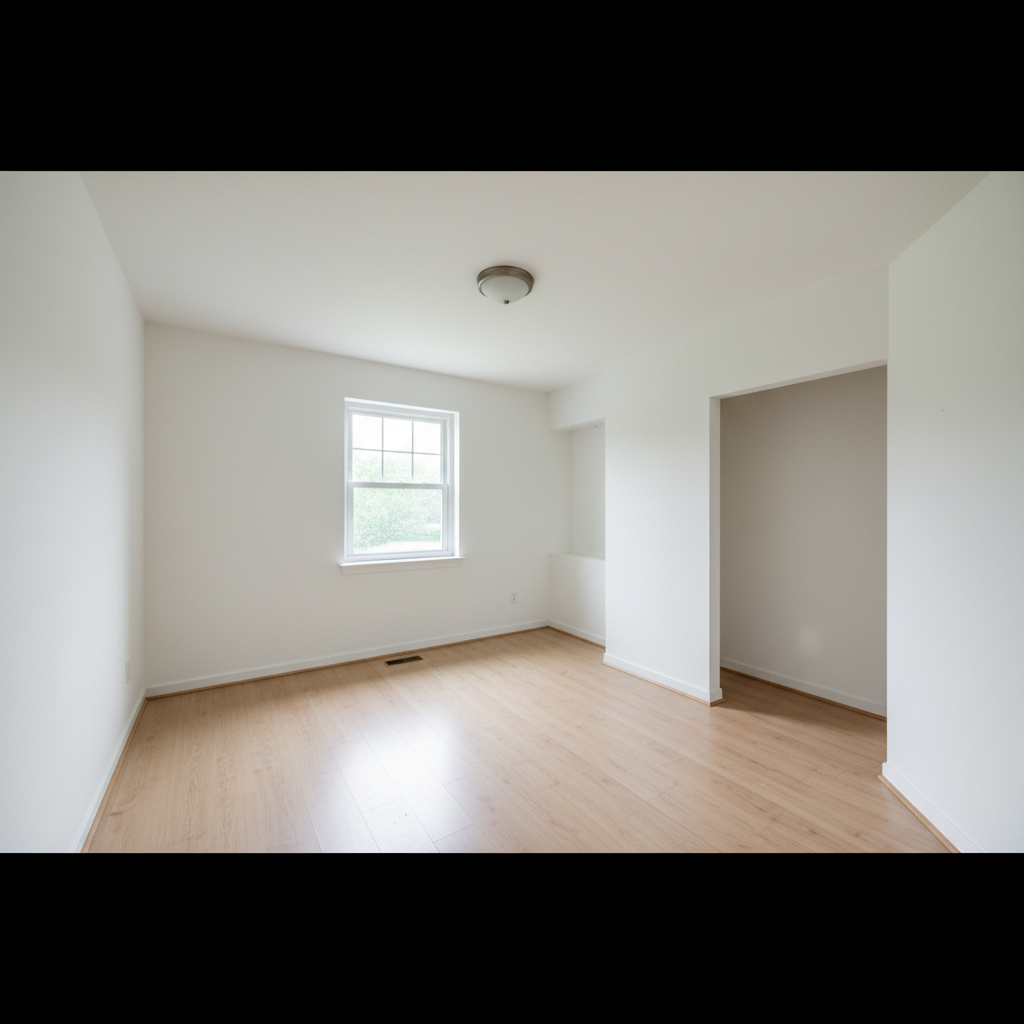
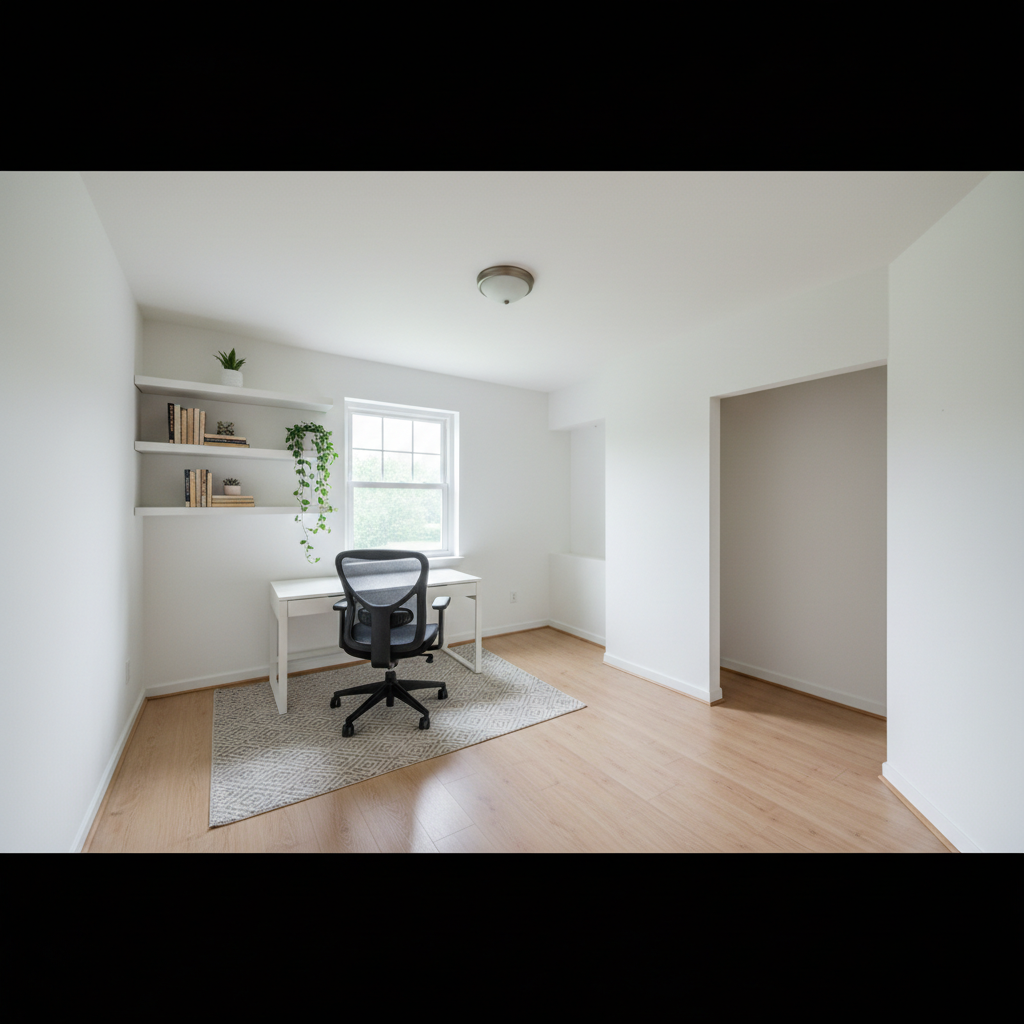
Home office stage with desk, office chair, and bookshelf 20s

How it works

  1. Upload your empty room photo

    Drop your vacant room photo into EditThisPic. Wide-angle shots with good lighting and visible floor and walls produce the best staging results. JPG, PNG, WebP up to 7MB.

    Expect: Single room staging: 20-30 seconds. Full property (multiple rooms): stage each room separately for consistent results.
  2. Describe the staging you want

    Type your staging instruction: 'stage this empty living room with a modern gray sectional, glass coffee table, and accent chairs' or 'add contemporary bedroom furniture with king bed and matching nightstands.' Include style, colors, and furniture types. No marking needed — the AI understands empty rooms and places furniture with proper perspective.

    Tip: Name a design style for cohesive results: 'modern farmhouse,' 'mid-century modern,' or 'coastal contemporary.'

    Copy one of these to get started:

    Modern living room staging stage this empty living room with a modern charcoal gray L-shaped sectional sofa facing the window, a round walnut coffee table, two cream linen accent chairs, and a tall floor lamp in the corner
    Master bedroom staging stage this empty bedroom with a king-size upholstered bed with white bedding centered on the main wall, two matching walnut nightstands with modern lamps, and a bench at the foot of the bed
    Luxury staging for high-end listing stage this empty room with luxury contemporary furniture: a navy velvet sofa, marble coffee table, gold accent tables, designer floor lamp, and an abstract art piece on the wall
    Vacant condo staging stage this empty condo living area with apartment-sized modern furniture: a compact light gray sofa, slim console table, two counter-height stools at the breakfast bar, and a small round dining table
    3 more prompts
    Open-concept staging stage this open-concept space with a living area featuring a modern sofa and coffee table on the left, and a dining area with a rectangular table for six on the right, using a consistent warm neutral palette throughout
    Minimalist Scandinavian staging stage this empty room with Scandinavian minimalist furniture: light oak coffee table, white linen sofa, natural wood shelving unit, and a single potted plant in the corner
    Home office staging stage this empty room as a home office with a modern white desk facing the window, an ergonomic mesh office chair, a low bookshelf against the side wall, and a desk lamp
  3. Review the staged result

    Check that furniture scale matches the room, shadows align with the lighting, and the style is cohesive throughout. Verify pieces sit naturally on the floor and don't clip through walls or windows.

  4. Refine or add accent pieces

    If placement needs adjustment or you want to add decor items, tap a marker on the specific spot and describe what goes there. Stage rooms in layers: main furniture first, then accent pieces in follow-up prompts.

    Tip: For listings, keep staging neutral and aspirational. Avoid bold personal items that could turn off buyers.
Try it free

AI Real Estate Virtual Staging

Upload photo to stage empty rooms

Free • Results in 30 seconds • No signup

Release to upload

Free • No signup

See it in action

Empty living room with hardwood floors and large windows
Before
->
Same living room virtually staged with modern sectional and coffee table
After

Vacant living room staged for MLS listing

A completely empty living room transformed with modern furniture to help buyers visualize the space for a Zillow listing.

Prompt: stage this empty living room with a modern charcoal sectional sofa, walnut coffee table, two cream accent chairs, and a tall floor lamp in the corner
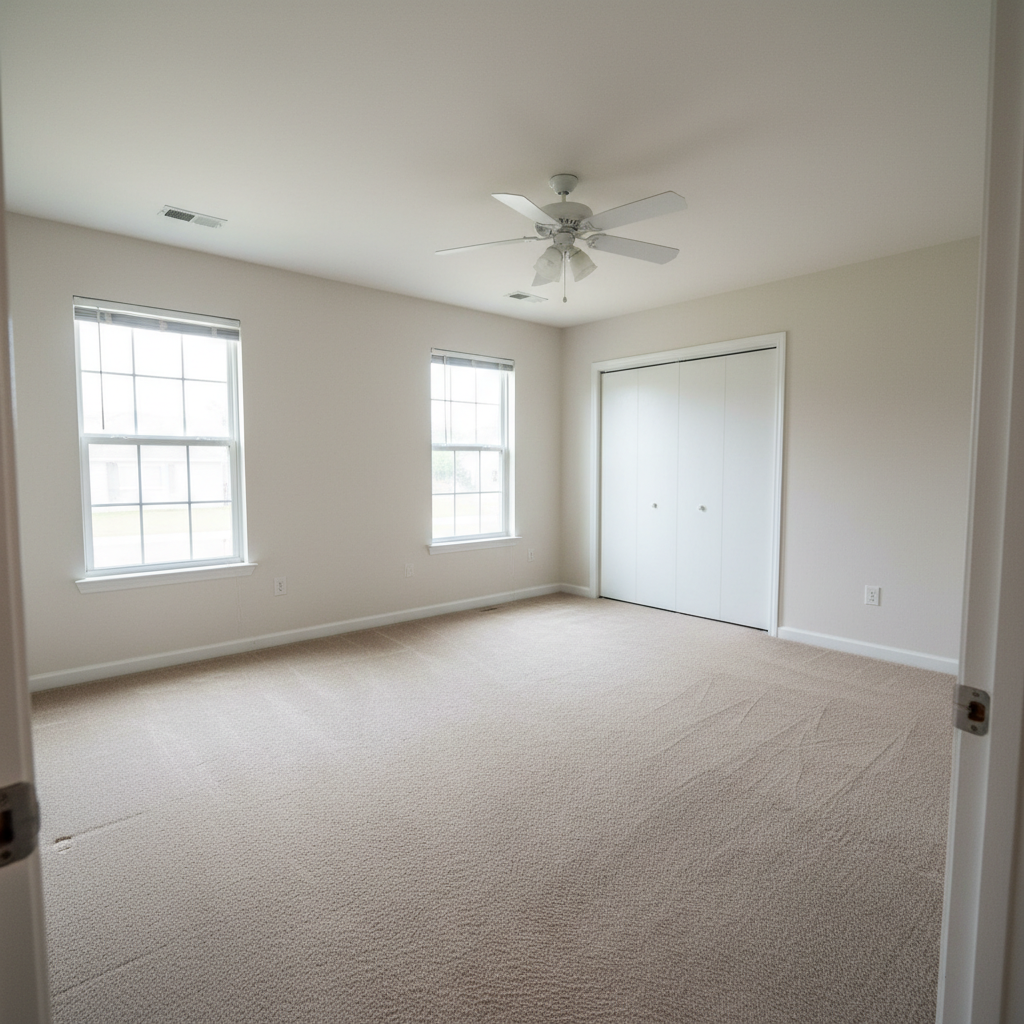
Empty master bedroom with carpet and single window
Before
->
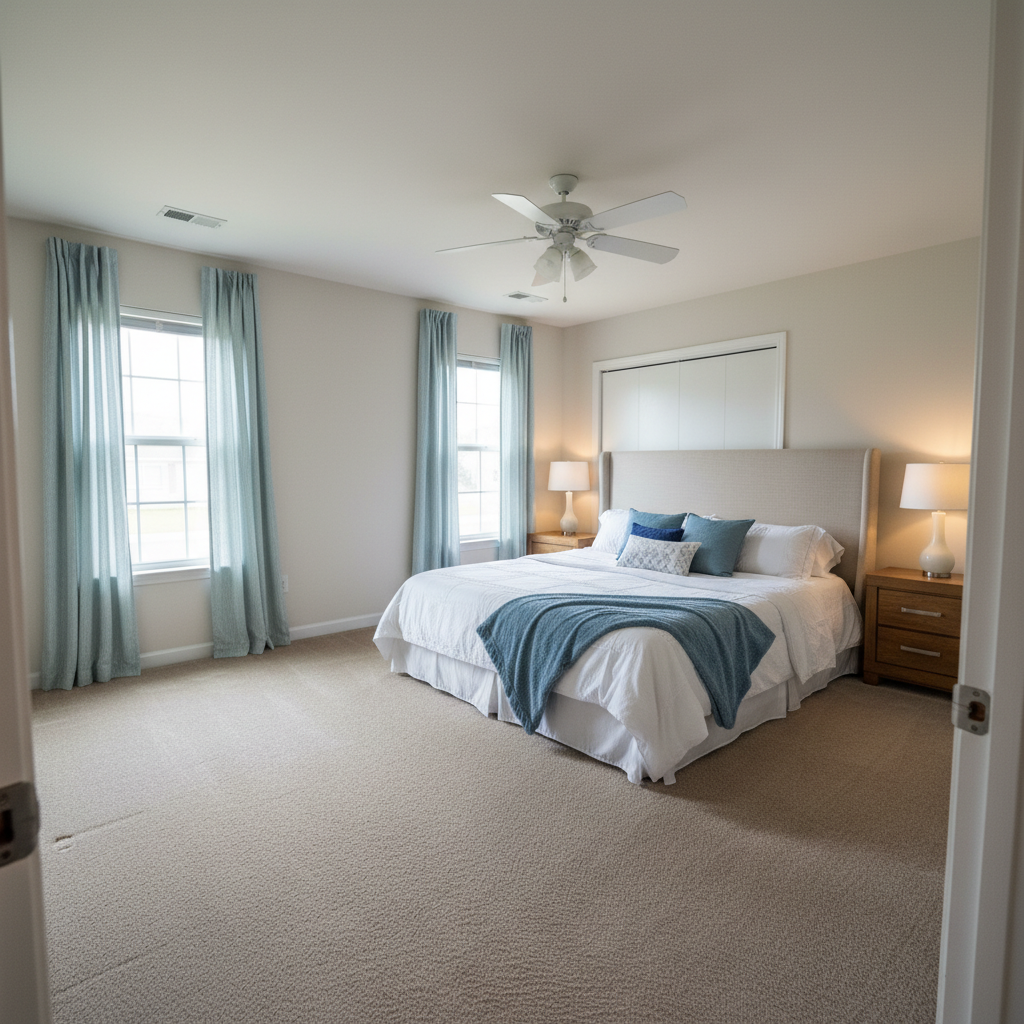
Bedroom staged with king bed, nightstands, lamps, and bench
After

Empty master bedroom staged for property showing

A vacant master bedroom virtually staged with a complete bed setup to make the listing more appealing.

Prompt: stage this empty bedroom with a king-size upholstered bed with white bedding centered on the main wall, two walnut nightstands with modern lamps, and a gray bench at the foot
Empty condo living area with sliding glass door and kitchen bar
Before
->
Condo staged with compact sofa, console table, and dining set
After

Vacant condo staged for rental listing

A small empty condo living area staged with appropriately scaled furniture for an AirBnB rental listing.

Prompt: stage this empty condo with apartment-sized furniture: a compact light gray sofa, slim walnut console table, and a small round dining table with two chairs near the window

Detailed Guides by Scenario

📷

MLS & Listing Photo Staging

Virtually stage vacant properties for MLS, Zillow, Realtor.com, and Redfin listings. Help buyers visualize furnished rooms without the cost of physical staging.

Common Scenarios

  • Staging a vacant home before listing on MLS to attract more showings
  • Adding furniture to each room of a property flip before photography
  • Creating multiple staging styles to A/B test which attracts more inquiries

Best Practices

  • Use neutral, widely appealing furniture styles — avoid bold personal taste
  • Stage every room including kitchen and bathrooms for a complete listing
  • Disclose virtual staging per your state's real estate disclosure requirements
📷

Rental & AirBnB Property Staging

Stage rental properties and AirBnB listings to show the full potential of unfurnished units and attract higher-quality tenants or guests.

Common Scenarios

  • Staging an unfurnished apartment listing to attract tenants faster
  • Creating aspirational photos for an AirBnB listing before furniture arrives
  • Showing a vacation rental's potential with different furniture arrangements

Best Practices

  • For AirBnB, include lifestyle details: coffee table books, throw blankets, plants
  • Use apartment-sized furniture for studios and one-bedrooms to avoid making spaces look cramped
  • Stage with the target renter in mind: professional, family, or vacation travelers
📷

Property Flip & Renovation Visualization

Show investors and buyers what a renovation project will look like when complete. Stage empty or gutted rooms to sell the vision of the finished space.

Common Scenarios

  • Staging a gutted renovation to show investors the finished potential
  • Visualizing how a converted garage or basement could look as a living space
  • Creating before/after marketing materials for a property flip

Best Practices

  • Match the staging style to the neighborhood and target buyer demographics
  • For renovation projects, stage the final vision — not the current state
  • Create multiple staging options to show the space's versatility to buyers

If something looks off

Furniture looks too big or too small for the room

Why: The AI misjudged room dimensions from the photo angle, creating scale mismatches.

Try: stage this room with apartment-sized [or oversized] furniture that fits proportionally in the space

Tip: Include size hints: 'compact sofa for small room' or 'oversized sectional for large living room.'

Furniture appears to float above the floor

Why: The AI didn't properly ground the furniture with shadows and floor contact, often from low-light photos.

Try: stage with furniture that sits naturally on the floor with proper shadows and grounding

Tip: Well-lit photos with clear floor texture help the AI place furniture correctly on the surface.

Style doesn't match throughout the staging

Why: Without a specific style directive, the AI may mix furniture aesthetics from different eras.

Try: stage this room with consistent [modern/traditional/mid-century] style furniture throughout

Tip: Name one design style in every prompt: 'contemporary minimalist,' 'transitional,' or 'coastal farmhouse.'

AI changed the wrong area or something I didn't want changed

Why: The AI couldn't determine exactly which area you meant from description alone. This happens with ambiguous requests.

Try: Tap a marker on the specific area you want to change, then regenerate with the same prompt

Tip: Markers tell the AI 'I mean THIS one specifically.' Use them when description alone is ambiguous.

Staging looks unrealistic for the room's lighting

Why: The AI-generated furniture shadows don't match the room's natural light direction.

Try: stage the room with furniture that matches the natural lighting from the window on the [left/right]

Tip: Mention the light source direction in your prompt for more realistic shadow placement.

Quick answers

Do I need to mark where furniture should go?

No! Just describe the furniture and placement: 'stage this room with a modern sofa facing the window.' The AI understands empty rooms and places furniture with proper perspective automatically. Only use markers for precise positioning or adding accent pieces to specific spots.

Is AI virtual staging realistic enough for MLS listings?

Yes. EditThisPic generates high-quality virtual staging suitable for MLS, Zillow, and Realtor.com listings. Results include proper perspective, natural shadows, and lighting that matches the room. Always disclose virtual staging per your state's real estate regulations.

How does this compare to BoxBrownie or VirtualStagingAI?

Professional virtual staging services charge $16-32 per image with 24-48 hour turnaround. EditThisPic stages rooms in seconds for free (1 edit/week) or $4.99/month for unlimited. You control the style and can regenerate instantly if you want changes.

Can I stage multiple rooms with a consistent style?

Yes. Upload each room separately and use the same style description in every prompt — 'modern farmhouse' or 'contemporary minimalist' throughout. This creates cohesive staging across the entire listing.

How do I stage an open-concept floor plan?

Define zones in your prompt: 'stage the left side as a living area with sofa and the right side as dining with a table for six.' Use one color palette throughout for visual consistency. For large spaces, stage each zone in separate passes.

Is EditThisPic's virtual staging tool really free?

Yes — you get 1 free edit per week, no account needed. Plans start at $4.99/month for 15 edits. Most realtors stage 5-15 rooms per listing, making the subscription far cheaper than per-image staging services.

Can I virtually stage rooms on my phone?

Yes. EditThisPic works in any mobile browser — iPhone, Android, tablet. No app download needed. Stage rooms directly from your phone at open houses or property walkthroughs.

What photo formats work best for virtual staging?

JPG, PNG, WebP, and HEIC. Wide-angle shots with even lighting and visible floor produce the best results. Straight-on shots showing the full room work better than angled or fisheye photos.

How much does EditThisPic cost?

You get 1 free edit per week — no account needed. After that, credit packs start at $1.99 for 3 edits. Monthly plans start at $4.99/mo for 15 edits with unused credits rolling over. All edits are full resolution with no watermark.
Ready to stage your listing?

Free to try. No signup required.

1 free edit included·Credit packs from $1.99