Pricing Generate Skincare before/after slider · Free

AI Skincare Before & After Visualization

← Browse all beauty tools

Last updated

Create skincare treatment visualization mockups for brand marketing and client consultations — in 60 seconds, no design tools needed.
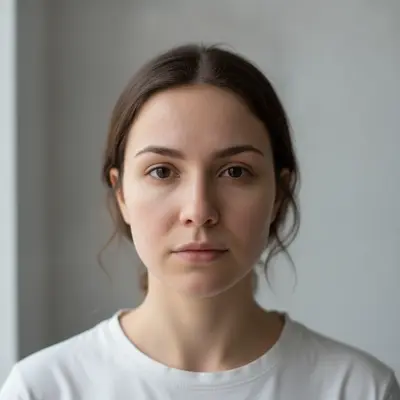
Portrait showing visible acne redness on cheeks and forehead Visualization mockup showing reduced redness and clearer skin tone

Upload photo to generate skincare before/after slider

"create a consultation visualization showing reduced appearance of fine lines around the eyes and nasolabial folds, improved skin hydration and texture — illustrative mockup for clinic consultation purposes only, keep all other facial features unchanged"

Free to try · no sign-up · photos are never shared

Release to upload

<30stypical edit
1 freeedit weekly
Photo on your phone? Scan to open this editor there — free edit works on your phone too.

1 free edit every week·packs from $4.99

How it works

  1. Upload a portrait photo

    Use a front-facing portrait with good lighting and a visible skin concern — acne, uneven tone, fine lines, or pigmentation. JPG, PNG, or WebP up to 7MB. Even lighting (natural window light or a ring light) gives the AI the clearest skin texture reference to work from.

    Expect: Simple tone-evening and texture improvements: 30-45 seconds. Complex multi-concern treatments (acne + pigmentation + texture): 60-90 seconds and may need one refinement pass.
  2. Describe the treatment visualization

    Type what the 'after' marketing mockup should show: 'create a visualization showing reduced acne redness, more even skin tone, and improved skin texture — for marketing illustration purposes' or 'show a visualization of reduced fine lines and improved hydration for a skincare brand campaign.' Always frame it as a visualization or mockup in your prompt to anchor the AI output for marketing use.

    Tip: Describe the skin improvement in outcome terms ('reduced redness', 'more even tone', 'smoother texture') rather than product terms ('after using retinol'). This gives the AI clear visual targets without requiring product-specific knowledge.

    Copy one of these to get started:

    Acne treatment marketing visualization create a marketing visualization showing reduced acne redness and fewer active blemishes on the cheeks and forehead, more even skin tone — illustrative mockup for skincare brand content, not presented as a real result
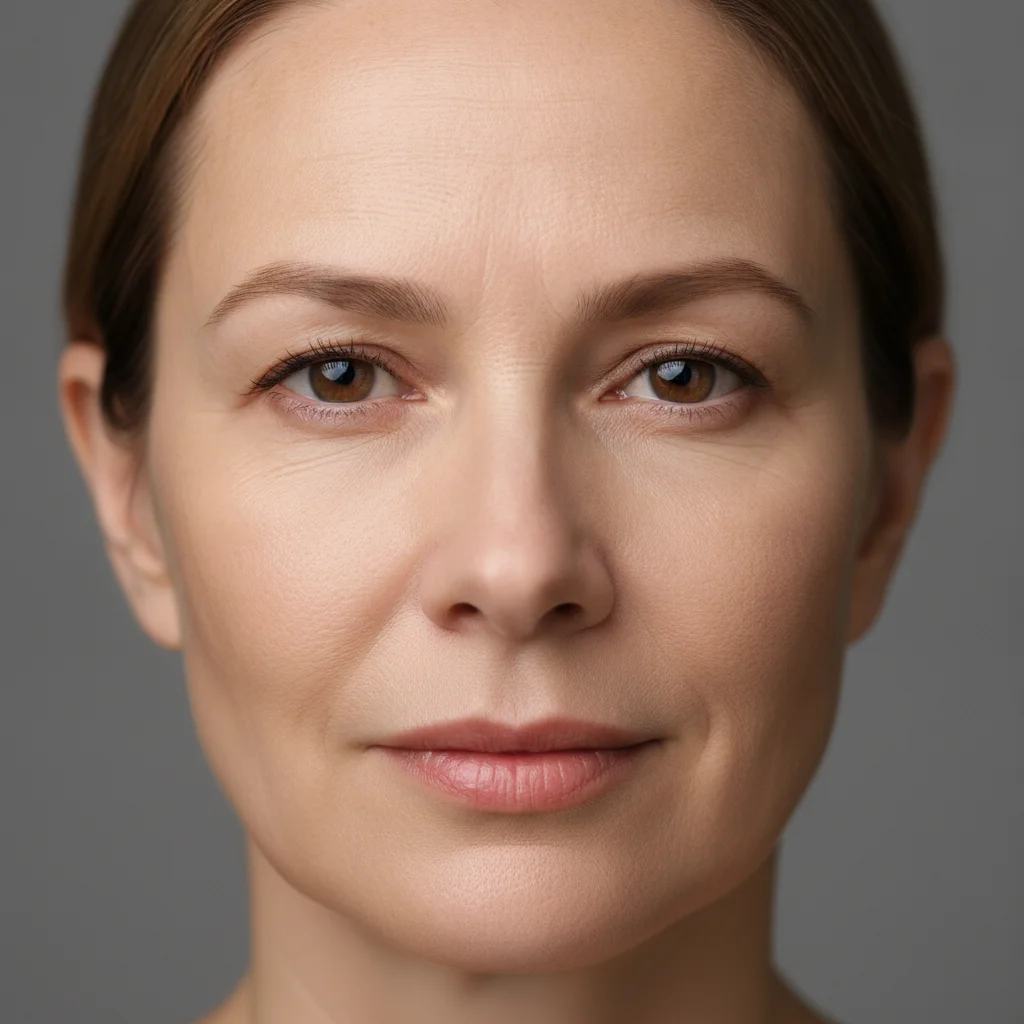
    Anti-aging clinic consultation visual create a consultation visualization showing reduced appearance of fine lines around the eyes and nasolabial folds, improved skin hydration and texture — illustrative mockup for clinic consultation purposes only, keep all other facial features unchanged
    Hyperpigmentation / dark spot treatment create a visualization showing reduced dark spots and more even skin pigmentation across the cheeks — illustrative treatment mockup for dermatology clinic marketing, natural-looking skin texture, not airbrushed
    Skincare brand campaign content create a before/after visualization for a skincare brand campaign showing clearer, more radiant skin with reduced pores and improved texture — campaign-style mockup, keep the person's face shape and features identical, only the skin condition changes
    4 more prompts
    Rosacea redness reduction visualization create a visualization showing reduced facial redness and rosacea symptoms — calmer, more even skin tone across the cheeks and nose; illustrative mockup for clinic marketing, natural skin texture preserved
    Under-eye dark circles treatment create a visualization showing reduced under-eye dark circles and puffiness — brighter, more rested eye area; illustrative treatment mockup for aesthetic clinic consultation, keep the eye shape and all other facial features unchanged
    Dermatology practice social content create a skin health improvement visualization for a dermatology social media post: clearer complexion, reduced blemishes, more even skin tone — clearly illustrative mockup, not real patient results, natural-looking outcome
    Combination treatment (acne + scarring) create a visualization showing reduced active acne, faded post-acne marks, and improved overall skin texture — illustrative outcome mockup for a skincare brand treatment story, realistic and not over-edited, keep face shape identical
  3. Review the visualization for marketing accuracy

    Zoom to 100% on the target skin areas. The visualization should look like a plausible treatment outcome — natural, not over-smoothed into an uncanny plastic appearance. Check that the face, eyes, and non-target areas remain unchanged. The result should be clearly a visualization, not a dramatically altered photo.

  4. Refine specific zones with markers if needed

    If the AI smoothed a broader area than intended (for example, reducing wrinkles on the forehead when you only wanted to address the nasolabial area), tap a marker on the specific zone and regenerate: 'refine only the cheek area marked, reduce redness and improve texture there only.' This is optional for most portrait edits.

    Tip: Markers are precise. If you need the treatment visualization focused on a specific area of the face — cheeks only, forehead only — tap to specify before regenerating.
  5. Add disclosure before publishing

    Download the result and add a clear disclosure before any public use: 'Visualization only — results may vary' or 'Illustrative mockup, not a guarantee of results.' This applies to all uses: social media posts, clinic websites, brand marketing decks, and consultation materials. See the FAQ below for more on disclosure requirements.

See it in action

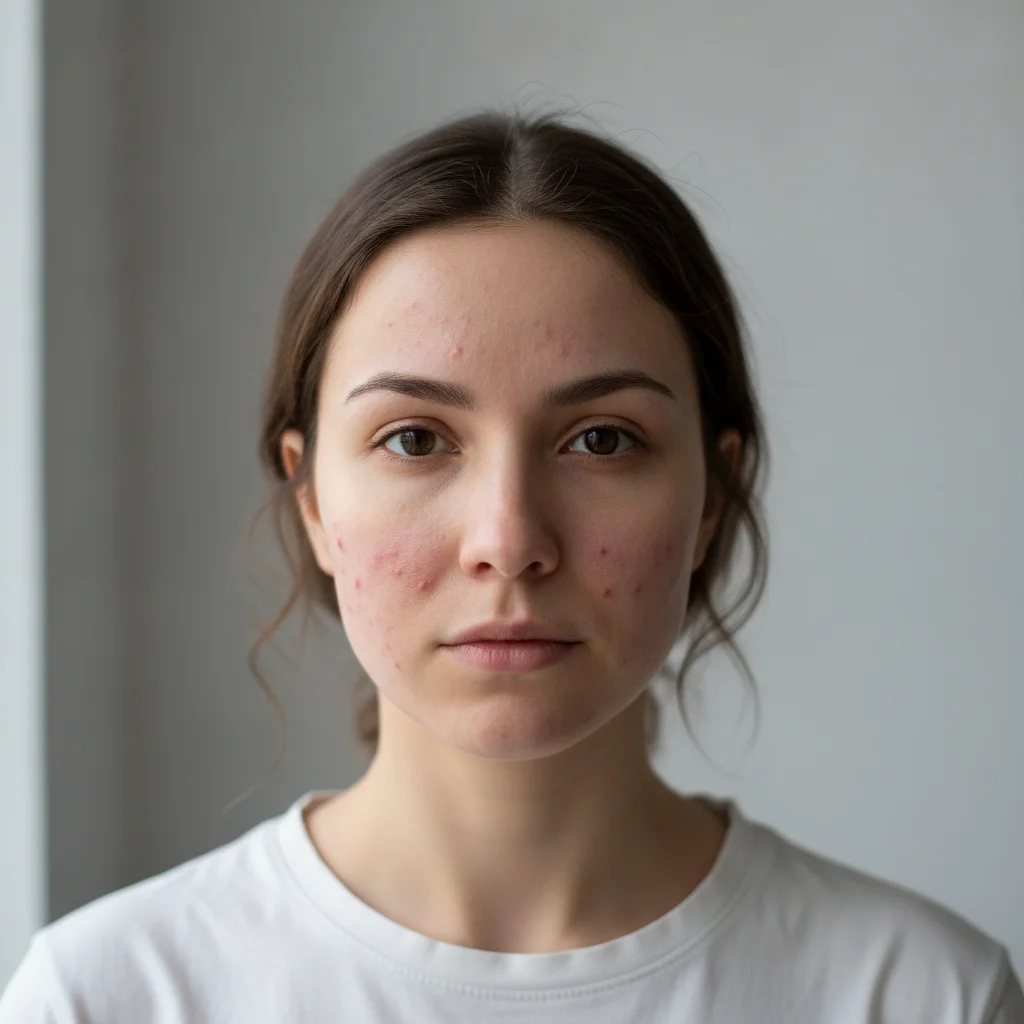
Portrait showing visible acne redness on cheeks and forehead
Before
->
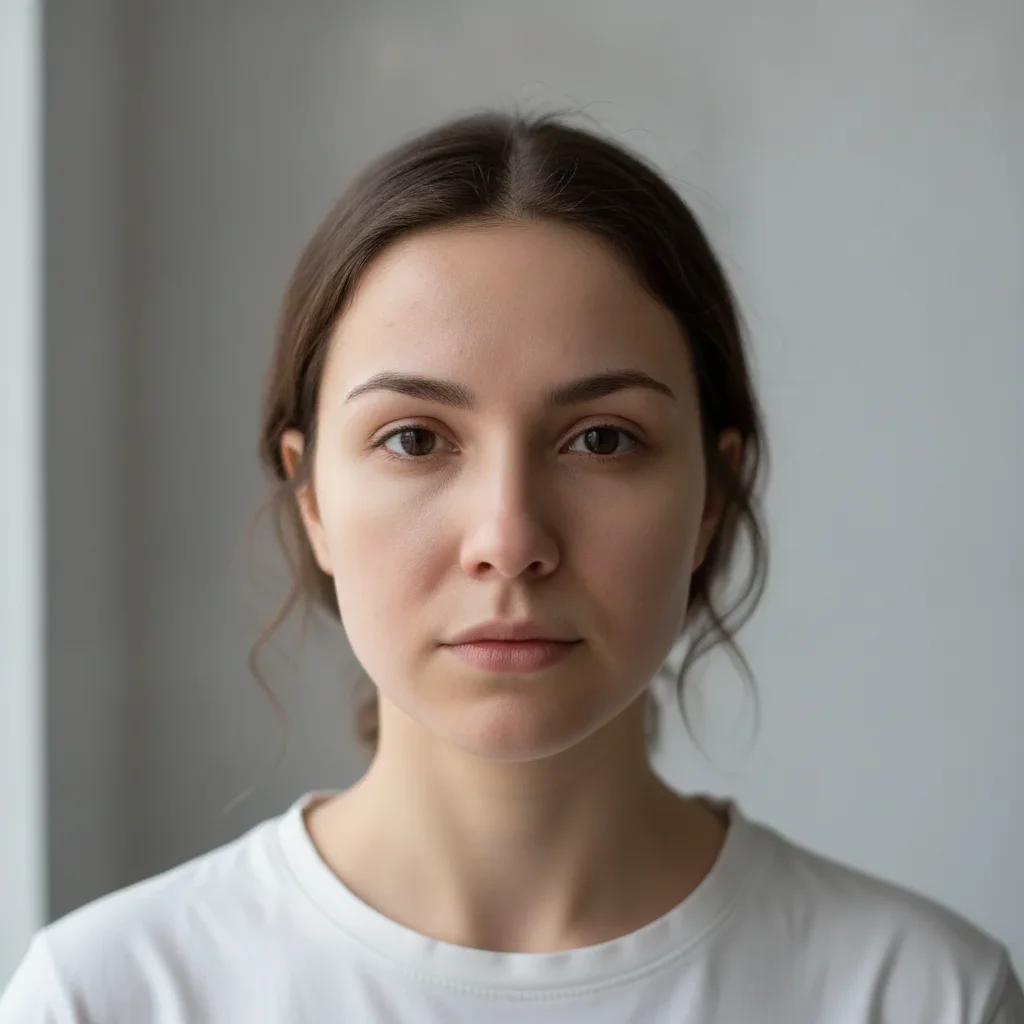
Visualization mockup showing reduced redness and clearer skin tone
After

Acne redness reduction — brand marketing mockup

A skincare brand needed a visualization of acne treatment outcomes for their product marketing page. One prompt generated a natural-looking 'after' image — used as an illustrative mockup with disclosure.

Prompt: create a marketing visualization showing reduced acne redness and fewer active blemishes on the cheeks and forehead, more even skin tone — illustrative mockup for skincare brand content, not presented as a real result
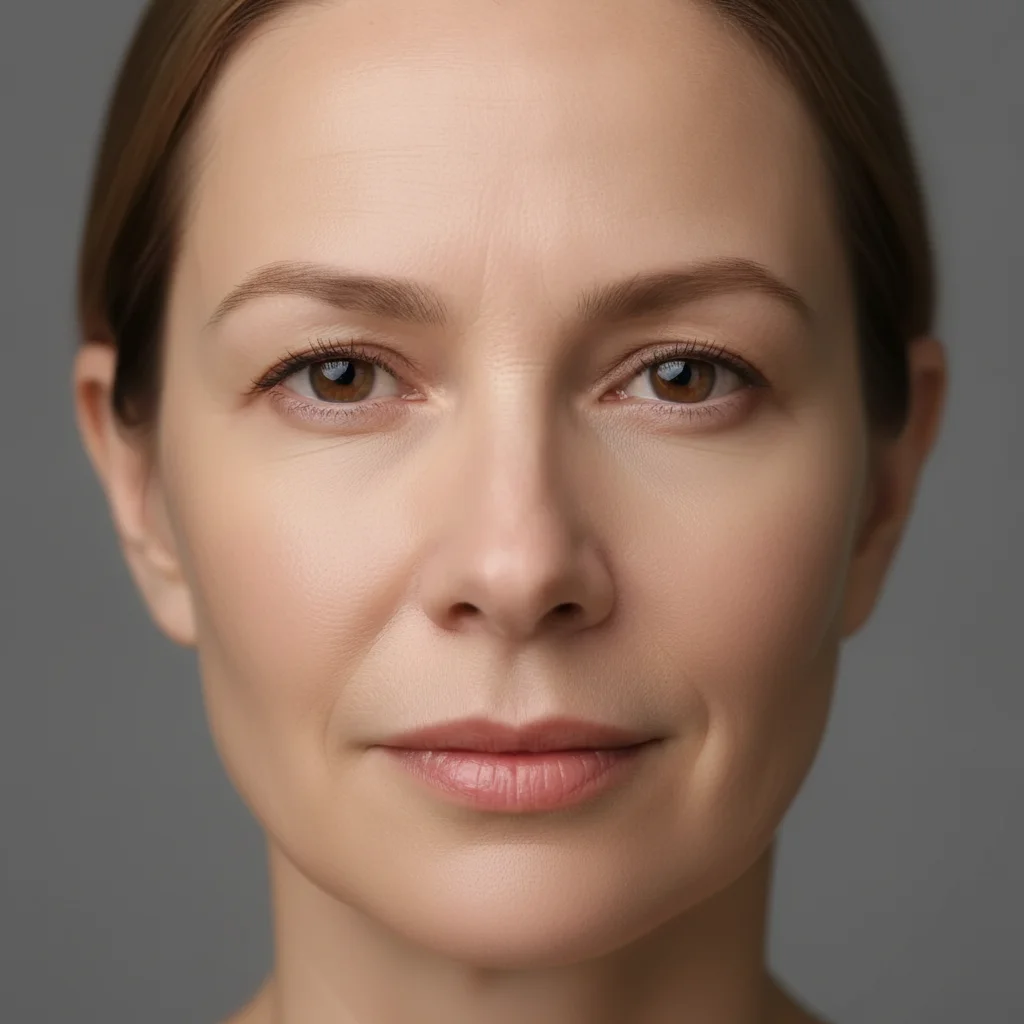
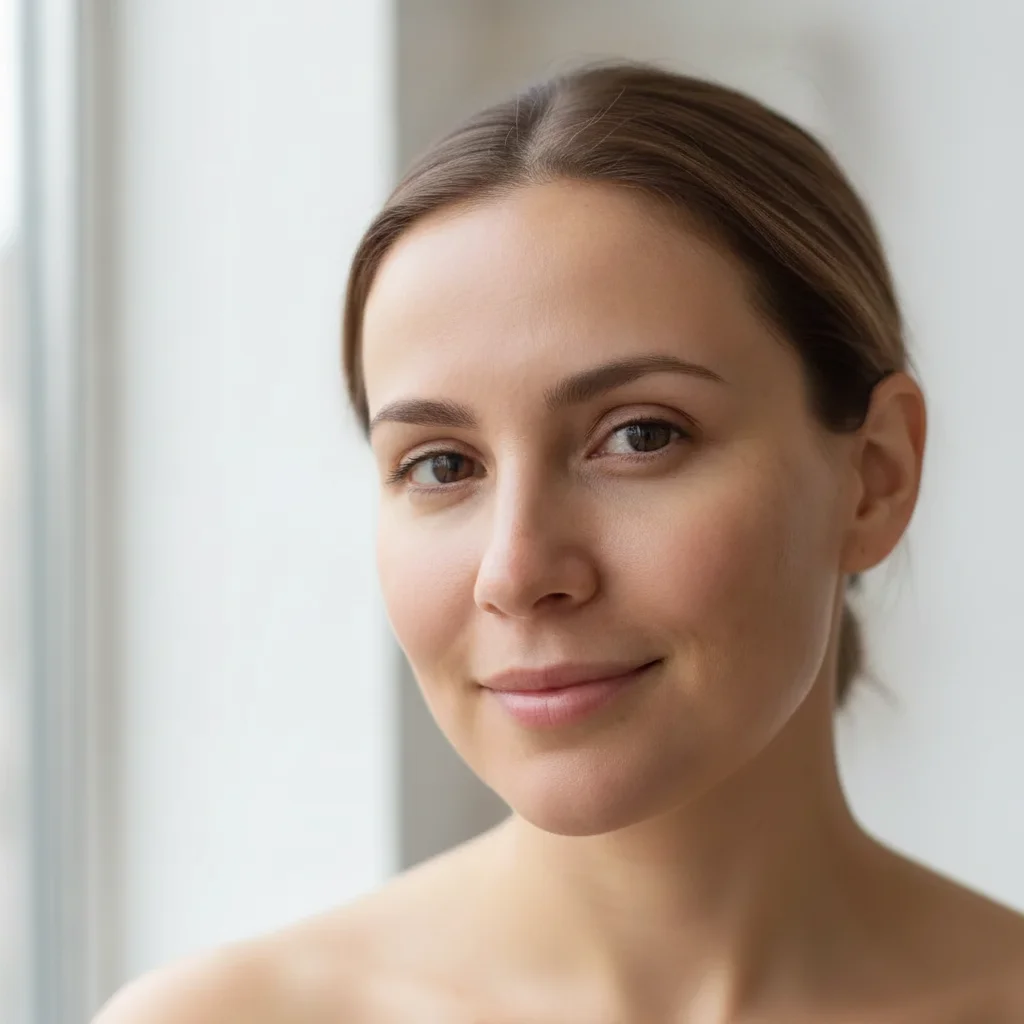
Portrait showing fine lines around eyes and nasolabial folds
Before
->
Consultation visualization showing reduced fine lines and improved skin texture
After

Anti-aging consultation visualization

An aesthetic clinic needed before/after consultation visuals to help clients understand treatment goals. The AI generated a natural-looking 'after' keeping the client's facial features identical.

Prompt: create a consultation visualization showing reduced appearance of fine lines around the eyes and nasolabial folds, improved skin hydration and texture — illustrative mockup for clinic consultation purposes only, keep all other facial features unchanged
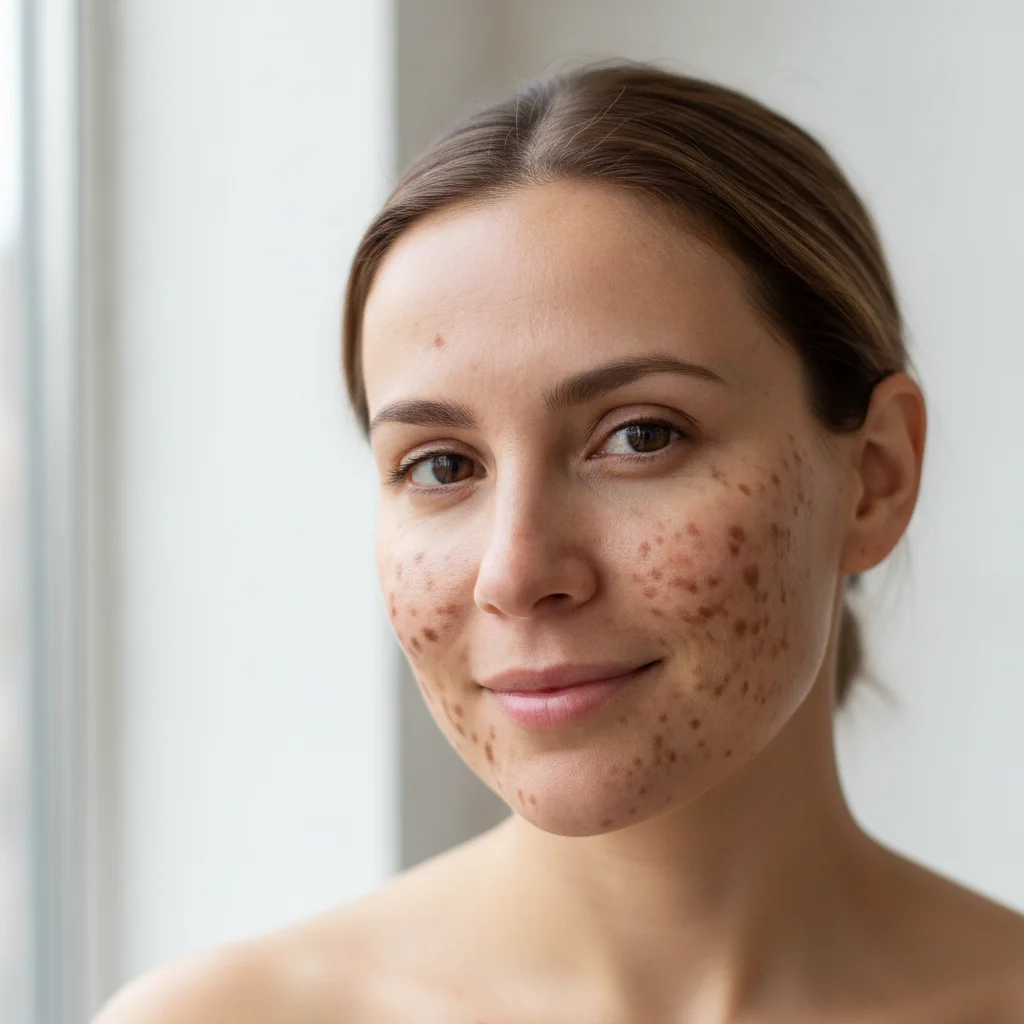
Portrait with visible brown hyperpigmentation spots on both cheeks
Before
->
Visualization showing reduced dark spots and more even skin tone
After

Hyperpigmentation treatment — dermatology content

A dermatology clinic needed educational content showing what treatment outcomes can look like. The AI generated a realistic visualization for their website — labeled clearly as illustrative.

Prompt: create a visualization showing reduced dark spots and more even skin pigmentation across the cheeks — illustrative treatment mockup for dermatology clinic marketing, natural-looking skin texture, not airbrushed

Quick answers

Do I need to mark the skin area before describing the treatment?

No. For most skincare visualizations — acne, dark spots, fine lines — just describe the skin concern in your prompt: 'reduce acne redness on the cheeks and forehead.' The AI understands facial zones without marking. Use markers only if the AI improves a broader area than you intended, like if it softens the forehead when you only wanted the cheek area addressed.

Is this a real result or a mockup? Can I use it in marketing?

This is a visualization mockup — an illustrative representation of what a treatment outcome might look like. It is not a real before/after from an actual patient. You can use it in marketing, but you must disclose it clearly: 'Visualization only — results may vary' or 'Illustrative mockup, not a guarantee of results.' Never present AI-generated skin visualizations as real patient outcomes. Most advertising standards boards and social platforms require this disclosure for treatment imagery.

How do I create skincare before/after visualization content for free?

Upload a portrait photo to EditThisPic, describe the treatment visualization you want ('show reduced acne redness and more even skin tone, illustrative mockup'), and download the result in 60 seconds. Free, no account needed. Always add a disclosure before publishing.

Is there a free AI skin transformation tool without login?

Yes. EditThisPic creates skincare treatment visualization mockups for free with no account, no login. Upload your portrait, describe the skin improvement you want to visualize, and download the result in about 60 seconds. The free edit is a preview — purchased downloads are clean, full quality.

What's the best AI tool for skincare brand marketing content?

EditThisPic lets skincare brands and clinics generate treatment visualization mockups without a design team or photography setup. Unlike dedicated beauty editing apps, it uses natural language — describe the outcome you want to show and the AI generates it. Free, no signup. For batch content (multiple treatments, multiple skin tones), buy a credit pack.

Can I use AI skincare visualizations for clinic consultations?

Yes, as illustrative consultation materials. Many aesthetic clinics use 'what-if' visualization images to help clients understand treatment goals before committing. The key requirement: be clear with the client that the image is an illustrative representation, not a predicted outcome. Label consultation materials accordingly and document that disclosure in the patient record.

How much does EditThisPic cost?

You get 1 free edit per week — no account needed. After that, one-time credit packs start at $4.99 for 10 edits, valid 12 months, no subscription. Power users who edit daily can pick Studio Membership, a monthly workspace at $49.99/mo for 300 edits. Purchased downloads are clean with no watermark.

Ready to create your skincare visualization?

Free to try. No signup required. Always disclose as illustrative content.

1 free edit included·Credit packs from $4.99