Free • No signup Edit Podcast episode thumbnail · Free

AI Thumbnail Editor for Podcast Episodes

← Browse all creative effects

Last updated

Fix guest headshots, swap busy backgrounds, clean up episode artwork — describe what needs changing and AI handles it.
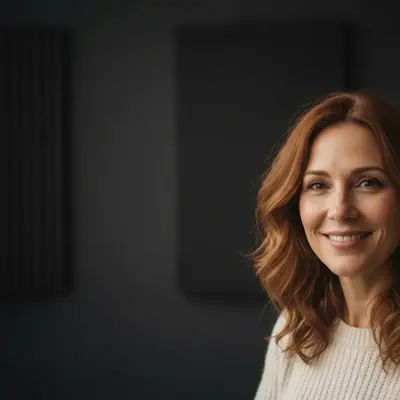
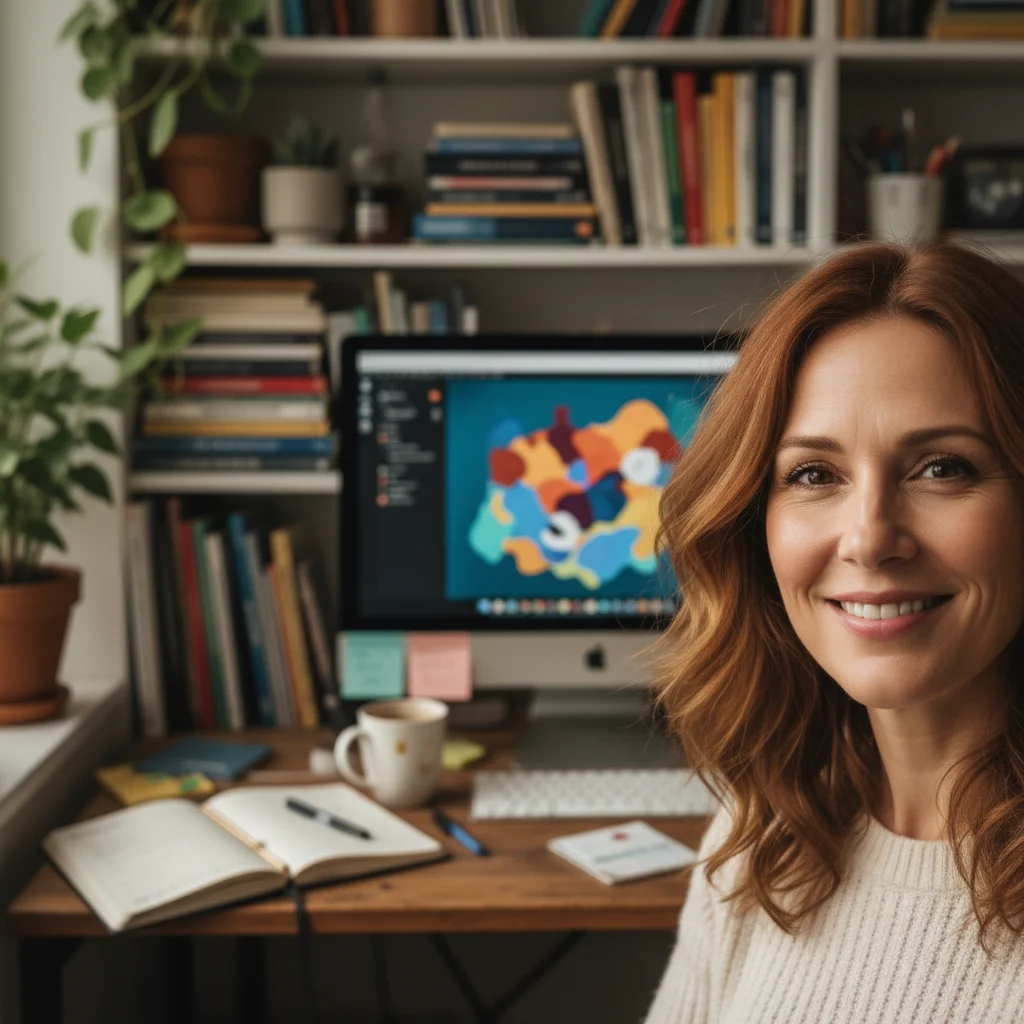
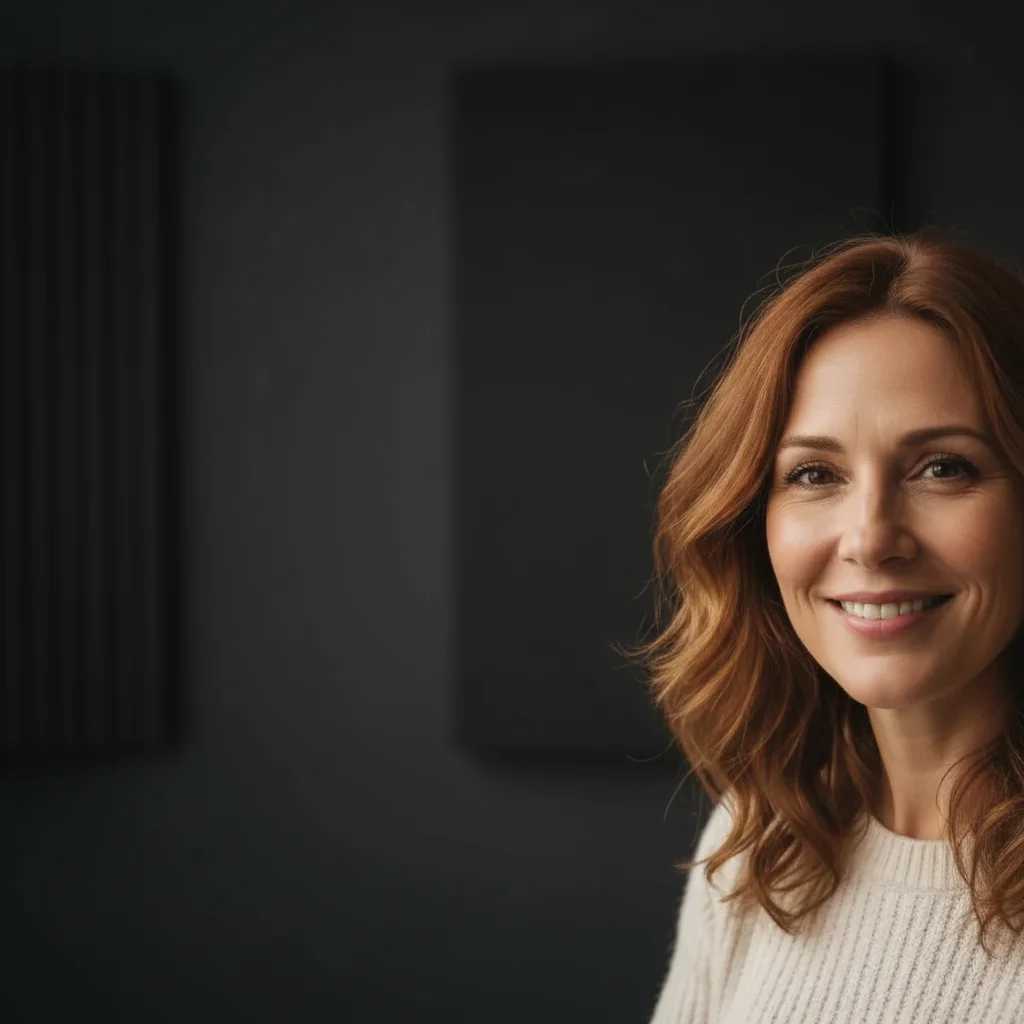
Guest headshot with cluttered home background Guest headshot with clean dark studio background

Upload photo to edit podcast episode thumbnail

"remove the virtual background or home setting behind the guest and replace with a clean blurred dark background"

Release to upload

1 free edit·then from $4.99

Popular use cases:
  • podcast thumbnail editing AI
  • podcast episode artwork editor
  • clean up guest headshot podcast
  • podcast cover art AI
  • fix podcast thumbnail free

Cost
Free No signup required
Time
Instant results in 15-30 seconds
Works on
Any device - browser, phone, tablet, desktop
Powered by
AI-powered photo editing
Scenario Prompt Time
Background replacement replace the home background with a clean dark studio background 20s
Lighting fix brighten the face, even out the lighting naturally 15s
Object removal remove the [item] behind the guest and replace with the wall 20s
Vibrancy boost increase contrast and vibrancy for a thumbnail-ready image 15s

How it works

  1. Upload the guest photo or episode image

    Drop the guest headshot or episode photo into EditThisPic. Works with photos guests send via email or social media, screenshots from video calls, or your own shots. Best results when the guest or subject is clearly visible.

    Expect: Podcast thumbnail edits typically process in 15-25 seconds. Background replacements may take up to 30 seconds.
  2. Describe what to change

    Type the edit you need: 'replace the home office background with a clean dark grey studio background', 'remove the bookshelf behind the guest and replace with a neutral dark background', 'brighten the photo and even out the lighting'. No masking or selection tools needed.

    Tip: For podcast thumbnails, consistency matters. Describe a background style that matches your other episode artwork — same colour, same feel.

    Copy one of these to get started:

    Guest with busy home background replace the cluttered home background with a clean dark charcoal grey background that looks professional
    Zoom/video call screenshot remove the virtual background or home setting behind the guest and replace with a clean blurred dark background
    Standardise background across all guests replace the background with a soft gradient from dark navy to black that matches a professional podcast studio
    Brighten poorly lit guest photo brighten the photo, even out the lighting on the face, and reduce the shadows under the eyes
    2 more prompts
    Remove object behind guest remove the large plant visible behind the guest on the right side and replace with the wall behind it
    Improve colour and vibrancy increase the colour vibrancy, improve the contrast, and make the overall image look punchy for a thumbnail
  3. Check at small size

    Episode thumbnails appear small in podcast apps and YouTube. Preview your edited photo mentally at that size — the guest should be clearly visible against the background, face readable, no distracting elements.

  4. Use markers if a specific area needs precision

    If the background edit is affecting the guest's hair or shoulders, tap a marker on the area to refine and re-run.

    Tip: Guest hair often has complex edges. A marker near the hair and shoulders helps the AI keep those edges clean during background replacement.

See it in action

Guest headshot with cluttered home background
Before
->
Guest headshot with clean dark studio background
After

Guest headshot background standardised

Guest sent a headshot taken at home. Background cleanup standardises it to match the show's visual style.

Prompt: replace the home background with a clean dark charcoal studio background that matches a professional podcast
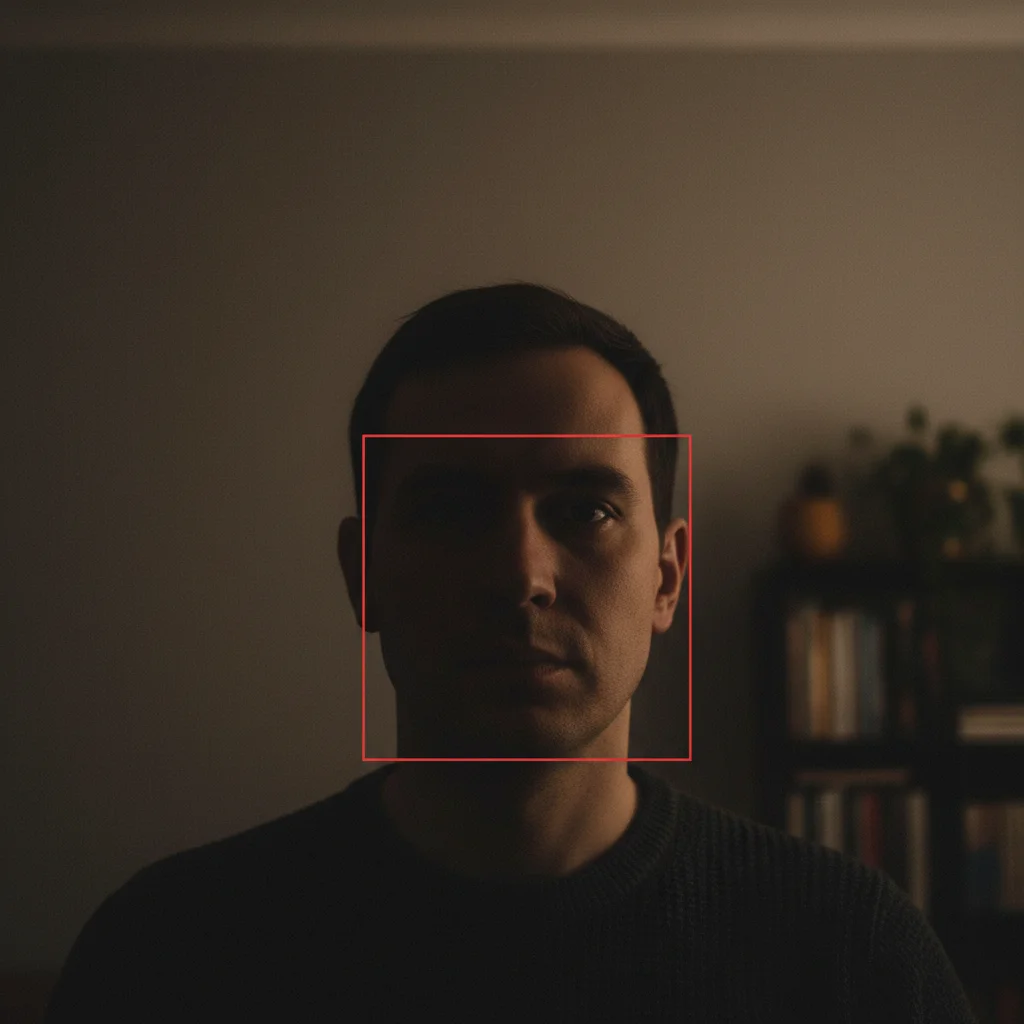
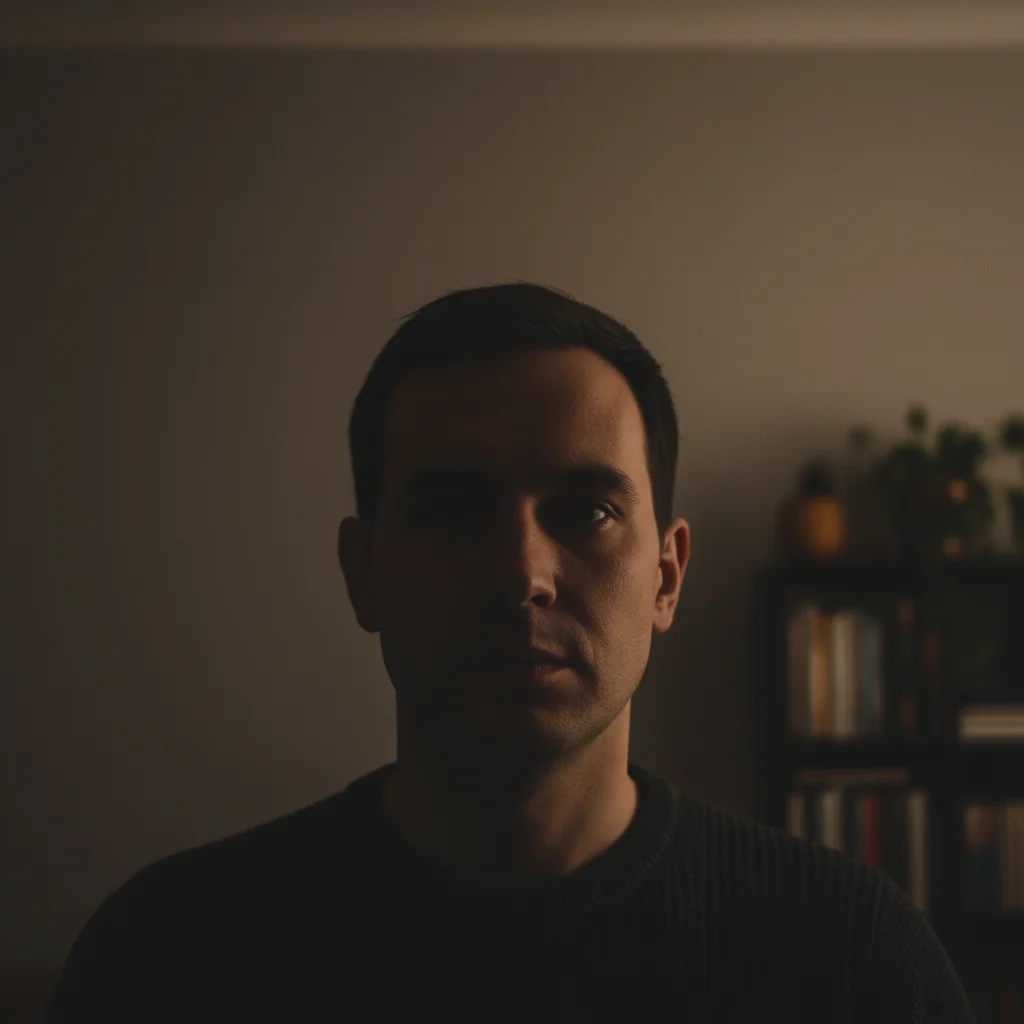
Dark underexposed guest headshot
Before
->
Brightened guest headshot with even lighting
After

Low-light guest photo improved

Photo taken in poor lighting conditions. A quick brightness and exposure fix makes it usable for episode artwork.

Prompt: brighten the photo naturally, lift the shadows on the face, and even out the lighting to make it look professionally lit

If something looks off

AI changed the wrong area — affected the guest instead of the background

Why: The AI interpreted the edit too broadly.

Try: Tap a marker on the background element you want changed, then re-run with the same description

Tip: For background replacement specifically, a marker on the background area helps the AI understand which side of the edge to change.

Guest's hair edges look cut-out or artificial after background replacement

Why: Complex hair edges are hard for the AI when replacing background colours significantly.

Try: Re-run with: 'replace the background smoothly, blend the hair edges naturally, avoid any harsh cutout effect'

Tip: Explicitly asking for natural hair edge blending in the prompt helps the AI handle this common challenge.

Background is right but the overall lighting looks inconsistent

Why: The AI changed the background but didn't adjust the subject's lighting to match.

Try: Follow up with: 'adjust the lighting on the face to match the new background lighting'

Tip: A lighting consistency follow-up often resolves the mismatch between the subject and a replaced background.

Quick answers

How specific should my prompt be to get a good AI Thumbnail Editor for Podcast Episodes result on the first try?

One sentence is usually enough: 'edit the podcast episode thumbnail.' If the first result is off, refine with details — color, position, lighting, or what to keep. Each pass takes 20-45 seconds and runs separately, so you can compare. Free first edit per week, no signup.

Is there a free AI podcast thumbnail editor with no login?

EditThisPic is free to try with no account required. You get 1 free edit per week with no watermark. Plans start at $4.99/month for 15 edits — useful for weekly episode artwork.

Can I use it for YouTube podcast episode thumbnails too?

Yes — EditThisPic edits the photo itself. You download the result and use it wherever you need: Spotify, Apple Podcasts, YouTube, or your website. It's not platform-specific.

How do I make all my episode thumbnails look consistent?

Use the same background description for every guest photo: 'replace the background with [your consistent style]'. By using identical wording each time, the AI generates similar-looking backgrounds for every episode.

How much does EditThisPic cost?

You get 1 free edit per week — no account needed. After that, credit packs start at $1.99 for 3 edits. Monthly plans start at $4.99/mo for 15 edits with unused credits rolling over. All edits are full resolution with no watermark.

Fix Your Podcast Episode Artwork

Clean guest headshots, consistent backgrounds. Free to try, no signup.

1 free edit included·Credit packs from $4.99