Fix a Vacation Photo with AI
Last updated
Rescue washed-out, dimly lit, or harshly shadowed vacation photos in under 30 seconds.
Drop your photo here
"Fix this vacation photo: balance harsh sunlight or dim lighting, restore vivid travel colors (sky, water, foliage), sharpen the scene, recover detail in shadows and highlights, photographic travel magazine quality, natural not over-processed."
Release to upload


Built for travelers, tourists, and families documenting vacations
EditThisPic gives travelers a way to rescue once-in-a-lifetime vacation photos that didn't quite turn out. Harsh sun, dim sunsets, washed-out beaches, and flat mountain views all balanced in under a minute.
Tools for AI Vacation Photo Fixer
How to Fix a Vacation Photo with AI
-
Open EditThisPic
Go to editthispic.com on your phone while still on vacation, or back home. No app, no signup.
-
Upload your vacation photo
Drop in any travel photo - beaches, mountains, city streets, sunsets, food, group shots.
-
Type the prompt
Try: 'fix this vacation photo, balance harsh sun, restore vivid colors, sharpen the scene'.
-
Generate
EditThisPic returns a polished vacation photo in about 25 seconds. Balanced lighting, vivid colors, sharper detail.
-
Share or save
Save the result for Instagram, your photo book, holiday card, or family slideshow.
Copy-Paste Prompts for AI Vacation Photo Fixer
Real Examples
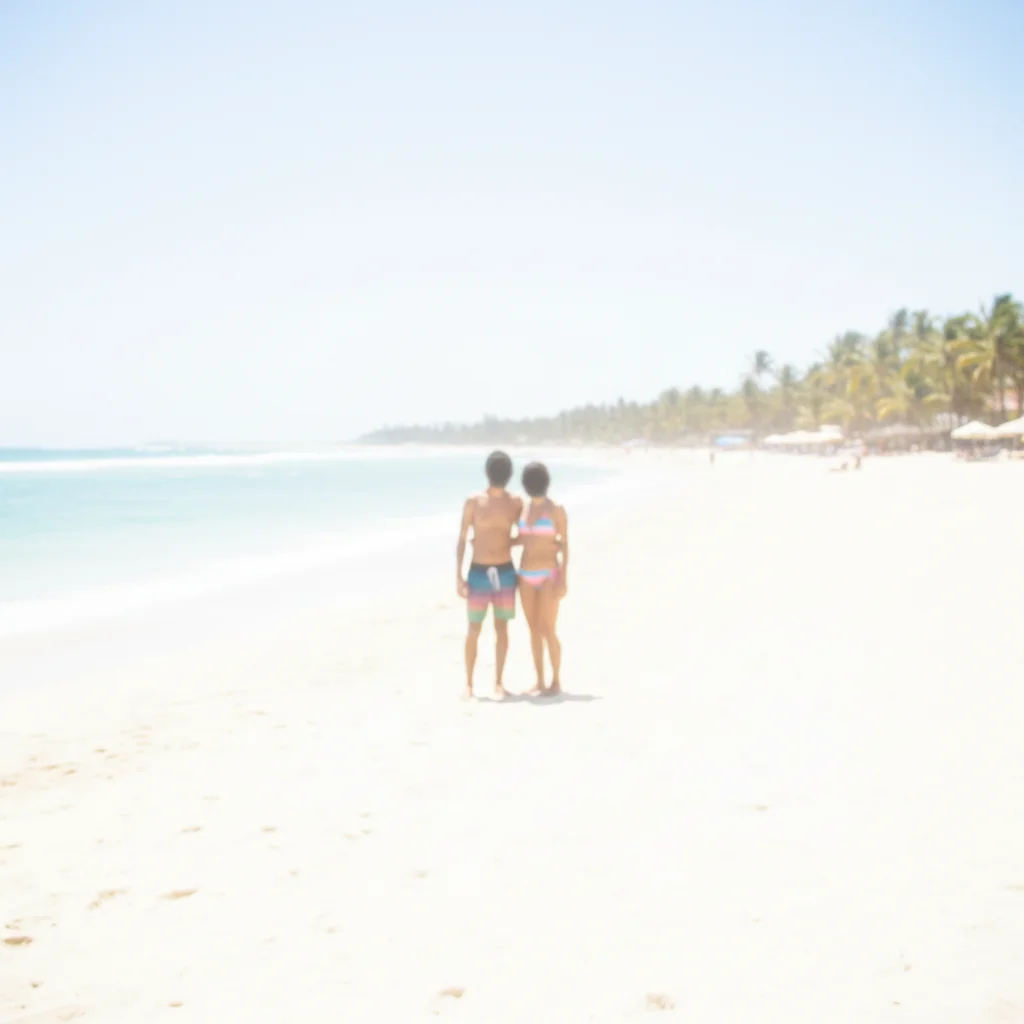

Beach washout rescue
A user uploaded a beach vacation photo washed out by midday sun. EditThisPic restored the blue water and sharpened the sand without losing the bright vacation feel.
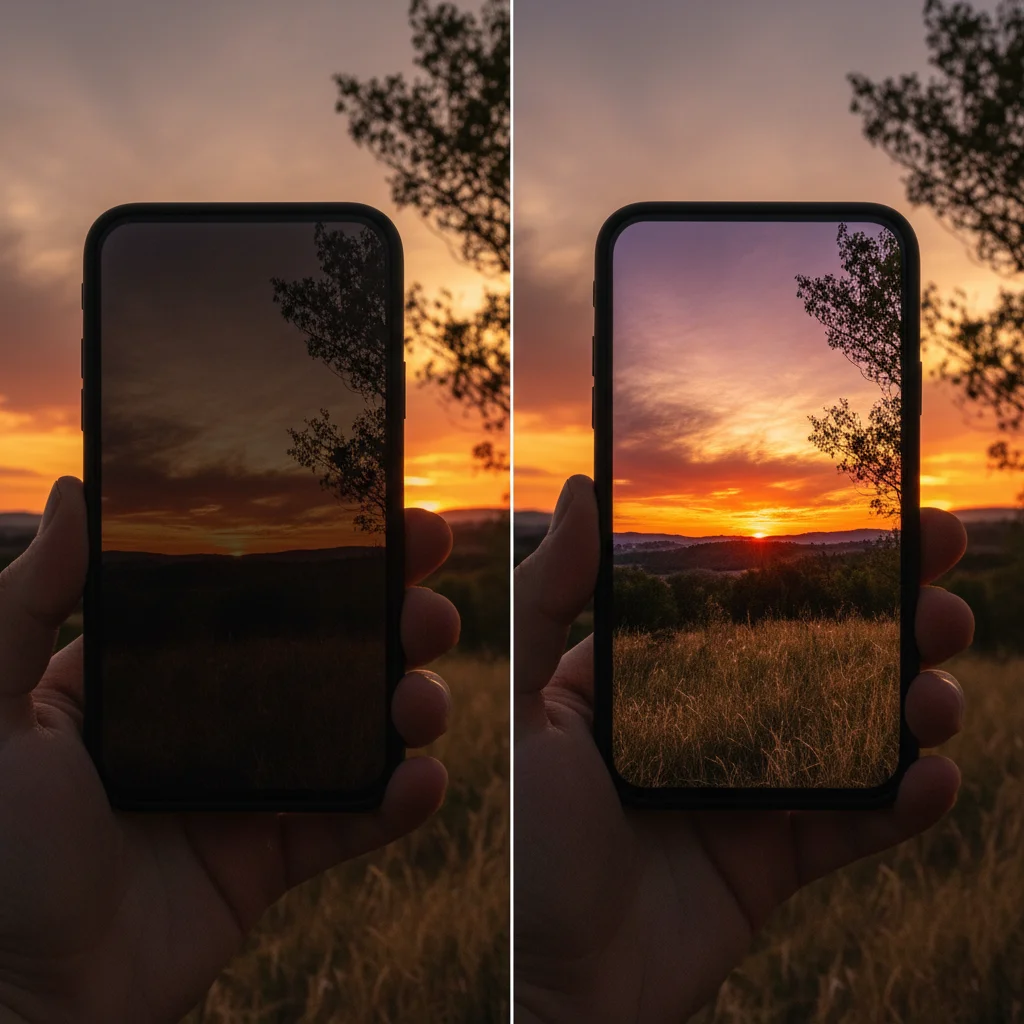
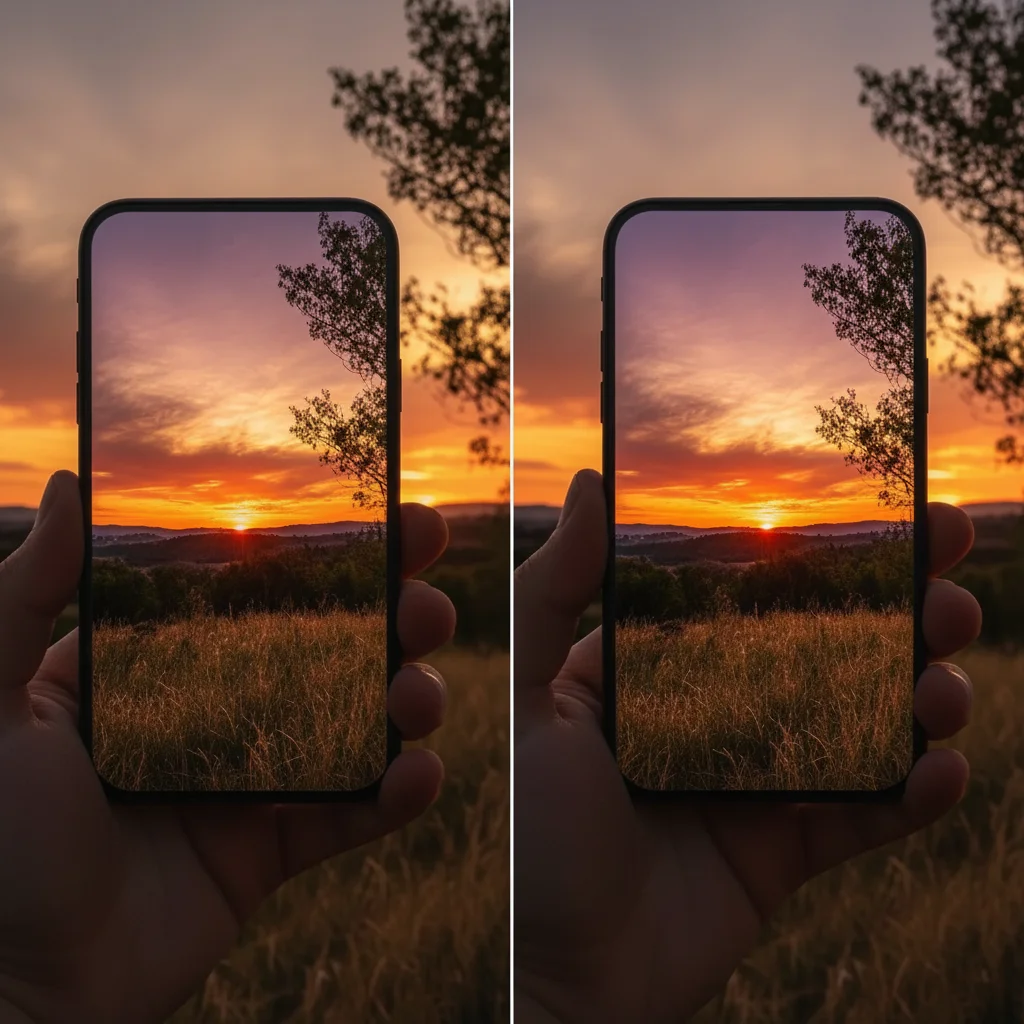
Sunset brightness fix
A user uploaded a dim phone sunset that looked nothing like the real moment. The fix brightened the foreground while keeping the sunset glow vivid.
Mountain depth restore
A user uploaded a flat mountain photo from a hiking trip. The fix added contrast and color depth to make the mountains feel as dramatic as they did in person.
When Things Go Wrong
Sky still washed out
Sunset glow lost
Result looks oversaturated
Faces in scene too dark
Frequently Asked Questions
How do I fix a vacation photo with AI?
Upload your vacation photo to EditThisPic, type a prompt like 'fix this vacation photo, balance harsh sun, restore vivid colors, sharpen scene', and download the result in about 25 seconds. Free, no signup. Works for beaches, mountains, cities, sunsets, food, and group shots.
Can AI fix a washed-out beach photo?
Yes. Beach photos are notoriously hard because the bright sun and reflective sand wash out everything. Add 'balance harsh midday sun, restore vivid blue water and sky, sharpen sand and waves' to your prompt. The result restores color without losing the bright vacation feel.
Is the vacation photo fixer free?
Yes. EditThisPic is free to use. No signup, no watermark, no credit card needed for basic use. Fix as many vacation photos as you want.
How do I fix a dim sunset photo?
Phone cameras struggle with sunsets because the sky is bright and the foreground is dim. Add 'brighten dim foreground without losing the sunset glow, restore vivid orange and pink sky colors' to your prompt. The AI lifts the foreground while preserving the sunset itself.
How do I fix harsh sun shadows on faces?
Midday sun creates raccoon shadows on faces. Add 'lift shadows on faces, balance with bright background, natural skin tone' to your prompt. The AI lightens the faces while keeping the bright background that makes vacation photos feel sunny.
How do I make mountains look dramatic instead of flat?
Phone photos of mountains often look flat because the camera compresses contrast. Add 'fix this mountain landscape: add depth and contrast, restore vivid sky and foliage colors, sharpen mountain detail'. The result restores the depth and color you saw in person.
Will the result look natural or fake?
EditThisPic balances and enhances rather than transforming. The result looks like a well-shot travel magazine photo, not an AI-generated dream landscape. Add 'natural travel magazine colors, photographic realism' to reinforce realism.
Can I use this for travel Instagram posts?
Yes. EditThisPic outputs at high resolution that uploads sharp to Instagram, TikTok, Pinterest, and other social platforms. The result is JPG format that posts directly without further conversion.
Does it work for night and low-light vacation photos?
Yes. Night photos benefit from gentle brightening and noise reduction. Add 'brighten low-light vacation photo, reduce noise, sharpen scene, keep night atmosphere' to your prompt. Works for city night shots, festival lights, and dim restaurant scenes.
Are my vacation photos stored?
No. EditThisPic processes your image in your browser session and does not save or train on your photos. The image is deleted shortly after processing.
Popular use cases
Ready to rescue your vacation photos?
Free to try. No signup required. No watermarks.
Start EditingTrusted by 15,000+ users