Free โ€ข No signup Colorize Black and white photo ยท Free

Colorize Black and White Photos

Bring precious family memories to life with one simple description.
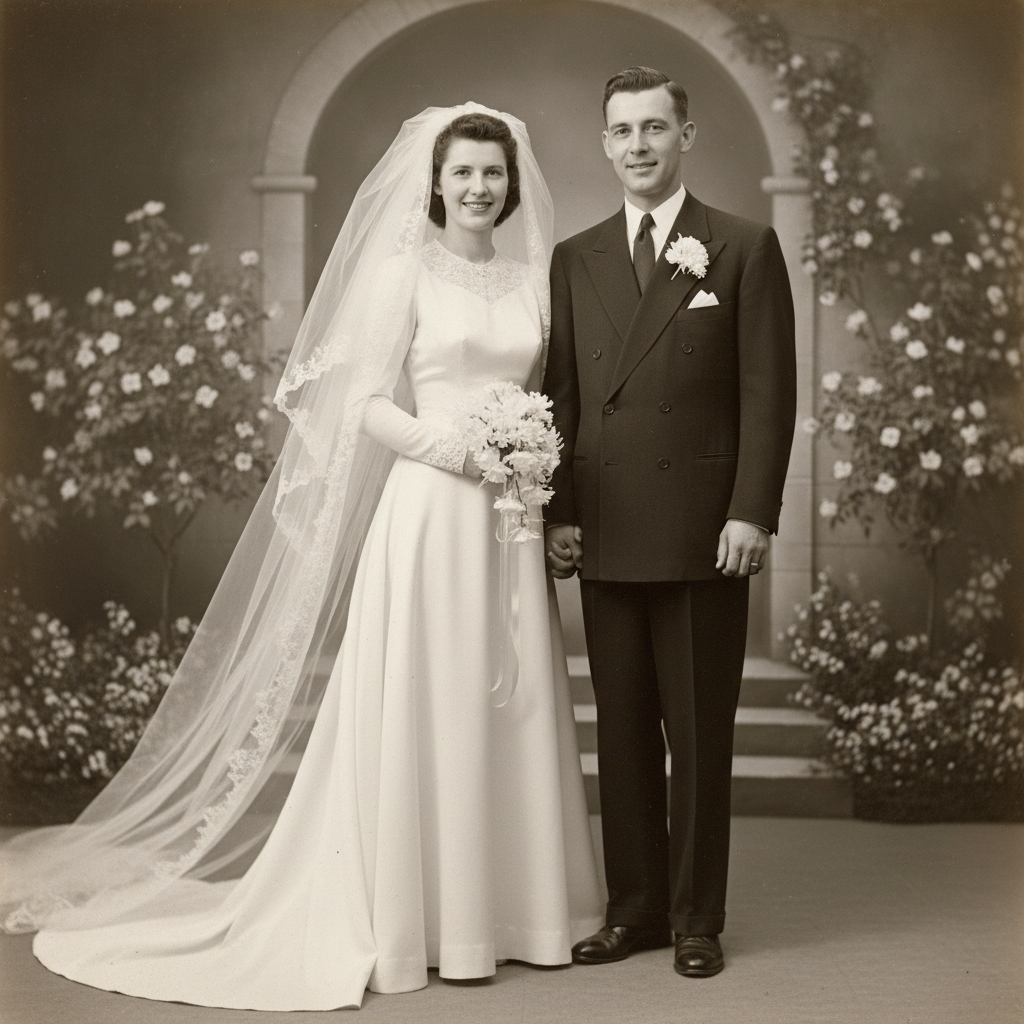
Black and white 1948 wedding photo of bride and groom
Before
โ†’
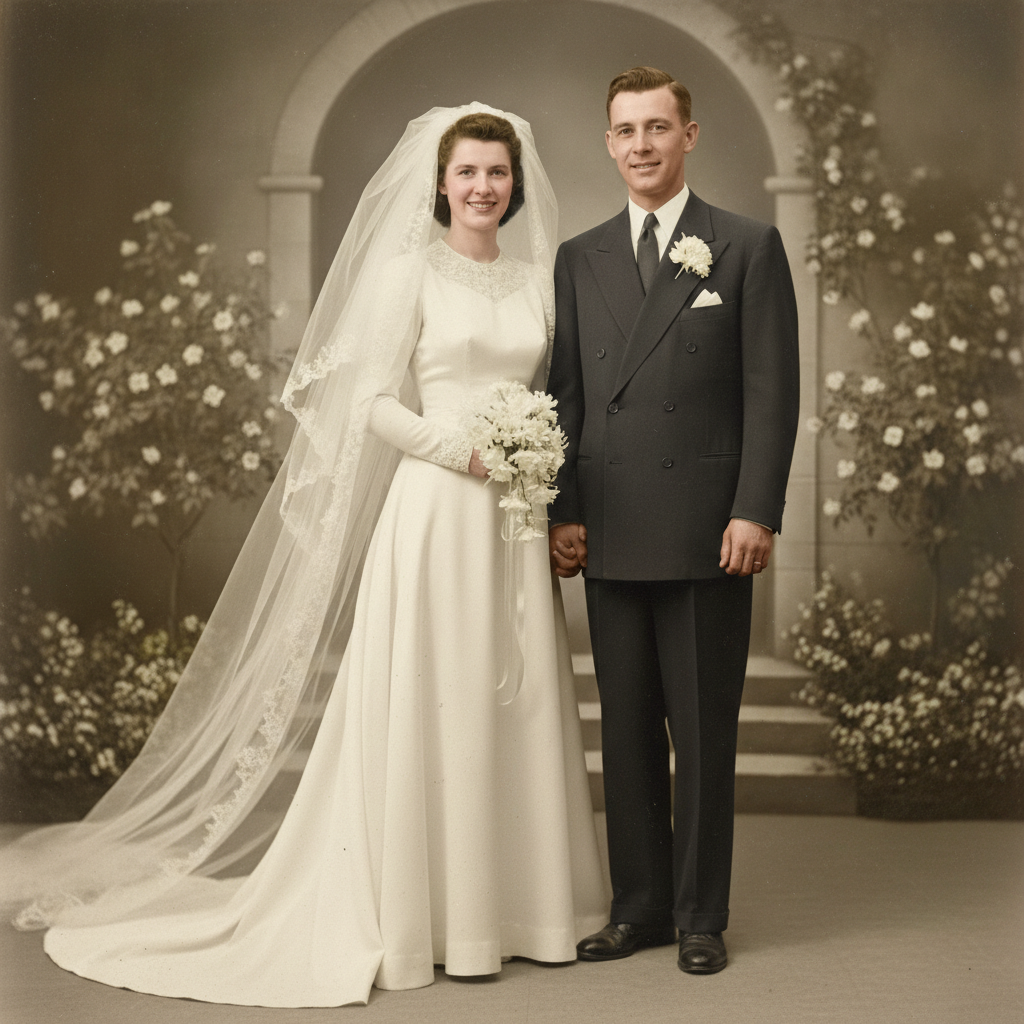
Same wedding photo with natural colors - ivory dress, dark suit, warm skin tones
After

Colorize Black and White Photos

Drop your photo here

or click to browse

Release to upload

Free โ€ข No signup

Advertisement
Popular use cases:
  • Family history projects
  • Genealogy research
  • Memorial tributes
  • Anniversary gifts
  • Heritage preservation
  • Family reunion displays
  • Vintage photo restoration

Cost
Free No signup required
Time
Instant results in 15-30 seconds
Works on
Any device - browser, phone, tablet, desktop
Powered by
AI-powered photo editing
Scenario Prompt Time
Family portrait add natural realistic colors, warm lifelike skin tones 25s
With known details colorize with blue eyes, brown hair, green dress 30s
Wedding photo add elegant colors, ivory dress, dark suit, soft tones 30s
Memorial tribute colorize with gentle natural colors, dignified warm tones 25s

How it works

  1. Upload your photo

    Drop your black and white photo into EditThisPic. JPG, PNG, and WebP up to 7MB work well. If you're working with a scanned print or an old photograph from a family album, higher resolution scans help the AI see details like faces, fabric textures, and background elements more clearly.

    Expect: Simple portraits: 20-30 seconds. Complex scenes with multiple people or detailed backgrounds: may need 2-3 attempts over 1-2 minutes.
  2. Describe the colors you want

    Type your instruction: 'add natural realistic colors to this family photo' or include details you remember: 'blue eyes on grandma, brown wooden furniture, warm sunlight through the window.' The AI understands what grass, sky, skin, and fabric should look like. No marking or selection needed.

    Tip: If you have any memories about specific colors - 'Mom always said grandpa's uniform was olive green' - include them. These details help the AI honor what you know about your family.

    Copy one of these to get started:

    Treasured family portrait add natural realistic colors to this family photo, warm lifelike skin tones, era-appropriate clothing colors, gentle background tones
    Vintage portrait with known details colorize this photo with blue eyes, brown hair, and a green dress, natural warm skin tones, soft background
    Old wedding photo add elegant colors to this wedding photo, ivory wedding dress with subtle warmth, dark formal suit, soft natural makeup tones, gentle background
    Historical military portrait colorize with historically accurate colors, olive drab military uniform, brown leather belt, natural warm skin tones, respectful soft background
    4 more prompts
    Childhood photo outdoors add natural colors to this childhood photo, green grass, blue sky with soft clouds, warm sunlight on the child, era-appropriate clothing colors
    Grandparents' formal portrait colorize this formal portrait with dignified natural colors, warm skin tones showing their age gracefully, classic clothing colors from the 1950s
    Group photo at family gathering add natural realistic colors to this family gathering, varied but harmonious clothing colors, warm indoor lighting, natural skin tones on all faces
    Memorial or tribute restoration colorize this photo with gentle natural colors, warm lifelike skin tones that honor their memory, soft muted background that doesn't distract
  3. Review and appreciate

    The AI will generate your colorized photo. Take a moment to look at the faces, the clothing, the setting. Check that skin tones look natural and lifelike. If something seems off, that's okay - you can refine it.

    Tip: Compare with other family photos from the same era if you have them. Colors in the 1940s-60s often had different tones than modern photography.
  4. Refine specific details if needed

    If the AI guessed a color wrong - maybe it made Dad's shirt blue when you know it was brown - tap a marker on that area and regenerate with 'make this brown' added to your prompt. This precision step is optional; most colorizations capture the essence beautifully on the first try.

    Tip: Family members may remember details you don't. Show them the result and ask 'Does this look right?' Their memories can guide your refinements.
Try it free โ†“

Colorize Black and White Photos

Drop your photo here

or click to browse

Release to upload

Free โ€ข No signup

"I colorized my grandmother's wedding photo from 1947. When my mom saw it, she started crying - she said it was like seeing her mother young again. The AI even got the ivory tone of the dress right." @HeritagePhotosMaria

See it in action

Black and white 1948 wedding photo of bride and groom
Before
->
Same wedding photo with natural colors - ivory dress, dark suit, warm skin tones
After

Grandmother's wedding day restored

A precious 1948 wedding photo found in a family album. One prompt brought this once-in-a-lifetime moment back to life with natural, dignified colors.

Prompt: add elegant natural colors to this wedding photo, ivory wedding dress with subtle warmth, dark formal suit on the groom, soft natural skin tones, gentle background
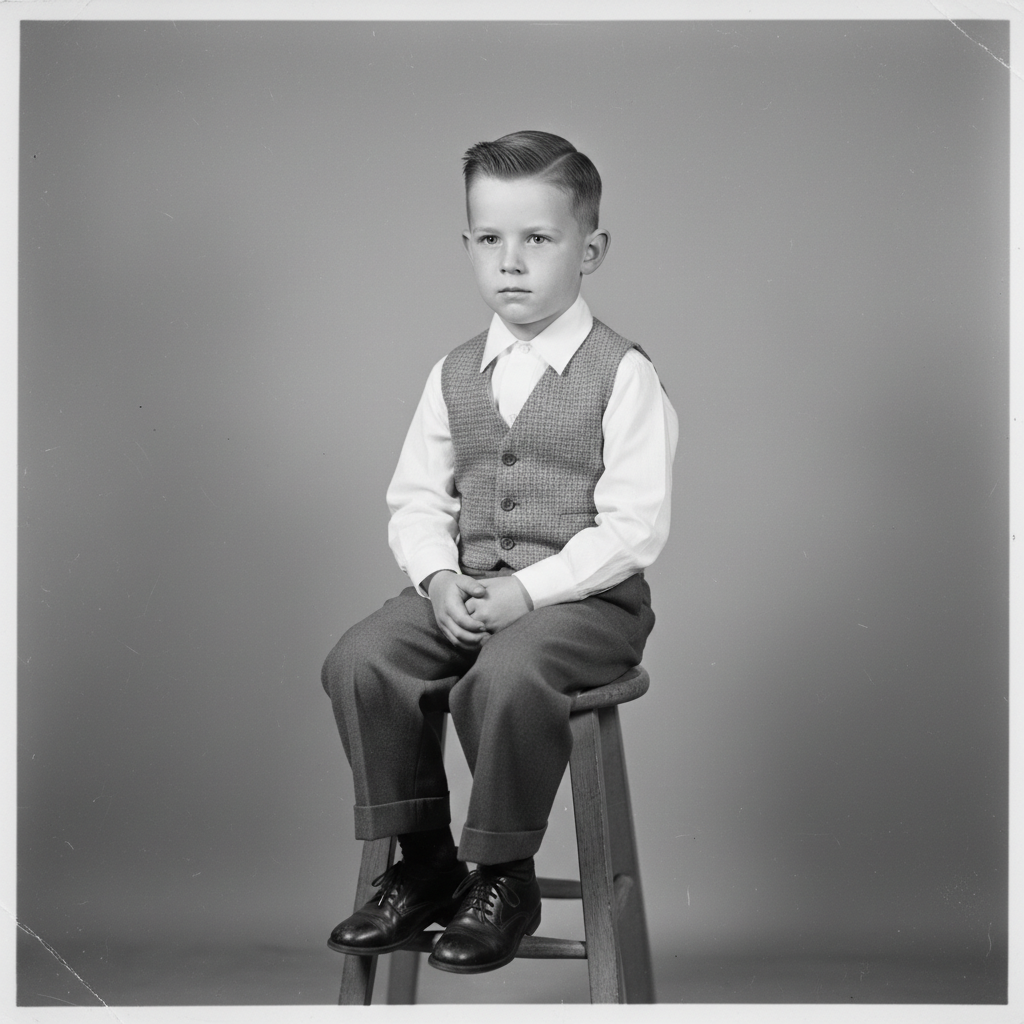
Black and white 1950s portrait of a young boy in Sunday clothes
Before
->
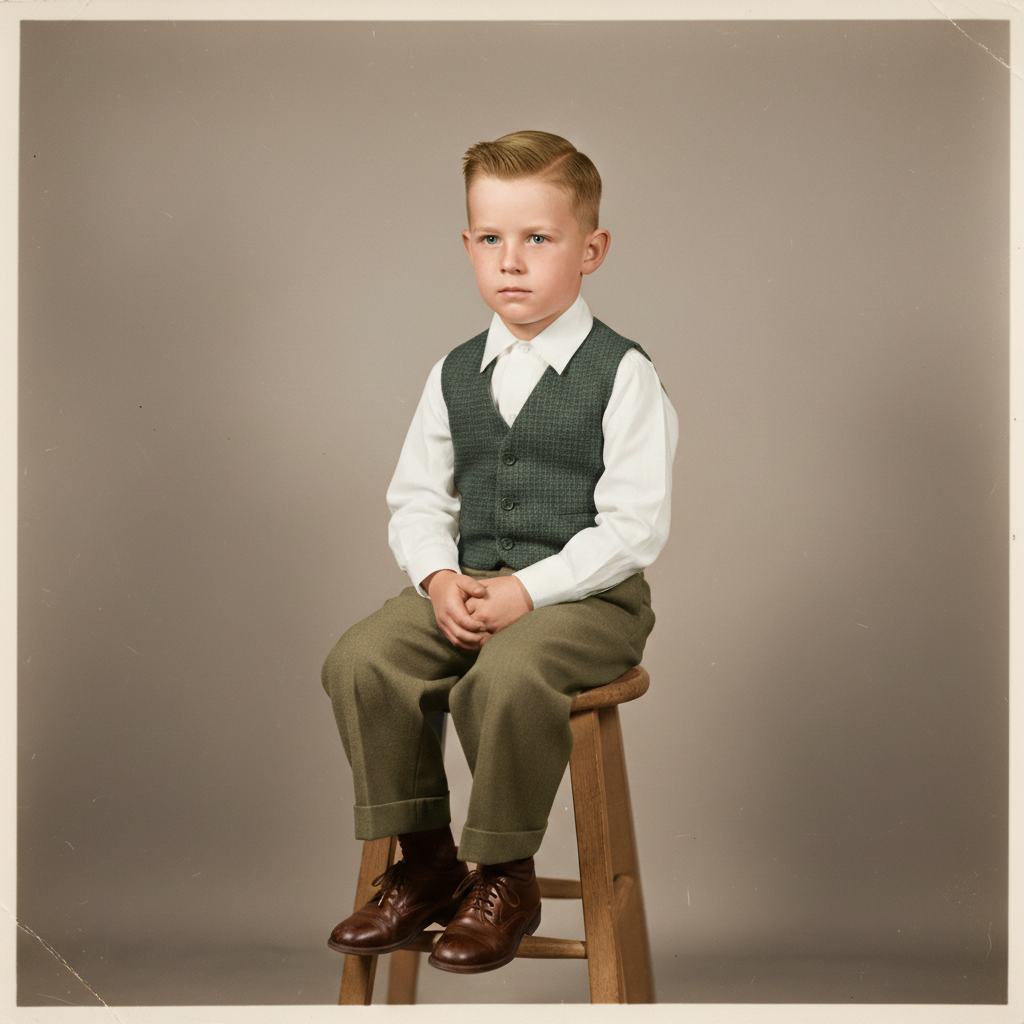
Same portrait with natural colors - warm skin, era-appropriate clothing
After

Father's childhood portrait

A 1956 photo of a young boy in his Sunday best. The AI added lifelike colors that let the family see him as he really was.

Prompt: add natural realistic colors to this childhood portrait, warm healthy skin tones, era-appropriate 1950s clothing colors, soft neutral background
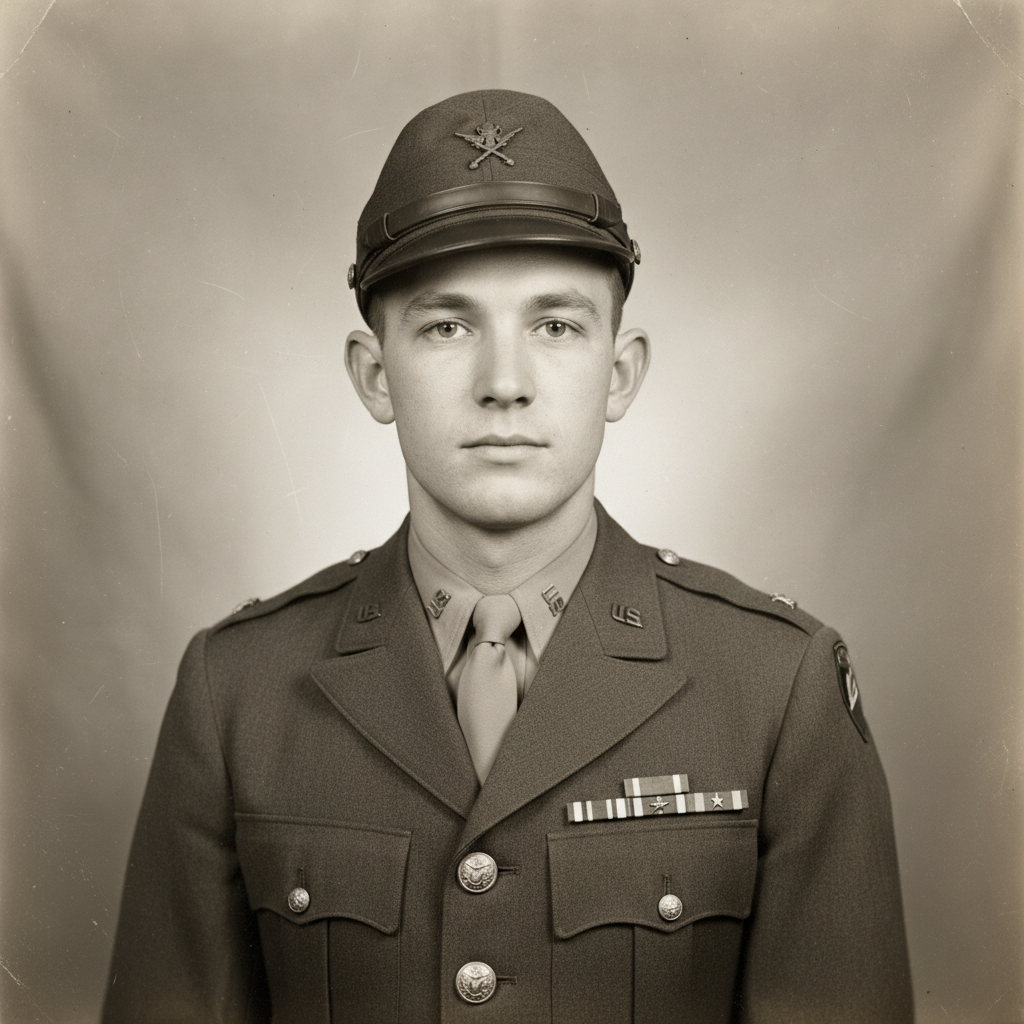
Black and white WWII portrait of young soldier in Army uniform
Before
->
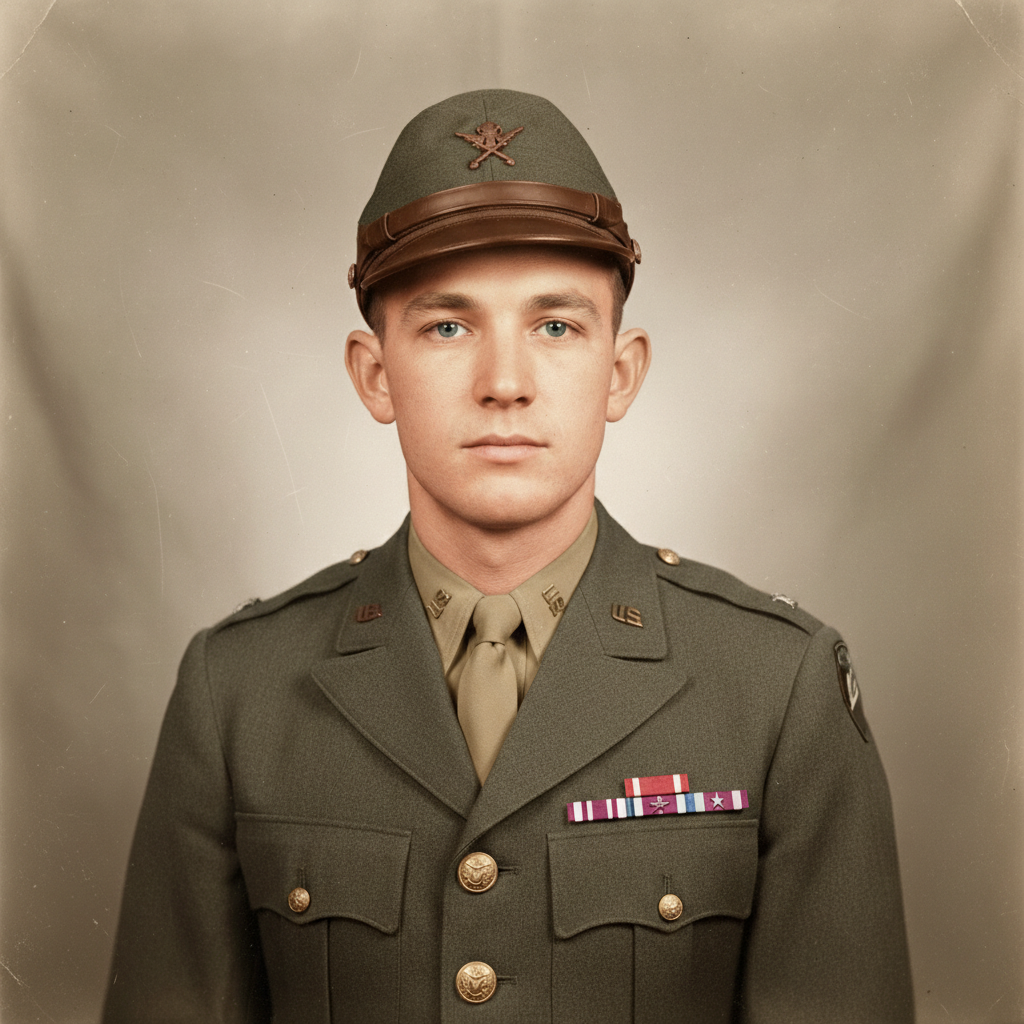
Same portrait with historically accurate colors - olive drab uniform, natural skin
After

Great-grandfather's military photo

A WWII service portrait from 1944. Historically accurate uniform colors honor his service and bring his face to life.

Prompt: colorize with historically accurate WWII colors, olive drab US Army uniform, brown leather accessories, natural warm skin tones, soft respectful background
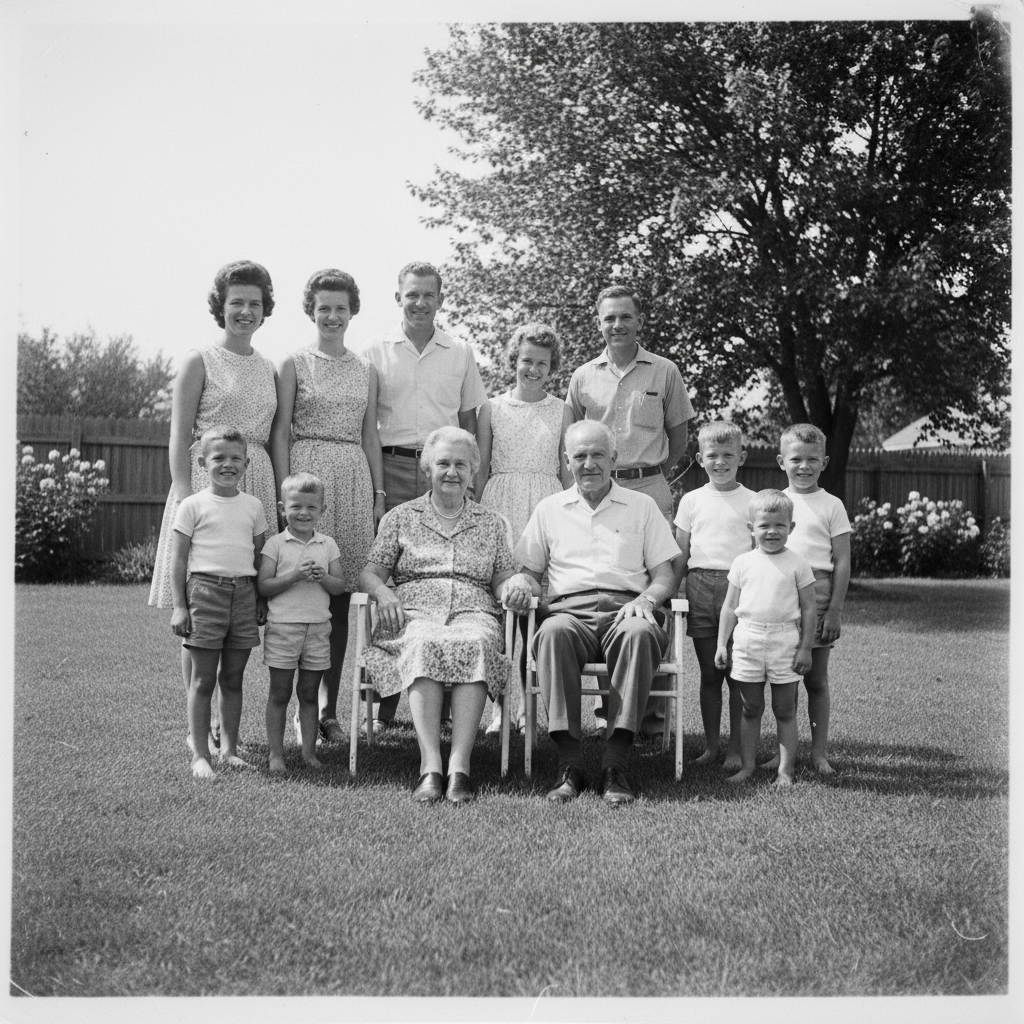
Black and white 1962 outdoor family gathering with multiple generations
Before
->
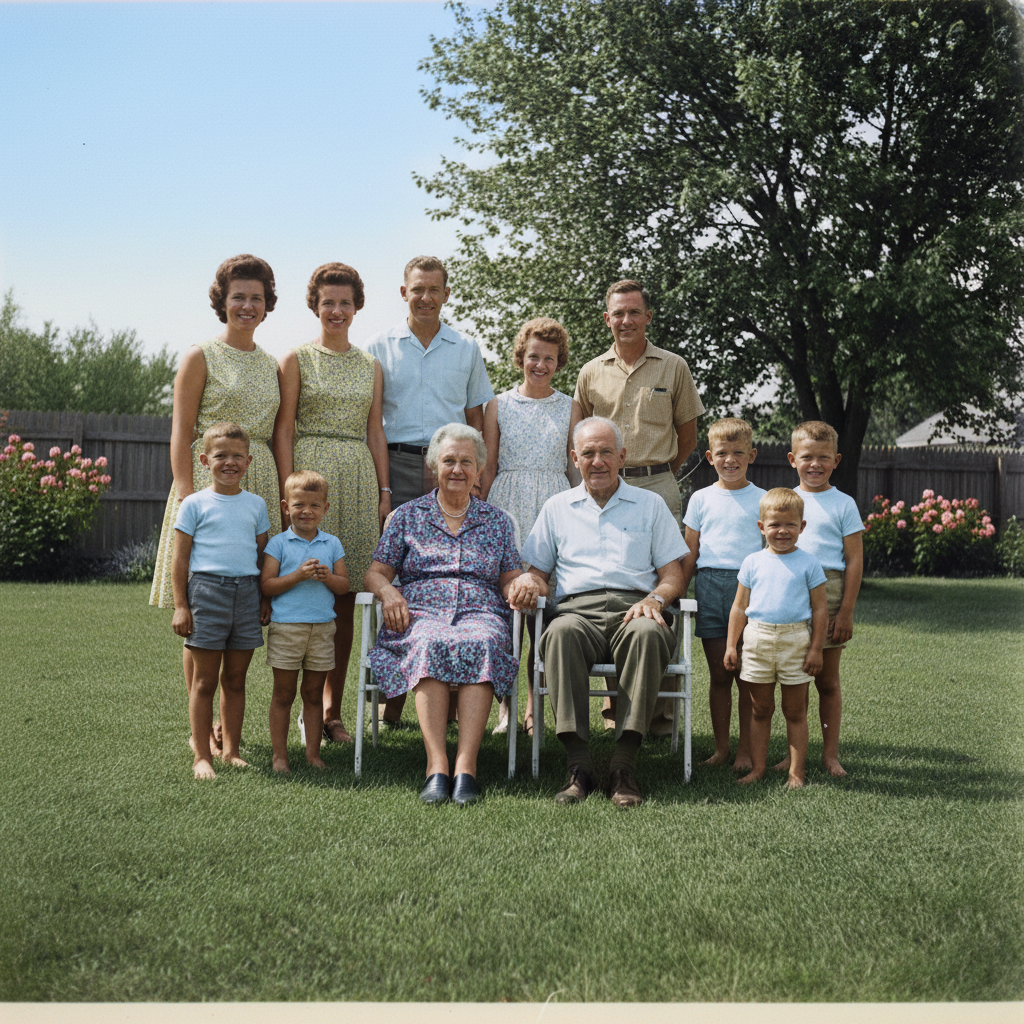
Same family photo with natural colors - green grass, blue sky, varied clothing
After

Family reunion in the backyard

A 1962 outdoor family photo with multiple generations. The AI brought natural colors to everyone while maintaining the warm, nostalgic feeling.

Prompt: add natural colors to this family gathering outdoors, green lawn, blue summer sky, varied but harmonious 1960s clothing colors, warm natural skin tones on all faces
Advertisement

If something looks off

AI changed the wrong area or chose colors that don't feel right

Why: Without specific guidance, the AI makes educated guesses. It can't know that grandma's eyes were hazel unless you tell it.

Try: Tap a marker on the specific area and regenerate with 'make this [correct color]' added to your prompt

Tip: Markers tell the AI 'I mean THIS specifically.' Use them when you have knowledge about colors the AI couldn't guess.

Skin tones look unnatural or have a strange color cast

Why: Old photos often have uneven exposure or damage that confuses the AI. Faded photos especially can produce inconsistent skin coloring.

Try: colorize with natural warm skin tones, even coloring across all faces, no green or blue color cast, healthy lifelike appearance

Tip: If one person's face looks off while others are fine, tap a marker on their face and add 'natural skin tone matching the others.'

Colors look too bright or artificial for a vintage photo

Why: Modern AI training can push toward vivid colors. But vintage photos from the 1940s-60s often had more muted, subtle tones.

Try: colorize with muted era-appropriate colors, gentle saturation typical of 1950s photography, not overly vivid or modern

Tip: Adding the decade helps: '1940s color palette' produces softer, more authentic results than modern tones.

The photo was damaged and colors look uneven

Why: Scratches, stains, and fading affect how the AI interprets the image. Damage can create color inconsistencies.

Try: Try restoring the damage first with 'repair the scratches and fading in this photo', then colorize the restored version

Tip: For heavily damaged photos, restoration before colorization usually gives better results. See our 'Restore Old Photo' tool.

Background and people don't have matching lighting/colors

Why: The AI sometimes colorizes different areas independently without considering the overall scene's lighting.

Try: colorize with consistent warm afternoon light throughout, unified color temperature on both subjects and background

Tip: Describing the lighting scenario helps: 'indoor lamp light' or 'sunny outdoor afternoon' creates cohesive results.

Fine details like eyes or jewelry lost definition

Why: Colorization can sometimes soften fine details, especially in lower resolution scans.

Try: colorize preserving all fine detail, sharp clear eyes with natural color, crisp definition on small elements like jewelry

Tip: Start with the highest resolution scan you can get. More pixels give the AI more to work with.

Quick answers

Do I need to mark or select areas before colorizing?

No. Just describe what you want: 'add natural colors to this family photo' or 'colorize with blue eyes and brown hair.' The AI understands faces, clothing, backgrounds, and outdoor scenes without you selecting them. Only use markers when you want to correct a specific color the AI guessed wrong - tap that area and tell it the right color.

How does the AI know what colors my family's clothes and features should be?

The AI makes educated guesses based on grayscale values and context from millions of historical images. It knows grass is green, sky is blue, and skin has natural tones. But it can't know your grandmother's eyes were blue unless you tell it. Include any details you remember: 'blue eyes, red dress, brown wooden furniture' - your memories make the colorization more accurate.

Can I colorize a damaged or faded photo?

Yes, though results depend on damage severity. Light fading and minor scratches usually colorize fine. For photos with heavy damage, stains, or tears, consider restoring the damage first using our photo restoration tool, then colorizing the repaired version. This two-step approach often gives the best results for precious photos.

Is there a free photo colorizer that doesn't require an account?

Yes - EditThisPic lets you colorize black and white photos for free without creating an account or logging in. Just upload your photo, describe the colors you want, and download the result. No watermarks. For occasional use, the free tier works well. For larger family history projects, affordable credit packs are available.

Will the colors be historically accurate?

The AI aims for era-appropriate colors, but it's making educated guesses unless you provide specifics. For better accuracy, include the decade and any details you know: 'colorize this 1940s photo, she always wore green.' Military uniforms and well-documented items tend to be accurate. Family-specific details - eye color, favorite dress color - need your input.

What's the best way to colorize a photo to honor someone's memory?

Use gentle, natural language in your prompt: 'add warm lifelike colors that honor their memory, gentle natural tones, soft background that doesn't distract.' Avoid overly vivid colors. Include any specific details family members remember. The goal is to help people feel like they're seeing their loved one again - dignified and real, not artificial.

Ready to bring your memories to life?

Free to try. No signup required.

Try it free โ†’