Free • No signup Fix Product photo · Free

Good Product, Bad Photo? Make It Professional

Just describe what needs fixing—AI creates professional product photos
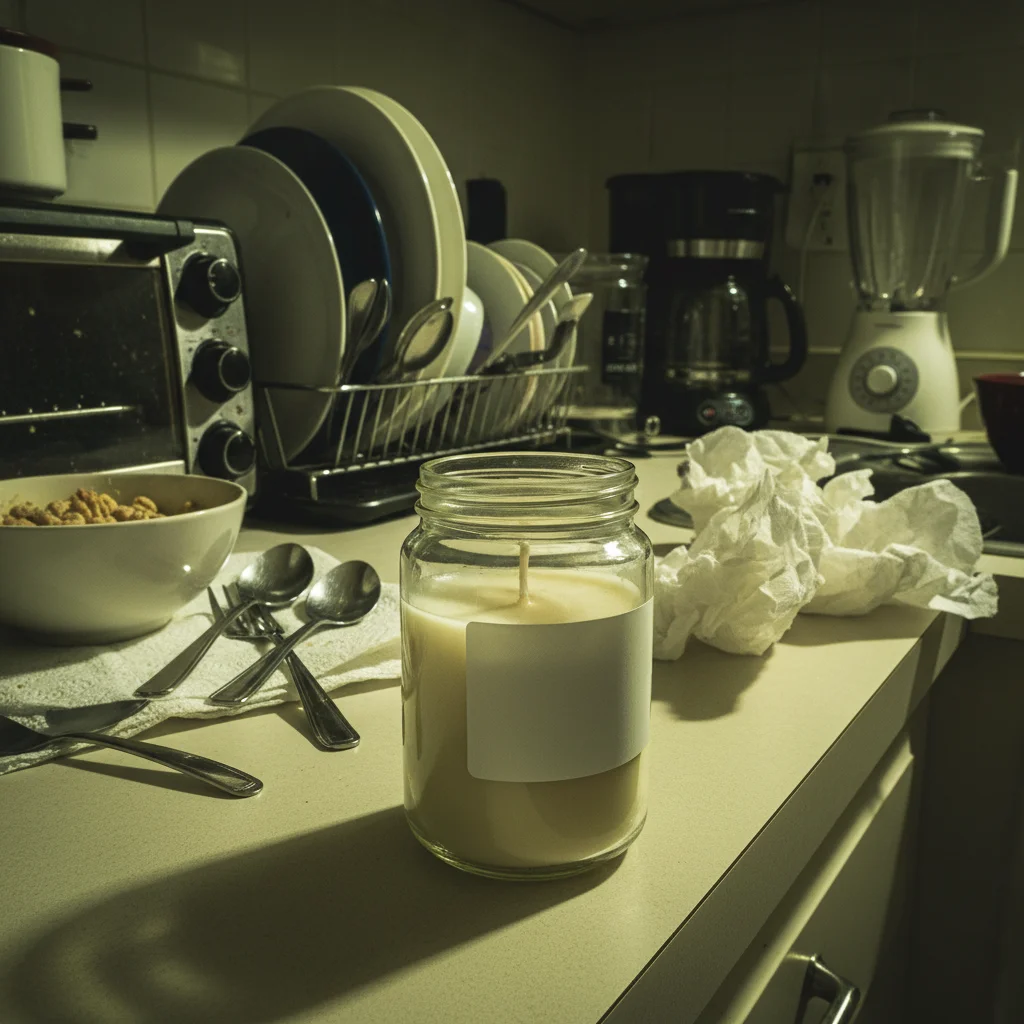
Handmade candle on cluttered kitchen counter with harsh lighting
Before
Same candle on pure white background with professional lighting
After

Fix Product Photos

Drop your photo here

or click to browse

Release to upload

Free • No signup

Advertisement
Popular use cases:
  • Etsy product photos
  • Amazon product images
  • eBay listings
  • Shopify products
  • handmade products
  • small business photos
  • craft seller photos
  • reseller photos
  • marketplace listings
  • product photography
  • white background products
  • DIY product photos
  • phone product photography
  • home product photos

Cost
Free No signup required
Time
Instant results in 15-30 seconds
Works on
Any device - browser, phone, tablet, desktop
Powered by
AI-powered photo editing
Scenario Prompt Time
White background (Amazon/Etsy) replace background with pure white and remove all shadows 22s
Fix harsh flash shadows fix the harsh flash lighting and even out shadows 20s
Remove reflections remove my reflection from the shiny surface while keeping shine 25s
Complete professional fix white background, fix lighting, remove shadows, enhance colors 28s

How it works

  1. Upload your product photo

    Drop in that phone photo from your kitchen table, desk, or wherever you took it. JPG, PNG, WebP up to 7MB. No account needed, works in your browser.

    Expect: Simple fixes (white background, basic lighting): 20-30 seconds. Complex fixes (reflections, multiple issues): may need 2-3 refinements.
  2. Describe what needs fixing

    Type your instruction: 'replace background with pure white' or 'fix the lighting and remove harsh shadows' or 'remove my reflection from the glass.' Be specific about what's wrong—messy background, bad lighting, reflections, shadows. No marking needed—the AI understands product photo concepts.

    Tip: Combine multiple fixes in one prompt: 'white background, fix lighting, remove shadows' gets everything done in one pass

    Copy one of these to get started:

    Amazon/Etsy white background requirement replace background with pure white backdrop and remove all shadows
    Messy room to clean background replace the cluttered background with a clean white studio backdrop
    Fix harsh phone flash lighting fix the harsh flash lighting and even out the shadows on the product
    Remove reflections on shiny products remove my reflection and glare from the shiny surface while keeping product shine
    4 more prompts
    Complete professional makeover make this look professional: white background, fix lighting, remove shadows, enhance colors
    Add depth with shadow white background with a subtle natural shadow under the product for depth
    Fix yellow indoor lighting color correct the yellow indoor lighting and make colors accurate on white background
    Jewelry with reflections removed remove reflections from the silver and glass while preserving the natural sparkle and shine
  3. AI makes it professional

    AI removes the messy background, balances lighting, removes shadows and reflections, and creates a marketplace-ready product photo. Check the result at full zoom for details.

  4. Refine details with markers if needed

    If specific areas need work (edge detail on product, shadow not fully removed), tap markers on those spots and regenerate. This is optional—most product fixes work without markers.

    Tip: Markers help with complex product edges or removing specific reflections. Try without them first.
Try it free

Fix Product Photos

Drop your photo here

or click to browse

Release to upload

Free • No signup

"Was photographing handmade jewelry on my dining table. This made them look like professional Etsy listings. Sold 3 in the first day." @maria_craft

See it in action

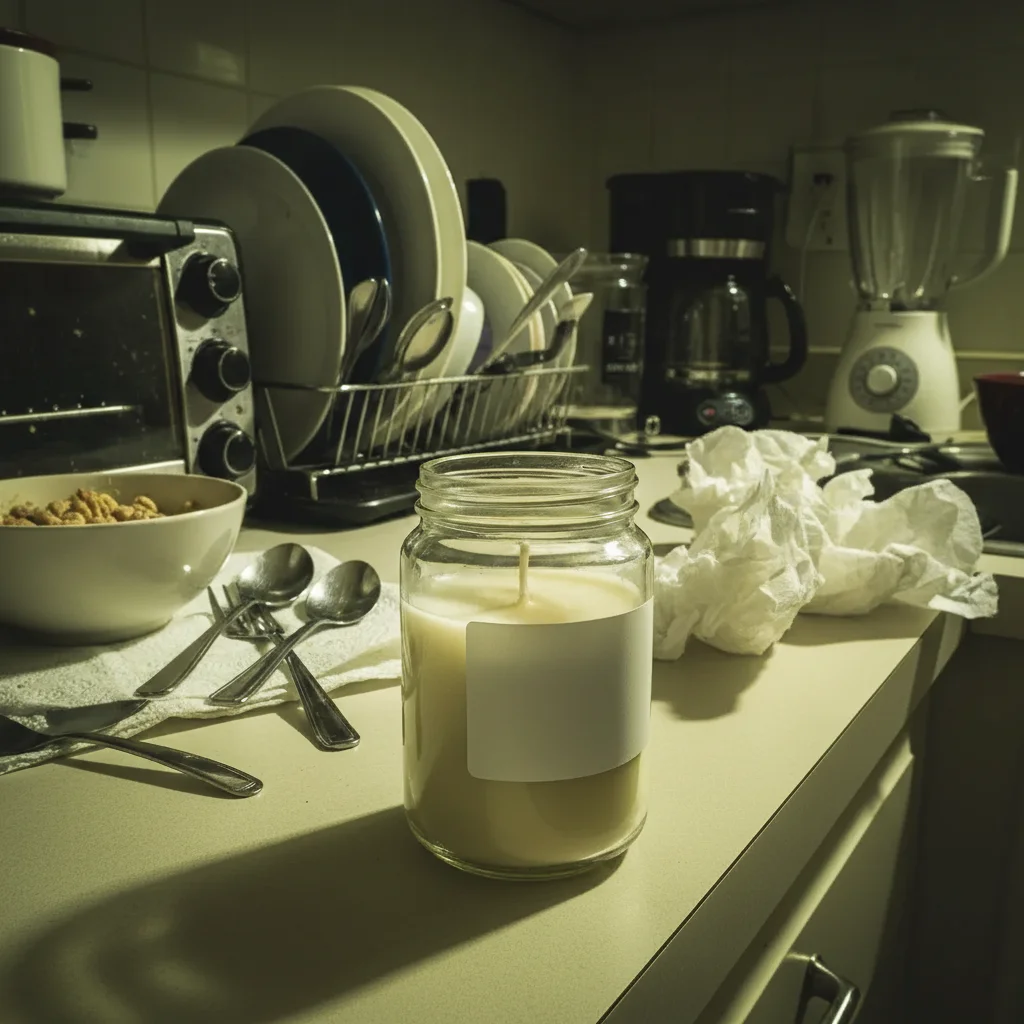
Handmade candle on cluttered kitchen counter with harsh lighting
Before
->
Same candle on pure white background with professional lighting
After

Handmade Candle: Kitchen Table to Professional

Soy candle photographed on cluttered kitchen counter with harsh overhead lighting. Transformed to clean white background with professional balanced lighting.

Prompt: replace the cluttered background with pure white backdrop and fix the lighting
Silver earrings on messy desk with reflection visible
Before
->
Same earrings on white background with reflection removed
After

Handmade Jewelry: Desk Clutter to Clean White

Silver earrings on messy desk with visible keyboard, papers, and photographer reflection in the metal. Cleaned to marketplace-ready white backdrop.

Prompt: white background, remove my reflection from the silver, and fix the shadows
Vintage watch on wrinkled bedsheet with flash shadow
Before
->
Same watch on clean white background with professional lighting
After

Vintage Item: Bedroom to Professional Listing

Vintage watch photographed on wrinkled bedsheet with harsh flash shadows. Elevated to eBay-worthy professional product photo.

Prompt: replace the bedsheet with white background, remove flash shadows, and add soft lighting
Ceramic mug on bathroom counter with yellow lighting
Before
->
Same mug on white background with corrected colors and shadow
After

Pottery: Counter Clutter to Gallery Quality

Handmade ceramic mug on bathroom counter with toiletries and mirror visible. Transformed to professional catalog-quality presentation.

Prompt: white background, fix the yellow bathroom lighting, and add natural product shadow
Advertisement

If something looks off

AI removed part of my product along with the background

Why: Product edges blend with the background (similar colors, complex shapes). The AI's automatic separation wasn't perfect.

Try: Tap markers on the product parts that got removed, then regenerate with 'keep the entire product intact'

Tip: For products with complex edges (jewelry chains, fabric folds), markers help define exact boundaries

White background looks gray or dirty instead of pure white

Why: Lighting wasn't bright enough or the prompt said 'white' without 'pure' or 'clean.'

Try: Use 'replace with PURE white backdrop, #FFFFFF' to get true white, not gray

Tip: For Amazon/Etsy compliance, always say 'pure white' or 'clean white' not just 'white'

Product looks flat or cut out instead of professional

Why: No shadow was added, so the product looks pasted on rather than naturally photographed.

Try: add a subtle natural shadow under the product for depth and dimension

Tip: Shadows ground the product and make it look 3D. Mention 'subtle' to avoid heavy shadows

Colors look wrong after fixing (too bright, wrong tones)

Why: The AI adjusted exposure or white balance too aggressively when fixing lighting.

Try: fix lighting while preserving accurate product colors and original tones

Tip: Add 'preserve colors' or 'accurate colors' to prevent color shifts during lighting fixes

Reflections not fully removed from shiny surface

Why: Description was vague. The AI didn't know which reflections to remove vs. natural product shine.

Try: remove the visible face/photographer reflection from the [metal/glass] while keeping the natural shine

Tip: Be specific: 'remove MY reflection' vs. 'remove ALL reflections'—you want shine, not photographer

Product edges look weird or glowy against white background

Why: Edge blending artifact from background removal. Common with transparent or semi-transparent products.

Try: Tap markers on the weird edges, then use 'blend the product edges naturally with white background'

Tip: Glass, plastic, or transparent products often need edge refinement with markers

Quick answers

Do I need to select or mark my product before describing the fix?

No! Just describe what you want: 'white background' or 'fix the lighting and remove shadows.' The AI automatically separates the product from the background. Only use markers if the AI makes a mistake with product edges—like removing part of the product or keeping part of the messy background. Try without markers first.

Is there a free tool to make product photos look professional without a studio?

Yes. EditThisPic fixes product photos from phone cameras without studio equipment. Upload your photo, type what needs fixing ('white background', 'fix lighting', 'remove shadows'), and download the professional result. First edit is free, then you can purchase credits or subscribe for unlimited product photos.

Can this meet Amazon and Etsy white background requirements?

Yes. Use the prompt 'replace background with pure white backdrop and remove all shadows' to create compliant product photos. Amazon requires pure white (#FFFFFF) backgrounds for main product images—this AI handles that automatically when you specify 'pure white.'

Will buyers know I edited the photo or think it's fake?

Product photo editing is standard practice. Every professional product photo is edited—lighting fixed, backgrounds cleaned, colors balanced. As long as the product itself looks accurate (no changing colors, adding features, or misleading edits), marketplace-ready photos are expected and accepted.

Can this fix really bad phone photos or do I need better lighting first?

It can fix most common issues—messy backgrounds, harsh shadows, bad lighting, yellow color casts—from standard phone photos. If your product is completely dark (totally underexposed) or motion-blurred, you'll need to retake it. But typical kitchen table phone photos work great.

What if I have 50 products to photograph?

The workflow is fast: photograph all 50 with your phone in one session (don't worry about backgrounds or lighting), then process them all through EditThisPic in under an hour. Much faster and cheaper than hiring a photographer or buying studio equipment for one-time use.

Ready to make your product photos look professional?

Free to try. No signup required. Just describe what needs fixing.

Try it free