AI Photo Editor for Green Card Photos
Last updated
Your green card application is too important to risk a photo rejection.
Drop your photo here
"replace background with pure white USCIS compliant backdrop, remove all shadows from face and background, enhance lighting to passport photo quality"
Release to upload
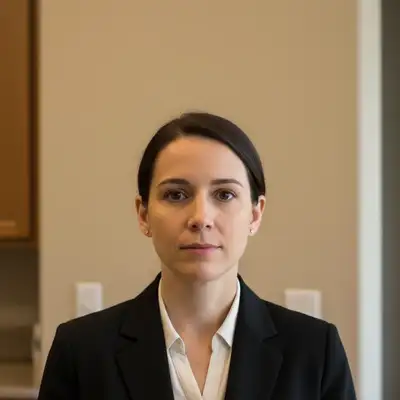
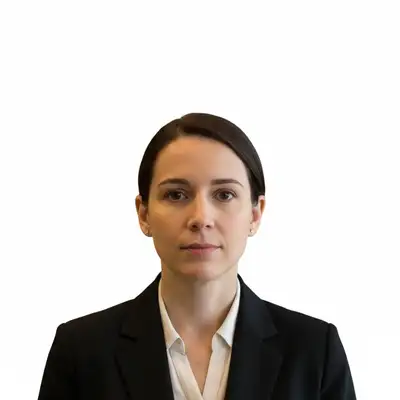
Built for Immigration Applications
Green card photos must meet exact USCIS specifications: 2x2 inches, white background, taken within 6 months, specific head size and positioning. One photo error can delay your application by months. EditThisPic ensures your photo meets every requirement without paying $35 at a photo service or risking rejection from a photo booth.
Tools for USCIS-Compliant Photos
Remove Shadow
Eliminate shadows on face and background for clean passport photo
Fix Lighting
Passport-quality lighting that meets USCIS standards
Enhance Face
Natural facial clarity while maintaining true appearance
How to AI Photo Editor for Green Card Photos
-
Take or choose your photo
Use any recent photo (within 6 months) where you're facing the camera directly with a neutral expression. Indoor photos with even lighting work well. Must show full face from top of head to bottom of chin. Remove glasses if they have glare, keep head coverings only if worn for religious reasons.
Simple white background replacement: 20-25 seconds. Full lighting fix with shadow removal: 35-45 seconds.Photos taken near a window with indirect light have the most even, flattering illumination. -
Describe USCIS requirements
Type your instruction: 'replace background with pure white USCIS compliant backdrop, remove all shadows' or 'fix lighting and background for passport photo quality white backdrop.' Be specific about eliminating shadows since USCIS rejects photos with shadow artifacts. No marking needed—the AI understands passport photo requirements.
Combine multiple fixes: 'white background, remove face shadows, enhance lighting to passport quality, keep natural appearance' -
Verify USCIS compliance
Check critical requirements at full zoom: background is pure white with no gray shadows or gradients, face is evenly lit with no harsh shadows under nose or chin, head size is 1-1.375 inches from chin to top of head (50-69% of photo height), eyes are visible and in focus, expression is neutral. Your photo must look exactly like you do now.
-
Print at correct size
Download and print at exactly 2x2 inches. Most drugstores (CVS, Walgreens, Costco) print passport photos for $0.35-0.50. When ordering, specify '2x2 passport photo' size. Print 6-8 copies for multiple forms (I-485, I-765, I-131, I-130). Photo must be printed on matte or glossy photo paper, not regular paper.
Keep your digital file - you may need to print more copies if USCIS requests additional evidence.
Copy-Paste Prompts for USCIS Compliance
replace background with pure white USCIS compliant backdrop, remove all shadows from face and background, enhance lighting to passport photo quality
This covers all three critical requirements: white background, no shadows, proper lighting
replace background with pure white backdrop for US passport photo, no shadows or gradients, perfectly uniform white
USCIS requires pure white (#FFFFFF), not off-white or light gray
fix the harsh overhead lighting shadows, create soft even illumination across face like professional passport photo, remove shadow under nose and chin
Indoor ceiling lights create unflattering shadows that USCIS may reject
remove all shadows from the white background, make background perfectly uniform pure white with no gray areas or gradients
Shadow on the background is a common reason USCIS rejects photos
Show 4 more prompts
correct the yellow indoor lighting to neutral white light, fix color cast to natural skin tones, enhance to passport photo lighting quality
Indoor bulbs create yellow/orange color casts that look unprofessional
remove the glare and reflections from glasses lenses while keeping the glasses on my face, make lenses clear so eyes are visible
USCIS allows glasses but eyes must be clearly visible through lenses
enhance face clarity and reduce under-eye shadows for official immigration photo, keep my appearance completely natural and accurate, no artificial changes
Subtle enhancement is fine but photo must accurately represent your current appearance
balance the lighting across my face, remove the dark shadow on the left side, create even soft illumination like passport photo studio lighting
Window light from one side creates half-lit faces - USCIS prefers even lighting
| Edit Type | Prompt | Time | |
|---|---|---|---|
| White background + lighting | pure white backdrop, remove shadows, passport lighting |
35s | Try This → |
| White background only | replace background with pure white USCIS compliant |
20s | Try This → |
| Remove face shadows | remove shadows under nose and chin, even lighting |
25s | Try This → |
| Glasses glare fix | remove glare from glasses, eyes visible |
25s | Try This → |
Real Examples
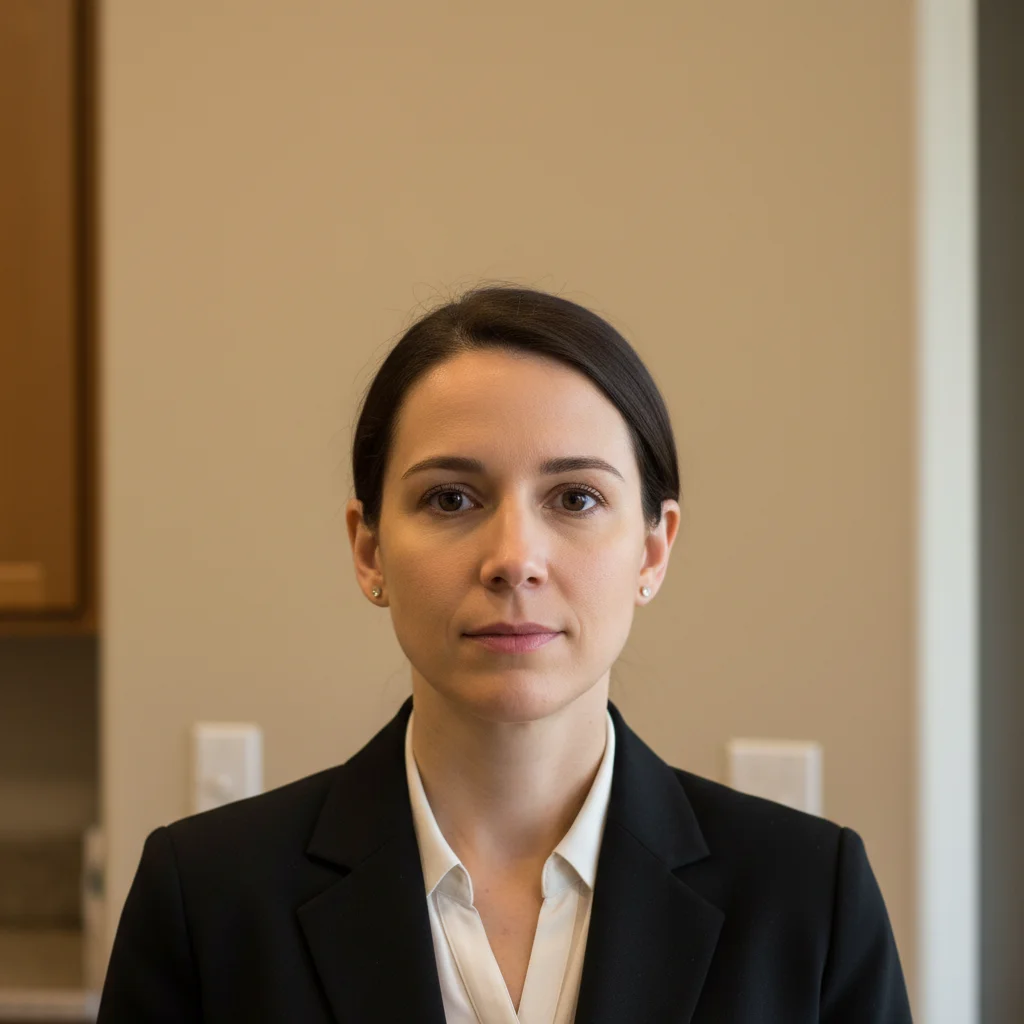
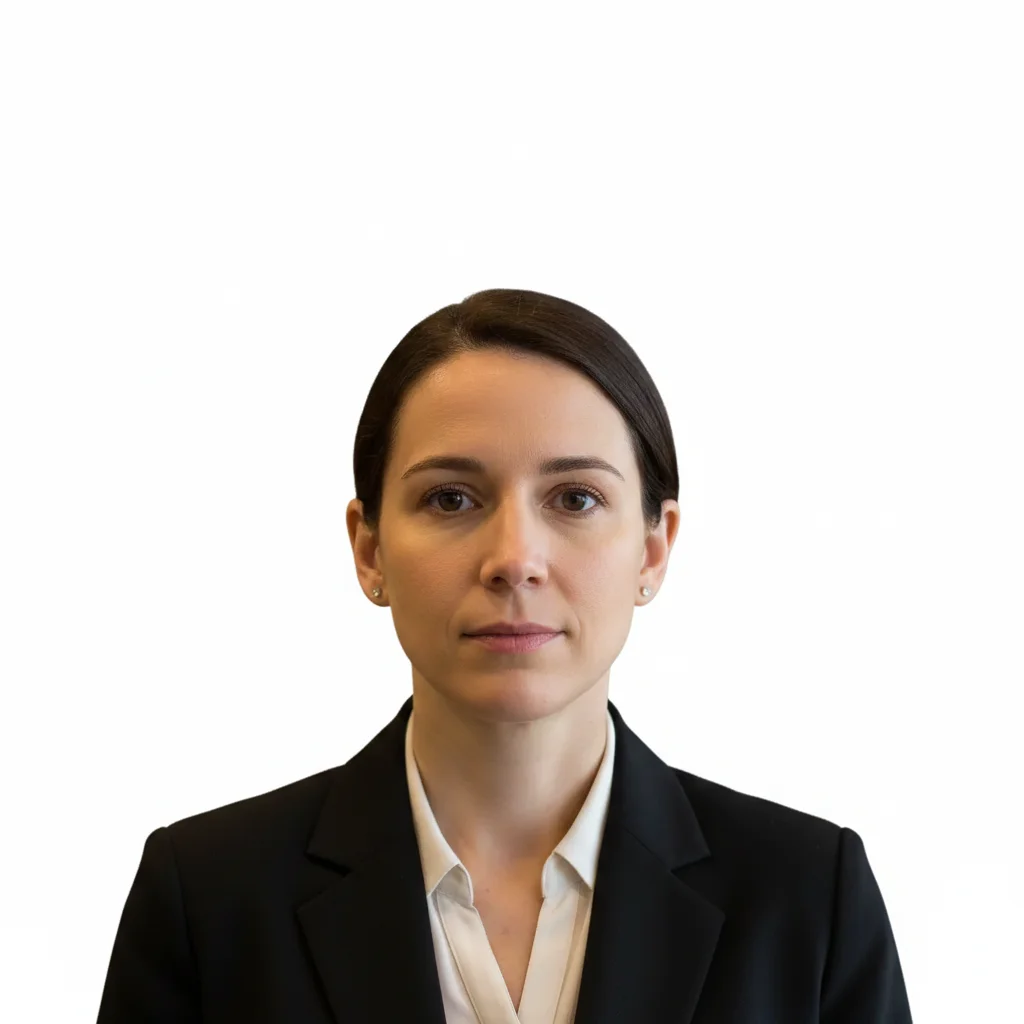
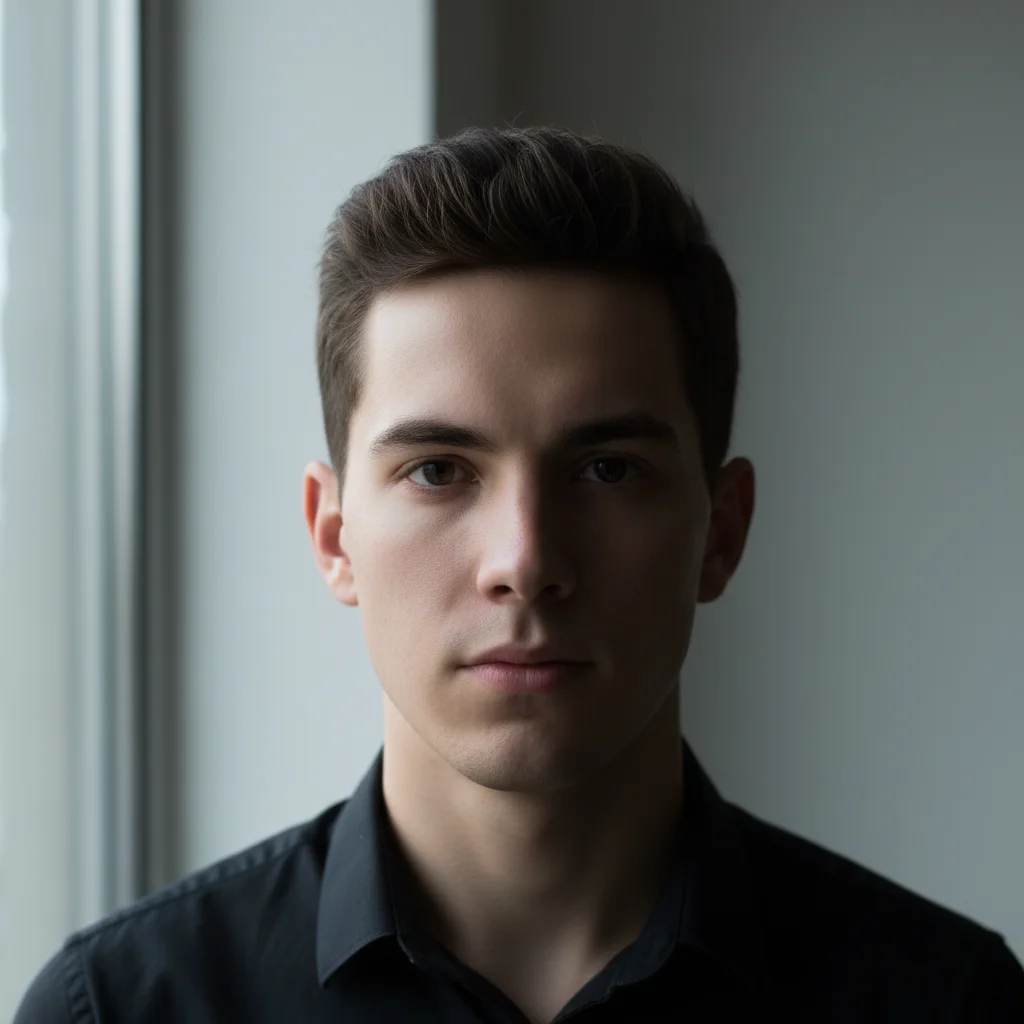
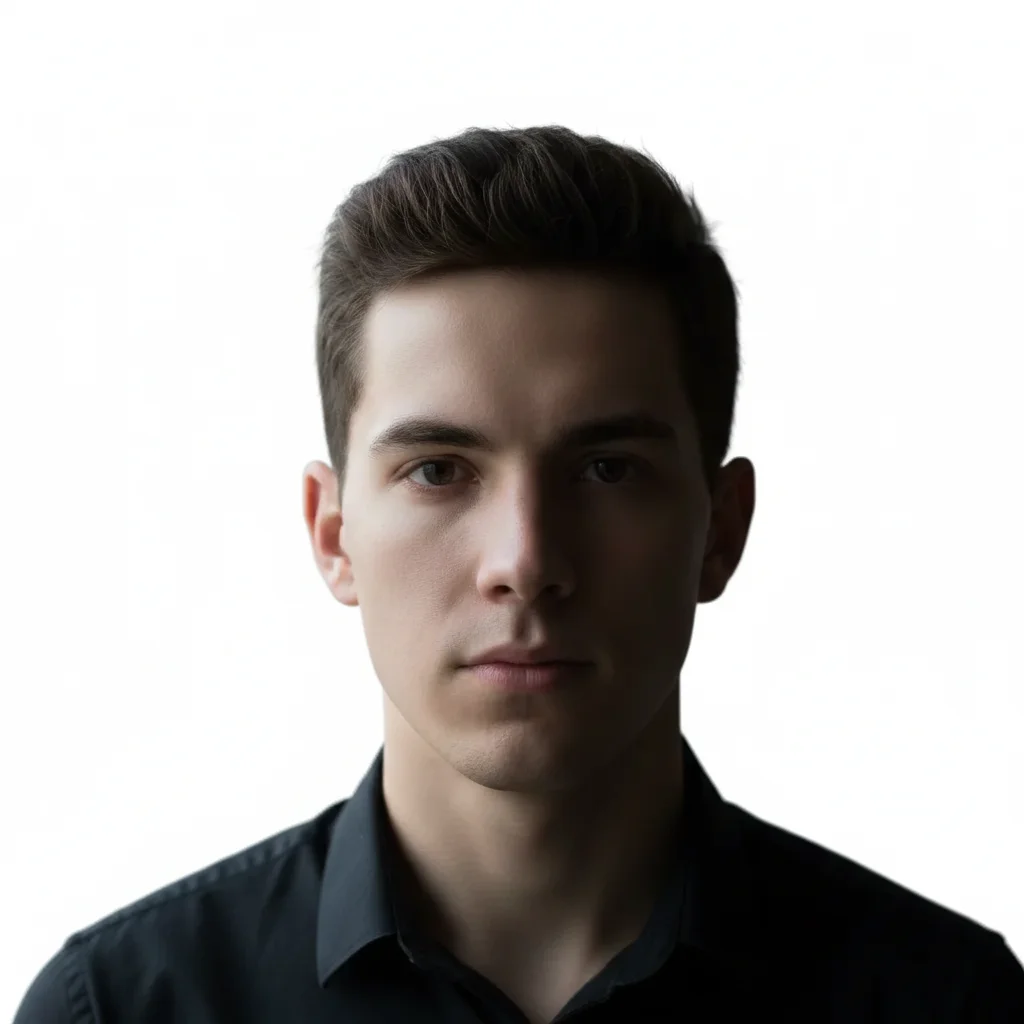
Kitchen photo to USCIS compliant
Took a quick photo against the kitchen wall with phone. Background wasn't white and ceiling light created harsh shadows. One prompt fixed everything for official submission.
replace kitchen background with pure white USCIS compliant backdrop, remove all shadows from face and background, enhance lighting to passport quality
Window light shadow removal
Beautiful natural light from window but created a strong shadow on one side of face. USCIS requires even illumination across the entire face.
balance lighting across face to remove the window shadow on right side, create even soft illumination, replace background with pure white, passport photo quality
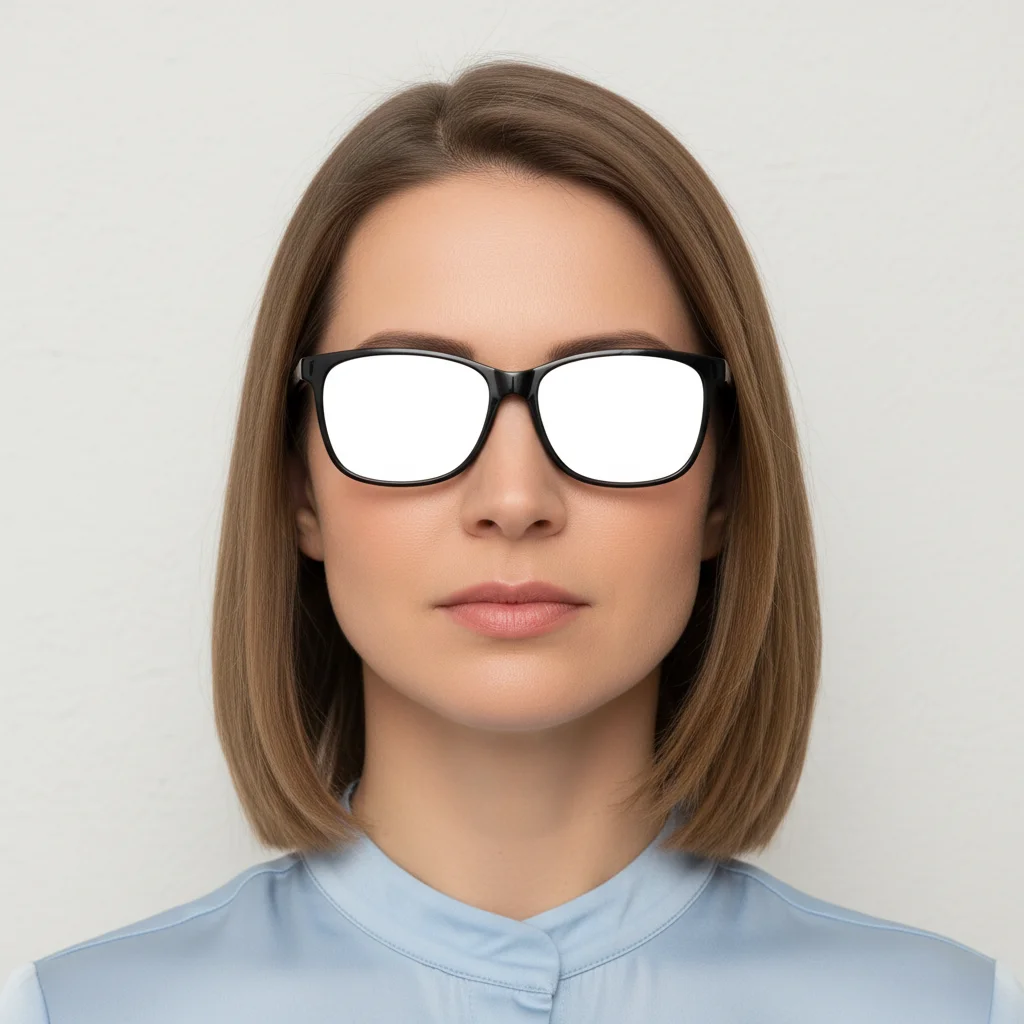
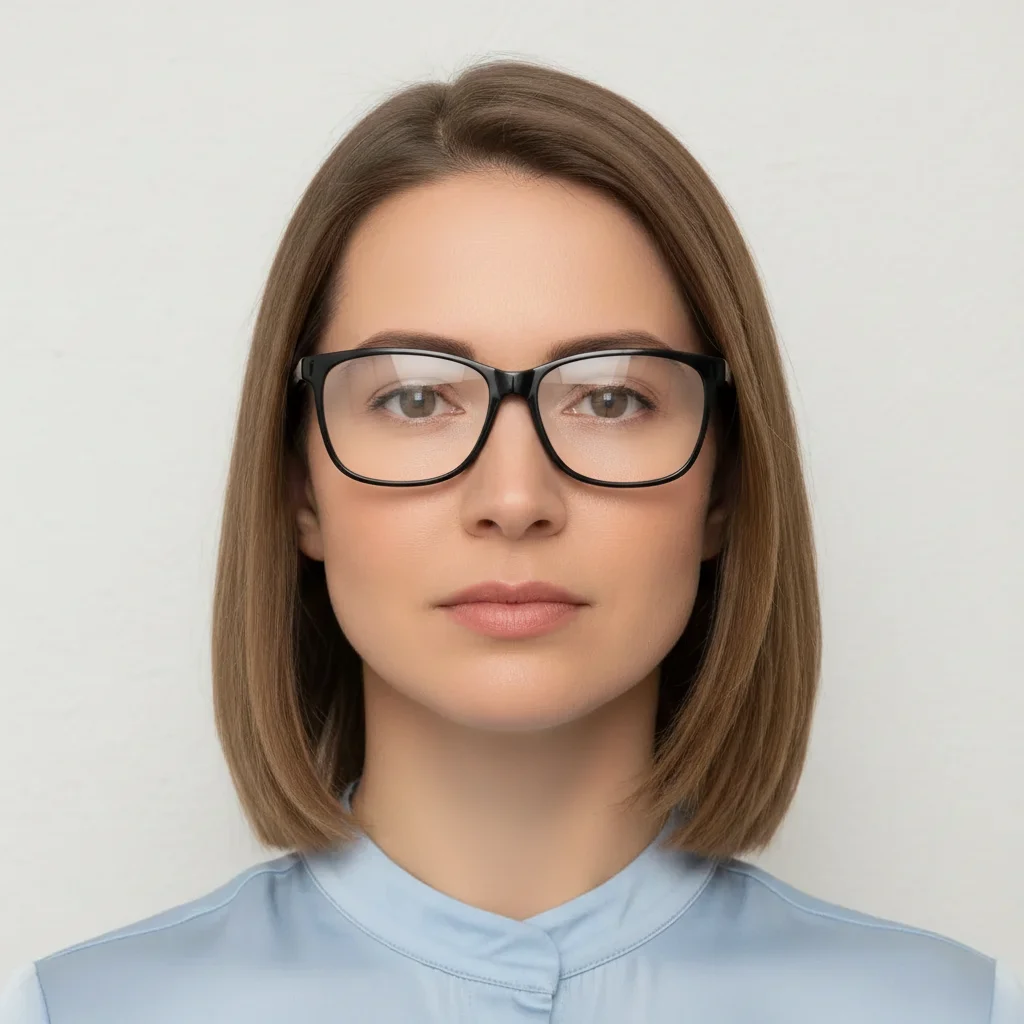
Glasses glare fixed while keeping glasses on
Wear glasses daily so need them in official photo, but flash created bright reflections on lenses. USCIS allows glasses but eyes must be visible.
remove all glare and reflections from glasses lenses while keeping glasses on my face, make lenses clear so eyes fully visible, white background
Outdoor photo converted to studio standard
Only recent photo was taken outside with trees in background. Lighting was great but background didn't meet USCIS requirements for pure white.
replace outdoor background with pure white USCIS passport photo backdrop, keep the natural outdoor lighting quality on face, remove any shadows
When Things Go Wrong
Background is off-white or light gray, not pure white
Why: The AI didn't create a sufficiently bright white background. USCIS uses scanners that detect this.
make background PURE WHITE like #FFFFFF, brightest possible white with no gray tones or shadows at all
Check the background by opening in image editor - it should be RGB (255, 255, 255).
Face is too bright or washed out after lighting fix
Why: Aggressive lighting enhancement can over-brighten skin tones and lose facial detail.
reduce the brightness on my face, bring back natural skin texture and shadows, keep lighting even but not washed out
Your photo must look like you - if lighting makes you unrecognizable, USCIS may reject it.
Photo no longer looks like me after enhancements
Why: Over-editing changed facial features. USCIS requires photo to accurately represent current appearance.
Start fresh with: replace background with pure white only, do not change my face at all
USCIS photos must be accurate. Only fix background and lighting, not facial features.
Frequently Asked Questions
Do I need to mark anything before creating my green card photo?
No! Just describe what you need: 'replace background with pure white USCIS compliant backdrop' or 'remove shadows and fix lighting for passport photo.' The AI understands passport photo requirements.
What are the exact USCIS photo requirements for green card applications?
USCIS requires: 2x2 inches printed size, taken within the last 6 months, pure white background with no shadows, full face directly facing camera, neutral expression (natural smile or no smile), head size 1 to 1-3/8 inches (50-69% of photo height) from chin to crown, both eyes open and visible, no glasses unless medically required (if worn, no glare on lenses), head coverings only for religious purposes. Photo must be in color, printed on matte or glossy photo paper.
Can I use EditThisPic photos for my I-485, I-130, I-765, and other USCIS forms?
Yes. All USCIS forms requiring photos use the same 2x2 inch white background standard as US passport photos. Once you create one compliant photo here, print 6-8 copies for your various forms. The same photo works for I-485 (green card application), I-130 (family petition), I-765 (work permit), I-131 (travel document), and naturalization applications.
How recent does my green card photo need to be?
USCIS requires photos taken within 6 months of your application submission. The photo must accurately represent your current appearance - if you've changed your hairstyle, facial hair, or appearance significantly since the photo was taken, you need a new photo. USCIS may reject photos that don't match your current look.
What causes USCIS to reject green card photos?
Most common rejections: background isn't pure white (has shadows, gradients, or off-white color), photo is older than 6 months, harsh shadows on face (especially under nose or chin), head too small or too large in frame, wearing glasses with glare, unnatural expression or closed eyes, poor lighting quality, wrong printed size (not 2x2 inches), printed on regular paper instead of photo paper. Every rejection delays your application by weeks.
Can I wear glasses in my green card photo?
USCIS allows glasses only if you wear them daily for medical reasons. However, both eyes must be fully visible - no glare, reflections, or tinted lenses allowed. The frames cannot obscure your eyes. If you can take your glasses off safely, USCIS recommends removing them. If you keep them on, use EditThisPic to remove any lens glare: 'remove glare from glasses while keeping glasses on, make eyes clearly visible.'
Is EditThisPic's AI photo editor for green card photos really free?
Yes — you get 1 free edit per week, no account needed. Plans start at $4.99/month for 15 edits.
Can I undo or adjust the AI edit if I don't like the result?
Yes. You can refine your prompt and re-edit as many times as you want. Each attempt uses one edit credit (or your free weekly edit).
Popular use cases
Ready to create your USCIS-compliant green card photo?
Free to try. No signup required. No watermarks. Don't risk rejection.
Create Compliant PhotoTrusted by 15,000+ users