Free • No signup Transfer Makeup · Free

Transfer Makeup Look from Photo

Upload your bare-face photo + a makeup reference, and the AI copies that exact look onto you.

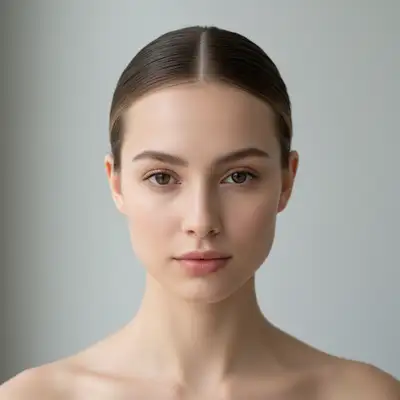
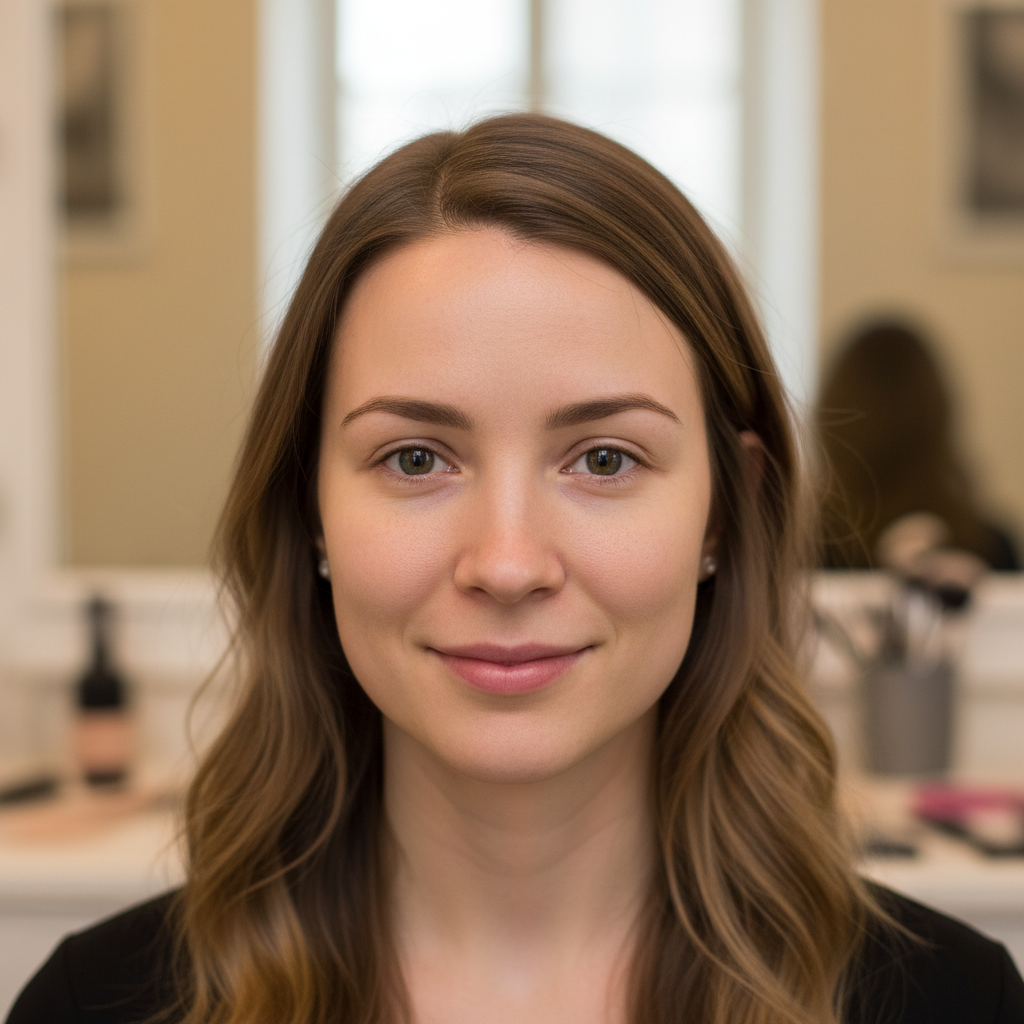
Bare-face selfie with no makeup, clean skin
Photo 1
+
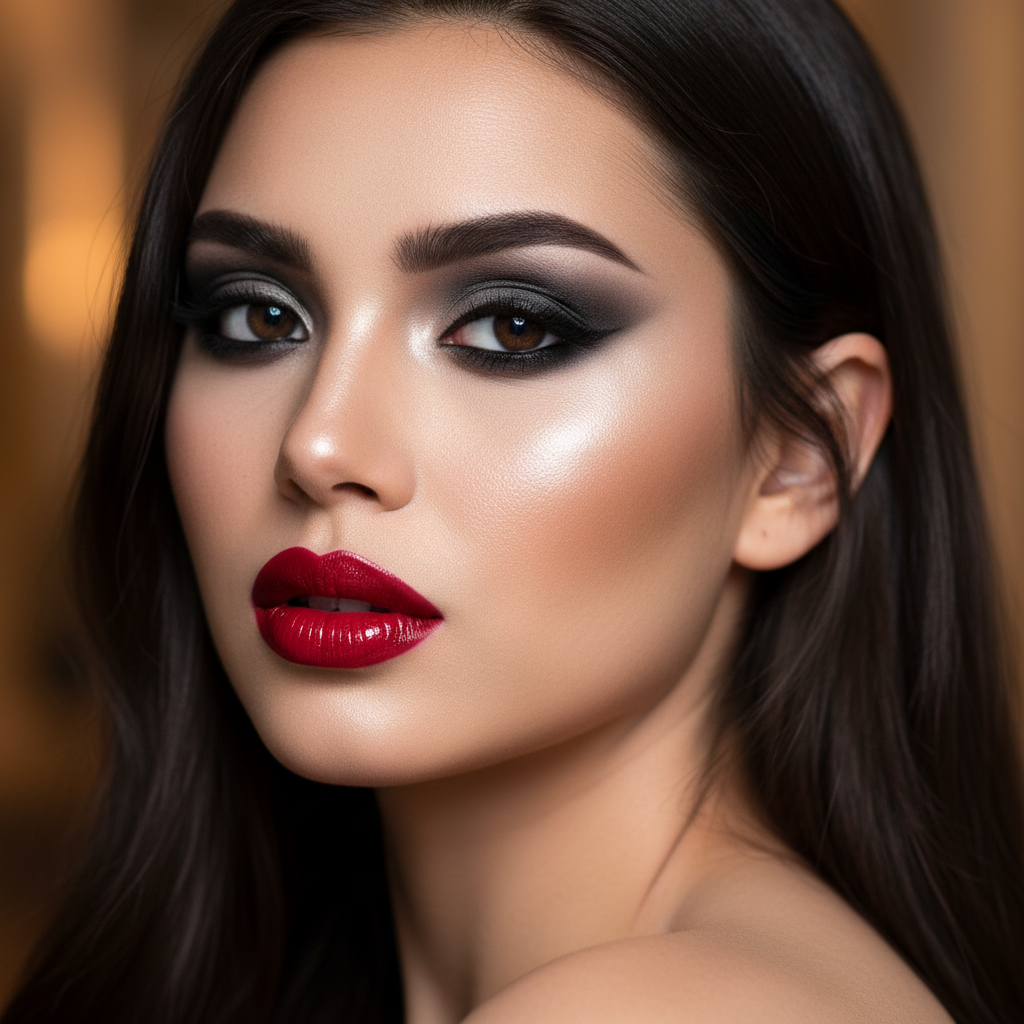
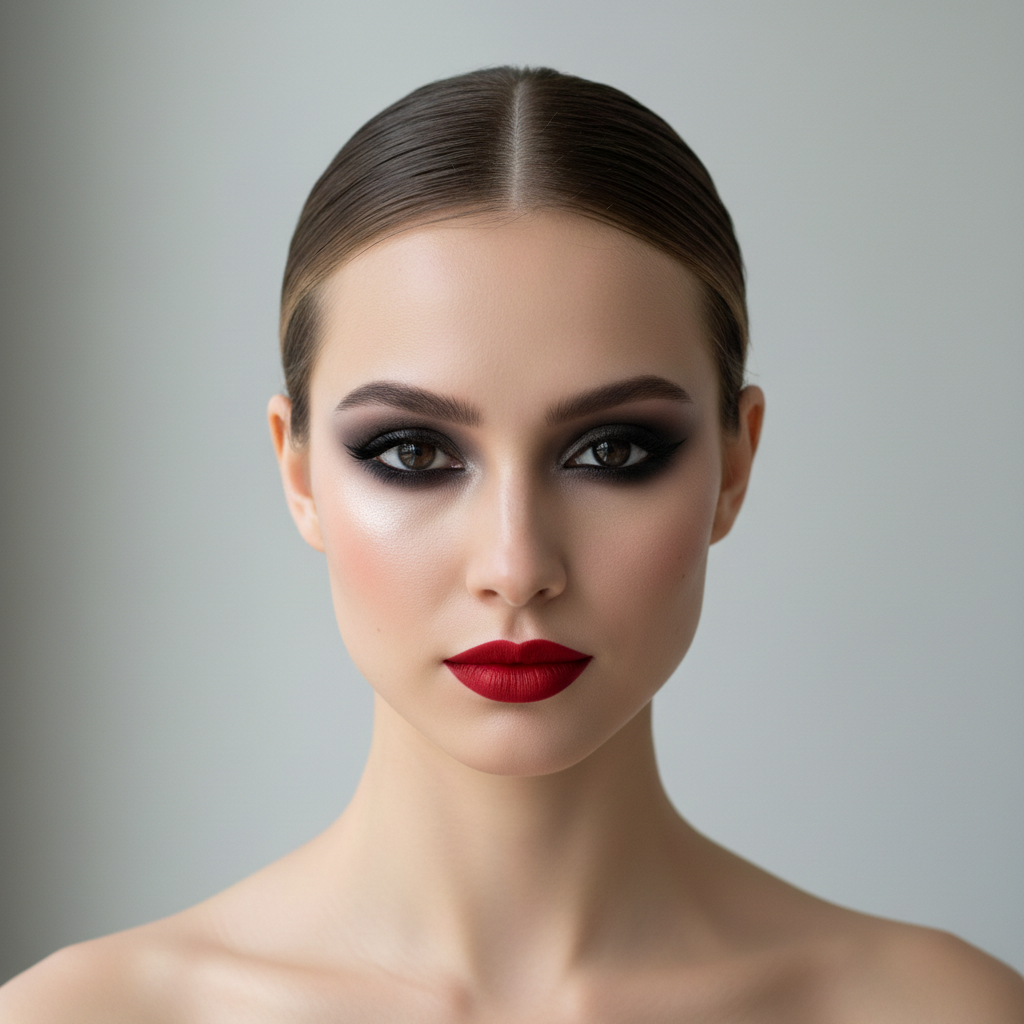
Celebrity reference photo showing dramatic smoky eye and bold red lip makeup
Photo 2
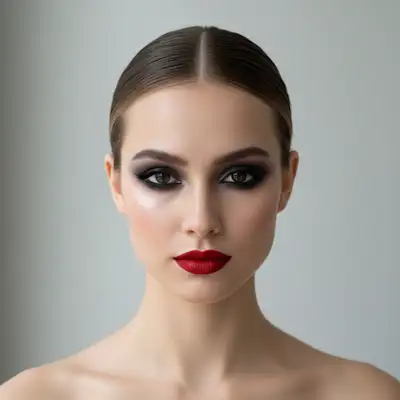
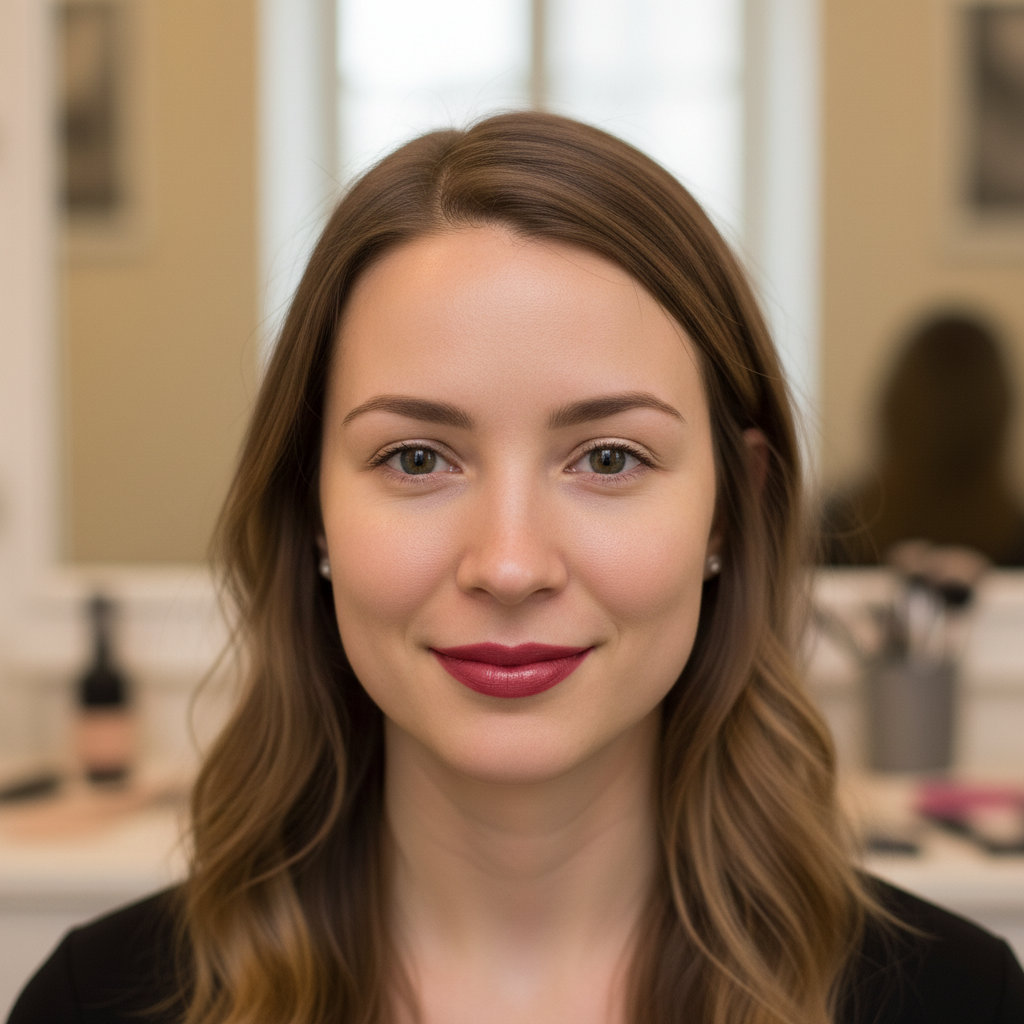
Same face with dramatic smoky eye and bold red lip transferred from celebrity reference photo
Result

Transfer Makeup from Photo

Drop your photo here

or click to browse

Release to upload

Free • No signup

Popular use cases:
  • AI makeup transfer
  • copy makeup look from photo
  • celebrity makeup try-on
  • bridal makeup preview
  • makeup reference transfer
  • virtual makeup try-on from reference
  • Instagram makeup look on my face
  • makeup inspiration try-on
  • Pinterest makeup look test
  • event makeup planning

1Your photo
+
2Reference
=
Result
Bare-face selfie ready for makeup transfer Your photo
Reference photo showing the desired makeup look Makeup reference
Face with makeup look transferred from reference Result

"Transfer the makeup from the reference image onto my face"

Cost
Free No signup required
Time
Instant results in 15-30 seconds
Works on
Any device - browser, phone, tablet, desktop
Powered by
AI-powered photo editing
Scenario Prompt Time
transfer the full makeup look from the reference image onto my face 30s
copy only the eye makeup from the reference onto my face 20s
transfer the look from reference, adapting shades to my skin tone 30s
transfer bridal makeup from reference, romantic and photo-ready 30s

How it works

  1. Upload your bare-face photo

    Drop your photo into EditThisPic. A well-lit, front-facing portrait with minimal or no existing makeup gives the AI the clearest canvas to work on. Natural or soft indoor lighting works best. JPG, PNG, WebP up to 7MB.

    Expect: Simple makeup transfers like a single bold lip: 20-30 seconds. Full-face looks with complex eye work: may need 2-3 refinements for perfect accuracy.
  2. Upload your makeup reference photo

    Click '+ Add reference image' below the prompt box to upload the photo showing the makeup look you want. This can be a celebrity photo, an Instagram screenshot, a Pinterest inspiration image, or a friend's photo — any image where the makeup is clearly visible. The AI reads the exact colors, product placement, and style from this reference and applies it to your face.

    Tip: Choose a reference where the face is well-lit and the makeup is sharp and clearly visible. A front-facing or slight three-quarter angle works best for accurate color reading.

    Copy one of these to get started:

    Transfer Makeup Look from transfer the makeup from the reference onto my face — make it look natural and professional
    Celebrity-inspired look adapted for skin tone copy the makeup from the reference image onto my face, adapting the shades to complement my skin tone while keeping the overall style the same
    Transfer only the eye makeup copy only the eye makeup from the reference — the eyeshadow, liner, and lashes — onto my face, keep my natural lip color and skin
    Bridal look preview transfer the bridal makeup from the reference onto my face for a wedding-day preview — keep it romantic, elegant, and photo-ready
    3 more prompts
    Transfer lip color only apply only the lip color and finish from the reference image onto my lips, keeping all other makeup natural
    Toned-down version of a dramatic look transfer the makeup look from the reference onto my face at about 70% intensity — slightly softer and more wearable than in the reference photo
    Full glam for a special event copy the full glam makeup from the reference — bold contouring, dramatic eye shadow, defined brows, and statement lip — onto my face for an event look
  3. Describe the transfer

    Type your instruction: 'transfer the makeup from the reference image onto my face' or be specific: 'copy the smoky eye and bold red lip from the reference onto me, matching my skin tone.' You can direct the AI to transfer the whole look or just specific elements like the lip color or eye shadow.

    Tip: To transfer only part of a look, say: 'apply only the eye makeup from the reference, keep my lips natural.' This lets you mix-and-match elements.

    Copy one of these to get started:

    Transfer Makeup Look from transfer the makeup from the reference onto my face — make it look natural and professional
    Celebrity-inspired look adapted for skin tone copy the makeup from the reference image onto my face, adapting the shades to complement my skin tone while keeping the overall style the same
    Transfer only the eye makeup copy only the eye makeup from the reference — the eyeshadow, liner, and lashes — onto my face, keep my natural lip color and skin
    Bridal look preview transfer the bridal makeup from the reference onto my face for a wedding-day preview — keep it romantic, elegant, and photo-ready
    3 more prompts
    Transfer lip color only apply only the lip color and finish from the reference image onto my lips, keeping all other makeup natural
    Toned-down version of a dramatic look transfer the makeup look from the reference onto my face at about 70% intensity — slightly softer and more wearable than in the reference photo
    Full glam for a special event copy the full glam makeup from the reference — bold contouring, dramatic eye shadow, defined brows, and statement lip — onto my face for an event look
  4. Generate and review

    Check that the transferred makeup matches the reference in color and style. Verify the blending looks natural on your skin tone and the application follows your facial contours correctly. Compare the reference side-by-side with your result.

  5. Refine with markers if needed

    If a specific area didn't transfer accurately — like the lip color being off or the eye shadow not quite matching — tap a marker on that area and ask for a correction. This is optional and most transfers work without it.

    Tip: Markers are for precision only. Try without them first. If the AI transferred the wrong element or missed a feature, tap the area and regenerate.
Try it free

Transfer Makeup from Photo

Drop your photo here

or click to browse

Release to upload

Free • No signup

"Saved a photo of my favorite celebrity's red carpet look, uploaded my selfie, and in 30 seconds I could see exactly how that makeup would look on my face. Showed it to my MUA before my wedding." @MakeupInspo_Brianna

See it in action

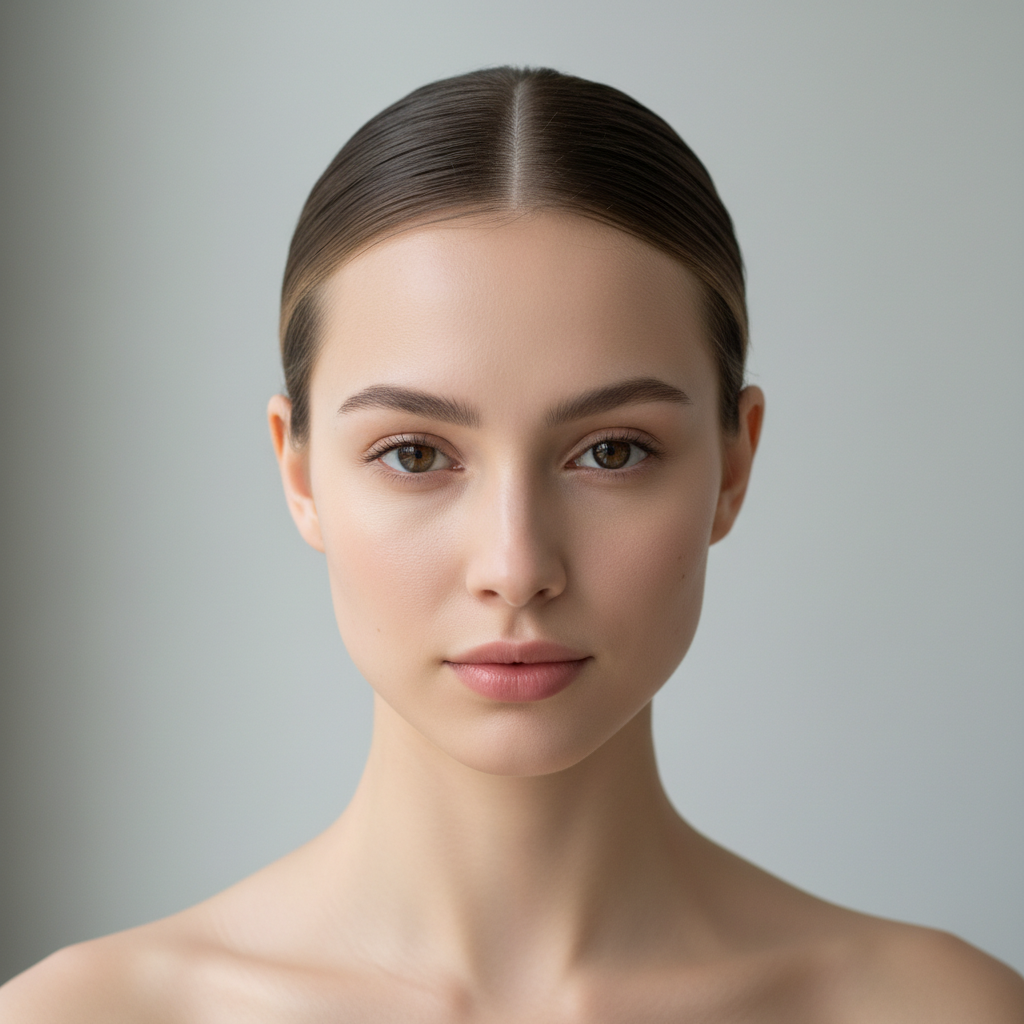
Bare-face selfie with no makeup, clean skin
Main Photo
Celebrity reference photo showing dramatic smoky eye and bold red lip makeup
Reference
Same face with dramatic smoky eye and bold red lip transferred from celebrity reference photo
Result

Celebrity red carpet look transferred to bare face

A clean bare-face selfie with a dramatic celebrity smoky eye and bold lip transferred from a reference photo.

Prompt: transfer the full makeup look from the reference image onto my face, matching the smoky eye, bold red lip, and highlighted cheekbones as closely as possible
Bare-face portrait of woman with no makeup in natural lighting
Main Photo
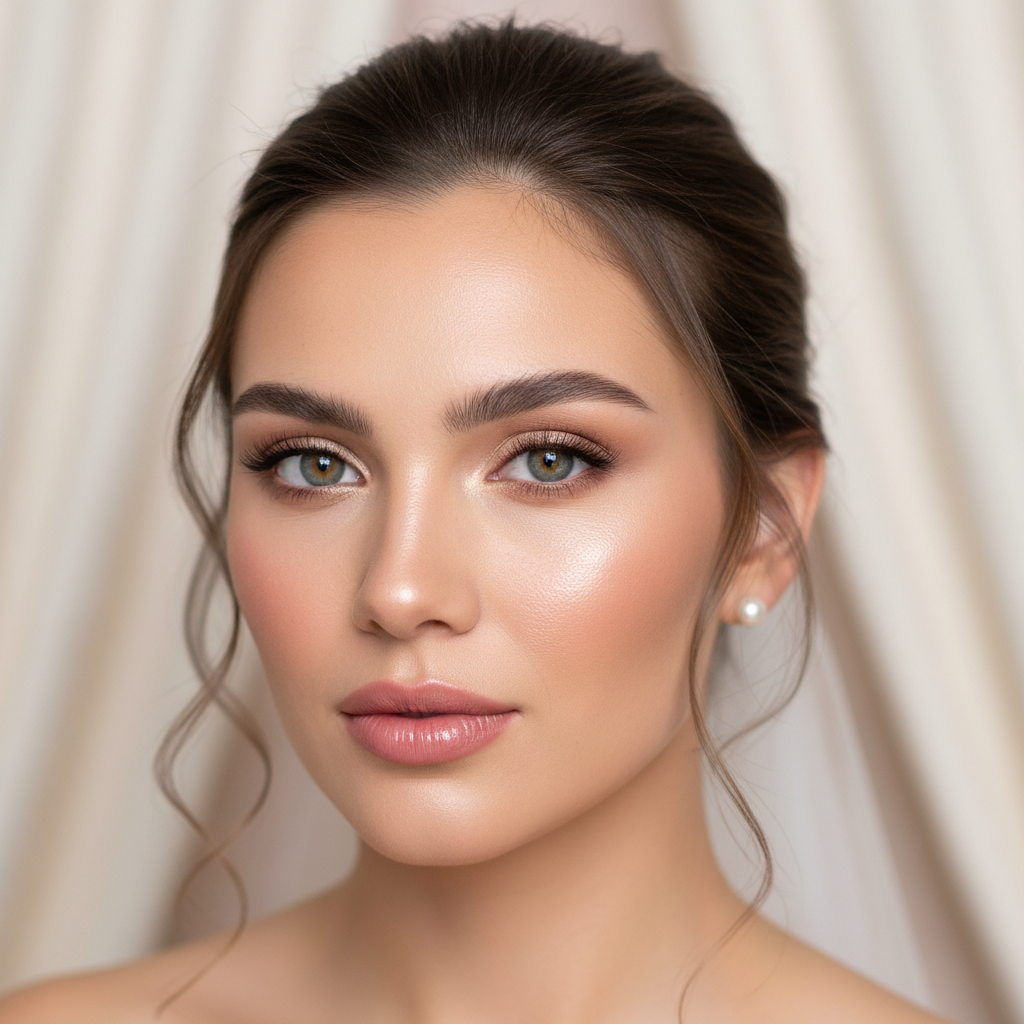
Bridal inspiration photo showing soft rose lip, dewy glow, and champagne eye shimmer
Reference
Same woman with soft romantic bridal makeup transferred from inspiration photo
Result

Bridal inspiration look tested on a real face

A soft romantic bridal look from a Pinterest inspiration photo previewed on an actual bare-face photo before the wedding.

Prompt: transfer the bridal makeup from the reference onto my face — the rose lip, dewy glow, and soft champagne eye shimmer — adapted to complement my skin tone

Detailed Guides by Scenario

📷

Trying Celebrity and Influencer Makeup Looks

Saw a jaw-dropping red carpet look or a viral beauty tutorial? See exactly how that makeup translates to your face before buying a single product.

Common Scenarios

  • Red carpet celebrity looks from award shows
  • Viral TikTok or Instagram makeup trends
  • Magazine editorial looks you want to recreate
  • Influencer tutorials you want to try on yourself

Best Practices

  • Use a cropped, close-up reference photo where the makeup is clearly visible
  • Choose references with similar lighting to your own photo for the most accurate color transfer
  • Screenshot a single still frame from a video for the sharpest reference
  • If the skin tone is very different, add 'adapt the colors to complement my skin tone' to your prompt
Trying a celebrity red carpet look transfer the full makeup look from the reference image onto my face, adapting the colors to complement my skin tone
Copying just the eye look from an influencer tutorial copy only the eye makeup from the reference — the dramatic smoky shadow and thick liner — onto my face, keep my lips natural
📷

Bridal Makeup Preview and Planning

Visualize your wedding day makeup before committing to a trial appointment. Test looks from bridal inspiration photos on your actual face.

Common Scenarios

  • Testing looks from your bridal Pinterest board on yourself
  • Comparing two or three potential bridal looks side by side
  • Showing your makeup artist exactly what you want with a personalized reference
  • Previewing how dramatic vs. soft looks appear on your features

Best Practices

  • Use a clean bare-face photo in natural lighting to simulate a fresh canvas
  • Try both a romantic soft look and a bolder glam look to compare
  • Save each result and share with your makeup artist as a briefing
  • Reference photos from brides with similar skin tone give the most accurate preview
Previewing a bridal look from an inspiration photo transfer the bridal makeup from the reference — soft rose lips, dewy skin, and romantic eye shimmer — onto my face for a wedding day preview
Planning bridal makeup with makeup artist copy the classic bridal makeup from the reference, keeping it elegant and photo-ready, adapting the foundation shade to my skin tone
📷

Comparing Everyday vs. Glam Looks on Your Face

Curious how a full glam look compares to your usual natural routine on your own features? Transfer both and decide what works for you.

Common Scenarios

  • Deciding between a natural look and a full glam for a special occasion
  • Exploring whether bold eye makeup suits your face shape
  • Testing whether a new lip color trend flatters your features
  • Building a repertoire of looks that genuinely work on your face

Best Practices

  • Use the same base photo for all comparisons so results are directly comparable
  • Start with the simpler look first, then layer up to the more dramatic version
  • Reference photos with strong contrast between the natural and glam elements work best
  • Describe which specific element you want amplified: 'intensify only the eye drama'
Comparing everyday look vs. full glam for an event transfer the full glam makeup from the reference — bold contouring, dramatic lashes, and statement lip — onto my face so I can see the full transformation
Evaluating whether a minimal look suits your features copy the no-makeup makeup look from the reference onto my face — soft blurred skin, subtle brow tint, and tinted gloss

If something looks off

Makeup colors look wrong for my skin tone

Why: The AI copied the exact pigments from the reference, which were calibrated to a different complexion. Colors that pop on the reference person may read differently on your skin.

Try: transfer the makeup look from the reference but adapt the shades to flatter my skin tone — keep the style, adjust the exact colors

Tip: Adding 'adapt to my skin tone' gives the AI permission to make flattering adjustments while preserving the overall look

The full look transferred but one feature looks off (e.g., the eyeshadow is muddy)

Why: Complex multi-product looks sometimes have one element that doesn't transfer as cleanly as the others, usually due to lighting differences in the reference.

Try: fix the eye shadow — it should match the reference more closely with sharper definition and the correct color blend

Tip: Target the single problem element in your fix prompt rather than re-running the full transfer. It's faster and more accurate.

Only part of the look transferred — some features were ignored

Why: The prompt was too broad and the AI prioritized the most prominent features in the reference. Less visible elements like brow shaping or subtle highlight are sometimes skipped.

Try: also transfer the brow shaping, highlight, and [missing element] from the reference — apply all remaining makeup elements from the reference image

Tip: List specific features you need: 'including the brow arch, inner-corner highlight, and lash definition' to make sure nothing is missed

The transferred makeup looks too heavy or theatrical

Why: The AI reproduced editorial or heavily lit reference makeup at full intensity, which reads as overdone in a natural portrait context.

Try: re-apply the makeup from the reference at 60-70% intensity — softer, more wearable, less theatrical than in the reference

Tip: Studio and editorial references are lit to handle heavy makeup. Use an intensity modifier to dial it back for natural photos.

AI changed the wrong area or something I didn't want changed

Why: The AI couldn't determine exactly which area you meant from description alone. This happens with ambiguous requests when multiple face regions are in play.

Try: Tap a marker on the specific area you want to change, then regenerate with the same prompt

Tip: Markers tell the AI 'I mean THIS area specifically.' Use them when the transfer keeps affecting the wrong feature.

The makeup blends into my skin unnaturally — harsh edges or patchy coverage

Why: Lighting mismatch between the reference and your photo causes edge artifacts where the transferred makeup meets bare skin.

Try: smooth out the makeup edges and blend the [eye shadow / foundation / blush] naturally into my skin, no harsh boundaries

Tip: Using a reference photo taken in similar lighting to your own photo dramatically reduces blending artifacts on the first try

Quick answers

Do I need to mark my face before transferring the makeup?

No. Just upload your photo, click '+ Add reference image' to add the makeup reference, then type 'transfer the makeup from the reference onto my face.' The AI automatically identifies facial features and applies the look. Use markers only if one specific area needs correction after your first result.

How do I transfer makeup from a photo to my face?

Upload your bare-face photo to EditThisPic. Click '+ Add reference image' below the prompt box and upload the photo showing the makeup look you want — a celebrity photo, Pinterest screenshot, or any image where the makeup is visible. Type 'transfer the makeup from the reference image onto my face' and click edit. The AI copies the colors, placement, and style in about 30 seconds. Free, no account needed.

Is there a free tool to transfer a makeup look from a photo without downloading an app?

Yes. EditThisPic is entirely browser-based — it works on iPhone, Android, and desktop without any app download or account. You get one free edit per week. Upload your photo, add a reference image, describe the transfer, and download the result with no watermark.

What's the best AI tool for trying on a makeup look from a reference photo?

EditThisPic is designed specifically for reference-image edits. Unlike makeup filter apps with preset looks, it reads the actual makeup from your specific reference photo — the exact shades, product placement, and style — and maps them to your unique facial structure. It handles celebrity photos, magazine cutouts, Instagram screenshots, and any other image you provide.

Can I transfer just part of a makeup look, like only the lip color or only the eye makeup?

Yes. Specify what you want in your prompt: 'copy only the lip color from the reference, keep my eyes natural' or 'transfer only the eye shadow and liner, no changes to my lips or skin.' This lets you mix elements from the reference with your own natural features.

What if the makeup in my reference photo is on someone with a different skin tone?

Add 'adapt the shades to complement my skin tone' to your prompt. The AI adjusts the pigment values so the same style translates flatteringly onto your complexion rather than doing a literal color copy. The overall look stays the same — the exact shades get adapted.

Can I use a celebrity photo or Instagram screenshot as my reference?

Yes. Any clear photo where the makeup is visible works as a reference — celebrity photos, magazine editorials, Instagram screenshots, Pinterest inspiration images, even video frame grabs. The AI reads the makeup from the image directly. The sharper and better-lit the reference, the more accurate the transfer.

How is this different from just describing a makeup look in a prompt?

Describing a look ('add smoky eyes and red lips') tells the AI to generate a generic version of that look. Using a reference image transfers the specific look from that photo — the exact shade of red, the particular way the eye shadow is blended, the specific lip shape. Reference transfers are more accurate and personalized than description-only edits.

Does this work if my face already has some makeup on it?

It works best on a bare face or minimal makeup, because existing makeup can interfere with the transfer. If your photo has light makeup, include 'first remove my existing makeup, then apply the look from the reference' in your prompt. For heavy existing makeup, start from a cleaner base photo for best results.

Can I use this to plan my makeup before a wedding or event?

Yes — this is one of the most popular uses. Collect bridal inspiration photos or event-look references, upload your bare-face photo, and test each reference look on yourself. Save all the results and share them with your makeup artist as a precise brief showing exactly what to recreate. It removes ambiguity from the consultation.

What photo format should I use for best results?

For your main photo: a front-facing, well-lit portrait in JPG, PNG, or WebP (up to 7MB). Soft natural or studio lighting works best. For the reference: any clear image where the face and makeup are in focus. Both phone photos and professional shots work fine. Avoid heavily filtered or extremely dark reference images.

Ready to try any makeup look on your face?

Upload your photo + a reference. Free, no signup required.

Try it free