Free • No signup Simulate Bridal makeup · Free

AI Bridal Makeup Simulator

Describe your dream bridal makeup and AI creates it perfectly. No marking needed.
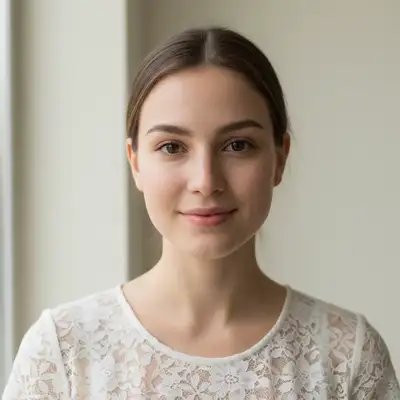
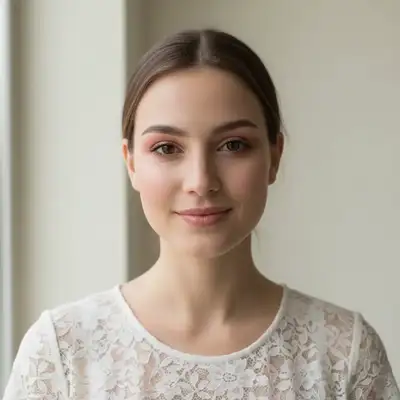
Bride with natural face in white lace
Before
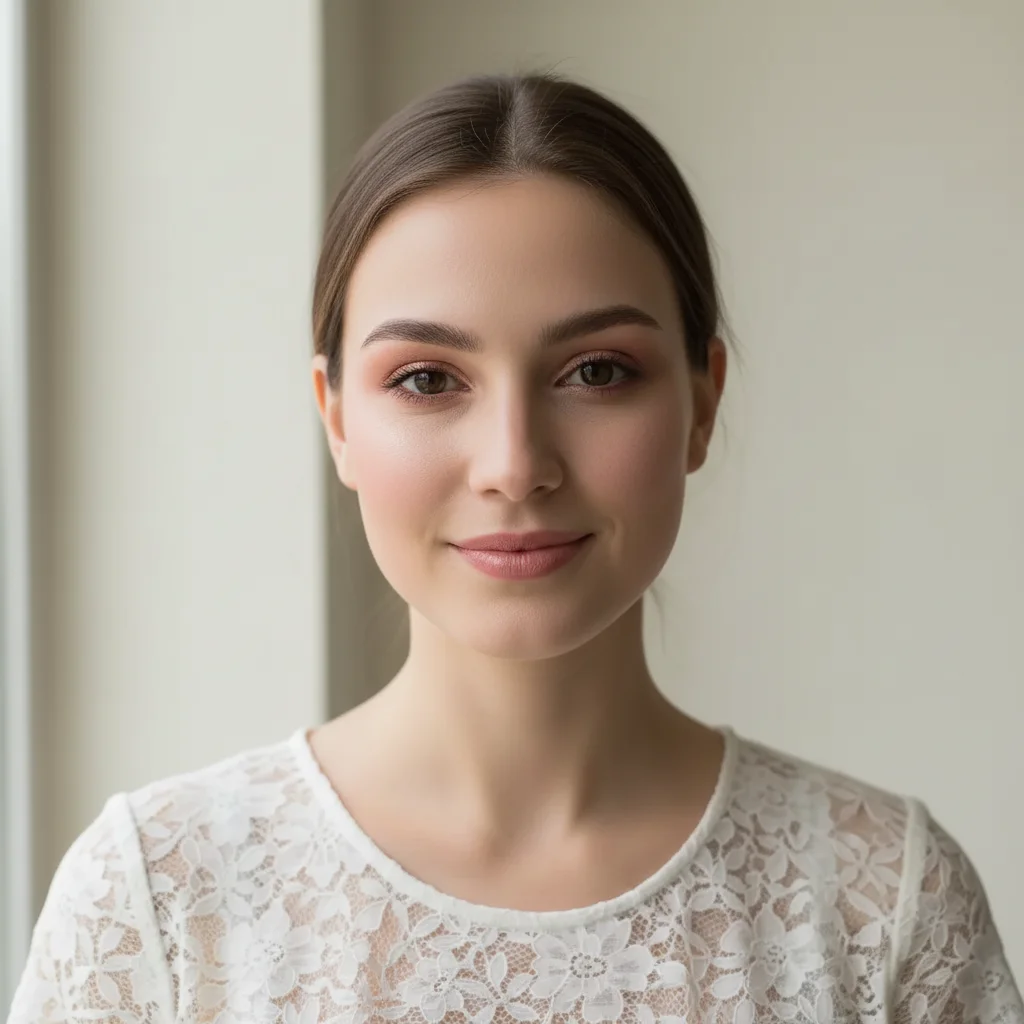
Same bride with romantic rose gold bridal makeup
After

AI Bridal Makeup Simulator

Upload photo to simulate bridal makeup

Free • Results in 30 seconds • No signup

Release to upload

FreeNo signupNo watermark
Popular use cases:
  • wedding planning
  • bridal makeup trial
  • engagement photos
  • wedding day visualization
  • makeup artist consultations
  • bridal beauty planning
  • wedding photography prep
  • bridal shower photos

Cost
Free No signup required
Time
Instant results in 15-30 seconds
Works on
Any device - browser, phone, tablet, desktop
Powered by
AI-powered photo editing
Scenario Prompt Time
Romantic rose gold apply romantic bridal makeup with rose gold eyes 40s
Classic timeless create classic bridal makeup with neutral eyes 40s
Natural garden wedding apply natural bridal makeup with peachy tones 40s

How it works

  1. Upload your photo

    Upload a clear, front-facing portrait. Good lighting on the face and visible facial features give the AI the best foundation for bridal makeup editing. JPG, PNG, WebP up to 7MB.

    Expect: Bridal makeup application: 40-50 seconds. Complex looks with special details: 55-60 seconds and may need refinements.
  2. Describe the bridal makeup

    Type what you want: 'apply romantic bridal makeup with rose gold eyes' or 'create classic wedding makeup with soft pink lips.' Mention the vibe (romantic, classic, modern, natural), eye colors, lip shade, and any specific details like 'dewy finish' or 'long-lasting matte.' No marking needed—the AI applies wedding-appropriate makeup to all features automatically.

    Tip: Mention your wedding theme or dress color for coordinated makeup: 'apply bridal makeup to complement an ivory lace dress' or 'create makeup for a garden wedding.'

    Copy one of these to get started:

    Romantic soft bridal makeup apply romantic bridal makeup with rose gold eyeshadow, soft pink blush, and nude pink lips
    Classic timeless bridal look create classic bridal makeup with neutral eyes, defined lashes, and soft red lips
    Natural garden wedding apply natural bridal makeup with peachy tones, fresh glow, and nude lips
    Glamorous evening wedding create glamorous bridal makeup with champagne eyeshadow, contoured cheeks, and berry lips
    3 more prompts
    Deciding on a new look before committing simulate bridal makeup with a natural, realistic result — I want to see exactly how this would look in real life before I commit to the change
    Bold statement bridal create bold bridal makeup with smokey eyes, winged liner, and classic red lips
    Vintage-inspired bridal apply vintage bridal makeup with soft brown eyeshadow, rosy cheeks, and coral lips
  3. Review the bridal look

    Check that the makeup is wedding-appropriate—flattering but not overpowering, photo-ready with good dimension, and harmonious with your features. Look for natural blending, proper color choices for bridal photography, and balanced intensity.

  4. Refine with markers if needed

    If specific features like eye color intensity, blush placement, or lip shade need adjustment, tap markers on those areas and regenerate. Most bridal makeup applications work beautifully on the first try.

    Tip: Markers are for precision refinement only. Try without them first—you usually won't need them.
Try it free

AI Bridal Makeup Simulator

Upload photo to simulate bridal makeup

Free • Results in 30 seconds • No signup

Release to upload

Free • No signup

"As a bridal makeup artist, I use this to show brides their trial looks before the actual appointment. Upload their photo, try different bridal styles. They can see exactly what to expect on their wedding day." @BridalBeautyStudio

See it in action

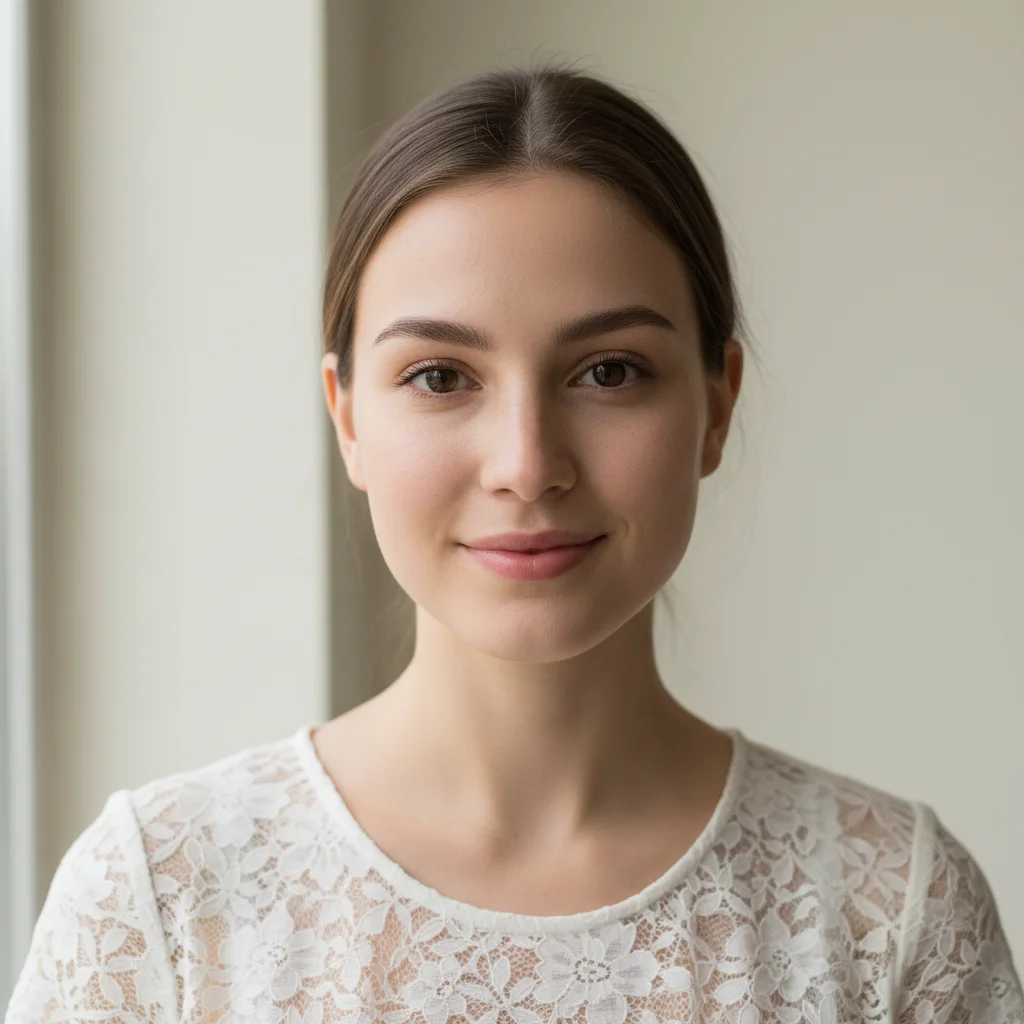
Bride with natural face in white lace
Before
->
Same bride with romantic rose gold bridal makeup
After

Romantic rose gold bridal

A natural engagement photo transformed with romantic rose gold bridal makeup.

Prompt: apply romantic bridal makeup with rose gold eyeshadow, soft pink blush, and nude pink lips
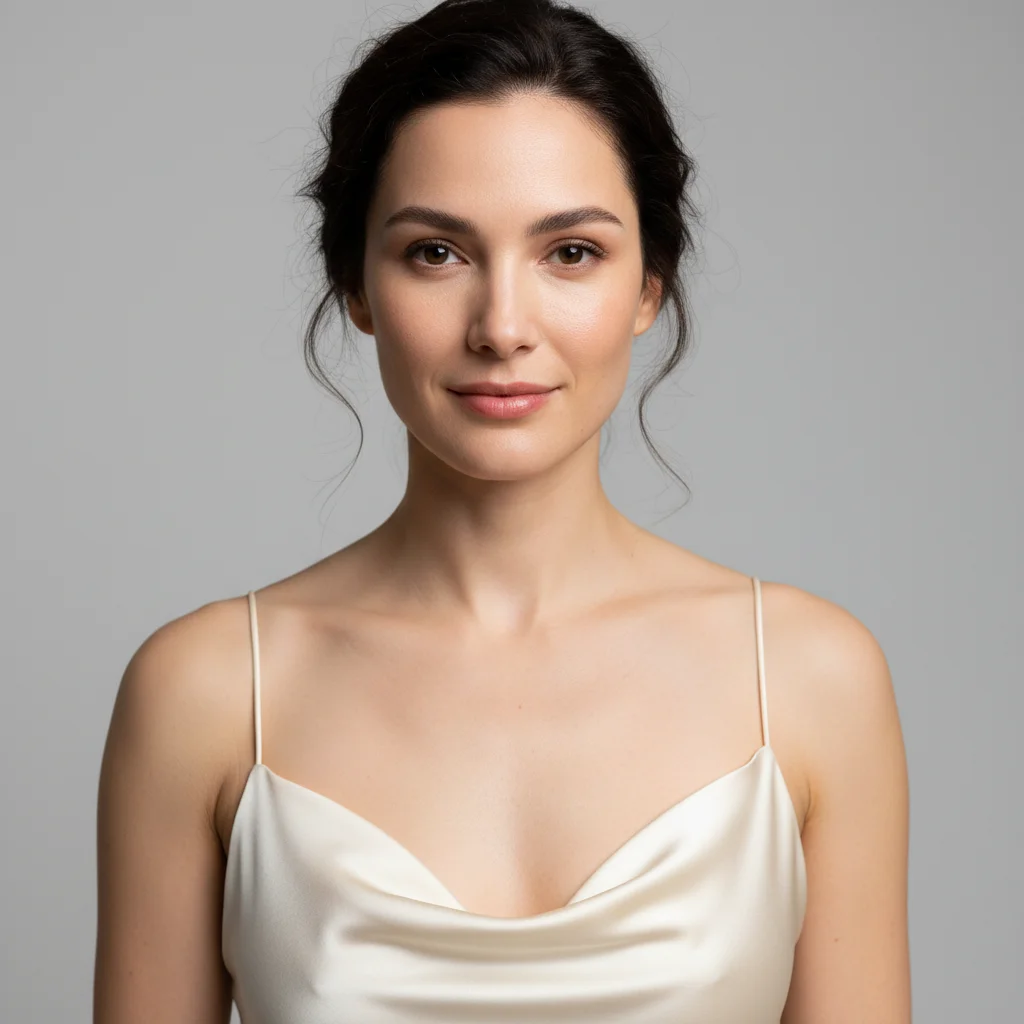
Bride in ivory dress with clean natural face
Before
->
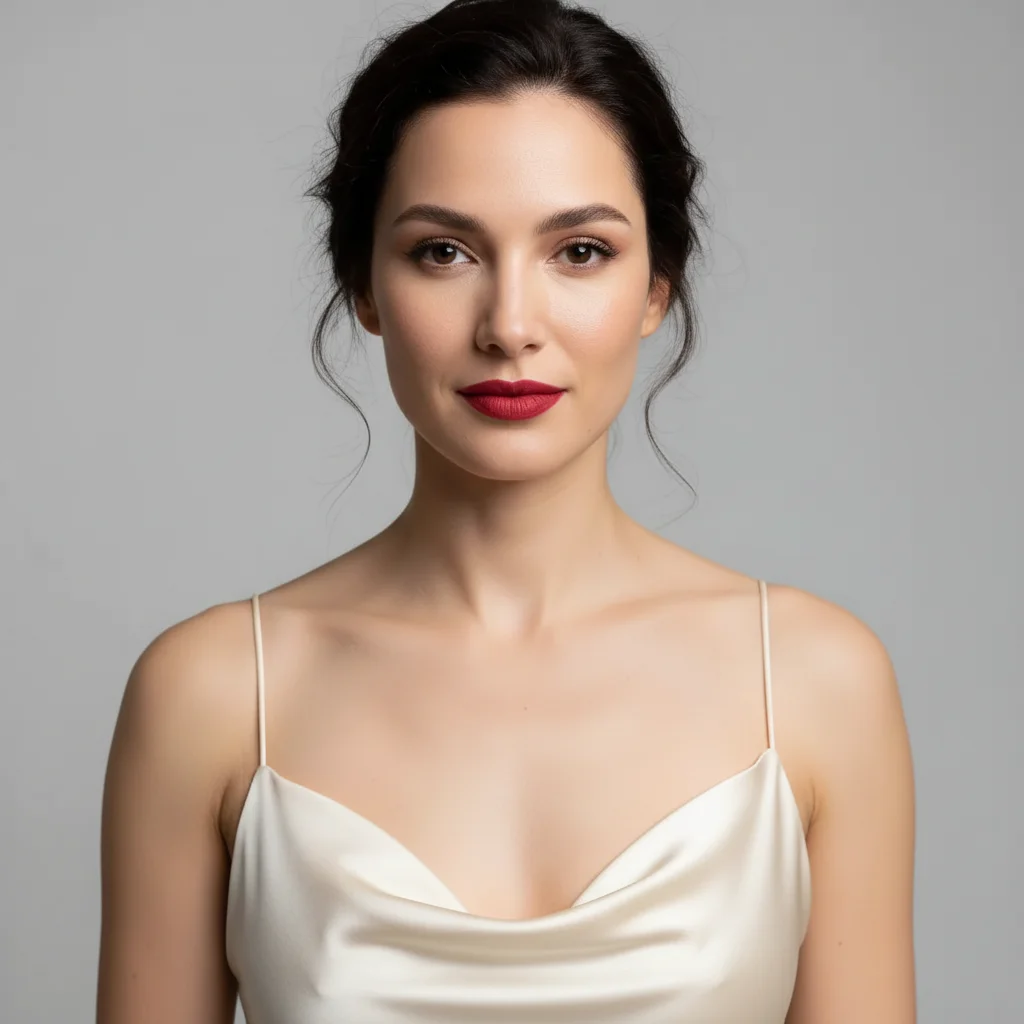
Same bride with classic timeless bridal makeup
After

Classic timeless bridal look

A simple portrait elevated with classic bridal makeup perfect for traditional weddings.

Prompt: create classic bridal makeup with neutral eyes, defined lashes, and soft red lips

Detailed Guides by Scenario

📷

Design Visualization

Preview bridal makeup changes on your actual photo before committing — make confident design decisions backed by visuals.

Common Scenarios

  • Simulating bridal makeup on a room, outfit, or space to evaluate the look
  • Creating client-ready mockups that visualize bridal makeup in their specific context
  • Comparing multiple bridal makeup options side by side using the same source photo

Best Practices

  • Upload a clear, well-lit photo from the angle you'd naturally view the subject
  • Be specific about the bridal makeup — color, material, size, and placement all matter
  • Generate 2-3 variations to have meaningful options to compare
📷

Professional Proposals

Win client approval with realistic bridal makeup previews that show exactly what the finished result will look like.

Common Scenarios

  • Building a presentation deck with bridal makeup visualizations for a client pitch
  • Showing stakeholders bridal makeup options before ordering materials or starting work
  • Creating before-and-after comparisons of bridal makeup for a project proposal

Best Practices

  • Use the client's own photos for the most persuasive previews
  • Label each option clearly (Option A, B, C) for easy discussion
  • Note that bridal makeup previews are approximations — set expectations about final results
📷

Personal Decision-Making

Try before you buy — preview bridal makeup on your own photos to make smarter purchasing and lifestyle decisions.

Common Scenarios

  • Previewing bridal makeup before making an expensive purchase
  • Testing how bridal makeup looks in your actual space or on your actual person
  • Sharing bridal makeup previews with family or friends to get opinions before deciding

Best Practices

  • Upload a photo of the actual space/item/person — generic stock images won't help you decide
  • Try the most different options first (bold vs. subtle) to narrow down your bridal makeup preference
  • Save each preview so you can flip between them when comparing

If something looks off

AI changed the wrong area or something I didn't want changed

Why: The AI couldn't determine exactly which area you meant from description alone.

Try: Tap a marker on the specific area you want to change, then regenerate with the same prompt

Tip: Markers tell the AI 'I mean THIS one specifically.' Use them when description alone is ambiguous.

Makeup looks too dramatic for a wedding

Why: The prompt didn't specify 'bridal' or 'wedding-appropriate', so the AI applied general glam makeup.

Try: Add 'bridal' explicitly: apply bridal makeup that's elegant but not overdone for wedding photography

Tip: Words like 'bridal', 'wedding', 'romantic', or 'timeless' guide the AI toward appropriate intensity.

Colors don't match my wedding theme or dress

Why: The AI chose default bridal colors without knowing your wedding details.

Try: Specify colors: apply bridal makeup with [color] eyeshadow to complement my [color] wedding dress

Tip: Mention dress color, wedding theme, or color palette for coordinated makeup choices.

Makeup looks too matte or too dewy

Why: The prompt didn't specify finish, and the AI chose a default.

Try: Request the finish you want: apply bridal makeup with dewy skin finish or apply makeup with long-lasting matte finish

Tip: Dewy: glowy, fresh, works for daytime. Matte: long-lasting, photo-ready, works for all-day wear.

Skin looks overly airbrushed and fake

Why: The AI applied too much smoothing, removing natural skin texture completely.

Try: apply bridal makeup while preserving natural skin texture for realistic photos

Tip: 'Natural skin texture' ensures the makeup looks real in wedding photos, not overly retouched.

Eye makeup is too heavy or not visible enough

Why: Bridal eye makeup needs to be visible in photos but not overpowering in person—a tricky balance.

Try: apply bridal makeup with medium-intensity eyes that photograph well

Tip: 'Medium-intensity' or 'photo-ready' balances in-person and camera appearance.

Lips are too bold or too neutral

Why: Lip color is highly personal and the AI guessed without knowing your preference.

Try: Specify the exact lip look: soft pink lips or classic bridal red lips

Tip: Bridal lip trends: nude pink (classic), soft rose (romantic), berry (modern), red (bold).

Quick answers

Do I need to mark my facial features before describing the bridal makeup?

No! Just describe the look: 'apply romantic bridal makeup with rose gold eyes' or 'create classic wedding makeup.' The AI automatically detects all facial features and applies wedding-appropriate makeup. Only use markers if specific areas need refinement after the first result.

How do I choose bridal makeup that photographs well?

Mention 'photo-ready' or 'for wedding photography' in your prompt. The AI will apply makeup with proper dimension—not too flat, not too heavy—that looks beautiful both in person and in photos. Avoid extreme matte (looks flat on camera) or extreme glitter (can reflect flash).

Can I match my bridal makeup to my wedding dress color?

Yes! Include your dress details: 'apply bridal makeup to complement an ivory lace dress' or 'create makeup for a blush pink wedding gown.' The AI will choose eyeshadow, blush, and lip colors that harmonize with your dress.

What's the difference between romantic and classic bridal makeup?

Romantic: soft, feminine colors like rose gold, pink, and peach with dewy finish—perfect for garden or spring weddings. Classic: neutral tones, defined eyes, and soft red or nude lips with balanced finish—timeless and works for any wedding style. Specify in your prompt which vibe you want.

What's the best free AI bridal makeup simulator?

EditThisPic offers free AI bridal makeup simulation with no signup required. Unlike apps that need you to mark facial features, just describe your dream wedding makeup look. It applies complete bridal makeup optimized for wedding photography—romantic, classic, or modern—with natural blending and appropriate intensity in seconds.

Is EditThisPic's AI bridal makeup simulater really free?

Yes — you get 1 free edit per week, no account needed. For unlimited edits, plans start at $3.99/month.

What photo formats does the AI bridal makeup simulater support?

JPG, PNG, WebP, and HEIC. Upload any common photo format and EditThisPic handles the rest.

How long does it take to simulate bridal makeup?

Usually 15-30 seconds. Upload your photo, describe what you want, and the AI delivers the result.

Ready to see your bridal makeup?

Free to try. No signup required.