Free โ€ข No signup Change Object ยท Free

Replace Object in Photo

Just describe what to replace and what should take its place. The AI handles the rest.
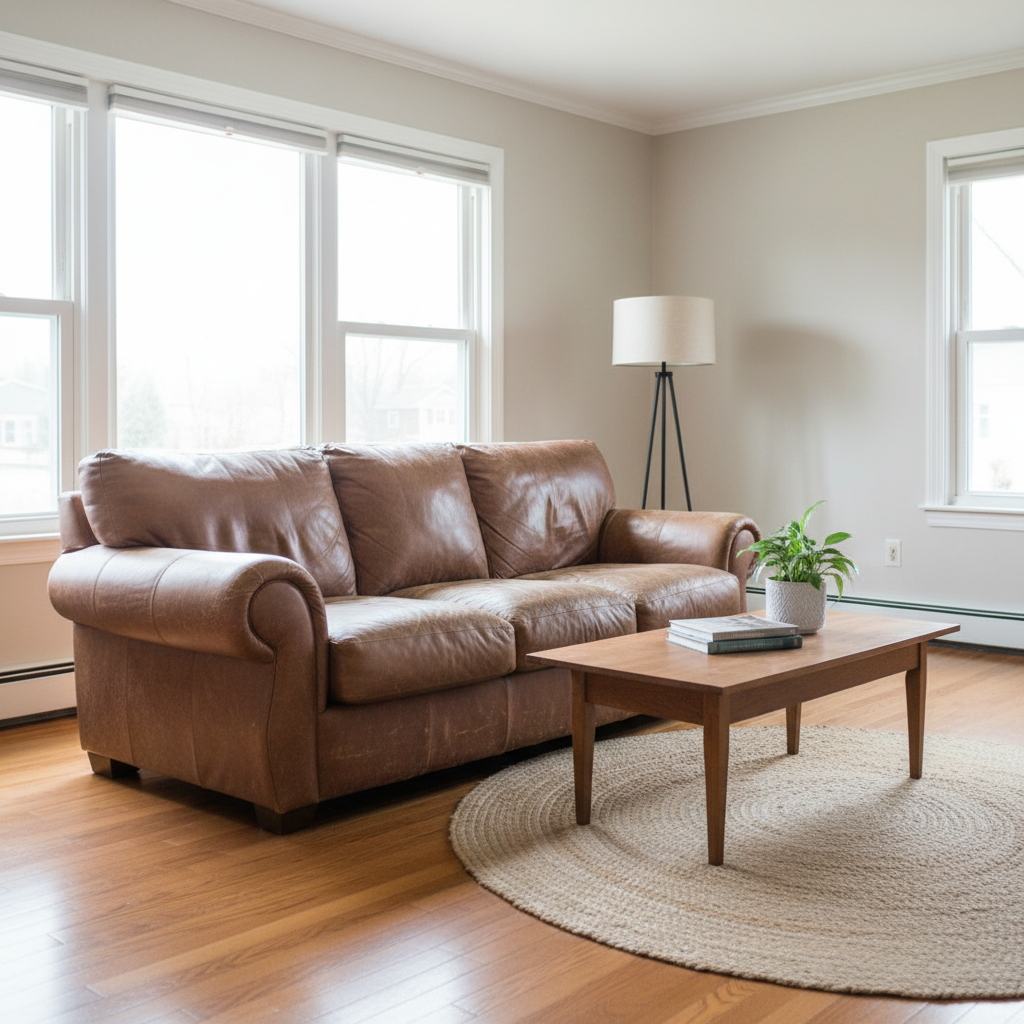
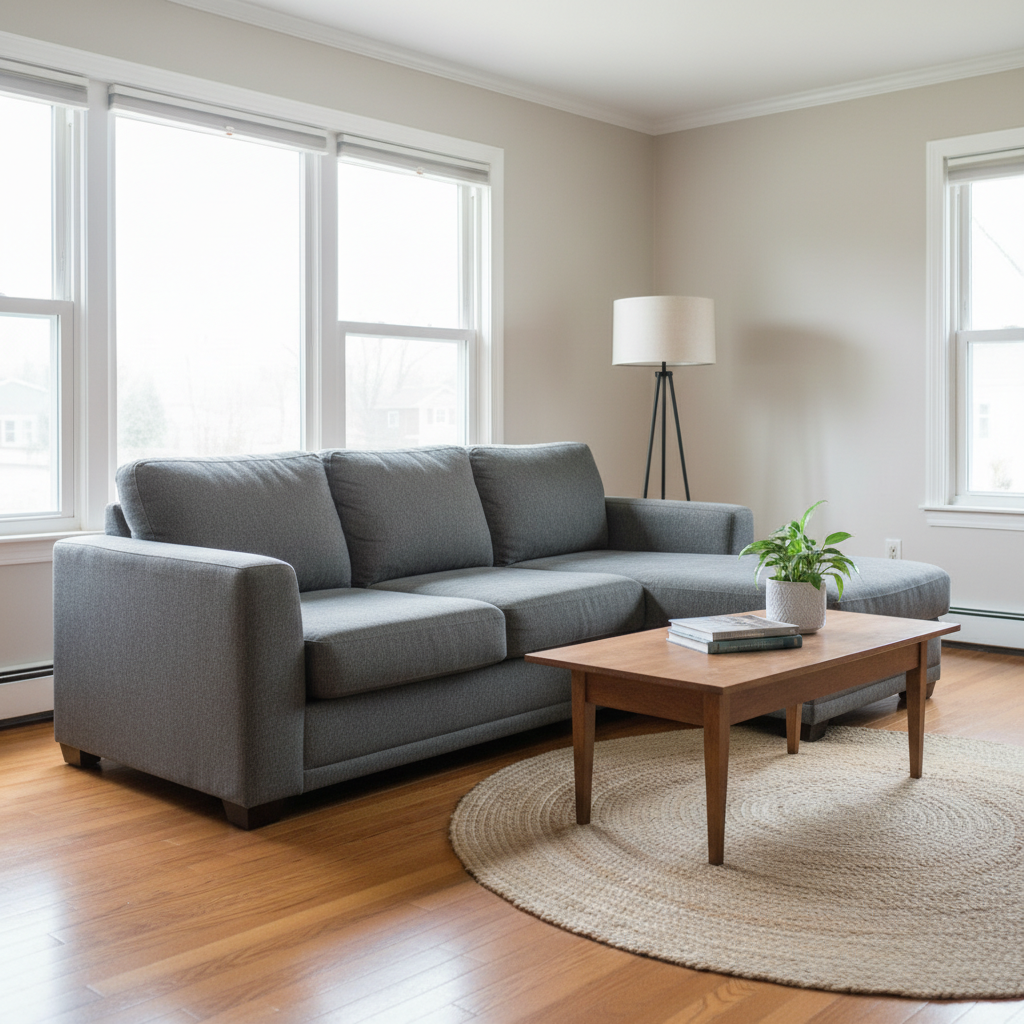
Living room with old brown leather sofa
Before
โ†’
Same living room with modern gray sectional
After

Replace Object in Photo

Drop your photo here

or click to browse

Release to upload

Free โ€ข No signup

Advertisement
Popular use cases:
  • Real estate staging
  • Interior design mockups
  • Furniture visualization
  • Product photography
  • Vehicle replacement
  • Home improvement preview

Cost
Free No signup required
Time
Instant results in 15-30 seconds
Works on
Any device - browser, phone, tablet, desktop
Powered by
AI-powered photo editing
Scenario Prompt Time
Furniture swap replace the old sofa with modern gray sectional 35s
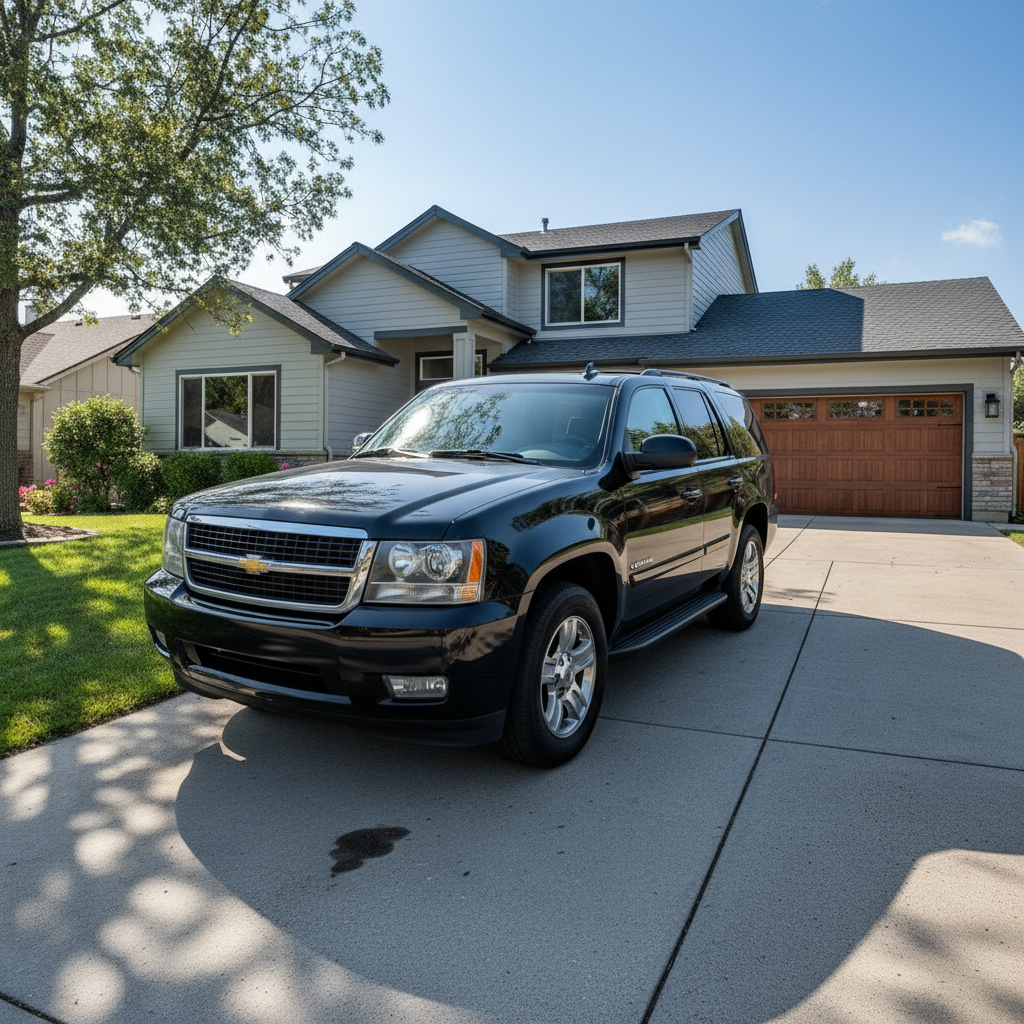
Vehicle change replace sedan with black SUV, match shadows 40s
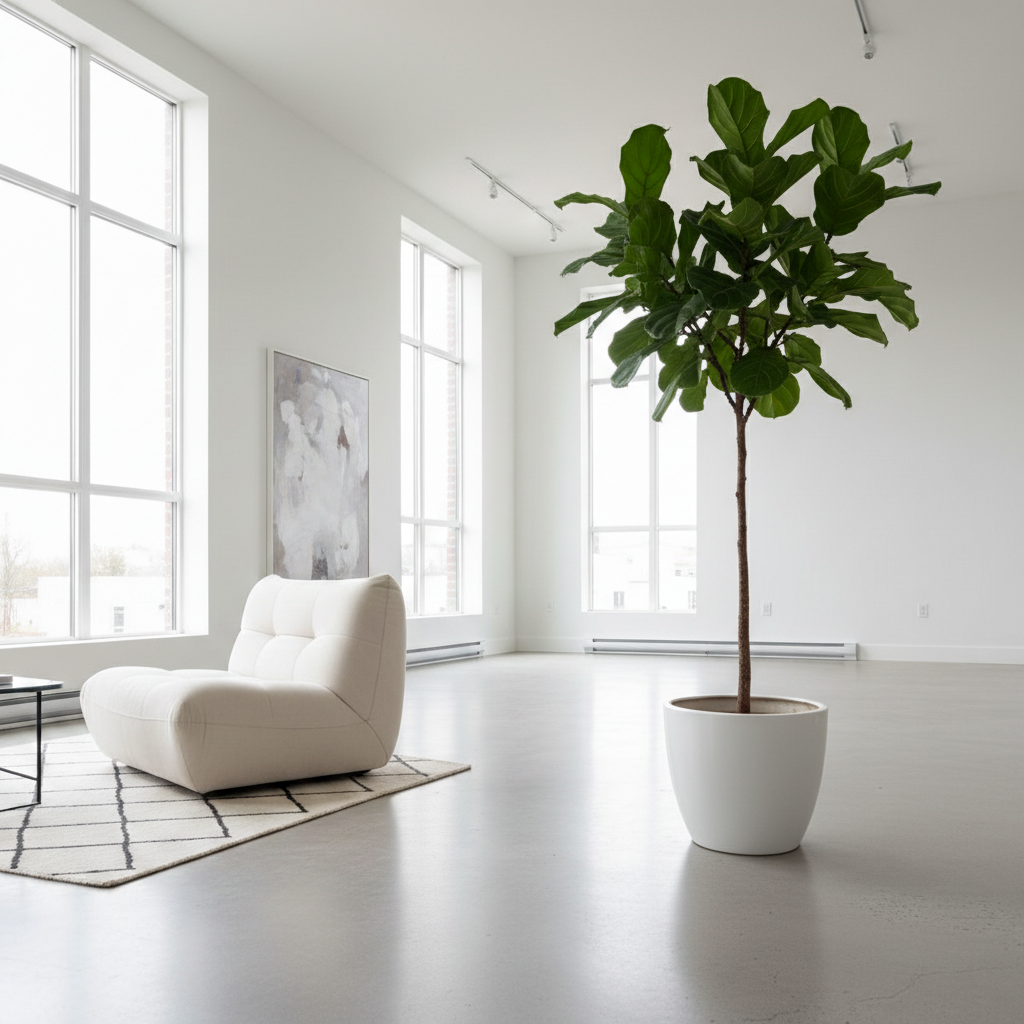
Decor update replace plant with tall fiddle leaf fig 30s

How it works

  1. Upload your photo

    Drop your image into EditThisPic. JPG, PNG, WebP up to 7MB. Photos where the object is clearly visible and distinct from the background work best.

    Expect: Simple object swaps: 30-40 seconds. Complex replacements with specific details: 40-60 seconds with possible refinement.
  2. Describe the replacement

    Type your instruction: 'replace the red chair with a modern white armchair' or 'swap the old lamp with a minimalist floor lamp.' Be specific about both what you're replacing AND what should replace it. Include style, color, or material details.

    Tip: Describe the replacement object in detail: 'modern white leather armchair with chrome legs' gives better results than just 'nice chair.'

    Copy one of these to get started:

    Swap furniture in room replace the old brown sofa with a modern gray sectional that fits the same space
    Change car in driveway replace the sedan with a black SUV, match the lighting and shadows on the driveway
    Swap plant or decoration replace the small potted plant with a tall fiddle leaf fig tree in a white ceramic pot
    Update lamp or lighting replace the table lamp with a modern minimalist floor lamp in brass finish
    3 more prompts
    Change artwork on wall replace the painting with a large abstract art piece in blue and gold tones
    Swap kitchen appliance replace the white microwave with a stainless steel one that matches the other appliances
    Replace outdoor furniture replace the plastic chairs with wooden Adirondack chairs, keep the same arrangement
  3. Generate and review

    Check that the new object fits naturally in the scene. Verify the size, perspective, and lighting match the surroundings. Look for proper shadows and reflections.

  4. Refine with markers if needed

    If the AI replaced the wrong object or the replacement doesn't look right, tap a marker on the specific object and regenerate with more guidance about size, style, or positioning.

    Tip: Use markers when there are multiple similar objects to specify exactly which one to replace.
Try it free โ†“

Replace Object in Photo

Drop your photo here

or click to browse

Release to upload

Free โ€ข No signup

"Replaced the old sofa in our listing photos with a modern one. Saved us from staging the whole room again." @RealEstate_Dana

See it in action

Living room with old brown leather sofa
Before
->
Same living room with modern gray sectional
After

Living room sofa upgrade

Real estate listing needed updated staging. The old sofa was replaced with a modern sectional that fits the space.
Prompt: replace the old brown sofa with a modern gray sectional that fits the same space
Room corner with small potted plant
Before
->
Same corner with tall fiddle leaf fig tree
After

Plant swap for interior design

Designer wanted to show a client how a different plant would look. Small plant replaced with statement tree.

Prompt: replace the small potted plant with a tall fiddle leaf fig tree in a white ceramic pot
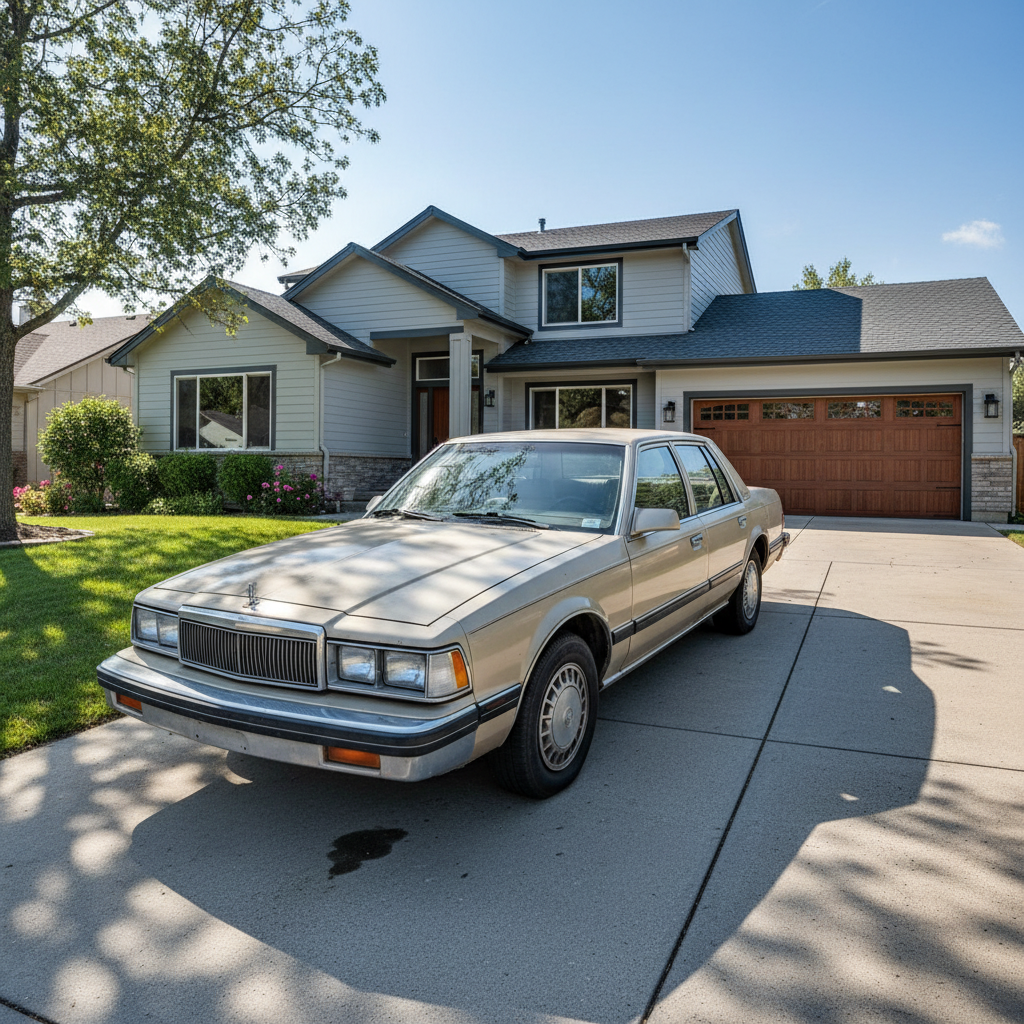
House with old beige sedan in driveway
Before
->
Same house with black SUV in driveway
After

Car swap in real estate photo

Homeowner's old car was in the driveway shot. Replaced with a nicer vehicle for the listing.

Prompt: replace the sedan with a black SUV, match the lighting and shadows on the driveway
Advertisement

If something looks off

AI changed the wrong area or something I didn't want changed

Why: Multiple objects in the scene made it unclear which one to replace.

Try: Tap a marker on the specific object you want to replace, then regenerate with the same prompt

Tip: Markers tell the AI 'I mean THIS object specifically.' Essential when there are multiple similar items.

Replacement object is the wrong size

Why: The AI guessed the scale without explicit guidance about size.

Try: replace [object] with [new object] at the same scale as the original, fitting the same space

Tip: Mention 'same size' or 'same scale' to preserve proportions, or specify dimensions if needed.

New object looks pasted on, doesn't blend

Why: Lighting or shadows don't match the surrounding scene.

Try: replace [object] with [new object], match the lighting direction and add natural shadows

Tip: 'Natural shadows' and 'match lighting' help integrate the new object realistically.

Replacement is too generic or not what I wanted

Why: The description wasn't specific enough about style, material, or appearance.

Try: replace [object] with a [specific style/material/color] [object type] with [details]

Tip: Be very specific: 'mid-century modern walnut coffee table with tapered legs' not just 'nice table.'

Part of the original object remains visible

Why: The AI didn't fully cover the original object's footprint.

Try: completely replace [object] with [new object], remove all traces of the original

Tip: 'Completely replace' and 'remove all traces' emphasizes full substitution.

Quick answers

Do I need to select the object before replacing it?

No. Just describe what to replace and what should replace it: 'replace the red chair with a white armchair.' The AI identifies the object automatically. Use markers only when there are multiple similar objects.

How do I replace an object in a photo for free?

Upload your photo to EditThisPic and type 'replace the [object] with [new object].' Be specific about what you want. The AI swaps it in 30-45 seconds. Free, no login, no watermarks.

Is there a free object replacement tool that doesn't need an account?

Yes. EditThisPic replaces objects in photos without signup. Upload, describe the swap, download. No watermarks. Works in your browser on any device.

Can I use a reference image for the replacement object?

Yes. Click '+ Add reference image' to upload a photo of the object you want. Then describe 'replace the chair with the chair from the reference image.' The AI will use your reference as a guide.

Will the replacement match the room's lighting?

The AI attempts to match lighting automatically. For best results, mention 'match the lighting' in your prompt. You can also specify 'add natural shadows' for better grounding.

Ready to swap objects in your photo?

Free to try. No signup required.

Try it free โ†’