Transform Your Selfie into a Professional Headshot
Your next professional headshot is already on your phone. You just need to polish it.
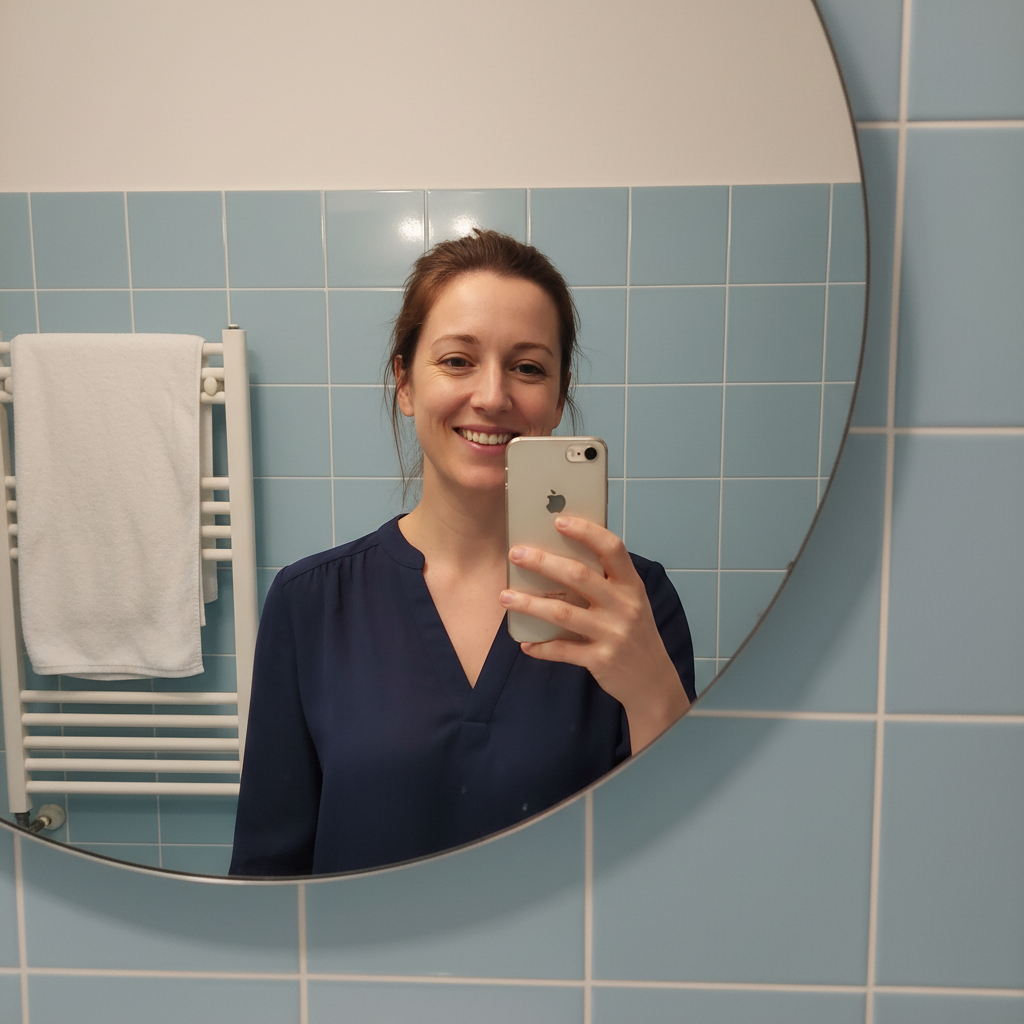
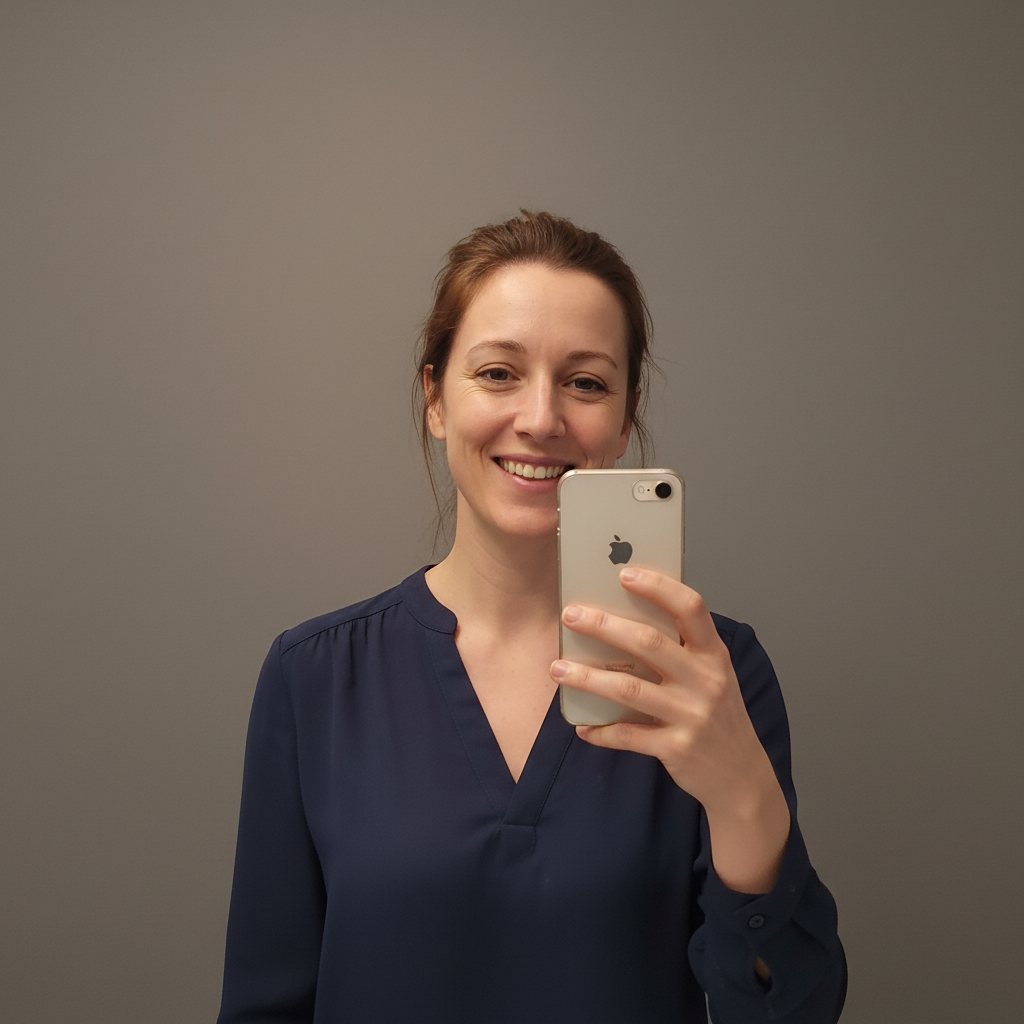
Drop your photo here
or click to browse
Release to upload
Free • No signup
"Needed a headshot for a job application due in 2 hours. Took a quick selfie by the window, ran it through here, and got something that looked like I paid $200 for a photographer. Got the job interview." @LastMinuteWin
Built for People Who Need Professional Photos Fast
Your phone selfie might actually be your best photo - natural expression, comfortable smile, authentic you. The only problem is the bathroom mirror in the background and the harsh overhead lighting. EditThisPic fixes exactly that: professional background, studio-quality lighting, same genuine you. No need to feel awkward in front of a stranger with a camera.
Tools for Selfie-to-Headshot Transformation
Replace Background
Swap selfie backgrounds for professional studio settings
Enhance Lighting
Fix harsh selfie lighting to look like studio photography
Blur Background
Create professional depth blur like expensive portrait lenses
Enhance Face
Subtle retouching without looking artificial
Step-by-Step Guide
-
Take or choose your best selfie
Find a selfie where you're looking at the camera with a natural expression. Window light works best - it's soft and flattering. Avoid extreme close-ups that distort features. Arm's length or slightly farther is ideal.
Background replacement: 25-30 seconds. Full professional treatment: 40-50 seconds.Selfies taken facing a window in the morning have the most professional-looking natural light. -
Upload and describe your professional look
Drop your selfie into EditThisPic and describe the transformation: 'replace background with professional studio backdrop, enhance lighting for headshot quality, keep my expression exactly as is.' Be specific about what you want while preserving what makes the photo authentically you.
Combine multiple improvements in one prompt: 'professional gray backdrop, soft studio lighting, subtle face enhancement' -
Review for authenticity
Check that you still look like yourself. Your smile should be the same. Skin should look natural, not plastic. Background should blend seamlessly without halos around your hair or face.
-
Fine-tune and download
If hair edges need cleanup or lighting needs adjustment, use markers on those specific areas. Download your professional headshot. Consider making variations with different backgrounds for different platforms.
Create a neutral version for resumes and a warmer version for social profiles.
Copy-Paste Prompts for Selfie Transformation
replace background with smooth gray studio backdrop, enhance lighting for professional headshot, keep my natural expression exactly as is
Gray backdrops work for every industry and never distract from your face
replace background with blurred professional office environment, warm tones, add soft professional lighting to my face
Blurred office backgrounds suggest professionalism without revealing your actual location
correct the harsh lighting on my face to soft professional studio lighting, reduce shadows under eyes and nose, keep skin texture natural
Specifying 'keep skin texture natural' prevents over-smoothing that looks fake
replace messy background with professional neutral backdrop, enhance lighting for headshot quality, subtle skin enhancement, brighten eyes slightly, keep completely authentic
Combining all improvements in one prompt ensures consistent results
Show 4 more prompts
replace background with modern creative workspace, exposed brick wall, slightly blurred, professional but approachable vibe
Tech, design, and creative roles can use less traditional backgrounds
replace background with soft blurred greenery, warm natural lighting, professional but friendly feel
Outdoor backgrounds work well for consultants, coaches, and client-facing roles
correct the yellow color cast to neutral, enhance with soft professional white lighting, keep my natural skin tone
Indoor selfies often have color casts that make skin look unhealthy - fixing this instantly looks more professional
blur background with professional portrait bokeh, keep everything else exactly as is, just make the background less distracting
Sometimes your selfie only needs the background fixed - don't over-process a good photo
| Edit Type | Prompt | Time | |
|---|---|---|---|
| Studio backdrop | replace background with gray studio backdrop |
25s | Try This → |
| Office setting | replace with blurred professional office |
30s | Try This → |
| Light fix only | enhance lighting for professional headshot |
20s | Try This → |
| Full transformation | studio backdrop, enhance lighting, subtle face polish |
40s | Try This → |
Real Examples
Bathroom selfie becomes boardroom ready
Great smile, terrible background. The bathroom tiles and towel rack had to go, but the genuine expression was perfect.
replace the bathroom background with clean professional gray studio backdrop, enhance lighting for headshot quality, keep my smile exactly as is


Car selfie rescue
The window lighting was perfect, but the steering wheel and seatbelt gave it away. Kept the beautiful natural light, lost the car interior.
replace car interior background with soft gradient gray to white studio backdrop, preserve the natural window lighting on my face
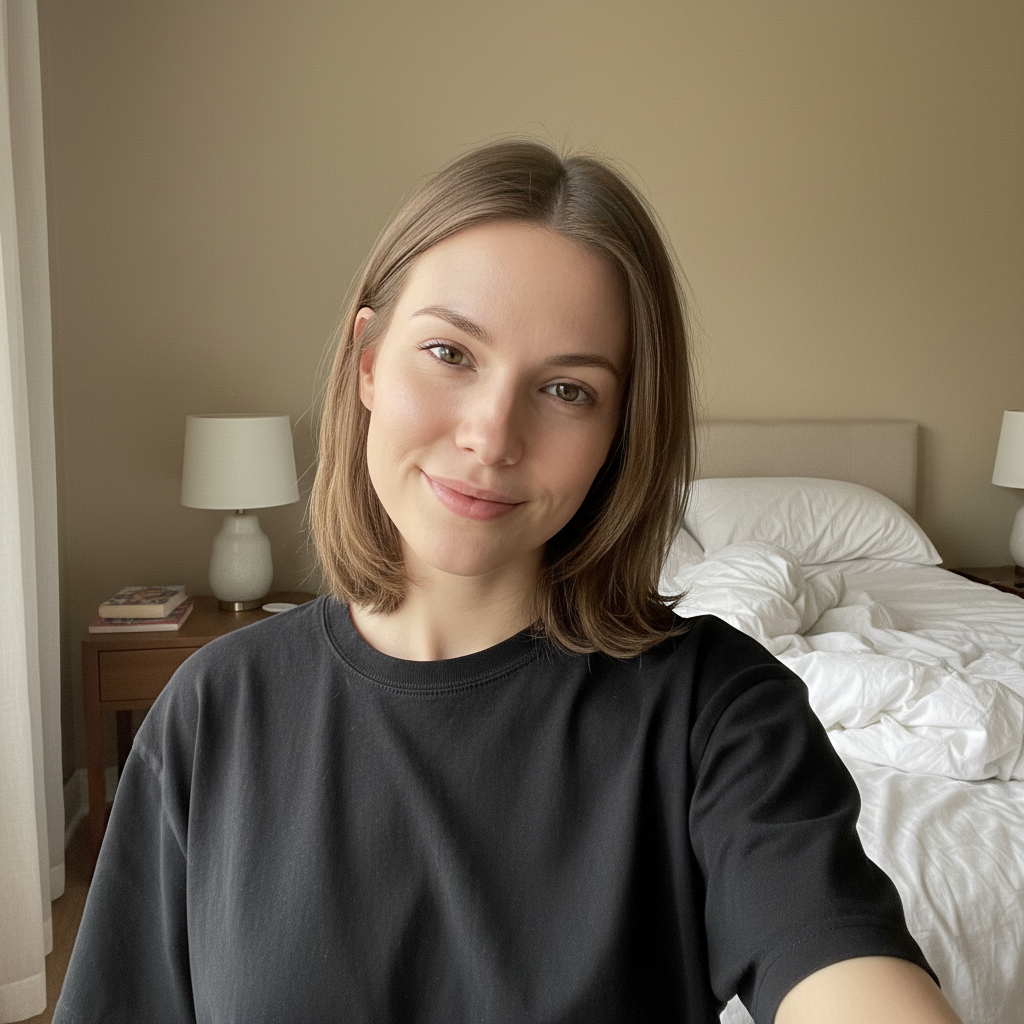
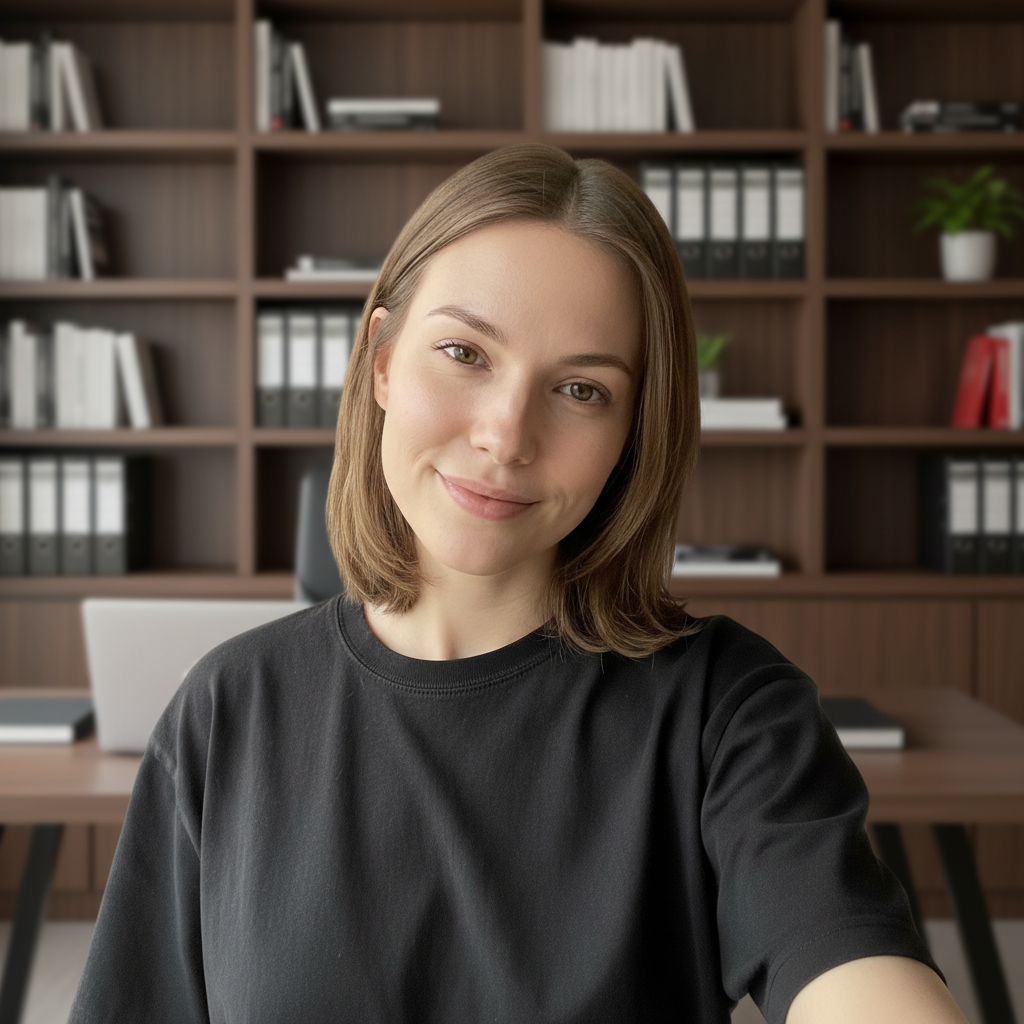
Bedroom selfie goes corporate
Only good recent photo was from the bedroom with the unmade bed visible. The expression was natural and confident - exactly what you want for a headshot.
replace the bedroom background with professional office setting with bookshelves softly blurred, enhance lighting to professional quality, keep my confident expression
When Things Go Wrong
Hair edges have halos or look choppy
Why: Fine hair strands are challenging for AI to separate from backgrounds, especially with similar colors.
Tap markers on the hair edges, then: blend hair edges naturally with new background, smooth transition
Selfies with hair that contrasts with the background (dark hair, light background) work best.
Face looks over-processed or fake
Why: Multiple enhancement requests may have accumulated too many changes to your face.
Do background first. Only add face enhancement if the original lighting was truly problematic.
Selfie angle still looks like a selfie
Why: Extreme selfie angles can't be fully corrected. The perspective distortion remains.
Hold your phone at eye level with arm fully extended, or prop it up and use the timer.
New background doesn't match original lighting
Why: The AI placed a background with different lighting direction than your face.
replace background with [type] with lighting from [same direction as your face], match the existing light on my face
Mention the lighting direction: 'with soft light from the left side' to match window-lit selfies.
AI changed the wrong area
Why: The AI couldn't determine exactly which area you meant from description alone.
Tap a marker on the specific area you want to change, then regenerate with the same prompt
Markers tell the AI 'I mean THIS one specifically.' Use them when description alone is ambiguous.
Frequently Asked Questions
Do I need to mark my face or background before describing what I want?
No. Just describe the transformation: 'replace background with studio backdrop, enhance lighting for headshot.' The AI understands what 'background' and 'face' mean. Only use markers if you need to fix specific areas that the AI got wrong on the first try.
How do I turn a selfie into a professional headshot for free?
Upload your selfie to EditThisPic and type 'replace background with professional studio backdrop, enhance lighting for headshot quality.' The AI transforms your casual selfie into a polished professional headshot in about 30 seconds. Free to try, no account needed, no watermarks.
Will it still look like me or will it look AI-generated?
EditThisPic enhances your actual photo - it doesn't generate a synthetic face like some AI headshot apps. Your face, your expression, your features all stay exactly the same. Only the background and lighting get improved. The result is authentically you, just presented professionally.
What kind of selfie works best?
Look for: good natural lighting (window light is ideal), looking at camera, natural expression, arm's length or farther distance. Avoid: extreme close-ups, harsh overhead lighting, blurry photos, heavy filters already applied. The background doesn't matter since we're replacing it anyway.
Is there a free headshot maker that doesn't require signup?
Yes. EditThisPic lets you transform selfies into professional headshots without creating an account, without watermarks, and without paying upfront. Just upload, describe what you want, and download your professional headshot.
Can I use a front-camera selfie or does it need to be rear camera?
Front camera selfies work great. The only thing to watch is that front cameras flip the image horizontally. If you have text in the background (like a name badge), it might appear backwards. But since we're replacing the background anyway, this usually doesn't matter.
Ready to transform your selfie?
Free to try. No signup required. No watermarks.
Create Your Headshot