AI HDR Enhancement for Real Estate Photos
Fix blown windows and dark interiors in one click. MLS-ready photos without expensive HDR software.
Drop your photo here
or click to browse
Release to upload
Free • No signup
"Shot a listing at noon - windows completely blown out, interior dark as a cave. One prompt and both looked perfect. Client thought I hired a professional photographer." @RealtorDIY
Built for Real Estate Professionals
Buyers spend 60% of their browsing time on listing photos. Dark interiors and blown windows make properties look smaller and less appealing. EditThisPic gives you professional HDR results from single-exposure shots, so every room looks bright, spacious, and inviting.
Tools for Real Estate Photos
Enhance Lighting
Brighten dark rooms while preserving natural light
Fix Exposure
Recover detail in bright windows and dark shadows
Enhance Photo
Overall quality boost for MLS listings
Fix Color
Correct mixed lighting color casts
Remove Object
Remove clutter and personal items from shots
Step-by-Step Guide
-
Upload your interior photo
Drop your room photo into EditThisPic. Works with any camera - phone, DSLR, or point-and-shoot. Single exposures work perfectly; no need for bracketed HDR shots.
Simple exposure fix: 20-25 seconds. Complex multi-zone HDR: 30-40 seconds. -
Describe the HDR look you want
Type your instruction: 'balance exposure between windows and interior, recover window view detail, brighten the room naturally.' Be specific about which areas need adjustment. The AI understands real estate photo needs.
Mention 'MLS-ready' or 'listing quality' to get the professional real estate photo look agents expect. -
Review the balanced result
Check that window views are visible without looking fake. Verify the interior is bright but still natural. Shadows should be lifted without looking artificially flat. The room should feel inviting and spacious.
-
Fine-tune specific areas if needed
If one window is still too bright or a corner is still too dark, tap a marker on that specific spot and describe the fix. Most photos are perfect on the first try.
For rooms with multiple windows at different exposures, address them in separate refinements for best results.
Copy-Paste Prompts for Real Estate HDR
balance the exposure between the bright windows and dark interior, recover the outdoor view through windows, brighten the room naturally for real estate listing
This handles the most common real estate photo problem in one prompt
brighten the entire room while keeping the lighting natural, enhance shadows to show detail, make it look inviting for buyers
'Natural' prevents the over-processed HDR look that turns buyers off
balance the daylight from windows with indoor lights, correct any yellow color cast, create even professional lighting throughout
Kitchens often have tungsten under-cabinet lights mixing with window daylight
tone down the bright window, brighten the rest of the bathroom, show the fixtures clearly, clean and bright look
Small bathrooms benefit from lifted shadows to appear more spacious
Show 4 more prompts
balance the sunset light through windows with the interior, keep the warm golden tones but recover window detail, professional real estate quality
Golden hour can create beautiful photos but extreme dynamic range
significantly brighten this dark room, enhance to show architectural details, make the space feel larger and brighter
Basements often need aggressive brightening to compete with above-ground rooms
balance all windows to show outdoor views equally, brighten interior shadows, create consistent professional exposure throughout
Rooms with windows on multiple walls often have complex exposure challenges
brighten the room interior, tone down any lamp hotspots, balance artificial lighting for warm inviting look, reduce noise in dark areas
Night shots can showcase a home's ambiance but need careful exposure balance
| Edit Type | Prompt | Time | |
|---|---|---|---|
| Window + interior balance | balance exposure between windows and interior |
25s | Try This → |
| Brighten dark room | brighten room naturally for listing |
20s | Try This → |
| Mixed lighting fix | balance daylight and indoor lights, correct color |
30s | Try This → |
| Full HDR polish | balance exposure, enhance lighting, MLS-ready |
35s | Try This → |
Real Examples
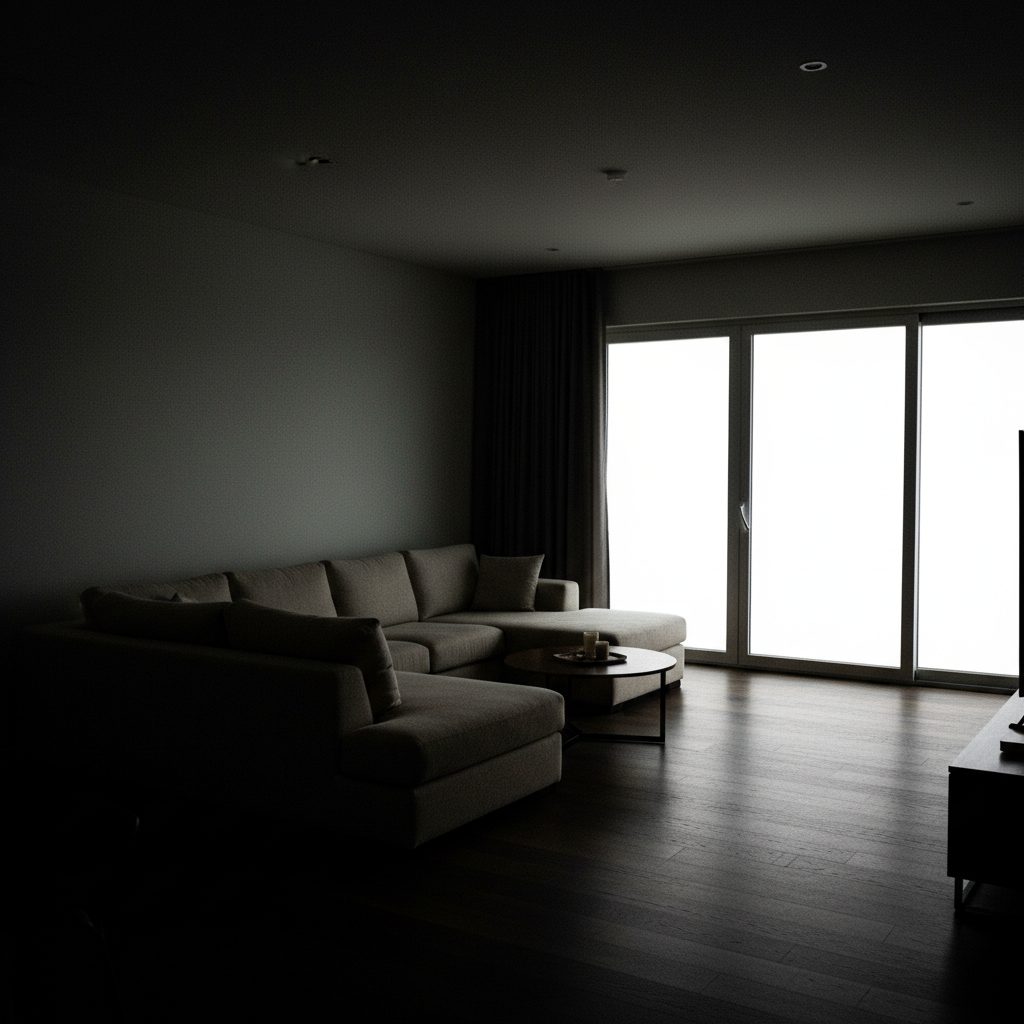
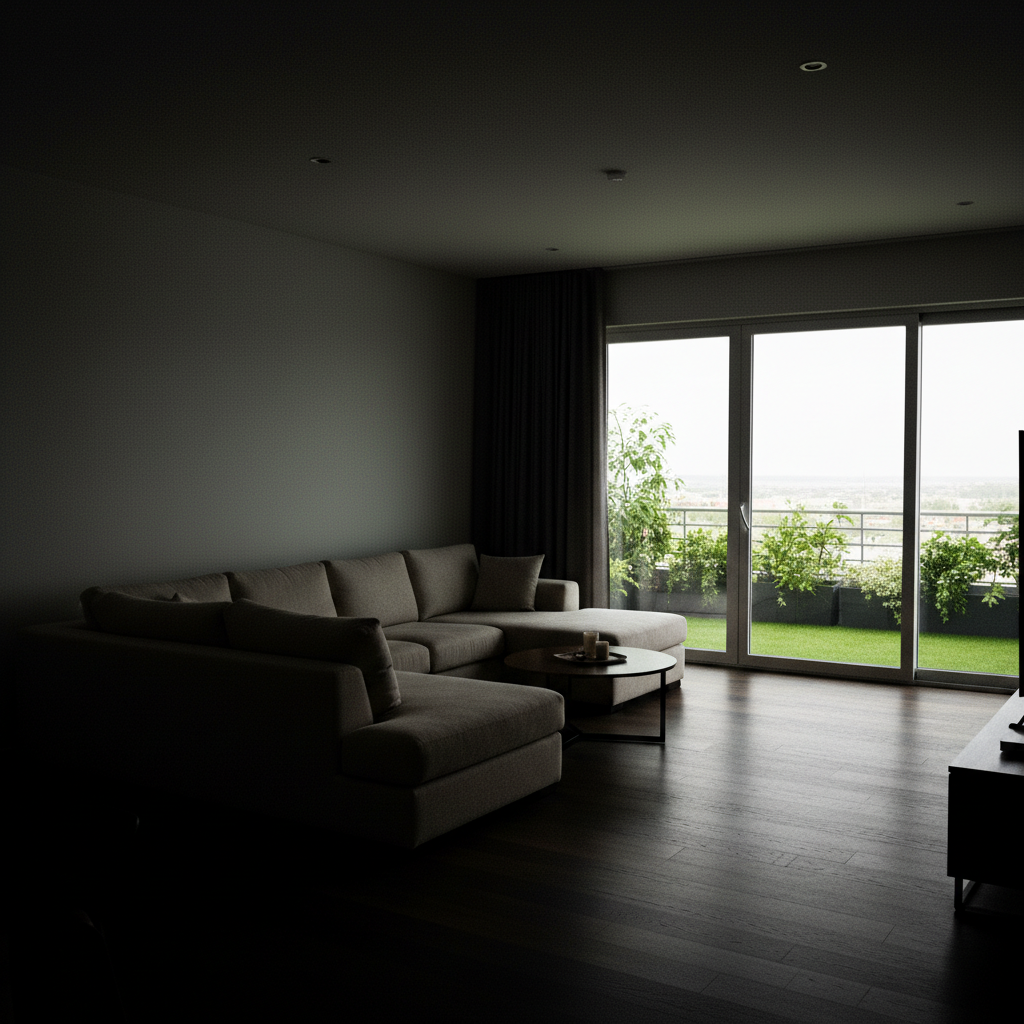
Living room window recovery
Classic real estate problem: beautiful window view completely blown out, interior dark despite all lights on.
balance the exposure between the bright windows and dark interior, recover the outdoor view through windows, brighten the room naturally for real estate listing
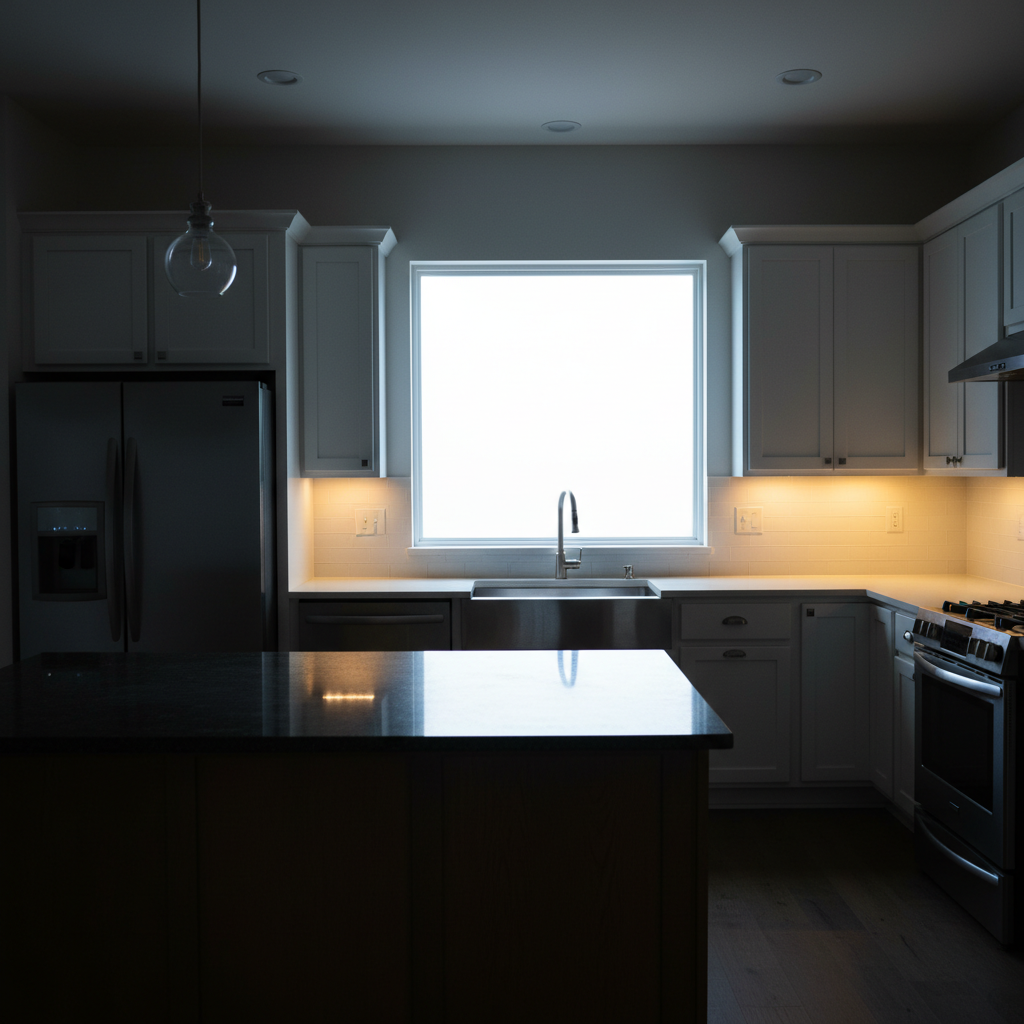
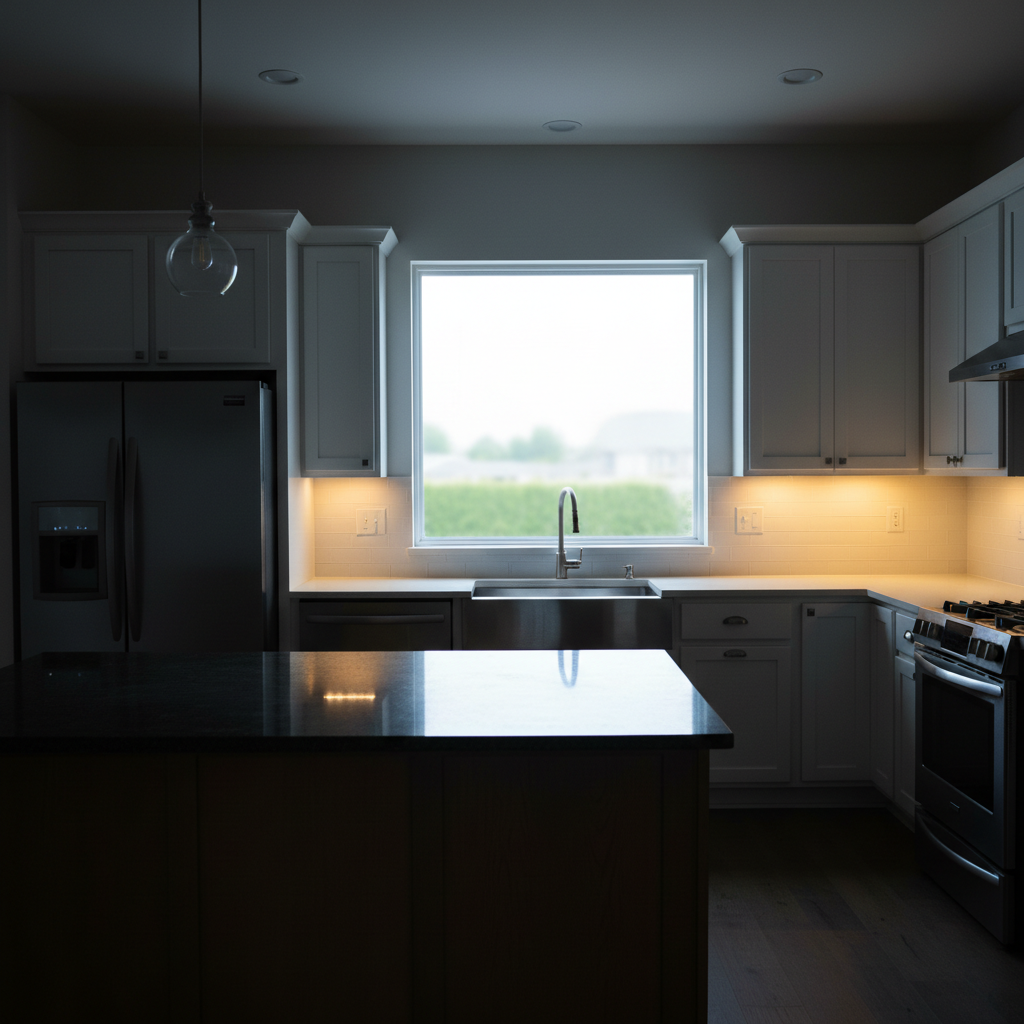
Kitchen daylight balance
Kitchen with large window over sink - window is blown, counter area in shadow. Mixed tungsten and daylight creating color issues.
balance the daylight from windows with indoor lights, correct any yellow color cast, create even professional lighting throughout the kitchen
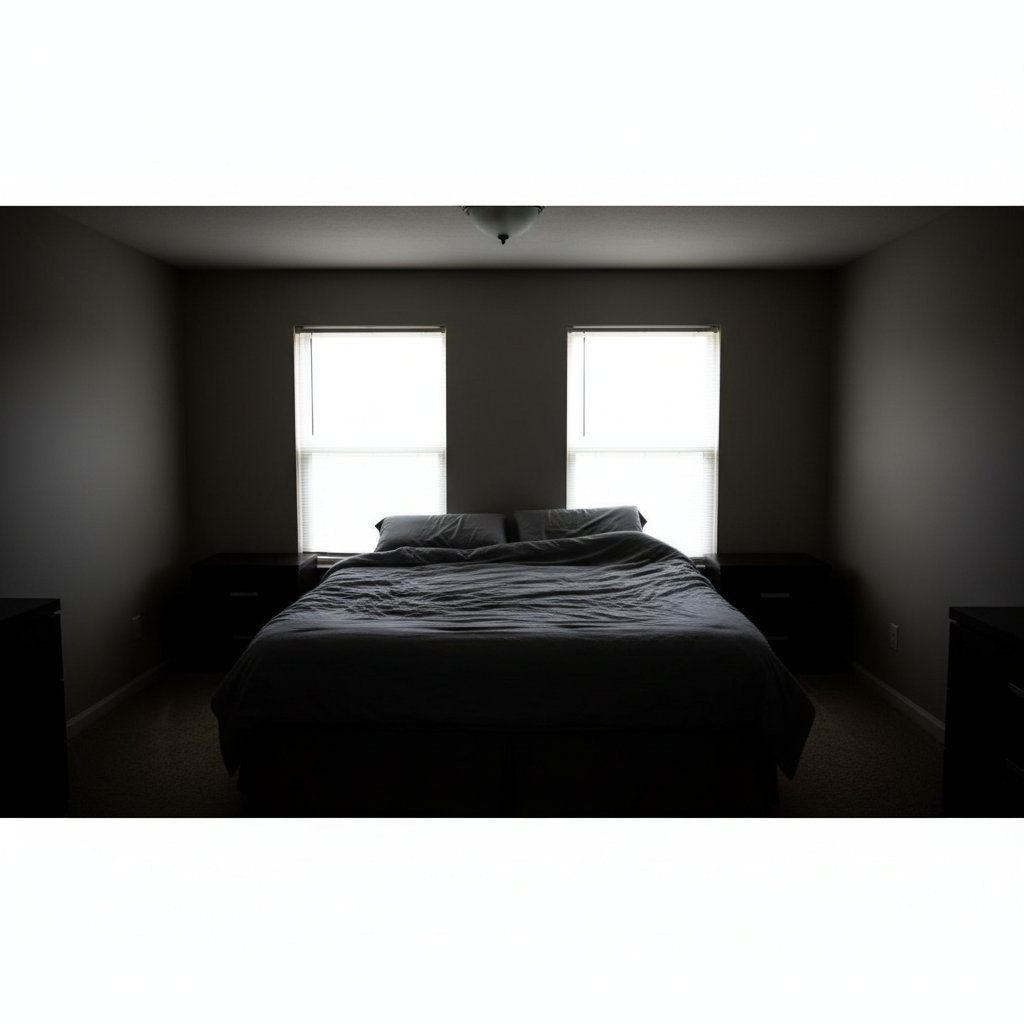
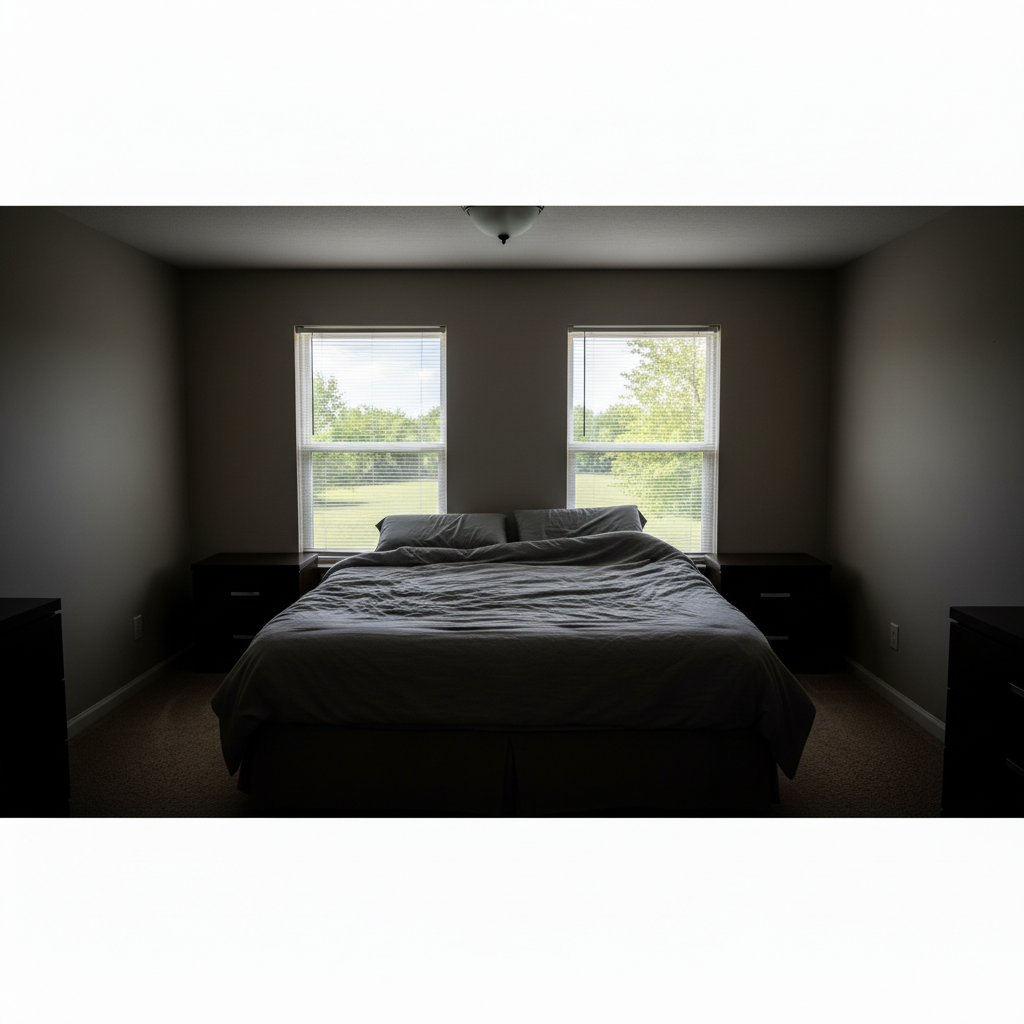
Master bedroom transformation
Bedroom looked dark and uninviting despite large windows. Buyers couldn't appreciate the space or the view.
brighten the entire bedroom while keeping lighting natural, recover the window view, make the space feel bright and inviting for listing photos
When Things Go Wrong
HDR looks fake or over-processed
Why: The AI may have been too aggressive with tone mapping, creating the 'HDR grunge' look that buyers dislike.
balance exposure more subtly, keep the lighting looking completely natural, avoid HDR artifacts
Adding 'natural' or 'realistic' to your prompt prevents the hyper-processed look.
Windows still blown out after processing
Why: Extremely overexposed windows may have no recoverable detail in the original photo.
Tap markers on the window areas, then: replace the blown white window with realistic outdoor view, trees and blue sky
When detail is truly gone, AI can generate a believable outdoor scene that matches the window frame.
Interior too bright, looks washed out
Why: Brightening was applied too aggressively, losing contrast and depth.
reduce the interior brightness slightly, restore natural contrast and shadows, keep it inviting but not flat
Some shadow is good - it creates depth and makes rooms feel three-dimensional.
Colors look wrong after enhancement
Why: The exposure adjustment shifted color balance, or mixed lighting wasn't fully corrected.
correct the color balance to neutral daylight, remove any color casts, keep exposure balanced
Do exposure balance first, then color correction as a separate step if needed.
AI changed the wrong area or something I didn't want changed
Why: The AI couldn't determine exactly which area you meant from description alone.
Tap a marker on the specific area you want to change, then regenerate with the same prompt
Markers tell the AI 'I mean THIS one specifically.' Use them when description alone is ambiguous.
One window looks different from others
Why: Multiple windows at different exposure levels may not balance equally in one pass.
Tap markers on the problem window, then: match this window exposure to the others, same brightness and outdoor view clarity
For rooms with 3+ windows, you may need targeted adjustments after the initial balance.
Frequently Asked Questions
Do I need to mark the windows before asking for HDR enhancement?
No! Just describe what you want: 'balance the exposure between windows and interior' and the AI knows exactly which areas to adjust. Markers are only needed for precision - like adjusting one specific window differently from others.
Will this work with phone photos or do I need a professional camera?
Phone photos work great. The AI enhances whatever you have - iPhone, Android, point-and-shoot, or DSLR. You don't need bracketed HDR exposures or RAW files. Single JPEG shots from any camera can be transformed into professional-looking listing photos.
How is this different from the HDR mode on my phone?
Phone HDR captures multiple exposures at the moment of shooting. EditThisPic enhances photos after the fact - perfect for shots where you didn't use HDR mode, or where the phone's HDR wasn't enough for extreme indoor/outdoor contrast.
Is there a free HDR tool for real estate photos that doesn't require login?
Yes - EditThisPic is free to try with no account required. Upload your listing photo, describe the exposure balance you want, and download the enhanced result. No watermarks on your images.
Can I use these enhanced photos on MLS and Zillow?
Absolutely. The enhanced photos are yours to use anywhere - MLS, Zillow, Redfin, Realtor.com, social media, print flyers. The enhancements are standard real estate photography processing, not adding or removing structural elements.
What's the best free AI tool for real estate photo enhancement?
EditThisPic handles the most common real estate photo problems - blown windows, dark interiors, mixed lighting - with simple text prompts. Unlike traditional HDR software, you don't need to learn complex tools or shoot bracketed exposures.
Ready to transform your listing photos?
Free to try. No signup required. No watermarks.
Enhance Your Photos