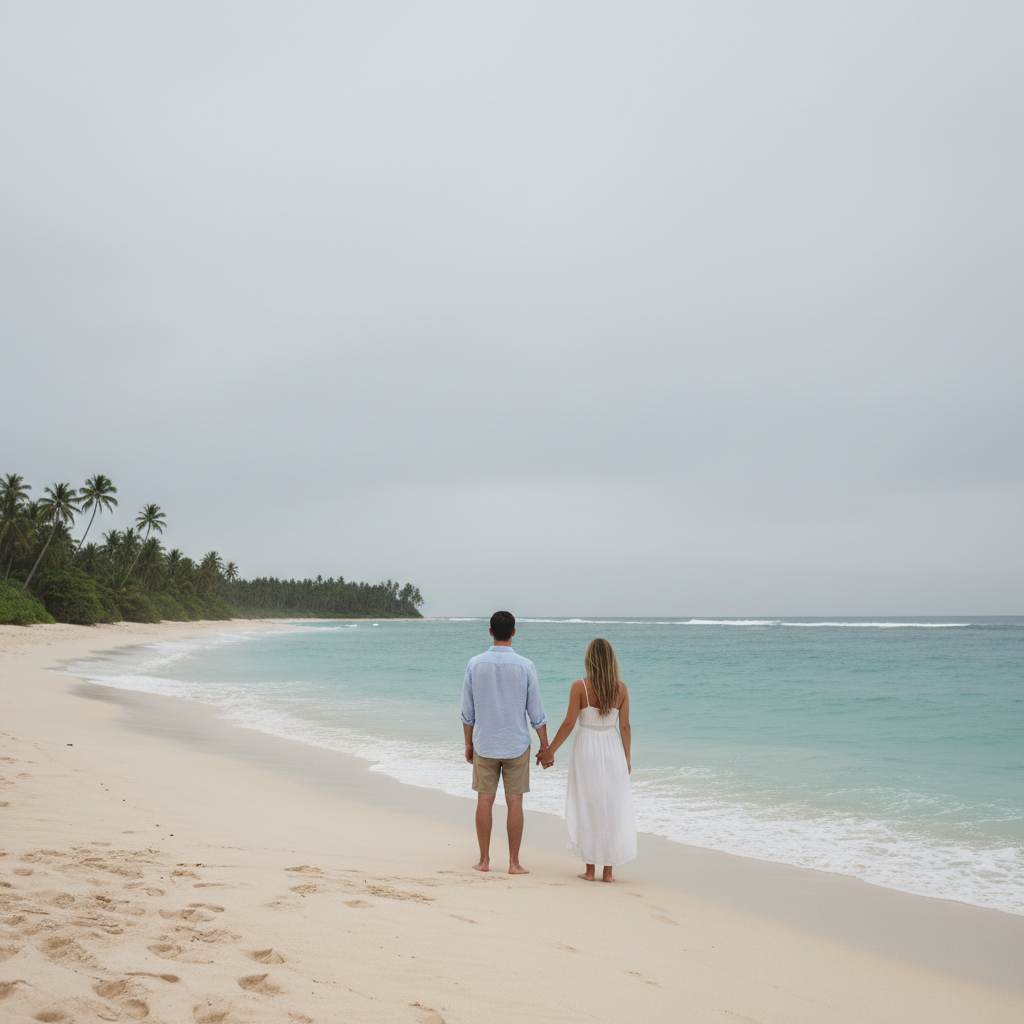
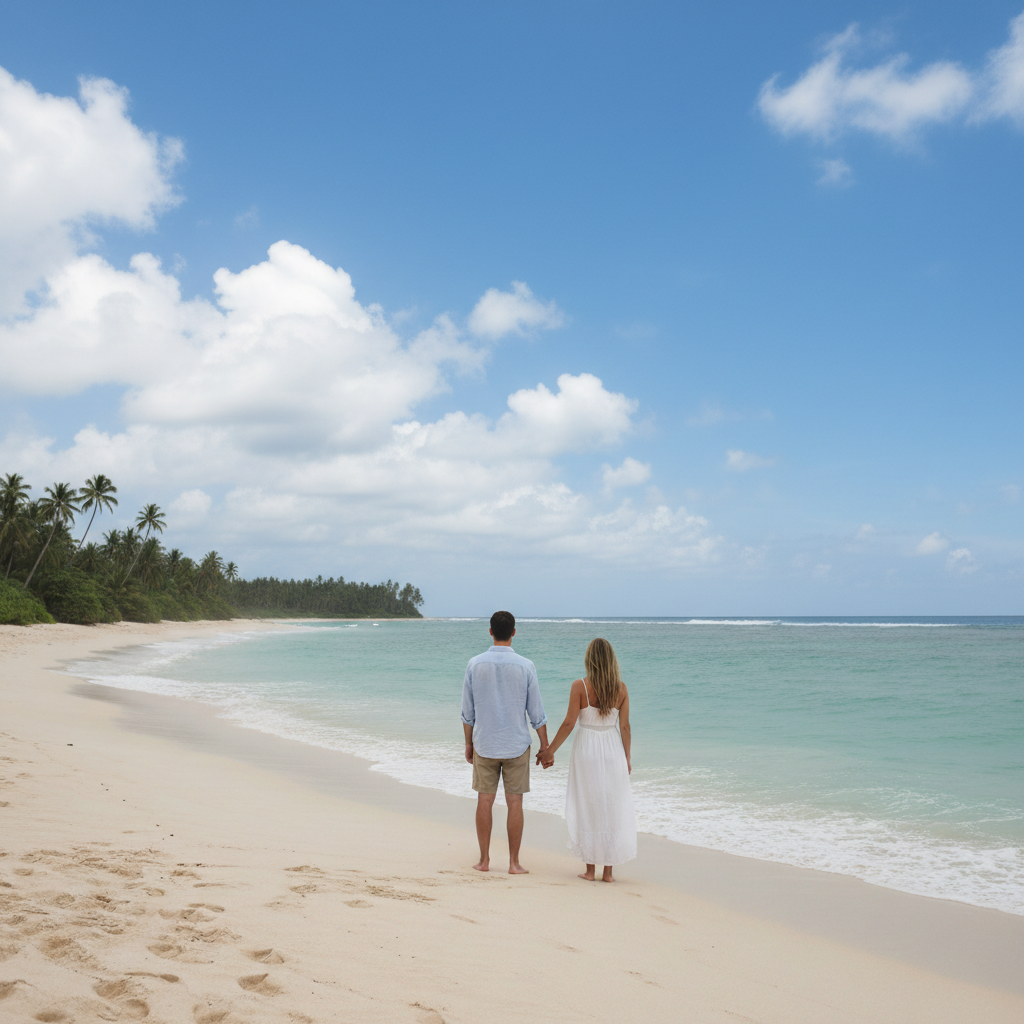
AI Photo Editor for Travel Photos
Get that empty-landmark shot without waking up at 5am.
"Got the empty Trevi Fountain shot everyone dreams of. Took 30 seconds with EditThisPic instead of camping out at 4am. My Instagram followers think I had the place to myself." @NomadicNina
Built for Travelers
You traveled thousands of miles for that shot. You shouldn't have to compete with hundreds of other tourists or pray for perfect weather. EditThisPic lets you capture the moment you were there and polish it into the photo you wished you'd gotten. No waking at dawn, no waiting for crowds to clear, no Photoshop skills required.
Tools Travelers Use Most
Remove Tourists
Clear crowds from landmarks and famous locations
Replace Sky
Transform grey overcast days into bright sunny skies
Remove Stranger
Remove photobombers from travel selfies and group shots
Enhance Colors
Boost flat phone photos to vibrant travel blog quality
Step-by-Step Guide
Upload your travel photo
Drop your image into EditThisPic. JPG, PNG, WebP up to 7MB. Works with phone photos, DSLR shots, and GoPro frames. Crowded landmarks, beach scenes, cityscapes, and nature shots all work well.
Describe your edit in plain English
Type what you want: 'remove all the tourists and show the empty landmark' or 'replace the grey sky with sunset colors.' Be specific about what to change. The AI understands travel photography terminology like landmarks, tourists, crowds, and skies.
Review and compare
Check that landmarks are intact and look natural. Verify the ground where tourists stood looks realistic. For sky replacements, check building edges and treelines. Zoom in on architectural details.
Refine with markers if needed
If some tourists remain or edges look rough, tap markers on those spots and regenerate. Markers tell the AI exactly which areas need attention.
Copy-Paste Prompts for Travel Photos
remove all the tourists and people, show the empty plaza with the landmark and original ground
'All the tourists' ensures the AI clears everyone, not just obvious photobombers near you
replace the grey overcast sky with a bright blue sky with fluffy white clouds, keep the same lighting on buildings
'Keep the same lighting' prevents unnatural shadows on your subject
remove all the people from the beach and water, fill with clean sand and ocean waves
Works best when people are not overlapping your main subject or each other too much
enhance colors to be more vibrant, boost saturation on blues and greens, add warmth to highlights
Specifying which colors to boost gives better results than generic 'make it pop'
Show 4 more prompts
replace the sky with dramatic golden hour sunset, orange and pink clouds, warm light reflecting on buildings
Golden hour skies work best with warm-toned architecture and landscapes
remove all the power lines and utility wires from the sky, fill with clean sky matching the rest
Works well when wires cross simple backgrounds like sky
remove all the people behind me, show the landmark without crowds but keep me exactly as I am
'Keep me exactly as I am' explicitly protects your selfie from changes
remove the trash cans, construction barriers, and parked cars, show clean cobblestone street
List specific objects for precise removal rather than saying 'remove distractions'
| Edit Type | Prompt | Time |
|---|---|---|
| Remove tourists | remove all tourists, show empty landmark |
35s |
| Replace grey sky | replace grey sky with blue sky and clouds |
25s |
| Enhance colors | enhance colors, boost saturation and warmth |
20s |
| Clear beach | remove all people, fill with clean sand and water |
35s |
Real Travel Photo Transformations
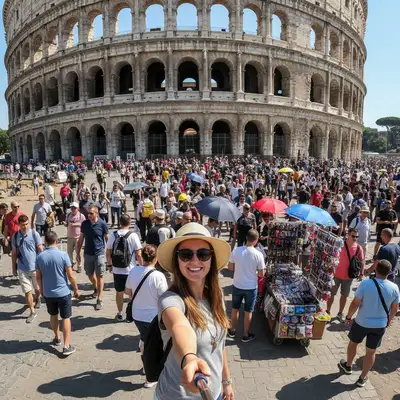
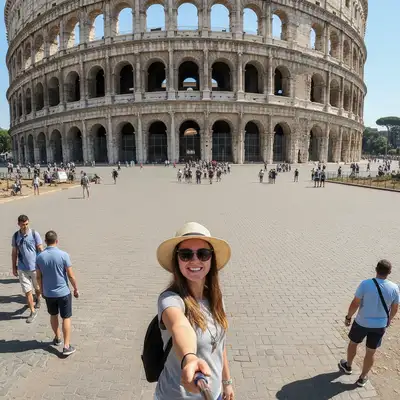
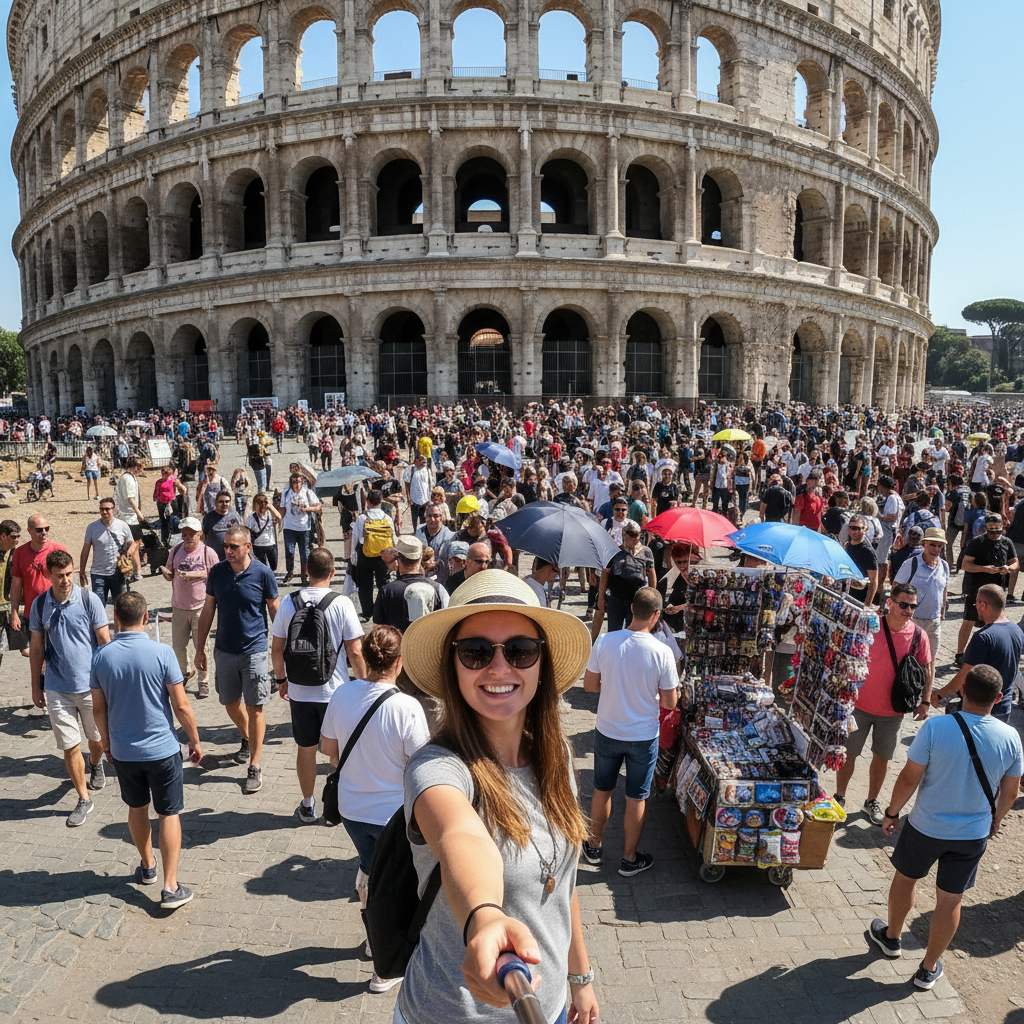
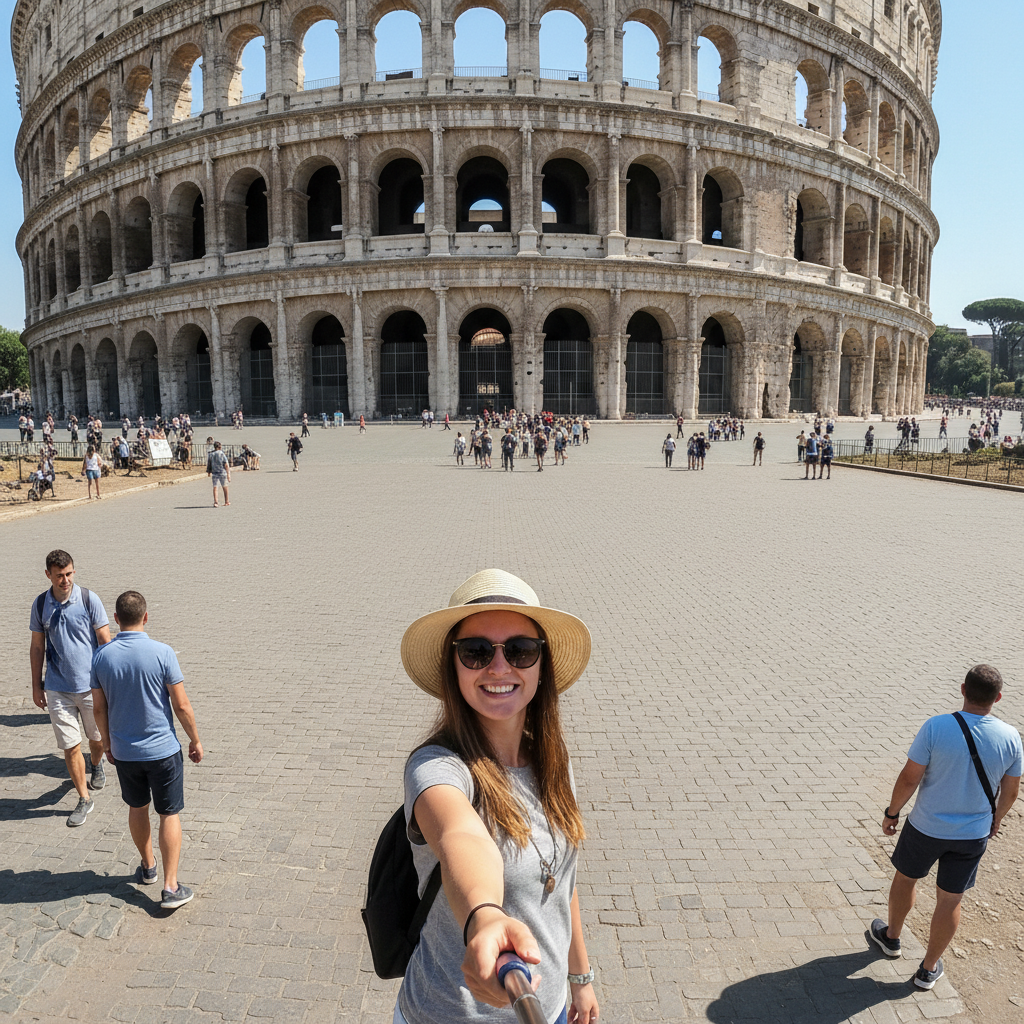
Tourist-free Colosseum plaza
A typical crowded tourist shot at Rome's Colosseum transformed into an empty plaza worthy of a travel magazine.
remove all the tourists and people, show the empty plaza with the Colosseum and original ground
Grey London to sunny London
Overcast British weather transformed into a bright sunny day over Tower Bridge.
replace the grey overcast sky with bright blue sky and fluffy white clouds, keep the same lighting on buildings
Empty Thai beach paradise
Popular beach in Thailand cleared of tourists for that postcard-perfect shot.
remove all the people from the beach and water, fill with clean sand and turquoise ocean waves
When Things Go Wrong
Some tourists weren't removed
Why: The AI may miss people who blend into the background, are partially hidden, or are very small in the frame.
Tap a marker on each remaining person, then regenerate with the same prompt
For stubborn tourists, try a focused prompt: 'remove the person I marked and fill with the ground'
Replaced sky looks fake or mismatched
Why: Dramatic skies can clash with flat daytime lighting on buildings. Shadow direction matters.
replace sky with blue sky and soft white clouds, keep natural lighting
Match sky drama to your scene. Subtle improvements often look more realistic than dramatic changes.
Landmark details got blurred or distorted
Why: When removing tourists standing in front of architectural details, the AI must reconstruct what's behind them.
Generate again with: 'remove tourists but preserve all architectural details and textures'
Zoom to 100% and check ornate areas like columns, carvings, and windows.
My travel companion was removed too
Why: The AI can't distinguish between 'tourists you want removed' and 'your friend' without guidance.
Be specific: 'remove all the people EXCEPT the person in the blue dress on the left'
Describe your companion by clothing color and position to protect them from removal.
Frequently Asked Questions
Do I need to mark tourists before removing them?
No! Just describe what you want: 'remove all the tourists' or 'clear the people from the beach.' The AI handles detection automatically. Only use markers when you need precision, like removing one specific person while keeping others.
Can I replace the sky in my travel photos?
Yes. Type 'replace the sky with blue sky and clouds' or 'change to sunset sky.' Works best when sky meets clean building edges. Complex treelines may need a second pass to refine edges.
Will landmark details be preserved when removing tourists?
Usually yes. The AI reconstructs architecture based on visible patterns. Very complex ornamental details or tourists overlapping unique features may need multiple refinements.
How do I keep myself in the photo but remove everyone else?
Be specific in your prompt: 'remove all the people except me' or 'remove everyone behind me but keep me exactly as I am.' Describing your clothing helps: 'keep the person in the red jacket.'
Is this ethical for travel photography?
It's a personal choice. Removing tourists shows the location as you experienced it mentally, even if not visually. It's no different from arriving at 5am to get an empty shot. For professional or journalistic use, consider disclosure.
Can I use edited photos for my travel blog or Instagram?
Absolutely. Many travel influencers enhance their photos. The key is representing your actual experience, not fabricating locations you didn't visit. Removing tourists or fixing weather is accepted practice.
Ready to perfect your travel photos?
Free to try. No signup required. No watermarks.
Upload Your First Photo