Free โ€ข No signup Fix Job application photo ยท Free

Need a professional photo for your job application tomorrow?

Application deadline tomorrow. No time for a photographer. Transform any decent photo into professional headshot quality in 30 seconds.

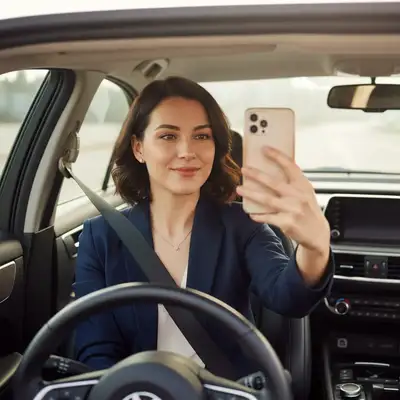
Woman in car with steering wheel and seatbelt visible, natural window lighting
Before
โ†’
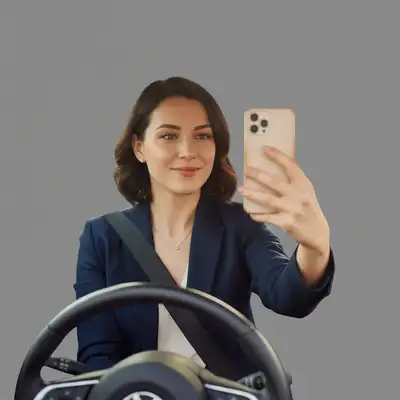
Professional corporate headshot with clean gray backdrop, lighting preserved
After

Need a Professional Photo for Job Application Tomorrow?

Drop your photo here

or click to browse

Release to upload

Free โ€ข No signup

Advertisement
Popular use cases:
  • job application photo emergency
  • professional photo tomorrow
  • last minute headshot
  • urgent job photo
  • application deadline photo
  • quick professional photo

Cost
Free No signup required
Time
Instant results in 15-30 seconds
Works on
Any device - browser, phone, tablet, desktop
Powered by
AI-powered photo editing
Scenario Prompt Time
Full transformation replace background with professional backdrop, enhance lighting 30s
Quick blur fix blur background professionally, improve lighting subtly 20s
Vacation rescue remove vacation background, add neutral backdrop, keep expression 35s

How it works

  1. Find your best available photo

    You don't have time for a photographer. Find any photo where you're looking at the camera with a clean, professional expression. Selfies work if the lighting is decent. Vacation photos work if you're dressed appropriately. The background doesn't matter - we'll fix it.

    Expect: Background replacement: 25-35 seconds. Simple blur and lighting enhancement: 15-25 seconds.
  2. Upload and describe what you need

    Drop your photo into EditThisPic. Type exactly what you need: 'replace background with professional neutral backdrop, enhance lighting for job application' or 'blur background professionally, fix lighting to look like studio headshot.' Be direct about the professional look you need.

    Tip: Combine multiple fixes: 'blur background, enhance face lighting, make it look professional but natural' works great for rushed edits.

    Copy one of these to get started:

    Turn any photo into professional headshot replace background with professional neutral backdrop, enhance lighting for job application headshot, keep my natural appearance
    Quick fix for decent selfie blur background professionally with portrait bokeh, enhance facial lighting subtly, professional but approachable look
    Casual photo needs professional upgrade replace casual background with clean gray studio backdrop, improve lighting to look like professional headshot
    Vacation photo with great smile remove the vacation background and replace with professional office environment, soft focus, keep my genuine expression
    3 more prompts
    Fix harsh lighting from indoor photo correct the harsh lighting, add soft professional illumination, blur background to neutral tone
    Car selfie with good natural light replace car interior background with professional gray backdrop, keep the natural window lighting on my face
    Group photo cropped to just me remove the partial people at edges, extend background to clean neutral, straighten and center me in frame
  3. Review for professionalism

    Check that you look like yourself, just more polished. Verify the background is clean and neutral. Make sure lighting looks natural, not over-processed. Your photo should project confidence and professionalism while still being recognizably you.

  4. Fine-tune if needed and submit

    If edges need cleanup or lighting isn't quite right, use markers on specific areas and regenerate. Takes another 20 seconds. Download your professional headshot and attach it to your application. You're done.

    Tip: Save 2-3 variations with different backgrounds or lighting. Some applications look better with warmer vs cooler tones.
Try it free โ†“

Need a Professional Photo for Job Application Tomorrow?

Drop your photo here

or click to browse

Release to upload

Free โ€ข No signup

"Application was due Monday morning. Sunday night I turned my car selfie into a proper headshot in under a minute. Got the interview." @SundayNightPanic

See it in action

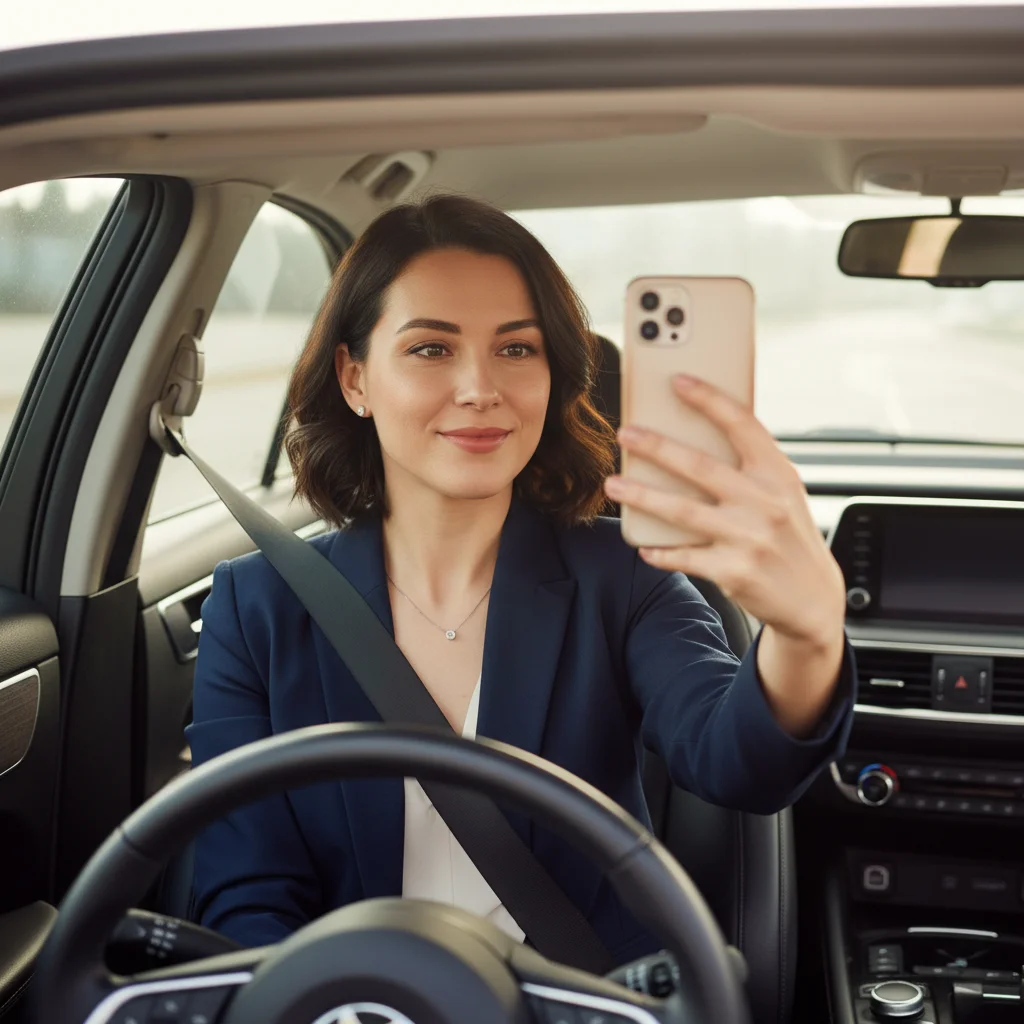
Woman in car with steering wheel and seatbelt visible, natural window lighting
Before
->
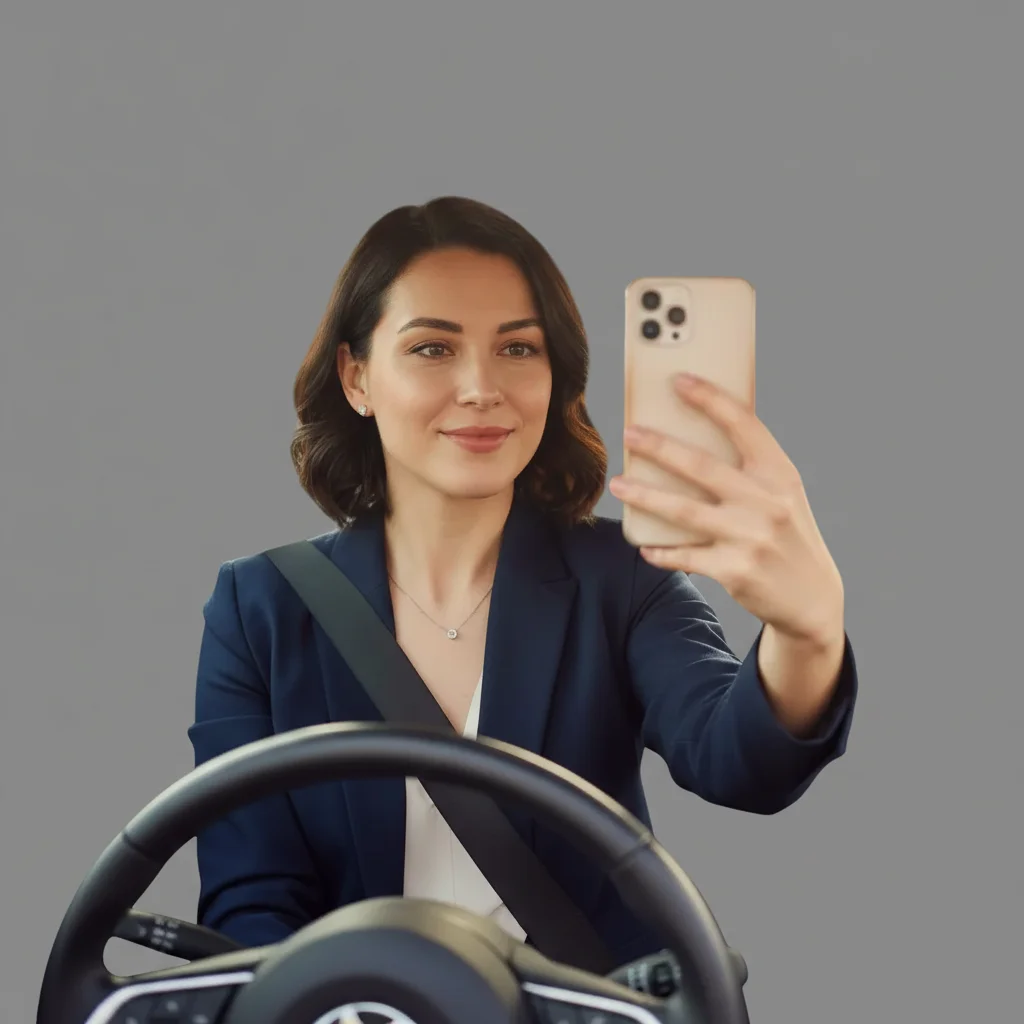
Professional corporate headshot with clean gray backdrop, lighting preserved
After

Car selfie to corporate headshot

Application due Monday morning. Sunday night, only decent photo was a car selfie with good window lighting. Removed car interior, added professional backdrop. Submitted application at 11:47pm.

Prompt: replace car interior background with clean gray professional backdrop, keep the natural lighting on my face
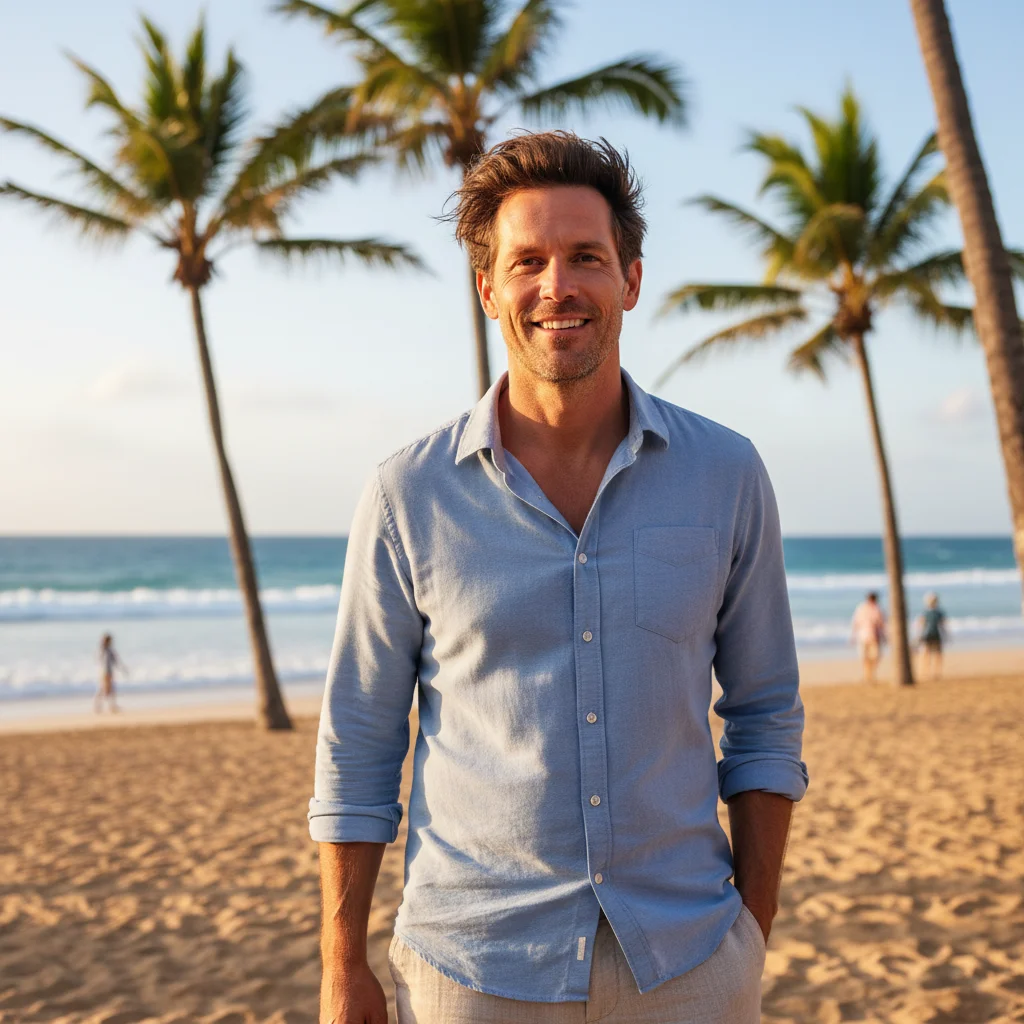
Man with natural smile on beach with palm trees and ocean clearly visible
Before
->
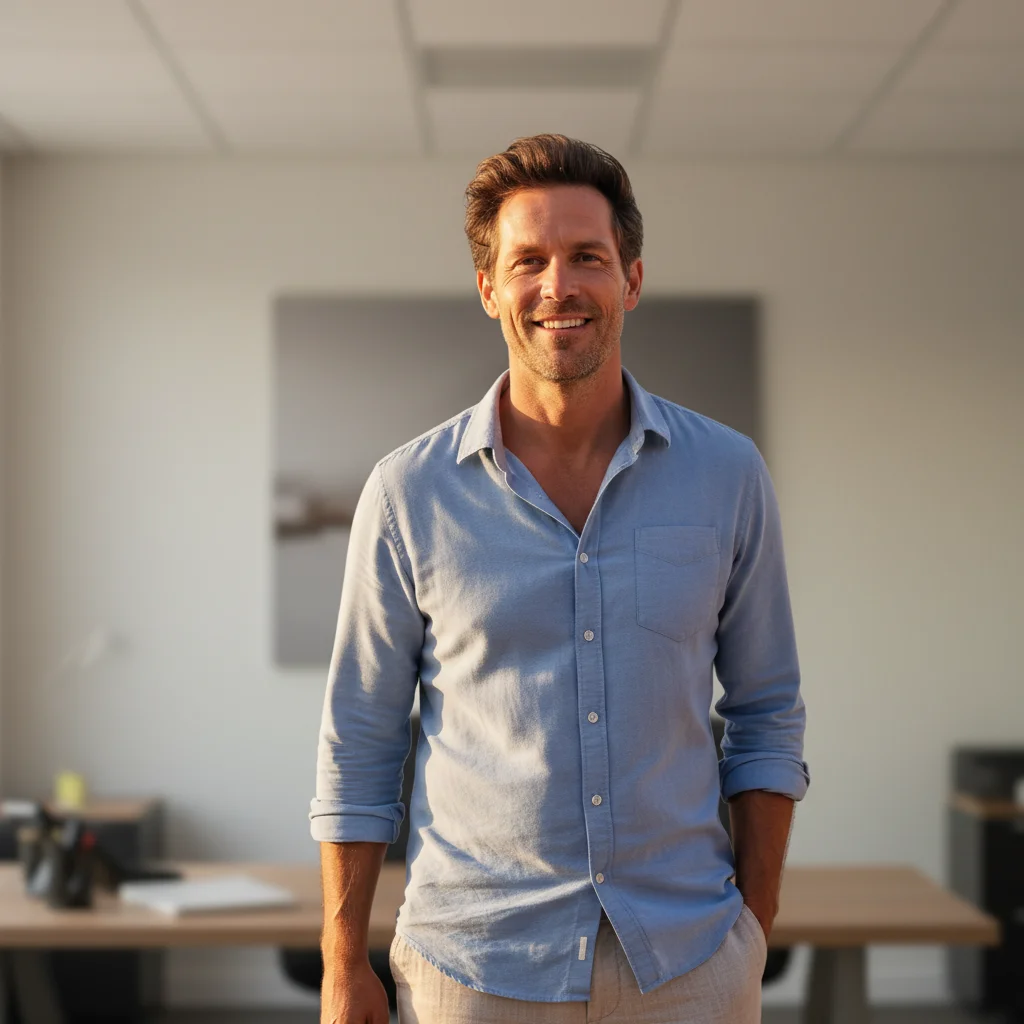
Professional headshot with neutral office backdrop, genuine smile preserved
After

Vacation photo rescue

Best photo with genuine smile was at the beach. Deadline was next morning. Replaced palm trees and ocean with professional backdrop, kept the relaxed confident expression. Interview scheduled within 48 hours.

Prompt: replace the beach and palm trees with professional neutral office backdrop, keep my natural smile and relaxed expression exactly as is
Advertisement

If something looks off

Still don't look professional enough

Why: The base photo may have issues beyond background - clothing, expression, or angle may not project professionalism.

Try: enhance for professional corporate appearance, improve posture perception, add subtle executive polish

Tip: Sometimes you need a different base photo. Choose one where you're looking confident and directly at camera.

Hair edges look choppy or have halos

Why: Fine hair strands are challenging for AI to separate cleanly from backgrounds, especially with quick edits.

Try: blend hair edges naturally with background, smooth the transition, no visible halos

Tip: Hair that contrasts with the new background (dark hair on light backdrop) tends to work best.

Lighting looks fake or too perfect

Why: Strong lighting enhancement can make photos look artificial if applied too heavily to already decent lighting.

Try: enhance lighting subtly for professional look, maintain natural skin texture and dimension, avoid over-brightening

Tip: Start with just background changes. Only add lighting enhancement if the original lighting is truly problematic.

Background replacement has visible seams

Why: Complex edges or challenging separation between you and the original background can create visible transitions.

Try: tap markers on seam areas, then: blend edges seamlessly with background, create natural transition, no visible lines

Tip: For tricky edges, try background blur instead of full replacement - it's more forgiving.

Don't look like myself anymore

Why: Over-enhancement from multiple edit attempts can accumulate changes that make you look different.

Try: Start fresh with just: replace background with neutral gray, keep my face completely unchanged

Tip: Do one thing at a time. Background first, check the result, then decide if you need face adjustments.

Quick answers

Do I need to mark anything before describing what I want?

No. Just describe what you need: 'replace background with professional backdrop' or 'blur background and enhance lighting.' The AI understands these concepts and handles it automatically. Only use markers if you need precision refinement after your first result - which is rare for straightforward background and lighting fixes.

Can I really turn a selfie into a job-application-quality photo?

Yes, if your selfie has decent lighting and you're looking at the camera with a professional expression. The AI replaces the background, enhances lighting, and can add subtle polish. The result looks like a proper headshot. Selfies taken in natural light (near windows) work best.

What if I only have casual photos with bad backgrounds?

That's exactly what this tool fixes. As long as your face is clear and you have a decent expression, the background doesn't matter. The AI removes messy rooms, vacation scenes, car interiors - anything - and replaces them with professional backdrops. Focus on finding a photo where YOU look good, not where the background looks good.

Will employers know I edited the photo?

The goal is to look like yourself in professional circumstances, not to deceive. You're not changing your appearance - you're changing the context (background, lighting). It's no different than going to a photographer's studio. If you look significantly different than the photo, that's a problem regardless of how it was taken.

What background should I use for job applications?

Safe options: neutral gray, gradient gray-to-white, or subtle blurred office. Avoid pure white (looks like a mugshot) and avoid busy or colorful backgrounds. Conservative industries (finance, law) prefer classic neutral backdrops. Creative fields can handle slightly more interesting backgrounds, but keep it professional.

How long does this actually take if my deadline is tomorrow?

Upload photo, type prompt, get result: 30-45 seconds total. If you need to refine, add another 30 seconds. Most people get a usable result in under 2 minutes. You can generate 2-3 variations in under 5 minutes to pick your favorite. Plenty of time even if your deadline is hours away.

Application deadline tomorrow? Fix your photo now.

Free to try. No signup required. Takes 30 seconds.

Try it free โ†’