Free • No signup Apply Art deco style · Free

AI Art Deco Filter

Transform photos into elegant Art Deco style with one description.
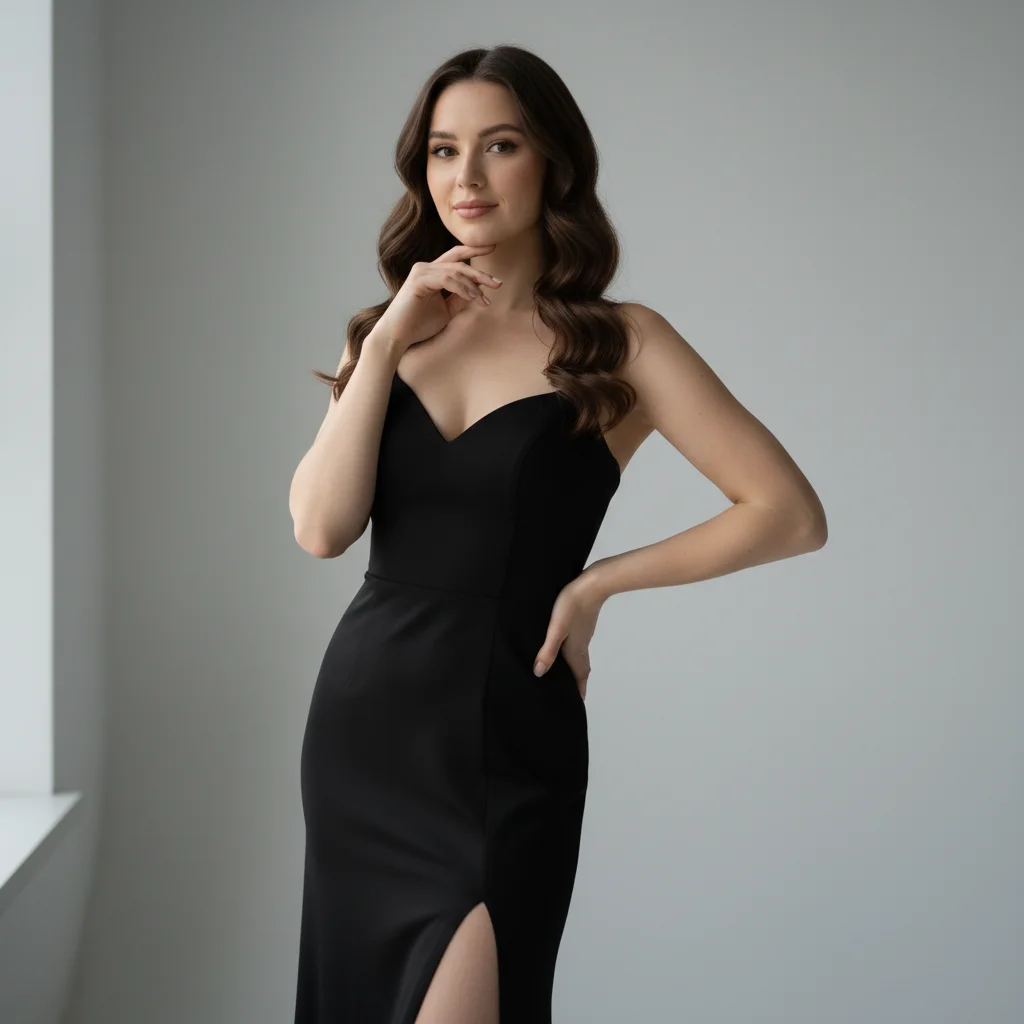
Elegant portrait photo
Before
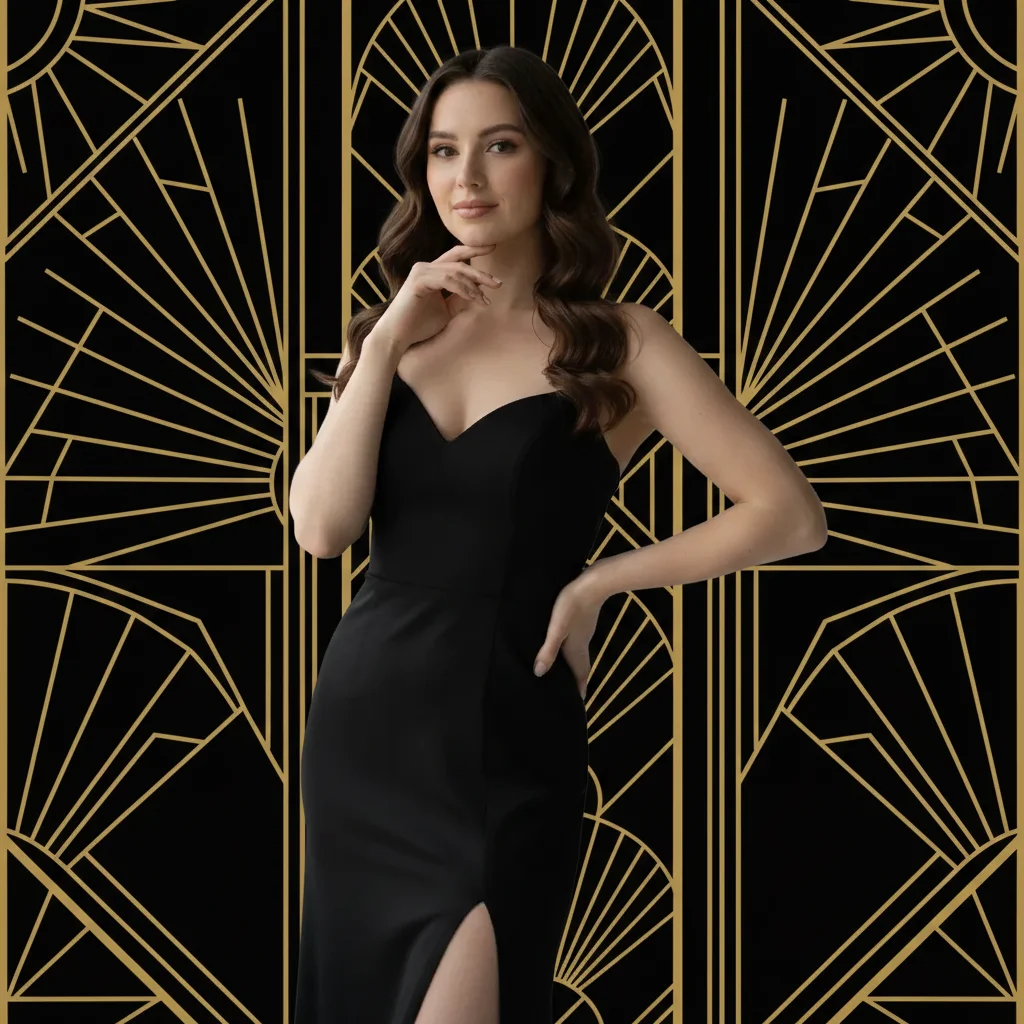
Art Deco portrait with geometric patterns and gold
After

Apply Art Deco Filter to Photos

Drop your photo here

or click to browse

Release to upload

Free • No signup

Advertisement
Popular use cases:
  • Art Deco art
  • 1920s photography
  • vintage portraits
  • elegant design
  • period photos
  • creative projects

Cost
Free No signup required
Time
Instant results in 15-30 seconds
Works on
Any device - browser, phone, tablet, desktop
Powered by
AI-powered photo editing
Scenario Prompt Time
Classic gold black apply Art Deco filter with geometric patterns, gold and black color scheme, and elegant symmetry 30s
Glamorous portrait transform into Art Deco portrait with sunburst patterns, metallic gold accents, and 1920s glamour 25s
Architectural Deco apply Art Deco filter with angular geometric patterns, chrome accents, and streamlined modern style 30s

How it works

  1. Upload your photo

    Drop your image into EditThisPic. JPG, PNG, WebP up to 7MB. Portraits, architectural photos, and images with elegant subjects work especially well for Art Deco transformation.

    Expect: Simple Art Deco conversions: 20-30 seconds. Complex adjustments with custom patterns: may need 2-3 refinements for perfect 1920s style.
  2. Describe what you want

    Type your instruction: 'apply Art Deco filter with geometric patterns and gold accents' or 'transform into Art Deco style with symmetrical design and metallic tones.' Specify pattern style, color palette, and glamour level. No marking needed—the AI understands Art Deco aesthetics.

    Tip: Mention specific Art Deco elements like 'geometric patterns,' 'gold and black,' 'sunburst motifs,' or 'symmetrical design' to customize the 1920s style.

    Copy one of these to get started:

    Classic gold and black apply Art Deco filter with geometric patterns, gold and black color scheme, and elegant symmetry
    Glamorous portrait transform into Art Deco portrait with sunburst patterns, metallic gold accents, and 1920s glamour
    Architectural Art Deco apply Art Deco filter with angular geometric patterns, chrome accents, and streamlined modern style
    Colorful Jazz Age transform into Art Deco style with bold geometric shapes, jewel tones, and vibrant color palette
    2 more prompts
    Elegant monochrome apply Art Deco filter with black and white geometric patterns, silver accents, and sophisticated elegance
    Egyptian revival style transform into Art Deco with Egyptian motifs, geometric hieroglyphic patterns, and gold details
  3. Generate and review

    Click Generate and the AI applies Art Deco styling with geometric patterns, elegant color grading, and Jazz Age glamour. Review the pattern details and metallic accents at full zoom.

  4. Refine with markers if needed

    If specific areas need different patterns or adjusted tones, tap markers on those spots and regenerate with adjusted instructions. This is optional—most Art Deco filters work without markers.

    Tip: Markers are for precision refinement, not required. Try without them first.
Try it free

Apply Art Deco Filter to Photos

Drop your photo here

or click to browse

Release to upload

Free • No signup

"The Art Deco filter captured the perfect 1920s aesthetic. Geometric patterns and gold details look amazing." @vintagedesigner

See it in action

Elegant portrait photo
Before
->
Art Deco portrait with geometric patterns and gold
After

Portrait with gold Art Deco

Transformed portrait into Art Deco style with geometric patterns and gold accents.

Prompt: apply Art Deco filter with geometric patterns, gold and black color scheme, and elegant symmetry
Modern building architecture
Before
->
Art Deco building with angular patterns and chrome
After

Building with architectural Deco

Converted architectural photo into Art Deco with angular patterns and chrome accents.

Prompt: apply Art Deco filter with angular geometric patterns, chrome accents, and streamlined modern style
Fashion portrait photo
Before
->
Vibrant Art Deco with jewel tones and geometric shapes
After

Colorful Jazz Age portrait

Created vibrant Art Deco portrait with jewel tones and bold geometric shapes.

Prompt: transform into Art Deco style with bold geometric shapes, jewel tones, and vibrant color palette
Advertisement

If something looks off

AI changed the wrong area or something I didn't want changed

Why: The AI couldn't determine exactly which area you meant from description alone. This happens with ambiguous requests.

Try: Tap a marker on the specific area you want to change, then regenerate with the same prompt

Tip: Markers tell the AI 'I mean THIS one specifically.' Use them when description alone is ambiguous.

Patterns look too busy or overwhelming

Why: Too many geometric elements were added without considering composition balance.

Try: Request subtle patterns: 'apply Art Deco filter with subtle geometric accents and clean design'

Tip: Add 'subtle,' 'minimal,' or 'accent' to reduce pattern density while keeping Art Deco character.

Doesn't capture 1920s glamour or elegance

Why: Insufficient luxury elements or period-appropriate styling that defines Art Deco aesthetic.

Try: Emphasize glamour: 'apply Art Deco filter with opulent gold details, luxury textures, and Jazz Age elegance'

Tip: Include 'glamour,' 'opulent,' 'luxury,' or 'Jazz Age' to amplify the 1920s sophisticated atmosphere.

Colors don't match Art Deco palette

Why: Modern color scheme instead of period-appropriate Art Deco tones.

Try: Specify Art Deco colors: 'apply Art Deco filter with gold, black, and cream color palette'

Tip: Classic Art Deco colors: gold, black, cream, chrome silver, jewel tones (emerald, sapphire, ruby).

Missing geometric or symmetrical elements

Why: The transformation focused on color without adding the iconic Art Deco geometric patterns.

Try: Specify patterns: 'apply Art Deco filter with symmetrical geometric patterns and angular designs'

Tip: Name specific Art Deco motifs: geometric patterns, sunburst, zigzag, chevron, symmetrical design.

Quick answers

Do I need to mark areas before applying the Art Deco filter?

No! Just describe what you want: 'apply Art Deco filter with geometric patterns and gold accents' or 'transform into Art Deco style with symmetrical design.' The AI understands Art Deco aesthetics and applies the effect to the entire image. Only use markers when you need precision control over where specific patterns or accents appear.

How do I apply an Art Deco filter to my photo for free?

Upload your photo to EditThisPic and type 'apply Art Deco filter with geometric patterns and gold accents.' The AI transforms your image with 1920s style, elegant patterns, and Jazz Age glamour in 20-40 seconds. Free to use, no account required, no watermark on downloads.

What defines Art Deco style?

Art Deco (1920s-1930s) is characterized by geometric patterns, symmetrical designs, metallic gold and chrome accents, bold colors or elegant black-and-white, streamlined modern shapes, and luxurious glamour. It combines geometric precision with opulent materials, representing Jazz Age sophistication and technological optimism.

What colors are typical for Art Deco?

Classic Art Deco uses gold and black for luxury, chrome silver for modern elegance, jewel tones (emerald, sapphire, ruby) for richness, and cream or ivory for sophistication. Bold color combinations or elegant monochrome both work. Specify your preferred Art Deco palette in the prompt.

What types of photos work best for Art Deco transformation?

Portraits work beautifully for glamorous Jazz Age styling. Architectural photos emphasize geometric modernism. Fashion and elegant subjects suit Art Deco opulence. Photos with symmetry or strong lines transform most dramatically. Even modern photos can be Art Deco-styled with the right AI transformation.

Ready to apply Art Deco style to your photos?

Free to try. No signup required.

Try it free