Free • No signup Convert Charcoal drawing · Free

AI Charcoal Drawing Maker

Turn any photo into a realistic charcoal sketch with one description.
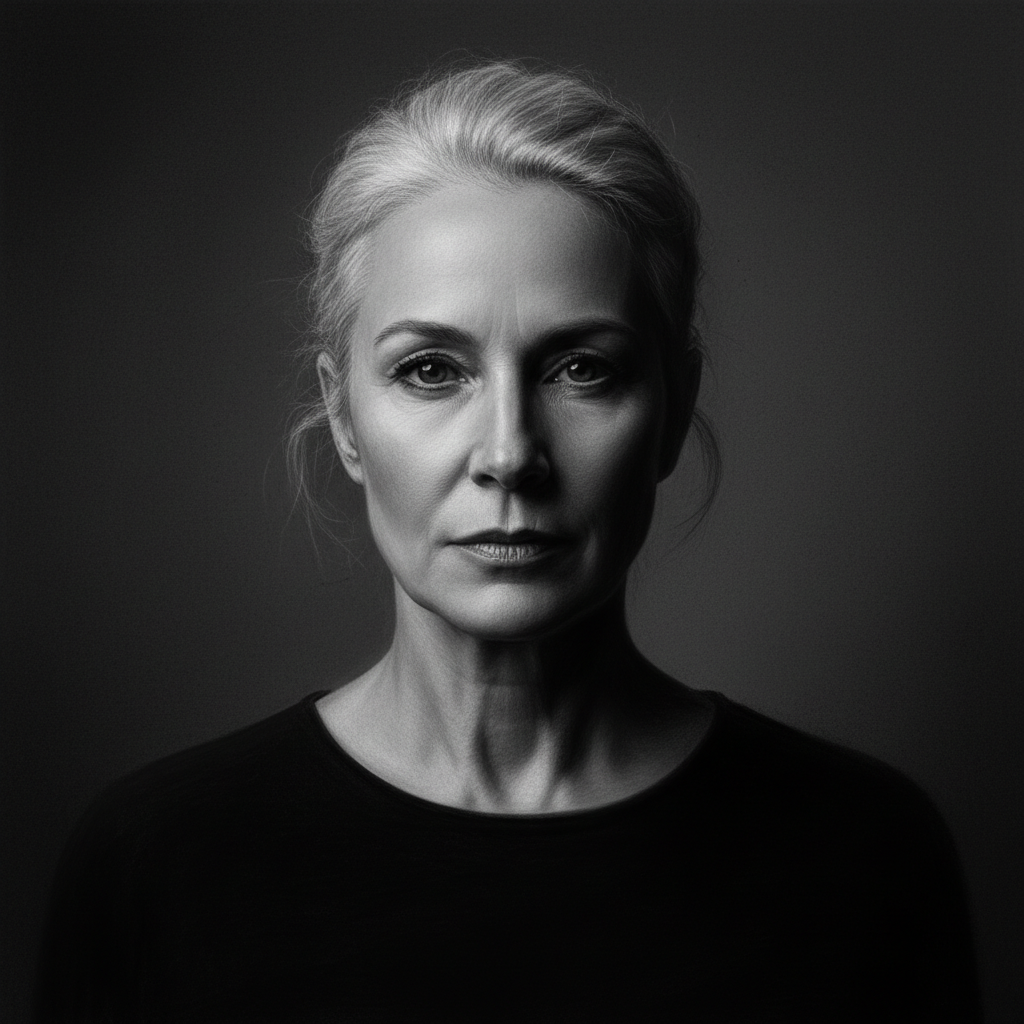
Color portrait photo with side lighting
Before
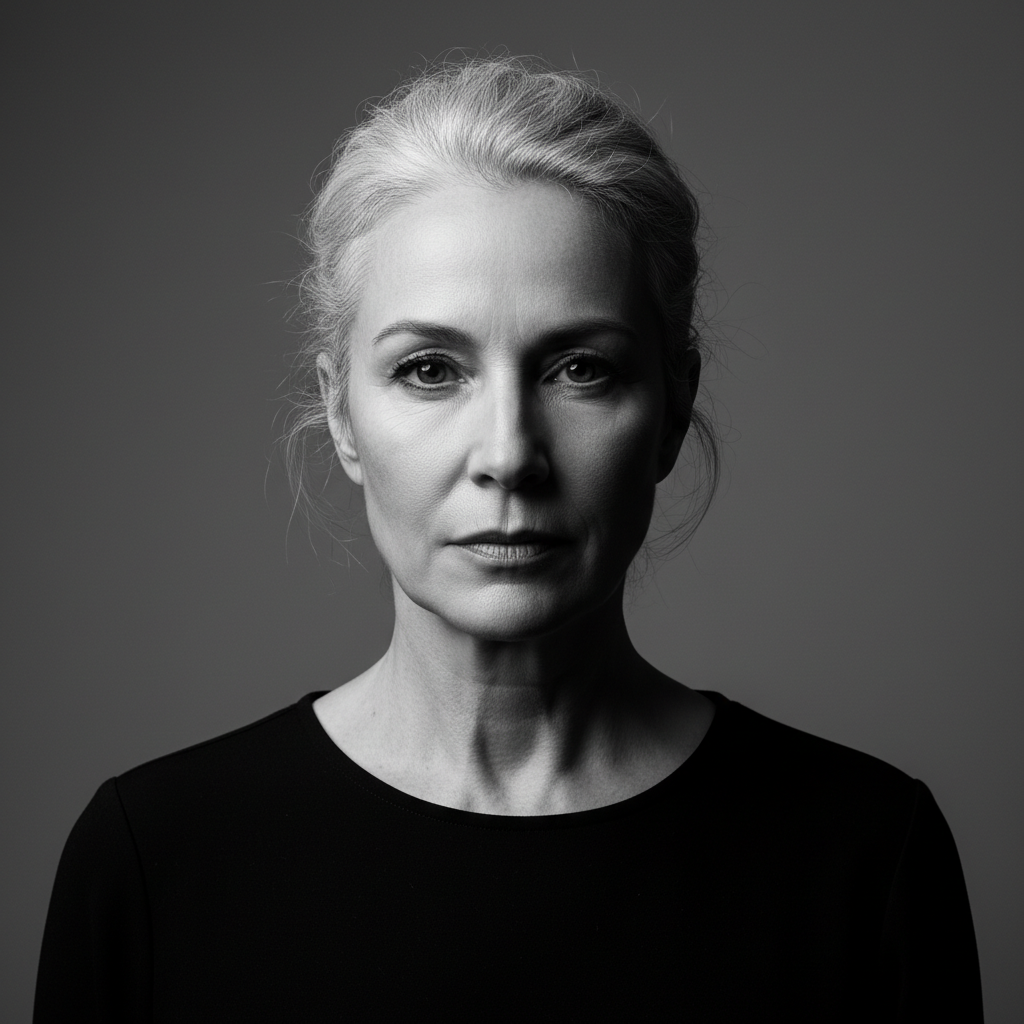
Soft charcoal portrait sketch with blended shading
After

Convert Photo to Charcoal Drawing

Drop your photo here

or click to browse

Release to upload

Free • No signup

Advertisement
Popular use cases:
  • art portfolios
  • portrait sketches
  • artistic gifts
  • wall art prints
  • social media posts
  • creative projects

Cost
Free No signup required
Time
Instant results in 15-30 seconds
Works on
Any device - browser, phone, tablet, desktop
Powered by
AI-powered photo editing
Scenario Prompt Time
Soft portrait sketch convert to charcoal drawing with soft blending and gentle shading for a portrait 25s
Textured realistic drawing transform into charcoal drawing with visible strokes, rough texture, and white paper showing through highlights 30s
High contrast dramatic convert to charcoal drawing with deep blacks, bright highlights, and strong contrast 25s

How it works

  1. Upload your photo

    Drop your image into EditThisPic. JPG, PNG, WebP up to 7MB. Photos with good contrast and clear subjects work best for charcoal conversion. Portraits, still life, and architectural photos produce excellent results.

    Expect: Simple charcoal conversions: 20-30 seconds. Complex adjustments with custom shading: may need 2-3 refinements for desired artistic effect.
  2. Describe what you want

    Type your instruction: 'convert to charcoal drawing with soft shading' or 'transform into realistic charcoal sketch with heavy textured strokes.' Specify shading intensity, stroke visibility, and paper texture. No marking needed—the AI understands charcoal art techniques.

    Tip: Mention specific details like 'soft blending,' 'visible charcoal strokes,' or 'white paper showing through' to control the artistic style.

    Copy one of these to get started:

    Soft portrait sketch convert to charcoal drawing with soft blending and gentle shading for a portrait
    Textured realistic drawing transform into charcoal drawing with visible strokes, rough texture, and white paper showing through highlights
    High contrast dramatic sketch convert to charcoal drawing with deep blacks, bright highlights, and strong contrast
    Loose artistic sketch transform into loose charcoal sketch with expressive strokes and minimal detail
    2 more prompts
    Fine detailed rendering convert to charcoal drawing with fine shading, smooth gradients, and detailed rendering
    Vintage sketch style transform into vintage charcoal drawing with aged paper texture and classic shading techniques
  3. Generate and review

    Click Generate and the AI converts your photo to charcoal drawing with realistic tonal values, shading, and texture. Review the stroke detail and contrast at full zoom to ensure the artistic effect matches your vision.

  4. Refine with markers if needed

    If specific areas need more shading or lighter tones, tap markers on those spots and regenerate with adjusted instructions. This is optional—most charcoal conversions work without markers.

    Tip: Markers are for precision refinement, not required. Try without them first.
Try it free

Convert Photo to Charcoal Drawing

Drop your photo here

or click to browse

Release to upload

Free • No signup

"Turned my photo into a charcoal portrait that looks hand-drawn. Perfect for my art portfolio." @artiststudio

See it in action

Color portrait photo with side lighting
Before
->
Soft charcoal portrait sketch with blended shading
After

Portrait to charcoal sketch

Converted portrait photo into soft charcoal drawing with gentle shading and smooth tonal transitions.
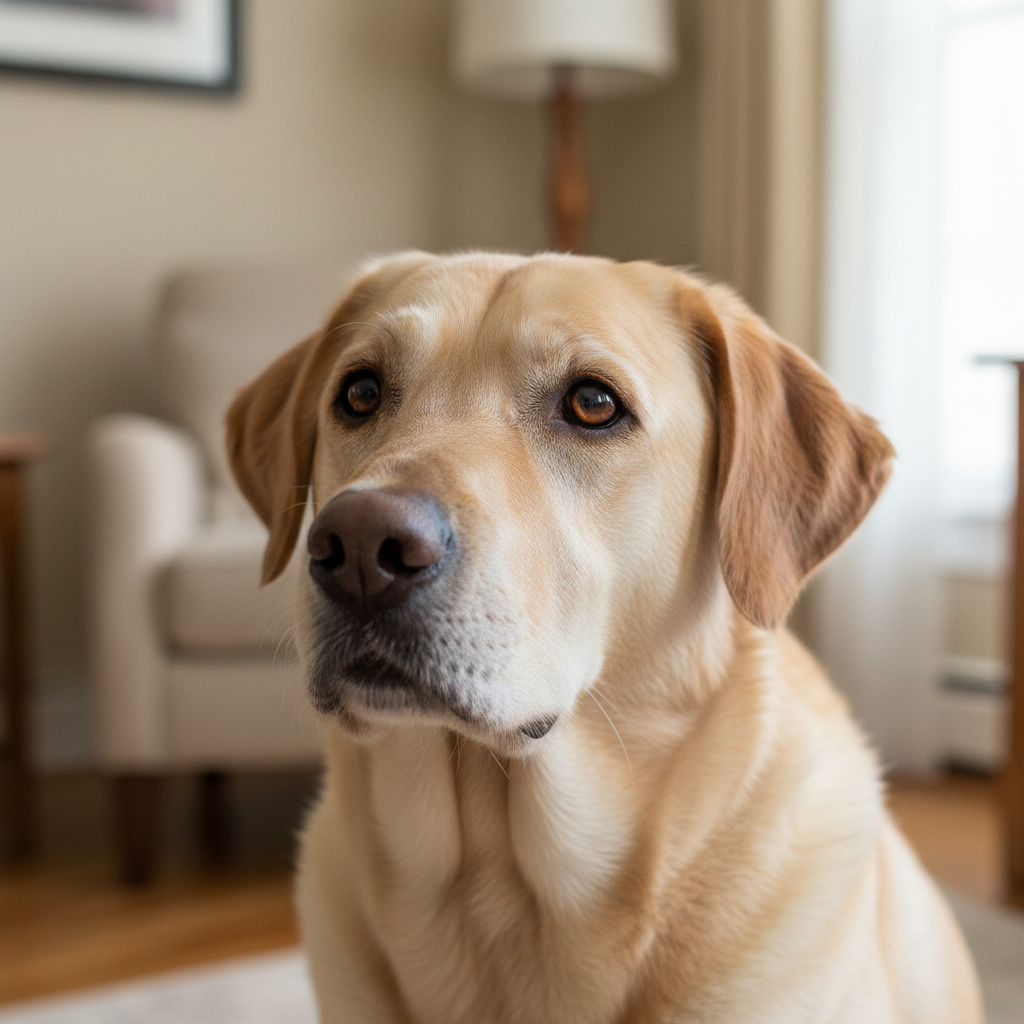
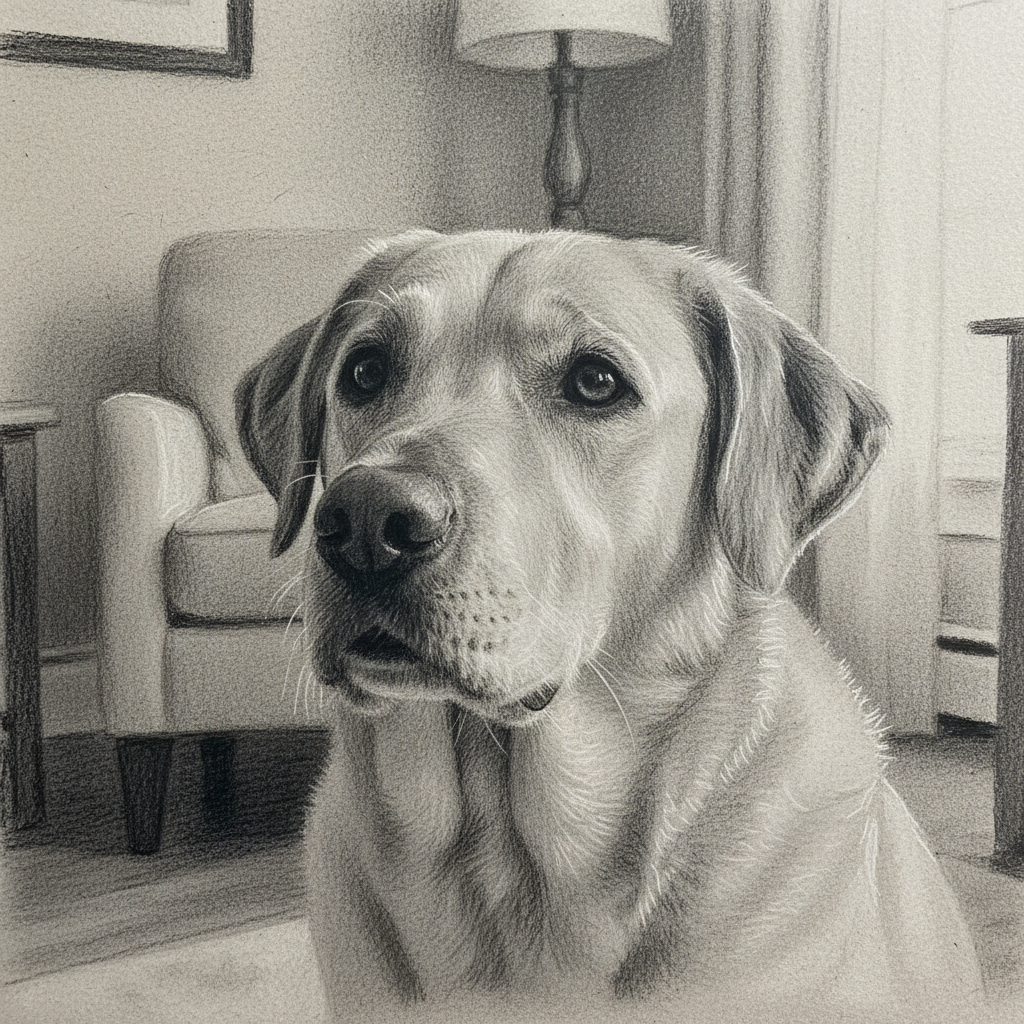
Prompt: convert to charcoal drawing with soft blending and gentle shading for a portrait
Color landscape with mountains and dramatic lighting
Before
->
Textured charcoal drawing with visible strokes and paper texture
After

Landscape to textured charcoal

Transformed landscape into charcoal drawing with visible strokes and paper texture showing through.

Prompt: transform into charcoal drawing with visible strokes, rough texture, and white paper showing through highlights
Color still life with dramatic lighting
Before
->
High contrast charcoal drawing with deep blacks and bright highlights
After

Still life with high contrast

Created dramatic charcoal sketch from still life photo with deep blacks and bright highlights.

Prompt: convert to charcoal drawing with deep blacks, bright highlights, and strong contrast
Advertisement

If something looks off

AI changed the wrong area or something I didn't want changed

Why: The AI couldn't determine exactly which area you meant from description alone. This happens with ambiguous requests.

Try: Tap a marker on the specific area you want to change, then regenerate with the same prompt

Tip: Markers tell the AI 'I mean THIS one specifically.' Use them when description alone is ambiguous.

Drawing looks too photographic or not sketchy enough

Why: Insufficient artistic transformation or too much detail preservation from the original photo.

Try: Add artistic specifics: 'convert to charcoal drawing with visible strokes and loose rendering'

Tip: Phrases like 'visible strokes,' 'loose,' and 'sketchy' push the AI toward more artistic interpretation.

Shading is too harsh or too soft

Why: The tonal rendering doesn't match the desired charcoal style intensity.

Try: Specify shading intensity: 'soft blending' for gentle gradients or 'strong shading with deep blacks' for dramatic contrast

Tip: Control shading by adding 'soft,' 'medium,' or 'strong' to your shading description.

Details are lost or too blurry

Why: Artistic conversion smoothed out important details or applied too much simplification.

Try: Request preserved detail: 'convert to charcoal drawing with fine details and smooth gradients'

Tip: Specify 'preserved detail' or 'fine rendering' to maintain important features while converting to charcoal style.

Doesn't look like real charcoal on paper

Why: Missing authentic charcoal texture, paper grain, or material qualities.

Try: Add texture details: 'convert to charcoal drawing with paper texture visible and charcoal grain'

Tip: Mention 'paper texture,' 'charcoal grain,' or 'white paper showing through' for authentic material look.

Quick answers

Do I need to mark areas before converting to charcoal drawing?

No! Just describe what you want: 'convert to charcoal drawing with soft shading' or 'transform into realistic charcoal sketch.' The AI understands charcoal art techniques and applies the effect to the entire image. Only use markers when you need precision control over specific areas like emphasizing certain features or adjusting shading in particular spots.

How do I convert my photo to a charcoal drawing for free?

Upload your photo to EditThisPic and type 'convert to charcoal drawing with soft blending and gentle shading.' The AI transforms your image into a realistic charcoal sketch in 20-40 seconds. Free to use, no account required, no watermark on downloads.

What makes a good photo for charcoal conversion?

Photos with good contrast, clear subjects, and distinct lighting work best. Portraits with side lighting, landscapes with dramatic skies, and still life with strong shadows all convert beautifully. Avoid very flat or low-contrast images as charcoal relies on tonal variation for artistic effect.

Can I control how realistic or artistic the charcoal sketch looks?

Yes, specify style details in your prompt. Use 'fine rendering and smooth gradients' for realistic drawings, 'visible strokes and loose sketching' for artistic interpretations, or 'rough texture with paper showing through' for authentic hand-drawn appearance. The AI adjusts based on your description.

Is there a free charcoal drawing converter that doesn't require login?

Yes, EditThisPic converts photos to charcoal drawings with AI completely free, no signup or account needed. Just upload your image, describe the charcoal style you want, and download the result with no watermark. Works on any device with a web browser.

Ready to convert your photo to charcoal drawing?

Free to try. No signup required.

Try it free