Free • No signup Add Light leak · Free

AI Light Leak Adder

Just describe the light leak style you want and AI creates it instantly.
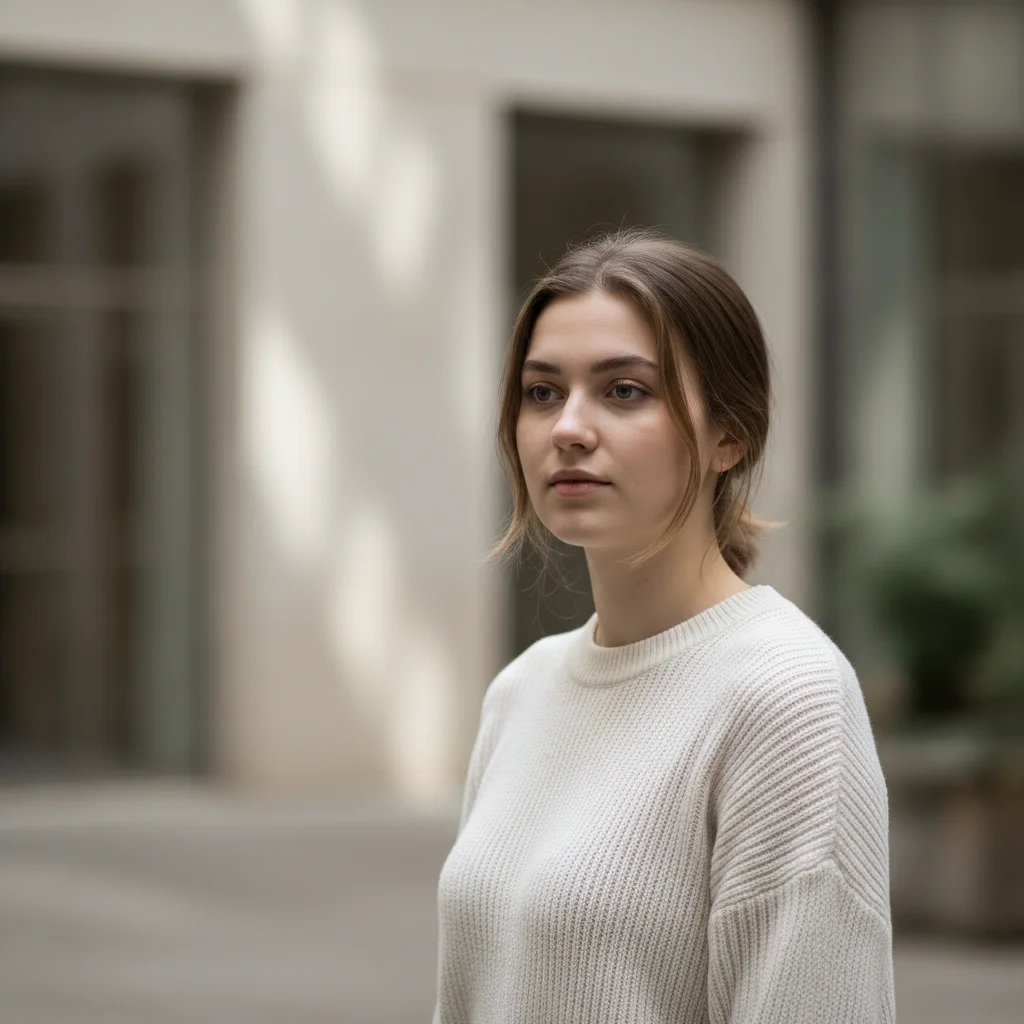
Clean portrait without light leak effect
Before
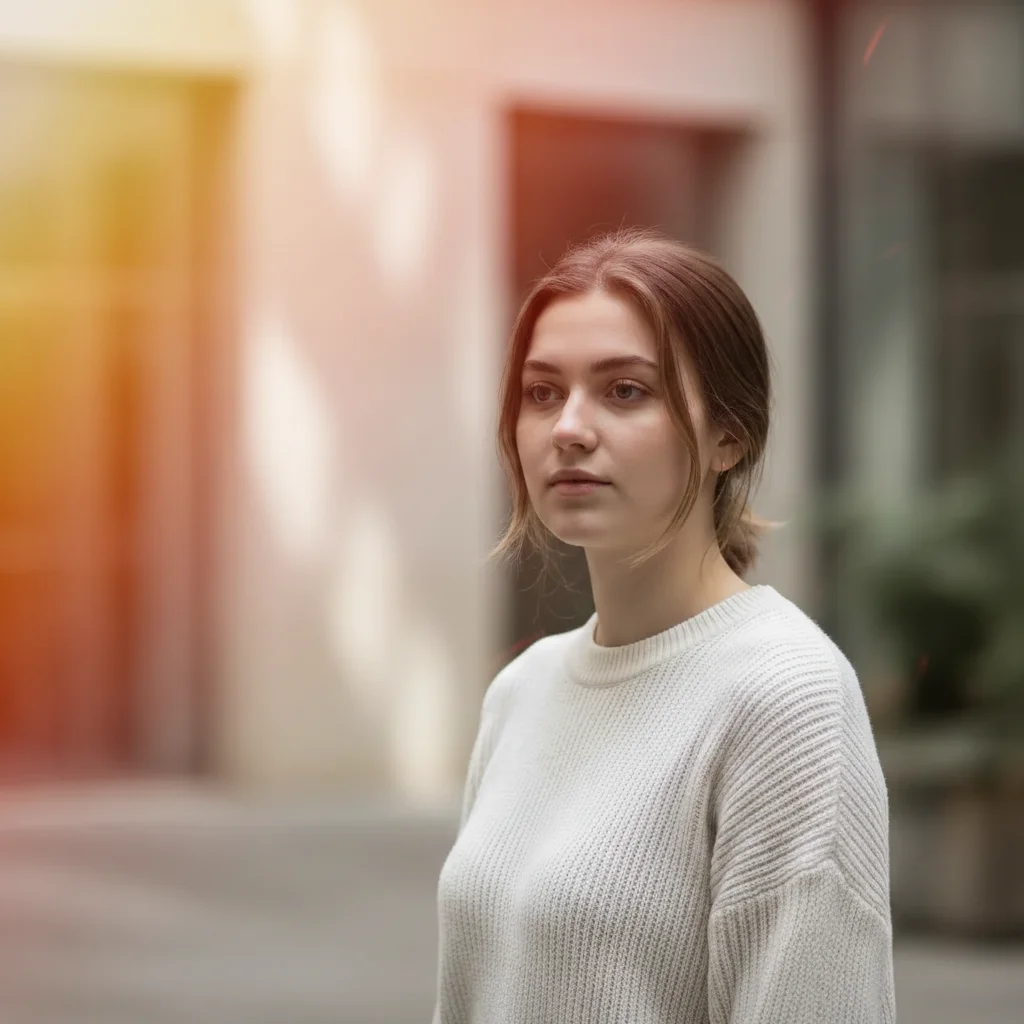
Portrait with warm orange light leak from top left
After

Add Light Leak to Photo

Drop your photo here

or click to browse

Release to upload

Free • No signup

Advertisement
Popular use cases:
  • Instagram photos
  • vintage photography
  • film aesthetic
  • lifestyle photos
  • portrait photography
  • aesthetic edits

Cost
Free No signup required
Time
Instant results in 15-30 seconds
Works on
Any device - browser, phone, tablet, desktop
Powered by
AI-powered photo editing
Scenario Prompt Time
Warm vintage add warm orange light leak from the top left corner with soft edges and natural fade 15s
Pink dreamy add soft pink light leak across the bottom edge with subtle glow 15s
Golden hour add golden yellow light leak from the right side with warm hazy glow 20s
Cinematic blue add cool blue light leak from top right corner with medium intensity 20s

How it works

  1. Upload your photo

    Drop your image into EditThisPic. JPG, PNG, WebP up to 7MB. Light leaks work best on photos with some contrast and color variation.

    Expect: Simple light leaks: 15-30 seconds. Complex multi-colored leaks: may need 2-3 refinements for perfect placement.
  2. Describe the light leak you want

    Type your instruction: 'add warm orange light leak from top left corner' or 'add soft pink light leak across bottom edge.' Be specific about color, position, and intensity. No marking needed—the AI understands directional language like 'from top left' and 'across bottom.'

    Tip: Specify warmth and intensity: 'subtle golden glow' vs 'intense red-orange leak' creates very different effects.

    Copy one of these to get started:

    Classic warm vintage look add warm orange light leak from the top left corner with soft edges and natural fade
    Dreamy pink aesthetic add soft pink light leak across the bottom edge with subtle glow
    Golden hour effect add golden yellow light leak from the right side with warm hazy glow
    Cinematic blue light add cool blue light leak from top right corner with medium intensity
    2 more prompts
    Retro rainbow leak add multicolor rainbow light leak from left edge with vintage film grain
    Subtle ambient glow add very subtle warm amber light leak in the upper corners with minimal intensity
  3. Generate and review

    Click Generate and watch the AI add realistic light leak effects that mimic vintage film exposure. Check the blend and color accuracy—light leaks should feel natural, not like a simple overlay.

  4. Refine with markers if needed

    If the light leak position needs adjustment or the intensity isn't quite right, tap markers on the areas where you want more or less effect, then regenerate. This is optional—most light leaks work without markers.

    Tip: Markers are for precision refinement, not required. Try without them first.
Try it free

Add Light Leak to Photo

Drop your photo here

or click to browse

Release to upload

Free • No signup

"Finally found a tool that makes authentic-looking light leaks without the fake overlays. Just described what I wanted and it nailed it." @vintagephoto

See it in action

Clean portrait without light leak effect
Before
->
Portrait with warm orange light leak from top left
After

Warm Orange Vintage Light Leak

Added classic warm orange light leak to portrait for authentic film camera aesthetic.

Prompt: add warm orange light leak from the top left corner with soft edges and natural fade

Flat lay coffee photo without light leak
Before
->
Coffee photo with pink light leak across bottom edge
After

Pink Dreamy Light Leak

Added soft pink light leak across bottom for Instagram-worthy aesthetic.

Prompt: add soft pink light leak across the bottom edge with subtle glow
Advertisement

If something looks off

Light leak looks fake or too harsh

Why: The AI may have interpreted 'light leak' as a solid overlay rather than a natural film effect. This happens when intensity isn't specified.

Try: add subtle [color] light leak from [position] with soft edges and natural fade

Tip: Words like 'subtle,' 'soft edges,' and 'natural fade' help the AI create authentic-looking film leaks instead of harsh overlays.

Light leak is in the wrong position

Why: Directional language might have been ambiguous. 'Top' could mean top edge or top corner.

Try: add [color] light leak from the top left corner [or be more specific with position]

Tip: Use specific corner positions: 'top left corner,' 'bottom right edge,' 'along right side' instead of vague 'top' or 'side.'

Color is wrong or too intense

Why: Generic color names like 'red' can be interpreted as bright primary red instead of warm red-orange film leaks.

Try: add warm orange light leak [instead of just 'red'] with medium intensity

Tip: Describe color with warmth/coolness: 'warm orange,' 'cool blue,' 'golden yellow' instead of simple color names.

AI changed the wrong area or added effect where I didn't want it

Why: The AI couldn't determine exactly which area you meant from description alone. This happens with ambiguous requests.

Try: Tap a marker on the specific area where you want the light leak to begin, then regenerate with the same prompt

Tip: Markers tell the AI 'I mean THIS corner specifically.' Use them when description alone is ambiguous.

Quick answers

Do I need to mark where the light leak should appear before describing?

No! Just describe what you want: 'add warm orange light leak from top left corner' or 'add pink glow across bottom.' The AI understands these directional descriptions. Only use markers when you need precision—like fine-tuning exact position or intensity after your first attempt.

How do I create authentic-looking film light leaks that don't look fake?

Use descriptive language about warmth, softness, and natural fade. Say 'add warm orange light leak with soft edges and natural fade' instead of just 'add orange.' Include words like 'subtle,' 'hazy,' 'glow,' and 'vintage film' to guide the AI toward realistic film camera effects instead of harsh digital overlays.

What's the best free tool for adding light leaks to photos?

EditThisPic's AI Light Leak Adder creates realistic film-style light leaks without Photoshop or manual overlay placement. Unlike pre-made overlay packs that never quite fit your photo, our AI generates custom light leaks that blend naturally with your image's lighting and colors.

Can I add multiple light leaks to the same photo?

Yes! Generate your first light leak, then use the result as your starting image and add another one. For example, add a warm orange leak from the top, then add a subtle pink glow on the bottom edge in a second pass.

Ready to add light leaks to your photos?

Free to try. No signup required.

Try it free