Free • No signup Apply Moody filter · Free

AI Moody Filter

Just describe the mood you want and AI applies the perfect dark aesthetic.
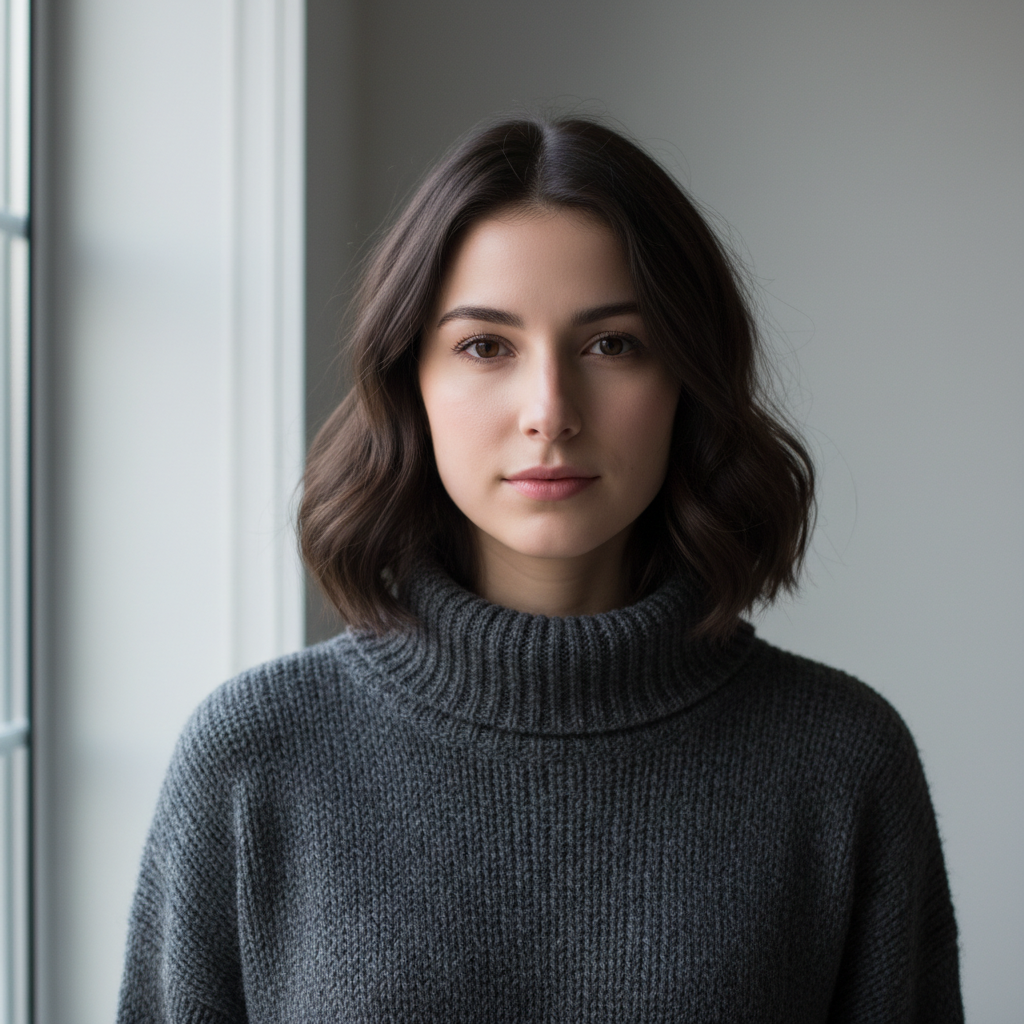
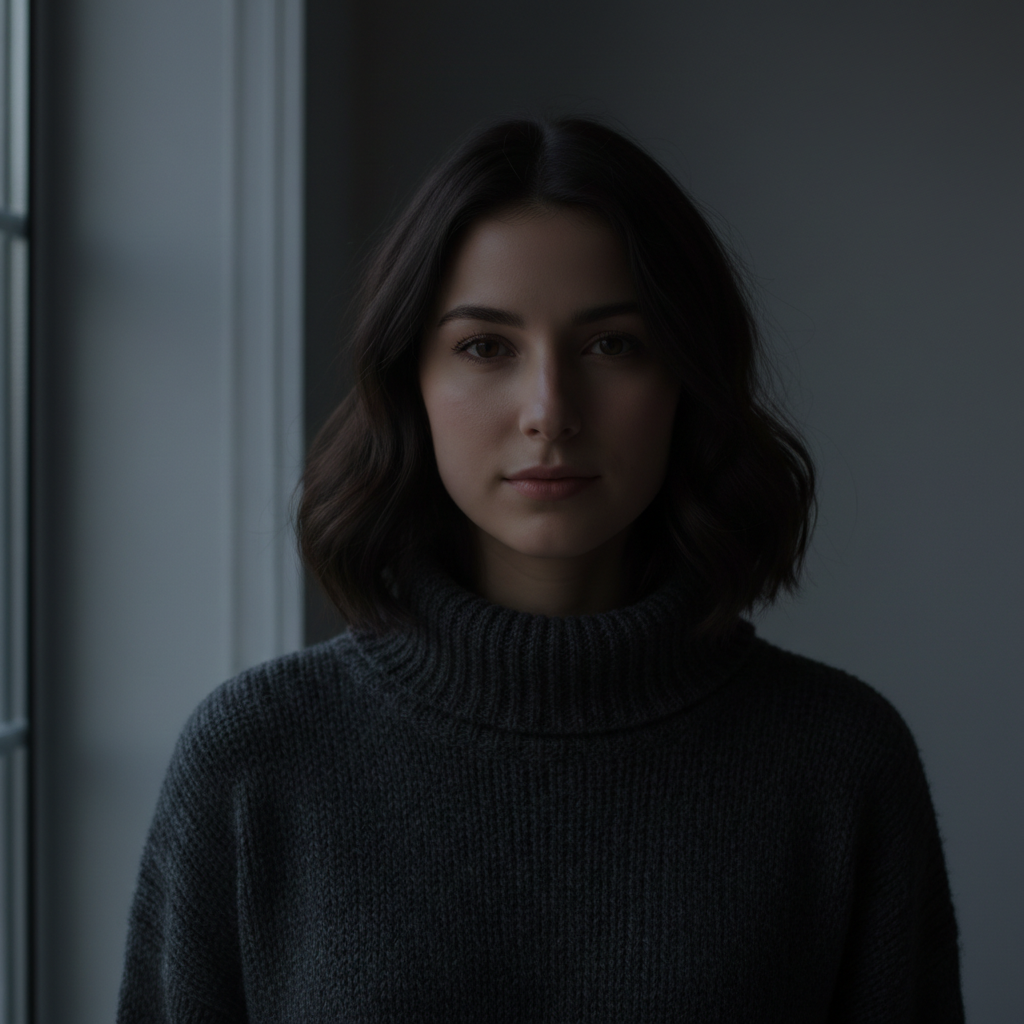
Bright portrait with saturated natural colors
Before
Moody portrait with dark desaturated cinematic tones
After

Apply Moody Filter to Photos

Drop your photo here

or click to browse

Release to upload

Free • No signup

Advertisement
Popular use cases:
  • Portrait photography
  • Urban photography
  • Landscape photography
  • Instagram aesthetic
  • Social media photos
  • Cinematic photography
  • Artistic portraits
  • Dramatic scenes

Cost
Free No signup required
Time
Instant results in 15-30 seconds
Works on
Any device - browser, phone, tablet, desktop
Powered by
AI-powered photo editing
Scenario Prompt Time
Standard moody apply moody filter with dark tones and desaturated cinematic colors 15s
Moody portrait make the portrait look moody and dramatic with dark cinematic lighting 15s
Teal and orange moody make it look moody with teal shadows and orange highlights, cinematic color grading 20s
Black and white moody apply dark moody black and white filter with deep shadows and high contrast 20s

How it works

  1. Upload your photo

    Drop your image into EditThisPic. JPG, PNG, WebP up to 7MB. Works best on portraits, urban scenes, and landscapes where dark aesthetic enhances the mood.

    Expect: Moody filter application: 15-20 seconds. No refinements typically needed.
  2. Describe the moody aesthetic you want

    Type your instruction: 'apply moody filter' or 'make it look dark and cinematic with desaturated tones and deep shadows.' Be specific about intensity or color tone if you have preferences. No marking needed—the AI applies the mood globally.

    Tip: Say 'moody with teal and orange tones' or 'dark moody black and white' to guide the specific color palette. The AI adjusts the aesthetic based on your description.

    Copy one of these to get started:

    Standard moody filter apply moody filter with dark tones and desaturated cinematic colors
    Moody portrait make the portrait look moody and dramatic with dark cinematic lighting
    Moody landscape apply dark moody filter with atmospheric fog and desaturated tones
    Teal and orange moody make it look moody with teal shadows and orange highlights, cinematic color grading
    2 more prompts
    Black and white moody apply dark moody black and white filter with deep shadows and high contrast
    Subtle moody tone apply subtle moody filter that darkens slightly and desaturates without overdoing it
  3. Generate and review

    AI applies the moody aesthetic with darkened tones, reduced saturation, and cinematic shadows. Check the overall mood and make sure highlights and shadows balance the way you want.

Try it free

Apply Moody Filter to Photos

Drop your photo here

or click to browse

Release to upload

Free • No signup

"Turned my regular portrait into an Instagram-worthy moody masterpiece in one click. Just typed 'make it moody' and it nailed the aesthetic." @darkaesthetic

See it in action

Bright portrait with saturated natural colors
Before
->
Moody portrait with dark desaturated cinematic tones
After

Portrait with moody cinematic filter

Applied dark moody aesthetic to a portrait, creating desaturated tones and dramatic shadowy atmosphere.
Prompt: apply moody filter with dark tones and desaturated cinematic colors
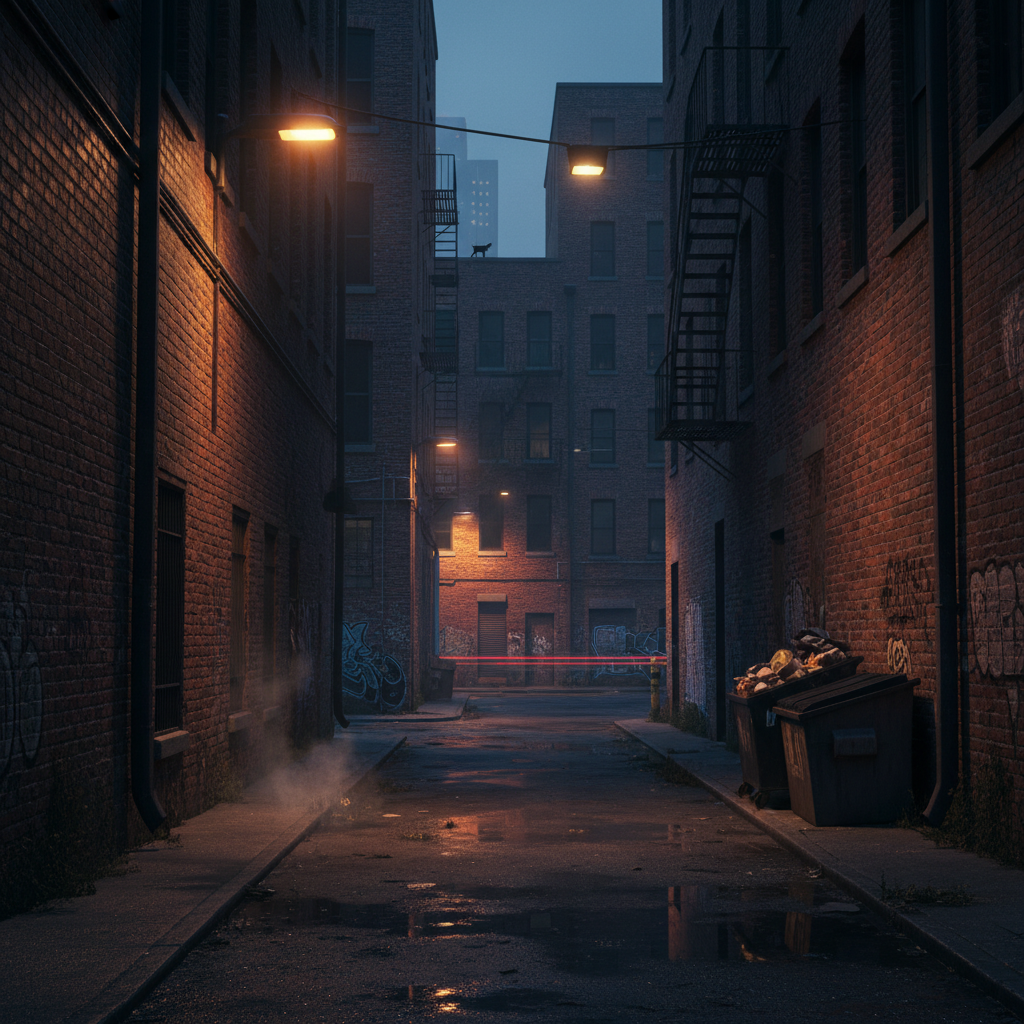
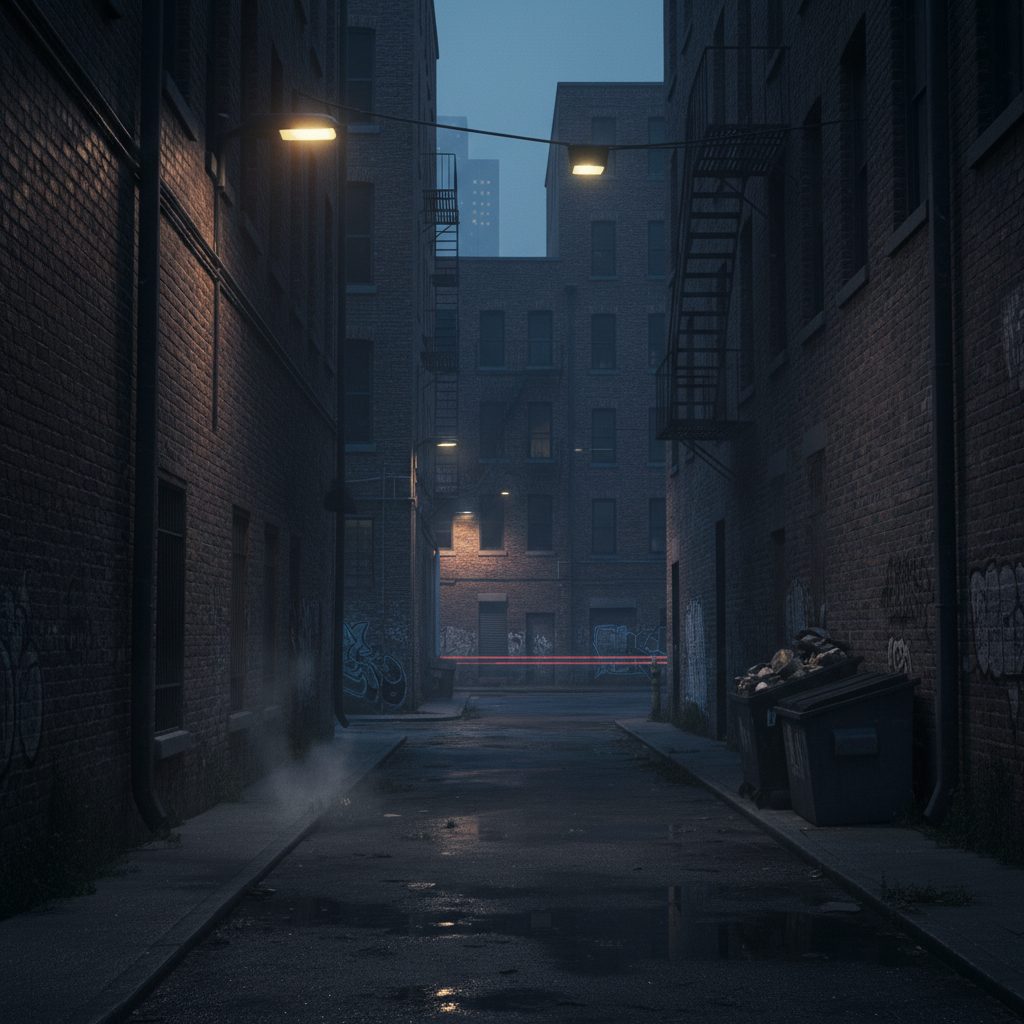
Bright urban street with vivid daylight colors
Before
->
Dark moody urban scene with cinematic atmospheric grading
After

Urban scene with moody grading

Transformed a city street photo into a moody cinematic scene with darkened tones and atmospheric shadows.

Prompt: make it look moody and dramatic with dark cinematic lighting
Advertisement

If something looks off

AI changed the wrong area or applied filter I didn't want

Why: Moody filters apply globally by default. The AI couldn't determine from description alone that you wanted selective mood on certain areas.

Try: Tap markers on specific areas you want moody (like a person or foreground), then regenerate with 'apply moody filter only to marked areas'

Tip: Use markers when you want selective mood—like making a subject moody while leaving a background lighter or untouched.

Photo looks too dark or lost important detail

Why: The moody effect was too aggressive, crushing shadows and making the image too dark overall.

Try: Try: 'apply subtle moody filter' or 'moody aesthetic but keep important details visible'

Tip: Start with subtle moody. You can always regenerate with a stronger effect if the first pass is too mild.

Colors look too desaturated or washed out

Why: Moody filters reduce saturation to create the muted aesthetic. The AI may have gone too far for your taste.

Try: Use: 'apply moody filter but keep some color saturation' or 'dark moody with muted but visible colors'

Tip: Balance desaturation by mentioning 'muted colors' instead of fully desaturated if you want some color to remain.

Moody effect doesn't match the cinematic look I wanted

Why: The AI interpreted 'moody' generically. Cinematic moods vary—some are teal-orange, some are high contrast black and white, etc.

Try: Be specific: 'moody with teal shadows and orange highlights' or 'dark moody black and white with high contrast'

Tip: Describe the specific color palette or reference (like 'blade runner moody' or 'noir moody') to guide the AI toward your vision.

Quick answers

Do I need to mark areas before applying a moody filter?

No! For most moody filters, just describe what you want: 'apply moody filter' or 'make it look dark and cinematic.' The AI applies the aesthetic globally. Only use markers when you need selective mood—like making a subject moody while leaving a bright background untouched.

How do I make a photo look moody for free?

Upload your photo to EditThisPic and type 'apply moody filter' or 'make it look dark and cinematic with desaturated tones.' The AI will darken tones, reduce saturation, and add atmospheric shadows in 15-20 seconds. Completely free to try, no signup required, no watermarks.

What is a moody aesthetic in photography?

A moody aesthetic features dark tones, deep shadows, and desaturated colors that create a cinematic, dramatic, or melancholic atmosphere. It's popular in portrait, urban, and landscape photography for creating emotional depth and visual drama.

Can I control the color tone of the moody filter?

Yes. Be specific in your prompt: 'moody with teal and orange tones' for cinematic color grading, 'dark moody black and white' for monochrome, or 'moody with blue-gray tones' for a cooler palette. The AI adjusts the color palette based on your description.

Ready to apply moody filter to your photos?

Free to try. No signup required.

Try it free