Free • No signup Fix Fitness transformation photo consistency · Free

Fix Inconsistent Fitness Transformation Photos

Transformation photos with different lighting or angles kill credibility. Fix it in seconds.
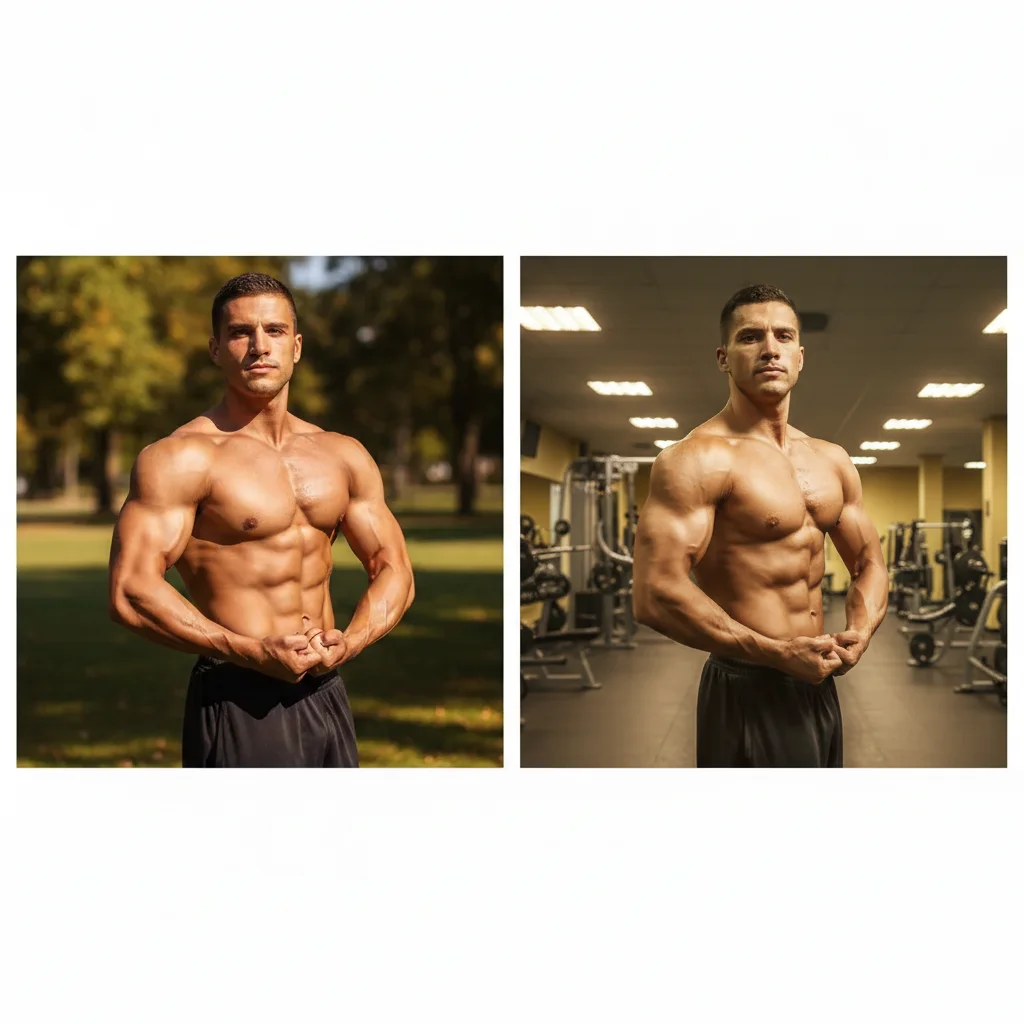
Transformation photos with mismatched natural vs indoor lighting
Before
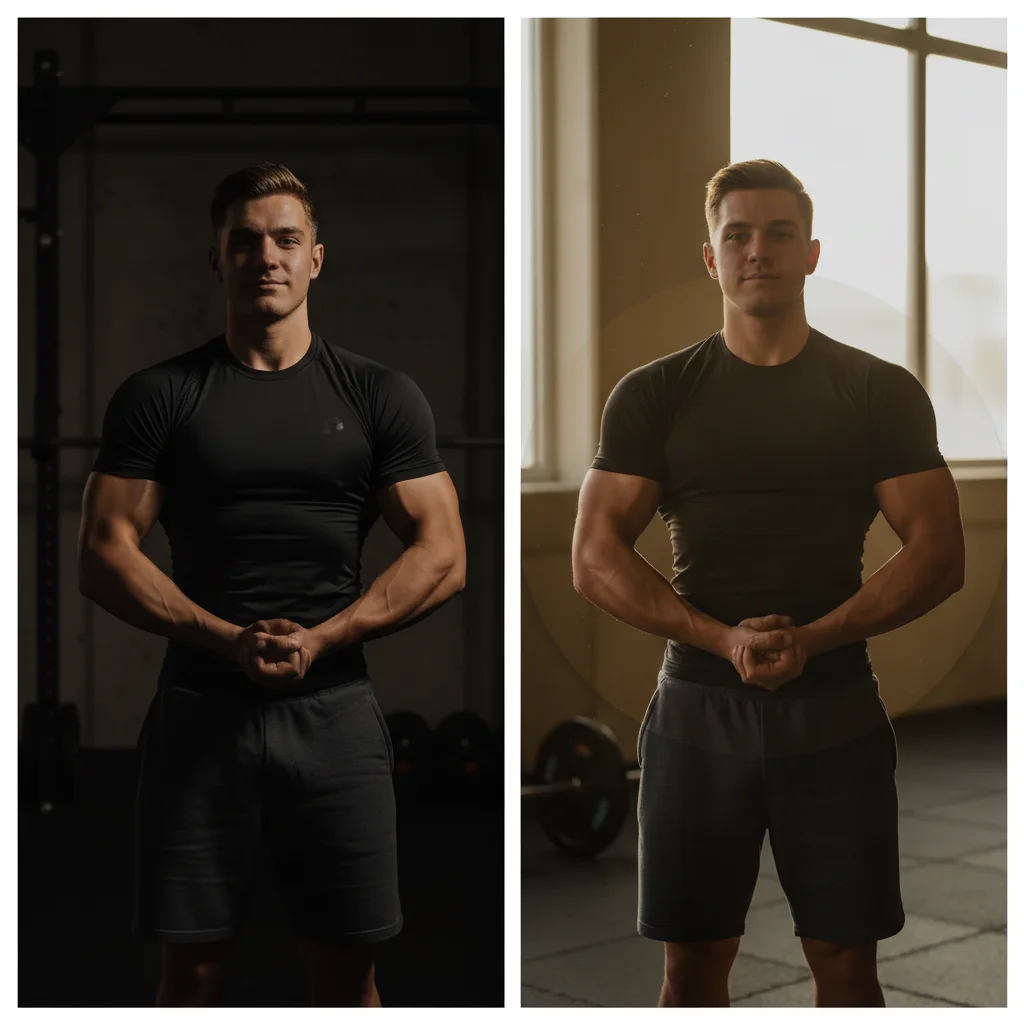
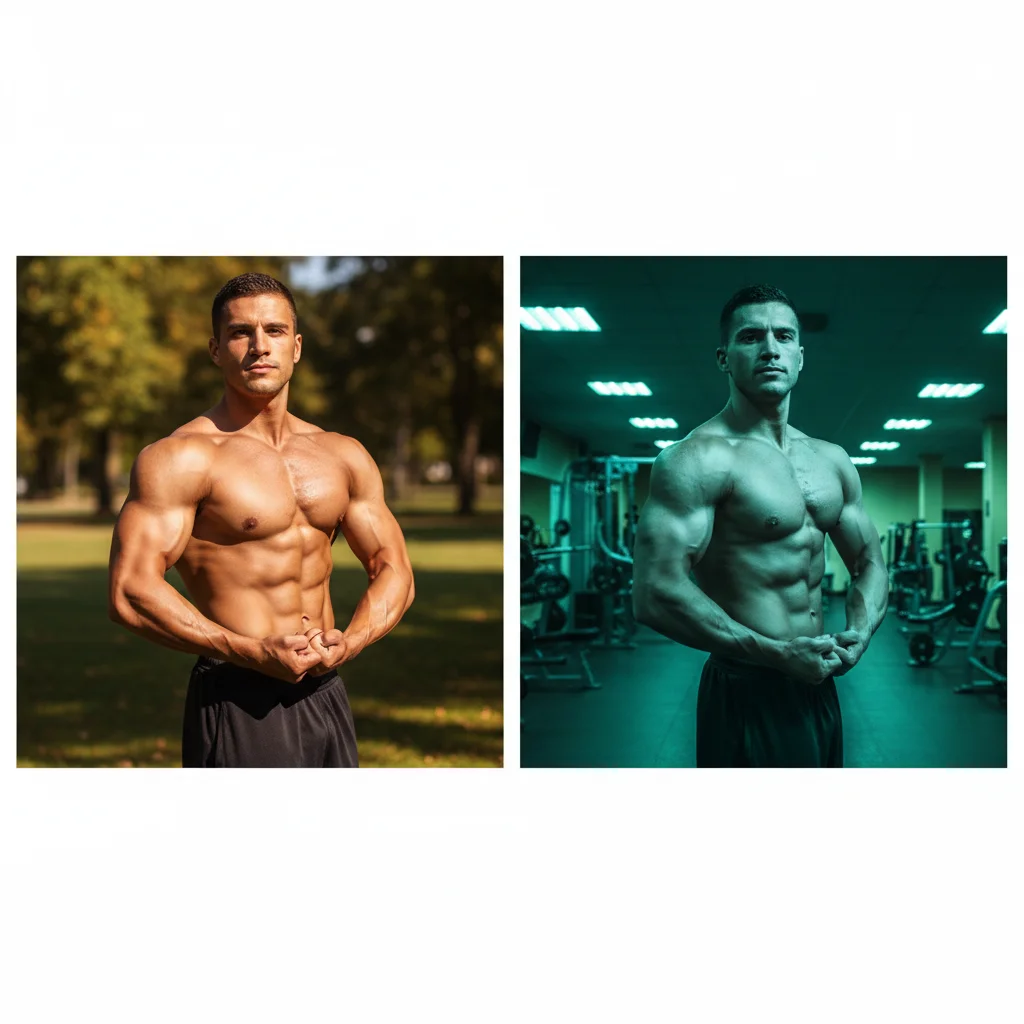
Same photos with matched consistent natural lighting in both
After

Fix Fitness Transformation Photo | EditThisPic

Drop your photo here

or click to browse

Release to upload

Free • No signup

Advertisement
Popular use cases:
  • Fitness transformation photos
  • Before after consistency
  • Personal trainer transformations
  • Gym client progress photos
  • Weight loss before after
  • Bodybuilding progress photos
  • Fitness coach portfolio

Cost
Free No signup required
Time
Instant results in 15-30 seconds
Works on
Any device - browser, phone, tablet, desktop
Powered by
AI-powered photo editing
Scenario Prompt Time
Lighting mismatch match the lighting of the before photo 20s
Angle inconsistency match camera angle and distance of before photo 25s
Indoor vs outdoor lighting convert indoor lighting to match natural outdoor lighting 30s

How it works

  1. Upload your transformation photos

    Drop both before and after photos into EditThisPic. JPG, PNG, WebP up to 7MB. Start with the photo that has worse lighting or angle—you'll match it to the better one, or upload both and pick which one to adjust.

    Expect: Simple lighting adjustments: 20-30 seconds. Major angle or pose differences: may need reference image upload for precise matching.
  2. Describe the consistency issue

    Type 'match the lighting and angle of my before photo' or 'adjust lighting to look like both photos were taken at the same time in same place.' Be specific about what doesn't match: 'before photo has bright natural light, after has dim indoor lighting—make them match.'

    Tip: Upload the better-quality photo as a reference image, then tell the AI 'match this lighting and angle' for precise consistency.

    Copy one of these to get started:

    After photo has different lighting than before adjust lighting to match the before photo, make both photos look like they were taken in the same lighting conditions
    Camera angle changed between before and after match the camera angle and distance of the before photo, make the composition consistent
    Before is natural light, after is indoor lighting convert the indoor lighting of after photo to match the natural outdoor lighting of before photo
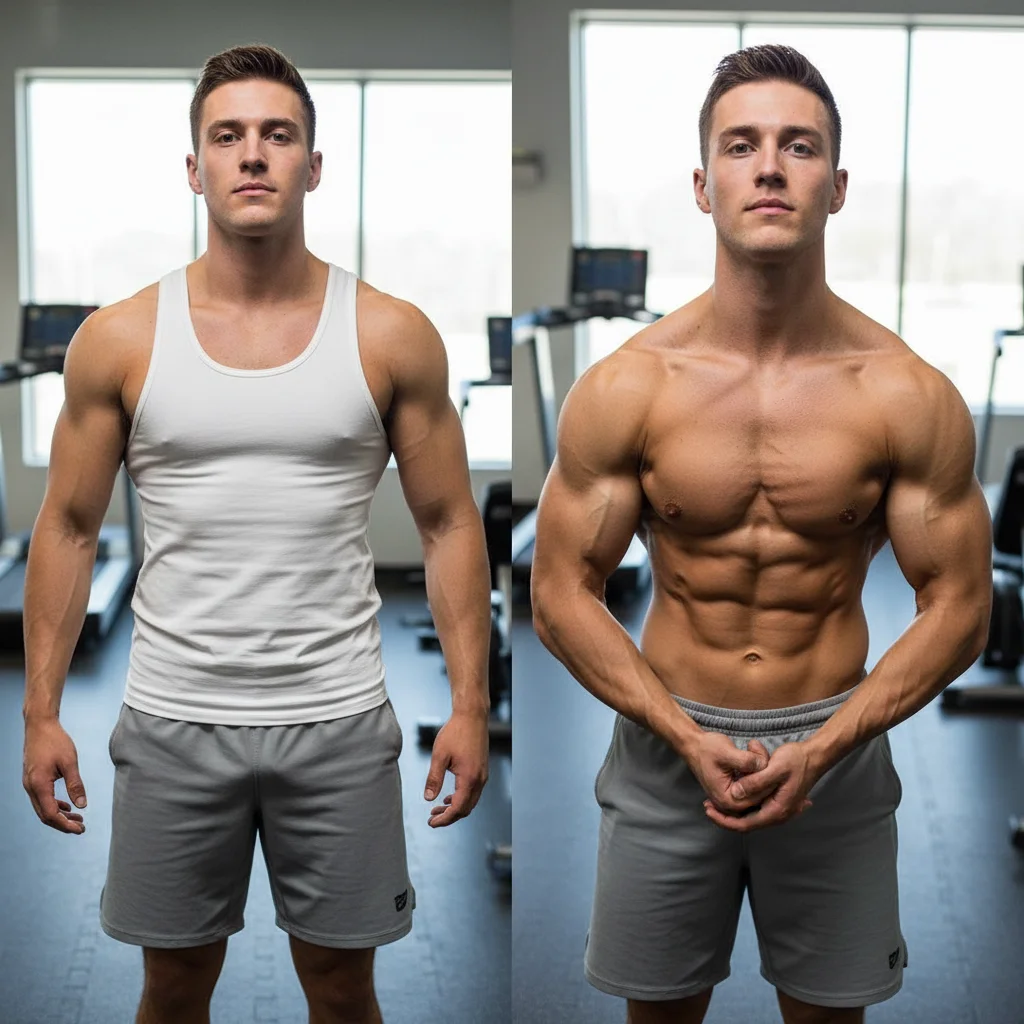
    After photo is too bright compared to before reduce brightness of after photo to match the lighting intensity and tone of before photo
    3 more prompts
    Background changed between photos replace background of after photo to match the location and setting of before photo
    Color tone shifted between before and after match the color temperature and tone of before photo, make both photos have consistent color grading
    Pose is slightly different between photos adjust pose and body positioning to match the before photo angle and stance
  3. Verify the match

    Check that both photos now look like they were taken in the same conditions—same lighting direction, same brightness, same camera angle. Zoom in to compare shadows, skin tones, and background lighting. Mismatches scream 'fake transformation' to viewers.

  4. Adjust specific elements if needed

    If lighting matches but angle is still slightly off, or vice versa, add specific refinements: 'adjust camera angle to match' or 'match brightness but keep current angle.' For subtle adjustments, describe exactly what still looks different.

    Tip: For perfect consistency, take both photos in the same location with same lighting next time. AI fixes existing photos, but good photography practices prevent the problem.
Try it free

Fix Fitness Transformation Photo | EditThisPic

Drop your photo here

or click to browse

Release to upload

Free • No signup

"My client transformations looked fake because lighting changed. Now they match perfectly and people actually believe the results." @PersonalTrainerPro

See it in action

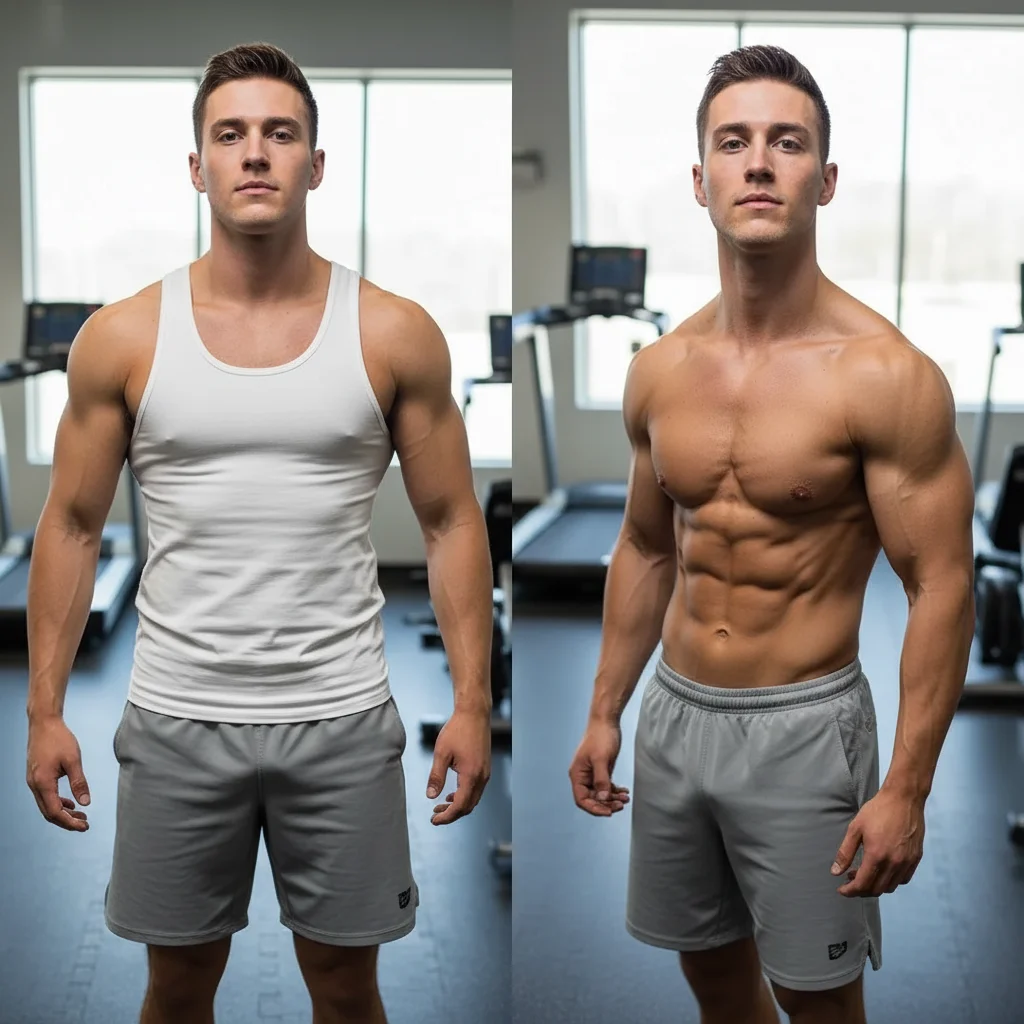
Transformation photos with mismatched natural vs indoor lighting
Before
->
Same photos with matched consistent natural lighting in both
After

Natural light before, indoor light after - fixed

Fitness client took before photo outdoors in morning light, after photo 12 weeks later indoors at night. Made both match to prove the transformation is real, not different lighting tricks.

Prompt: convert the indoor lighting of after photo to match the natural outdoor lighting of before photo
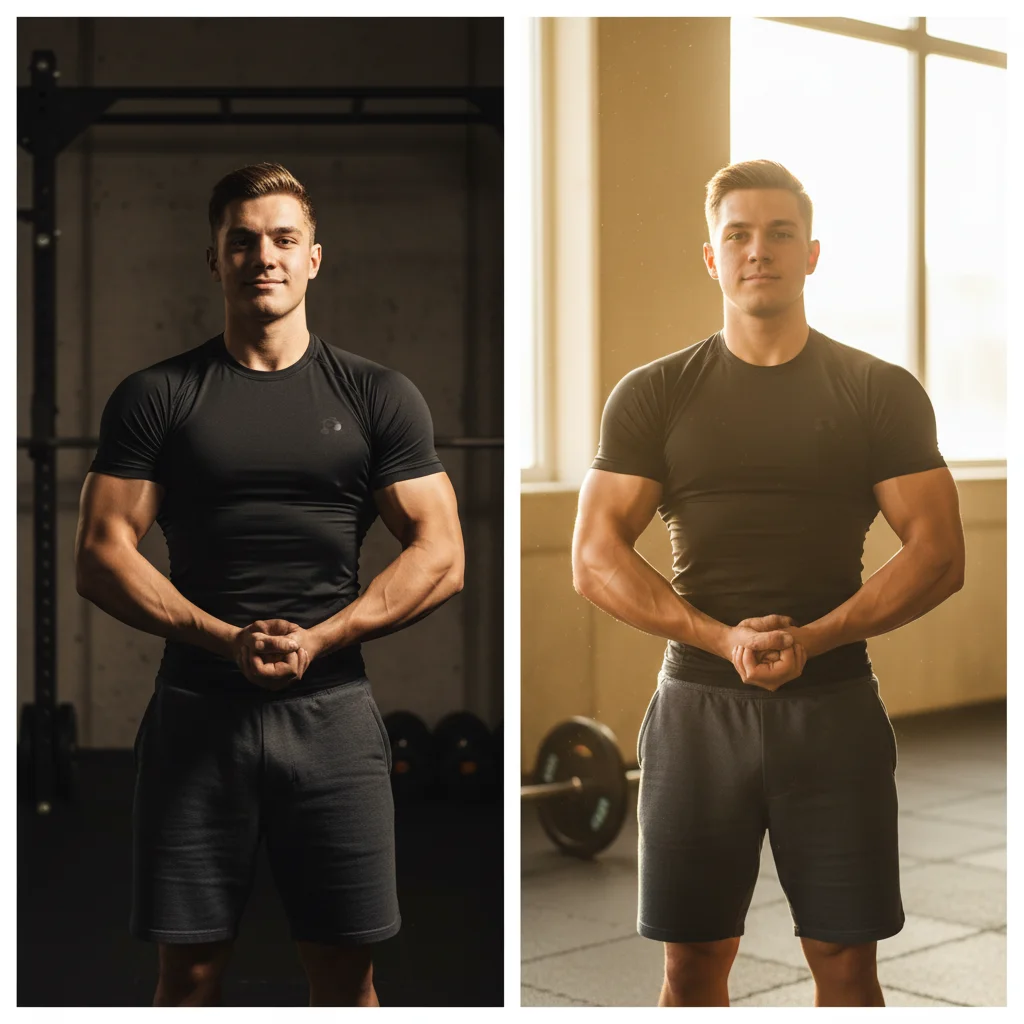
Transformation with inconsistent camera angles between before and after
Before
->
Matched camera angles for valid before-after comparison
After

Camera angle inconsistency fixed for credibility

Before photo taken from straight-on, after photo from slightly higher angle. Different angles allow hiding body changes—matching them proves authenticity.

Prompt: match the camera angle and distance of the before photo, make the composition consistent
Transformation with mismatched brightness levels
Before
->
Consistent brightness showing authentic transformation
After

Brightness mismatch destroying transformation credibility

Personal trainer's client before photo is slightly underexposed, after photo is bright and vibrant. Made viewers question if it's the same person—matching them proved real results.

Prompt: adjust lighting to match the before photo, make both photos look like they were taken in the same lighting conditions
Advertisement

If something looks off

Lighting matched but now both photos look worse than before

Why: The AI matched to the lower-quality photo instead of improving both to match the better one.

Try: improve both photos to match the lighting of whichever photo has better quality and natural lighting

Tip: Always match to the better photo—specify 'match the lighting of the after photo' if that one looks better.

Angle adjustment made the person look distorted or unnatural

Why: Major angle changes require perspective corrections that can warp body proportions.

Try: adjust camera angle minimally without distorting body proportions, keep natural appearance

Tip: Small angle differences can be fixed. Large changes (e.g., front view vs. side view) need retaking the photo.

Colors matched but skin tone now looks off or unnatural

Why: Matching overall color temperature affected skin tones which are more sensitive to color shifts.

Try: match background and lighting color but preserve natural realistic skin tones

Tip: Skin tone is critical for credibility—always verify it looks natural after color matching.

Background consistency created obvious editing artifacts

Why: Replacing backgrounds to match can leave visible edges or inconsistencies if backgrounds are complex.

Try: blend background replacement naturally with smooth edges, no visible cut-out lines

Tip: For complex backgrounds, focus on matching lighting rather than replacing entire background.

Photos match now but look too similar to show real transformation

Why: Over-matching made the body changes less visible by making everything too uniform.

Try: match lighting and angle but preserve the visible body transformation and muscle definition changes

Tip: The goal is consistent conditions, not identical photos—body changes should still be obvious.

Pose adjustment changed visible muscle definition

Why: Small pose changes affect how muscles appear—flexed vs. relaxed, angles that show more definition.

Try: match camera position and lighting but keep exact muscle poses and flexing as in original photo

Tip: Don't adjust pose unless absolutely necessary—even small changes affect how transformation looks.

Quick answers

Do I need to mark areas before matching transformation photos?

No! Just describe what needs to match: 'match the lighting of the before photo' or 'adjust angle to be consistent.' The AI understands transformation photo consistency requirements. Markers are only needed if you want to adjust specific areas differently—like matching overall lighting but keeping one area brighter.

Why do inconsistent transformation photos look fake?

Different lighting, angles, or settings make viewers suspicious that you're hiding something or using photo tricks instead of showing real results. Same conditions prove you're comparing equivalent starting points. When before is dim indoor and after is bright outdoor, viewers assume the difference is lighting, not actual transformation. Consistency removes doubt.

Can this fix before-after photos taken months apart in different locations?

Yes, but there are limits. The AI can match lighting, color tone, brightness, and minor angle differences. It cannot make a gym background look like a beach, or turn a mirror selfie into a professional photo shoot. Best practice: take before and after in the same location with same lighting. AI fixes existing inconsistencies but can't create perfect matches from wildly different conditions.

Should I match the before photo to the after, or after to before?

Match to whichever photo has better quality and more natural lighting. Usually the after photo is better—people learn to take better progress photos over time. Specify 'match the lighting of the after photo' to improve the before. If both are equally good, match to the before photo since that's the baseline reference point.

How do I make client transformation photos consistent for my coaching business?

Create a standard process: same location, same time of day, same pose, same camera distance. When clients send photos from different conditions, use the AI to match them before posting. For your brand, use the same prompt on all client transformations: 'match lighting and angle for consistent comparison.' This creates a professional, credible portfolio.

Ready to fix your transformation photo consistency?

Free to try. No signup required.

Try it free