Free • No signup Fix Flyaway hair · Free

Fix Flyaway Hair in Photo

Eliminate those stray hairs that ruin otherwise perfect portraits.
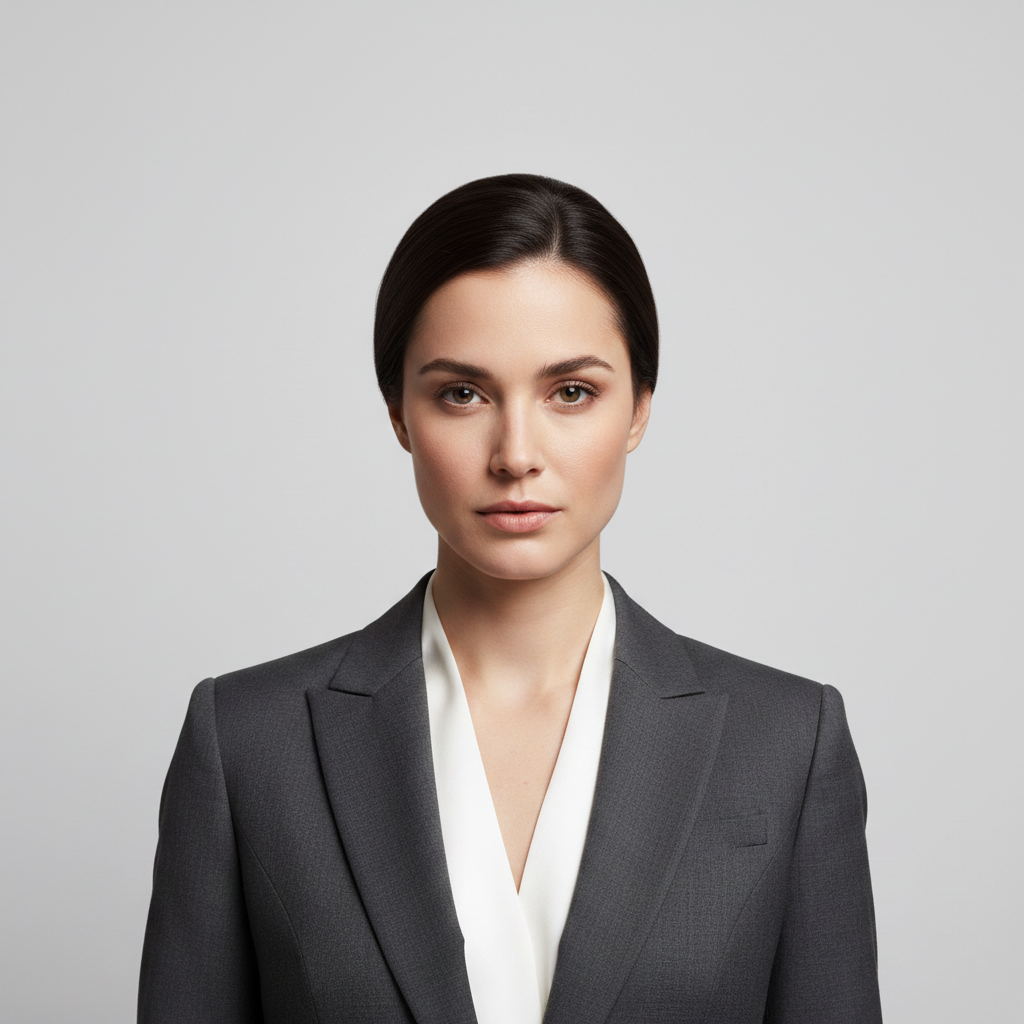
Professional headshot with multiple flyaway hairs against gray backdrop
Before
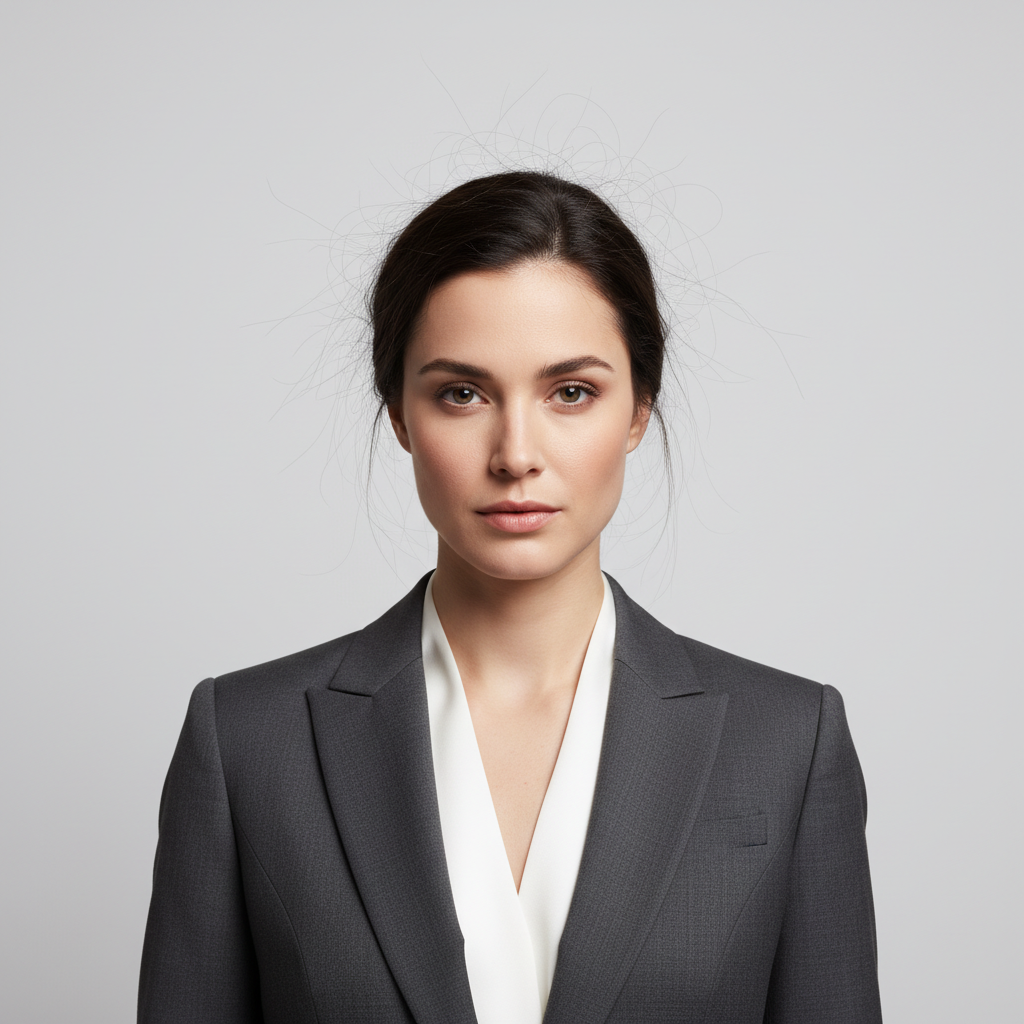
Same headshot with clean, polished hair and no flyaways
After

Fix Flyaway Hair in Photo

Drop your photo here

or click to browse

Release to upload

Free • No signup

Advertisement
Popular use cases:
  • portrait photography
  • headshot photos
  • wedding photography
  • professional portraits
  • LinkedIn photos
  • dating profile photos
  • school portraits
  • family photos

Cost
Free No signup required
Time
Instant results in 15-30 seconds
Works on
Any device - browser, phone, tablet, desktop
Powered by
AI-powered photo editing
Scenario Prompt Time
General flyaway fix remove the flyaway hairs and make the hair look neat and polished 15s
Static hair fix the static electricity making hairs stand up 15s
Keep baby hairs remove flyaways but keep the natural baby hairs 20s

How it works

  1. Upload your flyaway photo

    Drag your photo with stray flyaway hairs into EditThisPic. JPG, PNG, WebP up to 7MB. The AI works best on photos where you can see individual strands standing up or extending beyond the main hair shape against a contrasting background.

    Expect: Simple flyaway removal: 15-30 seconds. Many flyaways or complex backgrounds: may need 2-3 refinements.
  2. Describe what you want

    Type your instruction: 'remove the flyaway hairs and make the hair look neat and polished' or 'clean up the stray hairs around the head.' Be specific about where the flyaways are if they're in a particular area. No marking needed—the AI recognizes stray strands automatically.

    Tip: Say 'keep the natural hairline' if you have baby hairs you want to preserve and only want to remove the obviously out-of-place strands.

    Copy one of these to get started:

    General flyaway removal remove the flyaway hairs and make the hair look neat and polished
    Static electricity hair fix the static electricity making hairs stand up and smooth them back into place
    Top of head flyaways remove the stray hairs standing up on top of the head and make the crown look smooth
    Keep baby hairs, remove flyaways remove only the messy flyaway strands but keep the natural baby hairs along the hairline
    4 more prompts
    Professional headshot cleanup clean up all flyaway hairs for a professional polished headshot look
    Side profile flyaways remove the stray hairs visible against the background in this profile shot
    Wedding or formal event perfect the hair by removing all flyaways for elegant event photos
    Wispy hairs around face remove the wispy hairs around the face and ears while keeping the main hairstyle intact
  3. Generate and review

    Check the cleaned result at full zoom. Look for smooth hair edges against the background and verify no obvious hairs remain. Make sure the AI didn't remove actual hair from the main shape or create unnatural straight edges.

  4. Refine with markers if needed

    If some flyaways remain or the AI removed hair you wanted to keep, tap markers on those specific spots and regenerate. This is optional—most flyaway fixes work without markers.

    Tip: Use markers to point at specific stubborn strands if the general approach missed them.
Try it free

Fix Flyaway Hair in Photo

Drop your photo here

or click to browse

Release to upload

Free • No signup

"Wedding photos had so many flyaways from the outdoor wind. Fixed them all without spending hours in Photoshop." @bride_melissa

See it in action

Professional headshot with multiple flyaway hairs against gray backdrop
Before
->
Same headshot with clean, polished hair and no flyaways
After

Professional headshot polished

A corporate headshot had multiple flyaway strands against the backdrop. One command cleaned them up for a polished, professional appearance.
Prompt: remove the flyaway hairs and make the hair look neat and polished
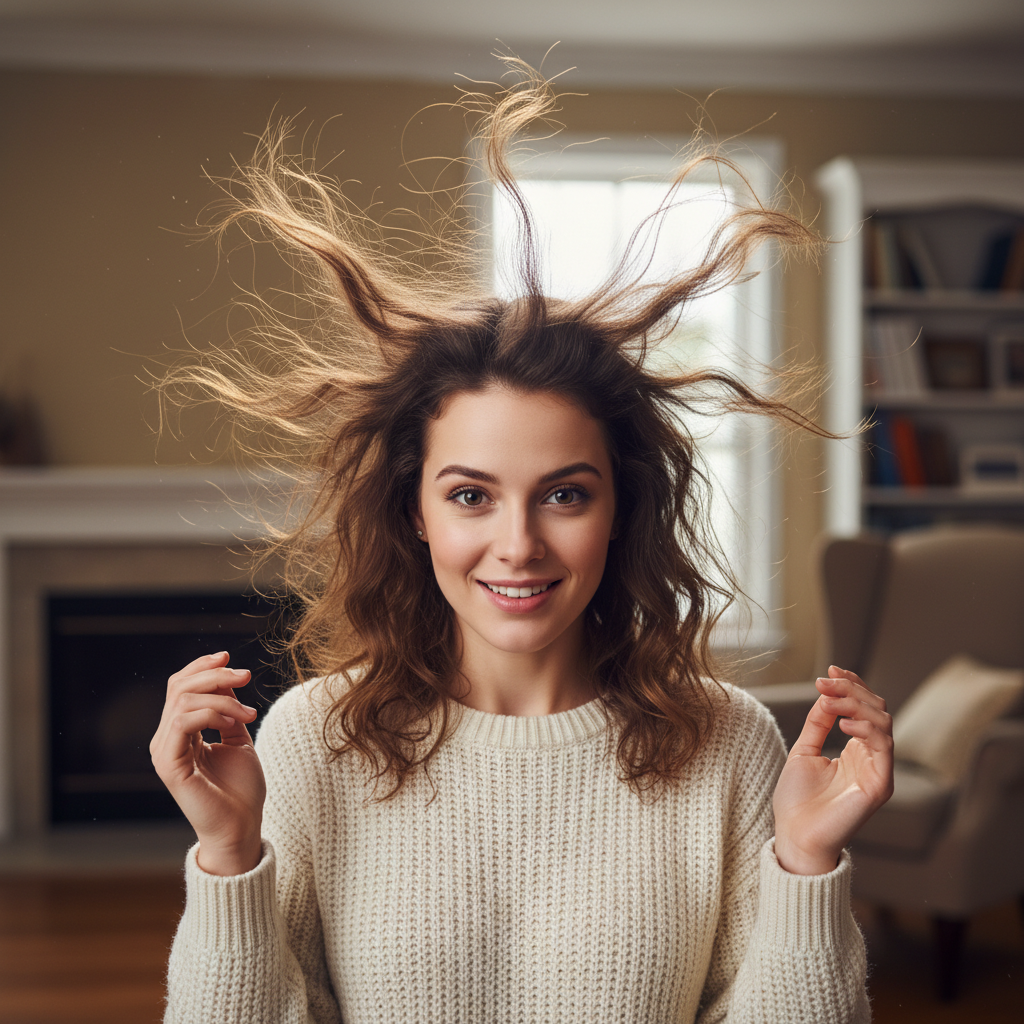
Portrait with static electricity causing hairs to stand straight up
Before
->
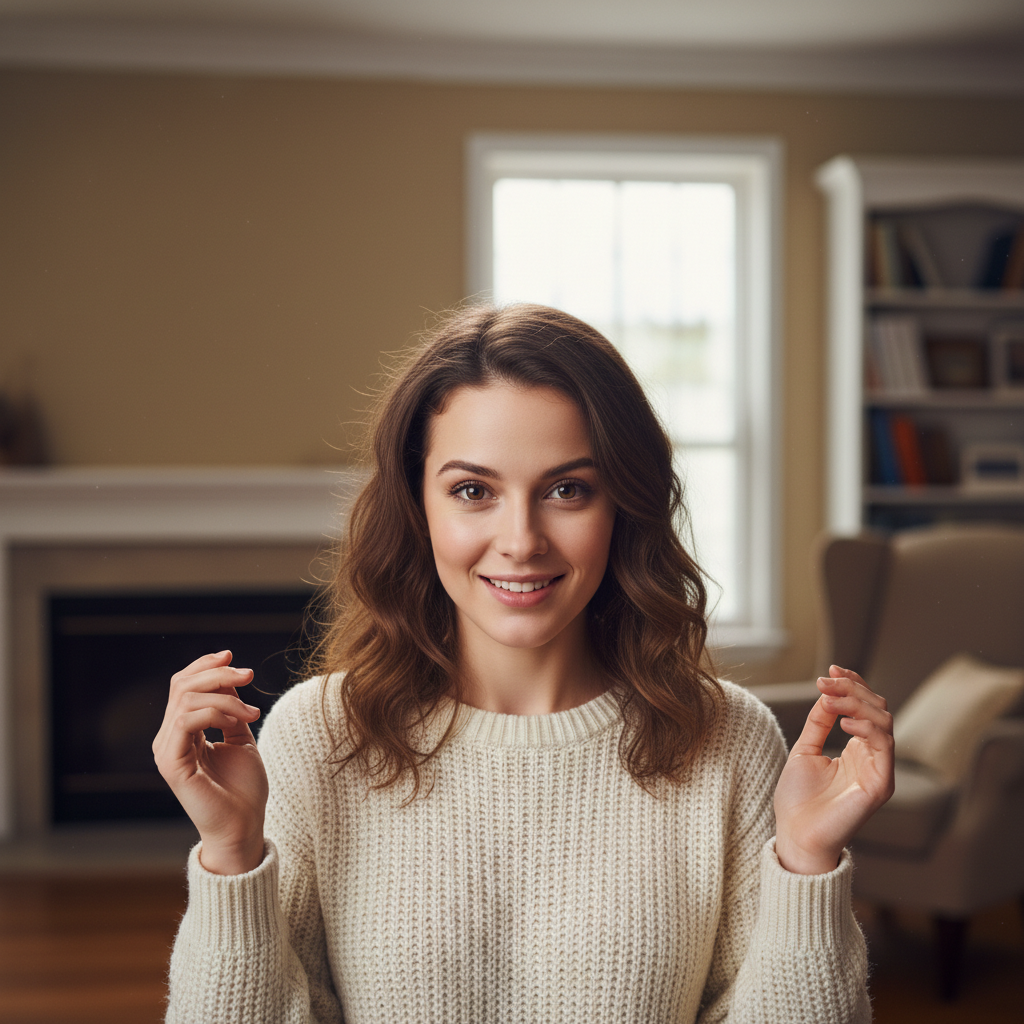
Same portrait with smooth, settled hair and no static flyaways
After

Static electricity strands fixed

Winter indoor photos showed hair standing up from static electricity. The AI smoothed the charged strands back into place.
Prompt: fix the static electricity making hairs stand up and smooth them back into place
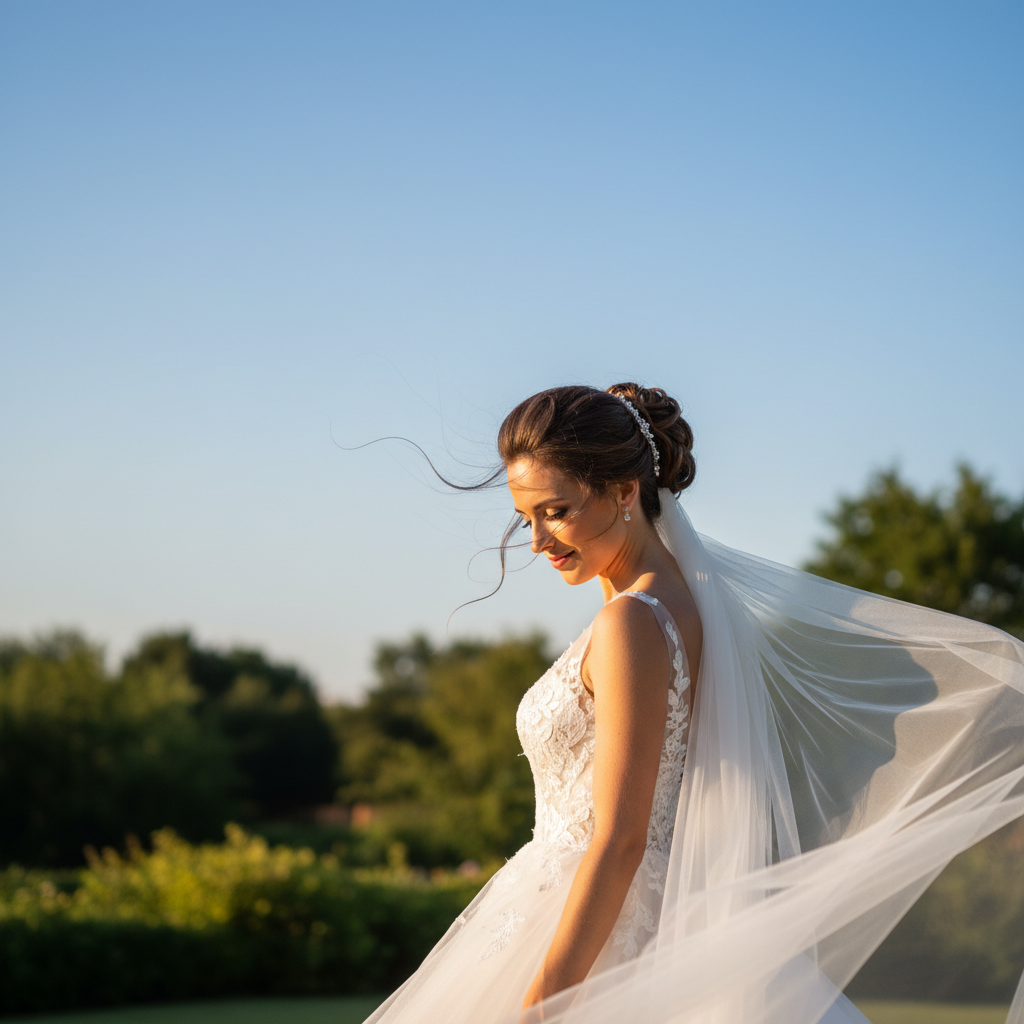
Bridal portrait with flyaway strands visible against sky
Before
->
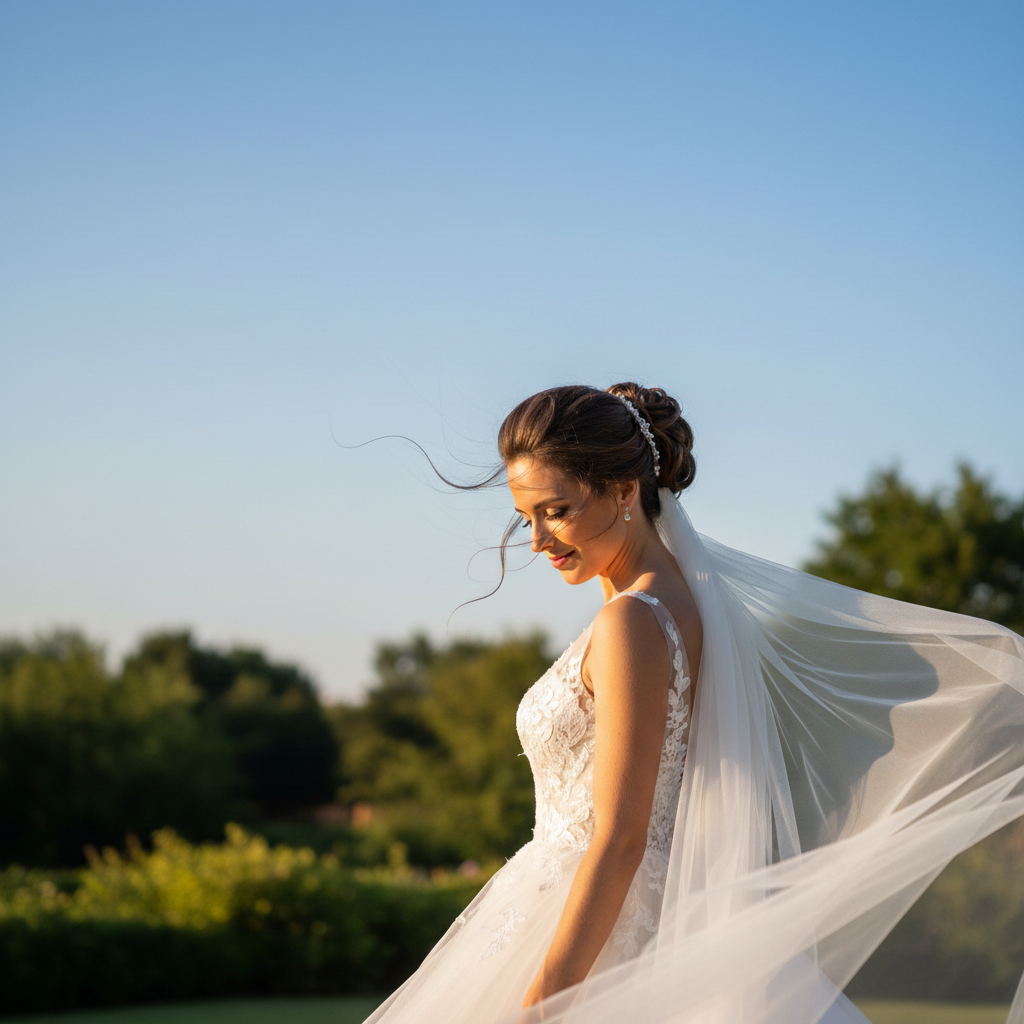
Same bridal portrait with perfect updo and clean edges
After

Outdoor wedding portrait perfected

An outdoor wedding photo had wind-lifted strands against the sky. The AI removed them while preserving the natural, romantic hairstyle.

Prompt: perfect the hair by removing all flyaways for elegant event photos
Advertisement

If something looks off

AI removed actual hair, not just flyaways

Why: The AI may have been too aggressive and removed hair that was part of the main style.

Try: remove only the obviously out-of-place flyaway strands, preserve all intentional hair

Tip: Using 'only obviously out-of-place' helps the AI be more selective.

Hair edge looks too clean or artificial

Why: Removing all small strands can create an unnaturally perfect edge.

Try: remove the worst flyaways but keep a natural soft edge to the hair

Tip: Asking for 'soft edge' preserves natural-looking hair boundaries.

Some flyaways still visible

Why: Subtle or low-contrast flyaways may not be detected on the first pass.

Try: Tap a marker on the remaining flyaway, then: remove this stray hair strand

Tip: Use markers to point at specific strands the AI missed.

AI changed the wrong area or something I didn't want changed

Why: The AI couldn't determine exactly which area you meant from description alone. This happens with ambiguous requests.

Try: Tap a marker on the specific flyaway you want removed, then regenerate with the same prompt

Tip: Markers tell the AI 'I mean THIS strand specifically.' Use them when description alone is ambiguous.

Lost my baby hairs or natural hairline

Why: The AI may have treated intentional soft hairline hairs as flyaways.

Try: remove flyaways from the top and back but keep the soft baby hairs along the forehead hairline

Tip: Specify which areas to protect when you have intentional wispy hairs.

Background looks smudged where flyaways were removed

Why: Removing strands requires filling in the background, which may not blend perfectly.

Try: remove the flyaways and reconstruct the background cleanly behind them

Tip: Simple, uniform backgrounds are easiest to reconstruct cleanly.

Quick answers

Do I need to mark the flyaway hairs before describing?

No! Just describe what you want: 'remove the flyaway hairs and make the hair look neat.' The AI detects stray strands that stand up or extend beyond the main hair shape. Only use markers if there are specific stubborn strands the AI missed on the first try.

How do I fix flyaway hair in photos for free without signing up?

Upload your photo with flyaway hairs to EditThisPic, type 'remove the flyaway hairs and make the hair look polished,' and download the result. No account needed, no watermarks added. The AI automatically identifies and removes stray strands while preserving your hairstyle.

Can AI remove flyaways without making the hair edge look fake?

Yes! The AI aims to preserve natural-looking hair edges. If results look too perfect, add 'keep a natural soft edge' to your prompt. The goal is to remove the distracting strands while maintaining realistic hair texture.

What's the best free tool for fixing flyaway hair in portraits?

EditThisPic handles flyaways well because you describe what you want instead of manually cloning over each strand. Unlike clone stamp tools that require painting skill, AI understands the difference between flyaways and intentional hair and removes them intelligently.

Will this work on baby hairs without removing them?

If you want to keep baby hairs, specify it: 'remove the flyaways but keep the natural baby hairs along the hairline.' The AI can distinguish between soft intentional hairline hairs and obviously out-of-place strands when you tell it what to preserve.

Ready to remove those flyaways?

Free to try. No signup required.

Try it free