Free • No signup Fix Frizzy hair · Free

Fix Frizzy Hair in Photo

Transform frizzy, poofy hair into smooth, polished perfection.
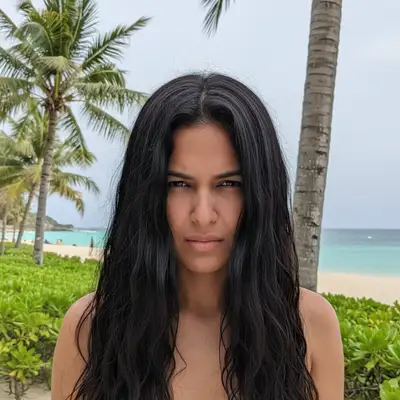
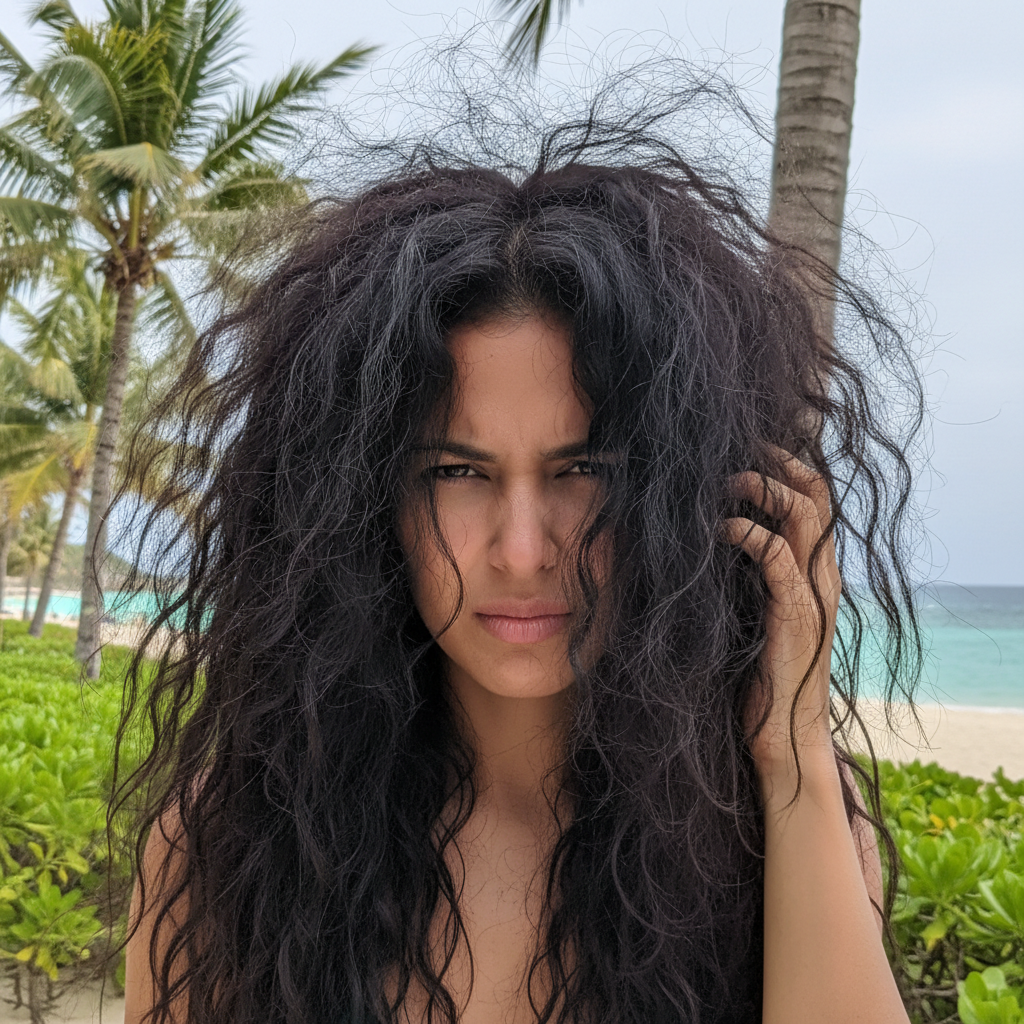
Woman with extremely frizzy, humidity-damaged hair at beach
Before
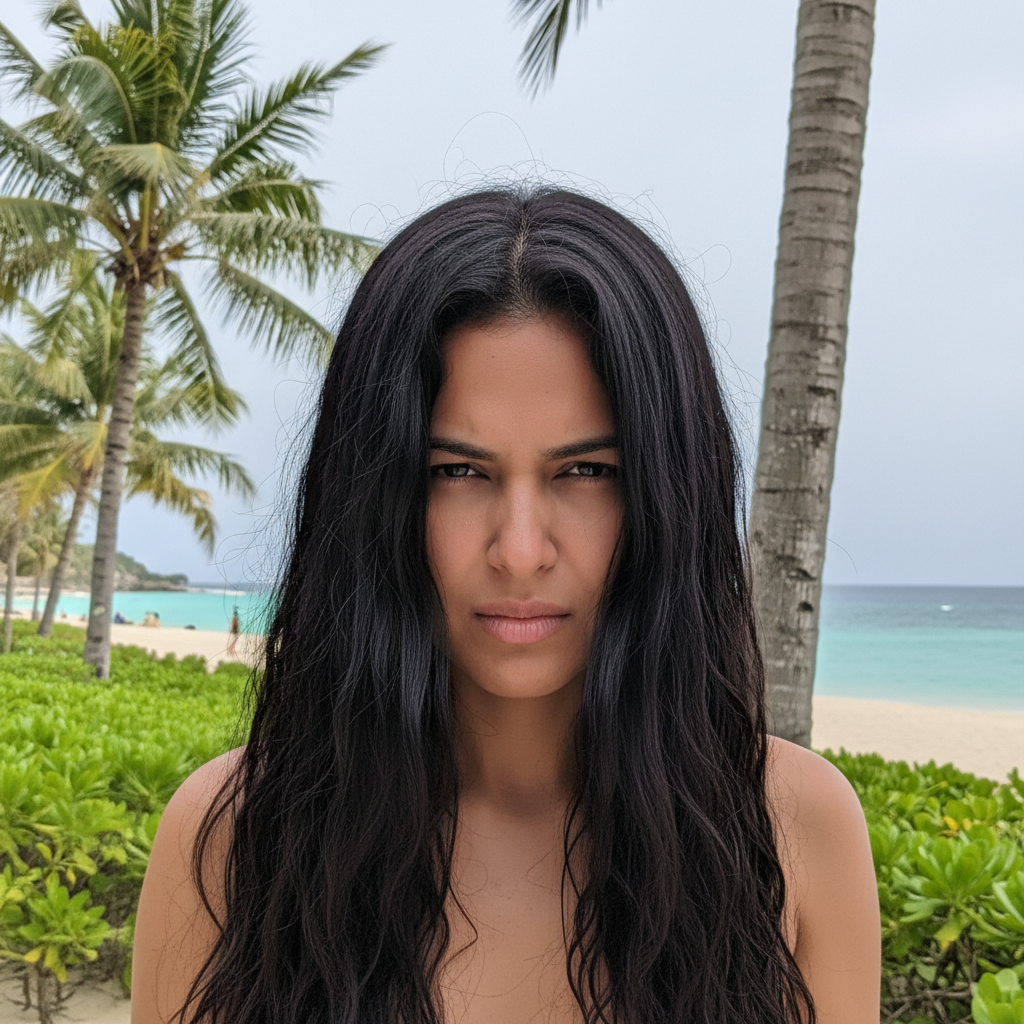
Same woman with smooth, polished hair that looks controlled
After

Fix Frizzy Hair in Photo

Drop your photo here

or click to browse

Release to upload

Free • No signup

Advertisement
Popular use cases:
  • portrait photography
  • headshot photos
  • wedding photography
  • humidity photos
  • beach photography
  • travel photos
  • dating profile photos
  • professional headshots

Cost
Free No signup required
Time
Instant results in 15-30 seconds
Works on
Any device - browser, phone, tablet, desktop
Powered by
AI-powered photo editing
Scenario Prompt Time
General frizz fix smooth out the frizzy hair and make it look sleek and polished 15s
Keep curls smooth the frizz but keep the natural curls defined 20s
Professional look make the hair look professionally styled with no frizz 20s

How it works

  1. Upload your frizzy hair photo

    Drag your photo with frizzy or poofy hair into EditThisPic. JPG, PNG, WebP up to 7MB. The AI works best on photos where you can see the individual frizzy strands or poofy volume that needs smoothing.

    Expect: Simple frizz smoothing: 15-30 seconds. Very poofy or complex hair: may need 2-3 refinements.
  2. Describe what you want

    Type your instruction: 'smooth out the frizzy hair and make it look sleek and polished' or 'calm down the poofy hair and make it look neat.' Be specific about the look you want. No marking needed—the AI recognizes frizzy hair texture automatically.

    Tip: Say 'keep natural volume' if you want frizz-free but not flat hair. Say 'sleek and straight' for a more dramatic smoothing effect.

    Copy one of these to get started:

    General frizz smoothing smooth out the frizzy hair and make it look sleek and polished
    Humidity poof reduction reduce the poofy volume from humidity and make the hair look controlled and smooth
    Keep curls but reduce frizz smooth the frizz but keep the natural curls defined and bouncy
    Professional headshot hair make the hair look professionally styled with no frizz, smooth and camera-ready
    4 more prompts
    Bedhead fix fix the messy bedhead and make the hair look neat and put-together
    Wedding or event photo perfect the hair to look like a salon blowout, smooth and elegant
    Keep volume but smooth texture smooth the frizzy texture but keep the hair full and voluminous
    Just the top layer smooth the frizzy halo on top while keeping the rest of the hair natural
  3. Generate and review

    Check the smoothed result at full zoom. Look for reduced flyaways, calmer texture, and more defined shape. Verify the hair still looks natural and not painted-on or plastic.

  4. Refine with markers if needed

    If some areas are still frizzy or the AI over-smoothed certain sections, tap markers on those specific spots and regenerate. This is optional—most frizz fixes work without markers.

    Tip: Use markers to point at specific frizzy sections if the whole-head approach isn't giving you the control you want.
Try it free

Fix Frizzy Hair in Photo

Drop your photo here

or click to browse

Release to upload

Free • No signup

"Beach vacation photos always showed my hair as a giant frizz ball. Now I actually look presentable in tropical humidity shots." @curly_kate_travels

See it in action

Woman with extremely frizzy, humidity-damaged hair at beach
Before
->
Same woman with smooth, polished hair that looks controlled
After

Beach vacation portrait rescued

A portrait taken in tropical humidity had massive frizzy hair expansion. One command tamed it into a smooth, polished look while keeping natural volume.
Prompt: smooth out the frizzy hair and make it look sleek and polished
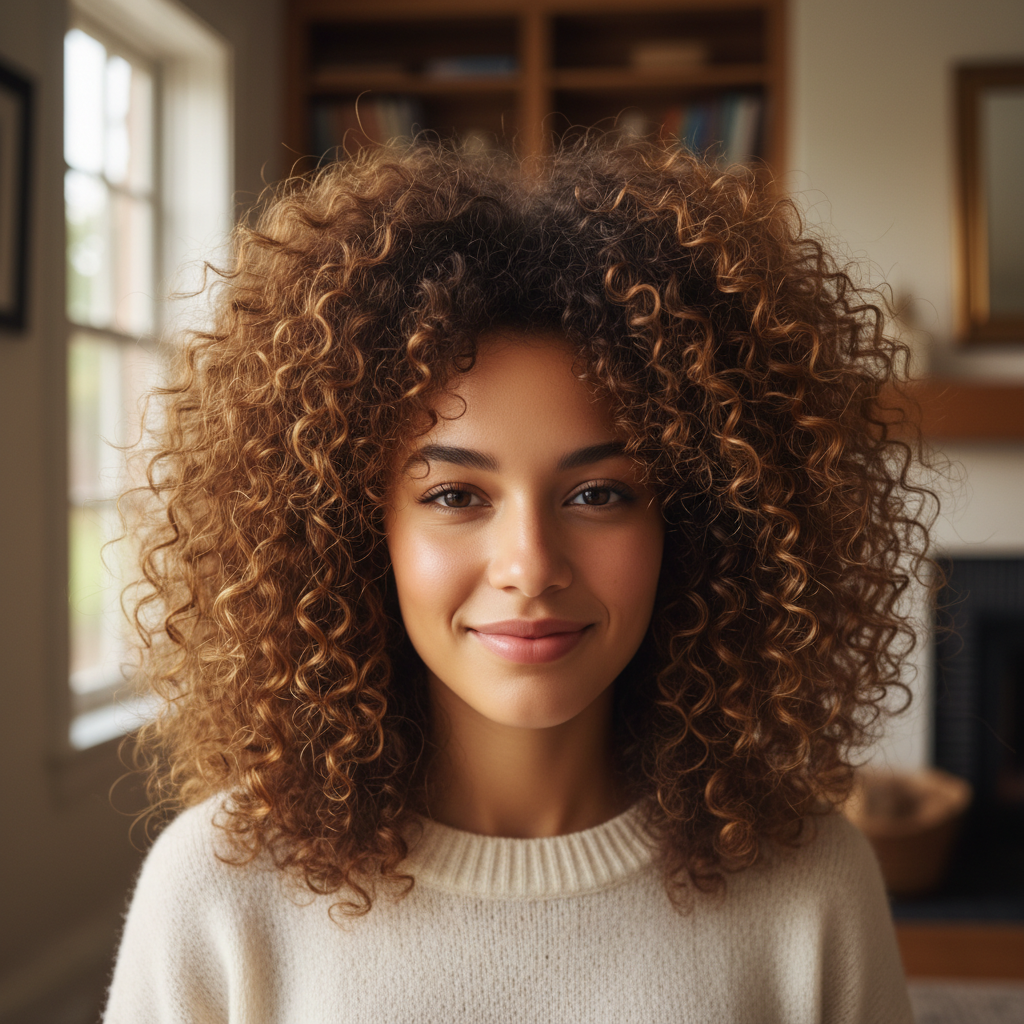
Curly hair with frizzy undefined halo obscuring curl pattern
Before
->
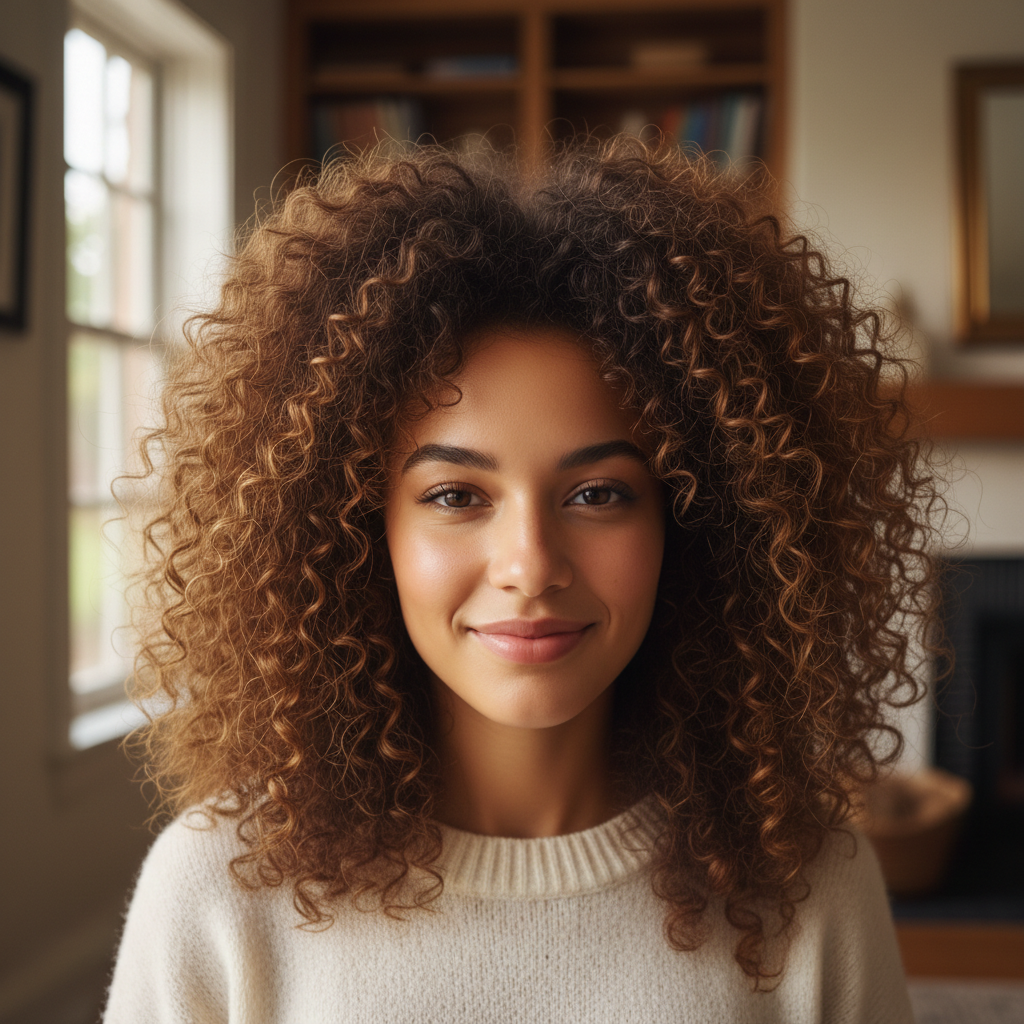
Same curly hair with smooth, defined, bouncy curls visible
After

Curly hair frizz calmed

A naturally curly-haired woman's portrait had frizz obscuring her curl definition. The AI smoothed the frizz while preserving the beautiful curl pattern.
Prompt: smooth the frizz but keep the natural curls defined and bouncy
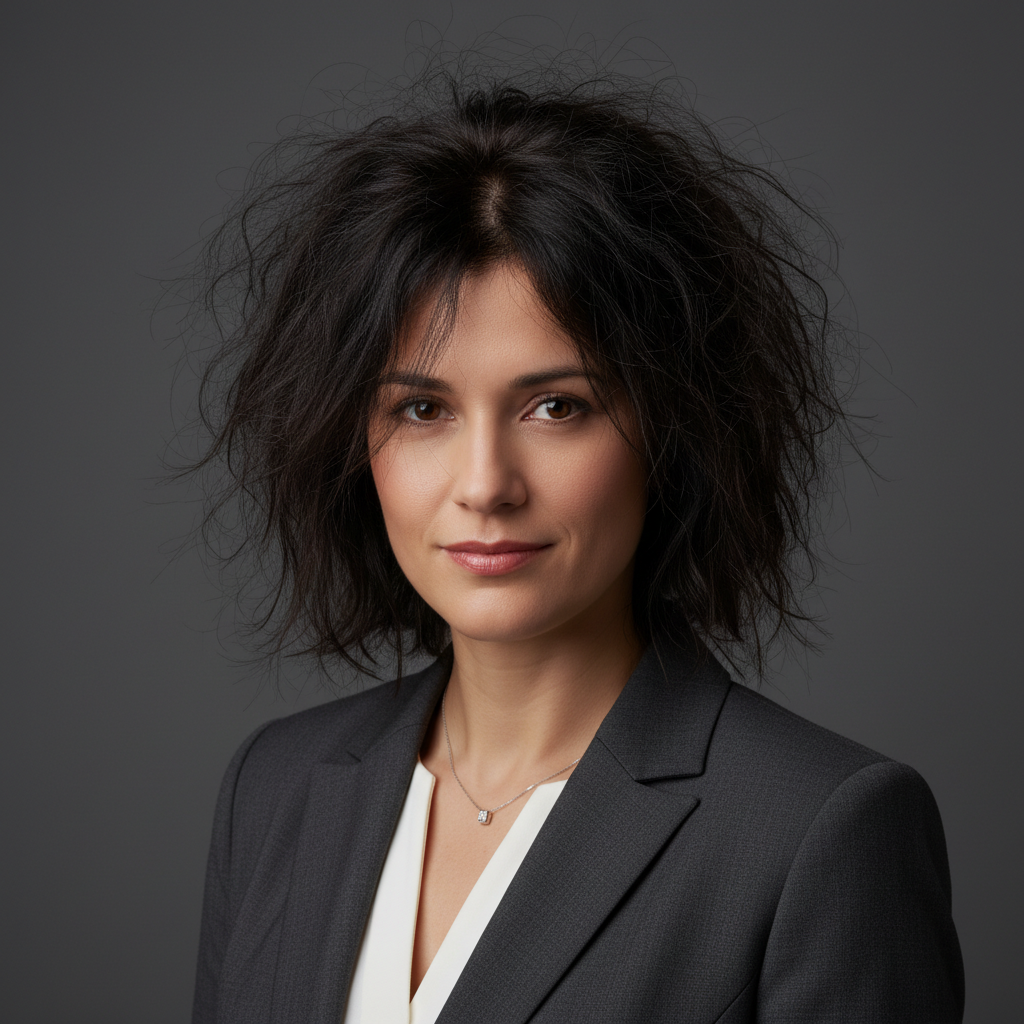
Professional headshot with distracting frizzy hair and flyaways
Before
->
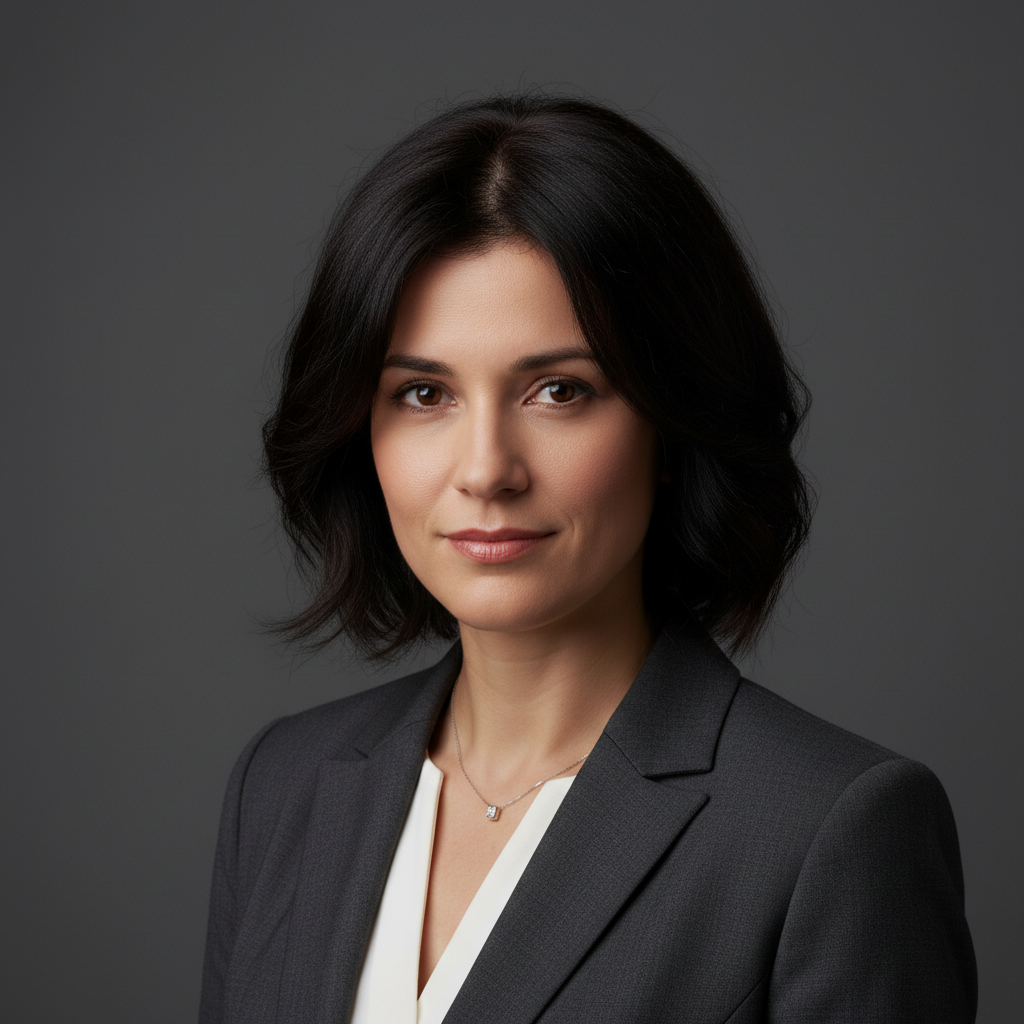
Same headshot with smooth, polished, camera-ready hair
After

Professional headshot perfected

A LinkedIn headshot had distracting frizz that looked unprofessional. The AI created a camera-ready, polished appearance worthy of any business profile.

Prompt: make the hair look professionally styled with no frizz, smooth and camera-ready
Advertisement

If something looks off

Hair looks too flat or plastered down

Why: Over-smoothing can remove natural volume and make hair look artificial.

Try: smooth the frizz gently while keeping natural volume and movement

Tip: Adding 'keep volume' or 'maintain body' prevents over-flattening.

Hair looks painted-on or fake

Why: Aggressive smoothing can create an artificial, airbrushed appearance.

Try: reduce the frizz naturally while keeping realistic hair texture

Tip: Use 'naturally' or 'realistically' to prevent the plastic hair look.

Lost my curl pattern

Why: The AI may have smoothed the curls along with the frizz.

Try: smooth only the frizzy flyaways, preserve all the natural curl definition

Tip: Be explicit about keeping curls when you have textured hair.

AI changed the wrong area or something I didn't want changed

Why: The AI couldn't determine exactly which area you meant from description alone. This happens with ambiguous requests.

Try: Tap a marker on the specific frizzy section you want to smooth, then regenerate with the same prompt

Tip: Markers tell the AI 'I mean THIS area specifically.' Use them when description alone is ambiguous.

Some sections still frizzy after fixing

Why: Different areas may have different frizz intensities that need targeted attention.

Try: Tap a marker on the remaining frizzy area, then: smooth this frizzy section to match the rest of the hair

Tip: Use markers to point out specific sections that need additional smoothing.

Hair color looks different after smoothing

Why: Frizzy hair can scatter light differently; smoothing may reveal the true color.

Try: smooth the frizz without changing the hair color or highlights

Tip: Mentioning 'keep the hair color' prevents unwanted color shifts.

Quick answers

Do I need to mark the frizzy hair before describing?

No! Just describe what you want: 'smooth out the frizzy hair and make it look polished.' The AI recognizes frizzy hair texture—the flyaways, the poofy halo, the rough texture. Only use markers if you want to target specific frizzy sections while leaving other areas untouched.

How do I fix frizzy hair in photos for free without signing up?

Upload your frizzy hair photo to EditThisPic, type 'smooth out the frizzy hair and make it look sleek,' and download the result. No account needed, no watermarks added. The AI automatically identifies and calms frizzy texture while preserving your natural hair shape.

Can AI smooth frizz without making my hair look flat?

Yes! Just mention it in your prompt: 'smooth the frizz but keep natural volume.' The AI understands the difference between frizzy texture (bad) and healthy volume (good). It targets the frizzy strands and rough texture while preserving the body and movement of your hair.

What's the best free tool for fixing frizzy hair in photos?

EditThisPic handles frizzy hair well because you describe what you want instead of manually painting or selecting. Unlike clone stamp tools that require skill, AI understands hair and can smooth frizz while keeping natural texture and movement.

Will fixing frizz work on curly hair without straightening it?

Yes! Say 'smooth the frizz but keep the natural curls defined.' The AI can distinguish between your curl pattern (which you want to keep) and the frizzy halo around it (which you want to remove). The result is defined, bouncy curls without the fuzzy edges.

Ready to tame that frizz?

Free to try. No signup required.

Try it free