Free • No signup Create Hair transplant before-after photos · Free

Document Hair Transplant Results with Consistent Photos

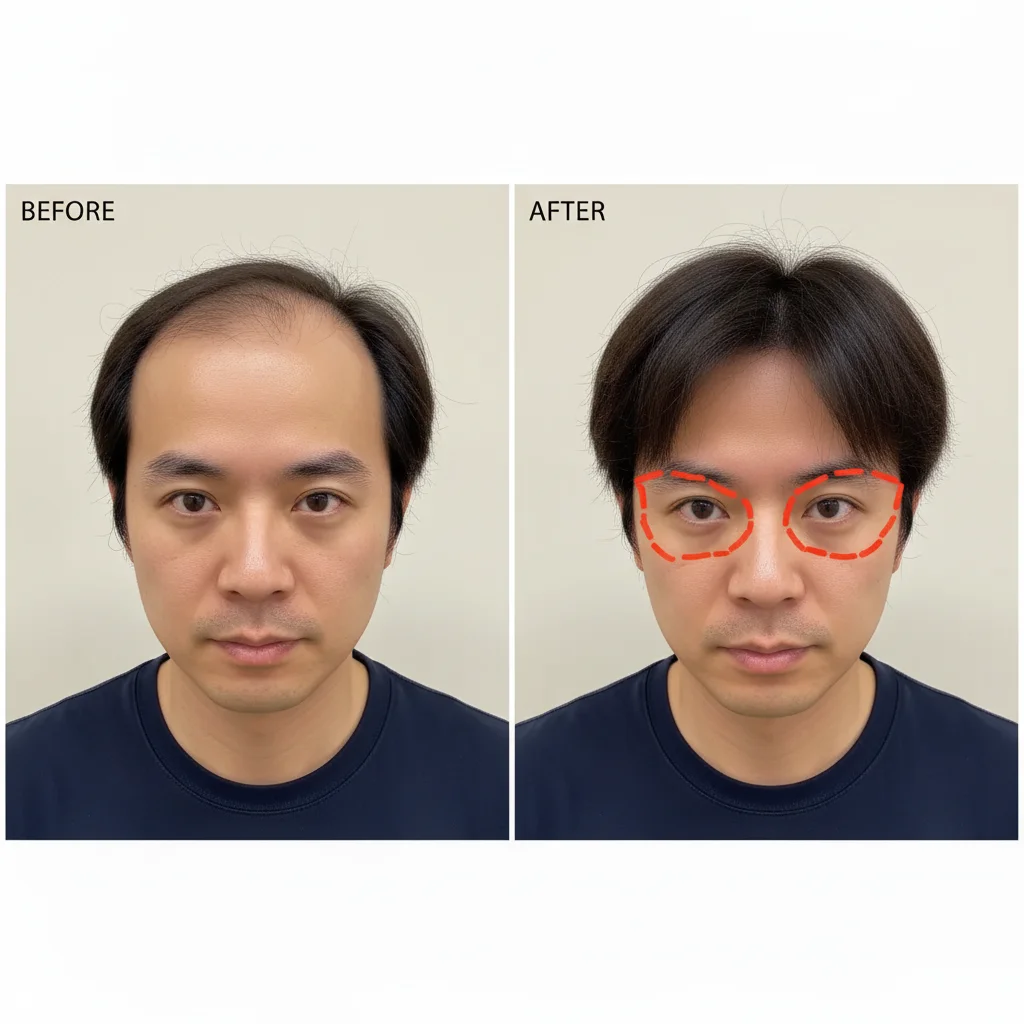
Medical results documentation requires consistent photo conditions. Match lighting and angles for credible results.
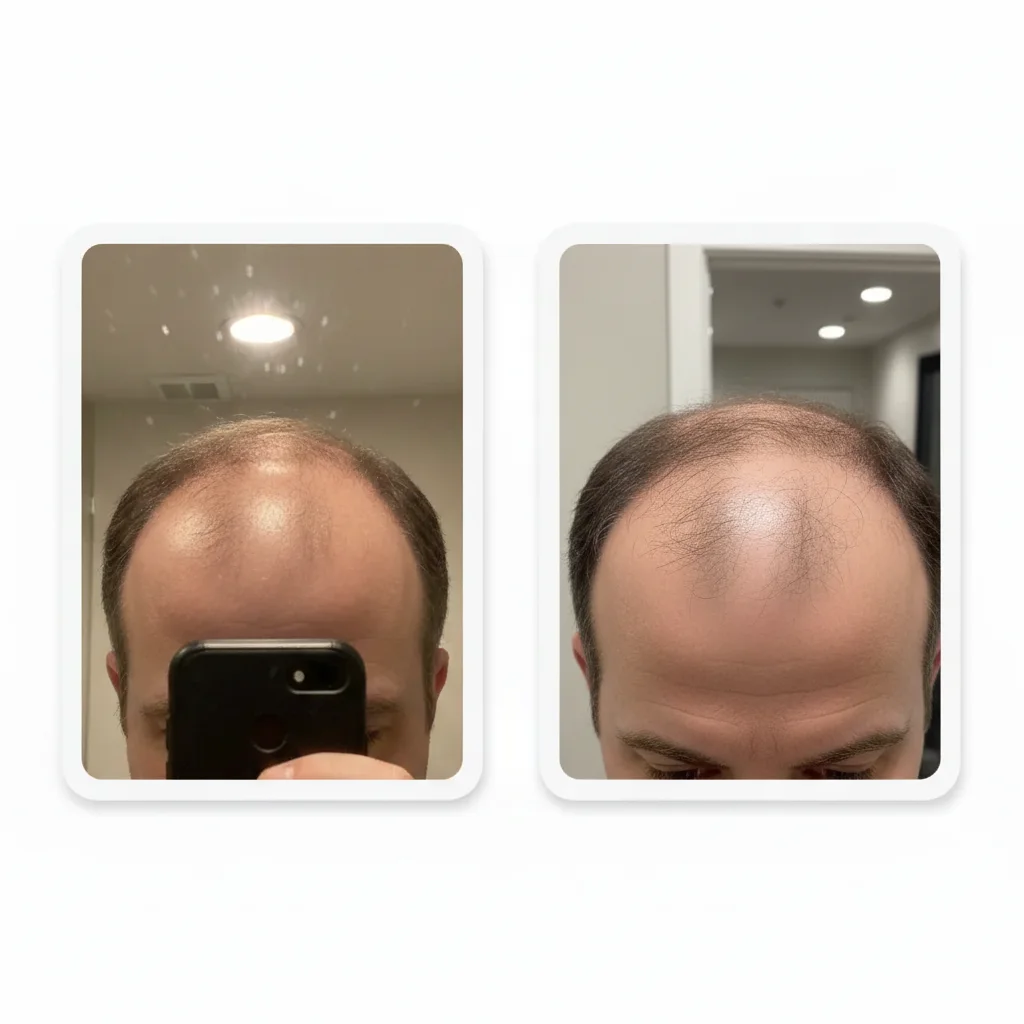
Hair transplant photos with mismatched clinic lighting
Before
Normalized lighting showing accurate hair growth documentation
After

Create Hair Transplant Before-After Photos | EditThisPic

Drop your photo here

or click to browse

Release to upload

Free • No signup

Advertisement
Popular use cases:
  • Hair transplant before after
  • Medical results documentation
  • Hair restoration photos
  • Clinical photography
  • Patient progress tracking
  • Cosmetic procedure documentation
  • Hair growth documentation

Cost
Free No signup required
Time
Instant results in 15-30 seconds
Works on
Any device - browser, phone, tablet, desktop
Powered by
AI-powered photo editing
Scenario Prompt Time
Clinical documentation match lighting and angle for medical documentation consistency 20s
Normalize clinic lighting normalize to neutral white, match brightness between photos 25s
Patient home tracking enhance to clinic quality, normalize lighting, preserve accuracy 25s

How it works

  1. Upload before and after photos

    Drop your pre-procedure and post-procedure photos into EditThisPic. JPG, PNG, WebP up to 7MB. Works with clinic photos, home progress tracking, monthly check-ins—any documentation of hair transplant or restoration results.

    Expect: Simple lighting matching: 20-25 seconds. Complex angle adjustments or quality differences: may need refinement.
  2. Specify consistency requirements

    Type 'match lighting and camera angle for medical documentation' or 'make both photos look like they were taken in identical conditions.' The AI normalizes lighting, adjusts camera perspective if needed, and ensures both photos are comparable for tracking actual hair growth—not lighting variations.

    Tip: For clinic documentation, upload the better-quality photo as a reference and instruct 'match this lighting and angle exactly' for precise standardization.

    Copy one of these to get started:

    Standard clinical before-after documentation match lighting and camera angle for medical documentation consistency, ensure both photos show hairline and scalp identically
    Different clinic lighting between pre-op and follow-up normalize clinic lighting to neutral white, match brightness and color temperature between before and after photos
    Home progress tracking photos at different times create consistent lighting for home progress documentation, match both photos to look like same time and conditions
    Camera angle changed between documentation sessions adjust camera perspective to match the before photo angle, ensure scalp view and hairline angle are identical
    3 more prompts
    Multi-angle documentation needs consistency for front view, match lighting and angle; for top view, match lighting and angle; for side view, match lighting and angle
    Patient submitted photos from phone camera enhance patient-submitted photo to match clinic quality, normalize lighting and improve clarity while showing accurate results
    Creating side-by-side for clinic marketing create professional side-by-side comparison with matched lighting, clear view of results, add timeline labels
  3. Verify medical accuracy

    Check that hair density, hairline position, and scalp visibility are accurately represented in both photos. Verify lighting changes don't create false appearance of more or less hair. Medical documentation must show true results, not photo artifacts.

  4. Refine for clinical standards

    If specific areas need adjustment—'match lighting on crown area' or 'ensure hairline visibility is identical in both photos'—add those details. For multi-angle documentation (front, top, sides), use the same prompt on all angle pairs for consistency.

    Tip: Create a standard prompt for your clinic's documentation: 'neutral lighting, straight-on angle at eye level, clear view of hairline and crown.' Use it for every patient.
Try it free

Create Hair Transplant Before-After Photos | EditThisPic

Drop your photo here

or click to browse

Release to upload

Free • No signup

"Our hair transplant results looked inconsistent because of different clinic lighting. Now all our before-afters match and patients trust the documentation." @HairRestorationClinic

See it in action

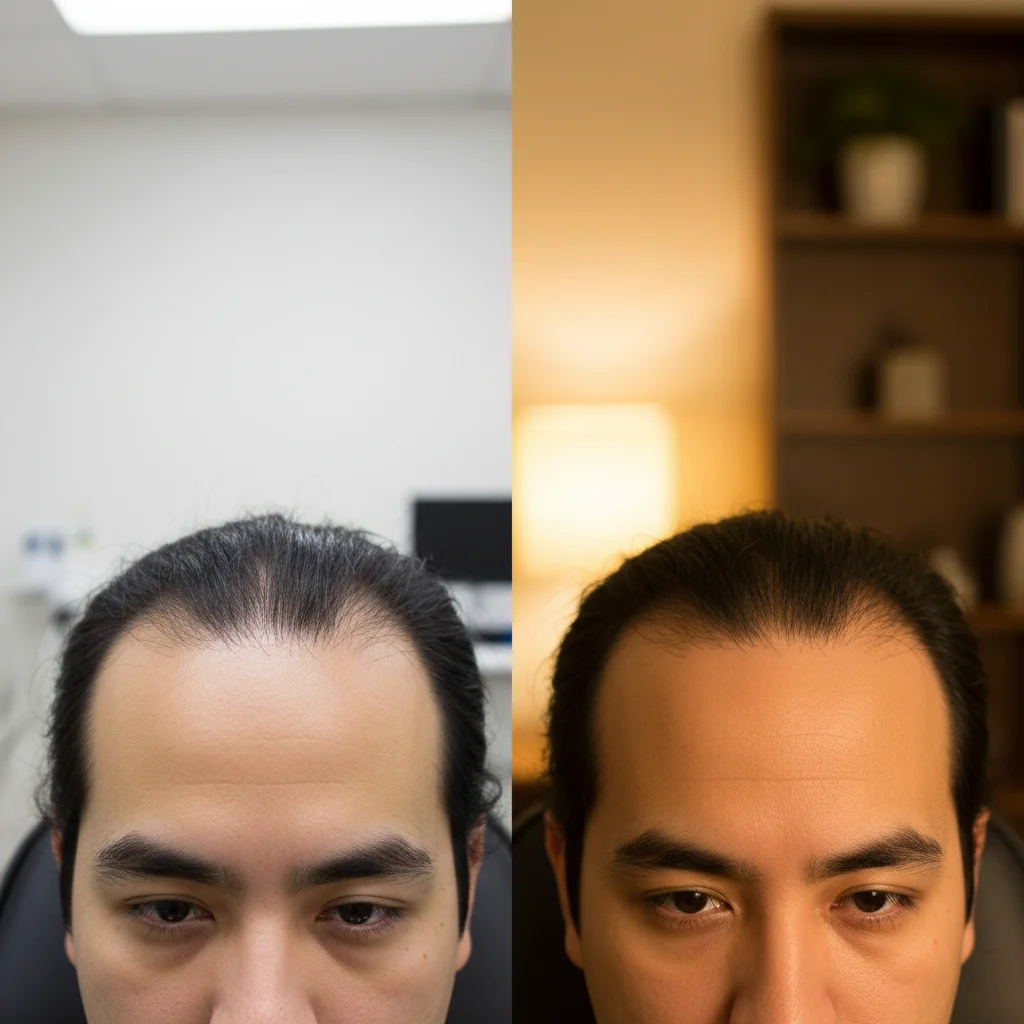
Hair transplant photos with mismatched clinic lighting
Before
->
Normalized lighting showing accurate hair growth documentation
After

Clinic lighting normalized for 6-month results

Pre-procedure photo in bright exam room, 6-month follow-up in dimmer consultation room. Matched lighting to show actual hair density improvement without lighting bias.

Prompt: normalize clinic lighting to neutral white, match brightness and color temperature between before and after photos
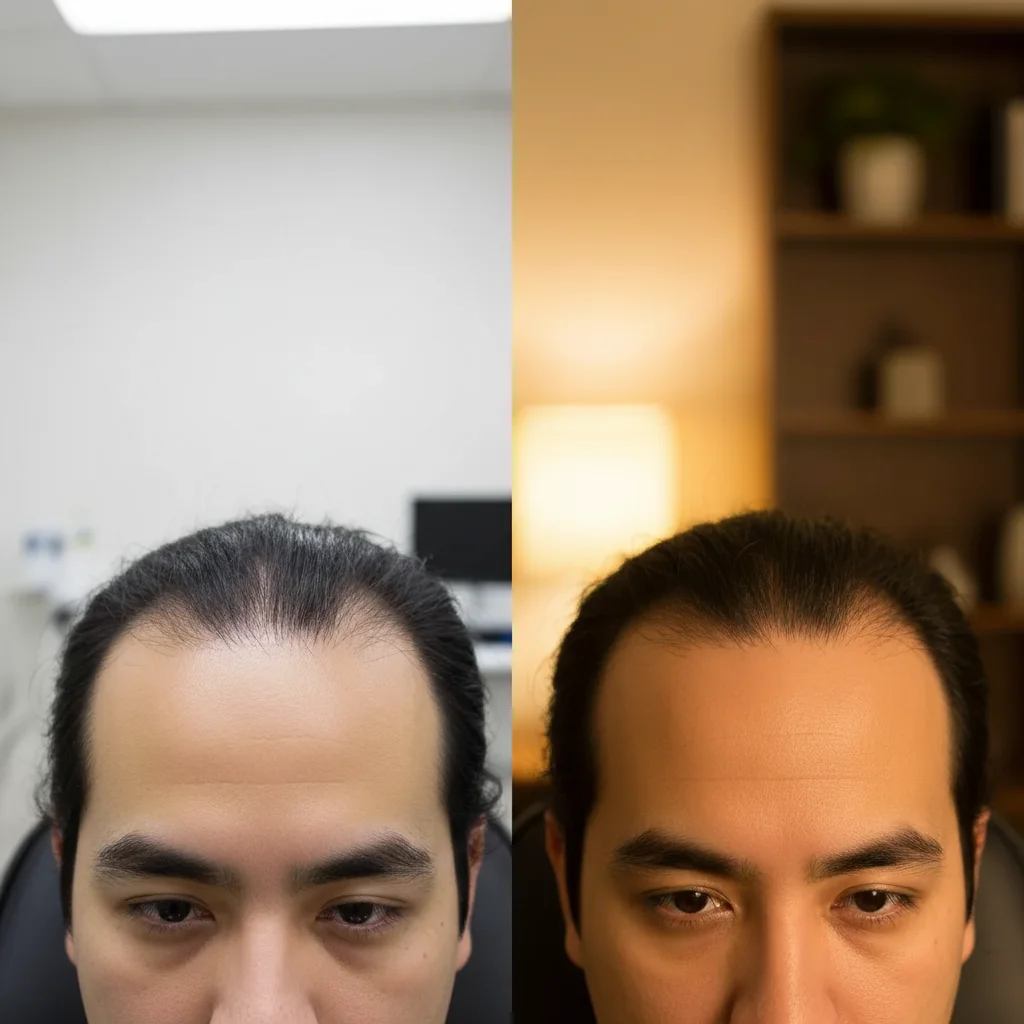
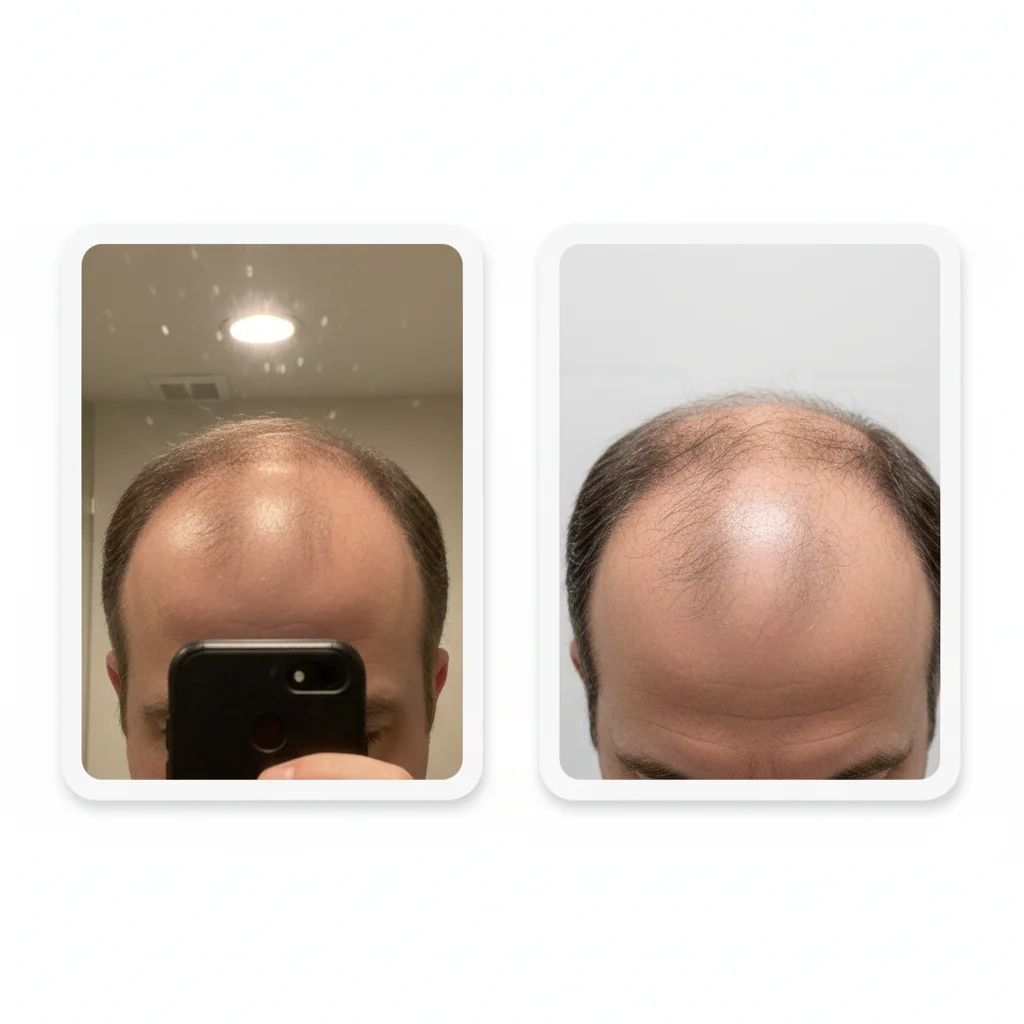
Hair transplant photos with mismatched camera angles
Before
->
Corrected angles for accurate hairline comparison
After

Camera angle corrected for hairline documentation

Before photo taken at eye level, after photo from slightly above. Corrected angle to accurately compare hairline position and density without perspective distortion.

Prompt: adjust camera perspective to match the before photo angle, ensure scalp view and hairline angle are identical
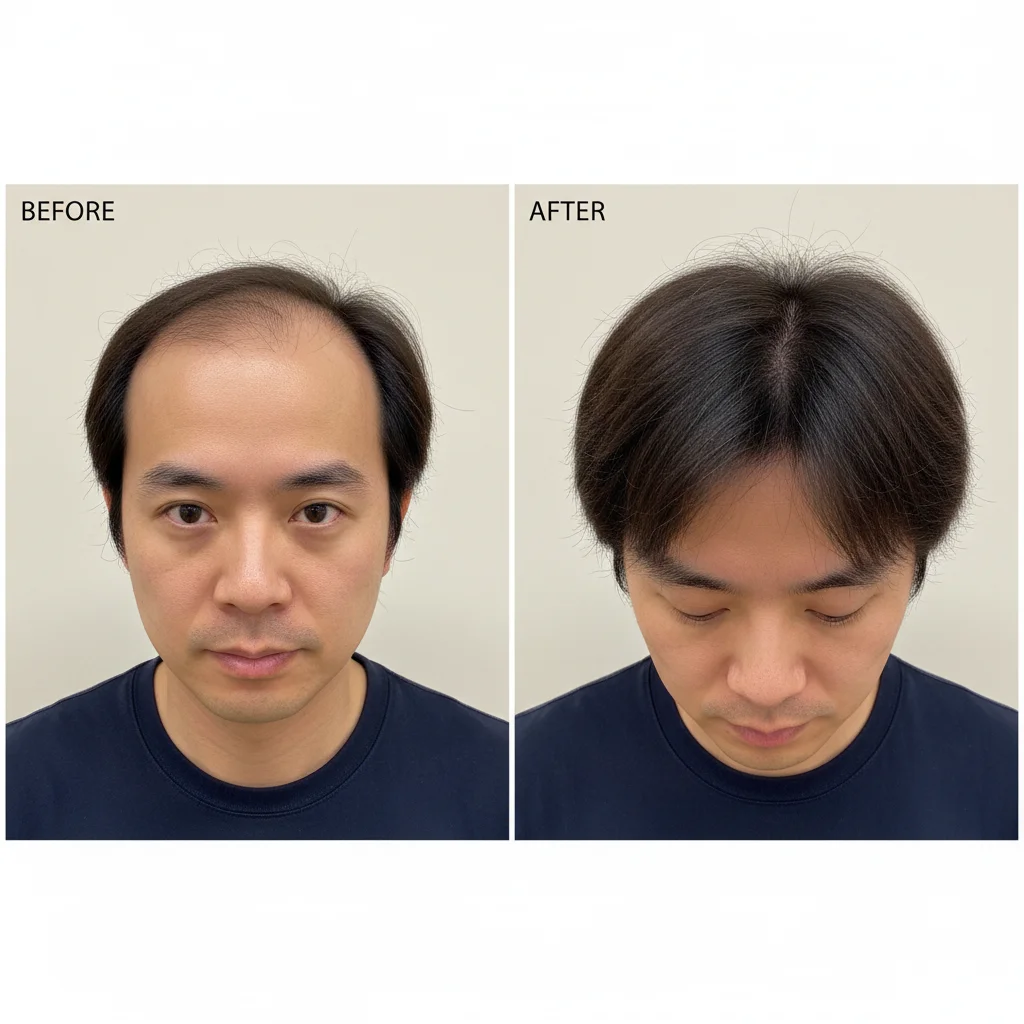
Home tracking photos with inconsistent quality and lighting
Before
->
Standardized documentation quality for accurate clinical assessment
After

Home tracking photos standardized for clinic submission

Patient tracking monthly progress at home with varying bathroom lighting and phone camera quality. Standardized all photos to clinic documentation quality for accurate assessment.

Prompt: enhance patient-submitted photo to match clinic quality, normalize lighting and improve clarity while showing accurate results
Advertisement

If something looks off

Lighting adjustment made hair density appear different than reality

Why: Aggressive lighting changes can alter how hair appears on scalp—critical to preserve accurate hair visibility.

Try: match lighting minimally while preserving accurate representation of hair density and scalp visibility

Tip: Medical accuracy is more important than perfect lighting match—if matching changes apparent density, reduce the adjustment.

Angle correction distorted hairline shape or position

Why: Perspective corrections can warp hairline geometry if the angle difference is too large.

Try: adjust angle minimally without distorting hairline shape, preserve accurate hairline position and curvature

Tip: Large angle differences may require retaking the photo—documentation accuracy can't be compromised for convenience.

Color normalization changed natural hair color appearance

Why: Matching color temperature affects how hair color is perceived—important for accurate documentation.

Try: normalize background and lighting color but preserve natural accurate hair color and tone

Tip: Hair color must be accurately represented—specify 'preserve hair color' to prevent unwanted tonal shifts.

Enhancement made low-quality photo look artificially improved

Why: Over-enhancement can create false appearance of more hair or better results than actually exist.

Try: improve photo quality and lighting only, do not artificially enhance hair appearance or density

Tip: Quality improvement should make existing hair clearer, not create appearance of more hair.

Side-by-side comparison hides scalp visibility differences

Why: Layout or cropping may have obscured important scalp areas that show hair growth.

Try: ensure full visibility of hairline, crown, and scalp areas in both before and after photos

Tip: Medical documentation requires complete visibility of treated areas—don't crop or hide any regions.

Matched photos but timeline context is missing

Why: Without dates or timeline markers, viewers can't assess rate of progress or procedure timeframe.

Try: add clear date labels showing procedure date and follow-up date, make timeline obvious

Tip: Timeline is critical medical context—always include procedure date and months post-procedure.

Quick answers

Do I need to mark areas before matching hair transplant documentation photos?

No! Just describe the documentation requirement: 'match lighting and angle for medical consistency.' The AI understands clinical photo standards and normalizes conditions automatically. Markers are only needed if you want to adjust specific scalp regions differently—like enhancing visibility of the crown area while keeping hairline as-is.

Why is photo consistency critical for hair transplant documentation?

Inconsistent lighting or angles can make hair appear more or less dense than reality. Medical documentation must show objective results—lighting tricks, favorable angles, or photo quality differences undermine credibility. Consistent conditions ensure you're documenting actual hair growth, not photographic variables. This matters for patient assessment, regulatory compliance, and clinic credibility.

Can this fix patient-submitted home tracking photos?

Yes. Patients tracking progress at home use varying lighting, mirrors, and camera quality. The AI can normalize these to clinic documentation standards—improving lighting consistency, adjusting angles, and enhancing clarity. Critical for assessing patient progress when clinic visits are months apart. Always verify that enhancement preserves accurate hair density representation.

How do I create consistent multi-angle documentation?

Use the same prompt for each angle pair: 'match lighting and angle for front view documentation,' then repeat for top view, side views, and back view. Consistency across all angles creates comprehensive documentation showing results from every perspective. Save your standardized prompt and reuse it for all patient documentation to build a professional portfolio.

What if matching the lighting changes how hair density appears?

Medical accuracy always takes priority over perfect lighting match. If normalization alters apparent hair density, reduce the adjustment: 'match lighting minimally while preserving accurate hair representation.' The goal is removing lighting bias, not creating identical-looking photos. Slight lighting differences are acceptable if they preserve accurate documentation of results.

Ready to create consistent hair transplant documentation?

Free to try. No signup required.

Try it free