Put Product in Lifestyle Scene
Turn plain product photos into lifestyle shots that sell. No studio, no props, no photoshoot needed.
Drop your photo here
or click to browse
Release to upload
Free • No signup
"My conversion rate jumped 34% after adding these lifestyle shots to my Amazon listings. Customers can finally see the product in use instead of floating on white." @HomeGoodsHub
Why Lifestyle Scenes Sell Better
Buyers struggle to imagine your product in their life when it's just floating on white. Lifestyle scenes answer 'how big is it?', 'what does it look like in use?', and 'where would I put this?' Studies show lifestyle product images increase conversion by 30-40% because they reduce buyer uncertainty. EditThisPic lets you create unlimited lifestyle variations without props, staging, or photography skills.
Tools E-commerce Sellers Use
Remove Background
First step: isolate your product from its original background
Replace Background
Swap product background for lifestyle scenes without reference images
Add Shadow
Make products look grounded and realistic in new scenes
Enhance Lighting
Match product lighting to new lifestyle scene for seamless blend
How to Place Products in Lifestyle Scenes
-
Upload your product photo
Drop your product image into EditThisPic. Works best with clean product shots—white background, good lighting, clear details. JPG, PNG, WebP up to 7MB. Phone photos work fine if the product is well-lit and in focus.
Simple products (mugs, bottles, small items): 20-30 seconds total. Complex products with reflections or transparency: may need 2-3 refinements. -
Upload your lifestyle scene (optional but recommended)
Click '+ Add reference image' and upload a photo of the lifestyle setting where you want your product placed. This could be a kitchen scene, office desk, outdoor patio, living room—anywhere that makes sense for your product. Using a reference image gives you precise control over the final look.
Use lifestyle scenes you've photographed yourself, or find inspiration from stock photos. The AI will blend your product into this exact scene. -
Describe the placement
Type exactly where and how to place your product: 'place this product on the kitchen counter in the reference scene, match the lighting' OR if you didn't upload a reference: 'put this mug on a rustic wooden table with morning coffee scene, soft natural light from window.' Be specific about position, lighting direction, and mood.
Mention lighting direction ('from the left', 'afternoon sun from right') for the most realistic results. The AI will match shadows and highlights accordingly. -
Review lighting and shadows
Examine the result at full zoom. Check that: 1) Product shadows match the scene lighting, 2) Product edges blend naturally, 3) Color temperature matches (warm/cool tones), 4) Product scale looks believable in context. The lighting match is what makes or breaks realism.
Compare shadow direction on your product vs. other objects in the scene. They should match. If not, regenerate with 'match lighting from [direction]' specified. -
Refine position or lighting if needed
If placement isn't quite right, tap a marker where you want the product positioned and regenerate: 'move the product here, on this surface.' If lighting looks off, specify: 'adjust product lighting to match warm afternoon sun from the right side.' Most lifestyle placements nail it on the first or second try.
For products with reflective surfaces (glass, metal), mention 'with appropriate reflections' in your prompt for extra realism.
Copy-Paste Prompts for Lifestyle Shots
place this product on the kitchen counter in the reference scene, match the lighting and add natural shadow
Upload your lifestyle scene as reference image first—gives you exact control over the final environment
put my product on the coffee table in the living room scene from the reference image, blend naturally with soft afternoon light
Reference images let you use actual photos of your home, office, or any setting you've photographed
put this product on a white marble kitchen counter with blurred coffee maker and plants in background, bright morning window light from the left
Describe the scene you want—the AI generates the lifestyle environment around your product
place this item on a modern office desk with laptop and notebook visible, clean minimalist workspace, natural light from window
Office settings work great for tech products, planners, desk accessories, and business tools
Show 6 more prompts
put this product on an outdoor patio table with blurred garden in background, golden hour sunlight, relaxed summer vibe
Outdoor scenes are perfect for drinkware, outdoor gear, garden products, and summer items
place this product on a clean bathroom counter with white tile, soft spa-like lighting, minimal aesthetic with plants
Bathroom settings ideal for skincare, cosmetics, bath products, and wellness items
put this item on a bedroom nightstand with warm lamp light, cozy blanket texture visible, evening relaxation mood
Bedroom scenes work for sleep products, books, candles, and personal care items
place this product on a rustic wooden farmhouse table with fresh bread and herbs nearby, warm natural light, artisan feel
Food styling contexts are powerful for kitchen tools, serving ware, and cooking products
put this product on a smooth concrete surface with geometric shadows, bright clean lighting, Scandinavian minimalist aesthetic
Minimalist scenes let the product shine without distraction—great for design-focused brands
place this product being held in someone's hand in a natural casual grip, blurred lifestyle background, realistic everyday use
Hand-held shots show scale and how the product is actually used—powerful for conversion
| Edit Type | Prompt | Time | |
|---|---|---|---|
| Kitchen counter scene | put product on white marble counter, morning light from left, coffee vibe |
25s | Try This → |
| Office desk scene | place on modern desk with laptop, natural window light, minimalist |
30s | Try This → |
| Using reference image | place product on counter in reference scene, match lighting |
25s | Try This → |
| Hand-held in use | show product held in hand, blurred lifestyle background, natural grip |
35s | Try This → |
Real Lifestyle Scene Transformations
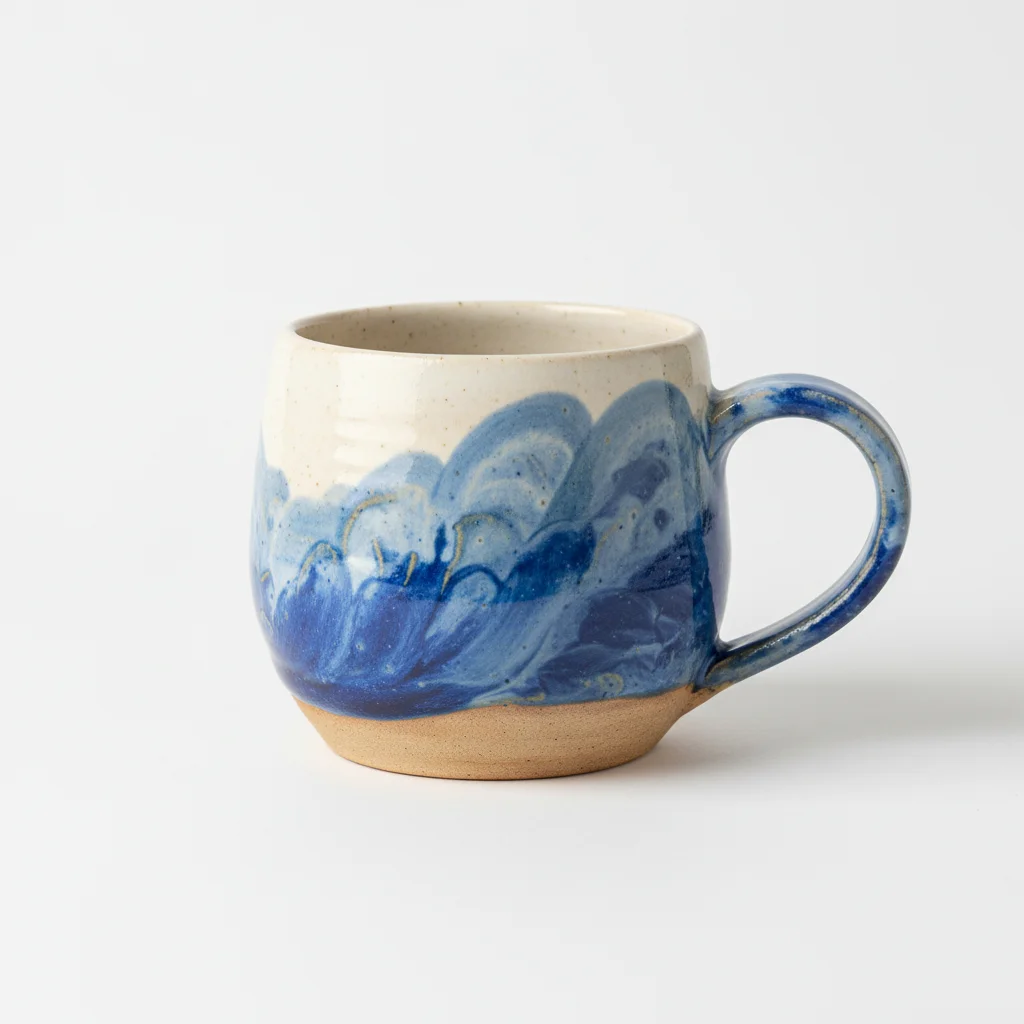
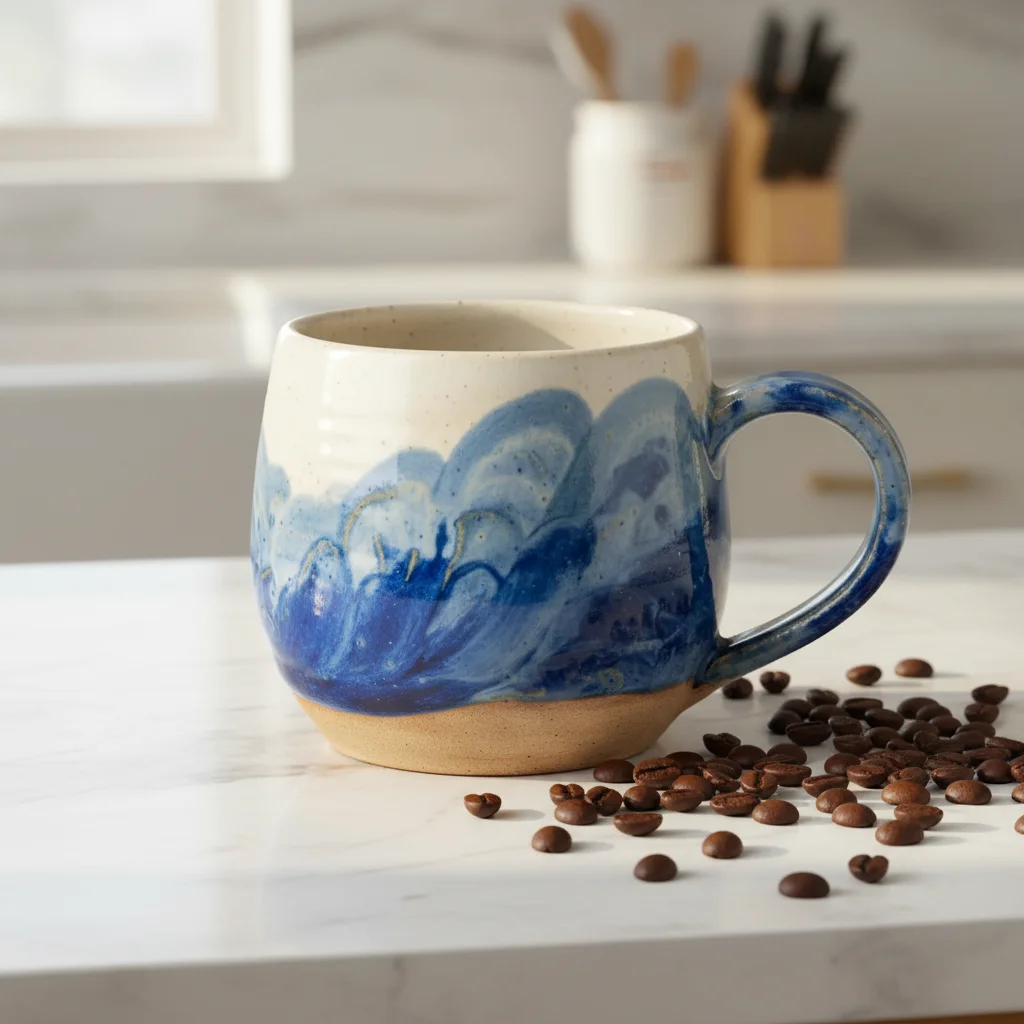
Coffee mug on kitchen counter
Plain white-background product photo of a ceramic mug. The AI placed it on a modern kitchen counter with morning coffee scene—instant lifestyle context.
put this mug on a white marble kitchen counter with coffee beans scattered nearby, warm morning window light from the left, cozy breakfast vibe


Skincare bottle in bathroom setting
Simple product shot of a lotion bottle. Transformed into a spa-like bathroom counter scene that helps buyers imagine using it.
place this bottle on a clean white bathroom counter with soft towel and green plant nearby, bright spa-like natural lighting, wellness aesthetic
Common Lifestyle Photo Issues
Product lighting doesn't match the scene
Why: The original product photo has different lighting than the lifestyle scene you described or uploaded. Cool vs. warm tones create obvious composites.
place this product [location], adjust product lighting to match warm/cool tone of the scene, blend naturally
Specify exact lighting: 'match warm golden hour light' or 'adjust to cool morning window light.' The AI will relight your product to match.
Product shadow looks fake or wrong direction
Why: Shadow direction doesn't match other objects in the scene, or shadow is too harsh/soft compared to scene lighting.
place this product [location], add natural shadow matching light direction from [left/right/above], soft and realistic
Look at which direction light hits other objects in your scene and specify that exact direction for consistent shadows.
Product looks too big or too small in the scene
Why: The AI guessed product scale incorrectly relative to the scene environment. Common with products that don't have obvious size references.
place this [small/medium/large] product [location], realistic scale as if it's [size reference like 'coffee mug sized' or '12 inches tall']
Give the AI a size reference: 'this is a small 4-inch candle' or 'bottle is about 8 ounces' helps it place at realistic scale.
Product edges don't blend naturally with scene
Why: Edge quality issues where the product meets the new background—often from original product photo having poor edge quality or compression.
place this product [location], blend edges seamlessly, preserve natural product details sharply
Start with high-quality product photos (PNG preferred, not heavily compressed JPG) for cleanest edge blending.
Reference scene gets altered or product isn't where I specified
Why: The AI misunderstood which surface or position you meant, especially in complex scenes with multiple surfaces.
Tap a marker on the exact spot where product should go, then regenerate: place the product here on this surface, do not change the reference scene
Markers are critical for precise placement in reference images. Tap exactly where you want the product center positioned.
Reflective product (glass/metal) looks wrong in new scene
Why: Glass, metal, and shiny surfaces should reflect their environment. If reflections don't match the new scene, it looks fake.
place this [glass/metal] product [location], adjust reflections to match the new environment naturally, realistic surface properties
For highly reflective products, simpler scenes work better. Complex reflections in complex scenes can look artificial.
Frequently Asked Questions
Do I need to upload a lifestyle scene photo or can I just describe it?
Both work! Uploading a reference image (your own photo or a styled scene) gives you precise control—your product goes into that exact environment. Or skip the reference and describe what you want: 'put this on a kitchen counter with morning coffee scene.' Reference images are faster and more predictable; descriptions give you unlimited creative options without needing to find or photograph scenes.
How do I make the lighting look realistic?
The key is specifying light direction: 'with warm natural light from the left' or 'match the afternoon sun from the right side.' Look at shadows on other objects in your scene and describe that same lighting. The AI will adjust your product's highlights, shadows, and color temperature to match. Adding 'blend naturally' helps too.
Can I use this for Amazon or Etsy lifestyle images?
Absolutely—that's exactly what this is built for. Amazon requires one main white-background image but allows lifestyle shots as additional images. Etsy loves lifestyle context shots because they show your product in use. These AI-generated scenes meet marketplace requirements and typically boost conversion rates 30-40% over white-background-only listings.
What if my product is very small or has unusual shape?
Include size context in your prompt: 'this is a small 2-inch pin' or 'bottle is about water bottle sized.' For unusual shapes, describe them: 'this triangular pendant' or 'this irregular ceramic bowl.' The more you tell the AI about your product's physical properties, the better it places and scales it in the scene.
Can I place my product being held in someone's hand?
Yes! Use prompts like 'place this product being held in someone's hand in a natural casual grip, blurred lifestyle background.' Hand-held shots are incredibly powerful for showing scale and real-world use. They convert very well because buyers can imagine themselves holding your product.
How many lifestyle scenes should I create per product?
For e-commerce best practices: 1 main white-background shot, plus 3-5 lifestyle scenes showing different contexts. Example for a water bottle: kitchen counter, gym bag, office desk, outdoor hiking, and hand-held. Different contexts appeal to different buyer motivations and help them visualize multiple use cases.
Do I need professional product photos to start?
Clean product photos work best—good lighting, clear details, minimal background distractions. You don't need a professional photographer, but phone photos in natural window light with a simple backdrop work much better than dim, blurry, or cluttered shots. The AI can only work with the product quality you give it.
Ready to create lifestyle product photos?
Professional product scenes without the photoshoot. Free to try.
Start Creating Lifestyle Shots