AI Day-to-Twilight Conversion for Real Estate
Turn any midday exterior into a magazine-worthy dusk shot. No drone pilot. No golden hour scheduling.
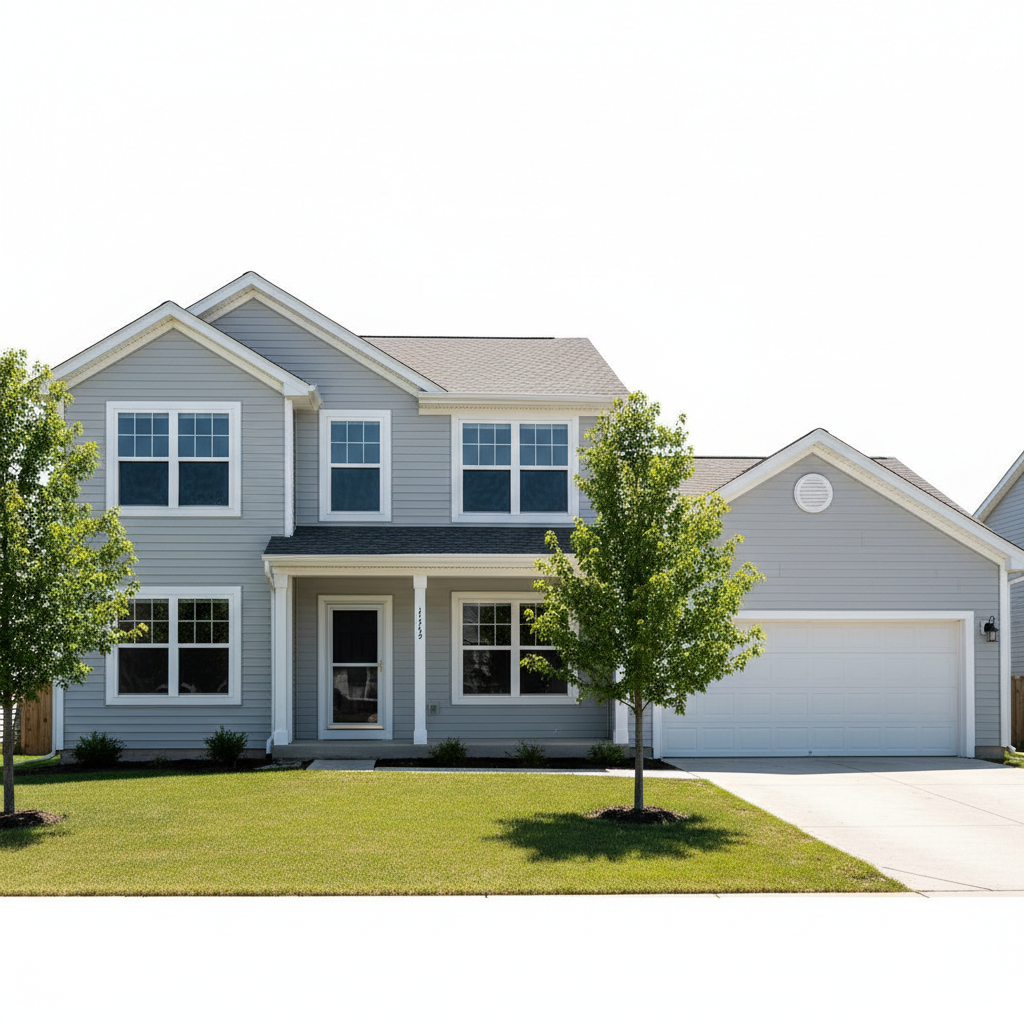
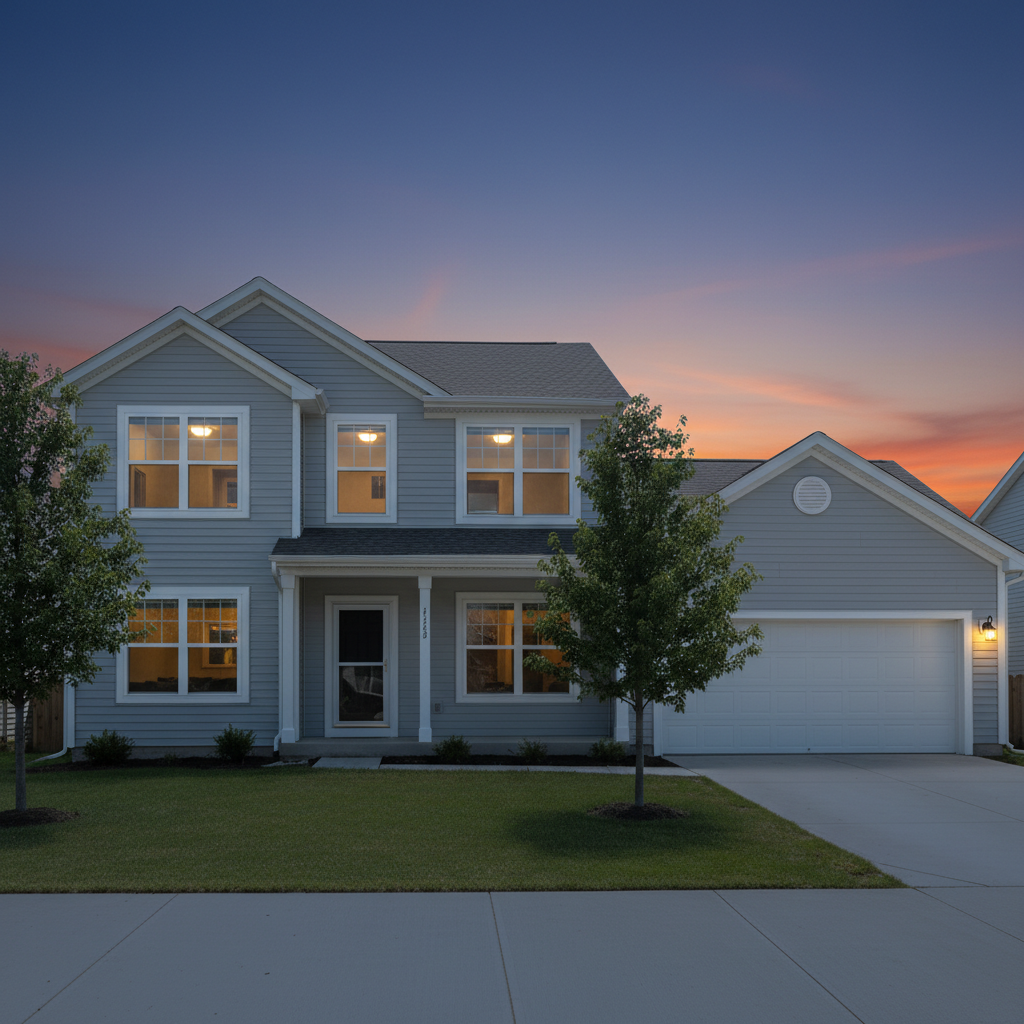
Drop your photo here
or click to browse
Release to upload
Free • No signup
"Shot the property at 2pm because that's when the client was available. Converted it to twilight and the listing got 40% more saves than comparable homes. Client thinks I'm a magician." @RealEstatePhotoPro
Built for Real Estate Professionals
Twilight photos are proven to increase buyer engagement. Homes with dusk shots get more saves, more clicks, and sell faster. But scheduling a twilight shoot is expensive and weather-dependent. EditThisPic lets you create that premium twilight look from any daytime photo, instantly.
Tools for Real Estate Twilight Photos
Change Sky
Replace flat daytime sky with dramatic sunset or dusk gradient
Enhance Lighting
Add warm interior glow and ambient twilight lighting
Change Time of Day
Full midday to dusk transformation
Enhance Photo
Overall quality boost for listing-ready presentation
Fix Color
Correct color temperature for twilight mood
Step-by-Step Guide
-
Upload your daytime property photo
Drop your exterior shot into EditThisPic. Works best with photos showing the full front facade with visible windows. Midday photos with harsh light actually work well because the AI has clear details to work with.
Simple twilight conversion: 25-30 seconds. Complex with multiple light sources: 35-45 seconds.Photos taken slightly before the property for a clear view of the facade convert better than angled shots. -
Describe your twilight vision
Type what you want: 'convert to twilight with warm interior lights visible in all windows and a dramatic purple-orange dusk sky.' Be specific about the sky colors and lighting mood you want. No marking needed.
Mention 'warm golden light from windows' specifically—this creates the cozy, inviting look that sells homes. -
Review the transformation
Check that windows glow naturally, sky gradient looks realistic, and overall lighting is consistent. The property should look like it was photographed at actual dusk, not obviously edited.
-
Refine specific areas if needed
If some windows didn't light up or the sky transition looks unnatural at the roofline, tap markers on those spots and regenerate with 'add warm light to this window' or 'blend sky smoothly with roofline.'
Exterior lights, porch lights, and landscape lighting can be added in a second pass for extra realism.
Copy-Paste Prompts for Twilight Photos
convert this daytime photo to twilight with warm golden light glowing from all windows and a dramatic dusk sky fading from deep blue to orange at the horizon
Specifying both the window lights AND the sky gradient in one prompt creates a cohesive result
transform to premium twilight shot with soft warm interior lights in every window, dramatic purple and orange sunset sky, ambient landscape lighting, magazine-quality real estate photography
'Magazine-quality' signals to the AI the level of polish and drama you want
convert to early dusk with soft blue sky and gentle warm glow from windows, keep the look natural and realistic, not over-dramatic
For more conservative markets, 'natural and realistic' prevents over-the-top results
convert to twilight with warm window lights, pool lights glowing blue underwater, and dramatic dusk sky reflecting in the pool water
Mention pool reflections specifically for properties with water features
Show 3 more prompts
transform to twilight with warm interior glow, add subtle architectural uplighting on exterior walls, dramatic sunset colors in sky, contemporary luxury feel
Modern homes often have architectural lighting that enhances the twilight effect
convert to late golden hour with warm sun low on horizon, soft golden light on the house facade, gentle warm glow from windows, pastoral evening mood
Golden hour is slightly earlier than twilight and works well for rural/farmhouse properties
convert to twilight dusk with warm lights visible through windows, evening sky gradient, keep neighboring units visible but focus lighting on this property
For attached homes, specify which unit should have the warm lighting emphasis
| Edit Type | Prompt | Time | |
|---|---|---|---|
| Standard twilight | convert to twilight with warm window lights and dusk sky |
30s | Try This → |
| Dramatic luxury | premium twilight, all windows glowing, dramatic sunset |
35s | Try This → |
| Subtle dusk | early dusk, soft glow, natural and realistic |
25s | Try This → |
| Pool twilight | twilight with pool lights and reflections |
40s | Try This → |
Real Examples
Midday suburban home to twilight showcase
Typical showing-time photo with harsh shadows and blown sky. Converted to premium twilight with warm interior glow.
convert this daytime photo to twilight with warm golden light glowing from all windows and a dramatic dusk sky fading from deep blue to orange at the horizon
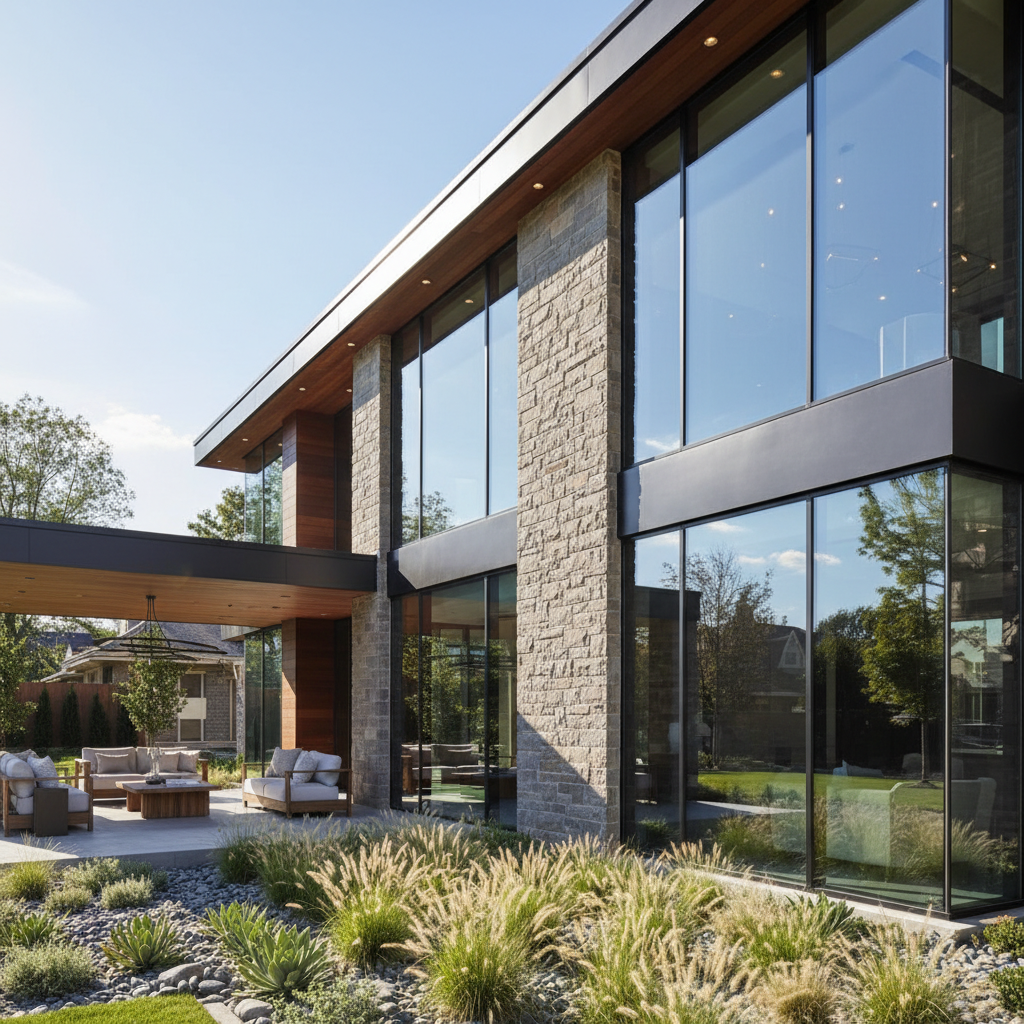
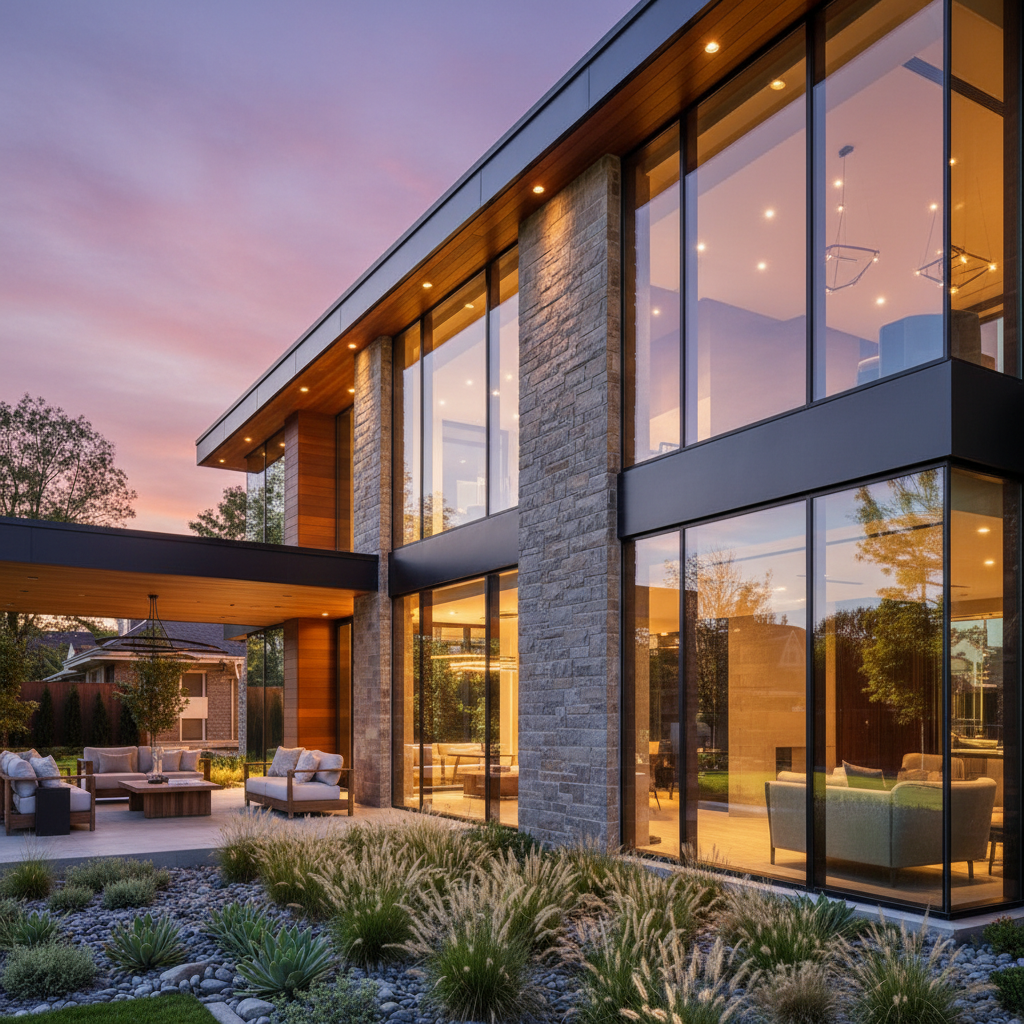
Luxury property dramatic transformation
High-end property shot during the day needs the magazine-cover twilight treatment for MLS listing.
transform to premium twilight shot with soft warm interior lights in every window, dramatic purple and orange sunset sky, ambient landscape lighting, magazine-quality real estate photography
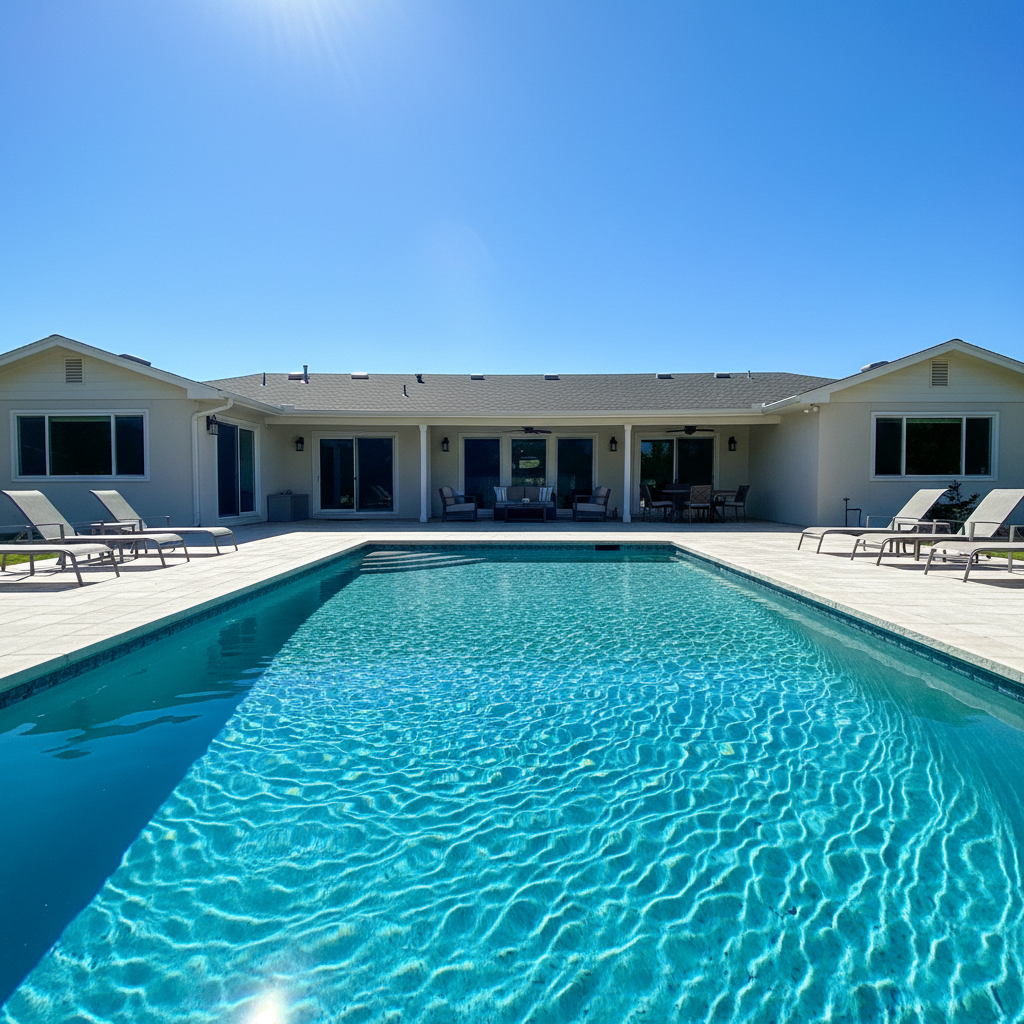
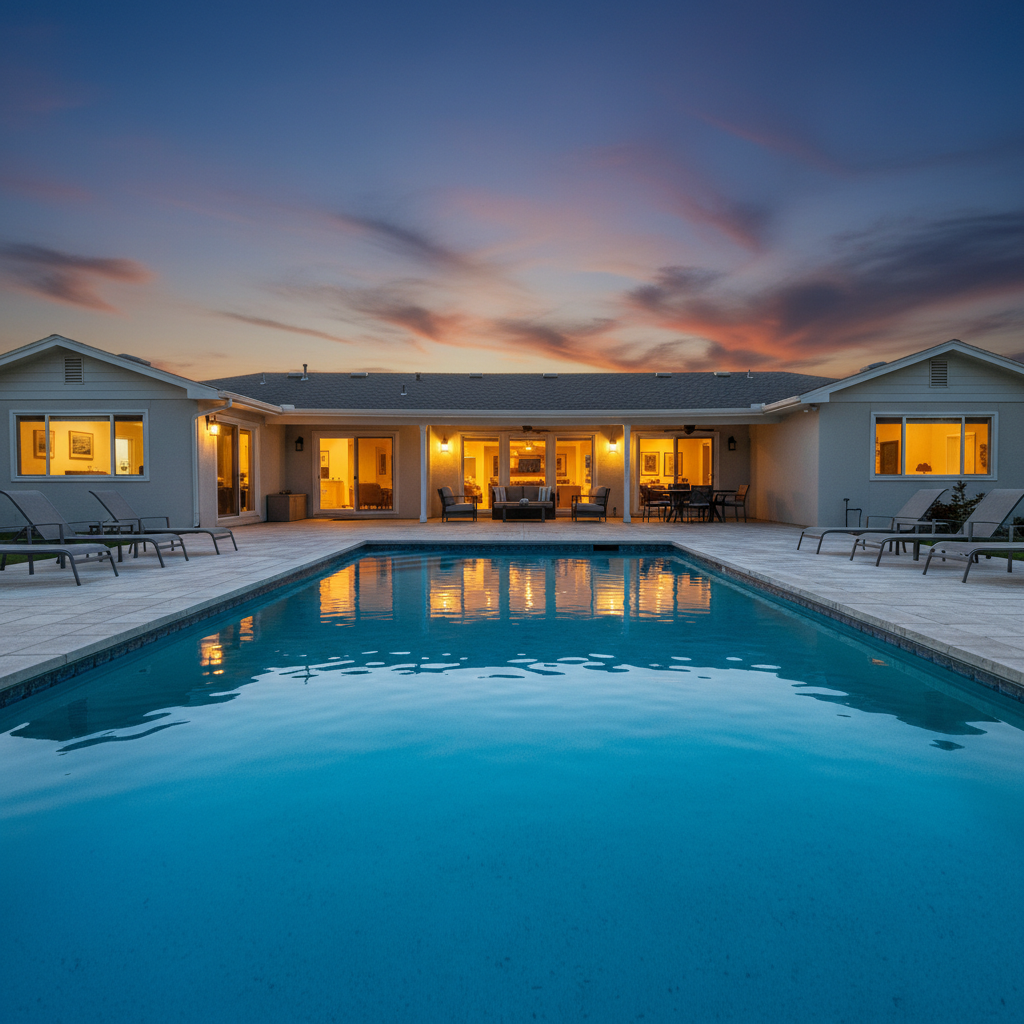
Pool property evening ambiance
Backyard with pool photographed during the day transformed into evening showcase with pool lights and warm house glow.
convert to twilight with warm window lights, pool lights glowing blue underwater, and dramatic dusk sky reflecting in the pool water
When Things Go Wrong
Windows look too bright or blown out
Why: The AI added too much interior light, making windows look like spotlights rather than natural glow.
reduce window brightness to soft warm glow, should look like interior lights are on, not floodlights
Natural twilight window glow is subtle—the windows should be the brightest part but not by much.
Sky looks fake or oversaturated
Why: The sky gradient is too dramatic for the lighting on the house, creating an obvious composite look.
make sky colors more natural and subtle, blend better with house lighting, realistic twilight not fantasy
Real twilight skies are often less saturated than people think. Ask for 'realistic' to tone it down.
Some windows stayed dark
Why: The AI didn't detect all windows, especially small or partially visible ones.
Tap markers on the dark windows, then: add warm interior light to these windows to match the others
Basement windows, bathroom windows, and garage door windows often need a second pass.
Harsh edge between sky and roofline
Why: The sky replacement didn't blend smoothly with the roof edges, creating a cut-out look.
Tap markers along the roofline, then: blend sky smoothly with roofline, no harsh edges, natural transition
Complex rooflines with chimneys or gables may need targeted blending.
House looks too dark overall
Why: The twilight conversion darkened the house too much without enough ambient light.
brighten the house facade with soft ambient twilight light, should be visible and detailed, not silhouette
Real twilight photos often use flash fill or HDR. Ask for 'visible architectural details' to keep the house lit.
AI changed the wrong area or something I didn't want changed
Why: The AI couldn't determine exactly which area you meant from description alone.
Tap a marker on the specific area you want to change, then regenerate with the same prompt
Markers tell the AI 'I mean THIS one specifically.' Use them when description alone is ambiguous.
Frequently Asked Questions
Do I need to mark the windows or sky before describing the twilight effect?
No. Just describe what you want: 'convert to twilight with warm lights in windows and dramatic dusk sky.' The AI understands these concepts. Markers are only needed for precision—like if specific windows don't light up and you need to point them out.
What kind of daytime photo works best for twilight conversion?
Photos with clear window visibility and a full view of the facade work best. Midday photos with harsh light actually convert well because the AI has clear architectural details to work with. Avoid photos where windows are blocked by reflections or trees.
Is there a free tool to convert real estate photos to twilight without signing up?
Yes. EditThisPic converts daytime real estate photos to twilight for free with no account required. Just upload your photo, describe the twilight look you want, and download the result. No watermark added.
Will buyers notice it's not a real twilight photo?
When done well, AI twilight conversions are indistinguishable from real dusk photography. The key is keeping lighting realistic—subtle window glow, natural sky gradients, and consistent shadows. Avoid over-saturated skies that look obviously enhanced.
Can I convert interior photos to evening ambiance too?
Yes. For interiors, try 'convert to warm evening ambiance with soft lamp light and dark windows showing twilight sky outside.' Interior twilight conversions create that cozy, inviting feel that appeals to buyers.
How does this compare to hiring a twilight photographer?
Professional twilight shoots cost $300-500 and require perfect weather and timing. EditThisPic creates comparable results in 30 seconds from any daytime photo. For high-end listings where perfection matters, a real shoot might edge out AI. For most listings, AI twilight is indistinguishable and infinitely more practical.
Ready to create stunning twilight photos?
Free to try. No signup required. No watermarks.
Convert Your Photo