Free โ€ข No signup Create Cartoon strip panel ยท Free

Cartoon Strip from Photo
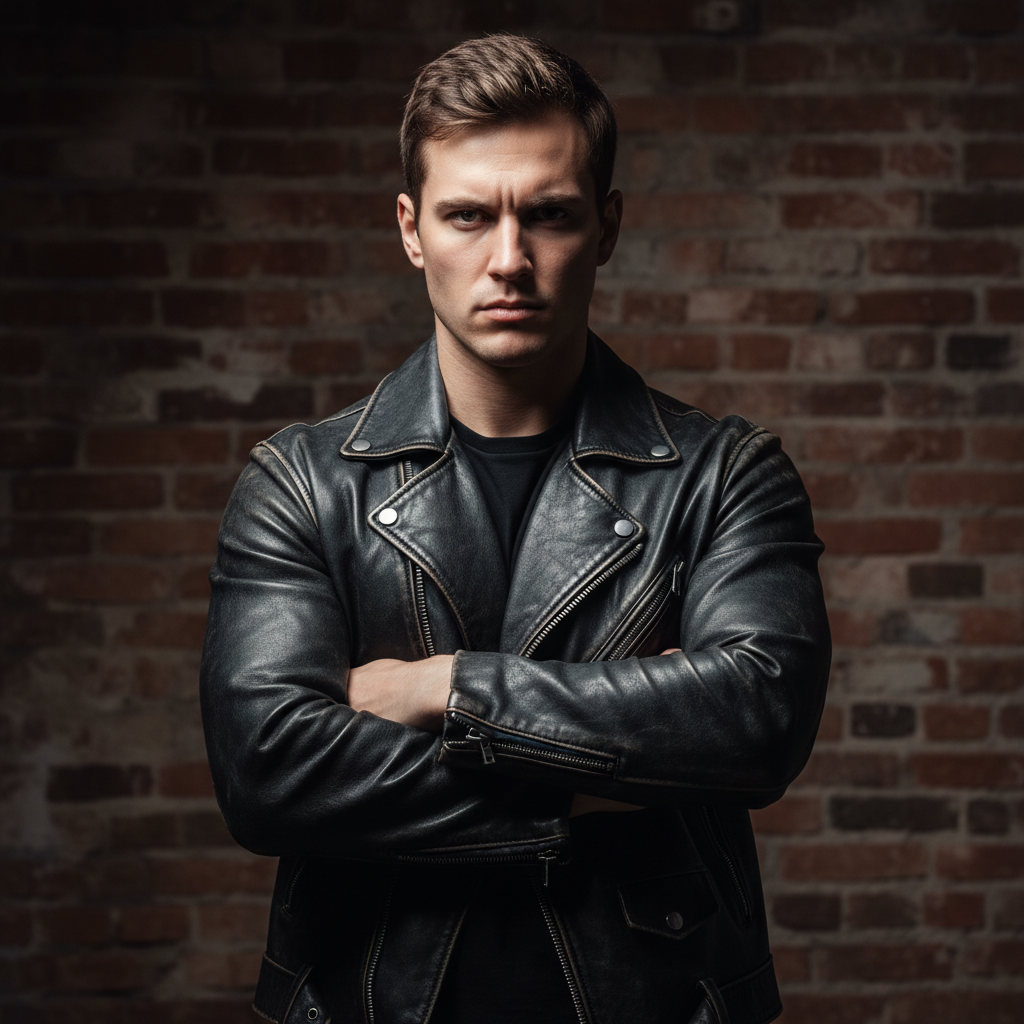
Before
Before
โ†’
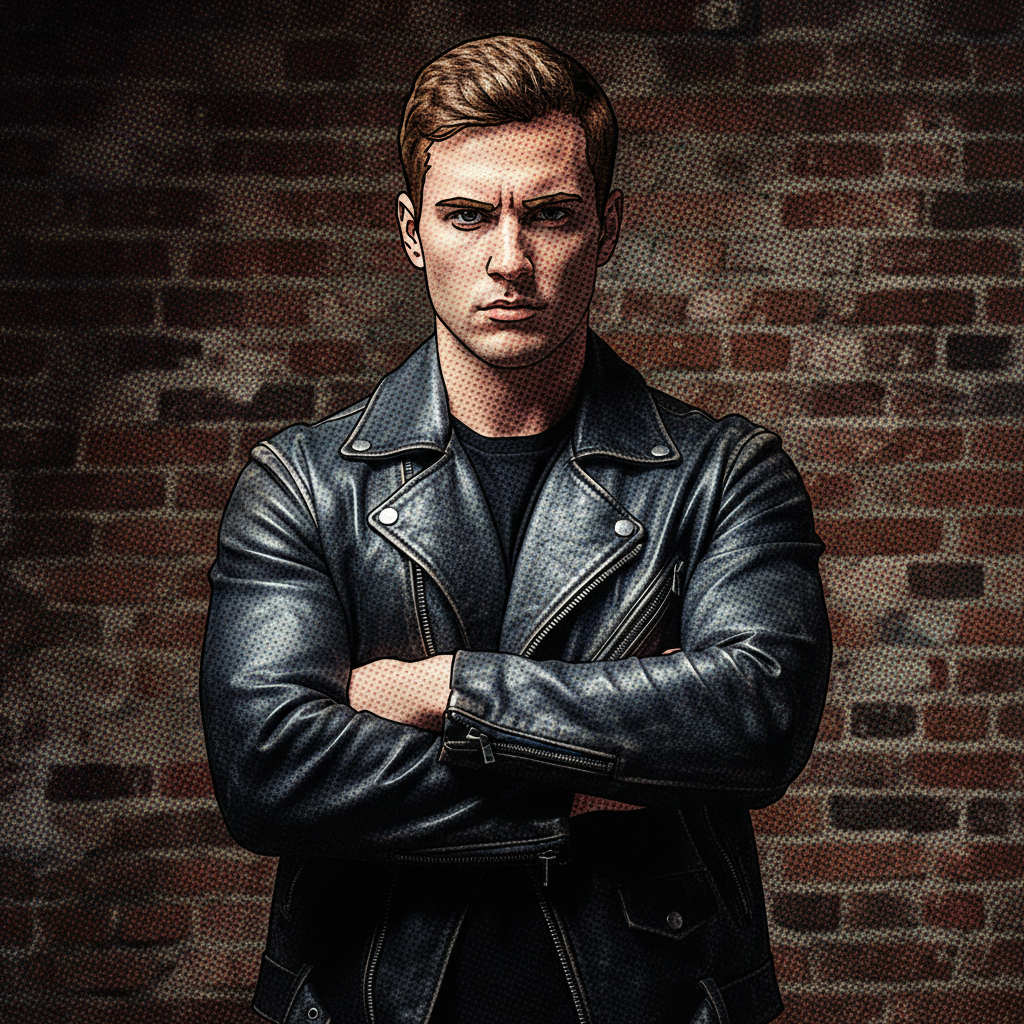
After
After

Free Cartoon Strip Maker

Drop your photo here

or click to browse

Release to upload

Free โ€ข No signup

Advertisement
Popular use cases:
  • cartoon strip maker
  • comic strip from photo
  • photo to comic panel
  • speech bubble photo
  • comic panel creator
  • newspaper comic style
  • cartoon panel maker
  • comic strip effect
  • photo comic generator
  • meme comic maker

Cost
Free No signup required
Time
Instant results in 15-30 seconds
Works on
Any device - browser, phone, tablet, desktop
Powered by
AI-powered photo editing
Scenario Prompt Time
15-30s
15-30s
15-30s
15-30s
15-30s
15-30s

How it works

  1. Upload Your Photo

    Choose the photo you want to turn into a cartoon strip panel. Works with any photo - people, pets, moments, scenes. The more expressive or story-worthy the photo, the better the comic panel.

    Expect: Takes 5-10 seconds to upload.
  2. Describe Comic Strip Style

    Tell the AI what kind of cartoon strip you want. Specify comic style (newspaper comic, vintage cartoon, modern webcomic), visual elements (speech bubbles, thought bubbles, panel borders, halftone dots), and any dialogue or caption text you want added. Be specific about the cartoon aesthetic.

    Tip: Comic strips have specific visual language: panel borders contain the scene, speech bubbles show dialogue, thought bubbles show thinking, action lines show movement, and halftone dots give that printed comic feel. Mention specific elements you want to make your panel authentic.

    Copy one of these to get started:

    Turn into cartoon strip panel with Turn into cartoon strip panel with speech bubble saying 'Best day ever!', panel border, and halftone comic effect
    Create vintage newspaper comic strip ... Create vintage newspaper comic strip style with thought bubble and classic black border
    Transform into colorful cartoon strip... Transform into colorful cartoon strip with bold outlines, speech bubble, and comic book dots
    Make Sunday comics style with vibrant Make Sunday comics style with vibrant colors, panel border, caption box at top, and halftone shading
    8 more prompts
    Create Garfield-style comic strip pan... Create Garfield-style comic strip panel with orange tones, lazy expression, thought bubble saying 'I hate Mondays'
    Transform into action comic panel with Transform into action comic panel with motion lines, 'POW!' effect text, dynamic angles, and bold colors
    Make Calvin and Hobbes inspired water... Make Calvin and Hobbes inspired watercolor comic panel with expressive characters and imaginative scene
    Create retro 1960s comic strip with Create retro 1960s comic strip with Ben-Day dots, vintage colors, bold black outlines, and speech bubble
    Transform into Peanuts-style minimali... Transform into Peanuts-style minimalist comic panel with simple lines, gentle humor, thought bubble with philosophical text
    Create pop art comic panel in Create pop art comic panel in Roy Lichtenstein style - Ben-Day dots, dramatic expression, 'OH NO!' speech bubble, bold primary colors
    Make newspaper political cartoon styl... Make newspaper political cartoon style with exaggerated features, satirical speech bubble, and classic editorial cartoon aesthetic
    Transform into manga-style comic pane... Transform into manga-style comic panel with speed lines, dramatic angle, Japanese sound effect text, and screentone shading
  3. Review and Adjust

    Check the cartoon strip panel. If you want different bubble text, adjusted comic styling, different panel layout, or more comic book effects, describe the changes and regenerate.

    Expect: Each generation takes 30-40 seconds.
  4. Download Comic Panel

    Download your cartoon strip panel in high resolution with no watermarks. Perfect for social media memes, sharing funny moments, creating custom comics, or just having fun.

Try it free โ†“

Free Cartoon Strip Maker

Drop your photo here

or click to browse

Release to upload

Free โ€ข No signup

See it in action

Before
Before
->
After
After

Prompt: Turn into cartoon strip panel with speech bubble saying 'What?!', panel border, and halftone comic effect
Before
Before
->
After
After

Prompt: Create vintage newspaper comic strip style with thought bubble and classic black border
Before
Before
->
After
After

Prompt: Transform into action comic panel with motion lines, 'POW!' effect text, dynamic angles, and bold colors
Advertisement

If something looks off

AI changed the wrong area or something I didn't want changed

Why: The AI couldn't determine exactly which area you meant from description alone.

Try: Tap a marker on the specific area you want to change, then regenerate with the same prompt

Tip: Markers tell the AI 'I mean THIS one specifically.' Use them when description alone is ambiguous.

The speech bubble text is wrong, misspelled, or not what I asked for

Why: AI can sometimes mishear or misinterpret text requests, especially with longer phrases or specific wording.

Try: Put your exact text in quotes and be very explicit: 'Add speech bubble with EXACTLY this text: "Your exact words here" - do not change the wording'. Shorter phrases work better than long sentences.

Tip: For precise text control, use quotation marks around your desired text and keep it short (1-7 words works best). If you need longer text, consider adding it afterward in an image editor where you have full control.

It looks too realistic, not cartoony enough for a comic strip

Why: Without strong cartoon styling guidance, the photo might only get panel borders and bubbles but maintain photographic realism.

Try: Emphasize cartoon transformation: 'Transform into CARTOON illustration first, then add comic panel elements - simplified features, bold outlines, comic book style artwork not photo'.

Tip: Comic strips are illustrated, not photographic. If your result looks like a photo with bubbles added, request 'cartoon illustration style', 'comic book artwork', or 'simplified cartoon drawing' to actually transform the photo into illustrated comic art.

The panel border or layout doesn't look right

Why: Comic panel borders have specific styles - thick black outlines, sometimes rounded corners, specific aspect ratios. Generic 'border' can look wrong.

Try: Be specific about panel style: 'Classic comic panel with thick black border', 'rounded corner panel border', or 'newspaper comic strip rectangular panel with bold frame'.

Tip: Different comic formats have different panel styles. Newspaper comics use horizontal rectangles with thick borders, Sunday comics are taller, webcomics vary widely. Specify the panel format you want for authentic results.

The halftone or comic dots look too subtle or aren't visible

Why: Halftone effects need to be prominent enough to read as 'comic book style'. Subtle dots can disappear, especially on busy images.

Try: Request visible effects: 'Add prominent Ben-Day dots halftone effect like vintage comics', 'noticeable comic book dot shading', or 'strong halftone pattern that's clearly visible'.

Tip: Halftone dots are a key comic strip identifier. If they're too subtle, specifically request 'prominent', 'visible', or 'strong' halftone effects. Reference vintage comics or pop art for that classic dotted look.

Multiple people in photo but only one speech bubble, or bubbles pointing to wrong person

Why: With multiple subjects, AI needs guidance about who's speaking and where bubbles should point.

Try: Be very specific: 'Add speech bubble ABOVE the person on the left saying [text]' or use markers to indicate exactly who should have which bubble, then describe the dialogue.

Tip: For photos with multiple people, use spatial descriptions (left person, person in front, etc.) or place markers on the specific person who should 'speak', then describe what they say. This ensures bubbles point to the right character.

Quick answers

Can I add custom text to speech bubbles, or only pre-set phrases?

You can add custom text! Just describe what you want in the bubble: 'Add speech bubble saying "Your exact text here"'. Keep text relatively short (1-7 words works best). For longer dialogue or very specific wording, you might need to add or edit text afterward in an image editor.

What's the difference between this and the AI Comic Book Maker?

Cartoon Strip from Photo creates individual comic strip panels - single frames with speech bubbles and comic styling, like newspaper comic strips. AI Comic Book Maker creates full comic book pages with multiple panels telling a story. Use this for single-panel comics, memes, or individual moments. Use Comic Book Maker for multi-panel sequential storytelling.

Can I create multiple panels for a full comic strip?

This tool creates single panels. To make a full multi-panel strip, create each panel individually and then arrange them side-by-side using an image editor or design tool. Alternatively, use AI Comic Book Maker which can create multi-panel layouts in one go.

What comic strip styles can I create?

You can create many styles: vintage newspaper comics (Peanuts, Garfield), Sunday comics with vibrant colors, retro 1960s pop art comics, modern webcomics, action comics with effects, manga-style panels, editorial cartoon style, or classic comic book panels. Describe the specific style or reference classic comic strips you want to emulate.

Can I add thought bubbles, action effects, or other comic elements besides speech bubbles?

Yes! You can request thought bubbles (for internal thoughts), action lines (for movement), sound effects ('POW!', 'ZOOM!'), motion blur, halftone dots, caption boxes, or other comic elements. Describe all the comic book effects you want included in your panel.

Will this work with any photo, or only certain types?

Any photo can work, but photos with expressive faces or clear actions make the best comic panels. Comics are about storytelling and emotion, so photos that already have personality, humor, or drama convert most effectively to comic strip style.

Ready to create your cartoon strip panel?

Free to try. No signup required.

Try it free โ†’