Free • No signup Fix Yellow teeth · Free

Your teeth look yellow in photos?

Yellow stains vanish in seconds. Type 'fix the yellow teeth' and get a natural, confident smile.
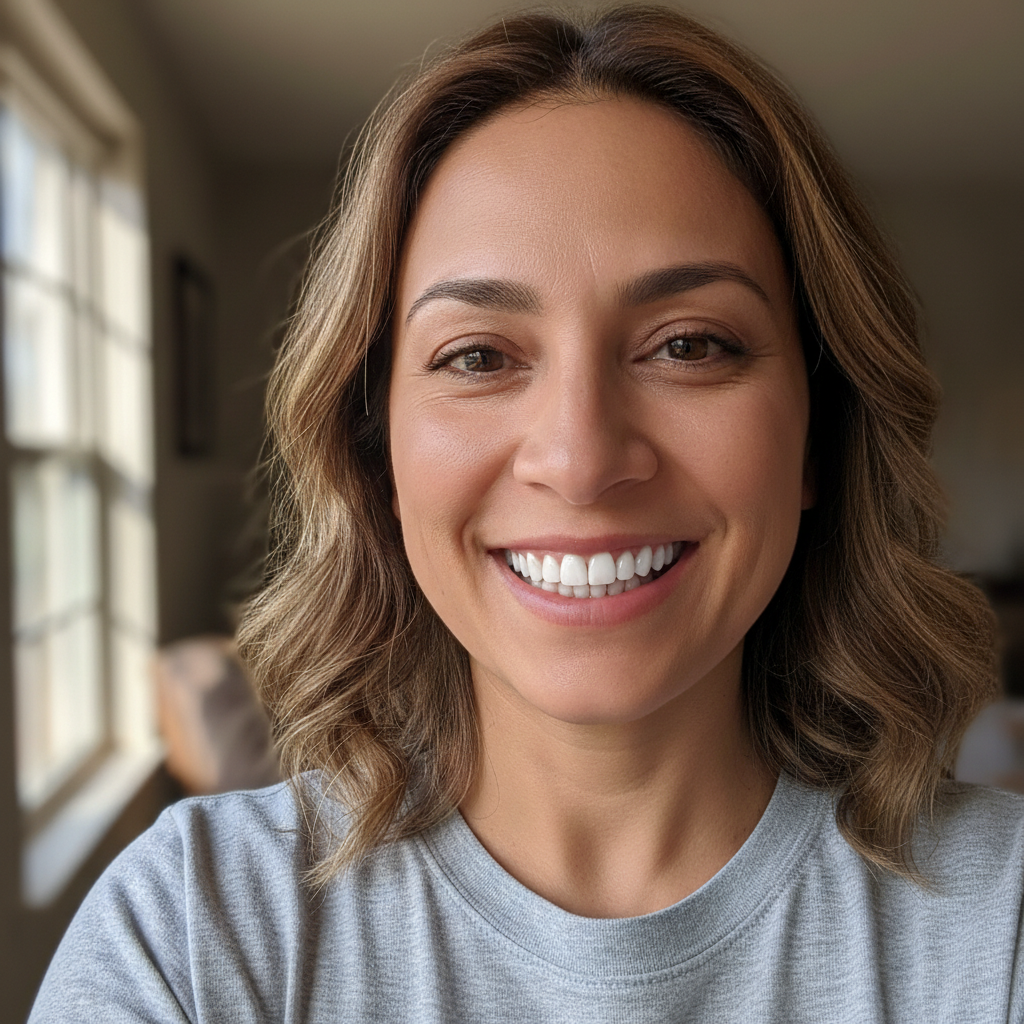
Selfie showing noticeably yellow coffee-stained teeth
Before
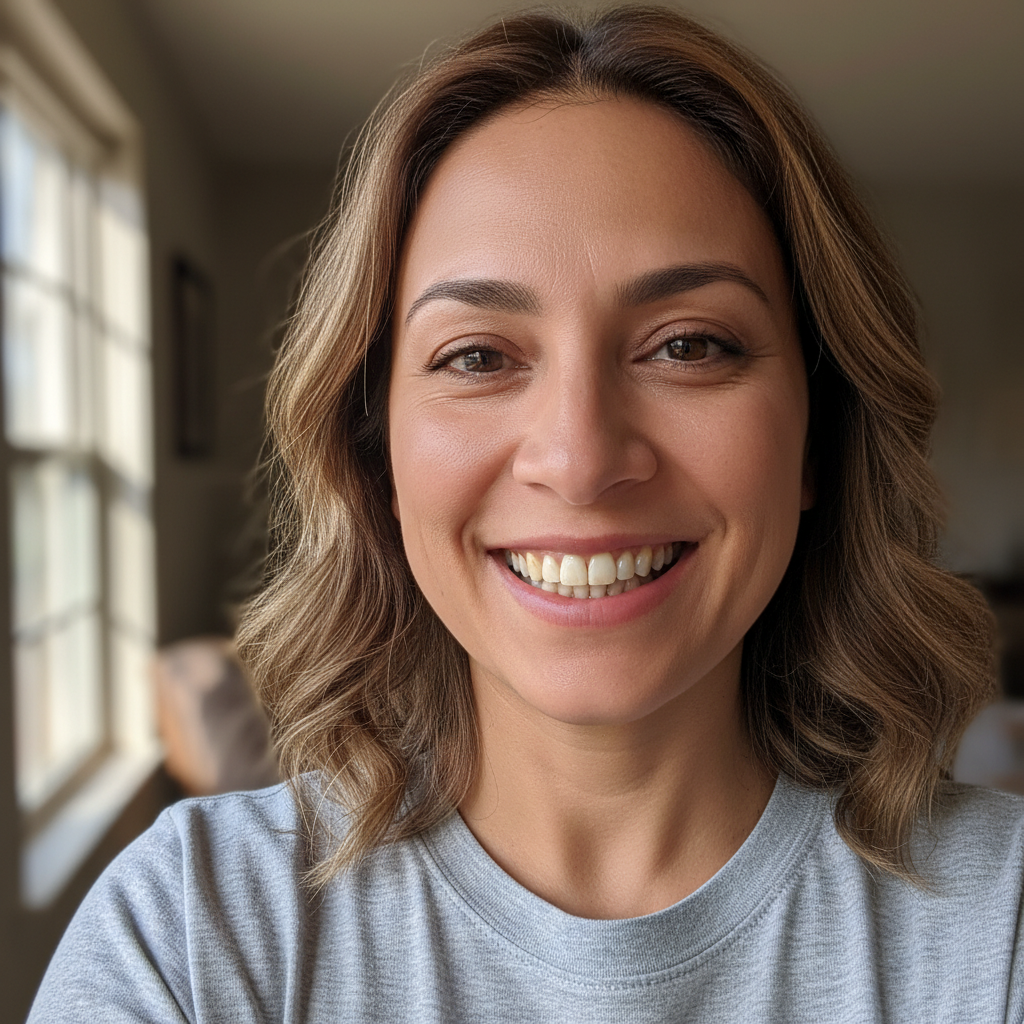
Same selfie with naturally bright white healthy smile
After

Your Teeth Look Yellow in Photos? Fix It Free | EditThisPic

Drop your photo here

or click to browse

Release to upload

Free • No signup

Advertisement
Popular use cases:
  • Yellow teeth fix
  • Coffee stained teeth
  • Wedding photo teeth
  • Professional headshot
  • Selfie teeth whitening
  • Portrait retouching
  • Stained teeth removal

Cost
Free No signup required
Time
Instant results in 15-30 seconds
Works on
Any device - browser, phone, tablet, desktop
Powered by
AI-powered photo editing
Scenario Prompt Time
Yellow teeth fix fix the yellow teeth and make them look naturally white 15s
Coffee stain removal remove yellow coffee stains from teeth, brighten naturally 15s
Wedding photo fix yellowed teeth to match brightness of outfit, keep natural 20s
Group photo fix all yellow teeth in photo, brighten everyone naturally 25s

How it works

  1. Upload your photo

    Drop your photo into EditThisPic. JPG, PNG, and WebP up to 7MB work best. Any photo where yellowed teeth are visible will work—selfies, portraits, group photos, even old scanned prints.

    Expect: Simple portraits: 10-20 seconds. Group photos with multiple people: may need separate prompts for each smile.
  2. Describe the problem

    Type 'fix the yellow teeth' or 'remove yellow stains and brighten teeth naturally.' That's it. The AI finds the yellowed teeth automatically, removes staining, and whitens them to a natural healthy shade. No marking or selecting needed.

    Tip: Add 'naturally' to avoid over-whitening. 'Fix yellow teeth naturally' gives better results than 'make teeth pure white.'

    Copy one of these to get started:

    My teeth look yellow in this photo fix the yellow teeth and make them look naturally white and healthy
    Coffee stains are visible in my smile remove yellow coffee stains from teeth and brighten to natural white
    My teeth look discolored compared to my wedding dress fix the yellowed teeth so they match the brightness of my outfit, keep natural
    Professional headshot but teeth look stained remove yellow discoloration from teeth for professional appearance, subtle enhancement
    2 more prompts
    Everyone's teeth look yellow in this group photo fix all the yellow teeth in this photo, brighten everyone's smiles naturally
    Old photo where teeth have yellowed over time restore the yellowed teeth to look naturally white like they used to
  3. Review the result

    Check that teeth look naturally white, not artificially bright. Zoom in to verify the yellow stains are gone and the color looks even. The goal is a healthy-looking smile, not Hollywood-white veneers.

  4. Refine if needed

    If some teeth still look yellow or the whitening is uneven, tap a marker on those specific teeth and regenerate. This is rarely needed for straightforward portraits.

    Tip: If the AI missed some yellowed teeth, tap a marker directly on them and try 'whiten these specific teeth naturally.'
Try it free

Your Teeth Look Yellow in Photos? Fix It Free | EditThisPic

Drop your photo here

or click to browse

Release to upload

Free • No signup

"I was so embarrassed by my yellow teeth in photos. This made them look naturally white without looking fake. Life-changing." @ConfidentSmiler

See it in action

Selfie showing noticeably yellow coffee-stained teeth
Before
->
Same selfie with naturally bright white healthy smile
After

Selfie with coffee-stained teeth

Casual selfie where years of coffee drinking left visible yellow stains. One prompt removed the discoloration and created a naturally bright smile.
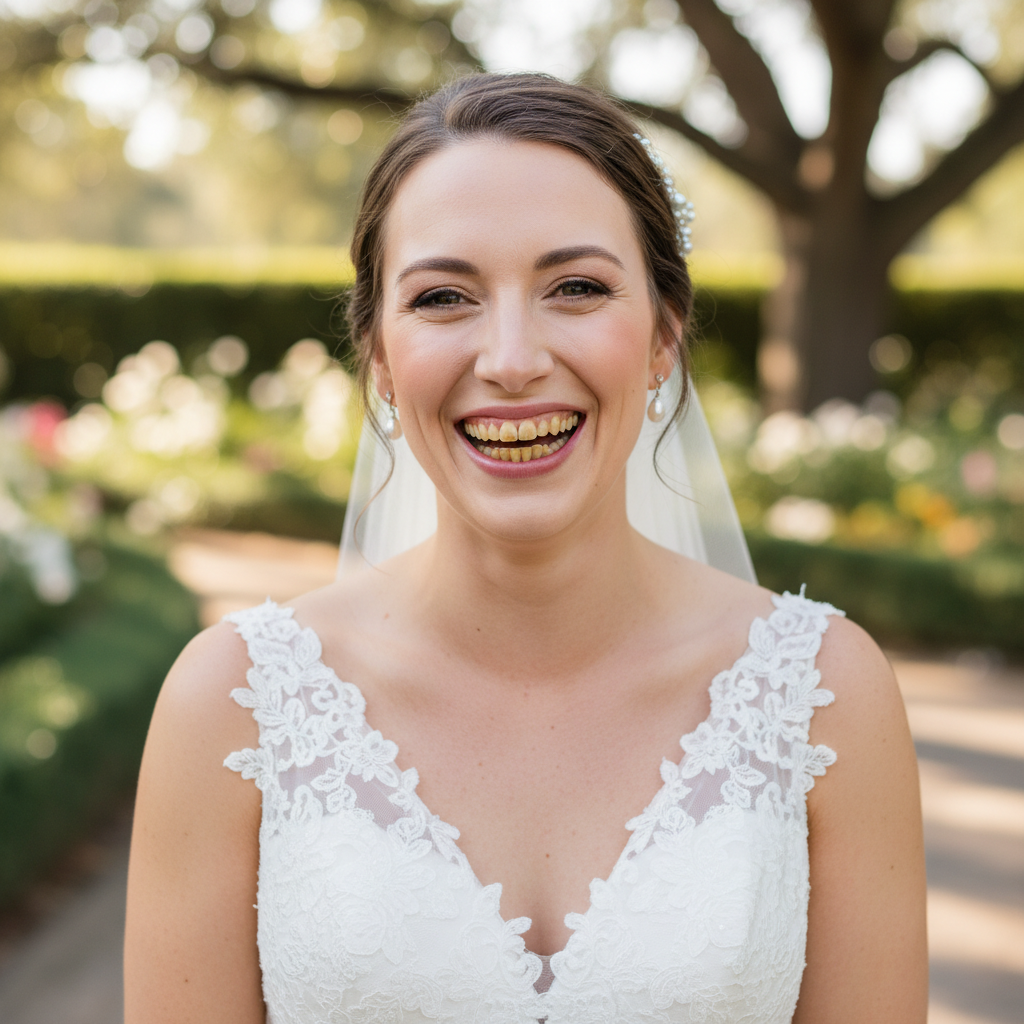
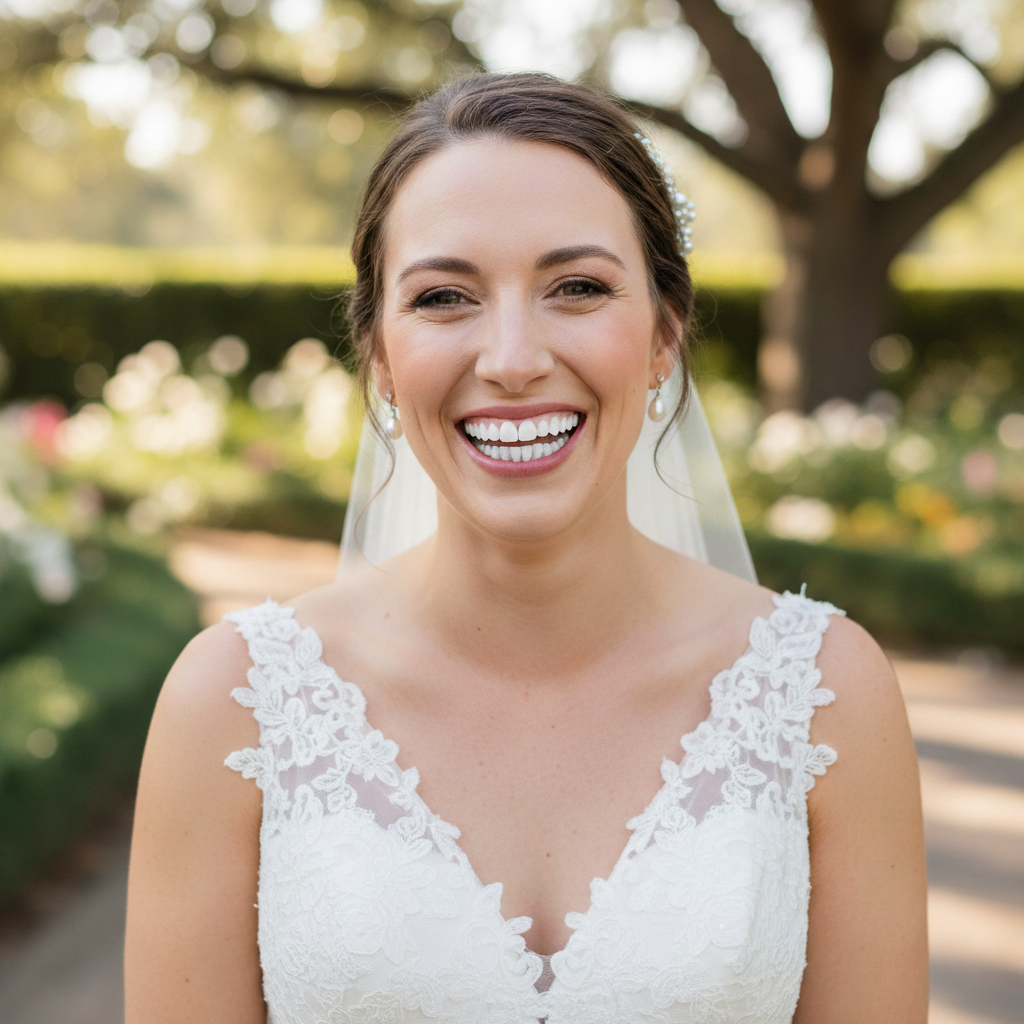
Prompt: fix the yellow teeth and make them look naturally white and healthy
Bride with yellowed teeth contrasting against white dress
Before
->
Bride with naturally bright smile matching her dress
After

Wedding portrait with yellow teeth

Bride's smile looked yellowed next to her white dress. Fixed the discoloration while keeping the natural look appropriate for wedding photos.

Prompt: fix the yellowed teeth so they match the brightness of my outfit, keep natural
Advertisement

If something looks off

AI didn't fix the yellow color or teeth still look stained

Why: The AI may have interpreted the request too conservatively or didn't apply enough whitening to overcome the staining.

Try: remove all yellow and brown stains from teeth completely, brighten to healthy natural white

Tip: Being explicit about 'remove stains completely' tells the AI to be more aggressive with the correction.

Teeth now look unnaturally white or fake

Why: The AI overcorrected and made teeth too bright. This happens when the prompt doesn't include 'natural' or 'subtle.'

Try: fix the yellow teeth but keep them looking naturally white, not fake or too bright

Tip: Always include 'natural' or 'healthy' in your prompt to prevent artificial-looking results.

Some teeth are still yellow while others are white

Why: Lighting or angle differences can cause uneven results, or some teeth may have been in shadow.

Try: make all teeth the same natural white color, even out any remaining yellow

Tip: Tap markers on the teeth that are still yellow to target them specifically.

The AI changed my lips or gums along with teeth

Why: The AI may have expanded the editing area beyond just the teeth surface.

Try: fix only the yellow teeth, don't change lips or gums or skin tone

Tip: Being explicit about what NOT to change keeps the AI focused on just the teeth.

Quick answers

Why do my teeth look yellow in photos?

Teeth naturally have a slightly yellow tint, but photos can make it worse. Coffee, tea, red wine, and smoking cause staining over time. Camera lighting and white balance can also exaggerate yellowing—especially when you're wearing white or standing next to someone with whiter teeth. The contrast makes your teeth look more yellow than they actually are.

Do I need to mark the yellow teeth before fixing?

No! Just type 'fix the yellow teeth' and the AI finds them automatically. Markers are only needed if the AI affects the wrong area or you need to target specific teeth that it missed. For most photos, the AI handles everything without any marking.

Will this work on old photos where teeth have yellowed?

Yes. Whether it's yellowing from age, staining from food and drinks, or just poor photo lighting, the AI can fix it. Try 'restore yellowed teeth to natural white' for old photos. The AI works on scanned prints, vintage photos, and digital images equally well.

How do I avoid making teeth look fake or too white?

Always include 'natural' or 'healthy' in your prompt. 'Fix yellow teeth naturally' gives better results than 'make teeth pure white.' Real healthy teeth aren't blindingly white—they're a natural off-white or cream color. The AI knows this when you use 'natural' in your description.

Can I fix yellow teeth in a group photo?

Yes. Type 'fix all the yellow teeth in this photo naturally' to enhance everyone's smile at once. For very large groups, you may need to tap markers on specific people if the AI misses some smiles, but it usually handles multiple people well.

Is this better than using a teeth whitening filter?

Yes, because you describe the exact problem. Filters apply the same preset to everyone—sometimes making already-white teeth glow unnaturally. Here you can say 'fix the yellow stains but keep it natural' and the AI adjusts specifically for your photo. You get custom results, not a one-size-fits-all filter.

Ready to fix those yellow teeth?

Free to try. No signup required.

Try it free