Make a Discord Avatar From Any Photo
Last updated
Make your Discord PFP actually memorable instead of just another generic avatar.
Drop your photo here
"replace background with dark purple to black gradient, add subtle neon glow around the subject, moody lighting"
Release to upload
Built for Discord Users and Gamers
Your Discord avatar is your identity across every server you join. A memorable PFP makes you recognizable and shows personality. EditThisPic lets you transform any photo into a unique avatar with effects, color grading, and backgrounds that match your vibe. No art skills needed.
Tools for Discord Avatars
Replace Background
Swap plain backgrounds for dark gradients, space scenes, or solid colors
Enhance Colors
Add vibrant, saturated colors that pop in small avatar sizes
Change Background
Quick background swaps for themed avatars
Blur Background
Focus attention on your face with background blur
Enhance Photo
Overall quality boost for clearer avatars
How to AI Photo Editor for Discord Profile Photos
-
Choose your base photo
Pick a photo that shows what you want featured: your face, your pet, artwork, or any image. Square or close-to-square crops work best since Discord avatars are circular. High contrast images look better at small sizes.
Simple background swap: 20-30 seconds. Effects and color grading: 25-35 seconds.Discord displays avatars at tiny sizes in chat. Choose photos with clear subjects and good contrast that read well small. -
Describe your avatar style
Type what you want: 'replace background with dark gradient, add subtle purple glow' or 'make colors more vibrant and saturated' or 'add cyberpunk neon lighting effect.' Be specific about colors and mood.
Combine multiple effects: 'dark background, vibrant colors, slight glow around edges' gets you further in one edit. -
Check at small size
Zoom out to see how your avatar looks at Discord's typical display sizes. Details should be clear, colors should pop, and your subject should be immediately recognizable even at thumbnail scale.
Copy-Paste Prompts for Discord Avatars
replace background with dark purple to black gradient, add subtle neon glow around the subject, moody lighting
Dark backgrounds with glows look great in Discord's dark mode and stand out in member lists
enhance colors to be extremely vibrant and saturated, bold punchy look, make it pop at small sizes
Oversaturated colors that look intense in editing often look perfect at avatar size
replace background with solid dark blue color, keep subject sharp and clear, clean edges
Solid colors create clean, professional-looking avatars that work anywhere
add RGB lighting effect, colorful gradient glow, replace background with dark, gaming aesthetic
RGB-style lighting matches gaming setups and streaming communities
Show 4 more prompts
add cyberpunk neon lighting in pink and blue, dark background, futuristic glow effect around edges
Cyberpunk aesthetics are instantly recognizable and popular in gaming communities
soften colors, add pastel tint, dreamy soft glow, replace background with soft gradient pink to purple
Softer aesthetics work well for anime communities and art servers
add spooky orange and purple lighting, dark shadowy background, eerie Halloween mood
Seasonal themed avatars show you're active and engaged with the community
sharpen all details significantly, boost contrast, enhance clarity for small display sizes
Extra sharpening helps avatars stay crisp when Discord shrinks them down
| Edit Type | Prompt | Time | |
|---|---|---|---|
| Neon glow | dark gradient background, neon glow effect |
25s | Try This → |
| Vibrant colors | extremely vibrant and saturated colors |
15s | Try This → |
| Solid background | replace background with solid dark color |
20s | Try This → |
| RGB gaming | RGB lighting effect, dark background, gaming aesthetic |
30s | Try This → |
Real Examples
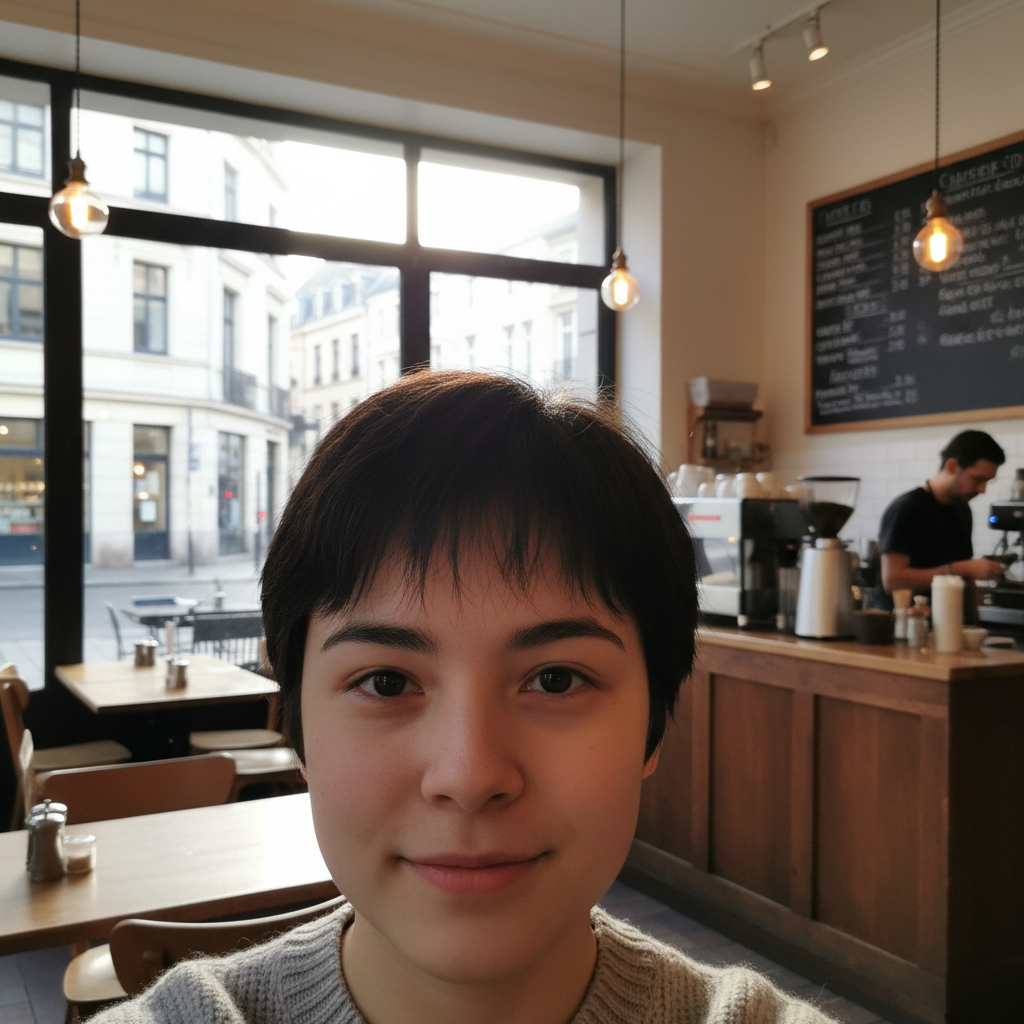
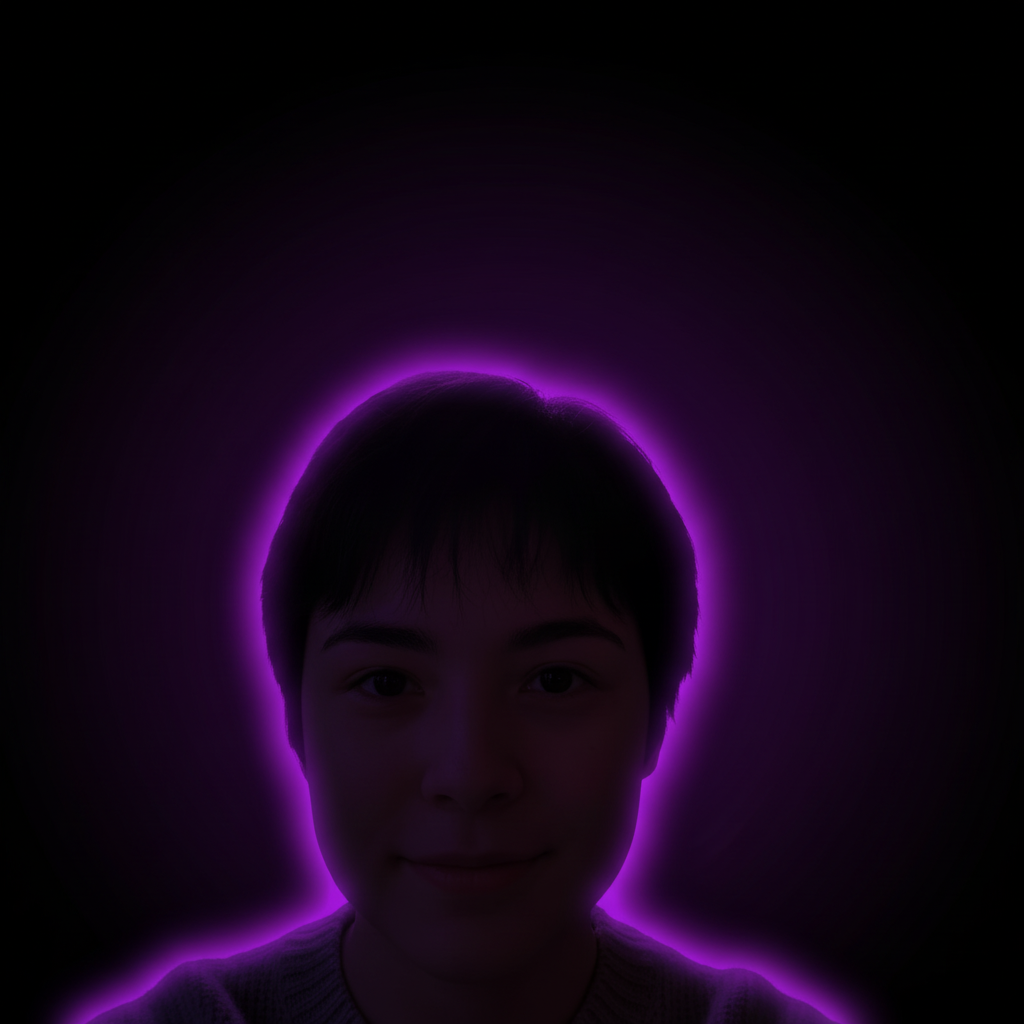
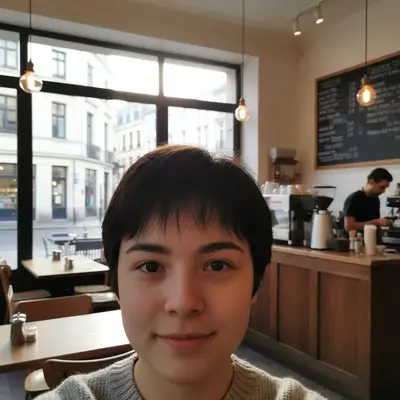
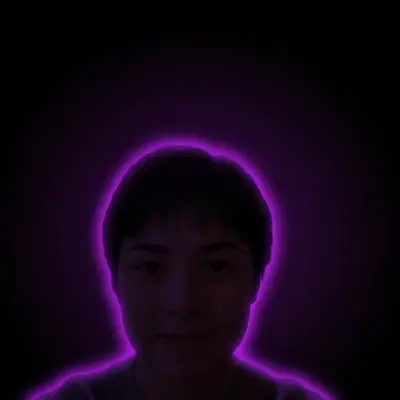
Selfie to neon avatar
Regular phone selfie transformed into a glowing Discord avatar with dark gradient background and purple neon accents.
replace background with dark purple to black gradient, add neon purple glow around me, moody lighting
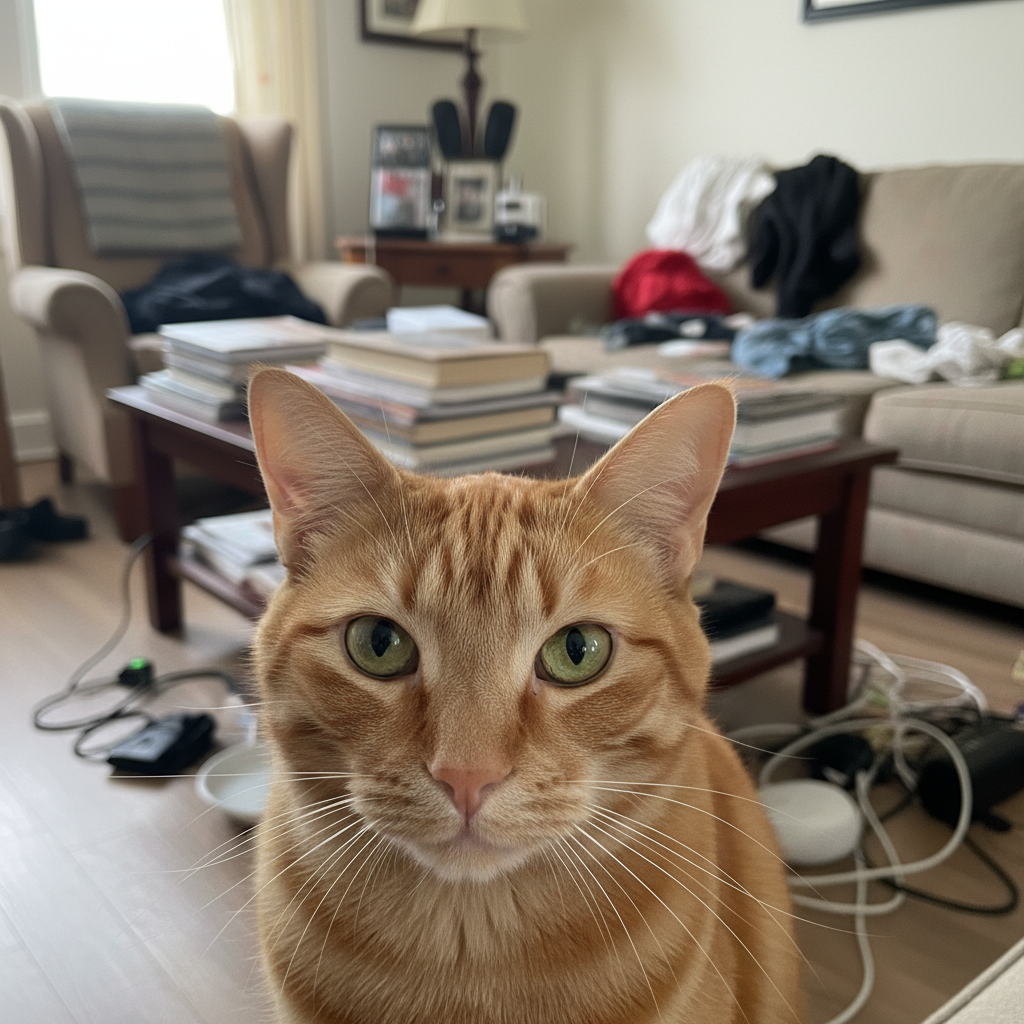
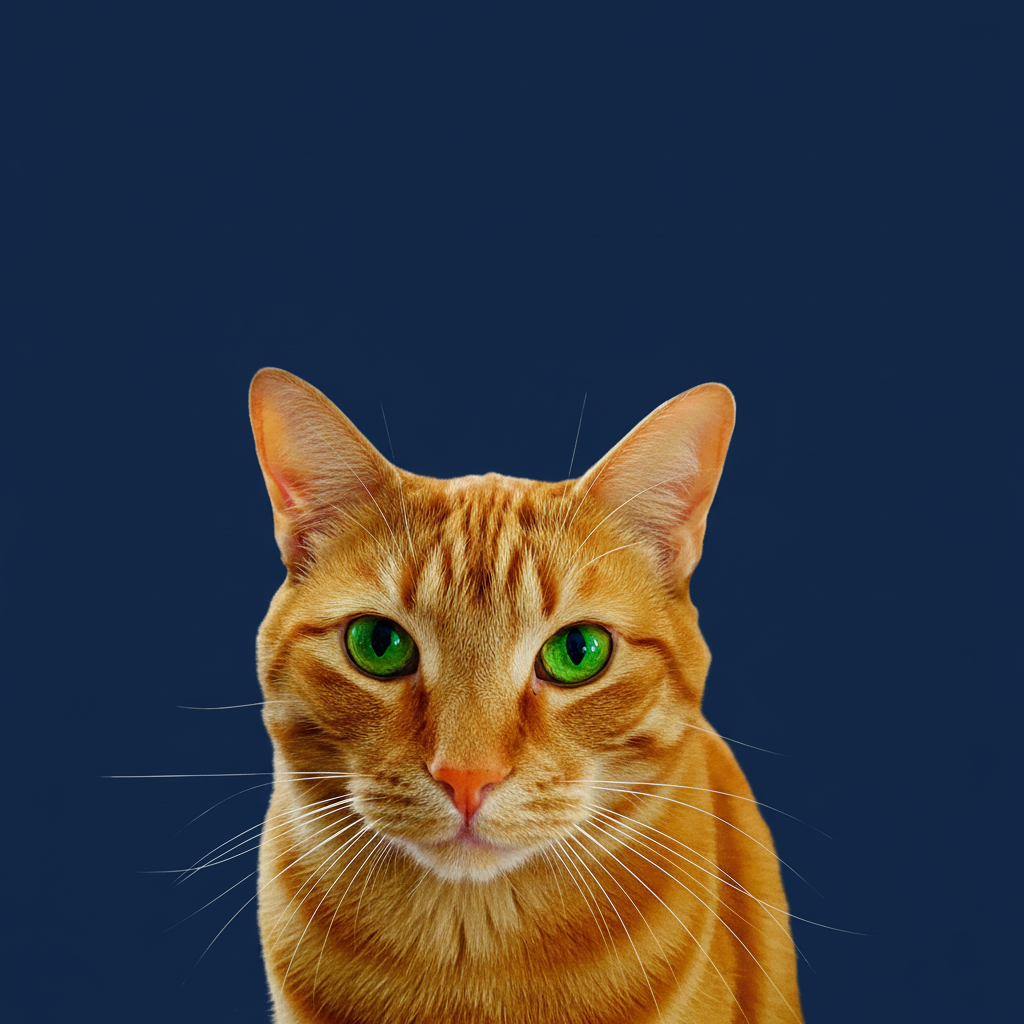
Pet photo avatar
Cat photo enhanced with vibrant colors and clean background for a standout Discord PFP.
replace background with solid dark blue, make colors extremely vibrant and saturated, sharp and clear
When Things Go Wrong
Effects look too subtle at avatar size
Why: Effects that look balanced at full size often disappear when shrunk to Discord's small avatar dimensions.
Always preview at small size. What looks over-the-top in editing often looks perfect as an avatar.
Subject blends into new background
Why: If your subject and the new background have similar colors or brightness, they'll merge together visually.
add contrast between subject and background, make subject pop more against the background
Choose backgrounds that contrast with your subject. Dark hair? Lighter background. Light subject? Dark background.
Glow effect looks unnatural
Why: Glow effects can look pasted-on if they don't match the lighting direction of the original photo.
Start with 'subtle glow' and increase intensity gradually rather than starting intense.
Details get muddy or blurry
Why: Heavy color grading or effects can obscure fine details needed for avatar recognition.
Apply effects to background first, then decide if the subject needs enhancement too.
Colors look different after upload to Discord
Why: Discord's compression and display can shift colors slightly from what you see in editing.
Slightly oversaturated and high-contrast images hold up better to Discord's processing.
Frequently Asked Questions
What size should my Discord avatar be?
Discord recommends 512x512 pixels minimum, but displays avatars much smaller in chat and member lists. Work with a square image, and make sure your subject is clear and recognizable even when zoomed way out. Test by looking at your image as a tiny thumbnail before uploading.
Why does my avatar look different on Discord than in the editor?
Discord compresses images and displays them at various small sizes. Colors can shift slightly, and fine details may disappear. To compensate: boost saturation and contrast a bit more than looks necessary, ensure high contrast between subject and background, and avoid tiny details that won't survive shrinking.
Can I use any photo for my Discord avatar?
Yes, but some work better than others. Best: close-up faces, pets, clear artwork, high-contrast images. Challenging: group photos (crop to one person), landscape scenes (too much detail for small display), low-contrast images (subject gets lost). Square or nearly square photos work best.
How do I make my avatar stand out in a busy server?
Contrast is key. Dark backgrounds with bright subjects (or vice versa), bold colors, and clear edges all help. Avoid muted colors or busy patterns. Glow effects around your subject create separation. Test by imagining your avatar next to 50 others in a member list.
Can I create different avatars for different servers?
Discord Nitro lets you use different avatars per server. Even without Nitro, you can save multiple versions from EditThisPic for seasonal changes or when you want a fresh look. Keep your base photo and try different effects.
Will effects make my avatar look fake or over-edited?
That depends on the effect intensity and Discord community norms. Gaming servers expect bold, stylized avatars. Professional servers might prefer subtle enhancements. Start with 'subtle' effects and increase if needed. The right amount depends on where you're using it.
Is EditThisPic's AI photo editor for discord profile photos really free?
Yes. EditThisPic gives you one free Fast edit per week with no account, no email, and no watermark on your finished avatar. If you want to spin up several Discord PFPs at once — say a different vibe per server — the Lite plan is $4.99/month for 15 credits, and the smallest top-up is a $1.99 three-edit pack with no subscription. Plenty for someone refreshing one or two profile photos.
Can I make a Discord profile photo on my phone?
Yes. EditThisPic runs entirely in any modern mobile browser — Safari on iPhone, Chrome on Android, and tablets — so you can shoot a selfie, edit it into your perfect Discord PFP, and upload it to Discord without ever leaving your phone. Save the result back to Photos and use Discord's normal profile picture flow. There is also a native iOS app on the App Store if you'd rather have a home-screen shortcut.
Popular use cases
Ready to level up your Discord profile?
Free to try. No signup required. No watermarks.
Create Your AvatarTrusted by 15,000+ users