Free • No signup Add Light painting · Free

AI Light Painting Effect

Describe the light trails you want and AI paints them with realistic glow.
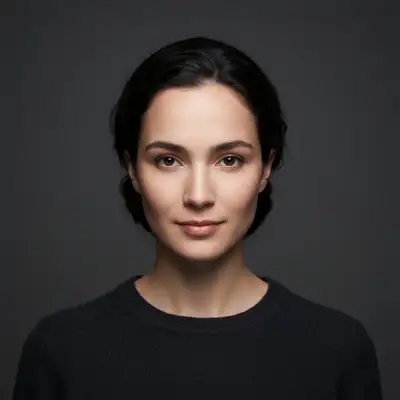
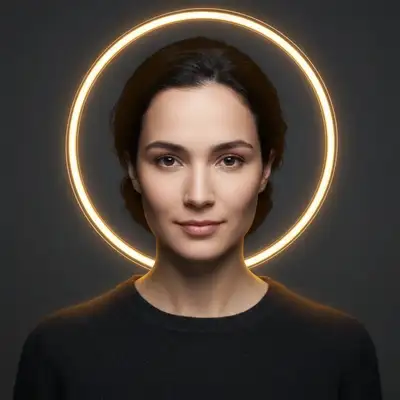
Portrait before adding light painting halo
Before
Portrait with glowing golden halo light trail added
After

Add Light Painting Effect to Photos

Drop your photo here

or click to browse

Release to upload

Free • No signup

Advertisement
Popular use cases:
  • creative portraits
  • artistic photography
  • music album covers
  • event photography
  • dance photography
  • product showcases
  • fantasy photography
  • Instagram art

Cost
Free No signup required
Time
Instant results in 15-30 seconds
Works on
Any device - browser, phone, tablet, desktop
Powered by
AI-powered photo editing
Scenario Prompt Time
Circular halo add glowing golden light trail forming a perfect circle around the subject's head like a halo 35s
Spiral trails paint bright blue light trails spiraling upward from the bottom of the frame 40s
Heart shape add glowing pink and red light trails forming a heart shape in the center 35s
Sweeping streaks create flowing light streaks sweeping from left to right, gradient from orange to yellow 30s
Orbiting particles add dozens of small glowing white light particles orbiting around the subject 45s

How it works

  1. Upload your photo

    Drop your image into EditThisPic. JPG, PNG, WebP up to 7MB. Light painting works best on photos with clear subjects and moderate to dark backgrounds—the contrast makes light trails pop. Photos shot in low light or at night are ideal, but daytime photos work too.

    Expect: Simple light trails (single streak or circle): 30-40 seconds. Complex patterns with multiple colors and spiral paths: may need 45-60 seconds and 2-3 refinements for precise placement.
  2. Describe the light painting

    Type your instruction: 'add glowing blue light trails spiraling from bottom left to top right' or 'paint golden light streaks forming a circle around the subject's head like a halo.' Be specific about color, motion path (spiral, wave, zigzag, circle), starting and ending points, and intensity. The AI understands light painting terminology like 'glow,' 'trails,' 'motion blur,' and 'light streaks.' No marking needed for simple patterns.

    Tip: Describe the path of motion: 'spiraling,' 'sweeping from left to right,' 'orbiting around center.' This helps the AI create realistic motion blur and trail direction.

    Copy one of these to get started:

    Circular light halo around subject add glowing golden light trail forming a perfect circle around the subject's head like a halo, with soft warm glow and slight motion blur
    Spiral light trails from ground paint bright blue light trails spiraling upward from the bottom of the frame, wrapping around the subject with decreasing intensity as they rise
    Heart shape light painting add glowing pink and red light trails forming a heart shape in the center, with soft romantic glow and subtle sparkles
    Sweeping light streaks across frame create flowing light streaks sweeping from left to right across the entire frame, gradient from orange to yellow, with motion blur
    4 more prompts
    Orbiting light particles add dozens of small glowing white light particles orbiting around the subject in multiple circular paths at different speeds, creating a magical aura
    Light writing or text paint glowing blue light trails forming the word LOVE in cursive script style, positioned in the upper third of the frame with natural handwriting flow
    Zigzag lightning-style trails add sharp electric blue light trails in zigzag lightning pattern striking from top to bottom, with bright core and softer outer glow
    Rainbow light arch create a rainbow-colored light trail arching from bottom left to bottom right over the subject, with colors transitioning smoothly from red through violet
  3. Generate and check placement

    Click Generate and watch the light painting appear. Zoom in to check that trails follow the path you described and the glow looks natural. Verify light colors blend properly with the scene's ambient lighting and cast subtle reflections where appropriate.

  4. Mark for precision (if needed)

    If light trails don't follow the exact path or you want specific placement, tap markers along the desired path and regenerate. This is optional—most light paintings work from description alone. Use markers when you need trails to avoid specific areas or follow complex custom paths.

    Tip: For complex paths (like writing words with light), place 4-5 markers along the desired route to guide the AI's trail placement.
  5. Refine intensity and color

    If the glow is too bright or too dim, adjust your prompt: 'make the light trails brighter' or 'reduce the glow intensity by half.' To change colors: 'shift the blue trails to electric purple.' Regenerate with the refined description. The AI preserves the path while adjusting visual properties.

Try it free

Add Light Painting Effect to Photos

Drop your photo here

or click to browse

Release to upload

Free • No signup

"I've been doing light painting photography for years. This AI nailed the glow and motion blur perfectly. Saved me hours of setup." @nightshooter

See it in action

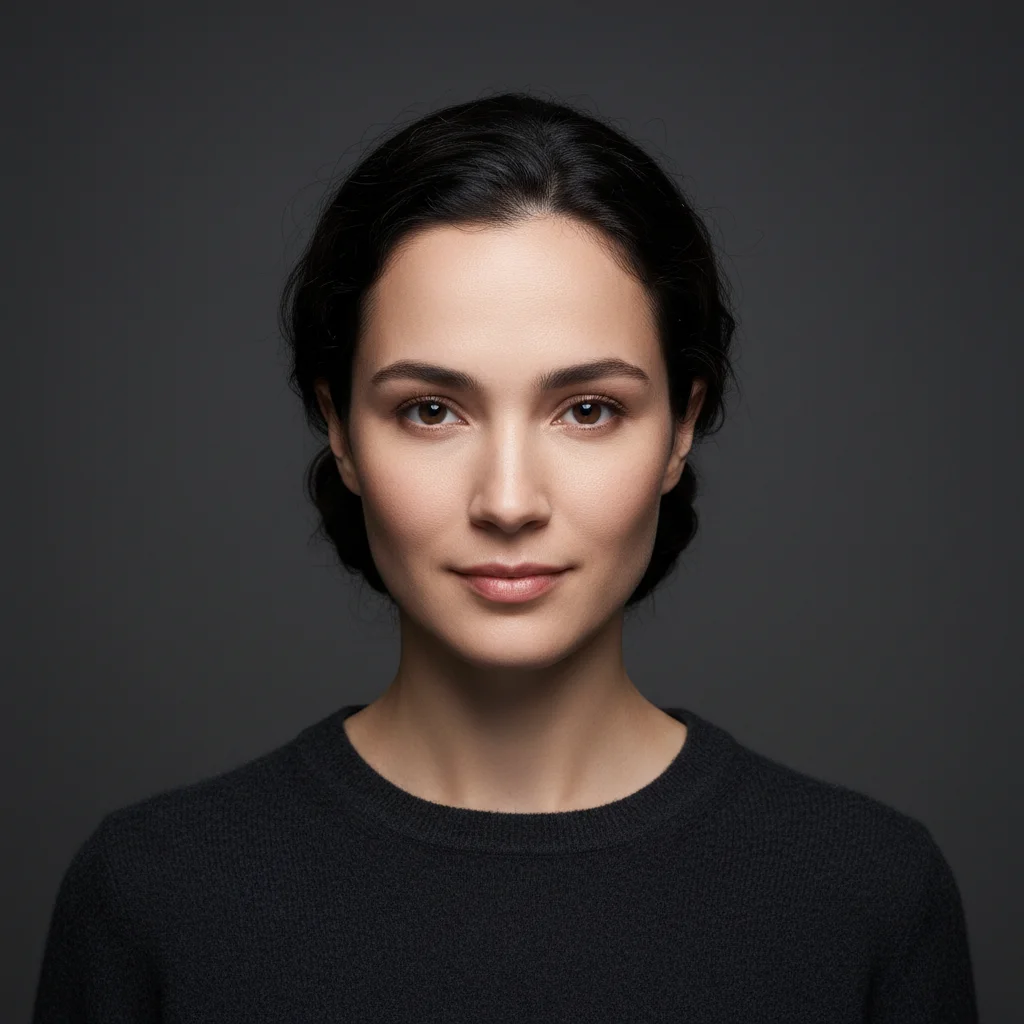
Portrait before adding light painting halo
Before
->
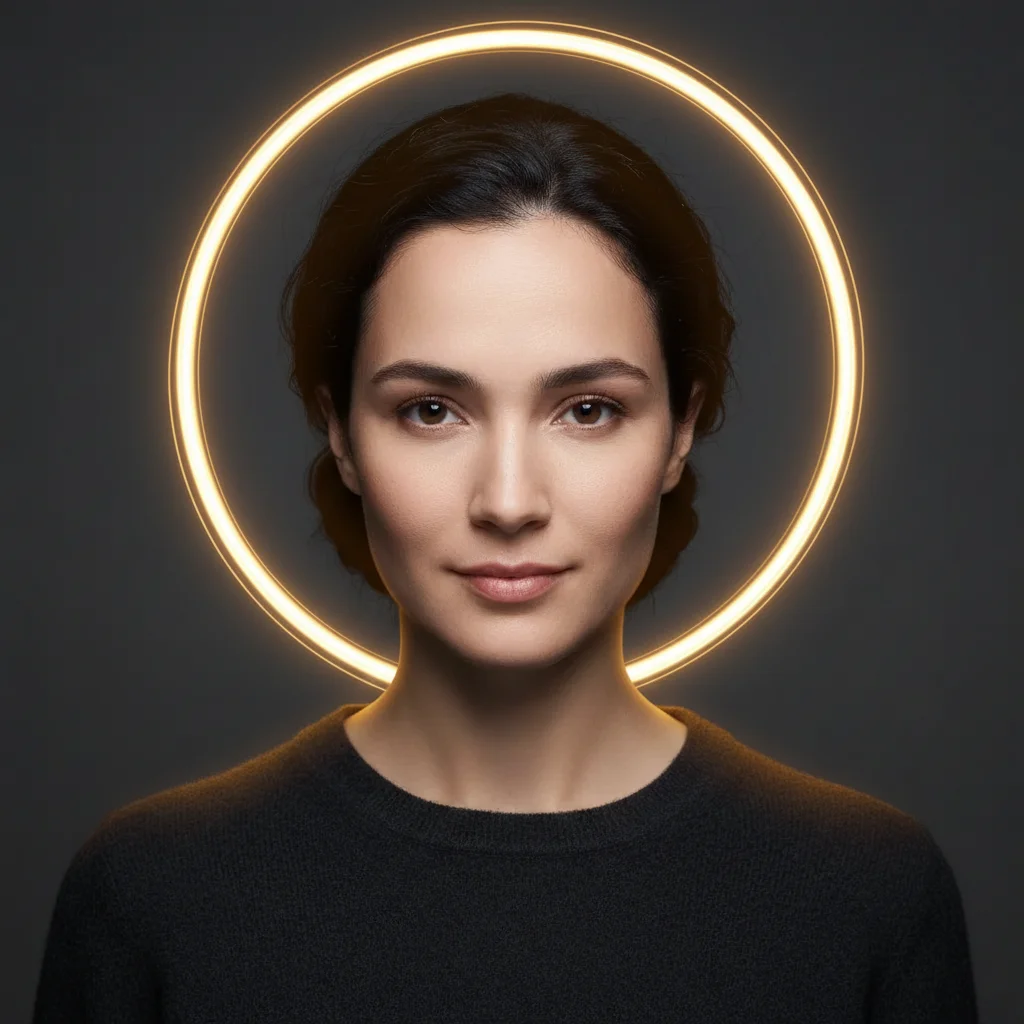
Portrait with glowing golden halo light trail added
After

Golden halo portrait

Portrait transformed with a glowing golden light trail forming a halo around the subject's head. The glow creates subtle reflections on hair and shoulders.

Prompt: add glowing golden light trail forming a perfect circle around the subject's head like a halo, with soft warm glow and slight motion blur
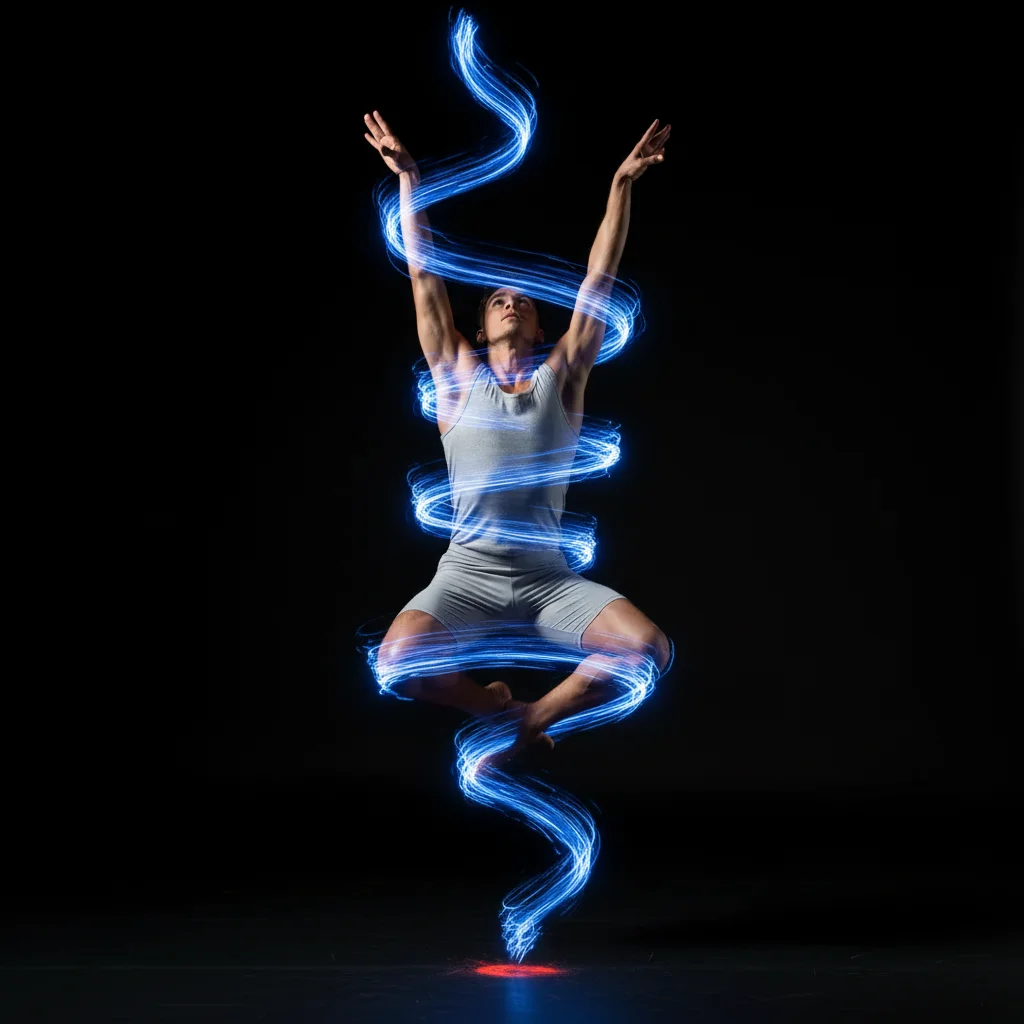
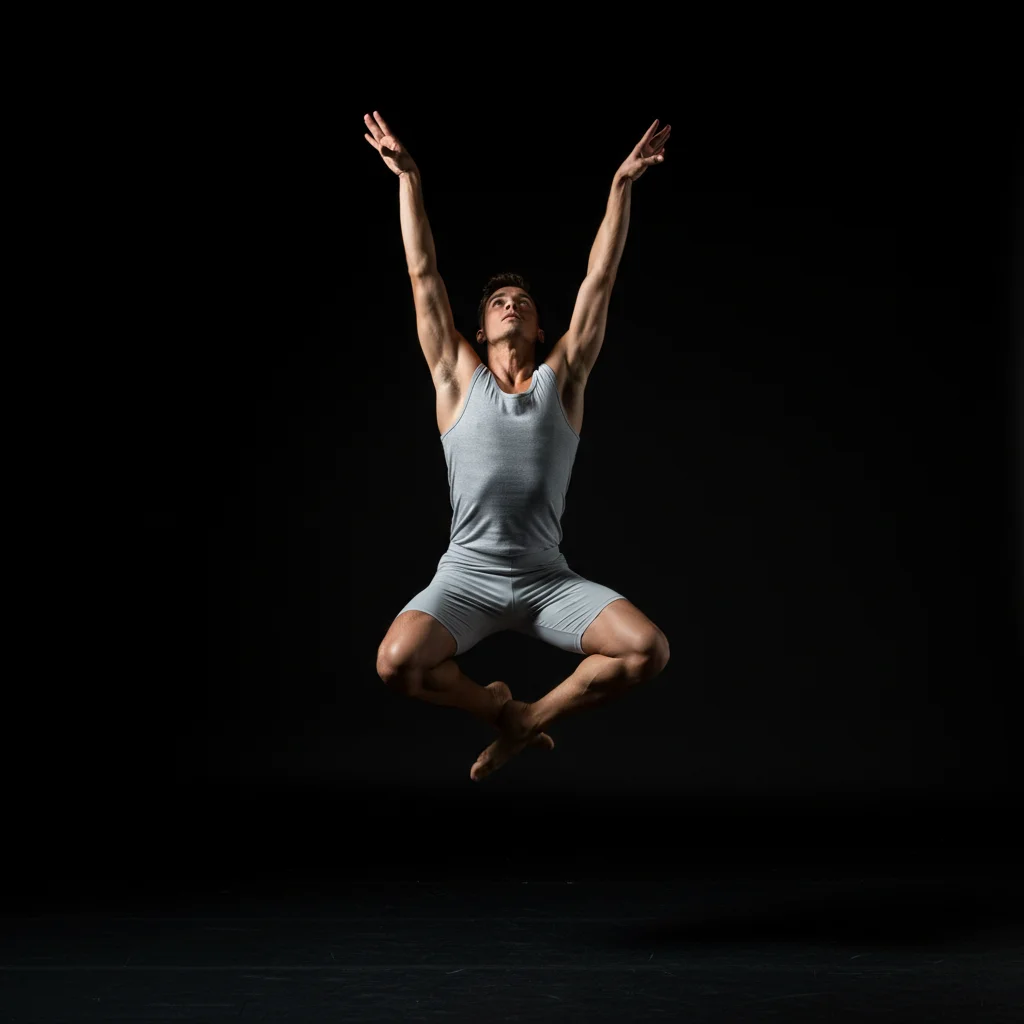
Dancer photo before spiral light trails
Before
->
Dancer with blue spiral light painting effect
After

Blue spiral light trail

Dancer photo enhanced with blue light trails spiraling upward from the ground. The trails wrap around the subject with natural motion blur and decreasing intensity.

Prompt: paint bright blue light trails spiraling upward from the bottom of the frame, wrapping around the subject with decreasing intensity as they rise
Couple photo before heart light painting
Before
->
Couple photo with glowing heart light trail between them
After

Heart light painting

Couple photo with glowing pink light trails forming a heart shape between them. Romantic glow with soft edges and subtle sparkles throughout the light.

Prompt: add glowing pink and red light trails forming a heart shape in the center, with soft romantic glow and subtle sparkles
Dusk landscape before adding light streaks
Before
->
Landscape with sweeping orange light painting across sky
After

Sweeping orange light streaks

Landscape enhanced with flowing orange-to-yellow light streaks sweeping across the sky. Motion blur creates sense of speed and energy across the entire frame.

Prompt: create flowing light streaks sweeping from left to right across the entire frame, gradient from orange to yellow, with motion blur
Advertisement

If something looks off

Light trails don't follow the path I described

Why: The AI interpreted your directional description differently, or the path is too complex for description alone.

Try: Place 3-5 markers along the exact path you want the light to follow, then regenerate with the same prompt. Or be more specific: instead of 'around the subject,' say 'starting from bottom left, curving up and right, ending at top right corner'

Tip: Break complex paths into segments: first create the main trail, then add secondary elements in separate edits.

Glow looks fake or too bright

Why: Light intensity doesn't match the scene's ambient lighting or the glow radius is too large.

Try: Request 'reduce glow intensity to match ambient scene lighting' or 'make the light trails more subtle with tighter glow radius.' For night scenes, brighter glow works; for daytime, reduce intensity significantly

Tip: Real light painting has bright cores with softer outer glow. Ask for 'bright center with soft diffused edges' for realism.

Light trails lack motion blur or look static

Why: The AI may have created static light shapes instead of motion trails with directional blur.

Try: Add motion keywords: 'with strong motion blur along the direction of movement' or 'with trailing glow showing speed and movement.' Specify direction: 'blurred in the left-to-right direction'

Tip: Light painting always shows motion. Use action words: 'sweeping,' 'spiraling,' 'flowing,' not 'placed' or 'positioned.'

Colors don't blend naturally with the scene

Why: The light color doesn't match the scene's color temperature, or there are no environmental reflections from the added light.

Try: Request 'cast subtle [light color] reflections on nearby surfaces' or 'adjust light color temperature to match the scene's cool/warm tones.' For warm scenes, use warm light colors (orange, yellow); for cool scenes, use cool colors (blue, cyan)

Tip: Light affects its environment. Ask for 'with realistic color spill on the subject's face/clothes' for believability.

Light trails disappear behind subject or go in front incorrectly

Why: The AI struggled with depth perception—determining whether light passes in front of or behind objects.

Try: Be explicit about depth: 'light trails passing BEHIND the subject' or 'light streaks in the FOREGROUND in front of the subject.' For behind: expect some trails to be occluded by the person/object

Tip: For orbiting or surrounding effects, expect light to naturally pass both in front and behind. This creates realistic 3D integration.

Multiple colors in gradient don't transition smoothly

Why: Color transitions need explicit ordering and smooth blending instructions.

Try: Specify color order clearly: 'gradient transitioning smoothly from red at the start, through orange and yellow in the middle, to green at the end with no harsh color breaks'

Tip: Limit to 2-3 colors per trail for smoothest gradients. More colors can look segmented.

Light painting text or shapes are illegible

Why: Complex shapes like letters require precise paths that are hard to describe. Handwriting-style text especially needs spatial precision.

Try: For text: simplify to block letters instead of cursive, or place markers at key letter points. Request 'bold clear letter forms' rather than 'elegant script.' For simple shapes, describe geometry: 'perfect circle,' 'equilateral triangle,' 'straight vertical line'

Tip: Start with simple geometric shapes (circle, heart, spiral). Master those before attempting text or complex icons.

Quick answers

Do I need to mark where I want the light trails?

No! For most light paintings, just describe the path and colors: 'add blue light trails spiraling around the subject.' The AI understands directional descriptions. Only use markers when you need precise custom paths that are hard to describe in words, like complex shapes or text.

How do I make light painting look realistic?

Real light painting has three key elements: bright core with soft outer glow, motion blur along the direction of movement, and subtle color reflections on nearby surfaces. Include these in your prompt: 'with natural glow, motion blur, and subtle reflections on the subject.' Also match light intensity to your scene—brighter glow for night photos, subtle glow for daytime.

Can I create light painting on daytime photos?

Yes, but reduce intensity significantly. In real light painting, bright light is only visible against dark backgrounds. For daytime photos, request 'very subtle light trails with low intensity' or consider making the background darker first: 'darken the background to evening lighting, then add bright [color] light trails.'

What's the difference between light painting and light effects?

Light painting simulates long-exposure photography where moving light sources create trails. Light effects (like lens flare or glowing edges) are static lighting changes. Light painting shows motion and path; effects show illumination without movement trails.

How do I create spiral or circular light paths?

Use motion descriptions: 'spiraling clockwise from bottom to top' or 'forming a complete circle around the subject with continuous motion blur.' Specify starting point, ending point, and direction. For orbits, mention speed: 'fast orbital light trails' vs 'slow gentle circular motion.'

Can I combine multiple light painting colors?

Yes! Describe each element: 'add blue light trails spiraling up from the left AND red light trails spiraling down from the right, crossing in the center.' Or use gradients: 'light trails transitioning from blue to purple to pink along their length.' Keep to 2-3 colors max for clean results.

Ready to create light painting art?

Free to try. No signup required.

Try it free