Pricing Colorize Black and white photo · Free

AI Photo Colorizer — Colorize Black and White Photos Free

← Browse all enhance tools

Last updated

Upload a black and white photo, describe what you want, and get a full-color version in 15 seconds — free, no account, instant preview.
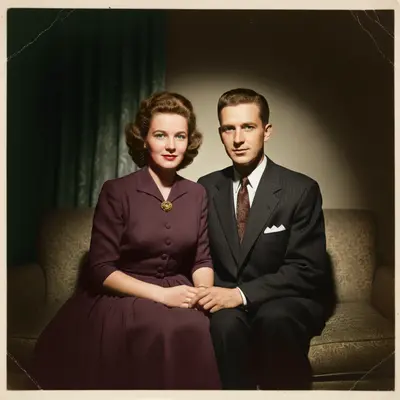
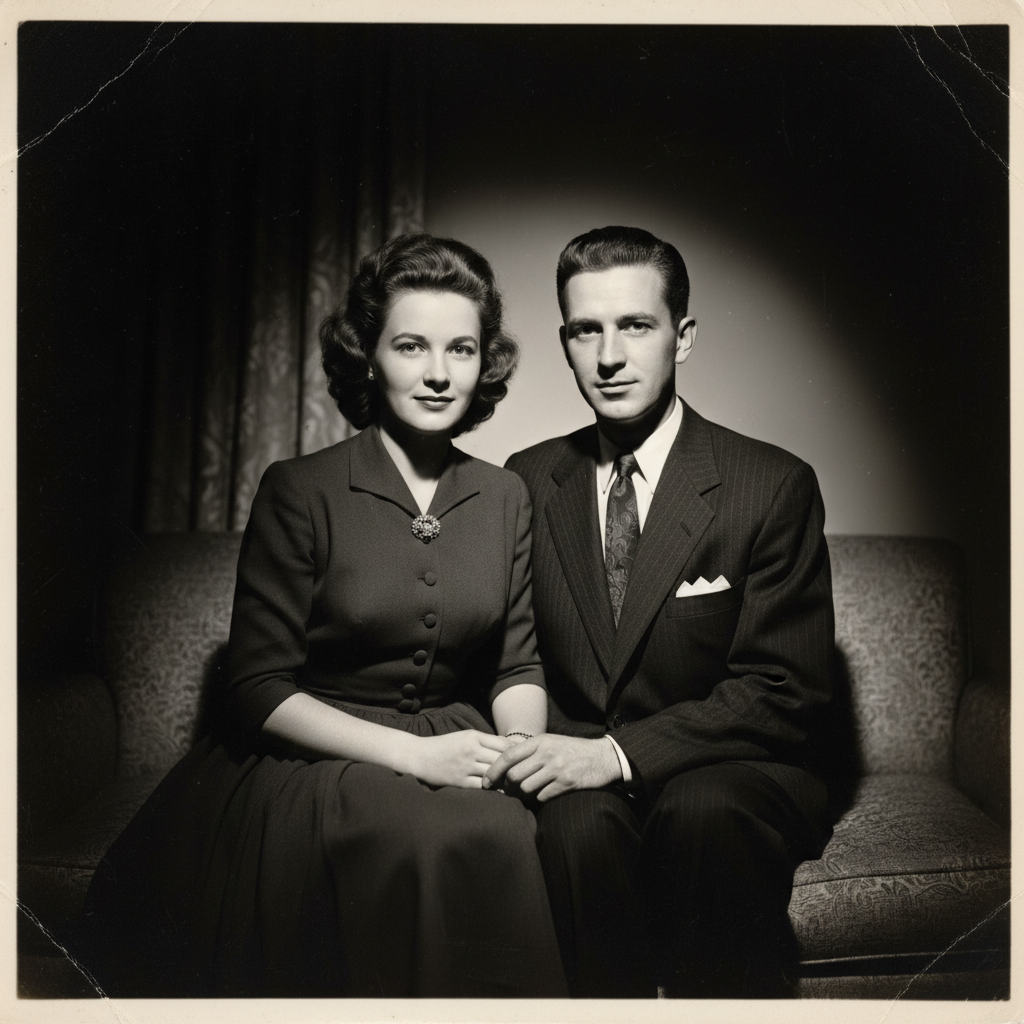
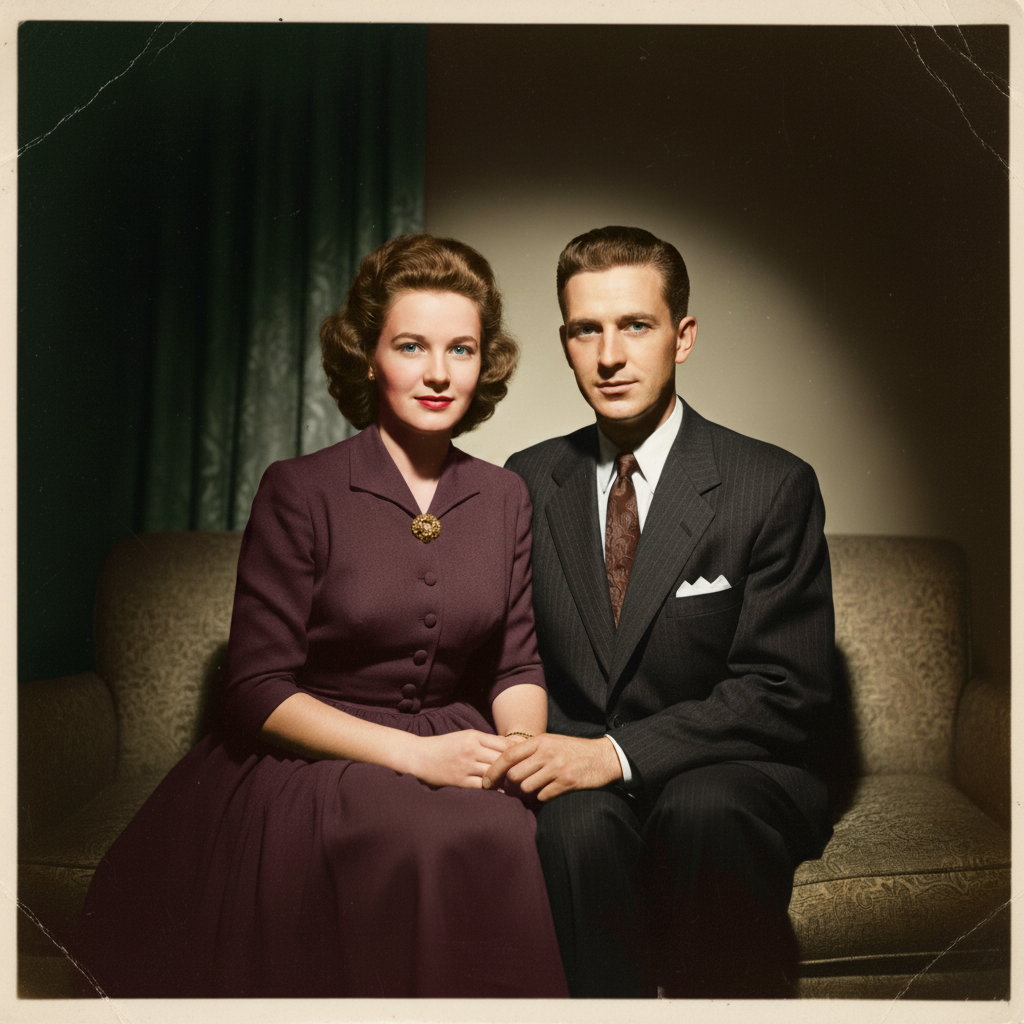
Black and white 1950s formal family portrait Colorized version showing natural warm skin tones and clothing colors

Upload photo to colorize black and white photo

"colorize this outdoor photo with natural colors — blue sky, green grass and trees, realistic warm daylight"

Free to try · no sign-up · photos are never shared

Release to upload

<30stypical edit
1 freeedit weekly
Photo on your phone? Scan to open this editor there — free edit works on your phone too.

1 free edit every week·packs from $4.99

How it works

  1. Upload your black and white photo

    Upload any grayscale or black and white photo. Scanned prints, digital archives, old JPEGs — all work. The AI handles scratches and grain that come with old photos. JPG, PNG, or WebP up to 7MB.

    Expect: Clear black and white photos take 15 seconds. Heavily damaged or very low-resolution scans may benefit from a repair prompt before colorizing.
  2. Describe the colorization

    Type your instruction: 'colorize this photo with realistic natural colors' works for most portraits. You can guide specific elements: 'the dress should be green' or 'give it warm sepia-toned skin tones' or 'make the sky a clear bright blue.' The AI fills in what it can't see contextually.

    Tip: If you know specific colors (like what color that dress actually was), tell the AI: 'the dress was navy blue.' It uses your context to override its best guess.

    Copy one of these to get started:

    Family portrait colorize this black and white family photo with realistic natural colors — warm skin tones, natural hair colors, preserve all facial detail
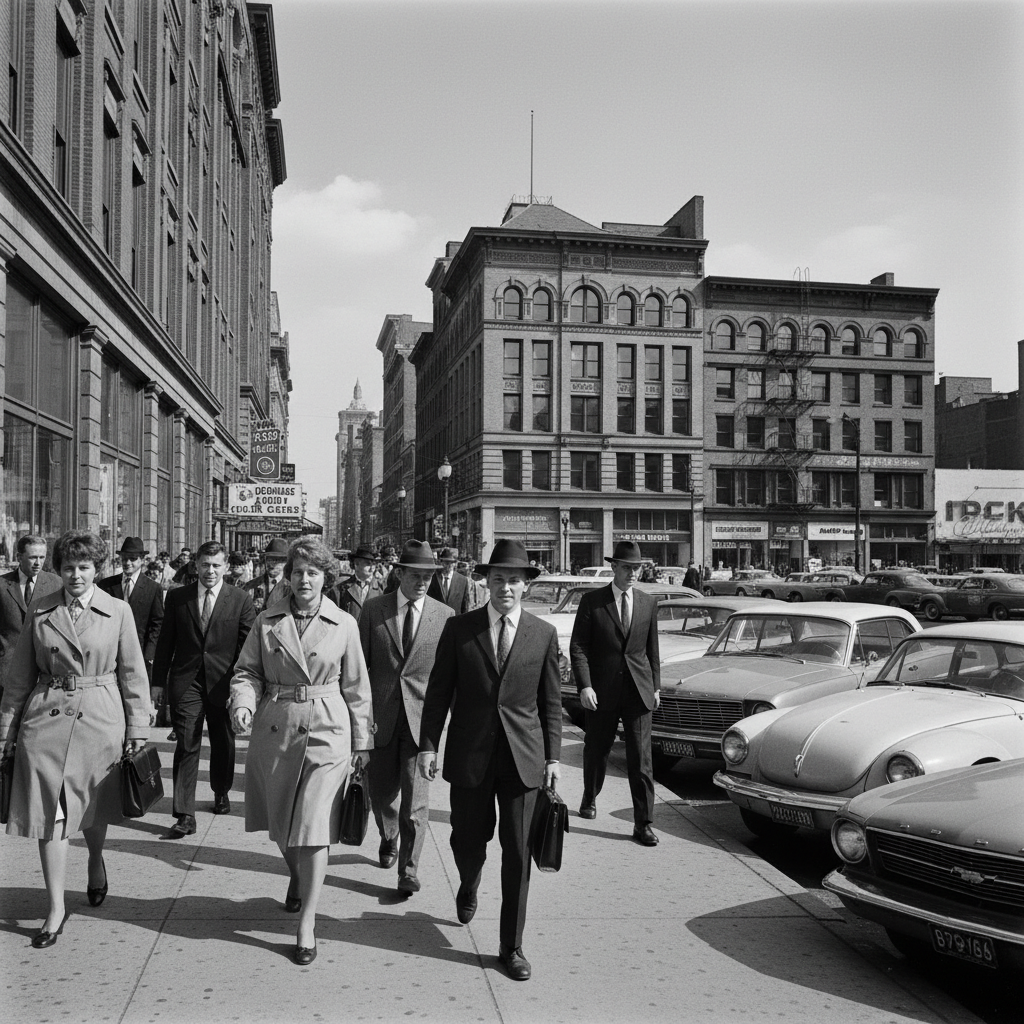
    Outdoor scene colorize this outdoor photo with natural colors — blue sky, green grass and trees, realistic warm daylight
    Specific color known colorize this photo — the dress was red, the background wall was cream white, everything else natural realistic colors
    Vintage warm look colorize this photo with warm vintage tones — slightly desaturated, nostalgic, early color photography feel
    2 more prompts
    Military / historical photo colorize this wartime military photo — realistic khaki/olive uniforms, natural skin tones, muted environment colors
    Street photography colorize this black and white street scene — brick buildings in warm brown tones, realistic city colors, natural overcast sky
  3. Review and download

    Click Generate. Compare the colorized version with the original using the before/after slider. Download the full-resolution PNG when you're happy with the result.

See it in action

Black and white 1950s formal family portrait
Before
->
Colorized version showing natural warm skin tones and clothing colors
After

1950s family portrait colorized

Classic black and white family portrait from the 1950s. Natural colors added with preserved detail.

Prompt: colorize this black and white family photo with realistic natural colors — warm skin tones, natural hair colors, preserve all facial detail
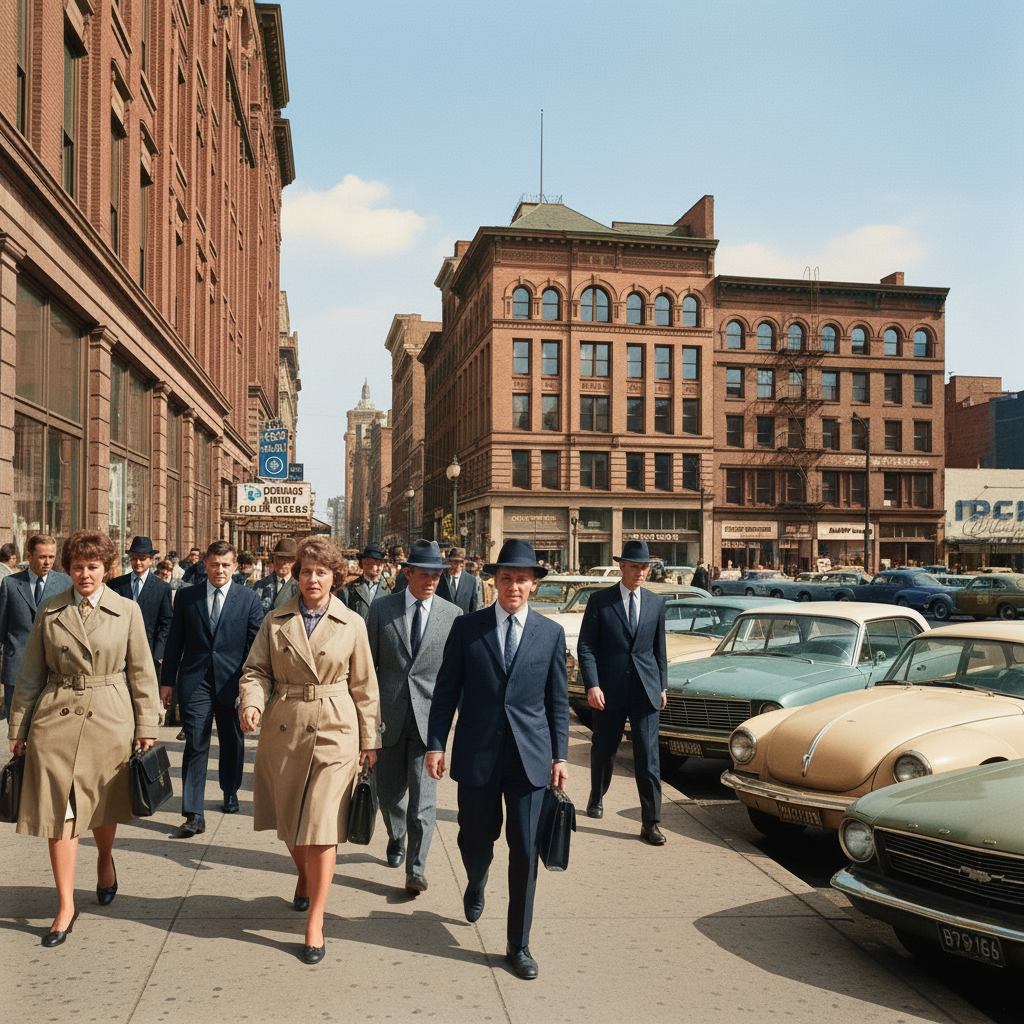
Black and white 1960s street scene with pedestrians
Before
->
Colorized street scene with blue sky, brick buildings, and period clothing colors
After

Outdoor vintage street scene

A black and white street scene from the 1960s. Buildings, sky, and pedestrians all got realistic colors.

Prompt: colorize this outdoor photo with natural colors — blue sky, realistic brick and concrete tones, warm daylight
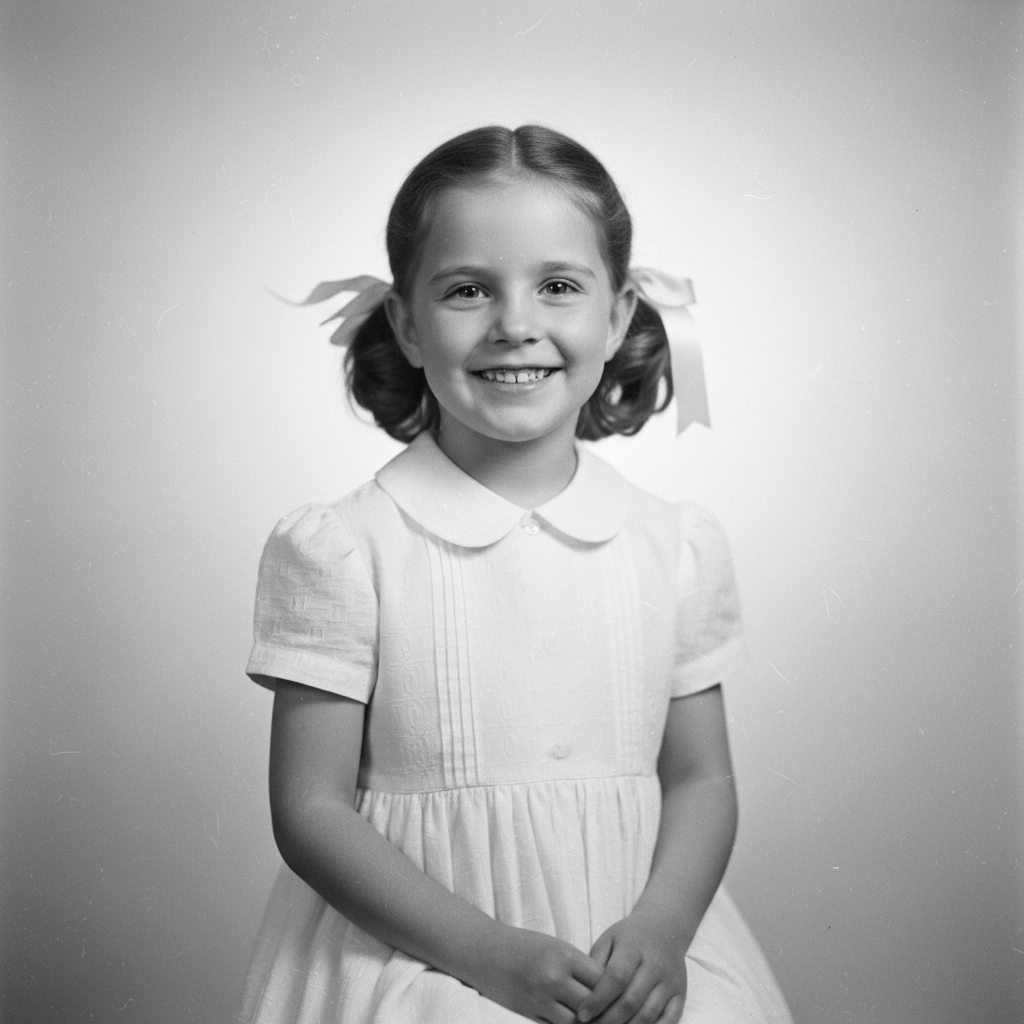
Black and white portrait of a young girl in a dress
Before
->
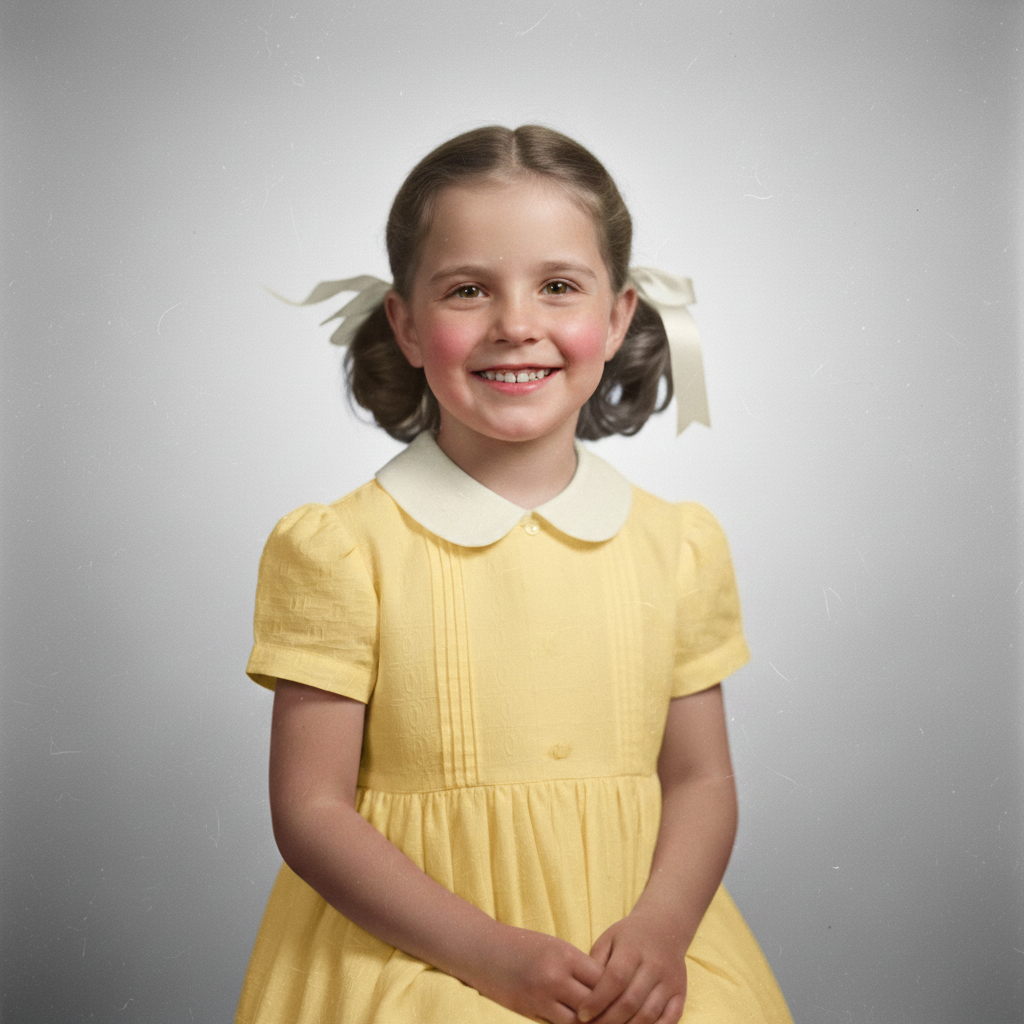
Colorized portrait showing yellow dress, natural skin tones, and brown hair
After

Child portrait, known dress color

Black and white child portrait. User knew the dress was yellow — specifying that produced an accurate colorization.

Prompt: colorize this photo — the dress was yellow, everything else realistic natural colors

Quick answers

Is the AI photo colorizer actually free?

Yes. EditThisPic gives you one free Fast preview edit per week — no account, no credit card. One free edit is usually enough for a single photo. If you have a batch of old family photos to colorize, a 10-edit pack for $4.99 is the most cost-effective option. Purchased downloads are clean, full quality.

How accurate are the colors?

For photos of nature, people, and common subjects, the AI makes contextually intelligent guesses — blue skies, green vegetation, natural skin tones. If you know what color something actually was (a dress, a car, a uniform), tell the AI in your prompt and it will use that information for much higher accuracy.

Will it work on very old or damaged photos?

Yes. The AI handles grain, fading, and mild scratches that are normal in scanned vintage photos. For severely damaged photos — torn, heavily scratched, or with large missing areas — consider running a repair prompt first, then colorizing as a second step.

How is this different from Hotpot or Colorize.cc?

Hotpot and Colorize.cc run automatic colorization with no way to specify colors. EditThisPic lets you describe specific colors in plain English — 'the dress was red,' 'give it warm early-morning light' — giving you creative control over the result rather than just accepting what the algorithm guesses.

Can I colorize multiple photos at once?

EditThisPic processes one photo at a time for best quality. Each colorization takes about 15 seconds, so a batch of 10 old family photos takes around 3 minutes total. a $4.99 10-edit pack makes batch colorization affordable.

Can I colorize a photo I already colorized to adjust the colors?

Yes. Run it again with more specific instructions: 'change the sky to a more vivid blue' or 'make the skin tones warmer and less orange.' Each generation is a fresh pass — you can iterate until the colors feel right.

Does colorizing damage the original photo?

No. EditThisPic always preserves your original. The colorized version is generated separately and available for download — your black and white original is always intact.

Can I colorize from my phone?

Yes. EditThisPic works in any mobile browser — Safari on iPhone, Chrome on Android. Upload a scanned photo or a photo you took of a printed photo, colorize it, and save back to your camera roll.

How much does EditThisPic cost?

You get 1 free edit per week — no account needed. After that, one-time credit packs start at $4.99 for 10 edits, valid 12 months, no subscription. Power users who edit daily can pick Studio Membership, a monthly workspace at $49.99/mo for 300 edits. Purchased downloads are clean with no watermark.

Ready to see your old photos in color?

Free to try. No signup required.

1 free edit included·Credit packs from $4.99