Free • No signup Stage Home office · Free

AI Virtual Staging: Home Office

Upload a photo of an empty room and describe your ideal home office setup. AI stages it with furniture in seconds.
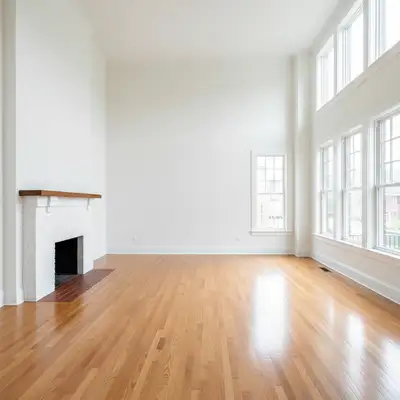
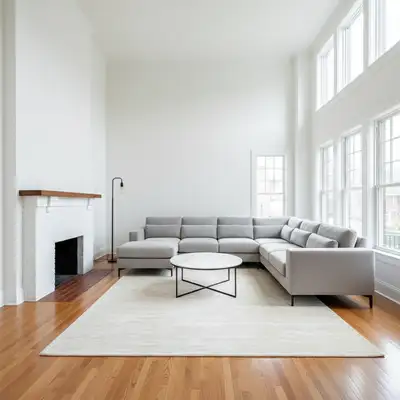
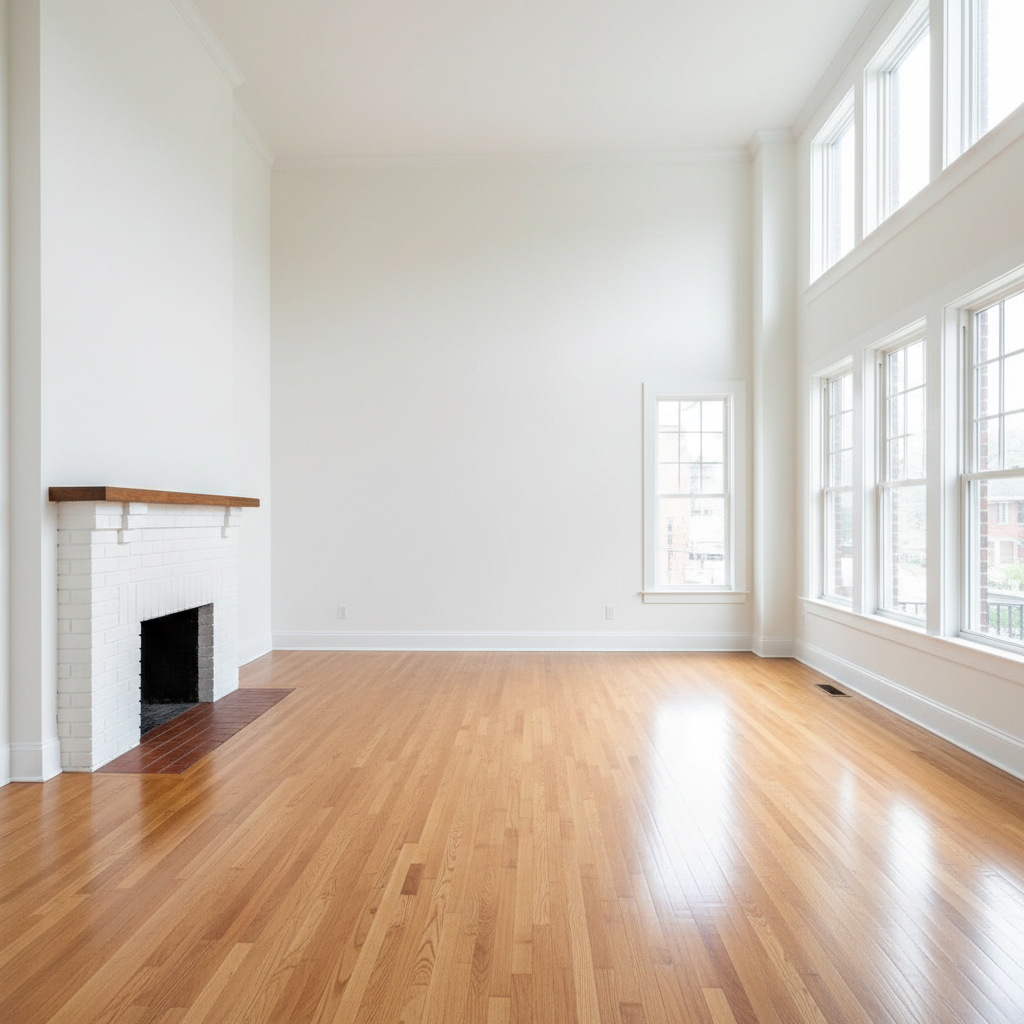
Empty spare bedroom with white walls and hardwood floors
Before
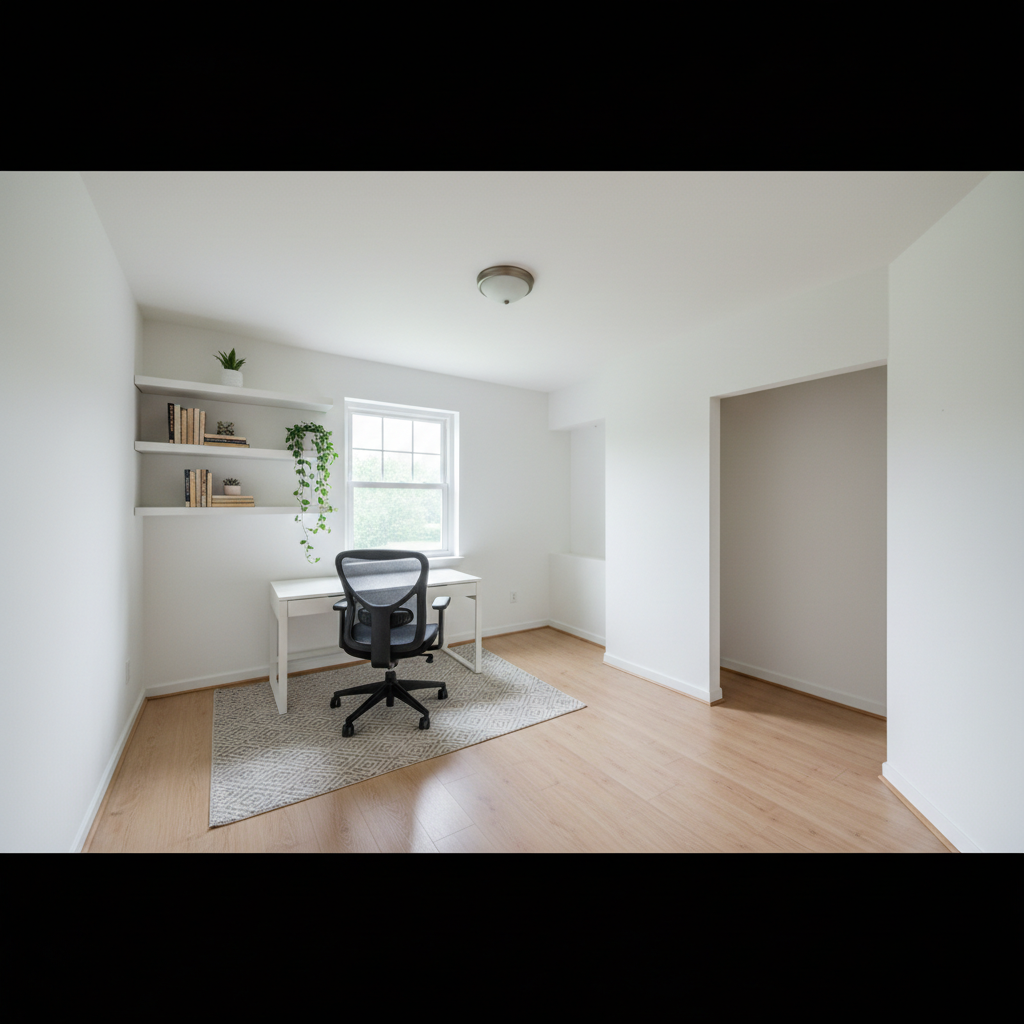
Same room staged as modern home office with white L-shaped desk and ergonomic chair
After

AI Virtual Staging Home Office

Drop your photo here

or click to browse

Release to upload

Free • No signup

Popular use cases:
  • virtual home office staging
  • real estate staging AI
  • spare bedroom staging
  • work from home room design
  • home office furniture visualizer
  • empty room staging for listing
  • remote work room staging
  • office virtual staging free

Cost
Free No signup required
Time
Instant results in 15-30 seconds
Works on
Any device - browser, phone, tablet, desktop
Powered by
AI-powered photo editing
Scenario Prompt Time
Minimalist office stage as home office with white standing desk, ergonomic chair, and wall shelf 20s
Executive setup stage as executive home office with mahogany desk, leather chair, and credenza 25s
Dual-monitor tech stage as tech home office with wide desk, dual monitors, and high-back chair 25s

How it works

  1. Upload your empty room photo

    Drop a photo of the room into EditThisPic. Works best with straight-on shots that show the full floor, walls, and windows. JPG, PNG, WebP up to 7MB.

    Expect: Simple desk-and-chair staging: 20-25 seconds. Full office with shelving, rug, and accessories: may need 1-2 refinements.
  2. Describe the home office you want

    Type your instruction: 'stage this room as a modern home office with a white L-shaped desk, ergonomic chair, and floor-to-ceiling bookshelves.' Include desk style, chair type, and any storage pieces. No marking needed — the AI understands 'home office' and furnishes the space appropriately.

    Tip: Mention the desk orientation relative to windows or walls: 'desk facing the window' or 'desk against the right wall' places it more precisely.

    Copy one of these to get started:

    Modern minimalist home office stage this empty room as a modern home office with a white standing desk against the right wall, a gray ergonomic chair, and a floating shelf above the desk with books and a small plant
    Built-in library office stage this room as a home office with dark wood built-in bookshelves floor to ceiling on one wall, a large wooden desk in front, and a leather executive chair
    Dual-monitor tech setup stage this room as a professional home office with a wide white desk with dual monitors, cable management, a high-back ergonomic chair in black, and LED strip lighting under the shelves
    Creative studio office stage this room as a creative home studio with a large drafting table, a comfortable swivel chair, wide shelving for supplies, and a mood board on the wall
    3 more prompts
    Small home office nook stage this compact room as a cozy home office nook with a wall-mounted floating desk, a slim chair, and vertical wall shelving on both sides
    Executive home office stage this room as a luxury executive home office with a large mahogany desk centered in the room, a tufted leather chair, a credenza against the back wall, and framed artwork
    Shared home office stage this room as a shared home office with two white desks facing opposite walls, two ergonomic chairs, and open shelving between them for shared storage
  3. Review the staged office

    Check that desk scale is realistic, chair is properly positioned, and the room reads as a functional workspace. Use the before/after slider to compare with the empty room.

  4. Refine with markers if needed

    If the AI placed furniture in an awkward spot or staged the wrong area, tap markers on the specific floor zone you want furnished, then regenerate. Markers are optional — most home office staging works without them.

    Tip: Use markers when the room has an alcove or built-in nook you want the desk placed in specifically.
Try it free

AI Virtual Staging Home Office

Drop your photo here

or click to browse

Release to upload

Free • No signup

"Staged the spare bedroom as a home office and got three offers in a week. Buyers said the office photo was the deciding factor." @RealtorDenise_PDX

See it in action

Empty spare bedroom with white walls and hardwood floors
Before
->
Same room staged as modern home office with white L-shaped desk and ergonomic chair
After

Empty spare bedroom to modern home office

A vacant spare bedroom transformed into a clean, professional home office for an MLS listing photo.

Prompt: stage this room as a modern home office with a white L-shaped desk, an ergonomic gray chair, and wall-mounted shelving above the desk with books and a small succulent
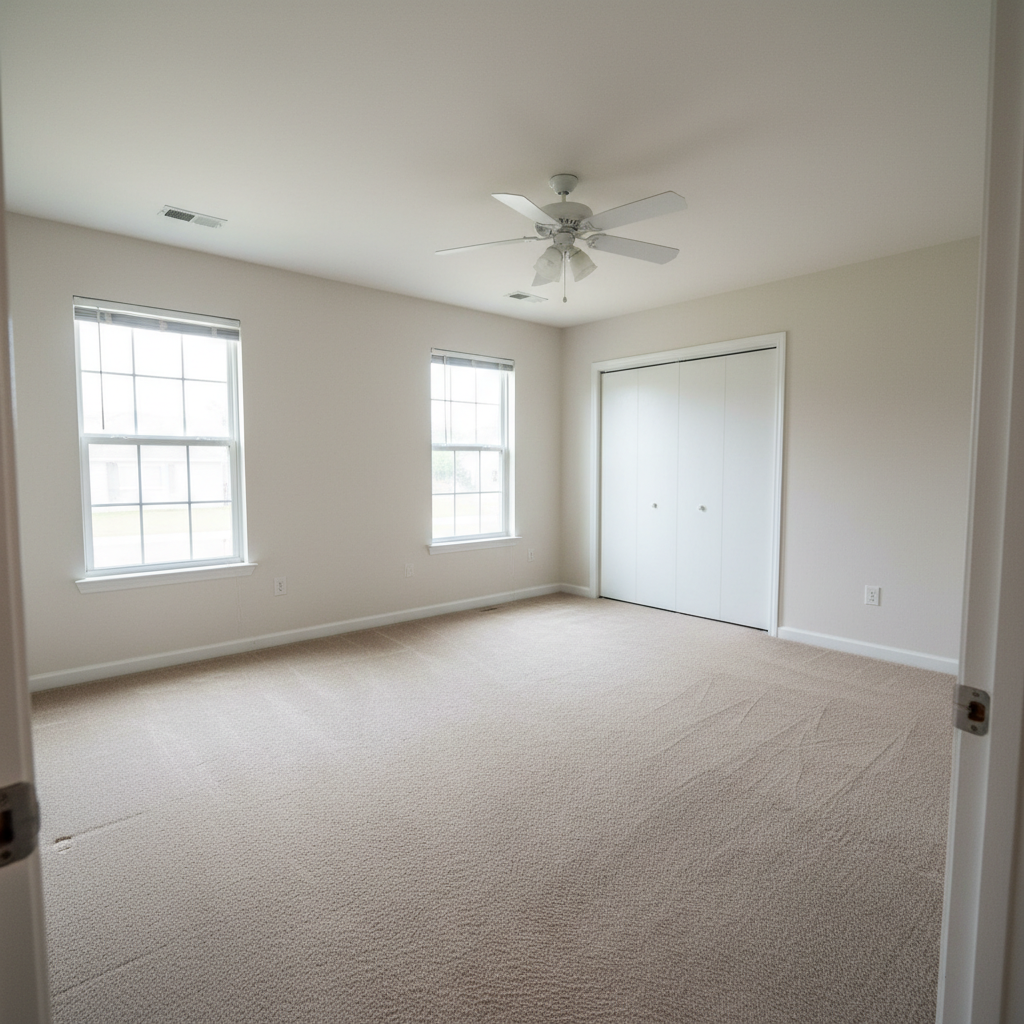
Empty bonus room with gray walls and dark carpet
Before
->
Bonus room staged as professional home office with dual monitors and ergonomic setup
After

Bonus room staged as dual-monitor tech office

A bare bonus room staged as a high-end remote work setup to appeal to tech buyers.

Prompt: stage this room as a professional home office with a wide white desk with dual monitors, a high-back black ergonomic chair, pegboard organizer on the wall, and floor lamp in the corner
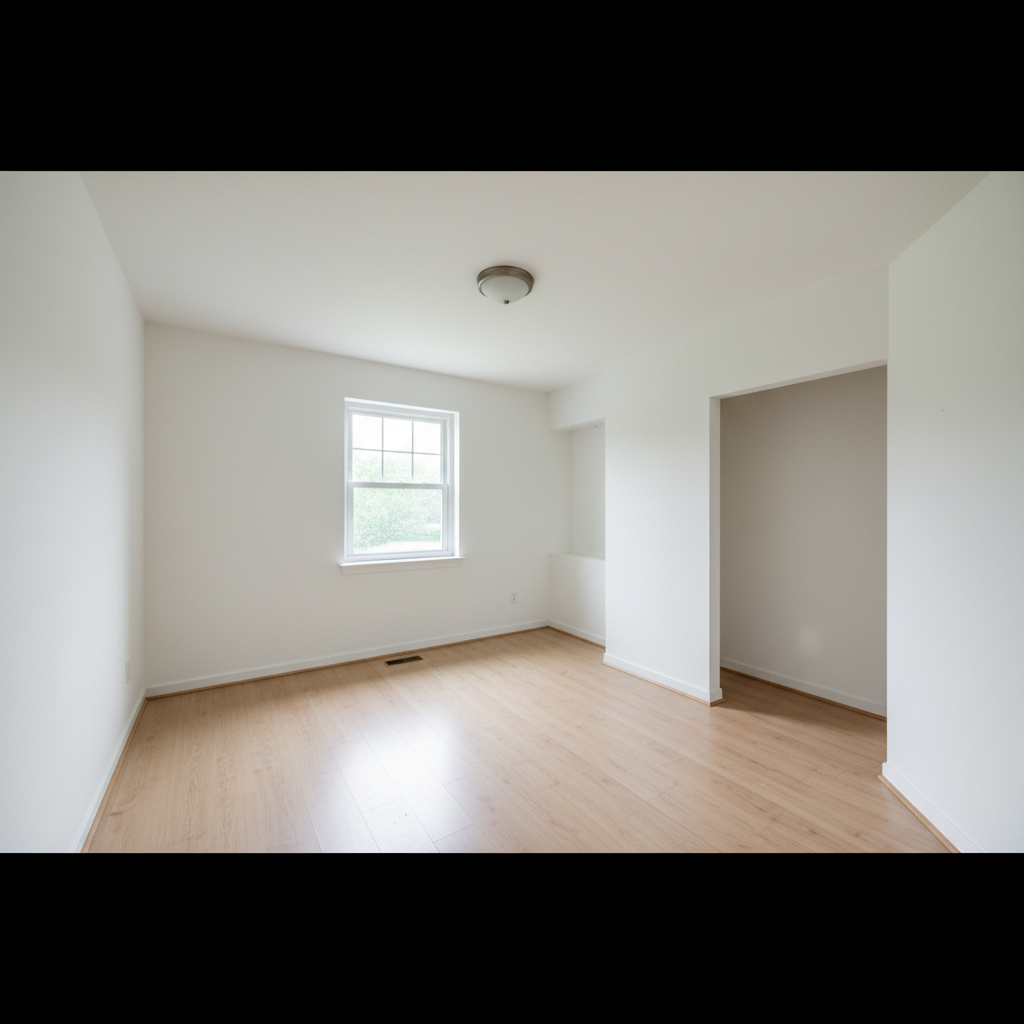
Small empty bedroom with cream walls and tile floors
Before
->
Small room staged as a creative studio office with drawing table and mustard yellow chair
After

Small bedroom to compact creative studio

A small square bedroom virtually staged as a creative workspace for a design-professional buyer.

Prompt: stage this small room as a creative home office with a large drawing table, a swivel chair in mustard yellow, open shelving along one wall, and inspirational prints above the desk

Detailed Guides by Scenario

📷

Real Estate Listing Photos

Show buyers the home office potential in any spare bedroom or bonus room — without physical staging costs.

Common Scenarios

  • Staging an empty spare bedroom as a home office for MLS photos
  • Showing a bonus room as a dual-purpose workspace for remote workers
  • Creating before/after comparisons of a vacant room and its staged counterpart

Best Practices

  • Use the original listing photo as the 'before' and AI staging as the 'after'
  • Choose universally appealing setups like minimalist white-and-gray for broad buyer appeal
  • Always disclose virtual staging per local MLS and real estate regulations
📷

Work-From-Home Design Planning

Preview your ideal home office setup in your actual room before buying furniture or committing to a layout.

Common Scenarios

  • Testing whether a standing desk or traditional desk fits better in your room
  • Previewing built-in shelving versus freestanding storage before installation
  • Trying out different chair styles and colors against existing wall colors

Best Practices

  • Photograph your room with good natural light and include visible floor and walls for best AI accuracy
  • Describe specific dimensions when you know them: 'a 60-inch wide desk against the left wall'
  • Run multiple setups and screenshot each result for side-by-side comparison
📷

Rental and Airbnb Marketing

Stage a dedicated workspace in your rental listing to attract remote workers who need a home office amenity.

Common Scenarios

  • Adding a staged office nook to a spare bedroom in a rental listing
  • Showing a dedicated work desk in an Airbnb listing to attract business travelers
  • Creating marketing photos that highlight work-from-home amenities

Best Practices

  • Stage with compact, clean setups — rental guests need functional space, not elaborate offices
  • Include natural light sources in the staging prompt to emphasize daytime productivity
  • Keep decor neutral and professional for broadest renter appeal

If something looks off

Desk looks too small or too large for the room

Why: The AI misjudged room dimensions from the photo angle, common in rooms without reference objects for scale.

Try: stage this room with a proportionally sized desk that fits naturally — the room is approximately 12 by 10 feet

Tip: Including rough room dimensions in your prompt gives the AI a reliable scale reference.

Chair or desk appears to float above the floor

Why: The AI didn't ground furniture with realistic shadows and floor contact, often from low-contrast floor photos.

Try: stage this home office with furniture that casts natural shadows and sits flat on the floor

Tip: Photos with clearly visible floor texture and good lighting produce better-grounded furniture.

AI changed the wrong area or something I didn't want changed

Why: The AI couldn't determine exactly which area you meant from description alone. This happens with ambiguous or large open-plan rooms.

Try: Tap a marker on the specific floor area where the desk should go, then regenerate with the same prompt

Tip: Markers tell the AI 'I mean THIS spot specifically.' Use them when description alone is ambiguous.

Office looks cluttered rather than staged

Why: The AI added too many accessories when given an open-ended prompt.

Try: stage this room as a clean, minimal home office with only a desk, chair, and one small shelf — no clutter

Tip: Add 'minimal' or 'clean staging' to keep the AI from over-decorating. Listing photos benefit from less, not more.

Style doesn't look cohesive — mixing too many aesthetics

Why: Without a named style, the AI may combine modern, rustic, and traditional elements.

Try: stage this room in a consistent Scandinavian minimalist home office style with only white, light wood, and gray tones

Tip: Name a specific design style — 'mid-century modern,' 'Japandi,' 'industrial' — to lock the AI to a coherent aesthetic.

Quick answers

Do I need to mark the floor or walls before staging?

No. Just describe the office setup you want: 'stage this room as a home office with a standing desk and ergonomic chair.' The AI reads the room from the photo and places furniture appropriately without any marking. Only add markers if you want furniture in a very specific spot the AI keeps missing.

Can I use this to stage a spare bedroom as a home office for a listing?

Yes, that's exactly what this is built for. Upload the empty spare bedroom photo, describe the office setup, and get a staged version in 30 seconds. Realtors use it to show buyers dual-purpose potential without paying thousands for physical staging.

Is this free to use for real estate agents?

Yes. EditThisPic is free to try with no account required — one free edit per week. For staging multiple rooms on a single listing, credit packs start at $1.99. Far cheaper than a professional virtual staging service.

What home office styles can the AI generate?

Minimalist, executive, creative studio, tech/gaming, Scandinavian, mid-century modern, industrial, and more. Describe the desk type, chair style, storage setup, and any decor — the AI renders it in your actual room.

Can I try different office layouts on the same photo?

Yes. Upload once, then run multiple edits with different descriptions — 'minimalist standing desk' then 'built-in library office' then 'dual-monitor tech setup.' Each generates a fresh staging so you can compare options before choosing which to use.

Ready to stage your home office?

Free to try. No signup required.

Try it free